Best Calendar Scheduling Software for Coaches Guide

Nour
Founder, Coachful
Deploying the best calendar scheduling software for coaches is the foundational operational necessity for eliminating manual booking friction, banishing awkward time-zone math, and preventing costly client no-shows. In the early stages of a practice, many coaches still schedule sessions through agonizing email ping-pong: 'Does next Tuesday at 2:00 PM EST work for you?' 'No, how about Wednesday at 4:00 PM PST?' This manual back-and-forth wastes precious hours, projects an amateurish image, and frequently leads to accidental double-bookings.
Furthermore, as a coach's client roster expands across global international time zones, scheduling errors multiply rapidly. A misunderstanding over daylight saving time or UTC offsets results in a client sitting in an empty Zoom room, feeling neglected and frustrated. Even worse, relying on generic standalone scheduling tools like Calendly or Acuity introduces subscription bloat and fails to link calendar bookings to payment status, signed coaching agreements, or client session history.
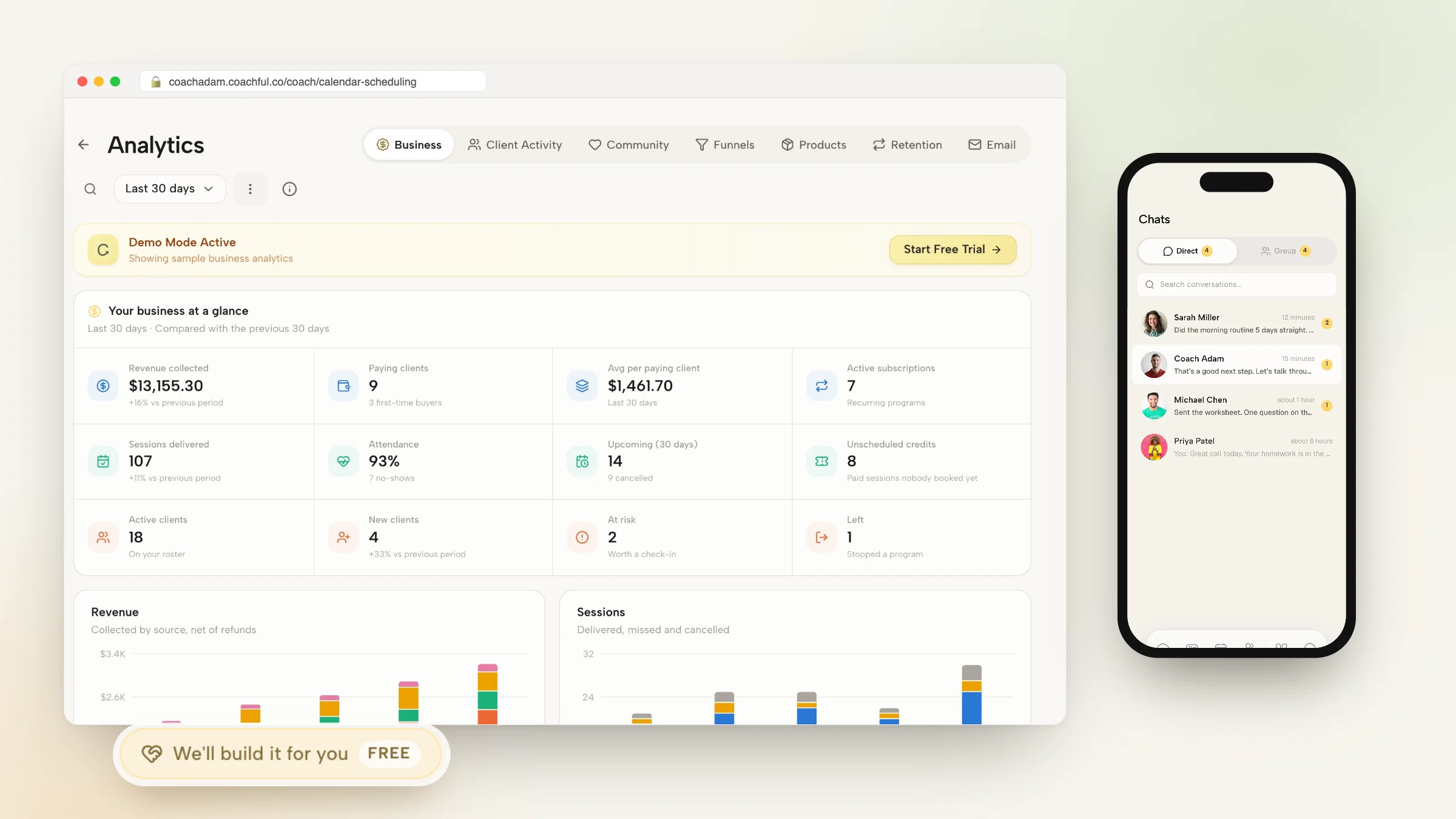
Modern calendar scheduling software for coaches eliminates these friction points by natively integrating calendar booking directly into your practice operating system. Clients view your real-time availability in their local time zone, book sessions based on their package credits, and automatically receive calendar invitations with integrated video conferencing links. This comprehensive guide reviews the architectural requirements, automated reminder workflows, and software features required for frictionless coaching scheduling.
Manual Email Ping-Pong vs Standalone Calendly vs Native Integrated Coaching Calendar
| Scheduling Dimension | Manual Email Ping-Pong | Standalone Tool (Calendly/Acuity) | Native Integrated Coaching Calendar |
|---|---|---|---|
| Time-Zone Conversion | Prone to severe human error and missed calls | Automated, but requires third-party tool setup | Native automatic international time-zone detection |
| Connection to Retainer Credits | Zero tracking; manual spreadsheet accounting | Requires complex Zapier logic to count sessions | Automatically deducts session from client's active retainer |
| Client Experience | Frustrating, slow, and completely unprofessional | Generic corporate booking page with external branding | Bespoke branded booking experience inside client portal |
| No-Show Prevention Workflows | Manual email reminders sent by coach ad-hoc | Basic automated email reminders | Omnichannel SMS, email, and mobile push notifications |
The Psychological Impact of Frictionless Booking
The ease with which a prospective client or active executive can book a coaching session sets the tone for the entire professional relationship.
When an executive can click a link, see availability in their exact time zone, and confirm an appointment in ten seconds with automatic Google and Outlook calendar integration, they experience your practice as polished and respectful of their time.
Executive Leadership Coach: I used to spend forty-five minutes every week exchanging emails with executive assistants just to coordinate six coaching sessions across London, New York, and Singapore.
Calendar Operations Specialist: Coordinating across global time zones manually is an operational trap.
Executive Coach: When I integrated native calendar scheduling into my client portal, the administrative drag vanished. Clients book directly from their phone app, time zones convert automatically, and session buffer times prevent back-to-back burnout.
Calendar Operations Specialist: And your no-show rate plummeted because automated push reminders keep sessions top of mind.
Advisors frequently reference our foundational analysis on managing client no-shows and rescheduling to establish comprehensive operational baselines before scaling client engagements.
The Three Pillars of High-Performance Scheduling Software
To protect your energy and deliver a flawless client booking workflow, ensure your scheduling software embodies three core pillars:
Integrating structured client accountability with tools outlined in our guide to simplifying your coaching tech stack guarantees consistent behavioral outcomes across enterprise cohorts.
- Pillar 1: Two-Way Real-Time Calendar Synchronization: Sync bilaterally with Google Calendar, Outlook, and Apple Calendar to prevent double-bookings against personal appointments.
- Pillar 2: Automated Buffer Windows and Daily Caps: Enforce mandatory 15-minute buffer windows between calls and cap daily session volume to safeguard cognitive focus and vocal stamina.
- Pillar 3: Native Integration with Retainer Credits: Ensure clients can only book sessions if they have an active paid retainer or available session credits on file.
Automating No-Show Prevention with Omnichannel Reminders
Client no-shows and last-minute cancellations are costly disruptions to your advisory business. Modern scheduling software deploys automated, multi-channel reminder cadences.
Configure the system to distribute an automated confirmation email immediately upon booking, followed by a 24-hour reminder with pre-session reflection prompts, and a 1-hour mobile push notification, reducing no-shows by over ninety percent.
Practitioners seeking structured delivery workflows can review coaching agreement independent contractor clauses to standardize their executive client management systems.
Sustaining momentum with calendar scheduling software for coaches requires ongoing behavioral observation and rigorous operational governance. When executive practitioners establish clear developmental baselines, clients cultivate authentic ownership, eliminating chronic organizational bottlenecks and achieving sustainable commercial performance.
Frequently asked questions about calendar scheduling software for coaches
What is calendar scheduling software for coaches?
It is an automated booking tool that allows clients to view real-time availability, schedule sessions across time zones, and receive automated reminders.
Can scheduling software prevent clients from booking back-to-back calls?
Yes. Platforms like Coachful allow coaches to set automated buffer times (e.g., 15 or 30 minutes) between sessions to prevent mental exhaustion.
Does coaching scheduling software integrate with Zoom and Google Meet?
Yes. The platform generates dynamic Zoom or Google Meet links automatically upon booking, adding the link directly to the calendar invitation.
Can I limit how many coaching sessions I do in a single day?
Yes. Advanced coaching software allows you to configure daily meeting limits (e.g., maximum 4 sessions per day) to preserve your energy.
Why use Coachful for scheduling instead of Calendly?
Coachful integrates calendar scheduling directly with client retainer billing, session notes, habit tracking, and branded client portals in one tool.
Mastering calendar scheduling software for coaches eliminates one of the most frustrating administrative bottlenecks in your advisory practice, liberating your calendar and advancing your professional brand authority. When booking is effortless, clients experience total respect for their time.
Upgrade your calendar infrastructure today. Automate your scheduling workflows, eliminate no-shows with smart reminders, and focus your energy on delivering transformative coaching.