Coaching Practice Automation Workflows Complete Guide

Nour
Founder, Coachful
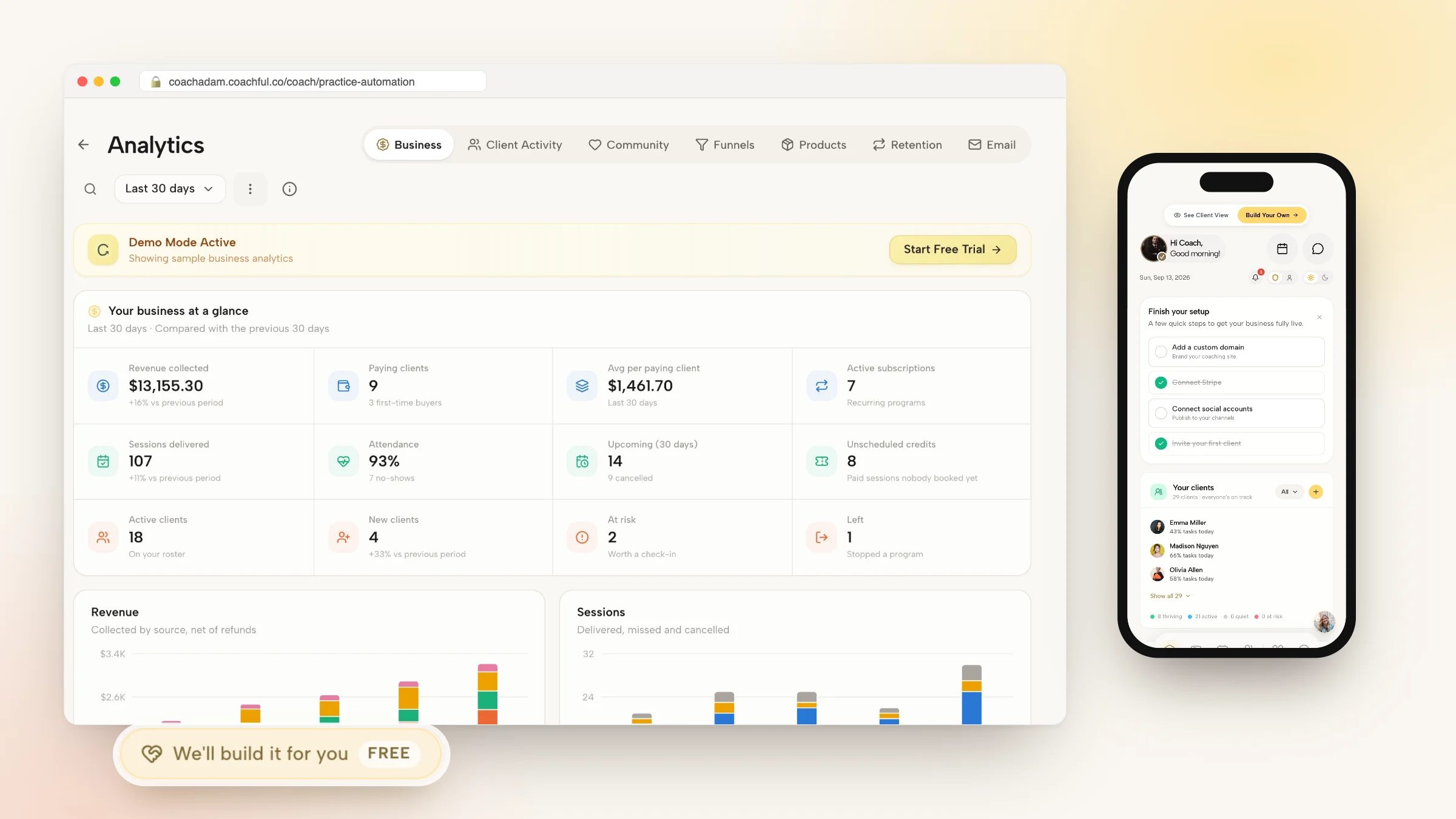
Implementing end-to-end coaching practice automation across your back-office workflows is the definitive operational watershed separating chaotic, exhausted solo coaches from high-margin, scalable advisory enterprises. In the initial phases of practice building, an individual advisor can survive using manual administrative methods: sending individual scheduling links, copying contract templates in Microsoft Word, generating manual PDF invoices, and emailing worksheets one by one.
However, as your client roster scales beyond six active clients, manual administration becomes an insidious trap. You find yourself spending fifteen to twenty hours every single week on non-billable, low-leverage clerical tasks: chasing unsigned contracts, following up on late credit card payments, sending calendar reminder emails, and copying session notes across disconnected folders. This administrative drag creates an impenetrable revenue ceiling, draining the creative and strategic energy required to deliver world-class coaching.
Dedicated coaching practice automation permanently dissolves this bottleneck by connecting your entire business lifecycle into a self-driving operating system. From the instant a prospective client submits an inquiry to agreement e-signing, automated recurring retainer billing via Stripe, calendar scheduling, and daily habit tracking inside a branded mobile portal, your back-office runs silently and flawlessly on autopilot. This comprehensive guide reviews the automation triggers, operational blueprints, and software workflows needed to automate your practice.
Manual Administrative Grind vs Fragile Zapier Chains vs Native Practice Automation
| Automation Vector | Manual Administrative Grind | Fragile Zapier Chains (5+ Apps) | Native Coaching Practice Automation |
|---|---|---|---|
| Client Onboarding Flow | 3 to 5 days manually sending emails and attachments | Automated, but fragile zaps break frequently | 1-click unified flow: Contract -> Payment -> Portal |
| Retainer Billing Management | Manual monthly invoicing with late payment chasing | Separate Stripe subscriptions requiring manual reconciliation | Native recurring retainers with automated dunning retries |
| Session Reminders & Booking | Manual email reminders sent by coach ad-hoc | Basic third-party calendar emails without portal sync | Omnichannel push notifications and calendar synchronization |
| Weekly Administrative Overhead | 15 to 20 hours lost to clerical busywork | 5 to 8 hours fixing broken webhooks and API keys | Under 1 hour; all core workflows are natively automated |
The Three Critical Bottlenecks of Unautomated Practices
Coaches who fail to automate their operations inevitably hit three structural bottlenecks that cap their growth.
First, the Administrative Time Trap: every new client adds two to three hours of weekly non-billable paperwork. Second, the Inconsistent Quality Chasm: during busy weeks, manual check-ins are skipped, leading to client disengagement. Third, the Financial Friction Trap: accounts receivable balances balloon because invoicing is delayed.
Executive Coach: I was working sixty hours a week, but only fifteen of those hours were spent coaching. The rest of my time was consumed by sending calendar links, chasing unpaid invoices, and emailing PDF assignments.
Automation Consultant: You were basically working as an unpaid administrative assistant in your own company.
Executive Coach: Exactly. When I automated my practice using Coachful, the administrative drag vanished overnight. Onboarding was automated in five minutes, retainer billing ran on the first of each month, and clients checked off their daily habits on their phone app. I reclaimed twenty hours a week.
Automation Consultant: And you used those twenty hours to enroll five more high-ticket clients, adding sixty thousand dollars to your annual income.
Advisors frequently reference our foundational analysis on simplifying your coaching tech stack to establish comprehensive operational baselines before scaling client engagements.
The Three Pillars of Native Practice Automation
To build an automated practice that runs smoothly without technical headaches or fragile third-party integrations, anchor upon three core pillars:
Integrating structured client accountability with tools outlined in our guide to coaching client onboarding automation guarantees consistent behavioral outcomes across enterprise cohorts.
- Pillar 1: Unified Onboarding Checkout Sequences: Combine contract e-signing, automated retainer billing, and intake form completion into a single 1-click checkout flow.
- Pillar 2: Automated Retainer Dunning and Invoicing: Set up automated recurring Stripe subscriptions with intelligent retry logic that recovers failed credit card charges automatically.
- Pillar 3: Omnichannel Habit and Check-In Workflows: Automate daily mobile push reminders and weekly reflection forms, gathering client progress data with zero manual effort.
Calculating the Return on Investment of Automation
The return on investment of practice automation is measured in billable capacity liberation. When an advisor automates fifteen hours of weekly clerical work, they liberate sixty hours every month.
Reallocating just ten of those liberated hours to premium executive advisory at $500 per hour generates $5,000 in incremental monthly revenue, delivering a massive 50x return on software investment.
Practitioners seeking structured delivery workflows can review best coaching management software for scaling to standardize their executive client management systems.
Sustaining momentum with coaching practice automation requires ongoing behavioral observation and rigorous operational governance. When executive practitioners establish clear developmental baselines, clients cultivate authentic ownership, eliminating chronic organizational bottlenecks and achieving sustainable commercial performance.
Frequently asked questions about coaching practice automation
What is coaching practice automation?
It is the use of specialized software to automate client onboarding, contract signing, recurring billing, calendar scheduling, and habit tracking.
Do I need technical coding skills to automate my coaching practice?
No. Modern platforms like Coachful provide turnkey, pre-configured automation workflows that require zero coding or complex Zapier setups.
How much administrative time can a coach save each week with automation?
Most independent coaches save between 10 and 20 hours per week by automating calendar booking, contract distribution, and recurring billing.
Does automation make coaching feel impersonal to clients?
No. Automation handles the mechanical administrative chores, freeing up the coach's energetic presence to deliver deeper, more personalized coaching.
How does Coachful deliver coaching practice automation?
Coachful natively integrates automated Stripe retainers, contract e-signing, intake forms, calendar booking, and mobile client portals in one hub.
Mastering coaching practice automation transforms your business from an exhausting clerical scramble into an elegant, high-margin advisory machine. When your systems handle operations with silent, automated precision, you operate with total peace of mind and boundless creative energy.
Automate your practice workflows today. Retire manual invoicing and fragmented tools, deploy an all-in-one coaching operating system, and build the scalable, high-impact firm you were born to lead.