Automate Client Scheduling Without Calendly: 5 Rules

Nour
Founder, Coachful
Discovering how to automate client scheduling without Calendly across five foundational rules allows practitioners to eliminate redundant software bills and create a frictionless booking experience. While Calendly popularized self-service appointment booking, sending clients to an external Calendly link fragments your brand, displays third-party logos, and forces you to pay $12 to $16 monthly per user for basic features like buffer times and multiple event types.
More importantly, standalone schedulers keep booking data trapped in an isolated calendar silo, disconnected from your client's session notes, contract status, payment history, and habit progress. Explore our 8 executive coaching frameworks ranked, review our which coaching client onboarding steps to automate, and evaluate your booking workflows with our coaching pricing calculator.
Standalone Calendly subscription vs integrated coaching platform scheduling
| Scheduling Capability | Standalone Calendly ($16/mo) | Integrated Coachful Scheduling | Coaching Business Impact |
|---|---|---|---|
| Monthly Software Cost | $12 to $16 / user / month | Included in flat plan ($29-$49/mo) | Eliminates $150 to $200 annual recurring scheduler cost |
| Branding & URLs | Displays 'Powered by Calendly' | 100% white-labeled on your domain | Elevates executive presence with premium clients |
| Client Record Integration | Disconnected from coaching notes | Appointments sit on the client profile | Full context and intake answers visible during calls |
| Payment Processing | Basic Stripe integration only | Native package credits & subscriptions | Automatically tracks remaining paid package sessions |
| Client Portal Experience | External calendar link only | Part of the branded client web/mobile app | Clients manage all bookings, habits, and notes in one login |
Rule 1: Enforce Native Two-Way Calendar Synchronization
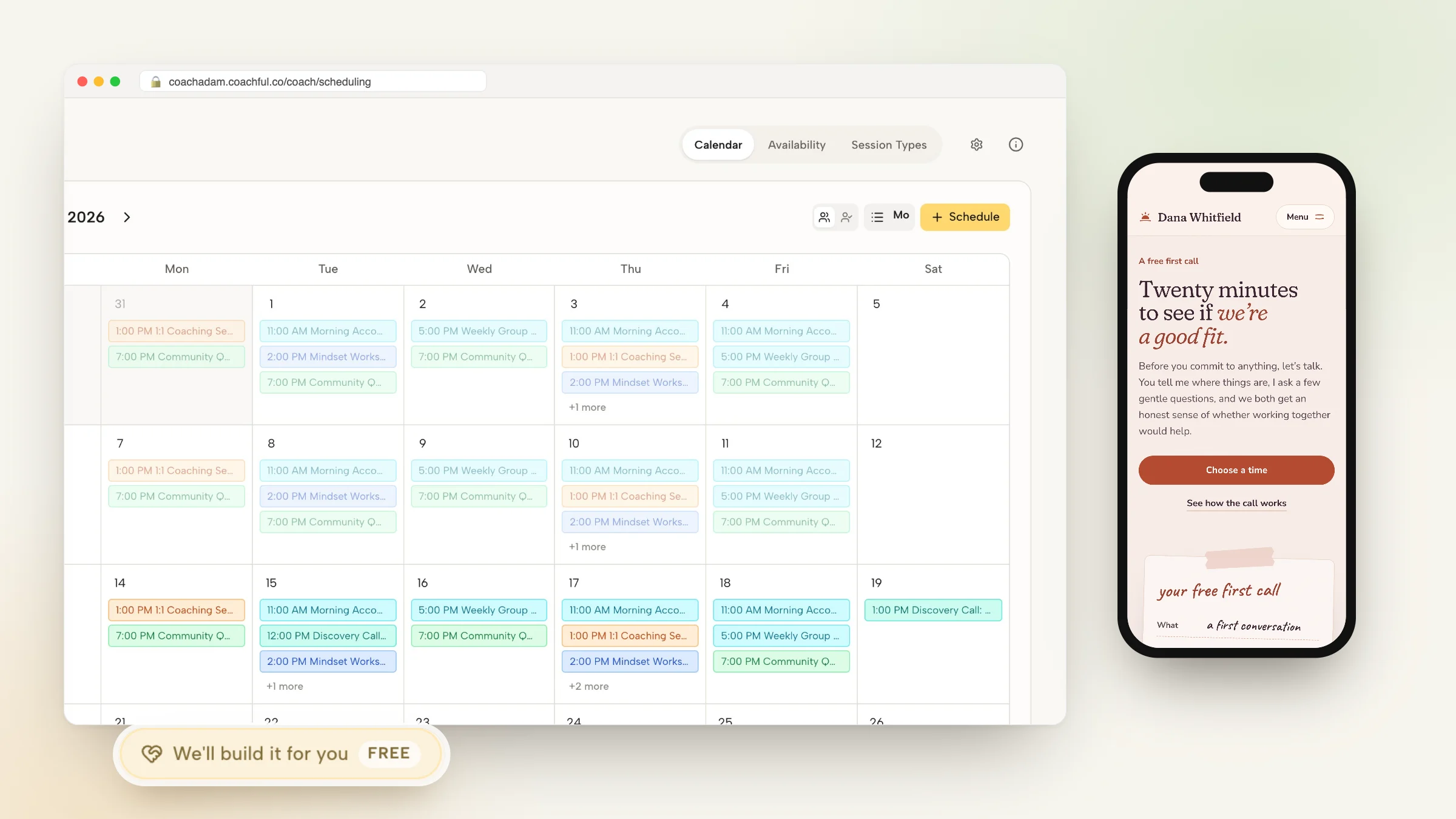
The foundation of automated scheduling is reliable two-way calendar synchronization. An accurate booking engine must scan your real-time availability across Google Calendar, Apple iCloud, and Microsoft Outlook, automatically blocking out personal appointments, doctor visits, and existing client sessions to prevent catastrophic double-booking.
When a client selects an open time slot, the system must write the event directly to your primary calendar with pre-configured Zoom, Google Meet, or built-in video links, while simultaneously delivering an .ics invite to the client. Modern platforms handle this synchronization natively without requiring third-party scheduler subscriptions.
- Multi-calendar scanning: Check availability across personal and business calendars simultaneously to prevent conflicts.
- Automatic video link injection: Generate unique meeting links for Zoom, Teams, or Google Meet automatically upon booking.
- Instant calendar blocking: Block booked slots in real time to prevent simultaneous bookings across multiple visitors.
Rule 2: Implement Mandatory Buffer Times and Daily Booking Caps
Novice coaches make the mistake of setting continuous open availability without buffers, leading to grueling back-to-back schedules that produce vocal strain and mental exhaustion. Without intentional boundaries, you find yourself jumping straight from a high-intensity executive hot seat into a sensitive crisis debrief.
Configure mandatory buffer times (such as 15 to 30 minutes) between appointments to allow for bio-breaks, hydrating, and synthesizing private coaching notes. Additionally, establish daily booking limits (capping sessions at 3 or 4 per day) to protect your mental energy and maintain world-class coaching presence.
- Pre and post-session buffers: Automatically insert 15-minute buffers before and after appointments to decompress and review notes.
- Daily meeting limits: Cap maximum daily client calls to prevent burnout and protect deep strategic focus time.
- Minimum notice constraints: Require at least 12 or 24 hours advance notice to prevent surprise same-day bookings.
Rule 3: Embed Diagnostic Questionnaires into the Booking Flow
One of the biggest frustrations with standalone scheduling tools is that intake questions often feel detached from the rest of your business operations. Answers submitted in Calendly end up buried in calendar invite descriptions or forwarded to email inboxes where they are easily lost.
By utilizing native coaching scheduling, custom intake questions live right inside the booking interface. The responses are automatically parsed and displayed on the client's permanent record in your coach dashboard, giving you instant access to their challenges, goals, and metrics during the call.
- Custom question fields: Include single-line text, dropdowns, and paragraph fields to diagnose client needs upfront.
- Permanent profile attachment: Ensure intake responses are permanently archived on the client's file for future reference.
- Required vs optional fields: Make core qualifying questions mandatory while keeping secondary inquiries optional.
Rule 4: Synchronize Booking Directly with Paid Session Packages
Calendly allows you to collect payments for single appointments, but it struggles with complex coaching packages: such as selling a 6-session retainer or a 12-week program. Coaches often have to manually send separate Calendly links and track remaining session credits in spreadsheets.
An integrated platform automatically tracks session credits. When a client purchases a 6-pack of executive coaching, the system credits their account with six sessions. The client can book sessions whenever they choose, with the balance updating automatically, completely eliminating manual session counting.
- Automated credit deduction: Automatically deduct session credits as appointments are booked and completed.
- Package renewal alerts: Notify both coach and client when package credits are running low to prompt smooth re-contracting.
- Integrated payment collection: Collect one-time package fees or recurring monthly retainer charges via Stripe Connect.
Rule 5: Unify Reminders and Rescheduling to Schedulers Churn
No-shows and late cancellations disrupt schedules and drain revenue. Sending manual reminder texts and emails is an administrative burden that modern practices cannot afford. Furthermore, if a client needs to reschedule, forcing them to email back and forth defeats the purpose of automation.
Configure automated email and SMS reminders delivered 24 hours and 1 hour before appointments. Include a one-click rescheduling button that respects your minimum cancellation window (such as requiring 24 hours notice to reschedule), keeping your calendar organized without awkward personal confrontation.
- Multi-channel reminders: Deliver automated email and SMS reminders with meeting links and pre-session instructions.
- Self-service rescheduling: Allow clients to reschedule easily while enforcing strict advance cancellation policies.
- Reduce no-show rates: Cut appointment no-show rates below 3% through reliable, professional automated reminders.
Frequently asked questions about automate client scheduling without calendly
Can I automate client bookings without paying for Calendly?
Yes. Platforms like Coachful include native two-way calendar sync, automated reminders, buffer times, and intake questionnaires built directly into your coaching portal.
What calendars does Coachful sync with?
Coachful syncs in real time with Google Calendar, Apple iCloud Calendar, and Microsoft Outlook, scanning live availability to prevent double-booking.
Can I charge clients before they book an appointment?
Yes. You can require payment upfront for paid strategy sessions, deposit fees, or package credits before an appointment slot is confirmed.
How do clients reschedule appointments without Calendly?
Confirmation and reminder emails include secure one-click rescheduling links that allow clients to choose a new time within your pre-approved availability rules.
How much does a coach save by eliminating Calendly?
A coach saves $150 to $200 per year on Calendly subscriptions while keeping all booking records, intake answers, and notes unified in one platform.
Learning how to automate client scheduling without Calendly eliminates unnecessary software bills and unifies your client data. By implementing two-way calendar sync, enforced buffers, and integrated package tracking, you deliver a smooth booking experience that reflects your executive caliber.
Set your availability rules, connect your calendars, and automate appointment booking inside Coachful's all-in-one coaching platform.