How to Replace Spreadsheets in Coaching Practices

Nour
Founder, Coachful
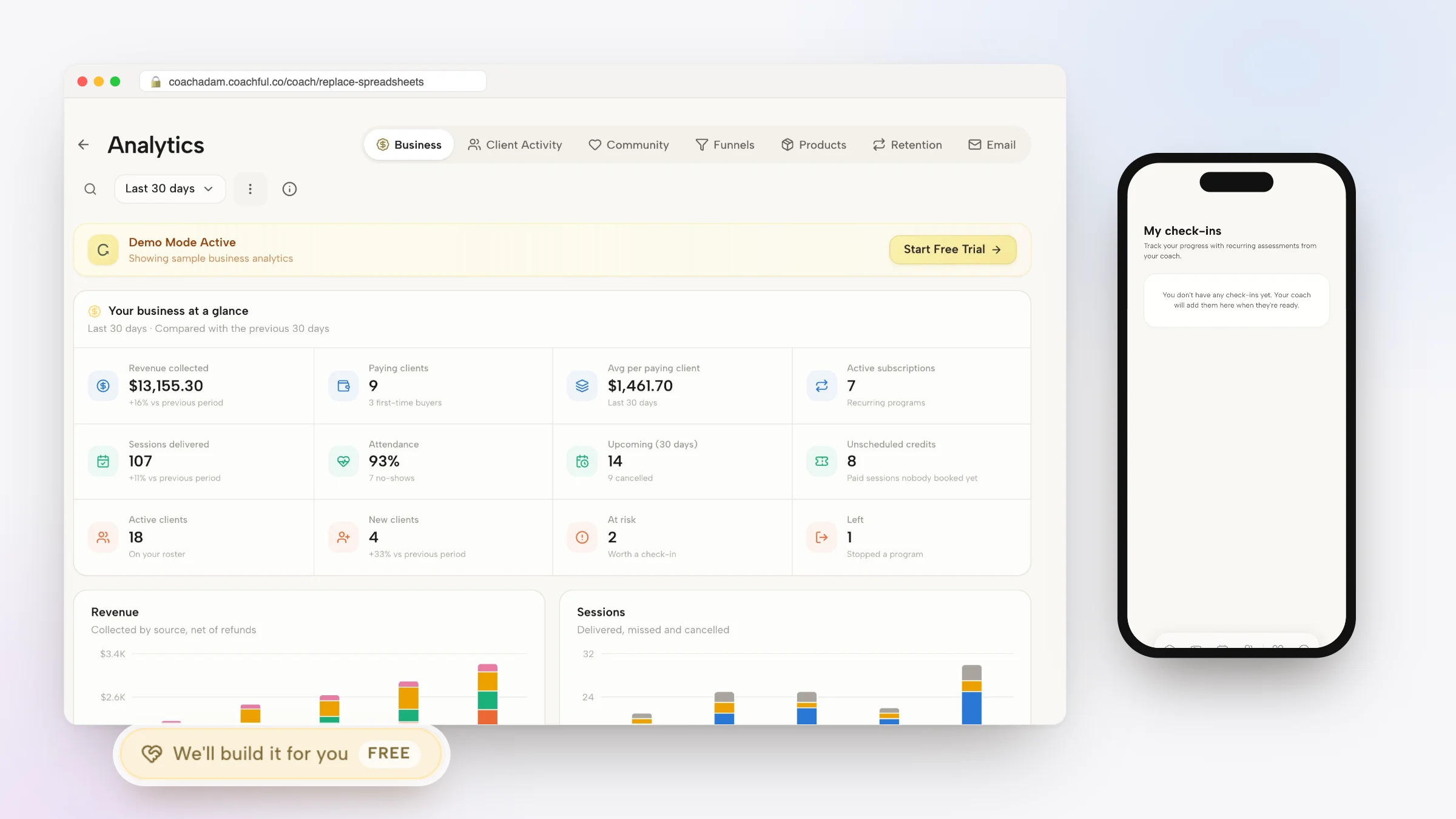
Learning how to systematically replace spreadsheets in coaching practices is the single most urgent operational evolution facing ambitious advisors who want to break through the six-figure revenue plateau. In the fledgling stages of a coaching career, Google Sheets and Excel feel like sensible, cost-effective solutions: you create a tab for prospect leads, a tab for client session counts, a tab for invoicing status, and a shared sheet where clients awkwardly log their weekly homework.
Concurrently, coaches introduce Slack or WhatsApp to handle client communication. However, as your client roster scales, this makeshift operational scaffolding collapses under its own weight. Spreadsheets become corrupted with broken formulas, clients accidentally overwrite private data, mobile editing on phones is a clunky disaster, and important client milestones are buried beneath dozens of unorganized rows. Meanwhile, Slack devolves into a chaotic firehose where critical strategic questions are swallowed by casual banter and unorganized message threads.
Forcing high-paying executive clients to manage their personal transformation inside a dreary spreadsheet and a noisy team chat application sends a devastating message: that your practice is amateur, disorganized, and technically antiquated. By replacing spreadsheets and Slack with a purpose-built, all-in-one coaching platform, you provide clients with an elegant, branded sanctuary designed specifically for behavioral change. This comprehensive guide details the operational pitfalls of spreadsheet-driven coaching and outlines the step-by-step migration blueprint required to modernize your practice.
Makeshift Spreadsheets & Slack vs Purpose-Built Unified Coaching Platform
| Operational Feature | Spreadsheets & Slack (Makeshift Stack) | Purpose-Built Coaching Platform |
|---|---|---|
| Perceived Executive Authority | Amateurish; feels like an improvised budget project | Elite; bespoke branded web and native mobile client portal |
| Client Mobile Usability | Horrible; pinch-zooming tiny spreadsheet cells on phones | Flawless 1-tap habit logging and native mobile notifications |
| Data Privacy & Security | Extremely high risk of accidental client data exposure | Strict role-based permissions and encrypted client vaults |
| Admin Overhead per Week | 8 to 12 hours manually updating cells and chasing chats | Under 1 hour; all tracking, billing, and alerts are automated |
| Between-Session Momentum | Fades quickly; clients avoid opening complex spreadsheets | High consistency; gamified daily streaks and private chat |
The Three Critical Flaws of Spreadsheet-Driven Coaching
Spreadsheets are designed for static financial accounting, inventory auditing, and quantitative calculation; they are fundamentally hostile to human developmental coaching.
First, spreadsheets lack emotional resonance: entering vulnerable personal breakthroughs into a cold grid of cells feels clinical and uninspiring. Second, mobile accessibility is atrocious: an executive traveling on a plane cannot easily navigate complex spreadsheet columns on a smartphone. Third, data integrity is fragile: one accidental keystroke can delete months of session history.
Leadership Advisor: For my first two years, I used a shared Google Sheet for every client. Half of my clients never opened it because they spent all day looking at spreadsheets at work. They hated using it.
Operations Specialist: And what happened to client communication?
Leadership Advisor: We used Slack, but my DMs were constantly buzzing at 10:00 PM with urgent questions. I had zero boundaries, and my administrative life was pure chaos.
Operations Specialist: When you replace spreadsheets in coaching with a dedicated platform, your clients track habits in an app built for human behavior, and communication is contained within structured business hours.
Advisors frequently reference our foundational analysis on simplifying your coaching tech stack to establish comprehensive operational baselines before scaling client engagements.
The Three Pillars of Modern Platform Migration
To retire spreadsheets and communication apps without disrupting active client engagements, follow these three structured migration pillars:
Integrating structured client accountability with tools outlined in our guide to managing client drop off in group coaching guarantees consistent behavioral outcomes across enterprise cohorts.
- Pillar 1: Centralizing Client Contact Data into a Native CRM: Export your spreadsheet roster and import contacts into a specialized coaching CRM that links lead status directly to active client profiles.
- Pillar 2: Converting Homework Spreadsheets into Interactive Habits: Transform clunky spreadsheet homework checklists into sleek, 1-tap mobile habits with automated push notifications and visual streak counters.
- Pillar 3: Establishing Boundaries with Structured In-Portal Chat: Retire noisy Slack and WhatsApp channels; transition client dialogue into a private portal feed governed by clear business turnaround times.
Communicating the Upgrade to Your Active Clients
When transitioning clients away from spreadsheets, frame the move as an exclusive upgrade to their executive experience. Send a personalized heads-up email: 'To advance your client experience and provide dedicated mobile tracking, we are moving your coaching dashboard into our private portal.'
Clients universally welcome the transition. Instead of feeling burdened by spreadsheets, they feel delighted by having a bespoke, modern app on their phone that makes accountability effortless.
Practitioners seeking structured delivery workflows can review managing multiple coaching clients without burnout to standardize their executive client management systems.
Sustaining momentum with replace spreadsheets in coaching requires ongoing behavioral observation and rigorous operational governance. When executive practitioners establish clear developmental baselines, clients cultivate authentic ownership, eliminating chronic organizational bottlenecks and achieving sustainable commercial performance.
Frequently asked questions about replace spreadsheets in coaching
Why shouldn't coaches use Google Sheets to track client progress?
Google Sheets are difficult to use on mobile devices, lack automated habit reminders, risk accidental data deletion, and look unprofessional to high-paying clients.
What is the biggest problem with using Slack for coaching clients?
Slack creates constant boundary blurring, notification fatigue, and unorganized message threads where critical strategic takeaways get lost in casual chatter.
How long does it take to migrate from spreadsheets to a coaching platform?
Most coaches complete the migration in under an afternoon by exporting their client list, setting up their branded portal, and sending automated welcome invites.
Will non-technical coaching clients be able to use a dedicated platform?
Yes. Dedicated platforms like Coachful are designed for maximum simplicity, making them far easier and more intuitive for clients than navigating complex spreadsheets.
How does Coachful replace spreadsheets and Slack?
Coachful consolidates client CRM, session notes, daily habit tracking, contract e-signing, and asynchronous messaging into a single elegant portal.
Choosing to replace spreadsheets in coaching practices is a profound declaration of professional maturity. When you liberate your practice from fragile grids and chaotic chat apps, you reclaim your mental peace, protect client confidentiality, and deliver a world-class experience worthy of premium advisory fees.
Retire your outdated spreadsheets and noisy Slack channels today. Migrate your roster to a purpose-built coaching platform, establish unshakeable boundaries, and build a practice that scales effortlessly alongside your vision.