Scaling With Systems: A Coach's Guide to Practice Growth

Coachful
You’ve probably already done the hard part. You became good enough at coaching that people refer clients, renew, and ask for more support.
And now your business punishes you for it.
Your week fills with reschedules, payment follow-ups, scattered notes, reminder emails, and “quick questions” that aren’t quick. You end the day feeling productive and behind at the same time. The cruel part is that growth doesn’t feel like growth. It feels like more tabs open in your brain.
That’s where scaling with systems stops being a business buzzword and starts becoming a survival skill. Not because you want to build a cold, automated practice. Because you want enough structure around your work that you can stay present inside it.
The Real Reason You Feel Stuck
Most coaches assume they have a lead problem when they have a delivery problem.
They think, “If I could just get better at marketing, my business would finally grow.” But more clients don’t fix a shaky backend. They expose it. If onboarding is improvised, scheduling is manual, payments are inconsistent, and client progress lives across email, docs, and your memory, every new client adds friction faster than it adds freedom.
That’s why so much scaling advice feels wrong in practice. It teaches you how to fill the pipeline without showing you how to serve at a higher volume without diluting the experience. As Scaling With Systems notes, most scaling literature “narrowly consider only how to increase the number of adopters or users... while ignoring the organizational and institutional context.” For coaches, that missing context is everything. Your work is relational. Your value doesn’t come from transactions alone. It comes from trust, nuance, timing, accountability, and judgment.
The real ceiling in most coaching businesses isn’t demand. It’s the coach’s capacity to deliver consistently without carrying the whole operation in their head.
This is why being “booked out” can still feel unstable. Revenue may look healthy, but the business underneath it feels brittle. A single sick day, one admin mistake, or a week of high client messages can throw everything off.
Systems solve a different problem than marketing does. Marketing gets attention. Systems protect quality.
That distinction matters. You are not trying to automate the coaching relationship. You are trying to automate everything around it that drains your attention from the relationship. There’s a difference between templating a welcome sequence and templating empathy. One should be systematized. The other should remain human.
If you feel stuck, it’s probably not because you’ve run out of talent or ambition. It’s because your practice still depends on heroic effort. Heroic effort works for a season. It doesn’t scale.
First Diagnose Your Growth Bottlenecks
Before changing tools, hiring help, or redesigning offers, diagnose where your practice is leaking time and trust.

A lot of coaches skip this step because they’re tired. They want relief fast, so they buy a new platform, add another calendar app, or patch the issue with a VA before they’ve defined the actual bottleneck. That usually creates a more organized mess.
The cleaner move is to audit your business like an operator, not like a firefighter.
Look at three kinds of friction
Start with these categories. They reveal almost every scaling issue in a coaching practice.
- Time sinks: Where do repetitive tasks eat hours every week? Think scheduling changes, sending the same onboarding email, chasing contracts, updating notes in multiple places, or manually sharing resources after sessions.
- Energy drains: What tasks leave you disproportionately depleted? This is often inbox triage, unclear client boundaries, last-minute prep because materials aren’t centralized, or context-switching between tools.
- Client experience gaps: Where does the client feel uncertainty, silence, or inconsistency? Examples include not knowing what happens after payment, missing prep before a session, weak follow-up after a breakthrough call, or unclear progress tracking.
Write your answers in plain language. Don’t optimize the wording. Name the pain.
Here’s a useful self-check:
| Area | Symptom | Likely bottleneck |
|---|---|---|
| Scheduling | Clients email back and forth to reschedule | No booking rules or self-serve system |
| Onboarding | Every welcome feels handcrafted from scratch | No standard intake and kickoff flow |
| Delivery | You repeat the same guidance manually | No structured curriculum or resource library |
| Payments | Invoices go out late or get missed | Billing isn’t automated |
| Retention | Renewals feel surprising or rushed | No milestone reviews or early renewal workflow |
| Notes | You forget details between sessions | Client records are fragmented |
Follow the money and the stress
Efficiency is not a vanity metric. It changes what your business can support.
A specialized systems company reported $220,000 in revenue per employee, a benchmark that illustrates the multiplied effect process design can create when the operation is built to run cleanly rather than manually (Growjo company profile). Coaches aren’t running the same business model, but the principle holds. The more your practice depends on repeatable workflows instead of personal scrambling, the more capacity you create without needing your workload to rise in lockstep.
Practical rule: Don’t start by asking, “What should I automate?” Start by asking, “What breaks first when I get busy?”
That question gets you closer to the core issue.
A coach with full calendars might think they need better lead generation. But if renewals are weak because clients don’t see progress clearly, the bottleneck isn’t top-of-funnel. It’s delivery visibility. Another coach might assume they need an assistant, when the core issue is that their onboarding process changes every time and creates preventable confusion.
Run a one-week diagnostic
For the next seven days, track only these things:
- Anything you do more than twice
- Anything a client asks that should’ve been obvious
- Anything you dread opening
- Anything that delays payment, scheduling, or follow-through
- Anything only you can currently do because nothing is documented
At the end of the week, circle the issues that show up repeatedly. Those are your growth bottlenecks.
Don’t try to solve ten problems. Pick the top three. Usually they sit in one of these clusters:
- Admin chaos: calendar, reminders, contracts, invoices
- Delivery inconsistency: no milestones, scattered resources, weak accountability
- Information disorder: notes, client history, progress data, renewals
Once you know your bottlenecks, systems stop feeling abstract. They become the shortest path to calmer delivery, better client experience, and a business you can trust.
Design Your Standardized Client Journey
The fastest way to lose the human feel of your coaching is to improvise every client experience from scratch.
That sounds backward, but it’s true. When the journey changes every time, clients don’t experience you as more personal. They experience more delays, more ambiguity, and more variation in quality. Personalization works best inside a stable structure.

A standardized client journey doesn’t mean every client gets identical coaching. It means every client moves through a clear sequence that reduces friction and supports progress.
Standardize the frame, personalize the coaching
Think about a 12-week leadership coaching program.
The framework can be consistent. Week themes, reflection prompts, milestone reviews, session cadence, resource access, and check-in rhythms can all be templated. The coaching inside those sessions should still be customized. One client may need boundary work. Another may need executive presence. A third may need hard conversations with their team.
That’s the distinction many coaches miss. You are not standardizing insight. You are standardizing delivery.
Here’s what that can look like:
| Journey stage | What gets systematized | What stays bespoke |
|---|---|---|
| Intake | questionnaire, agreement, payment setup, scheduling link | your review of goals and fit |
| Welcome | kickoff email, portal access, orientation resources | your framing of the coaching relationship |
| Session flow | recurring reminders, prep prompts, note template | the conversation itself |
| Between-session support | check-in cadence, resource library, accountability prompts | your response to meaningful context |
| Milestone review | progress form, reflection questions, renewal trigger | your interpretation and recommendation |
| Completion | offboarding survey, testimonial request, next-step options | your summary of growth and future path |
A lot of coaches resist this because they think templates make their work feel generic. In reality, templates remove the parts clients never wanted to feel custom in the first place. No client wants bespoke confusion.
Build a journey clients can trust
A strong client journey answers silent questions before clients ask them.
They want to know:
- What happens next
- Where to find things
- How progress will be measured
- What to do between sessions
- When they’ll hear from you
- How renewals or next steps work
When those answers live in your system, clients relax. They stop using your inbox as the operating manual for your business.
One small example matters here. In one onboarding A/B test, adding an exclusive Q&A and a bonus resource produced an 18% higher upgrade rate to premium tiers after 30 days (Zanfia’s write-up). The lesson isn’t “add random bonuses.” It’s that small, intentional improvements in the client journey compound. A better start changes how clients engage, what they consume, and whether they keep going.
Clients usually judge the quality of your coaching through signals around the coaching. Speed, clarity, consistency, and follow-through shape trust before transformation fully shows up.
A simple example of a structured journey
Take that same 12-week leadership client.
Before the first call, they receive one welcome flow. It includes intake, payment confirmation, scheduling instructions, expectations, and one short prep exercise.
In the first phase, you help them define outcomes and identify current obstacles. The prompts are repeatable. Your interpretation is not.
In the middle phase, they move through weekly themes with a shared set of worksheets, voice notes, or assignments. Not every client uses every resource. The system still makes them available in the same place every time.
Near the end, the client completes a milestone review. You compare where they started, what shifted, what remains unresolved, and what support makes sense next.
If you want ideas for tightening this part of the experience, these client onboarding best practices for coaches give a useful reference point for creating a smoother first impression.
What usually goes wrong
Coaches often build journeys that are either too loose or too rigid.
Too loose looks like this:
- Every step is manual: welcome email, file sharing, scheduling, reminders
- Resources are scattered: some in Google Drive, some in email, some forgotten
- There’s no visible progression: clients feel better, but can’t see what’s changing
Too rigid looks different:
- The program ignores context: every client gets the same advice in the same order
- Automation replaces discernment: reminders go out, but nobody notices disengagement
- The coach hides behind the process: structure becomes a shield against real adaptation
The sweet spot is a stable pathway with flexible coaching inside it.
That’s what scaling with systems should do. It should make your delivery more reliable, not more robotic.
Automate the Administrative Grind
Admin work expands to fill every gap in your week.
It starts innocently. One invoice here. One reschedule there. A reminder email because someone forgot the Zoom link. Then your calendar, payments, and client messages become a second job sitting on top of the one you intend to do.

The answer is not to automate everything at once. That’s where coaches create a brittle setup they don’t understand and can’t maintain.
In software, teams scale in stages. One key step is separating the application and database at the point where growth creates too much load in one place. That staged approach helps prevent crashes and allows each part to be optimized independently, rather than over-engineering too early (AlgoMaster’s system scaling guide). Coaching operations work the same way. Separate one function at a time. Stabilize it. Then move to the next.
Start with scheduling
Scheduling usually creates more hidden friction than coaches realize.
It’s not just the time spent on emails. It’s the mental overhead of checking availability, remembering buffers, handling time zones, and patching cancellations into a week that already feels crowded.
A good implementation path looks like this:
- Good: Use one booking link with fixed availability windows.
- Better: Add buffers, notice periods, reschedule rules, and session types.
- Best: Connect reminders, pre-session prompts, and automatic follow-up tasks to the booking itself.
For example, an executive coach might offer only Tuesday and Thursday afternoons for private sessions, require a minimum notice period, and trigger a reflection form a day before each call. That one setup reduces inbox traffic and improves session readiness at the same time.
If clients need you to manually explain how to book, rebook, or prepare every time, the system isn’t supporting the relationship. It’s taxing it.
Then clean up payments
Coaches often tolerate messy billing for far too long because money conversations feel personal.
But unclear payment systems don’t make you more relational. They make your practice less professional. Clients forget. Cards fail. Invoices get buried. You hesitate to chase because it feels awkward, and that awkwardness leaks into the coaching relationship.
Automate the basics:
| Payment need | Minimum system |
|---|---|
| One-off package | invoice sent immediately after agreement |
| Monthly retainer | recurring subscription with clear billing date |
| Payment plan | automatic installment schedule |
| Failed payment | reminder and follow-up workflow |
| Renewal | pre-set reminder before the next term starts |
If you want a useful outside lens on where financial workflows often break, this guide to Automation in Accounting is worth reading. It’s not written specifically for coaches, which is exactly why it helps. It shows how routine finance tasks become more reliable once they leave someone’s memory and enter a repeatable process.
Automate routine messaging, not the coaching itself
At this point, many coaches get nervous, and rightly so.
Clients should not receive robotic encouragement pretending to be real support. But they absolutely can receive automated messages for things that don’t need your live attention.
Use automation for:
- Reminder emails: session time, prep prompt, reschedule link
- Onboarding touchpoints: welcome, next steps, forms, access details
- Administrative follow-up: receipts, missed-session policy, renewal notice
- Accountability nudges: only when they support an existing coaching structure
Don’t automate:
- Sensitive responses: grief, conflict, setbacks, emotional processing
- Interpretation: nuanced feedback on a client’s pattern or decision
- Relational repair: when trust needs direct human attention
A practical walkthrough can help if this still feels technical. This video breaks down the mindset behind simplifying operations before they become overwhelming.
If you’re tightening this piece of your workflow, this guide to client onboarding automation for coaches is a useful model for deciding what to automate early and what to keep manual.
What works and what fails
What works is simple, visible, and easy to maintain.
What fails is clever but fragile. Coaches build long chains with multiple apps, custom zaps, backup spreadsheets, and exceptions nobody remembers. Then one form stops syncing and the whole client experience starts dropping stitches.
A solid system should answer this question: if you disappeared for two days, would scheduling, payment collection, and reminders still run cleanly?
If the answer is no, your practice still depends too much on your personal vigilance.
Build Your Dashboard for Smarter Decisions
Most coaches track revenue and call it measurement.
That’s understandable. Revenue is easy to see, and it matters. But revenue is a lagging signal. By the time it drops, the underlying problem has usually been visible elsewhere for weeks. Clients disengage before they cancel. Renewals weaken before income dips. Session quality softens before testimonials disappear.
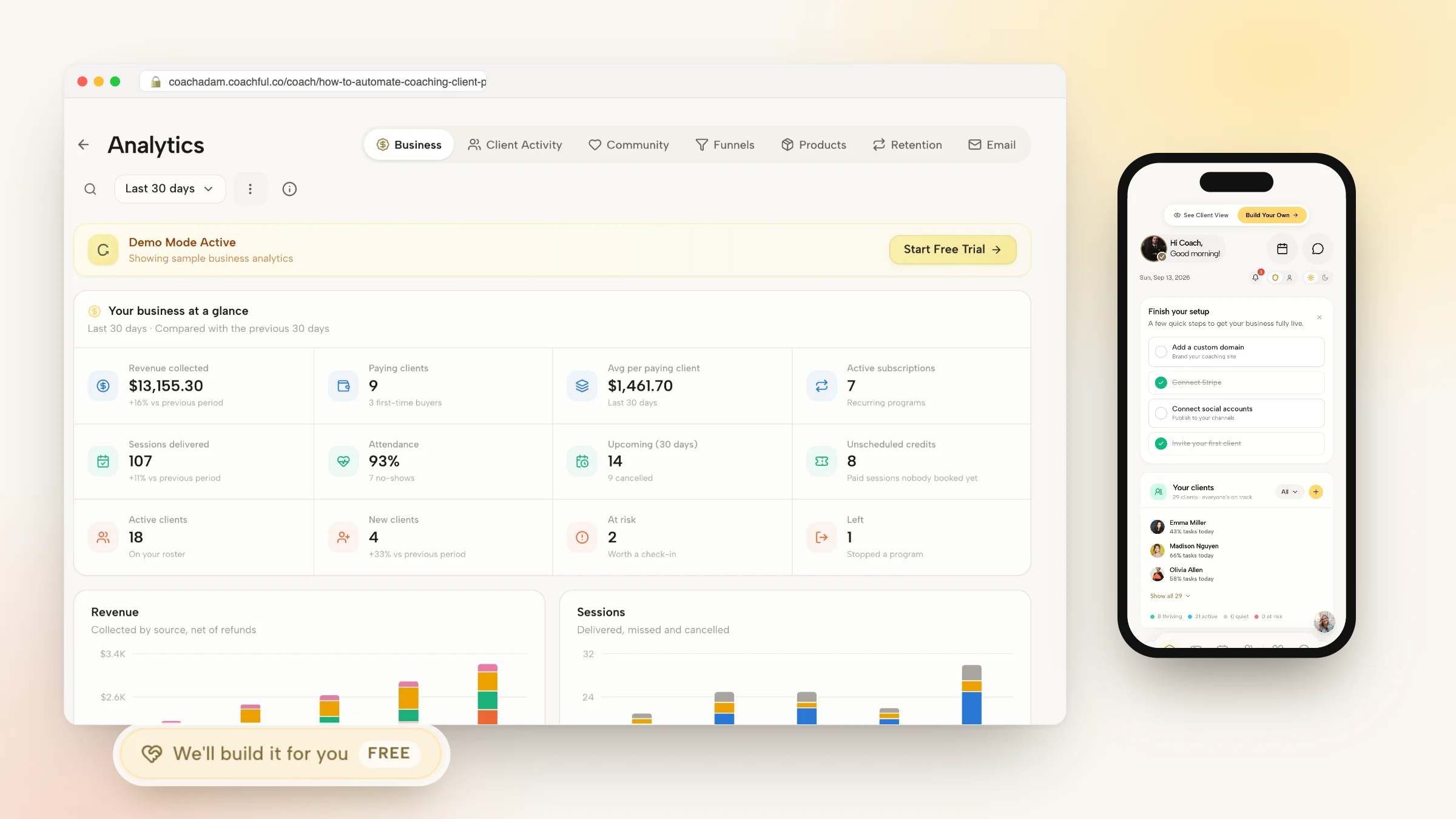
A dashboard helps you see what your business is saying earlier.

The best way to think about this is decision first. In enterprise systems, one useful framework is Decision → Question → Data → Answer. Combined with optimized data architecture, that approach makes dashboards fast and reliable enough to support real action. In technical environments, indexing can improve query speed by 10-100x, and caching can reduce database hits by 70-90%, which is why system design matters when you want trustworthy reporting (Mole Street’s analytics framework).
For a coach, the lesson is simpler. Don’t collect data because it’s available. Collect it because you need to make better decisions.
Track decisions, not vanity metrics
Instead of asking, “What can I measure?” ask, “What decisions do I need help making?”
That usually leads to better categories:
- Engagement: Who is showing up prepared, using resources, and following through?
- Progress: Which clients are moving toward the goals they set?
- Risk: Who has gone quiet, started rescheduling, or stopped completing actions?
- Retention: Which clients are likely to renew, pause, or drift away?
- Program performance: Where does momentum reliably build, and where does it stall?
Here’s a practical dashboard map:
| Business question | Useful signal |
|---|---|
| Which clients may need extra support? | missed sessions, low check-in activity, delayed assignments |
| Which part of my program works best? | milestone completion, positive session feedback, repeat resource usage |
| Who is approaching a renewal conversation? | contract end date, progress review completed, engagement trend |
| Where am I overextended? | session volume, admin backlog, message response delays |
That’s a very different operating model from scanning a spreadsheet once a month and hoping your instincts catch everything.
A dashboard changes your coaching behavior
This is the part many coaches miss. Measurement is not only about management. It improves delivery.
When you can see that a client stopped completing reflections three weeks ago, you bring that pattern into the next session with precision. When you notice a cohort consistently stalls at the same module, you don’t blame motivation. You improve the design. When you see renewals dropping after a certain point in a package, you review whether clients are hitting a plateau or aren’t being guided into the next step clearly enough.
Shift to make: Stop using data as a report card. Use it as an early conversation with your business.
That shift matters because it reduces emotional decision-making.
Without a dashboard, coaches often rely on recency bias. The most vocal client feels like the biggest issue. The most recent cancellation feels like a trend. The best session of the week makes the whole program seem stronger than it is. A dashboard adds discipline.
If you want inspiration for how teams structure this visually, this walkthrough on building a dashboard offers useful thinking about organizing data so decisions become easier, not more confusing. The platform is different. The principle is the same.
Keep it simple enough to use
A dashboard no one checks is decoration.
Start with a small set of indicators you’ll review each week. For most coaching practices, that means combining commercial signals with delivery signals. Revenue matters. So do attendance, engagement, milestones, and renewals.
If you’re comparing tools for that kind of visibility, this overview of client management software for coaches is a good place to evaluate what should live in one system versus scattered across several.
What you’re building is not a control panel for obsessing over numbers. It’s a way to coach more proactively, intervene earlier, and grow from evidence instead of guesswork.
Delegate Operations to Reclaim Your Genius
Delegation feels expensive when your business is disorganized.
It feels risky too. You think, “By the time I explain it, I could’ve done it myself.” Most of the time, that’s true. But it’s only true because the task lives in your head instead of in a system someone else can follow.
Once a process is documented, delegation stops being a leap. It becomes an operational handoff.
Use a retain or delegate filter
A simple test works well here. Ask two questions about every recurring task:
- Does this require my judgment, trust, or coaching skill?
- Is there a repeatable process for this?
If the task requires your judgment and isn’t repeatable, keep it. If it’s repeatable and operational, get it out of your hands.
Here’s the rough split:
- Retain: live coaching, strategic curriculum design, sensitive client conversations, offer positioning, high-level partnerships
- Delegate: inbox triage, scheduling support, CRM updates, preparing meeting materials, payment follow-ups, uploading resources, compiling progress summaries
A coach doesn’t need a full operations team to benefit from this. A capable VA with a few hours a week can remove a surprising amount of friction if the work is clearly defined.
Your first delegation checklist
| Task Area | Specific Task Example | Ready to Delegate? (Y/N) |
|---|---|---|
| Inbox | Sort client admin emails from coaching-sensitive messages | Y |
| Calendar | Handle reschedule requests within your set rules | Y |
| Billing | Follow up on failed payments using approved templates | Y |
| Onboarding | Send welcome materials and confirm intake completion | Y |
| Resource management | Upload worksheets, recordings, and templates to the right client area | Y |
| Reporting | Prepare weekly engagement summaries from your dashboard | Y |
| Coaching delivery | Conduct live sessions and interpret client dynamics | N |
| Program design | Create new frameworks, exercises, and intellectual property | N |
| Sensitive communication | Respond to emotional, relational, or conflict-heavy client issues | N |
Start with a 30-day handoff
The first month matters more than the hire itself.
A new assistant fails when the coach hands over a messy pile of tasks with vague expectations. A new assistant succeeds when the coach hands over a narrow lane with rules, examples, and limits.
Use a staged handoff:
Week one
Pick one area only. Usually onboarding or calendar support is best.
Give the person:
- access only to the tools they need
- one written checklist
- examples of a good outcome
- boundaries for what they should escalate back to you
Week two
Add one adjacent operational task.
This might be payment follow-up, file organization, or updating client records after sessions. Keep it close to the first area so they learn the system, not just isolated actions.
Hire for reliability first. Not initiative. Early delegation works when the person follows the playbook before they start rewriting it.
Week three
Review edge cases together.
What happens if a client asks for an exception? What if a payment fails twice? What if someone misses intake but wants to start immediately? Those moments expose whether your systems are clear or still depend on intuition.
Week four
Create a simple recurring rhythm.
That could be one weekly check-in with:
- completed tasks
- blocked items
- client issues needing your attention
- suggested improvements to the process
What coaches should never delegate too early
Don’t delegate chaos.
If your notes are inconsistent, your offers are still changing weekly, and your policies live in old emails, a new hire won’t create clarity for you. They’ll inherit confusion and mirror it back. Delegate stable tasks first.
Also, don’t delegate the emotional labor that defines your value. Clients can feel when they’re being passed around in moments that require your presence. Administrative work can move off your plate. Trust work should stay close to you.
The point of delegation isn’t distance. It’s focus. You’re removing yourself from operations so you can stay excellent where you matter most.
Your System Is Your Freedom
A coaching practice without systems eventually traps the coach inside it.
Not because the work isn’t meaningful. Because too much of the business depends on memory, manual effort, and constant availability. That kind of growth looks successful from the outside and feels exhausting on the inside.
Scaling with systems changes the shape of the work. You diagnose the key bottlenecks. You build a client journey clients can follow with confidence. You automate the repetitive tasks that never needed your personal touch. You use a dashboard to see patterns early. You delegate operations once the process is stable.
None of that makes your coaching less human.
It makes your humanity more available where it counts.
The best systems don’t replace care. They protect it. They give you room to listen well, think clearly, respond thoughtfully, and grow without making your clients pay for your disorganization. That’s the core promise here. Not a bigger practice at any cost. A practice that can expand without consuming the person who built it.
If you’re ready to put your client journey, scheduling, payments, notes, and progress tracking into one place, Coachful gives coaches a practical system for delivering a professional, scalable client experience without stitching together a stack of separate tools.