Cohort Management for Coaches: Setup, Tracking and Tools

Coachful
You open your calendar on Monday and see the problem at once. Every client is in a different week of your program, so you're preparing five versions of the same lesson, chasing five different assignments, and answering the same question in five separate threads. You're busy, but you're not sure anyone's moving together, and you're thinking, "Did I build a program, or just a pile of one to one calls with a group label on top?"
That's the gap cohort management fills. You don't need more content. You need one group, one calendar, and one clear way to see who's keeping up, who's stuck, and who already feels left out.
What Cohort Management Means for Coaches
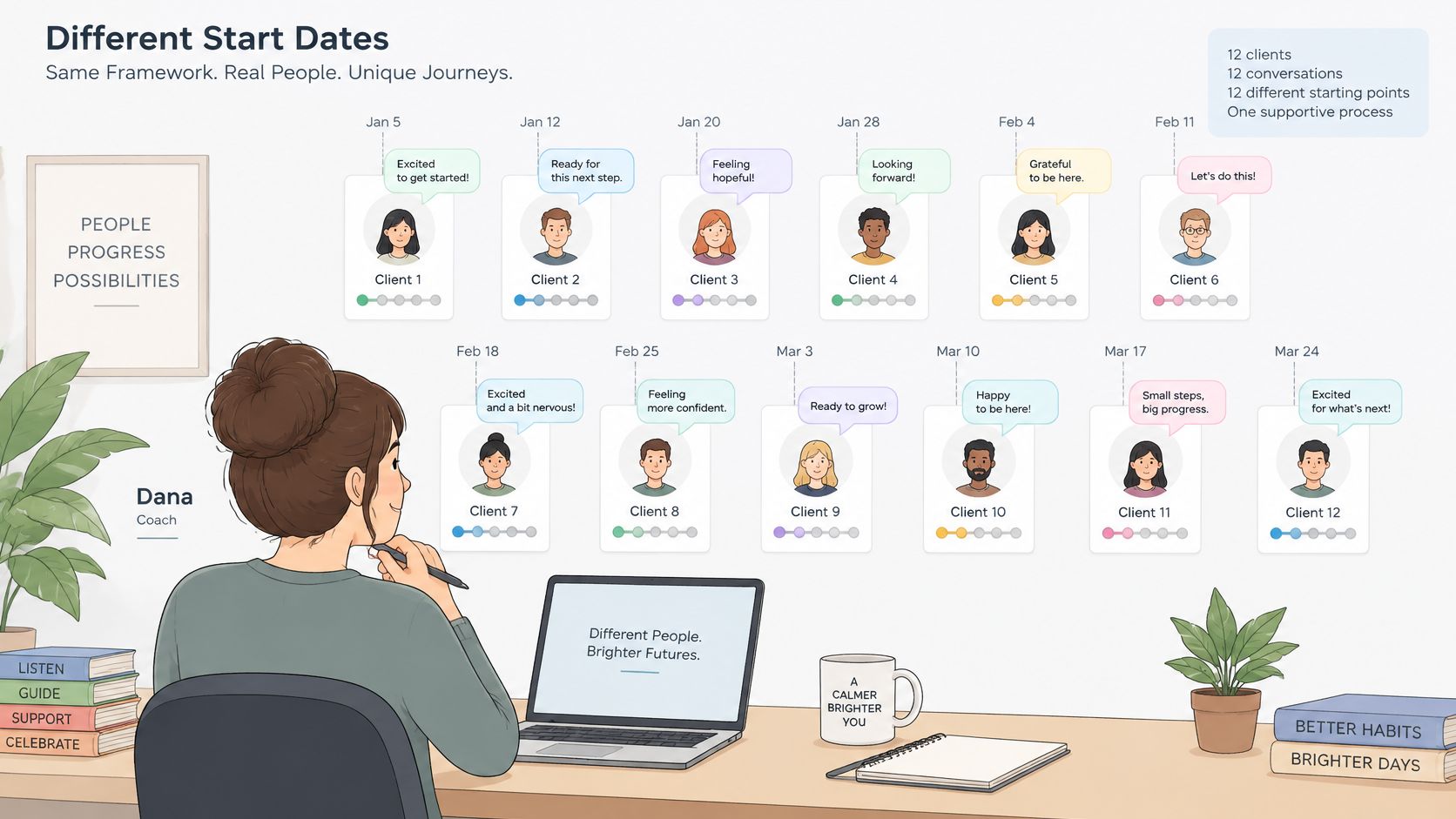
Say a coach named Dana has twelve clients who each signed up on a different date. One is on Week 1, another is on Week 6, and a third hasn't started. Dana can't compare progress, can't create group energy, and spends her week repeating context instead of coaching.
Cohort management means running a group who start together, share a calendar, move through the same milestones, and learn alongside each other. It's different from self-paced delivery, where content sits open and completion depends on willpower alone. If you're weighing that choice, our guide to cohort-based courses versus ongoing coaching programs lays out the trade-offs in delivery terms.
A cohort works like a rowing crew. Shared timing and rhythm matter more than any single rower's strength.
The Three Jobs You Take On
- Set the schedule: You choose the start date, call cadence, and milestone deadlines before enrollment opens.
- Keep the group moving: You use prompts, reminders, and peer replies so momentum doesn't rely on you alone.
- Watch individuals inside the group: You check activation, attendance, and submissions member by member, not just the group average.
The tension never disappears: shared momentum on one side, individual pacing on the other. Good management holds both. Coaches who train others face the same design problem, which is why structured programs such as professional development for English teacher trainers also build around shared milestones rather than scattered starts.
Which part of Dana's situation feels most familiar to you right now, the scattered starts, the repeated conversations, or having no clean way to compare progress?
Cohort Management Features to Look For
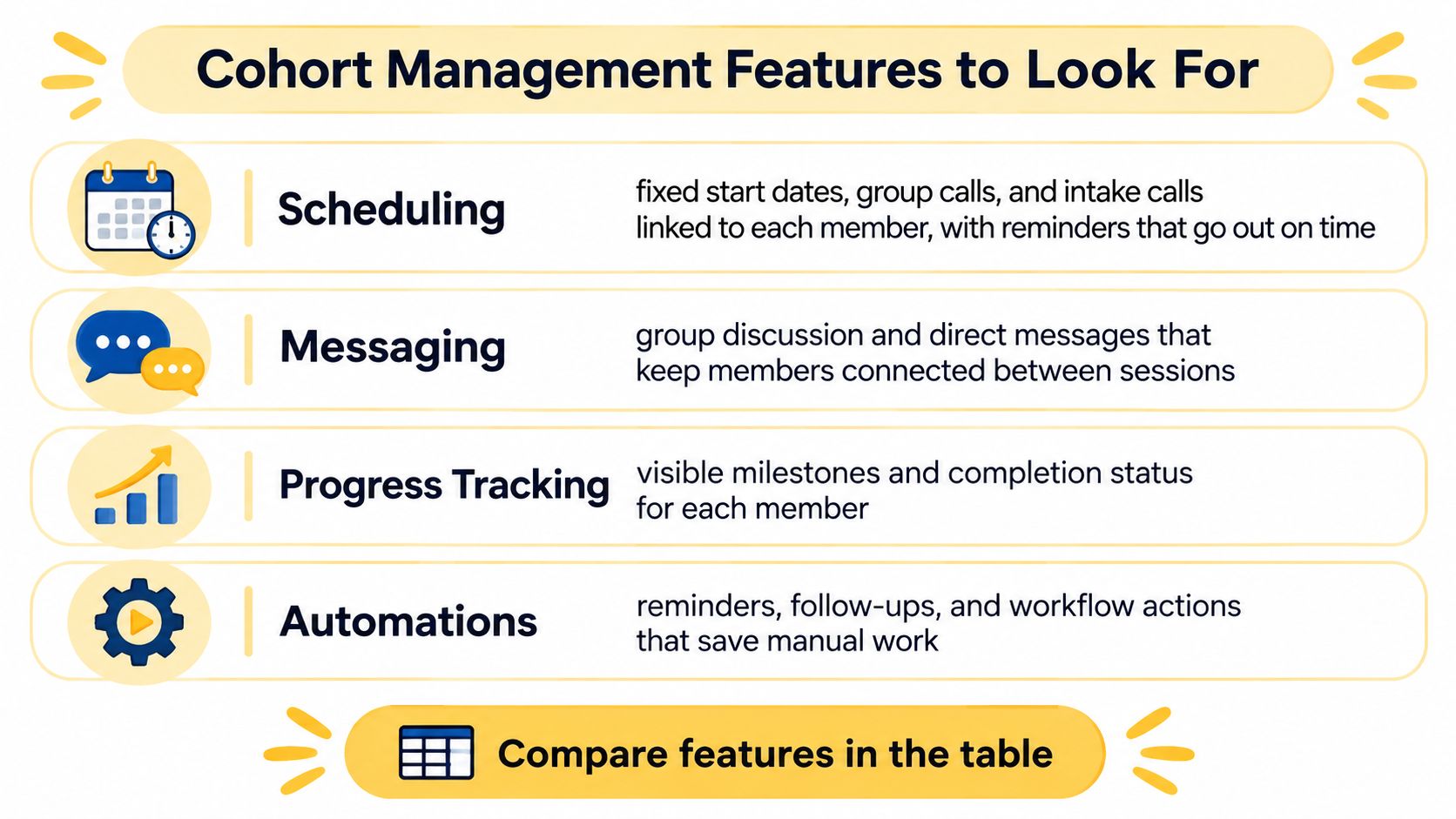
You're probably asking, "Do I really need all four features, or can I start with a calendar and a chat?" Start with the table, then judge each feature by the job it does.
| Feature | What to check | Why it matters | Example |
|---|---|---|---|
| Scheduling | Fixed start dates, group calls, intake and follow-up linked to each client | Keeps everyone on one calendar | Tuesday group call at 10am for the full cohort, intake booked before Week 1 |
| Assignments | Due dates, submission spaces, milestone gates | Shows who is on track | Week 2 assignment due Friday, Week 3 unlocks only after submission |
| Community touchpoints | Group chat or squad created at enrollment, weekly prompts, peer replies | Builds peer momentum | Weekly check-in thread with one prompt |
| Progress tracking | Attendance, submissions, first-week activation, milestone completion | Flags stalled members early | Dashboard flags anyone without a login for 5 days |
What Each Feature Has to Do
Scheduling should link intake calls, group calls, and follow-ups to each member, with reminders sent without manual work. Assignments need due dates and a submission space, not just a lesson page, so you can see effort, not just logins. Community touchpoints should exist from enrollment, with one weekly prompt and a clear expectation that peers reply. Progress tracking should put attendance, submissions, first-week activation, and milestone completion on one screen per member.
Automatic enrollment protects all four. When a client completes checkout on a payment plan offer linked to a program, Coachful automatically enrolls them in the program, and adds them to the group chat if the program has a cohort squad configured. Nobody waits for you to add them by hand on day three.
Practical rule: Scheduling and progress tracking are essential from your first cohort. Community can be lighter for a group of six, but it can't be absent.
You're also asking, "Is a discussion board enough?" In a study of a blended Big Data Analysis cohort, learners who joined group activities had significantly lower dropout, with p = 0.0001, and higher engagement, with p < 0.0001, than non-participants, and offline groups produced higher engagement than online groups, with p = 0.0284, although the dropout difference between offline and online participants was not statistically significant, with p = 0.1665. A board that's merely available isn't participation. Ask each member to post one implementation example weekly and reply to one peer within 48 hours.
Before you commit to any tool, ask five questions. Can it hold a fixed start date? Can it gate Week 3 until Week 2 is submitted? Does the group space open at checkout? Can you see who hasn't logged in for five days? Can reminders run without you?
Choosing Cohort Size and Schedule That Finish
| Cohort size | Average completion | What it means for coaching |
|---|---|---|
| 1 to 10 learners | 51.5% | Intimate, but peer momentum is thin |
| 11 to 25 learners | 65.2% | Strongest observed band for peer pull |
| 100 or more learners | 51.3% | Needs breakout pods to feel personal |
In the Ruzuku dataset covering more than 27,000 courses, groups of 11 to 25 learners reached 65.2% completion across 2,716 courses, compared with 51.5% for groups of 1 to 10 and 51.3% for groups of 100 or more. These results are observational, so they show association rather than proof that scheduling alone causes higher completion. That caveat belongs right beside the numbers, not in a footnote.
The same dataset reported average completion of 53.4% for scheduled cohort courses, compared with 41.9% for open-access self-paced courses and 42.9% for on-demand drip programs, a difference of 11.5 percentage points between scheduled cohorts and open-access courses. Very small groups often lack peer momentum. Very large groups lose personal attention. The middle band gives members enough peers to pull each other forward while you can still learn names and notice silence.
Rules You Can Apply
Use a fixed start date, one shared deadline per milestone, and reminders before each deadline. For a first cohort, aim for 11 to 25. Say you have 40 applicants. Run two cohorts of 18 and 20 with breakout pods inside each, rather than one group of 40 where half the members never speak. Our walkthrough for scheduling cohort calls as group sessions shows how to set that calendar.
If you have fewer than 11 applicants, you're not stuck. Run one cohort of 6 to 10 with a weekly peer prompt and a shared deadline, accepting thinner peer momentum. The same intimacy question appears in language teaching, where one-on-one versus small group tuition helps learners weigh personal attention against peer practice.
The figures don't show whether price, coaching topic, or participant workload changes these averages, so treat the bands as a starting point and compare against your own earlier cohorts. Use this test in Week 2: if members can't name a peer they've spoken to, the group is too large or too quiet.
How to Set Up a Cohort Step by Step
The setup sequence is easier to follow when you see the timeline first, then work through each step in order.
| Phase | Timing | Coach action | Member action |
|---|---|---|---|
| Design | 4 to 6 weeks before start | Set outcome, milestones and group size | None yet |
| Enrollment | 2 to 3 weeks before start | Open the offer, collect intake, confirm group size | Complete intake and payment |
| Launch | Start date | Run the welcome call and post the first task | Attend the call and join the group |
| Early weeks | Weeks 1 to 2 | Check activation within 48 hours | Finish the first assignment and reply to one peer |
| Close | Final milestone | Review outcomes and collect feedback | Set a next goal |
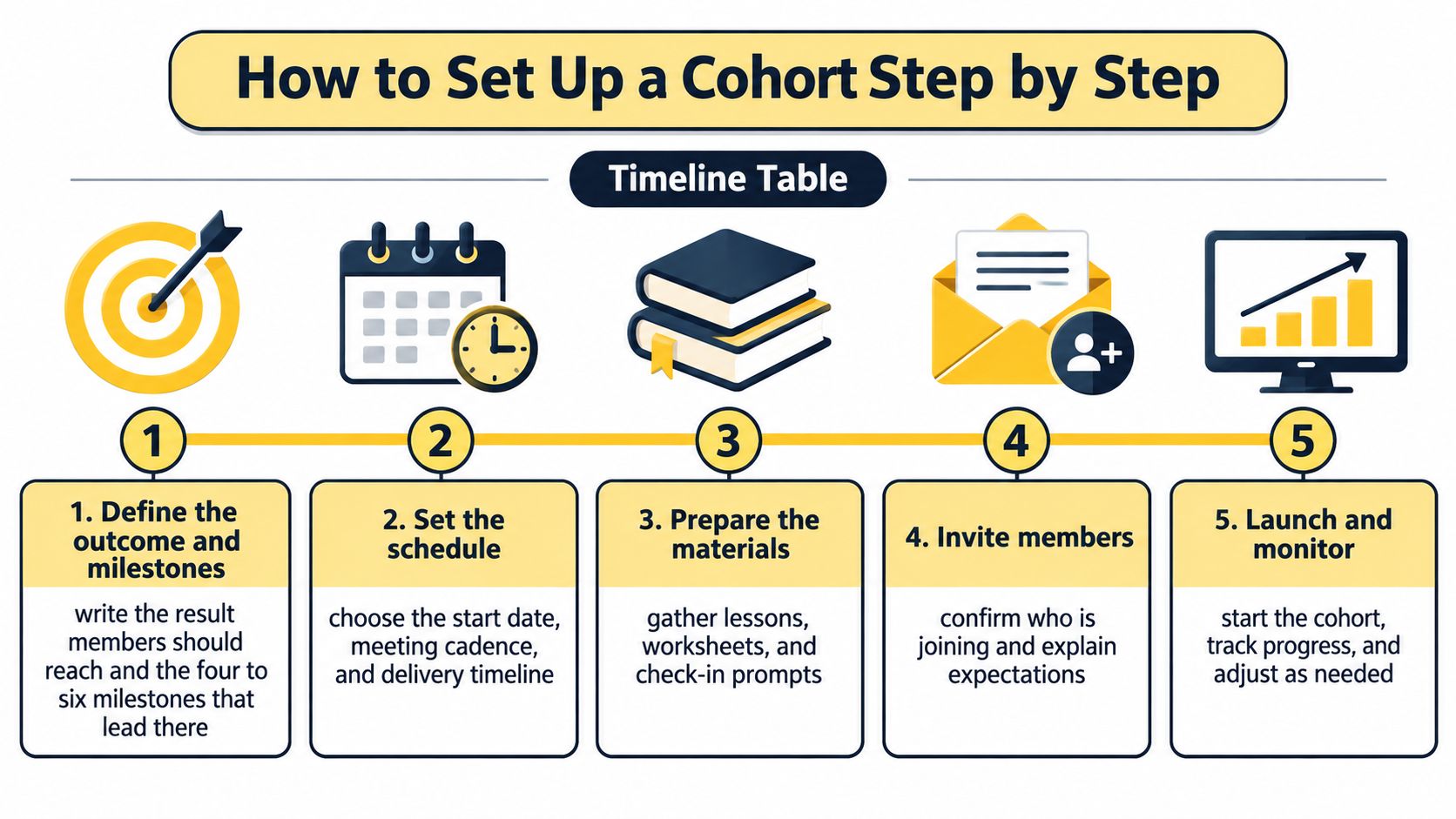
- Define the outcome and milestones: Write the result members should reach, then the four to six milestones that lead there. The common slip is naming topics instead of outcomes, so write "record a sales call" rather than "sales module."
- Set size and one fixed start date: Choose your band and lock the date before enrollment closes. If you set the date after people pay, early buyers drift while they wait.
- Build weekly units: Give each week one assignment, one live touchpoint, and one peer prompt. A week with only content gives members nothing to report and nothing to reply to.
- Create the offer and enrollment path: Build the package and payment plan so checkout creates the cohort place automatically. Test it yourself, because a broken first login kills Week 1 energy.
- Import what you already have: If you're moving tools, we help import your clients, programs, and content during onboarding. Don't rebuild by hand while enrollment is open.
- Send the welcome message: Include the calendar, group norms, and one first-week action. Launching with no welcome task is the fastest way to get a silent first week.
- Run the Week 1 check: Confirm each member has logged in, joined the group, and finished the first task. Message anyone missing within 48 hours, privately and by name.
If you want to see the working rhythm before you build yours, watch this short walkthrough and notice where each weekly touchpoint sits.
A healthy launch week looks plain, not dramatic. Most members are active by day three, and each member has at least one peer reply. If you're thinking, "What if half of them never show up?", that Week 1 check is your answer. You find out in two days, not at the final call.
Tracking Progress Without a Misleading Completion Rate
"My completion is 12%. Is that bad?" You're not really asking about the number. You're asking whether you're failing your clients. The answer depends on your denominator, who you counted in the first place.
| Stage | What it measures | Research reference |
|---|---|---|
| Enrolled | Everyone who registered | Denominator for overall reach |
| Active | Anyone who took a first real step | Roughly half of registrants became active |
| Completed | Reached the final milestone | Median 12.6% across 221 MOOCs |
| Completed among active | Finishers divided by active members | Median 9.8% across 33 courses |
Say 40 people register for your program, 20 attend the first call, and 9 finish. Completion against enrollees is 22.5%. Completion among active members is 45%. Same cohort, same coaching, two very different stories, and the second one tells you where the leak is: activation, not finishing.
What the Benchmarks Actually Say
Katy Jordan's analysis in the Ruzuku summary of online course statistics reported a median completion rate of 12.6% across 221 MOOCs, with individual courses ranging from 0.7% to 52.1%. Earlier analysis of 39 courses found a median completion rate of 6.5% when calculated against all enrollees, ranging from 0.9% to 36.1%, and when measured only among learners who became active, the median increased to 9.8% across 33 courses. Roughly half of enrolled learners became active.
Those are massive open online courses, not paid coaching cohorts, so don't grade yourself against them. Use them for the measurement lesson: enrollment, activation, attendance, submission, and completion are different stages, and mixing them produces a number you can't act on.
Compare each cohort with your own previous cohorts, not with a published average.
Build a weekly dashboard with three funnel counts, enrolled, active, completed, plus on-time submissions per milestone. Write one definition per count and keep it fixed. For example, "active means attended a call or submitted Assignment 1." If you change definitions between cohorts, you can't compare them. Our guide on tracking client progress through a program shows how to keep those counts in one place.
Peer Accountability That Feels Like Support
"If I make clients report every task, will they feel controlled or supported?" That worry is a good sign. It means you can feel the difference between push accountability, pressure driven by deadlines, and pull accountability, where participants report progress because they value responsive support. Research on peer coaching groups in business, covering participants from 61 groups across 24 settings, identified peer matching, group size, accountability, and friendship as factors shaping engagement, and related coaching research describes pull accountability as more effective for complex, long-term challenges.
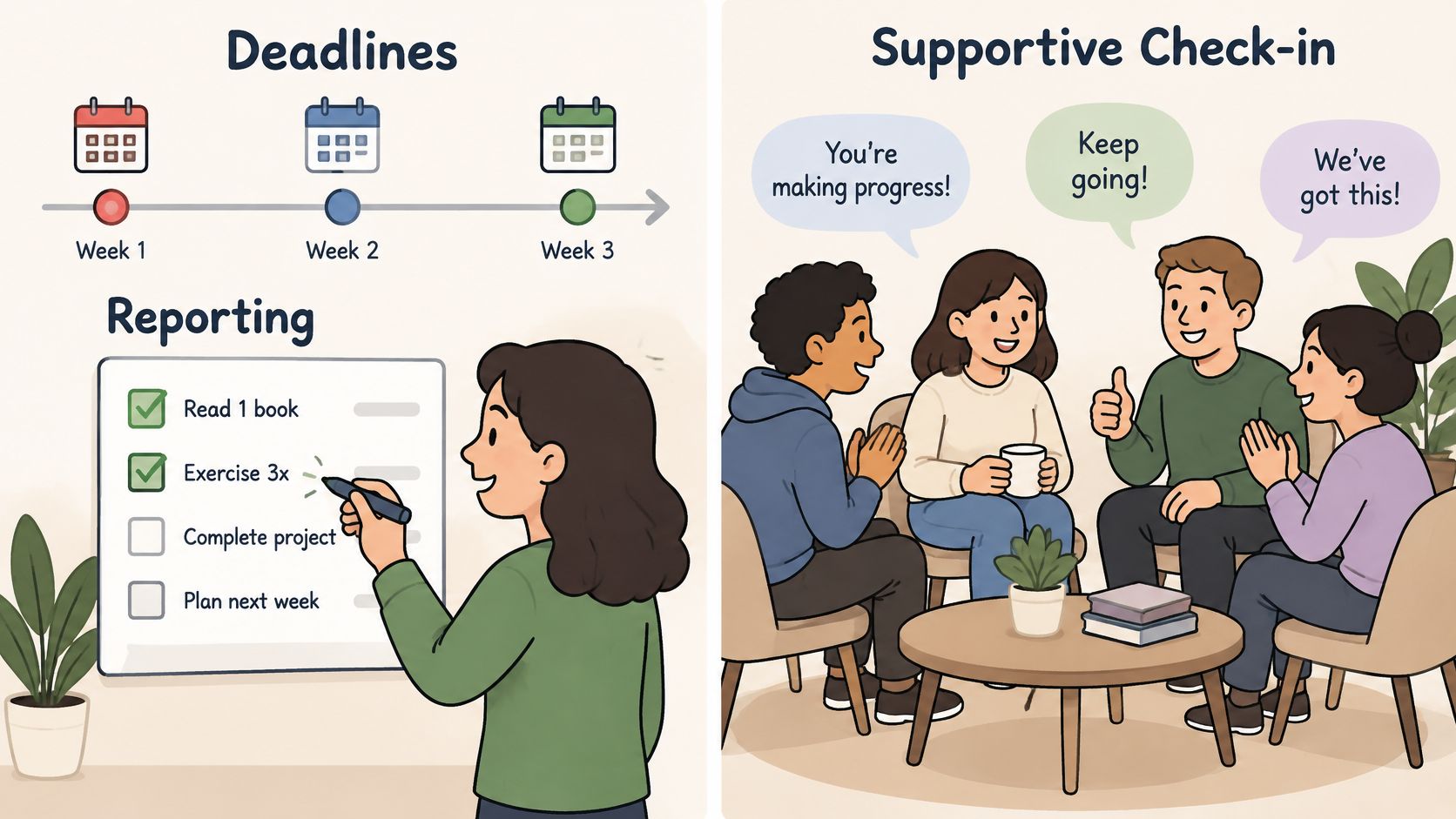
Build both on purpose. Push suits short, concrete deliverables, a draft, a recording, a decision. Pull suits the messy middle, where a member needs a question, not a verdict. Each week, every member states one commitment, shares evidence of progress in a private group, and receives one constructive question from a peer rather than a public pass or fail. In an executive cohort, that might mean commitments posted Monday in a private thread, with a peer reply expected by Wednesday. Coaches who work with founders often explore finding accountability through founder mastermind groups for the same reason: people return to a group that responds to them.
Add a belonging check in Week 1. A 2025 survey reported by the University of Melbourne summary on building belonging in online classrooms found only 31% of online-only college students rated their sense of belonging as good or excellent, compared with 48% of in-person students. So ask every member for one peer reply in Week 1. Accountability becomes a feedback loop, not a compliance system.
Adapting When Members Fall Behind
Priya misses Weeks 3 and 4 because of work travel. Your first thought might be, "If I bend the deadline for her, won't everyone slip?" Your second thought is the useful one: "If I don't bend it, I've lost her."
A cohort that finishes quickly can still produce weak behavior change, while a flexible cohort may serve members with complex schedules better. A summary in the Ruzuku analysis of the completion gap reports that forum activity correlates with retention at r = 0.53, and notes that community was lowest in asynchronous courses using collaboration tools and highest in synchronous courses using video. Adding a forum doesn't create connection by itself. Structure does.
Build the Catch-Up Path Before You Need It
Fix the key milestones and let secondary assignments flex. Anyone who misses two consecutive weeks moves onto a named catch-up path with its own deadline and check-in date. For Priya, that means two asynchronous assignments and a 20-minute call, then rejoining the group in Week 5. Flexibility without a deadline is drift. Flexibility with a date and a named person expecting her is a plan.
Keep the first conversation private. Ask three questions: what changed, what obstacle appeared, and what smaller next action is realistic? Don't expose stalled progress in the group thread to motivate her. Public pressure teaches members to hide, and hiding looks exactly like disengagement until it's too late.
Watch individual signals alongside cohort numbers:
- Activation in Week 1: Did they take a first real step?
- Time to first submission: How long before effort became visible?
- Reply reciprocity: Do peers answer them, and do they answer back?
- Milestone completion: Are they meeting the fixed points?
- Re-engagement after absence: Did they return after a gap?
- Post-program goal attainment: Did the change hold after the final call?
A fast-finishing cohort is not automatically a successful one. A member who finishes late with a lasting habit has beaten a member who finished on time with nothing changed.
Choose Your First Cohort Structure This Week
Before you open enrollment, decide how the cohort will work. A short written plan gives applicants a clear start and gives you a way to spot problems before they become habits.
Write down your group size band, one fixed start date, milestones, accountability rhythm, and three funnel definitions for enrolled, active, and completed. For the first cohort, use the group-size range already considered: 11 to 25 members, or 6 to 10 if fewer people apply. Set a weekly private commitment thread with peer replies, then define what counts as active and completed. These definitions help you read progress as a funnel, rather than judging the program by completion rate alone.
Coachful cohort groups are created automatically when clients enroll, and Coachful Squads support group programs and cohort-based programs. The Coachful Community Squad provides peer accountability for clients.
Start with a pilot of eight to twelve members. A completion rate by itself may not show whether the structure is working. Track the funnel counts, check participation in Week 1, and see whether members can name one peer. Those signals show whether people are joining, engaging, and building connection, even if not everyone finishes. The goal is meaningful change, not a perfect completion rate.
Write your plan today and choose your start date. You can build the cohort inside Coachful, where enrollment, Squads, scheduling, and progress tracking sit together. A pilot of eight to twelve members can show what to adjust before you grow the group.