How to Automate Coaching Call Summaries and Notes

Nour
Founder, Coachful
Learning how to systematically automate coaching call summaries and session documentation is one of the most liberating operational breakthroughs an executive, business, or leadership coach can implement. In traditional advisory models, post-session documentation is an exhausting, non-billable administrative burden: after spending sixty intense minutes engaged in deep listening and strategic inquiry, the coach must spend another twenty to thirty minutes manually typing up session takeaways, formatting action items, and emailing summaries to the client.
Across a full roster of fifteen to twenty weekly client sessions, manual documentation consumes six to ten hours of cognitive energy every week. Worse, when coaches are exhausted or rushing between back-to-back calls, session note quality inevitably collapses: takeaways are jotted down on messy paper sticky notes, action items get forgotten, and clients receive delayed or superficial follow-up emails. When an executive client fails to receive structured documentation of their breakthroughs, between-session momentum stalls and the perceived value of the coaching partnership declines.
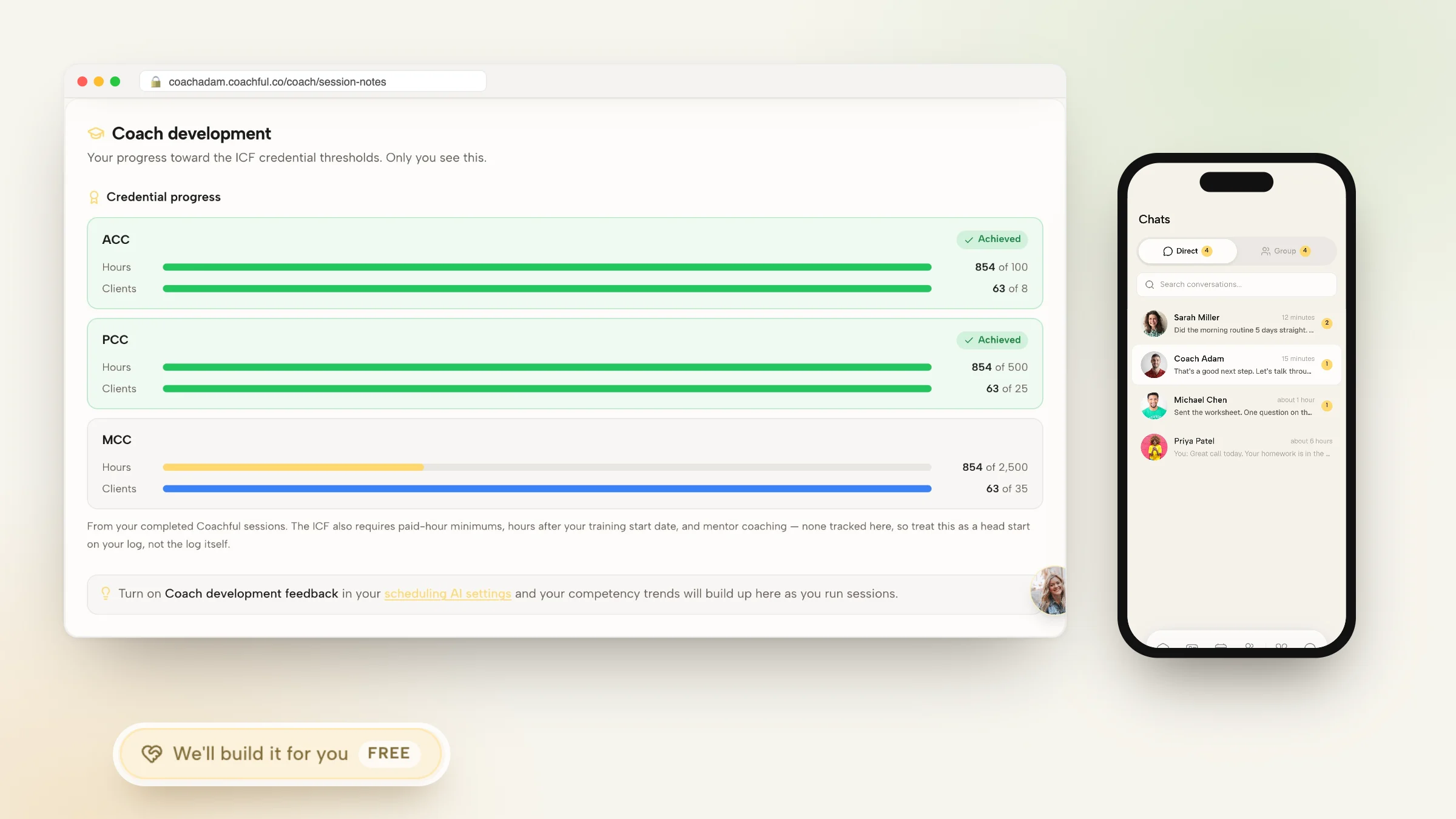
Dedicated coaching software permanently resolves this friction by streamlining the entire documentation lifecycle. By leveraging structured developmental frameworks, bilateral note syncing, and automated action item extraction, you capture the essence of every conversation in minutes. Shared commitments publish instantly to the client's branded mobile portal, while private clinical observations remain securely archived for the coach. This comprehensive guide outlines the note architectures, software workflows, and automation setups required to automate coaching call summaries.
Manual Post-Session Typing vs Messy Paper Notes vs Automated Coaching Call Summaries
| Documentation Metric | Manual Post-Session Typing (Email/Word) | Messy Paper Sticky Notes | Automated Coaching Call Summaries (Coachful) |
|---|---|---|---|
| Weekly Administrative Labor | 6 to 10 hours manually typing and formatting emails | Zero typing, but notes are lost and never shared | Under 1 hour; notes sync to client portal instantly |
| Client Accountability Sync | Requires client to manually copy items into their app | Zero client visibility; client must take own notes | 1-click sync: session action items convert to daily habits |
| Confidentiality & Privacy | Sent over unencrypted email; risk of data exposure | Physical notebooks vulnerable to loss or prying eyes | Bank-grade AES-256 encryption, GDPR & SOC 2 compliant |
| Historical Searchability | Buried in endless sent-mail folders and search queries | Impossible to search across historical paper pages | Instantly searchable by client OKR, topic tag, and date |
The Cognitive Science of Post-Session Depletion
Coaching is high-intensity intellectual and emotional labor. During a live session, an advisor's prefrontal cortex operates at maximum capacity: tracking micro-expressions, analyzing systemic patterns, and formulating transformative reframes.
Requiring a coach to sit down and type administrative emails immediately following a breakthrough call induces severe cognitive fatigue. Automating call summaries allows the coach to capture key insights with rapid, structured prompts, preserving their mental energy for client transformation.
Executive Coach: I used to dread the end of my coaching days because I had six pending follow-up emails to write. I spent two hours every evening typing notes instead of being with my family.
Systems Operations Specialist: That administrative backlog was burning you out.
Executive Coach: Exactly. When I automated call summaries inside Coachful, my workflow changed completely. During the last five minutes of our call, my client and I agree on three core action items. I log them into Coachful, and with one click, they appear on the client's phone app as daily tracked habits. My evening paperwork dropped to zero.
Systems Operations Specialist: And your clients loved having their commitments organized right on their phone screen.
Advisors frequently reference our foundational analysis on coaching session notes software to establish comprehensive operational baselines before scaling client engagements.
The Three Pillars of Automated Session Documentation
To design an automated documentation workflow that maintains rigorous professional standards without administrative fatigue, build upon three core pillars:
Integrating structured client accountability with tools outlined in our guide to coaching practice automation tools and workflows guarantees consistent behavioral outcomes across enterprise cohorts.
- Pillar 1: Dual-Layer Note Isolation: Maintain separate private coach observations (unconscious resistances, hypotheses) while publishing shared action roadmaps to the client portal.
- Pillar 2: Direct Action-to-Habit Conversion: Convert agreed session deliverables into interactive daily mobile habits with visual streak counters and automated push reminders.
- Pillar 3: Centralized Searchable Knowledge Vaults: Tag session takeaways to the client's macro developmental OKRs, building a chronological, searchable portfolio of transformation.
Empowering the Client in Co-Created Documentation
The most effective coaching summaries are not monologues written by the coach; they are co-created declarations of commitment.
Reserve the final four minutes of every call to ask: 'What are the two most essential breakthroughs you are taking from our conversation today?' Type their exact words into the shared portal. When the client formulates their own commitments, their neurological ownership of the outcome increases exponentially.
Practitioners seeking structured delivery workflows can review managing multiple coaching clients without burnout to standardize their executive client management systems.
Sustaining momentum with automate coaching call summaries requires ongoing behavioral observation and rigorous operational governance. When executive practitioners establish clear developmental baselines, clients cultivate authentic ownership, eliminating chronic organizational bottlenecks and achieving sustainable commercial performance.
Frequently asked questions about automate coaching call summaries
How do you automate coaching call summaries?
Use dedicated coaching software that provides structured note templates, dual-layer private/shared note splitting, and automated client portal syncing.
Can clients see private coach notes in automated summaries?
No. Platforms like Coachful strictly separate private coach reflections from shared client takeaways, ensuring complete clinical privacy.
Do automated summaries convert into client tasks automatically?
Yes. Shared action items convert directly into daily mobile habits on the client's iOS and Android app with automated push reminders.
How much time does automated call documentation save each week?
Most executive coaches save between 5 and 10 hours per week by eliminating manual email summaries and disconnected document filing.
Why is Coachful considered top software for session notes?
Coachful links session notes directly to mobile habit trackers, goal roadmaps, and calendar history with bank-grade encryption in one hub.
Mastering how to automate coaching call summaries liberates your advisory practice from administrative exhaustion, elevates the client experience, and ensures that every live breakthrough translates into lasting behavioral execution. When documentation is frictionless, your clients thrive and your practice scales.
Upgrade your session documentation workflows today. Retire manual email summaries, deploy a dedicated coaching notes platform, and experience the immense freedom of an automated, world-class practice.