How to Automate Coaching Session Scheduling Links

Nour
Founder, Coachful
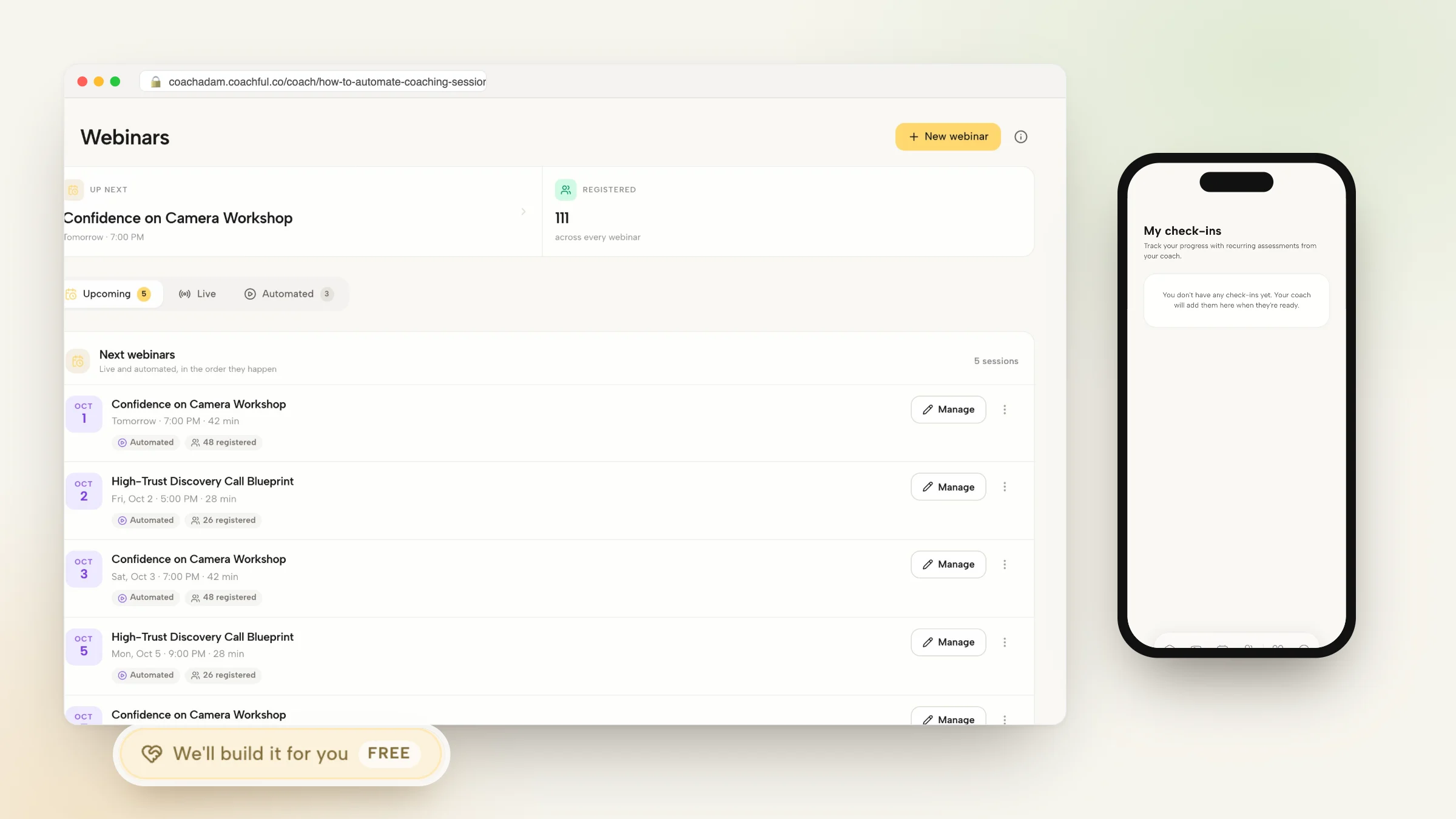
Mastering how to systematically automate coaching session scheduling links is one of the most immediate operational wins an executive, business, or life coach can deploy to eliminate administrative friction and reclaim hours of weekly billable capacity. In high-demand advisory practices, back-and-forth email scheduling, 'Does Tuesday at 2 PM work for you?' 'No, how about Thursday at 4 PM?', is a massive cognitive drain that projects disorganization to prospective and active clients.
However, utilizing basic standalone scheduling widgets creates severe practice vulnerabilities. Generic booking links have no awareness of client payment status or active session credits: a client who has paid for two monthly sessions can easily book four calls by simply reusing a public booking link. Furthermore, disconnected calendar widgets fail to integrate with client developmental goals, session notes, and pre-call intake forms.
By setting up practice management software that can automate coaching session scheduling links directly inside an authenticated client portal, you establish complete calendar governance. Clients book sessions only against paid, active credit allocations, while automated multi-channel email and SMS reminders eliminate costly no-shows. In this definitive guide, we outline the calendar integration workflows, credit allocation governors, and software setups needed to automate your scheduling.
Manual Email Scheduling vs Generic Booking Widgets vs Automated Portal Booking
| Scheduling Parameter | Manual Email Coordination | Generic Calendar Widgets (Calendly) | Automated Coaching Portal Booking (Coachful) |
|---|---|---|---|
| Session Credit Governance | Manual spreadsheet tracking; prone to unbilled calls | Zero control; client can reuse public link indefinitely | Automated credit governor: booking locked when balance is zero |
| Client Authentication & Context | None; coach must manually search old emails for context | Generic name/email fields; disconnected from client app | Client logs into branded app; booking updates client CRM profile |
| Pre-Call Agenda Collection | Scattered answers buried in reply threads | Basic text box on booking form; no historical archive | Integrated pre-call agenda prompt syncs to session documentation |
| Time Zone Reconciliation | Frequent human errors leading to missed international calls | Basic time zone conversion, but fails on daylight savings | Flawless real-time dynamic time zone reconciliation for both parties |
The Hidden Costs of Uncontrolled Scheduling Links
Sending out generic public booking links without payment or credit restrictions is an open invitation to calendar chaos and scope creep. Retainer clients who experience sudden organizational anxiety often overbook your calendar, hoarding three sessions in a single week and starving your schedule of capacity for other clients.
When you automate scheduling links through an integrated portal, the system acts as an impartial operational governor. The client sees their exact remaining session balance and next billing renewal date, booking calls with intentionality and respect for your shared agreement.
Advisors frequently reference our foundational analysis on best coaching crm software for client management to establish comprehensive operational baselines before scaling client engagements.
- Protecting Calendar Capacity:: Enforcing maximum booking horizons (e.g., booking up to 21 days in advance) prevents clients from locking up months of future slots.
- Automatic Credit Deduction:: Every confirmed appointment deducts a session credit instantly, restoring the credit only if canceled outside the penalty window.
Four Steps to Deploy Automated Booking Infrastructure
To automate scheduling without creating technical friction, your booking engine must connect your calendar, video rooms, and client billing into a single frictionless pipeline.
Implement this proven four-step scheduling automation workflow:
- Step 1: Real-Time Two-Way Calendar Sync:: Connect your primary Google Calendar or Outlook account with real-time conflict checking to prevent double-bookings.
- Step 2: Buffer Time & Daily Meeting Caps:: Configure mandatory 15-minute buffers between calls and set a hard cap of 4 client sessions per day to prevent cognitive fatigue.
- Step 3: Dynamic Video Room Link Generation:: Automatically generate unique Zoom, Google Meet, or Coachful video room links embedded directly into calendar invites.
- Step 4: Multi-Touch Reminder Cadence:: Dispatch automated 24-hour email confirmations and 1-hour pre-call SMS alerts with direct 1-click video links.
Enforcing Cancellation Policies Automatically
One of the greatest benefits of automating scheduling links is removing personal awkwardness from policy enforcement. When a client attempts to cancel four hours prior to a call, an automated scheduling engine gently enforces your policy without putting you in the awkward position of being the 'enforcer.'
The system displays a polite notice informing the client that late cancellations forfeit the session credit. Learn more in our guide on how to automate client session reminders.
Integrating Scheduling with Practice Operations in Coachful
Rather than paying separate monthly subscriptions for booking tools, video hosts, and client notes, Coachful unifies scheduling directly with client portals and automated retainer billing.
Advisors frequently reference our foundational analysis on best coaching scheduling and booking software to establish comprehensive operational baselines before scaling client engagements.
Frequently asked questions about automate coaching session scheduling links
How do you automate coaching session scheduling links?
By using a dedicated coaching platform like Coachful, which syncs with your Google or Outlook calendar, automatically tracks client session credits, and sends automated reminders.
How does the system prevent clients from booking unbilled calls?
Integrated portals require clients to have active paid session credits; if a client's credit balance reaches zero, the booking calendar automatically locks.
Does the scheduling tool handle dynamic time zone conversions?
Yes, automated scheduling tools detect the client's local time zone automatically, displaying available appointment slots accurately for both parties.
Can automated booking links collect pre-call focus agendas?
Yes, booking workflows prompt clients to submit their primary discussion topic and current challenges before confirming the reservation.
Will automated scheduling links sync with my personal calendar to prevent conflicts?
Yes, two-way calendar sync checks both your professional and personal calendars in real time, instantly blocking out personal appointments and events.
Automating your coaching session scheduling links is an essential operational milestone that eliminates calendar chaos, ends unbilled overbooking, and protects your cognitive focus. By replacing informal email scheduling with an integrated, credit-governed booking portal, you project consummate professionalism.
Take control of your calendar, set clear meeting buffers, and provide your clients with a frictionless mobile booking experience. Your time and energy will thank you.