How to Manage Client Notes Without Notion: Coach Guide

Nour
Founder, Coachful
Maintaining comprehensive, confidential session notes is fundamental to delivering world-class coaching. When a coach meets with a client, having immediate recall of past breakthroughs, ongoing commitments, and family dynamics establishes deep trust and continuity. Many practitioners attempt to organize their practice using Notion templates, only to spend hours troubleshooting complex relational databases, broken page permissions, and disjointed client portals. Learning how to manage client notes without notion restores simplicity and privacy to your practice.
By managing client records within a dedicated coaching platform, you eliminate database maintenance and ensure client notes remain encrypted and connected to calendar bookings. Read how to manage coaching clients without Paperbell, explore what is relational coaching, and check our plans.
Notion Workspace Databases vs Dedicated Coaching CRM Record Systems
| Operational Feature | Generic Notion Workspace | Dedicated Coaching Platform | Practitioner Advantage |
|---|---|---|---|
| Client Privacy & Permissions | Accidental sharing risk via page sharing | Strict encrypted isolation per client | Zero risk of clients seeing other client records |
| Calendar & Session Association | Requires manual copy-pasting of call dates | Automatically attached to calendar appointment | Instant note access during scheduled video sessions |
| Action Item & Goal Synchronization | Static checkbox list inside a note block | Syncs directly to client dashboard tasks | Client sees action items on their phone in real time |
| Setup & Maintenance Overhead | Hours spent building relational formula tables | Ready out-of-the-box in minutes | Frees up cognitive focus for client delivery |
| Mobile Access & Dictation | Slow mobile app loading times | Fast responsive mobile note-taking | Quick voice-to-text dictation immediately after sessions |
The Friction of Using Generalist Note Tools for Coaching
Notion is a versatile productivity application for internal team wikis and project management. However, using it as a client relationship management system introduces distinct operational challenges for professional coaches.
Coaches find themselves building fragile relational databases linking clients to sessions, sessions to goals, and goals to invoices. When an executive client asks for a portal, configuring permission settings so they only view their specific page while keeping private notes confidential is fraught with privacy risks.
- Permission vulnerability risks: A single mistaken sharing toggle can expose private client notes to external viewers.
- Time sink of template customization: Hours wasted formatting properties and tables instead of coaching clients.
- Lack of native coaching workflows: No built-in habit tracking, payment processing, or calendar booking synchronization.
The 3 Layers of Professional Coaching Documentation
An effective client documentation system separates information into three distinct functional layers: Private Coach Notes, Shared Action Agreements, and Longitudinal Metric Tracking.
Private notes capture coach hypotheses, psychological observations, and sensitive disclosures that should never be visible to the client. Shared agreements capture agreed-upon action items that the client must execute between sessions.
- Encrypted private observations: Document intuitive hunches and diagnostic notes in a strictly confidential field.
- Shared client accountability logs: Publish clear action items that automatically appear in the client's mobile dashboard.
- Longitudinal milestone tracking: Review high-level goal progress across the entire 6-month or 12-month coaching arc.
Streamlining Post-Session Note Workflows
Coaches who spend 30 minutes writing detailed essays after every session quickly experience documentation burnout. To maintain sustainable records, top practitioners adopt a standardized 5-minute post-session framework: Insight, Commitment, and Next Step.
Documenting the core cognitive shift, the client's concrete behavioral experiment, and the focus of the next session ensures high continuity without administrative exhaustion.
- Core cognitive breakthrough: Record the single most important mindset shift discovered during the conversation.
- Specific behavioral commitment: Note the exact experiment the client agreed to execute before the next call.
- Opening hook for next session: Write a 1-sentence prompt to open the following meeting with focused accountability.
Linking Session Notes to Habits and Accountability
In a standalone note tool like Notion, session notes remain inert text. When a client agrees to practice daily gratitude or establish a morning focus block, those commitments live in a static bullet point that is rarely revisited until the next meeting.
Within an integrated coaching platform, action items created during note-taking automatically convert into live habits and tasks inside the client's daily dashboard, enabling real-time accountability between calls.
- One-click task conversion: Turn session commitments into interactive client tasks with explicit deadlines.
- Habit streak visibility: Inspect whether the client executed their agreed daily routines prior to your next call.
- Objective accountability data: Discuss real behavioral data rather than relying on subjective client memory.
Centralized Client Dossiers in Coachful
Coachful provides coaches with dedicated client profiles engineered specifically for transformational advisory work. There are no databases to configure, formulas to write, or permission settings to troubleshoot.
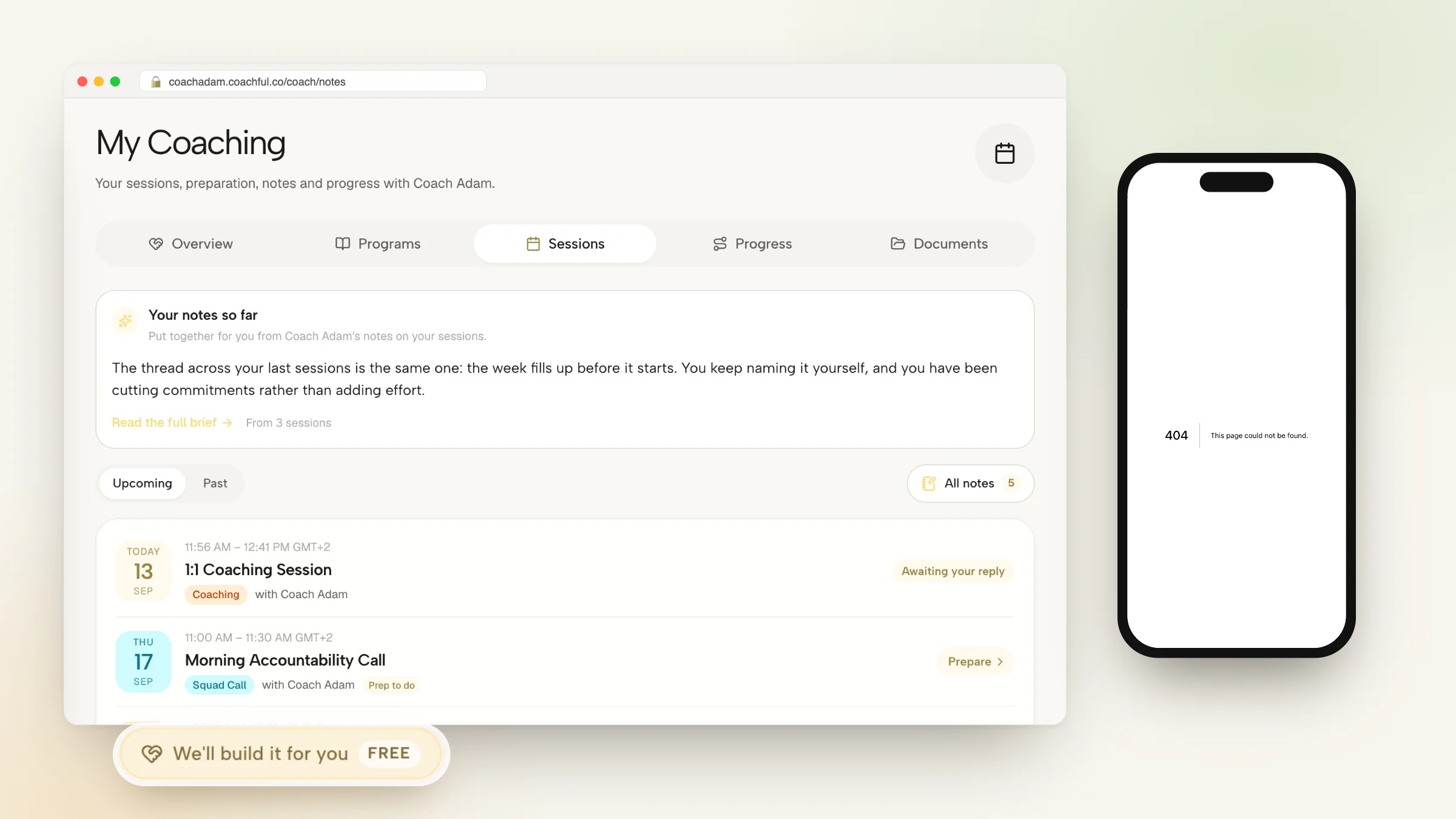
When reviewing an upcoming session, coaches open the client's unified dossier to see their past session notes, private observations, completed intake questionnaires, and active habits in a single intuitive screen.
- Private coach-only sidebars: Keep confidential reflections completely hidden from the client portal view.
- Integrated timeline archives: Scroll through chronological meeting summaries and action histories with ease.
- Fast mobile note dictation: Dictate notes on your mobile device immediately following a session while insights are fresh.
Frequently asked questions about how to manage client notes without notion
Why is Notion risky for client coaching notes?
Notion relies on manual workspace sharing permissions, making it easy to accidentally expose private databases or allow clients to view confidential internal notes.
How long should it take to write coaching notes?
A streamlined post-session note should take no more than 3 to 5 minutes to complete, focusing on the core breakthrough, behavioral action item, and upcoming focus.
Can clients see the notes I write inside Coachful?
Coachful provides distinct private coach-only notes that are encrypted and visible exclusively to you, alongside shared action items that populate into the client's portal.
Can I search past client session notes easily?
Yes. Integrated client dossiers provide instant search across all historical session notes, client goals, and intake submissions.
Managing client notes without Notion eliminates database complexity, protects client confidentiality, and connects session commitments directly to daily client accountability. By utilizing a dedicated coaching CRM, you preserve precious administrative hours while elevating your professionalism.
Explore Coachful's integrated client dossiers, private session note modules, and automated habit tracking to manage your practice with ease.