
Meeting Scheduling Template for Coaches in 2026

Coachful

A Thursday disappears into five back-and-forth emails about a 25-minute accountability call. The client finally books, then asks which time zone the invite means. If scheduling takes longer than the session, your practice is leaking time before the coaching even begins.
A meeting scheduling template shouldn't just fill calendar squares faster. It should make the outcome clear, ask for consent around timing, and offer an async alternative when a live call isn't necessary.
The Five Messages Every Coaching Template Needs
That lost Thursday isn't unusual admin. Calendly's 2024 State of Meetings survey, which covered 1,200 business leaders, found that 43% spent at least three hours a week scheduling meetings, up from 36% the previous year. The survey also found that 46% attended three or more meetings a day. For a solo coach, those scheduling hours are unpaid coordination, not client work. Calendly's 2024 State of Meetings survey makes the case for treating scheduling as a repeatable part of the service.
Use five messages that travel with each appointment. The table gives you a starting kit, including copy you can adapt rather than a blank corporate form.
| Message | When it sends | Must include | Coaching example |
|---|---|---|---|
| Calendar invite | At booking | Outcome in the title, both local times, video link, reschedule cutoff | Discovery: Decide if we work together, 25 min |
| Confirmation email | Immediately after booking | Purpose, what to prepare, how to move the call | “Your strategy session is locked. Bring one stuck goal.” |
| Agenda | About 24 hours before | Decide, discuss, or inform; owner; minutes; five-minute read-back | “Accountability review: one habit owner.” |
| Preparation reminder | 24–48 hours before | One prep task and why it matters | “Reply with what blocked the agreed action.” |
| Same-day reminder | 1–6 hours before | Local time first, join link, one-click reschedule | “Your call starts at 9:00 your time, 14:00 mine. Join here. Need to move it? Reschedule here.” |
The invite locks the time and names the outcome. For a discovery call, “Decide if we work together” tells the client what the conversation is for. Put both local times in the invite so neither of you has to do time-zone arithmetic later.
The confirmation should arrive as soon as the client books. State the purpose, one preparation task, and the route for moving the call. About a day before, send an agenda that labels each item decide, discuss, or inform, with an owner and a time budget. Keep the last five minutes for a spoken read-back of decisions and due dates.
Make each message do one job. The confirmation locks the appointment, the agenda structures the conversation, and the reminders make it easy to show up or reschedule.
For the preparation reminder, ask for one useful piece of work while there's still time to do it. Then make the same-day note operational: put the local time, join link, and rescheduling option first. A client shouldn't have to dig through a long email to find the call.
How to Build the Template Once and Reuse It
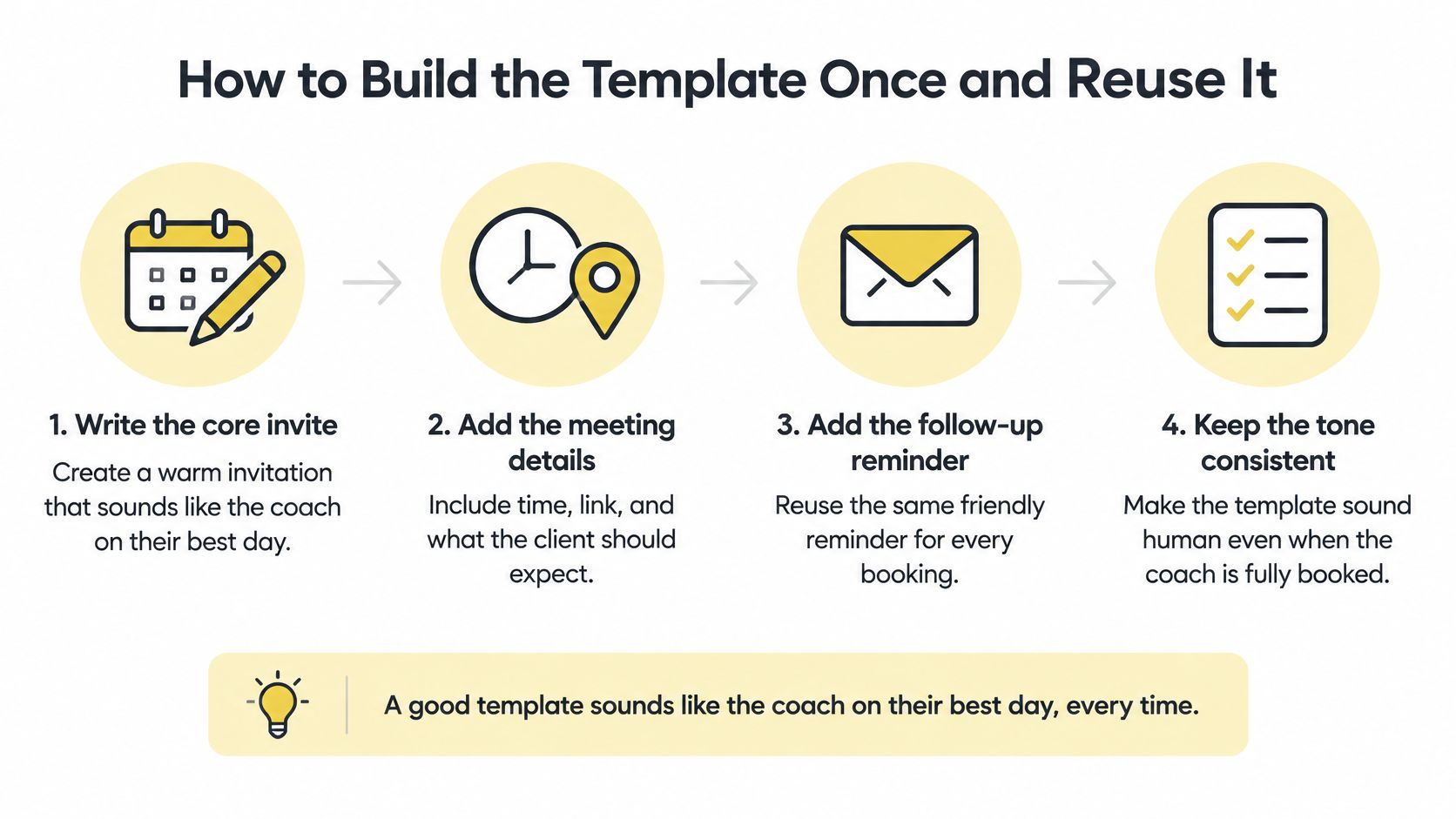
A late-night reschedule request is a consent problem, not a calendar problem. Your template should state the outcome, share the time-zone work, and offer an async option before a slot gets locked. Build that once and you stop negotiating logistics client by client.
Start with the outcome as a decision or deliverable. Use "Identify the barrier," "Agree on one habit," or "Decide whether to continue." Vague topics like "accountability" let clients book without knowing what they agree to.
Choose a short default duration. Try 15, 25, or 50 minutes instead of automatically booking an hour, and add a five-minute break at the end of a longer session. Affine's guide to meeting agendas favors those short slots and outlines the practical pieces: outcome, participants, time zones, preparation, ownership, and timed agenda items. A strategy session can use 25 minutes for diagnosis, a five-minute reset, and 30 minutes for planning.
Invite only the people who decide, prepare, or contribute. Decision meetings work better with a small group. If someone only needs the notes, send the notes.
Record time-zone details in the template fields. Capture each participant's zone, the canonical appointment time, and any daylight-saving note. The invite should show local times plus the reference time, so neither side does the math.
Add one preparation line that says what to bring and why it helps. Send any pre-read about 24 hours in advance. Then turn topics into timed agenda items. Label each item decide, discuss, or inform, name an owner, and put minutes next to it. Put the most consequential item first. Reserve the final five minutes for a verbal read-back of decisions, owners, and due dates.
Write confirmation copy in your natural voice. Tell the client what is happening and how to change plans. Paste this: "Your session is booked. Bring the goal that feels stuck, and if something changes, use this link to choose another time."
Save three variants. Keep an intake template, a one-to-one accountability template, and a group cohort template. Topic lists alone do not give a meeting enough structure, since many recurring and one-off meetings run without a real agenda.
Keep three useful variants
| Variant | Default length | Reminder beats | Outcome field example |
|---|---|---|---|
| Intake | 25 min | Confirmation, 24-hour prep question, same-day access | Decide if we work together |
| 1:1 accountability | 20 min | Same three beats | Name what prevented the agreed action |
| Group cohort | 50 min with a five-minute break after 30 min | Same three beats plus a cohort-wide prep note | Agree one shared commitment, with a review date and a cancel rule |
Store the variants where you create bookings, such as your scheduling workspace or a shared practice folder. Name each one so you can duplicate the right format. If the request does not fit any variant, offer async first. A short Loom or written check-in filters low demand before it reaches your calendar.
Three Reminders Clients Actually Answer
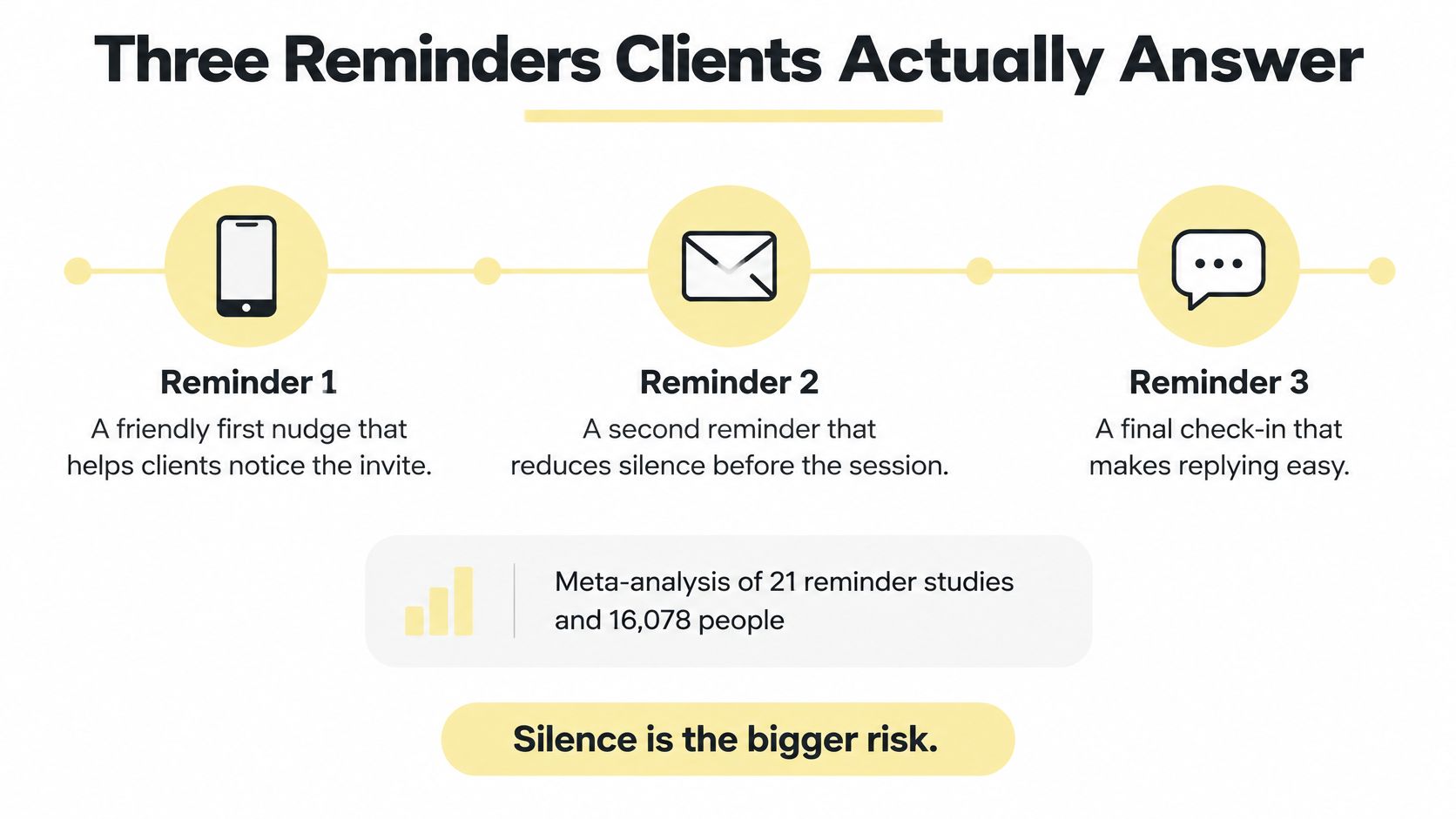
You've sent the calendar invite. Another email feels naggy, so you're tempted to stop there. But silence is the bigger risk: a meta-analysis summarized by MeeterGo covered 21 reminder studies and 16,078 people and found that notified recipients were 23% more likely to attend and 25% less likely to no-show than people who received no notification. A separate review of 31 randomized trials reported a weighted mean no-show reduction of 34% for one automated reminder. Treat these as benchmarks, not promises. MeeterGo's appointment-reminder guidance recommends a three-stage sequence, with each message doing one clear job.
“Your session is on the calendar. We're meeting to decide whether the current plan still fits your goal.”
Send that confirmation immediately. It locks the calendar hold and tells the client what the time is for. Then send a preparation reminder 24 to 48 hours ahead:
“Before we meet, answer one question: what did you try this week?”
That gives the client time to reflect and gives you something concrete to work with. The final reminder, sent 1 to 6 hours before, should be short and easy to act on:
“Your session starts at 9:00 your time, 14:00 mine. Join here. Need to move it? One click here.”
This isn't about chasing a client. It's about removing small obstacles that can turn a planned session into a missed one. If you use Coachful, you can follow its instructions for sending automatic booking reminders to clients as part of your booking workflow.
Fix the three common reminder failures
- Time appears only in the coach's zone. Include the client's local time in every time-sensitive message.
- The same-day email buries the join link. Put the access information near the top.
- There's no clear way to reschedule. Give the client a direct route to choose another time instead of making them explain by email.
For a Monday check-in with a client in another region, the reminders should carry both local times and one preparation question. After the session, send the notes or agreed next action within a day. Close the loop on a commitment, not just a thank-you.
Time Zones That Do Not Punish the Same Client
“Find a time that works” sounds neutral. It isn't always fair. If your scheduling tool says a client is technically free at 7 a.m., that doesn't mean they've agreed to start their day there.
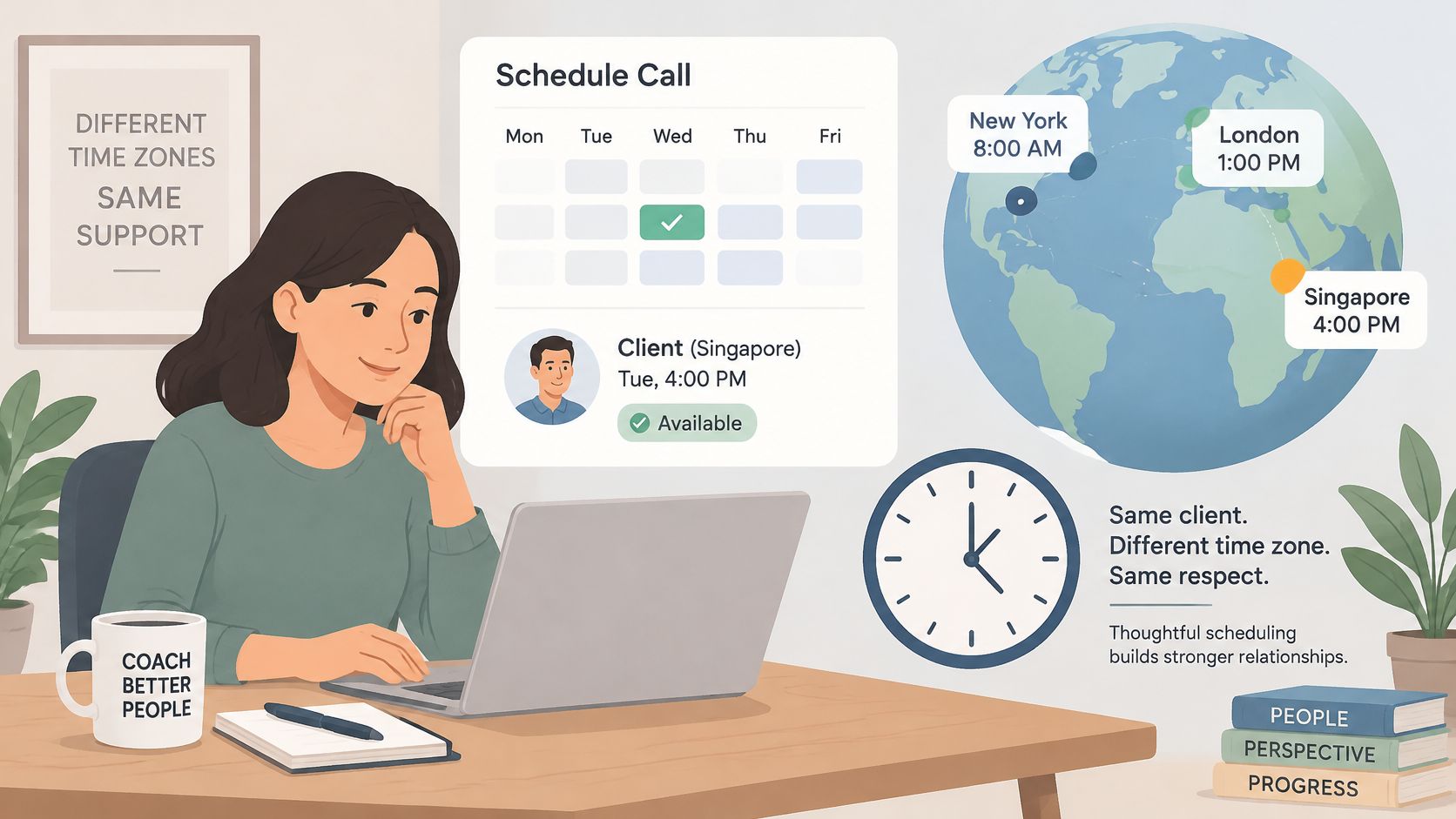
Microsoft's 2025 Work Trend Index, as summarized in reporting by Arcade, found that 30% of meetings span multiple time zones, up from 22% in 2021. Meetings beginning after 8 p.m. also increased 16% year over year. The reporting on Microsoft's time-zone findings points to a practical shift: meeting invites need to account for people's locations and working-hour boundaries, not just open calendar slots.
Add the missing fields before you book. Record each person's time zone, preferred hours, unacceptable hours, and who absorbed the awkward time last time. For meetings that can't fit everyone's normal workday, set a rotation rule and note when daylight-saving changes may shift the time gap.
| Field | What to record | Example |
|---|---|---|
| Time zone | Each person's zone and the canonical appointment time | New York: Eastern Time; London: UK local time; show both local times in the invite |
| Preferred hours | Windows each person would choose | New York late morning and London mid-afternoon |
| Unacceptable hours | Times each person won't accept | No recurring evening slot for the Singapore client |
| Burden log | Who took the late slot last time | Singapore took the late slot in March, so New York takes next month |
| DST note | Weeks when the gap shifts by an hour | Re-check the gap the week the clocks change |
A New York coach and a London client might find a late-morning US and mid-afternoon UK window. A Singapore client may not share a comfortable live window with them. In that case, record whose evening the proposed time affects, and rotate the burden next month rather than letting the same person absorb it indefinitely. A practical guide to handling time zones for international coaching clients can help you think through the scheduling details.
Before you lock a difficult hour, ask whether the conversation has to happen live. A progress form, short recording, habit log, or written check-in may give you what you need without asking someone to join outside their normal day.
An open calendar square is not consent.
Use a confirmation line that makes the arrangement explicit: “Your session is at 11:00 a.m. New York time and 4:00 p.m. London time. This month, the late slot is yours; next month, we'll rotate it.”
If the clock change affects the date, verify the displayed local times with the client before the invite goes out.
When the Template Should Say No Meeting
A full practice does not need faster booking. It needs a filter that stops low-value meetings from taking a slot. Put a short gate before the time picker. The client answers it, you enforce it, and the calendar stays for work that deserves live time.
Flowtrace reports that employees spend about 392 hours per year in meetings, that 71% of meetings are considered unproductive, and that 64% of recurring meetings have no agenda. Read the full detail in Flowtrace's report on meeting patterns. That waste is the reason your template has to screen demand instead of inviting it.
Use this copy as your gate. Paste it above the scheduler:
"To book, answer these five lines. No answers, no meeting."
Outcome: What decision will we make on this call?
People: Who must attend to make that decision?
Preparation: What will you bring or finish before we meet?
Stop rule: What change would cancel this meeting?
Async first: Could a voice note, written check-in, or habit log solve it?
That last question carries the weight. Coaches lose hours to accountability calls that a short written update would have closed. Make the client state why text will not work. If they cannot, send them the async route.
Set a kill rule for every recurring series at creation. Example to paste: "We keep this series only while attendance stays above 80% and each session produces one agreed action. Miss twice or stall on actions, and we pause live calls for two weeks and switch to written check-ins."
Handle the surprise call without surrendering an hour. A client rings about missed tasks. Give it 10 minutes. Then close with a tight follow-up, not an open invite: "20 minutes Thursday. Purpose is to name the barrier. Result is one habit and one owner." The slot fits the job. The job does not stretch to fit the slot.
If you cannot name the decision, do not send the link.
Turn On One Booking Page This Week
Don't redesign your whole practice. Pick the next client who's about to book and run that one relationship through the template: a clear outcome in the title, both local times, a suitable short hold, three reminder beats, and a written route to move the appointment.
Set your house rules before sending the booking link. A 24-hour minimum notice gives you time to prepare; a 15-minute buffer keeps sessions from stacking; and allowing rescheduling up to 12 hours before a call gives a client a straightforward option besides disappearing into a text thread.
If the back-and-forth is what you want to remove, a booking page with live availability lets the client choose from the times you offer. In Coachful, booking pages can use those rules, and Zoom, Google Meet, and Teams video links are created automatically for sessions. Paste in the confirmation, the one preparation question, and the same-day access instructions so the client sees your process at booking, not in a follow-up scramble. If your website is where clients find you, use this guide to embed your booking page on an external website.
If you're deciding whether to keep coordination in-house or hand it off, this guide to delegating appointment coordination offers a useful perspective on when support can take scheduling tasks off your plate.
After four weeks, judge the change by whether you spent less time coordinating and had fewer empty chairs, not by whether you filled every available slot. The point isn't a fuller calendar. It's a clearer agreement before anyone gives up an hour.
Coachful brings booking pages, scheduling, reminders, and client work into one coaching workspace, so your meeting rules can stay attached to the booking experience. Set up a template for your next client and visit Coachful to make the process easier to use consistently.


