
Secure Payment Link Steps Coaches Can Trust

Coachful
The most popular advice about a secure payment link is to check for the padlock and use a big-name processor. That advice isn't wrong, it's incomplete. A padlock tells your client the connection is encrypted. It doesn't tell her you sent the link, the amount is right, or the link can't be forwarded to someone else next month.
That gap is where coaches get stuck. You're thinking, "Will this look sloppy, or worse, scammy?" Your client is thinking the same thing before she types her card number. You solve both worries the same way. You put the card entry on a hosted checkout you don't control, you prove who sent the request in plain words, and you control the link after it leaves your outbox.
Checks That Make a Payment Link Secure
You're right to doubt the padlock. A fake checkout can have one too. What makes a request safe isn't a single icon, it's a chain of checks your client can match in seconds.
Start with a clear definition. A secure payment link is a URL that opens a provider-hosted checkout, so your client never types a card number into email, chat, or a form you built. In the flow described in the Stripe pay by link guide, you create a request with the amount and currency, the client clicks through to a secure gateway, and the transaction data is encrypted before it moves through the acquiring bank, card network, and issuing bank for authorization. Say you send, "Pay $500 for the four-session executive-coaching package." That sentence should point to the provider's page, not invite a reply with card details.
Why Hosting Matters More Than Branding
Coaching sales are card-not-present transactions. No physical card, no chip, just a person and a browser. Those payments sit under PCI DSS, which the PCI DSS history from Worldpay dates to December 2004, when American Express, Discover, JCB International, Mastercard, and Visa replaced separate programs with one baseline, and which reached version 4.0 in March 2022. You don't need to memorize the standard. You need its practical rule. Keep raw card data off your own tools.
That is also how we work. Coachful does not process payments itself; funds settle in the coach's own Stripe account. Your job is to keep the card field on the provider's page or in a validated provider iframe. If a payment element is served from your own site instead, you can lose the simpler PCI scope that a fully hosted page gives you. Our Coachful security best practices for coaches cover the account side of that separation, and finance teams who want the wider picture can learn how to manage cybersecurity risks in financial systems without turning you into your own payment processor.
If you can see your client's card number, the flow isn't secure, no matter how professional the page looks.
Your Pre-Send Standard
Run every link against this table before you send it. If one row fails, fix that row first.
Secure payment link checks versus risky shortcuts
| Control | Secure practice | Risky shortcut |
|---|---|---|
| Where the card is typed | Provider-hosted page or validated iframe | Email, chat, or a form on the coach site |
| What the URL contains | Opaque identifier only | Amount, client data, API keys, or tokens in the query string |
| How long it works | Short expiry and one-time use for a private invoice | A link that stays live and can be forwarded indefinitely |
| Proof of payment | Provider-signed webhook, then mark the link used | Browser thank-you page or a client screenshot |
| Payer authentication | Risk-based 3-D Secure on packages and retainers | No extra check on high-value card-not-present sales |
| What the client can match | Known domain, business name, program, amount, and invoice reference | A surprise link with none of those details |
Notice what the table protects. The opaque identifier means the URL itself reveals nothing useful if it's forwarded or screenshotted. Short expiry means a leaked private link dies quickly. A signed webhook means your system trusts the provider's server message, not the page your client's browser landed on, which anyone can fake or revisit.
Your client gets a simpler test. She clicks, she sees HTTPS, your business name, the exact program, and the amount you already agreed. If any of those don't match your message, she shouldn't pay. That's not sloppy, and it doesn't look scammy. It looks like a coach who thought about her side of the screen.
One-Time and Reusable Links for Coaching
The fear underneath this choice is specific. "Could the wrong person pay with this, or could I accidentally leave a private offer on sale forever?" Both can happen if you pick the wrong link type for the job.
The distinction is simple. Stripe's payment link documentation defines a payment link as a shareable URL that opens a hosted payment page, and a reusable link can be used multiple times, with each opening creating a new checkout session. A one-time or client-specific link is built for one person and one engagement. Reusable isn't riskier by nature. It's riskier when you use it for something private.
Match the Link to the Offer
Which payment link fits the coaching offer
| Coaching situation | Link type | Where to share it | When to stop it |
|---|---|---|---|
| Public $49 workshop | Reusable | Newsletter or public page | Deactivate after the workshop date or cap |
| Private $2,000 executive engagement | Client-specific or one-time | Direct email or client portal | Consumed once that client pays |
| Four-session $500 package | Offer-specific checkout | After the discovery call | Stop if the offer or price changes |
| Cohort or group program | Reusable until capacity | Enrollment page | Deactivate when the cohort is full |
| Client switching to pay in full | New checkout for the remaining balance | Sent only to that client | Old instalment subscription cancelled first |
Say you're running a public $49 workshop. One reusable link in your newsletter is exactly right. Dozens of people should be able to open it, and each person gets a fresh checkout session. Now say it's a private $2,000 executive engagement. That link belongs in a direct email or your client portal, tied to that client and that offer. You wouldn't want it forwarded to a colleague who pays and expects a seat you never sold.
The cohort case sits between the two. A reusable enrollment link is convenient while seats are open, and it becomes a liability the moment the group fills. You don't need to watch every payment attempt by hand. Once a payment link is deactivated, customers can no longer use it to make a purchase. That deactivation is your off switch. Plan it when you create the link, not after the fifteenth person pays for twelve seats.
The Switch Clients Ask For Midway
A client pays two instalments, then says, "Can I just settle the rest now?" Don't reuse the old link and hope the math works out. Switching a client from an installment plan to pay-in-full is a manual process. You cancel the installment subscription first, then send a checkout link for the pay-in-full tier with the amount reduced by installments already collected. Send that new link only to that client, because the balance is hers alone.
Practical rule: Decide the audience, the amount, and the expiry before you copy the link into a message. Those three decisions are the security control.
Track checkout-session events as payments land, so you can match each payment to a person and a program without digging through email threads. When a client later asks, "Did my payment go through?" you answer from the payment record, not from memory. That's the difference between a link you sent and a link you're managing.
How to Create and Send the Link
You're probably thinking, "I can create a link in two minutes, so why seven steps?" Because most payment embarrassments don't come from the link. They come from sending it before the account behind it is ready, or treating a thank-you page as proof of money.
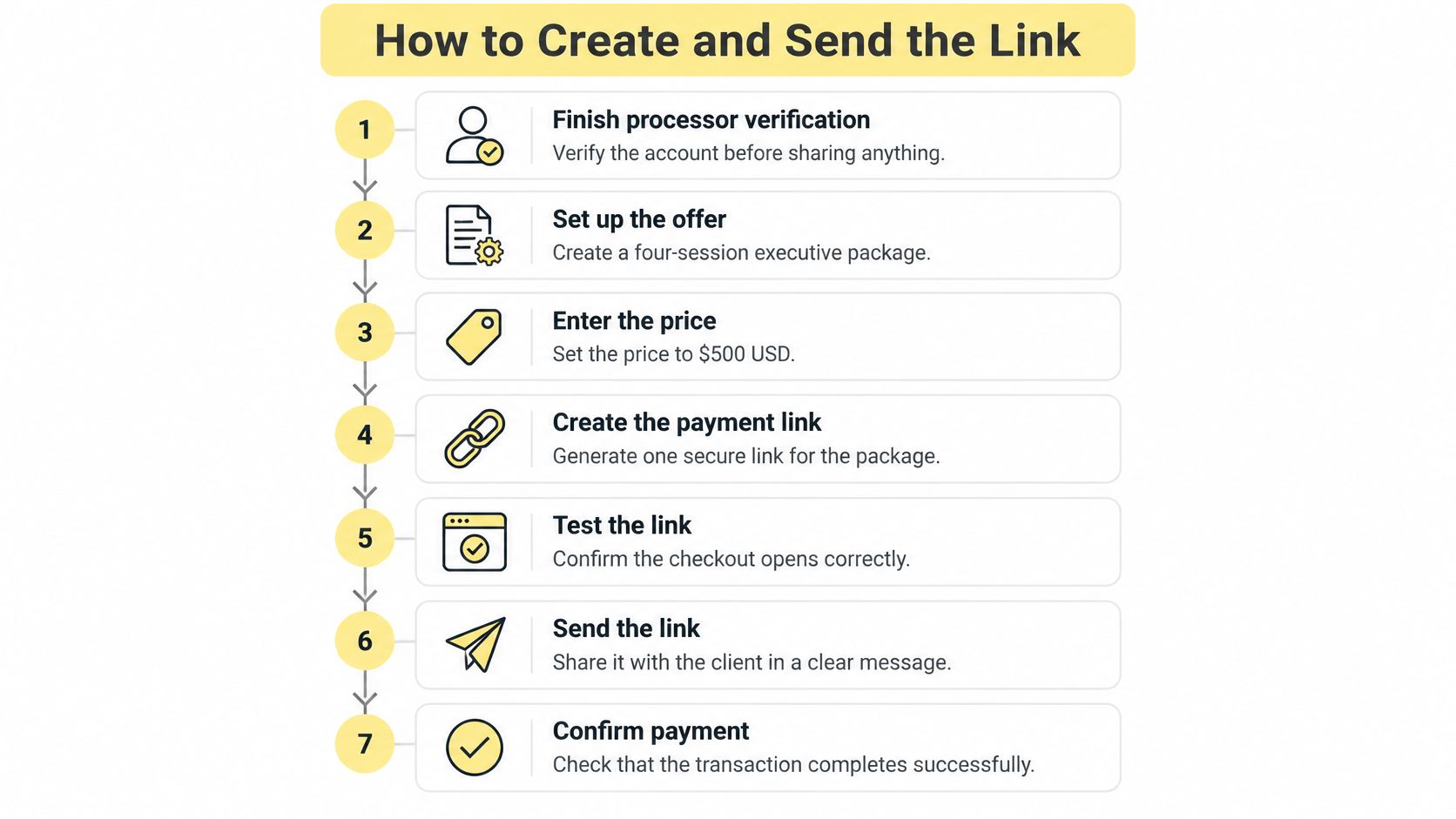
The steps below use one concrete case throughout, a four-session executive package at $500 USD.
Seven Steps in Order
- Finish processor verification first. A transaction fails if a client reaches checkout before your Stripe account is fully verified, and offers stay unpublished for checkout until verification is done. You can still create offers, and you complete verification under Coach → Settings → Billing. Our guide to setting up Stripe to accept client payments walks through that onboarding before any link goes out.
- Create the order behind the link. The PCI Security Standards Council FAQ describes a server-side order with amount, currency, customer identifier, expiration time, and a random, single-use reference, and notes that when every payment-page element comes directly from a compliant third-party provider, the setup may qualify for the simpler SAQ A scope. If any element comes from your site, that eligibility can be lost.
- Generate the link through the provider. Your message carries only the opaque identifier. The classic slip here is pasting the client's email, the amount, or a token into the URL so it "looks personalized." Don't. Anything in a query string can be read, logged, or tampered with.
- Use a separate checkout for this offer. Each offer gets its own checkout link, so the $500 package doesn't share a URL with your workshop or your retainer. That's what keeps amounts, access, and reporting clean.
- Send it from your known address. Name the client, the program, the $500 USD amount, and the invoice reference in the message itself, so she can match the checkout against your words.
- Let the hosted page collect the card. The card number and security code go to the provider, never to you. If a client offers to read them out on a call, redirect her to the link.
- Confirm from the webhook, then open access. Treat the provider-signed webhook as proof, mark the link consumed, and only then grant the program or booking. The slip at this step is trusting the browser redirect. A client can reach a thank-you page with a payment still processing, challenged, or failed.
If you run subscriptions or repeat cohorts, it's worth learning to track subscription checkout link performance so you can see which links convert and which ones stall, instead of guessing why an invoice sat unpaid.
This short walkthrough shows the sending side from the client's point of view.
End where your client ends. She should see the business name she expects, the $500 you discussed on the call, and a hosted checkout domain that matches your message. If she'd have to take your word for any of those, the link isn't ready to send.
What to Say So Clients Feel Safe Clicking
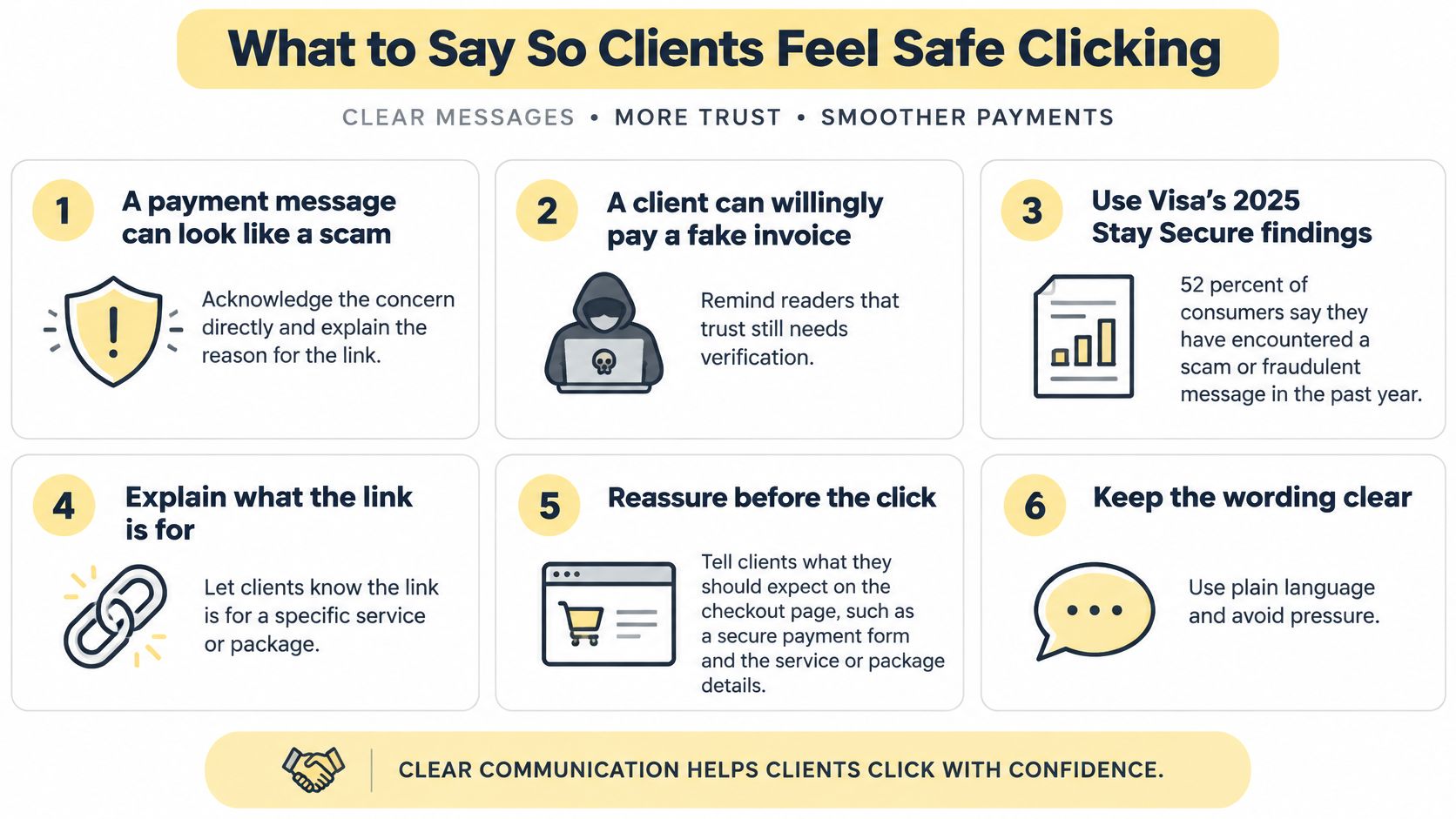
Your worry is, "This message is going to look like a scam." Sit with the harder version of that truth. A client can also willingly pay a fake invoice that looks exactly like yours, padlock, logo, correct amount, and all.
That isn't paranoia. Visa's Stay Secure report found that 52% of consumers across 17 markets had previously fallen for a scam, including 16% who had done so multiple times, and 86% said they might act on common scam messages such as clicking a link or replying to the sender. Read that from your client's chair. She is not careless. She is busy, your name already sits in her inbox, and the message arrived right after your call.
Stronger checkout authentication does not fix this problem, because a deceived client authenticates on purpose. She types the one-time passcode herself. The padlock proves the page is encrypted; it stays silent on who sent her there. Your words before the click carry that proof, and your control over the link after it leaves your hands carries the rest.
Give Her Five Things to Match
A payment request becomes verifiable when the client can line it up against details she already knows. Give her five fields to check, and write them into the message itself rather than leaving her to hunt for them on the checkout page.
Message fields the client checks
| Field | What to write | Example |
|---|---|---|
| Client name | First name as agreed | Maya |
| Program | Exact offer name | Four-session executive coaching |
| Amount | Amount and currency | $500 USD |
| Expiry | Time left on the link | 48 hours |
| Reference | Invoice number | INV-0412 |
Send those fields from the address your client already uses to reach you. Then set the verification rule before any invoice goes out, ideally in your welcome message. Tell clients that an unexpected payment request should be confirmed through a known phone number or inside the client portal, never by replying to the suspicious message itself. A scammer controls that thread. She needs a second channel she already trusts.
Name the specific tricks in plain language, once, without drama. A link can be tampered with so it points somewhere else. A QR code on a forwarded PDF can be swapped for a different one. An invoice amount can change after your call. When your client knows those three moves exist, a mismatch stops feeling like her mistake and starts feeling like a signal to check.
The expiry earns its place on this list too. A link that stops working after 48 hours is a link a forwarded message cannot reuse next month.
Handle the Bank Check Without Losing the Sale
You're also thinking, "What if extra verification scares her off?" Sometimes her bank will challenge a payment because of a new device or an unusual amount. Say in advance that the check comes from her bank, not from you, and that you will never ask her to read a one-time passcode to you. That one sentence protects her twice. She stays calm through a legitimate challenge, and she recognizes a scammer who asks for the code.
I will never ask for card details by email or text, and I will never ask you to read me a code from your bank.
Copy this pattern and adjust the details. "Hi Maya, your invoice for the four-session executive-coaching package is $500 USD. The link expires in 48 hours. Invoice reference INV-0412. Pay here: [checkout link]. I will never ask for card details by email or text."
Then paste this sentence directly above the link itself. This is my secure checkout for the package we agreed on; if anything looks different, confirm it with me on my known number before paying.
Fix Failed, Wrong, or Suspicious Payments
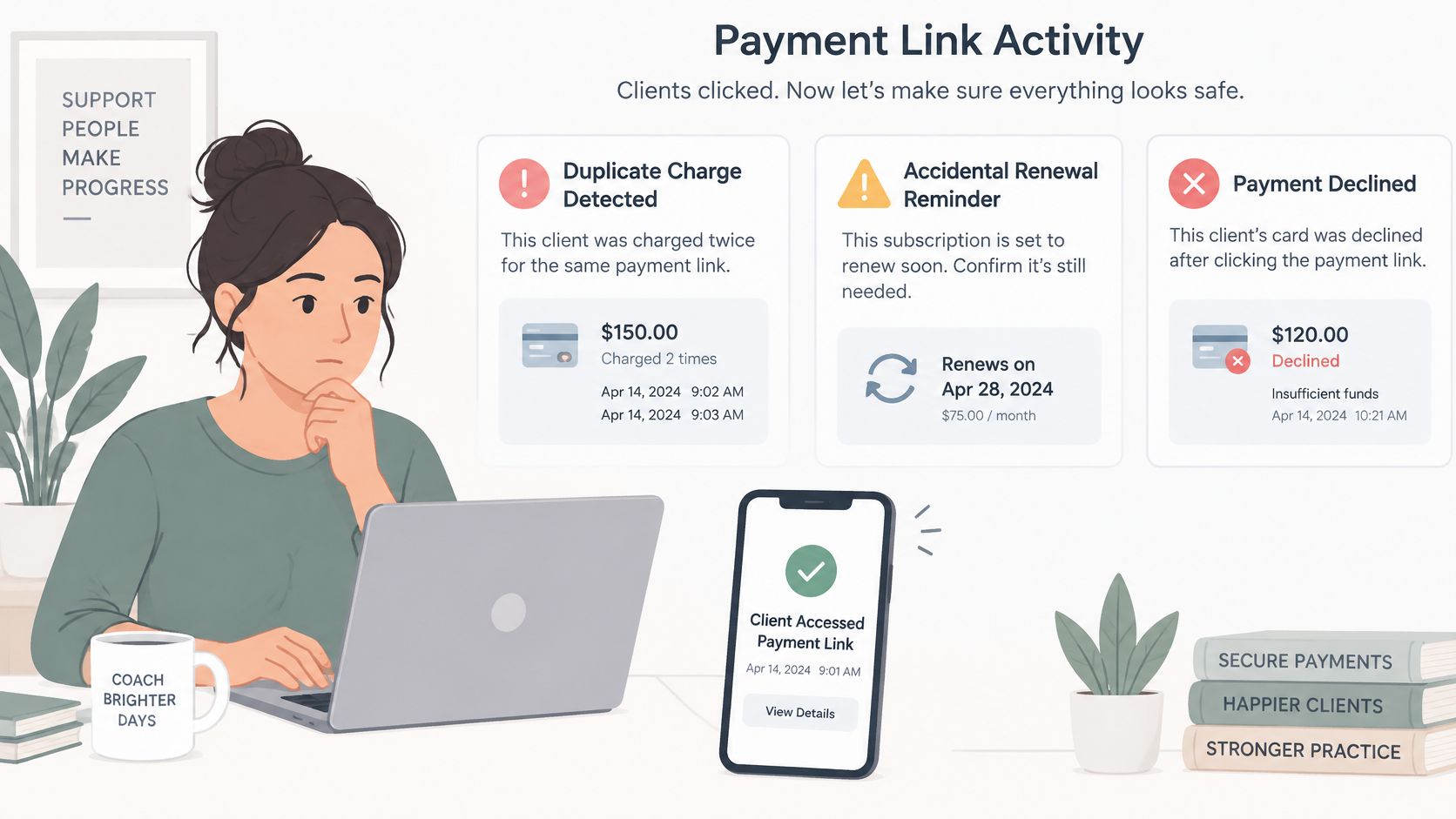
Security is what happens after the click. That's where coaches get stuck, staring at a duplicate charge, an accidental renewal, or a declined card, while a client waits for an answer that sounds competent.
The stakes aren't theoretical. The Atlanta Fed's 2025 consumer payment research reported that 10% of credit-card adopters experienced credit-card fraud and 7% of debit-card adopters experienced debit-card theft. A separate 2025 U.S. consumer survey in the same research summary found 64% considered payment-data compromise in a breach their greatest payment concern and 71% wanted more security and fraud protection from payment technology. Your client brings that anxiety into every payment problem. A calm, ordered response is part of the product.
The Incident Order
- Disable or revoke the link. Stop it being used again before you investigate anything else.
- Save the evidence. Keep timestamps, the original message, and the processor event ID for each charge.
- Notify the payment provider. Do this when the request looks fraudulent or the amount is wrong, so the dispute record starts early.
- Contact the client on a known channel. Use the phone number or portal she already trusts, not the thread that looks suspicious.
- Refund what doesn't match the agreement. Full or partial, a mistaken transfer you can refund directly is different from a chargeback, which runs through the processor's dispute flow with your saved evidence attached.
- Clean up the metadata. Keep session notes and health or personal details out of payment descriptions and receipts. "Executive coaching package" is enough. Your client's reasons for coaching are not billing data.
Here's the worked version. A client on a $500 package is charged twice after a payment retry. You revoke the link, save both processor event IDs and the original message, refund the duplicate, then message her through her known phone number with the refund reference. She hears it from you, on a channel she trusts, before she finds it on her statement. Our notes on troubleshooting failed Stripe payments cover the common decline patterns behind cases like this.
Failed Renewals Without the Awkward Chase
For a failed recurring charge, don't ask for a new card number in chat. We handle failed payment retries automatically using Stripe's Smart Retries settings and notify the client to update their payment method. After a recurring charge fails, Coachful sends the client an automated email with a secure link to update their payment method, so a $200 monthly plan gets a fresh hosted page instead of a card number typed into a message thread. Businesses that bill in instalments for other kinds of trips and programs face the same problem, which is why it helps to see how others recover overdue trek installments with automated retries and clean update links rather than manual chasing.
Decide in advance who receives the receipt and who receives the failure alert. If that's you and the client, say so. If a client's assistant pays invoices, name that person too, so a receipt landing in the wrong inbox doesn't read as a breach.
Before you send: Expiry set, link revocable, receipt recipient named, description free of private coaching detail, backup contact ready.
Send the Next Invoice From a Verified Checkout
Pick one live offer today and run it through everything above. Confirm your processor account is fully verified, then send a hosted checkout that already shows the client, program, amount, currency, and expiry.
Apply the two decisions that do most of the work. A private engagement gets a client-specific link. A public workshop or cohort gets a reusable link with a planned deactivation date. Then write the sentence that will sit above the URL, and name the channel your client should use to question it, whether that's your client portal or a known phone number.
Say it's Monday. You send Maya a $500 four-session link, she confirms the amount in the portal before paying, and later that week you deactivate the workshop link the moment the cohort fills. Nothing about that feels improvised, because none of it is.
This workflow can live in Coachful, where a payment plan splits a program fee into 2, 3, 6, or 12 instalments that Stripe bills automatically, and linking a 1:1 offer to a booking product lets your client schedule her first session once checkout is completed. Our Stripe-powered billing lets you go from idea to live checkout link in under 15 minutes, with automatic recurring billing, smart retry logic, and direct payouts to your bank account. Send the link only after verification, the hosted page, and the client-facing details are all in place.
Ready to send your next invoice without the padlock-only guesswork? Coachful gives each offer its own hosted checkout link through your own Stripe account, with payment plans, automatic retries, and booking built in, so your clients see a professional checkout and you keep control of every link you send. Set up your first verified checkout today and send it with the sentence, expiry, and reference your client can check in seconds.


