Webinar Speaker Agreement Template: 7 Decisions for Coaches

Nour
Founder, Coachful
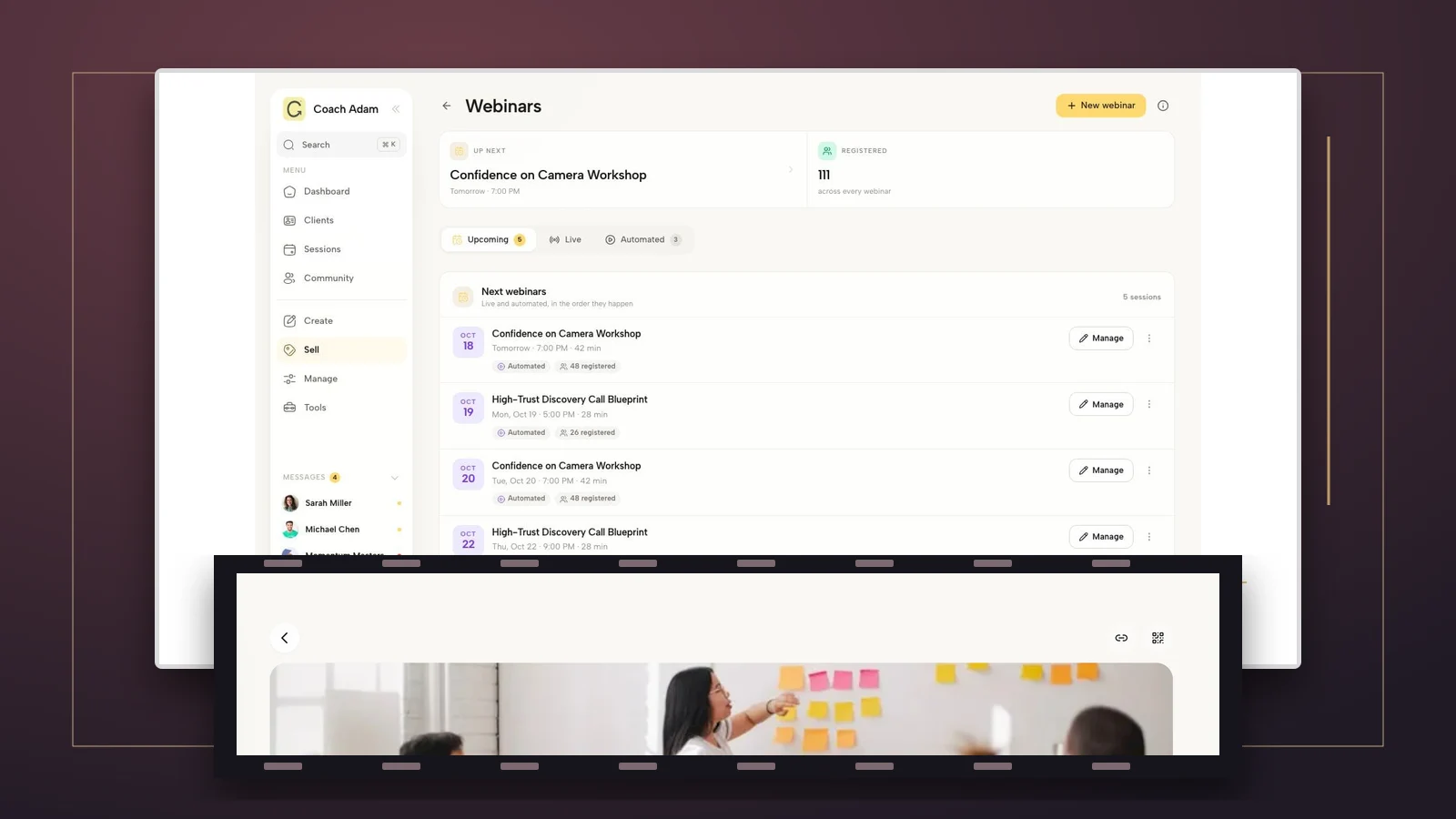
What should you agree with a guest speaker before inviting them into your coaching webinar? Put the session scope, fee, preparation, recording permission, audience access, promotion and cancellation terms in writing. Treat the live appearance and every later use of the recording as separate decisions. Paying someone to teach for an hour does not, by itself, tell either of you what should happen to that hour afterwards.
The expensive misunderstanding usually sounds harmless: “We'll put the replay in the program.” The coach means a private recording for this cohort. The speaker hears their workshop becoming a permanent lesson in a product sold to future customers. Neither interpretation should be left until after the event.
This guide is for coaches hosting a guest expert in a webinar, membership or group program. It gives you seven decisions, an editable discussion template and a worked example. It is practical planning guidance, not legal advice or a jurisdiction-ready contract. Have a qualified adviser adapt the actual agreement, especially where recording rights, consumer obligations, liability or cross-border payments are involved.
What is a webinar speaker agreement?
A webinar speaker agreement records what the host and guest are each committing to provide. It differs from an attendee registration policy, a coaching-client agreement and permission to record participants. Those documents concern different people and different rights. One cannot silently substitute for the others.
A useful real-world reference is the American Chiropractic Association's sample webinar speaker agreement. It separates host responsibilities, speaker responsibilities, materials deadlines, promotional permissions and recording rights. Its continuing-education rules and broad license are specific to that arrangement, not a default a coaching business should copy.
Start with an operational question: if somebody else had to run this event from your agreement, would they know what to deliver and what they must not do? A document that merely says “guest webinar, fee agreed” does not answer that question.
1. Define the actual appearance, not just the title
Name the legal parties, event, date, time zone, audience and delivery format. Describe whether the guest is teaching, demonstrating, answering questions, facilitating practice or doing some combination. A keynote and a coaching clinic create different preparation and participant expectations, even when both occupy an hour.
Split the time explicitly. For example, “45 minutes of teaching and 15 minutes of host-moderated questions” is clearer than “a one-hour webinar.” Add the requested arrival time, platform and backup contact. Put the rehearsal and materials deadlines on the calendar rather than hiding them in an email thread.

Write down exclusions too. If the guest is not reviewing participant worksheets, giving individual feedback or staying for a networking session, say so. Do not advertise a personal consultation when the agreement provides only a presentation.
For a coaching audience, scope matters as much as logistics. A guest can teach a general framework without becoming each participant's coach, therapist, lawyer or financial adviser. Agree how you will redirect questions that request personal professional advice outside the session's scope.
2. Divide preparation and hosting responsibilities
Decide who prepares the slides, collects questions, provides captions or other agreed access arrangements, moderates the chat and handles participant support. Specify who checks the technical setup. “We'll work it out on the day” usually means the host discovers a missing responsibility while the guest is already speaking.
Keep preparation bounded. Name the number and purpose of planning calls, the deadline for an outline, and whether the host can request revisions. Rewriting a complete workshop is different from correcting a title or removing a confidential example. Agree how additional work will be approved and priced.

Give the guest only the access needed for their agreed role. A speaking engagement does not justify access to your client notes, payment records or private coaching discussions. Check the actual permissions of any account or tool you provide; a role label alone is not proof that access is appropriately limited.
Also decide who can stop or redirect a session. A host should have a plan for harmful claims, unwanted sales pitches, participant disclosures and technical failure. Communicate that plan in advance, including a private way to contact the guest without debating it in front of the audience.
3. Separate the live session from recording rights
Ask four different questions: may you record; who may view the replay; for how long; and what other uses are allowed? A yes to recording is not a useful answer to all four. Define the actual destinations and audience, rather than relying on “marketing purposes” or “program use” without explanation.
- Live appearance: the named event, audience and date.
- Private replay: the specified cohort or membership, destination and access period.
- Public excerpts: whether clips, quotations, captions and thumbnails need approval.
- Further commercial use: future cohorts, paid courses, advertisements, sublicensing or other uses to negotiate separately.

Identify ownership and license terms with legal help rather than assuming a fee transfers copyright. Discuss the speaker's pre-existing slides, worksheets and methods separately from the host's materials. If a slide includes another creator's work, establish who is responsible for checking the necessary permissions.
Agree what editing is acceptable. Removing a break is not the same as cutting an answer so it appears to endorse a product. State whether the guest reviews the replay or excerpts, what the review deadline is, and how an unresolved concern is handled. Avoid treating silence as approval unless the parties have deliberately agreed an appropriate process.

Putting a guest presentation into your course builder is a new practical use to check against the license, not merely an administrative upload. If the original agreement covers one live webinar and a private replay, get the additional permission before adding it to a separately sold course.
4. Specify audience access and the end of the replay
Write down who gets access: registered attendees, one named cohort, current members or another defined group. Clarify whether people who miss the live event can watch, whether downloads are permitted and whether future purchasers are included. These are commercial choices, not details to settle by whichever share link is easiest.

If access ends, assign an owner for removing the recording from every agreed destination. Check embedded players, downloadable copies, lesson pages and shared folders. A date in the agreement does not automatically configure the software. Use the actual controls available and test access from an appropriate non-administrator account.
Decide what happens to backups and internal records separately from audience access. You may need to retain limited administrative evidence while removing the participant-facing replay. Have your adviser align retention, deletion, security and any legal obligations with the actual arrangement.
Participant privacy remains a separate job. Tell attendees what will be recorded and how it will be used, and establish a way to ask a question without exposing sensitive details on the replay. The guest's permission to use their presentation is not permission to publish participants' names, faces or stories.
5. Agree the fee, expenses and payment trigger
Specify the amount, currency, taxes where relevant, invoice details, due date and any deposit or balance. If the fee includes preparation or a replay license, make that visible. If those are separate charges, identify each one. Do not describe audience exposure as payment unless the guest has knowingly agreed to an unpaid arrangement.
Define expenses before anyone books travel, subscriptions or equipment. For a remote event, that could mean no reimbursable expenses without written approval. If there is a revenue share, agree the calculation base, eligible sales, refund treatment, reporting and settlement timing. “A percentage of the launch” leaves almost everything unresolved.

Your attendee revenue and the amount you owe the guest are different records. The Coachful screenshot shows an invoice ledger for the coaching business; it is not evidence of a contractor-payables or guest-payout feature. Track and settle the speaker obligation using the appropriate accounting and payment process for your business.
Never make the guest's payment depend on an unstated booking target. A flat fee is a flat fee unless your written arrangement says otherwise. Any performance component needs observable definitions and a realistic way for both parties to check it without exposing unnecessary customer data.
6. Limit promotion and attendee-data sharing
Agree which biography, headshot, title and session description you may use, where you may publish them, and whether the guest approves the final version. Name any promotional contribution the guest is actually promising. “Partner with us” is not a commitment to email their entire audience.
Discuss selling during the session. You might allow one disclosed closing invitation, no selling at all, or a particular resource link. Tell attendees when an affiliate or commercial relationship is relevant. Do not promise neutral education while privately requiring the guest to push an offer throughout it.

Keep attendee details out of the bargain unless you have a properly justified, transparent arrangement that meets the rules applying to you. Attendance does not automatically authorize either party to add someone to unrelated marketing. A cleaner route may be a separate optional signup that explains the guest's resource and future emails.
For coordination, choose a named host contact and a secure route for materials. Do not drop a guest into a private client channel simply because it is convenient. If questions are shared before the event, remove identifying or sensitive details unless there is an appropriate reason and basis to share them.
7. Decide cancellation, changes and failure before they happen
Cover cancellation by either party, postponement, illness, technical failure and any agreed substitute speaker. State how notice must be given, what happens to payments and expenses, and who communicates with attendees. Avoid copying a punitive cancellation clause without checking its suitability and enforceability.
Define what happens when the session is partly delivered. A platform outage after ten minutes is different from the guest cancelling before any preparation. You need a process for agreeing a remedy, not an invented guarantee that every disruption has the same answer.
Finally, decide how changes are approved. A new date, extended replay period or request for paid-ad clips should be recorded as an agreed change before it happens. Keep the version both parties accepted and identify who can authorize amendments.
Copyable webinar speaker agreement discussion template
Use this to brief your adviser and negotiate the business decisions. Replace every bracketed field. It deliberately leaves jurisdiction-specific legal provisions for professional drafting; it is not ready to sign simply because the blanks are filled.

Parties and purpose. [Host legal name and contact] and [Speaker legal name and contact] propose the following guest session for [program or event]. The intended audience is [description].
Appearance. Title: [title]. Date, time and time zone: [details]. Platform: [platform]. Teaching: [duration]. Questions or practice: [duration and format]. Arrival and technical rehearsal: [details]. The session includes [deliverables] and excludes [services not provided].
Preparation and responsibilities. Speaker supplies [outline, slides, resources] by [dates]. Host supplies [moderation, access arrangements, registration, support]. Included planning and revisions: [limits]. Additional work requires [approval process].
Fees and expenses. Fee and currency: [amount]. Applicable tax treatment: [adviser-reviewed details]. Payment milestones and invoice route: [details]. Approved expenses and limits: [details]. Any revenue share is defined in [separate schedule or precise terms].
Materials and recording. Recording is [permitted/not permitted]. Ownership and the agreed license are [adviser-drafted terms]. Permitted replay audience, destination and period: [details]. Downloads: [decision]. Editing and review: [process]. Public clips, advertising, future cohorts and course resale are [excluded or separately specified].
Promotion and data. Approved promotional assets and channels: [details]. Speaker promotion commitment: [specific contribution or none]. In-session selling: [decision]. Attendee-data handling and any optional separate signup: [details]. Confidential information and participant disclosures are handled through [process].
Changes and disruption. Cancellation, postponement, illness, substitution and technical-failure arrangements: [adviser-reviewed terms]. Notice route: [details]. Changes require [written approval process]. Replay removal owner and deadline: [details].
Legal review and acceptance. The parties will complete suitable terms on confidentiality, intellectual property, liability, applicable law, disputes and other required matters with qualified advice. Authorized signatories, dates and agreed version: [details].
Worked example: a guest expert inside a coaching cohort
Imagine you host a group program for first-time managers and invite a specialist to teach one practice lab. This is a hypothetical planning example, not a real Coachful customer arrangement or a recommended market rate.
You agree to 45 minutes of teaching and 15 minutes of moderated questions, with one planning call and one technical rehearsal. You handle registration, moderation and attendee support. The guest supplies an outline, approved biography and original worksheet by the agreed deadlines.
The proposed replay permission covers the current named cohort for a fixed agreed period. It does not include public clips, future cohorts, a paid evergreen course or advertising. You do not receive the guest's mailing list, and they do not receive yours. Anyone wanting the guest's separate resource uses an optional signup with its own explanation.
The practical test is whether you can operate those promises. Can the replay be removed at the deadline? Does the published session page match the agreed scope? Is someone responsible for redirecting a participant's confidential workplace story? Resolve those questions before the guest arrives, then have the contractual wording reviewed.
Frequently asked questions
Do I need an agreement for an unpaid guest webinar?
A written agreement is still useful because preparation, recording, promotion and participant information matter even without a speaking fee. State that the appearance is unpaid and define any non-cash commitments honestly. Do not assume goodwill settles future commercial reuse.
Can I put the recording in my coaching membership?
Only when the relevant permissions and your participant arrangements support that use. Define the membership audience, access period and whether future members are included. If the original agreement does not cover it, negotiate the change rather than interpreting “replay” as permanent membership content.
Does the guest's agreement cover recording attendees?
No. A speaker agreement addresses the host and speaker arrangement. Participant notice, consent or other applicable requirements need separate consideration. Plan moderation, recording settings and editing so a private coaching disclosure does not become a reusable lesson by accident.
Should I use a contract template from another organization?
Use examples to identify decisions, not to inherit unfamiliar obligations. An association's continuing-education agreement, a conference keynote contract and a private coaching-program guest session may require different terms. Ask an adviser to make your document fit the actual event.
The next practical step
Before sending a guest invitation, fill in the appearance, responsibilities and recording sections above. Any blank you cannot answer is a conversation to have now, not a problem to hand to your webinar software later.
Once the agreement is clear, check whether your event and learner-facing workspace can support it. Try the interactive Coachful demo to inspect the webinar and course surfaces shown here. Use the agreement as your test brief, and verify access, removal and permissions separately rather than assuming a product screen grants the rights you need.