All in One Marketing Platforms: Coach Guide 2026

Coachful

You know the feeling. You finish a client session, close the laptop, and then your real work starts. One tab for notes, one for the spreadsheet, one for email, one for booking, one for payments, one for the nurture sequence you promised yourself you'd fix this week. The session went well, but the backend feels like a scavenger hunt.
That's the core reason all in one marketing platforms matter for coaches. Not because they sound tidy in a demo. Because the practice starts to bend when every client touchpoint lives in a different place, and you're the person holding the whole thing together with memory, tabs, and password resets.
The Tuesday Evening Most Coaches Know Too Well
It's Tuesday night, 8:14 pm, and you've just wrapped a call that ran long. The client was good, the session notes are half-finished, and now you're doing the unglamorous work that keeps the business alive. You're copying action items into one app, checking whether the follow-up email got sent from another, and hoping the booking link still points to the right calendar.
The problem isn't that you're disorganized. The problem is that your business is spread across too many systems, so every small task turns into context switching. The lead form lives in one tool, the notes live in another, the reminder email runs from a third, and the payment link sits somewhere else entirely.
That's where the quiet pressure builds. Tool sprawl makes simple operations feel heavy. No single client record means the person who found you on a discovery form doesn't always feel like the same person who becomes a paying client three weeks later.
If your Tuesday night routine requires five logins just to move one client forward, the software is the bottleneck.
And that's the internal question a lot of coaches are already asking, even if they haven't said it out loud yet. There has to be a better way, but I don't want to bet my practice on the wrong platform.
What an All-in-One Marketing Platform Actually Unifies
A real all-in-one marketing platform doesn't win because it has more buttons. It wins because it keeps the same client moving through the whole practice without forcing you to re-enter the same information in different places. The strongest versions centralize CRM, email, automation, landing pages or funnels, scheduling, payments, and basic analytics inside one shared dashboard and one client record.
That matters because the workflow gets cleaner the moment the data stops bouncing between tools. A lead fills out a form, the contact is created once, the booking link already knows who booked, the nurture email updates automatically, and the invoice reconciles without you stitching systems together after the fact.
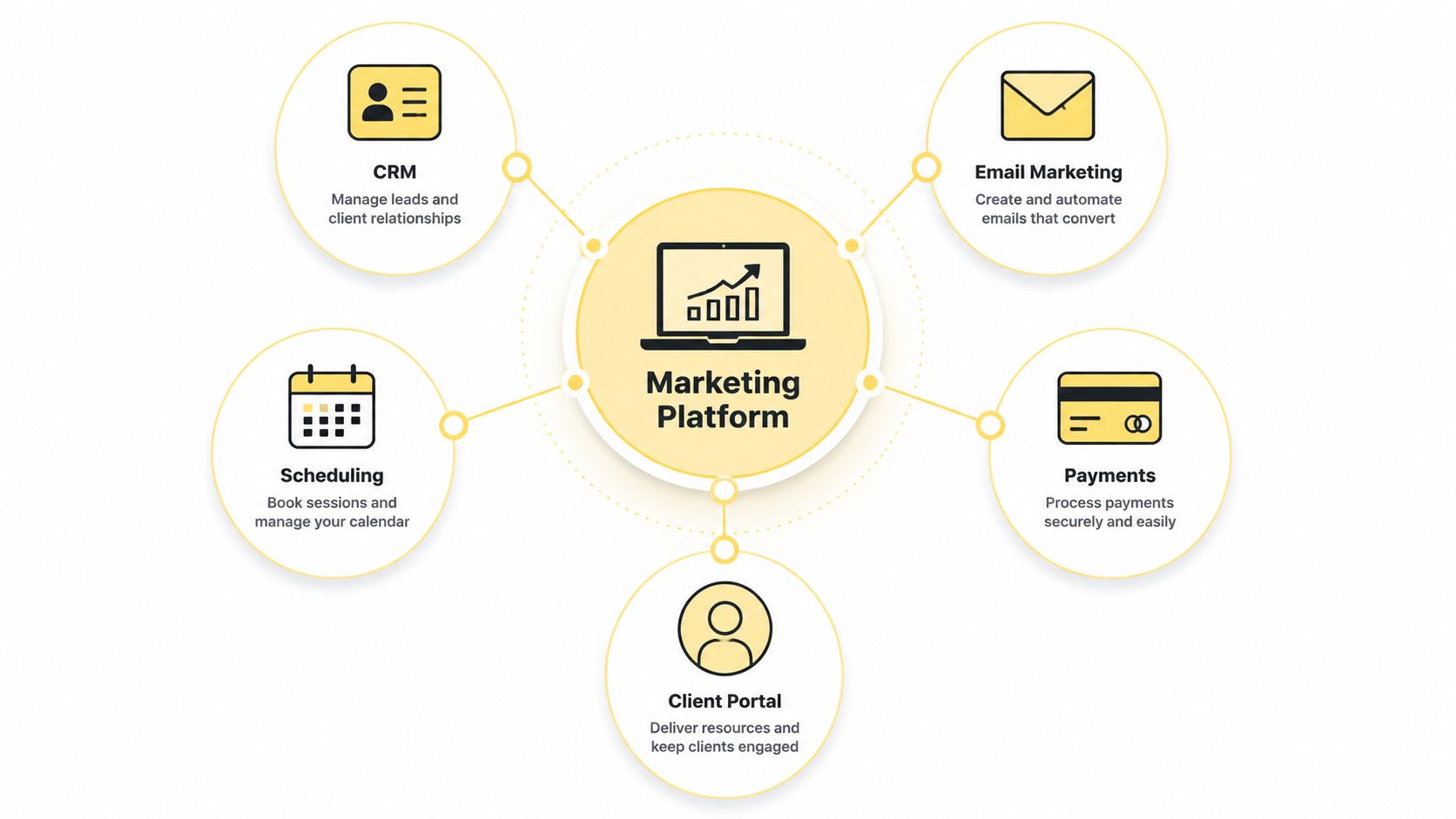
The difference between unified and merely bundled
A lot of products call themselves all-in-one and still behave like a pile of modules with glue between them. If you still need Zapier to make the parts talk, you don't have a unified system. You have a prettier version of fragmentation.
A better mental model is simple. One platform owns the client record, the campaign logic, and the execution layer. That's the kind of setup described in client management software, where the point isn't just storage, it's continuity.
Practical rule: if data has to be copied, synced, or repaired between modules, the platform is not doing enough of the work for you.
For a coach, the payoff is plain. One prospect can go from lead magnet to discovery call to paid program without ever feeling like they fell out of the system in the middle.
The Core Layers That Make a Coaching Practice Run
A coaching practice usually runs through the same handful of layers, whether the coach is solo or managing a team. The names on the software packages change, but the jobs stay familiar. Lead capture, follow-up, scheduling, payment, delivery, and retention are the parts that matter because they match what a client experiences.
The best way to judge a platform is to ask what happens when those layers live together versus apart. A separate email tool might send a clean sequence, but if your scheduler doesn't know who opened what, you lose context. A separate payment app might collect money, but if it doesn't connect back to the client record, renewals and follow-up become manual.
Where coaches feel the pain first
Lead capture and CRM are the front door. If a form fill doesn't become a clean contact record, you start doing admin before the relationship has even started.
Nurture and communication form the second layer. Email, reminders, and follow-up messages keep prospects warm. Managing this in a separate system means guessing which sequence produced the booking.
Scheduling and onboarding are the next stress point. That's where a coach needs a booking flow that doesn't confuse the client, plus intake, reminders, and the first pieces of orientation. A separate scheduler can work, but it often leaves you rebuilding the same process over and over.
For a coaching-specific setup, the client onboarding portal matters because it turns a messy first impression into a repeatable one. Payments, content delivery, and reporting follow after that. If they're fragmented, the coach spends more time reconciling than coaching.
If you want a useful companion for inbox setup, the Best email warmup tools roundup is worth reading before you lock in a sending system, especially if you're rebuilding your pipeline from scratch.
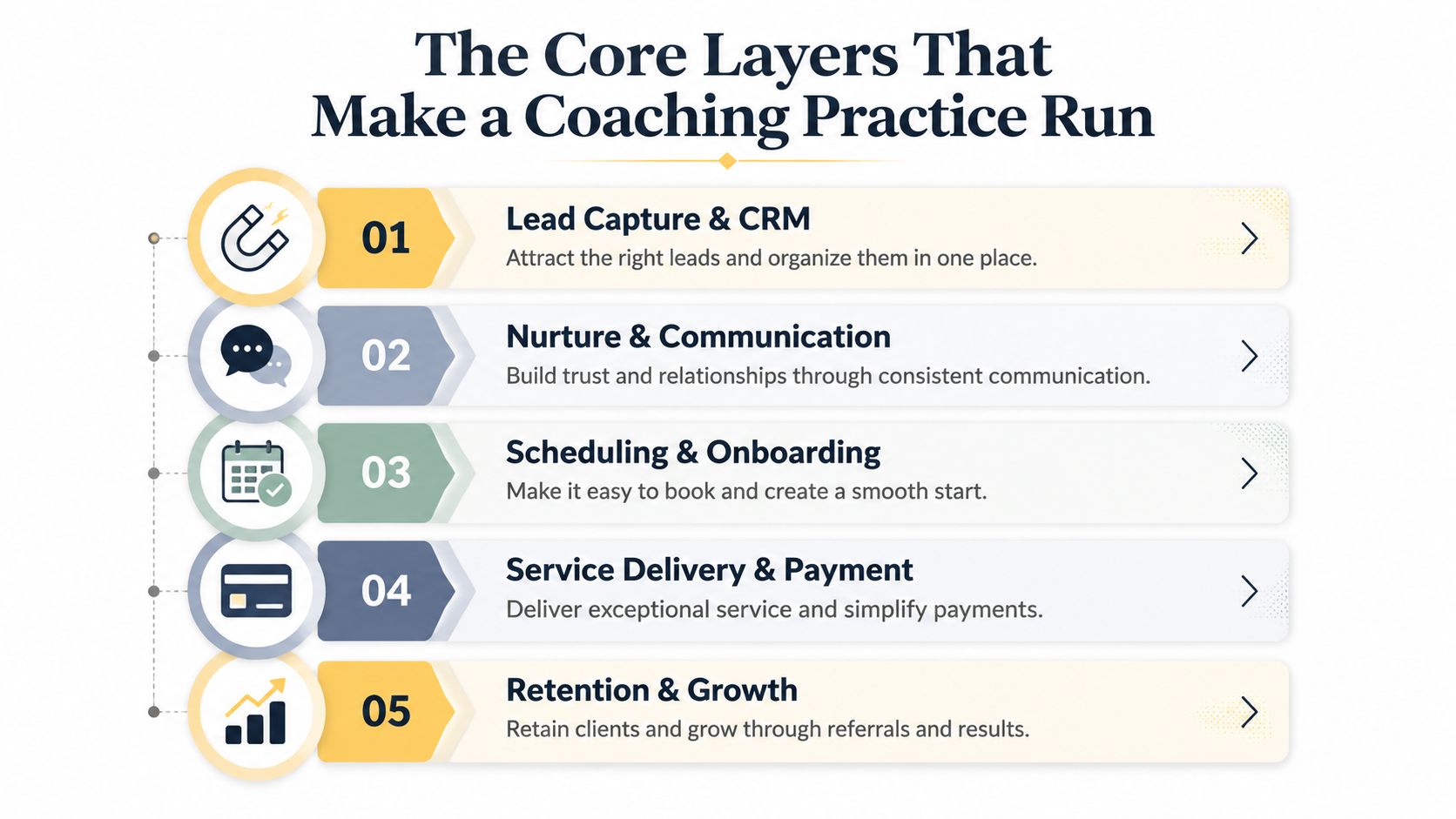
Not every coach needs every layer in the same depth. A one-to-one executive coach and a cohort-based business coach don't run the same machine. The important part is that the platform matches the workflow, not the other way around.
Three Platform Models Coaches Actually Choose Between
Coaches usually end up choosing one of three models, even if the sales pages blur the lines. There's the generalist marketing suite, the workflow-specific platform built for service delivery, and the hybrid stack that mixes a few tools together and hopes the seams stay hidden.
The generalist suite looks powerful on a call because it covers a lot of territory. The catch is that broad channel coverage doesn't automatically translate into a smoother coaching business. If the platform is built mainly for ecommerce or B2B lead gen, you can still end up forcing your own process into someone else's logic.
What each model really gives you
Workflow-specific platforms are usually the cleanest fit for coaches because they're built around actual operations like onboarding, scheduling, client messaging, delivery, and progress tracking. You don't get every shiny channel under the sun, but you do get fewer compromises where it counts.
The hybrid approach feels safe because it lets you keep your favorite tools. That's also the trap. You get a scheduler here, an email system there, a payment app somewhere else, and suddenly you're back to the stack you were trying to escape.
A useful way to think about it is this:
- Generalist marketing suites are strongest when your business depends on broad acquisition channels, content distribution, and lots of campaign variation.
- Workflow-specific platforms are strongest when the daily job is coaching delivery, client management, and keeping the client experience tight.
- Hybrid stacks are strongest only when you already have a very clear internal ops owner, because the maintenance burden doesn't disappear.
For a deeper comparison between contact management and outbound follow-up, the CRM with email marketing guide is helpful because it shows how those two functions change when they're treated as one workflow instead of separate products.
Where the tradeoffs show up
Generalist suites often hide the cost in setup time and skipped features. Workflow-specific tools may be lighter on broad marketing automation. Hybrid stacks usually look cheapest at first and end up most expensive in attention.
Best platforms to sell digital products is relevant if part of your coaching business includes products, but don't let a product-first lens hijack the decision. A coaching practice is still an operating system before it's a storefront.
The Case for Workflow-Specific Platforms for Most Coaches
For most coaches, the smart move is the workflow-specific platform. Not because it sounds more elegant, but because it maps to the actual work. You need to onboard clients, schedule sessions, send reminders, collect payments, share resources, and keep momentum alive between calls. That's the business.
Generalist suites shine when a business needs broad, multi-channel marketing machinery. If you're running paid acquisition at scale, publishing heavily across channels, or managing a content engine with a huge lead flow, the extra surface area can be worth it. Most coaches aren't there, and pretending they are usually just justifies buying too much software.
The part people miss on the sales call
The hidden costs aren't only money. They're the learning curve, the data migration, and the price creep when a platform adds modules you didn't ask for. One 2026 review even calls out the need to check vendor stability and a realistic exit path, because leaving a platform can be harder than joining one (all-in-one marketing platforms).
That's the point I wish someone had made to me earlier. Don't buy for imagined scale. Buy for the 2 or 3 daily workflows you run.
Strong opinion: if a platform makes your coaching process look impressive but harder to execute, it's the wrong platform.
There are exceptions. A coach with a large content funnel, a course creator with huge top-of-funnel volume, or a coaching organization running multi-channel acquisition may need the broader suite. But most independent coaches, small group programs, and internal coaching teams need less marketing theater and more operational reliability.
I'd rather see a coach choose the system that keeps sessions, messages, invoices, and follow-up in one place than the one with the longest integration gallery. The practice feels calmer, the client sees more consistency, and the admin stops bleeding into evenings.
Migrating to an All-in-One Platform Without Losing Your Mind
Migration is where a lot of coaches freeze. They know the stack is messy, but the idea of moving everything at once feels worse than staying stuck. The fix is to treat the switch like an ops project, not a software romance.
A clean solo migration can happen in a week if you stay disciplined. Day 1 and 2 are for mapping every current tool and deciding which data has to move. Day 3 and 4 are for setting up the new platform and importing contacts. Day 5 and 6 are for rebuilding the two or three automations you use constantly. Day 7 is a soft launch with a small group of clients.
The failure points to catch early
The forgotten Zap is a classic. So is the email template that depends on a custom field you never recreated. Payment links break too, especially when a client saved the old one somewhere and comes back later.
Use this checklist before you flip the switch:
- Map the source of truth. Decide which system owns contacts, notes, and payment status.
- Audit your automations. Rebuild only the sequences you use weekly, not the ones you meant to optimize someday.
- Test every link. Booking links, payment links, and intake forms all need a real click-through.
- Check client visibility. A coach should be able to open one record and see the client's history without hunting.
- Plan the overlap window. Keep the old stack available long enough to catch missed data, but not so long that you keep double-paying for confusion.
One useful way to think about the switch is similar to a tips for PEO provider switch mindset, where the process works best when you map dependencies before you touch the operational layer.
Coachful belongs in this conversation because it consolidates onboarding, scheduling, payments, messaging, and progress tracking into one workspace. That kind of consolidation matters more during migration than after it.
The Coach's Evaluation Checklist and Decision Framework
A good platform review starts with the client record, not the feature page. If the system can't keep one person's history intact from lead to renewal, the rest of the stack is lipstick. Everything else comes second.
What to score before you buy
Look at these categories and be ruthless:
- Client Record Continuity. Good means one contact record follows the client through discovery, delivery, and renewal. Bad means duplicated profiles and scattered notes.
- Scheduling and Payment Reliability. Good means booking and payment work without manual cleanup. Bad means you keep fixing failed handoffs.
- Email and Communication. Good means reminders, follow-ups, and sequences are easy to trigger from client actions. Bad means you're exporting lists to make a simple message go out.
- Automation and Workflows. Good means the platform can handle your real repeatable tasks. Bad means you need outside glue for basic flows.
- Support and Migration. Good means the vendor can explain how you leave if needed. Bad means they avoid the question.
The decision should also follow your stage, not your ego. A solo coach with fewer than 20 active clients can usually stay lean and still gain a lot from a workflow-specific platform. A solo coach scaling past that point needs more reliable automation and cleaner reporting. Group programs need stronger cohort handling and consistent delivery. Corporate coaching teams usually need more control, more visibility, and a clearer admin structure.
Questions to ask on the sales call
Ask these directly, and don't let the rep drift into feature theater:
Can I see one client's full journey in a single record?
What happens if I decide to leave later?
Which of my current workflows would this replace on day one?
What would I still need to connect outside the platform?
That last question matters more than you might think. If the answer is “a lot,” you're not buying simplicity. You're buying another layer of management.
What the Platform You Pick Really Says About Your Practice
The platform is a mirror. The software you choose says what kind of practice you are building next year. A coach with a small roster of long-term clients needs a different operating system than a group-coaching business, and that business needs something different again from a corporate program running multiple cohorts.
That choice matters because the martech field keeps shifting. Analysts tracking the all-in-one marketing platform market counted 15,505 martech products by 2026, with 1,488 added and 1,367 removed in a single year. Churn like that is exactly why you should be careful about overcommitting to software that looks impressive but may not fit how you work.
Pick the platform that matches the practice you are building, not the one with the longest feature list. If Tuesday evening is still getting eaten by disconnected tools, the fix is not more hustle. It is a cleaner operating model.