
Client Management Software: Coach Smarter in 2026

Coachful
If your coaching day starts in Google Calendar, moves into email, spills into notes, pauses for an invoice reminder, and ends with you wondering where a client's last action item went, you're not dealing with a motivation problem. You're dealing with a systems problem.
That's the moment many coaches hit. You trained to help people change behavior, make decisions, and follow through on goals. But too often, the workday turns into rescheduling sessions, searching for intake forms, chasing payments, and trying to remember whether a client said that breakthrough happened last Tuesday or three weeks ago.
The shift happens when client management software stops looking like “admin software” and starts looking like part of the coaching method itself. A solid platform doesn't just organize your business. It changes how consistently you coach, how clearly clients see progress, and how confidently you scale without turning every week into cleanup work.
Are You a Coach or an Administrator
One of the clearest signs that your practice has outgrown spreadsheets is this. You finish a full day of sessions and still have another block of work left that nobody sees. Follow-up emails. Payment nudges. Updating notes in three places. Copying Zoom links. Checking whether a new lead signed the agreement. Replying to a client who can't find the worksheet you sent last month.
That workload doesn't just drain time. It steals attention from the actual coaching.
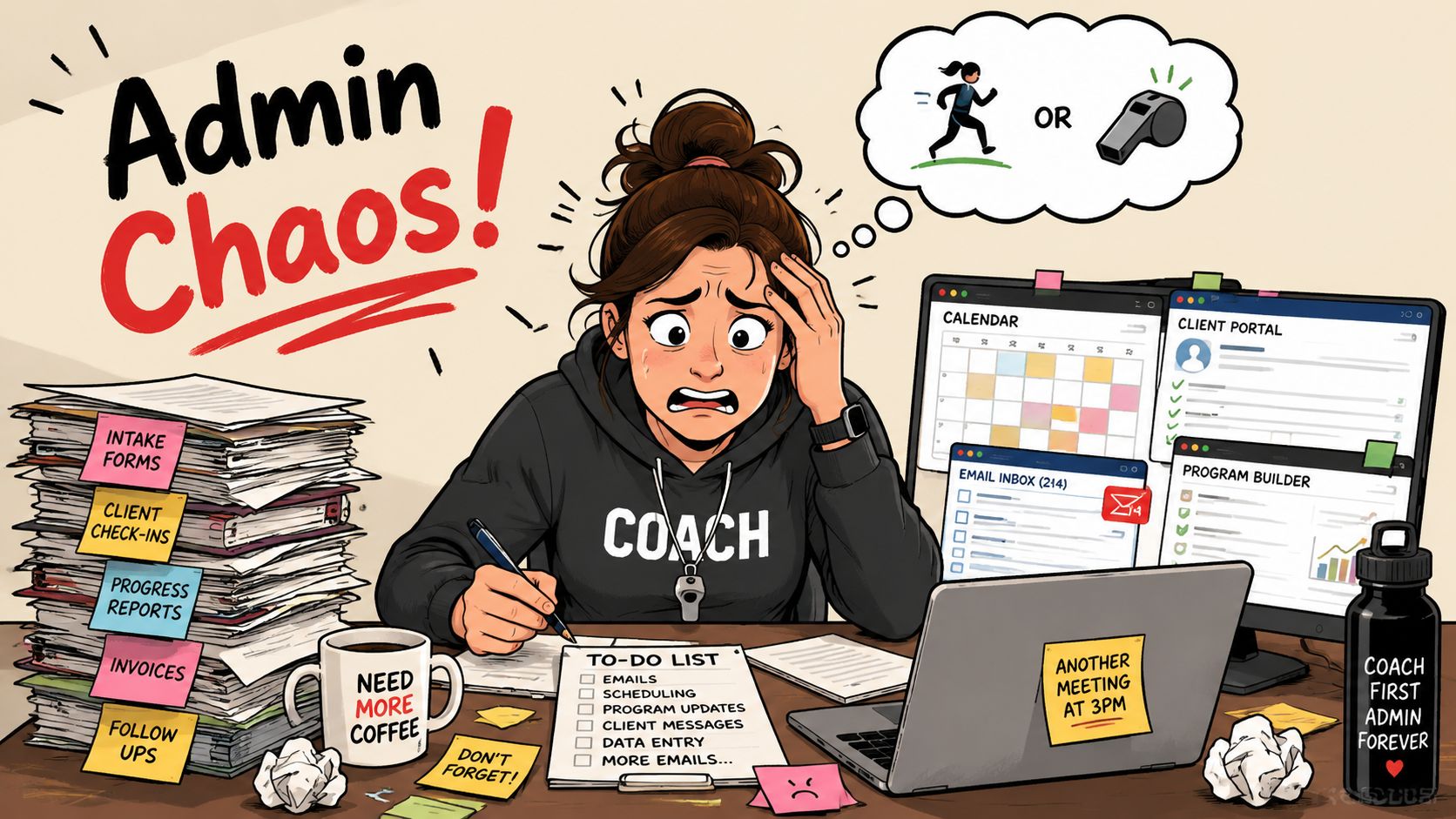
What admin chaos looks like in a coaching practice
A solo executive coach might keep discovery calls in Calendly, notes in Notion, invoices in Stripe, contracts in DocuSign, and client homework in Google Drive. Nothing is technically broken. But the whole experience feels fragile. If one email gets missed, the client feels the wobble.
A health coach running group and 1:1 offers often runs into a different version of the same issue. Session reminders live in one app, client wins in another, and payment status somewhere else. The coach starts each call by reconstructing context instead of entering the conversation prepared.
You can tell a system is failing when the coach becomes the integration layer.
That's where client management software becomes more than convenience. It gives you one place to see the relationship, not just the appointment.
Why small practices need this sooner than they think
Many coaches hold off because they think software like this is for bigger teams. That's understandable, but it overlooks a key issue. Small practices feel admin pressure earlier because there's no operations person to absorb it.
Adoption is still skewed toward bigger businesses. 91% of companies with more than 11 employees use CRM software, while only 50% of businesses with 10 or fewer employees have adopted it, according to SalesTech Star's look at CRM adoption patterns. For coaches, that gap matters. It means many solo practices are still carrying avoidable friction every day.
A simple example. If a prospective client books a call, receives an intake form, signs an agreement, gets a welcome message, and sees their session schedule without you touching five separate tools, you don't just save time. You create trust before the first session starts.
That's the core question. Not “Do I need software?” but “How much of my coaching quality is getting diluted by messy delivery?”
Your Digital Partner for Every Client Journey
The most useful way to think about client management software is as a digital partner. Not a glorified contact list. Not a sales CRM pretending to fit coaching. A digital partner that quietly handles the operational side of the client journey so you can stay present in the human side of it.
A generic CRM like HubSpot can track contacts and pipeline stages. A spreadsheet can hold names and dates. But coaching has a longer arc. You're not moving a lead to “closed won” and handing them off. You're onboarding, scheduling, documenting sessions, assigning practices, tracking milestones, managing renewals, and often supporting the client between sessions.
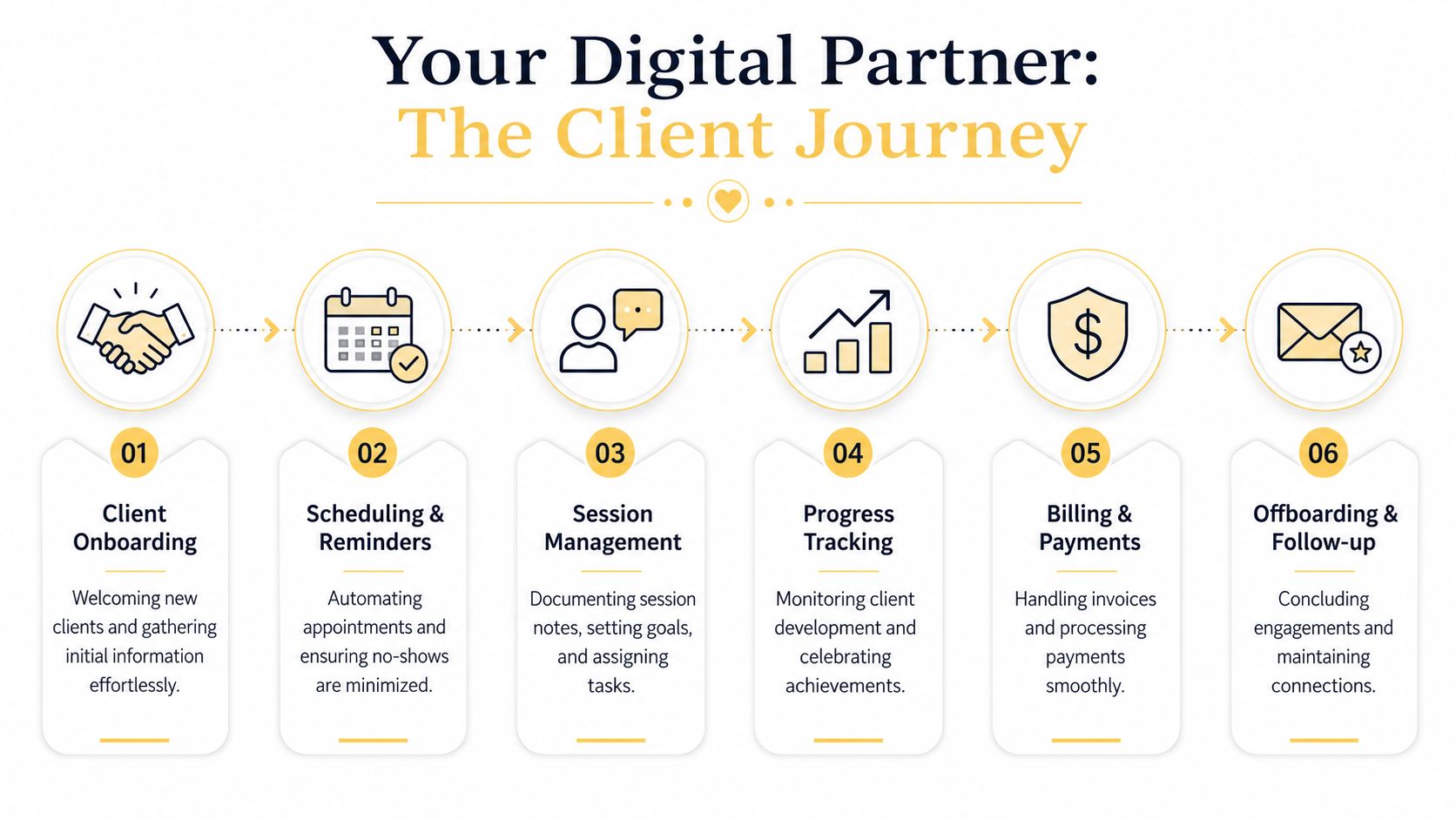
What a real coaching workflow looks like
A coaching-specific setup usually supports a journey like this:
Onboarding starts the relationship well
A client books, signs, pays, and gets orientation materials without confusion. That matters more than many coaches realize. Clients often decide how professional the experience feels before the first live session.Scheduling becomes frictionless
Instead of trading emails, clients self-book from approved times. Reminders reduce no-shows and save you from manual follow-up.Session delivery stays structured
Notes, goals, action items, and shared resources live with the client record. You don't have to search your inbox to remember what they committed to.Progress becomes visible
Clients can see milestones, completed tasks, or program steps. That visibility supports accountability.Offboarding doesn't feel abrupt
Final reflections, renewal options, or follow-up check-ins can happen in the same environment.
Why the market is moving toward outcomes
This isn't just a feature trend. The industry itself is shifting toward retention and measurable client success. The Customer Success Management segment is projected to grow at a 22.0% CAGR from 2026 to 2033, according to this client management software market study. That matters because it reflects a broader move away from simple record-keeping and toward platforms built around ongoing results.
For coaches, that shift feels familiar. You're not paid for storing data. You're paid for helping people follow through.
Practical rule: If your system only stores information but doesn't support the client's momentum, it's not helping your coaching enough.
If you like the “digital partner” framing, it's worth reading Approved Lux's guide to virtual assistant software. It's useful for thinking through which tasks should stay personal and which ones should be delegated to systems.
Core Features That Replace a Dozen Other Tools
The fastest way to evaluate client management software is to stop asking what features it has and start asking what recurring headaches it removes.
If a platform still leaves you juggling separate tools for intake, scheduling, notes, payments, messaging, and progress tracking, you haven't solved the problem. You've just moved it.
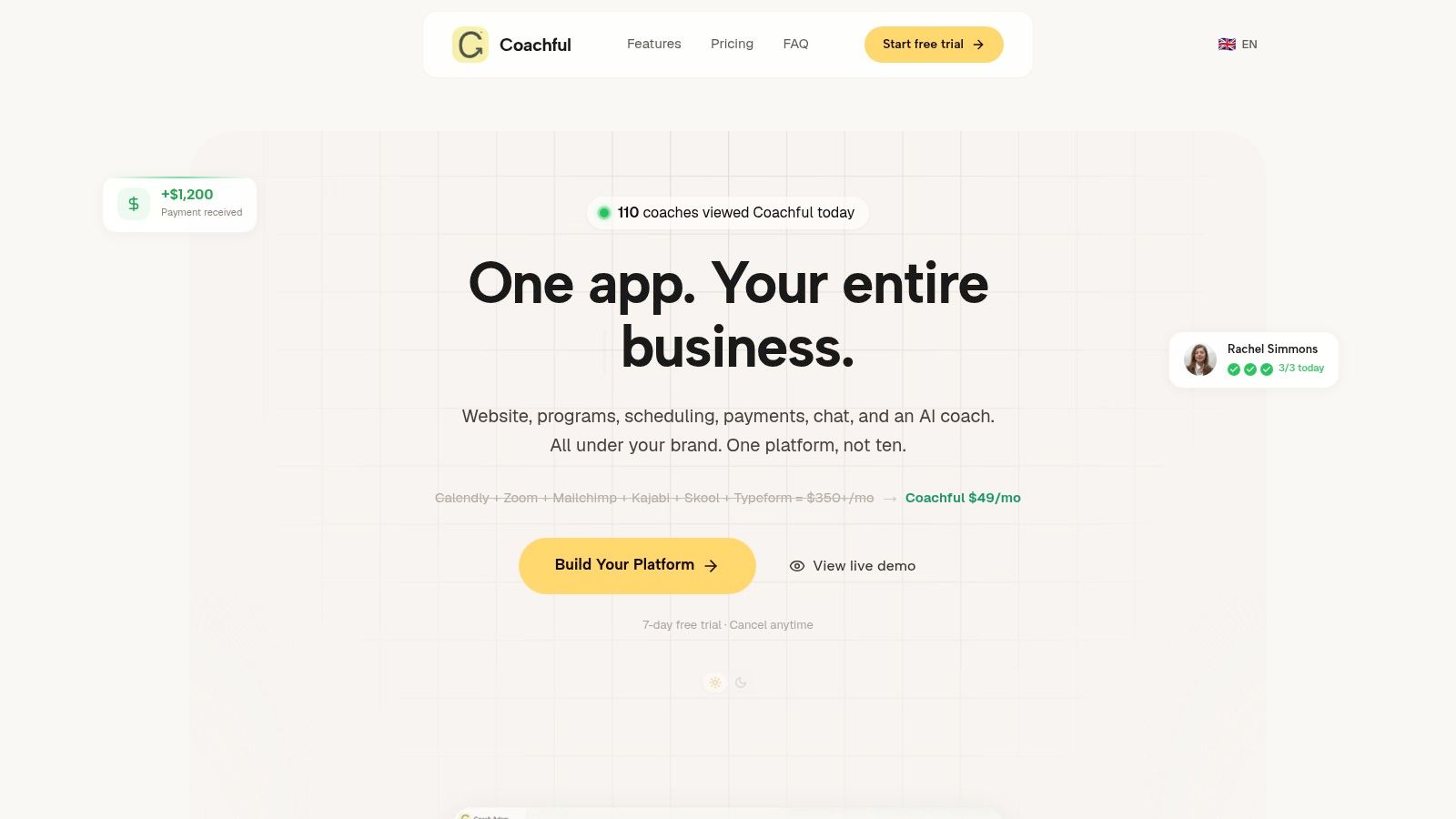
A coaching platform view makes this easier to picture:
Scheduling that ends email ping-pong
Most coaches don't need “advanced calendar infrastructure.” They need clients to book the right session type, in the right time slot, with the right buffer and reminders attached.
That's why integrated scheduling matters. The practical win isn't elegance. It's consistency. A business coach running weekly sessions, VIP intensives, and quarterly reviews can map each offer to a different booking flow instead of manually policing availability.
The market has already moved in this direction. Cloud-based deployments accounted for approximately 65% of global market share in 2024, according to this analysis of client management software market trends. For coaches, that translates into one important operational reality. You can manage sessions, notes, and follow-ups from anywhere, on any device, without being tied to one machine or office.
Payments that remove awkward chasing
Manual invoicing creates emotional drag. Coaches feel it. Clients feel it too.
The issue isn't only cash flow. It's the relationship cost of sending “just checking in on invoice #...” messages when you should be preparing for a session. Good client management software ties packages, recurring billing, or session payments directly to the client journey, so payment becomes part of the process instead of a separate, awkward conversation.
Examples where this helps immediately:
- New package sales become smoother because clients can accept, pay, and start without extra back-and-forth.
- Installment plans become easier to manage because you're not checking a separate payment dashboard before every session.
- Renewals feel more professional when they happen from a structured workflow instead of an improvised email thread.
Notes and messaging in one place
Scattered communication is one of the biggest hidden costs in coaching. A client texts a breakthrough, emails a reschedule request, uploads a worksheet somewhere else, and mentions a stuck point in session. If those details don't reconnect, your coaching gets blurry.
A unified message thread and client record solve that. You enter a call with context. The client feels remembered. You stop wasting the first ten minutes piecing the week together.
This is also where platforms differ. Some tools were built for sales teams and retrofitted for service delivery. Others are built around the ongoing relationship. Coachful, for example, combines onboarding, scheduling, payments, secure messaging, notes, and progress tracking in one workspace, which is the kind of architecture coaching workflows usually need.
If part of your business includes outbound networking, partnerships, or filling corporate coaching cohorts, Reachly's guide to enriched outreach is a smart companion read. It's useful when you want cleaner prospect context before the relationship enters your delivery system.
Here's a quick product walkthrough to compare against your current setup:
Progress tracking that proves the work is working
Here, client management software becomes strategic.
Clients stay engaged when they can see movement. Not just feel it vaguely, but see completed milestones, habits tracked, goals reviewed, session takeaways logged, and next actions made explicit. A leadership coach can show progression across confidence, delegation, or communication themes over time. A life coach can map commitments between sessions and revisit patterns without relying on memory.
When clients can point to what changed, coaching stops feeling abstract.
That visibility also improves your own judgment. You spot stalled momentum earlier. You notice skipped actions before they become disengagement. You intervene with better timing.
How Better Systems Create Better Coaching Outcomes
The strongest argument for client management software isn't that it saves the coach time. It's that better systems change client behavior.
When onboarding is smooth, clients arrive with less uncertainty. When reminders are automatic, they show up mentally prepared. When action items are clear after each session, they're more likely to follow through. When progress is visible, motivation lasts longer than the emotional high of a single good call.
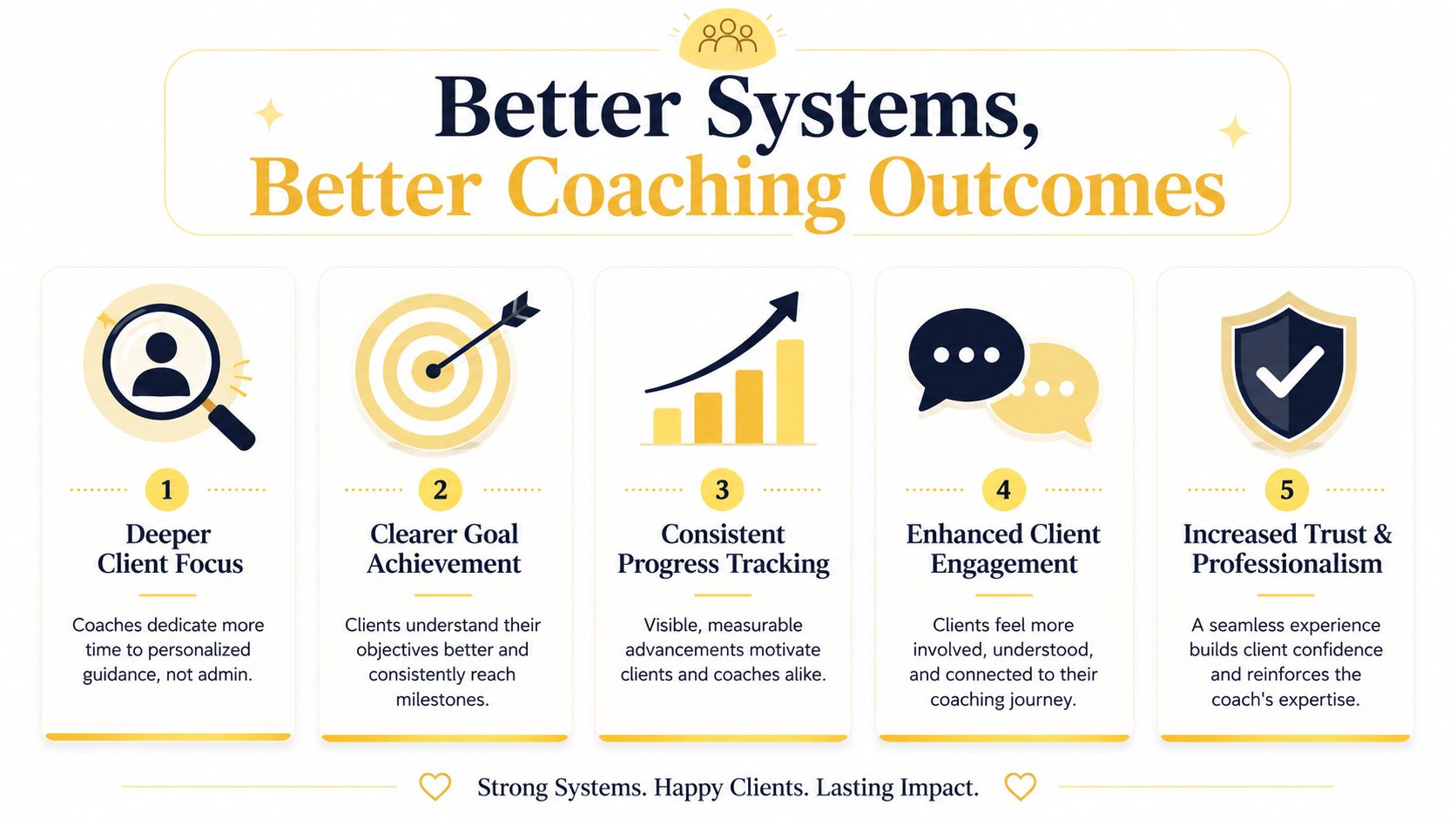
Better delivery creates stronger accountability
Consider two different client experiences.
In the first, a client leaves a session with verbal next steps, a calendar invite, and the hope they'll remember the rest. In the second, they leave with written commitments, shared resources, the next session already in place, and a clear record of what they're working toward. Same coach. Different system. Different follow-through.
That difference matters because accountability isn't only what happens in conversation. It's also what the environment supports between conversations.
A coach can ask powerful questions. A system can keep those questions alive after the call ends.
Professionalism increases trust
Confidentiality matters in coaching, especially with executives, founders, health clients, and people working through sensitive transitions. The software has to support that seriousness.
The Banking, Financial Services, and Insurance sector holds over 23% of adoption, making it the largest adopter of this type of software, according to market coverage on CRM software adoption in BFSI. That matters because highly regulated, high-trust industries rely on these systems to manage confidential relationships. Coaches don't operate under the same conditions as banks, but the lesson is clear. Dependable platforms are built to support sensitive, ongoing client interactions.
For solo coaches, that professional layer helps you look established without building a complicated operation. For HR and L&D teams, it supports consistency across multiple coaches and participants. If retention is part of your growth plan, Coachful's article on how to increase client retention gives a useful lens on how process quality affects renewal.
The hidden result is better presence
When the basics are handled, the coach becomes more present. Less mental juggling. Less “Where did I put that?” More attention on language, hesitation, motivation, and pattern recognition.
That's the payoff many coaches don't expect. Better systems don't make coaching mechanical. They remove enough noise that your human skill shows up more clearly.
Your Checklist for Selecting the Perfect Platform
Shopping for client management software gets confusing when every product claims to do everything. The easier approach is to judge each platform against the way you coach.
A life coach running private packages has different needs from an executive coach serving organizations, and both differ from a coach who runs cohorts, workshops, or hybrid programs. The right tool isn't the one with the longest feature list. It's the one that fits your delivery model without forcing workarounds.
Start with workflow fit
Before comparing brands, write down how a client moves through your business. Inquiry, booking, intake, contract, payment, session delivery, between-session support, renewal, offboarding. Then test whether the platform supports that flow naturally.
Questions worth asking:
- Does it support your format if you offer 1:1, group programs, or both?
- Can clients use it easily without needing a tutorial from you?
- Will it reduce tool sprawl or just add another layer on top of existing chaos?
- Can you grow into it if you add team members, assistants, or corporate clients?
Coaching software selection checklist
| Criterion | Why It Matters for a Coach |
|---|---|
| Client-facing experience | Clients judge your professionalism through the portal, messages, forms, and booking flow |
| Onboarding workflow | A weak setup creates confusion before coaching even begins |
| Session notes and action tracking | You need continuity from one session to the next without hunting through apps |
| Scheduling and reminders | This removes manual coordination and helps clients show up prepared |
| Billing and package management | Payment should be part of delivery, not a separate admin chore |
| Progress visibility | Clients engage more consistently when they can see movement and milestones |
| Support for your coaching model | Group programs, cohorts, and private coaching require different structures |
| Data privacy and permissions | Sensitive client information needs controlled access |
| Mobile and remote usability | Coaching happens while traveling, between meetings, and outside a fixed office |
| Training and support | A platform only helps if you can implement it cleanly |
Selection lens: Don't ask, “Can this platform do a lot?” Ask, “Will this platform make my standard week simpler?”
A common mistake is choosing based on features that look impressive in a demo but rarely get used in real practice. Another is buying a general CRM and assuming you'll customize it later. Usually, “later” means never, and you end up carrying manual tasks that the right coaching platform would have handled from day one.
If you want a broader stack comparison before you commit, Coachful's roundup of tools for life coaches is a practical place to compare how different categories of software fit a coaching business.
Making the Switch Without Disrupting Your Business
Most coaches don't resist new software because they love spreadsheets. They resist it because migration sounds exhausting.
That fear is reasonable. You're thinking about client notes, contracts, payment history, calendar links, and active programs. It feels risky to move what's already working “well enough.” But the cleaner approach isn't a dramatic overnight switch. It's a staged transition.
Move in phases, not all at once
Start with your foundation. Build your offers, intake forms, welcome messages, scheduling rules, and core templates first. Don't migrate every historical detail on day one if you don't need it.
Then test the system with a small group. A few friendly clients are enough. Let them book, receive reminders, access materials, and complete the basic workflow. You'll spot friction quickly, and it's much easier to fix with two clients than twenty.
Train for use, not just access
This part gets overlooked constantly. Software doesn't fail only because features are missing. It often fails because nobody learns how to use the features in a real workflow.
That lines up with the broader pattern noted in Mertzcrew's discussion of software adoption gaps. The issue is often training, not a lack of capability. For coaches, that means support, onboarding, and implementation guidance should matter almost as much as features.
A practical switch usually looks like this:
Set up one core offer first
Choose your most common package, not your most complex one.Pilot with cooperative clients
Pick people who'll give honest feedback without panicking over a new login.Frame the change as a client upgrade
Tell clients you're improving the delivery experience, not just changing software.Import the rest in batches
Migrate active clients next. Archive older material separately if needed.
If you want a cleaner handoff process while you transition, Coachful's guide to client onboarding automation is useful for mapping the first few steps.
Common Questions About Client Management Platforms
Do I need client management software if I'm a solo coach
If you're still managing a small number of clients and everything is easy to track, maybe not yet. But most coaches wait too long. The better trigger is not client volume alone. It's recurring friction.
If you're repeating the same onboarding steps manually, forgetting follow-ups, switching between multiple tools during a single client interaction, or spending too much time on scheduling and billing, you're already paying the cost of not having a system.
Isn't a general CRM enough
Usually, no.
A traditional CRM is built to manage leads and sales movement. Coaching requires continuity after the sale. Session notes, client goals, shared files, private messaging, recurring appointments, between-session accountability, and program progress all sit beyond a standard sales pipeline. You can force a generic CRM into that role, but you'll often end up patching it with extra apps and manual work.
Will software make my coaching feel less personal
Not if you use it correctly.
Good client management software should automate the repetitive parts and protect the personal parts. Clients don't feel cared for because you manually typed a reminder email at 10:30 p.m. They feel cared for because the experience is smooth, you remember what matters, and each session builds on the last one.
What should I worry about most when choosing a platform
Usability. If the client experience is clunky, people won't engage with it. If the coach experience is cumbersome, you'll bypass the system and slip back into workarounds.
The second issue is support. If implementation help is weak, even a capable tool can become shelfware.
How should I think about security and confidentiality
Take it seriously. Coaching often involves sensitive career, health, financial, or personal material. You want clear permissions, secure communication, and a platform that treats client data with the level of care the relationship deserves.
The right system won't replace your judgment, boundaries, or ethical practice. It will support them.
If you're ready to stop stitching together calendars, notes, invoices, and follow-ups, Coachful offers an all-in-one coaching platform built for the full client journey, including onboarding, scheduling, payments, messaging, and progress tracking. It's a practical option for coaches who want cleaner delivery, stronger accountability, and more time spent coaching instead of administering.