10 Best Tools for Life Coaches (2026 Guide)

Coachful
It’s 10 PM. The session went well, your client left energized, and now the second shift starts. You still need to send an invoice, confirm next week’s slot, upload the worksheet you mentioned, and remember which app holds their intake form. That friction adds up fast, especially after you already did the high-value part of the work.
Many coaches lose momentum because their systems are patched together, not because their coaching is weak. A client books in one tool, pays in another, signs forms somewhere else, and gets follow-up by email if you catch it in time. Clients notice that disconnect. Coaches feel it even more, because every handoff creates one more thing to track, fix, or remember.
The hard part is that tool overload often starts as a reasonable decision. One app solves scheduling. Another handles forms. Another hosts resources. Another runs community. After a while, the stack costs more than expected, setup gets brittle, and clients stop using half of what you built because the experience feels scattered.
That is why this guide uses a tech stack maturity model instead of treating every platform like it is competing for a single gold medal. A coach with a handful of private clients needs something different from a coach running cohorts, selling programs, or managing a team. The better question is not “What is the best coaching tool?” It is “What is the right tool for my current stage, and when does adding another app stop helping?”
That pricing question matters too. Is this worth the price? Will clients use it? Those are the right questions. In practice, the cheapest tool is often the one your clients understand immediately and your business can run without constant patchwork. If you are trying to choose software with that lens, this guide is designed to help you spot your stage, build a stack that fits, and know when it is time to consolidate into coaching business software that replaces a patched-together setup.
1. Coachful
If you are at the point where your business feels heavier than it should, Coachful is the kind of platform that makes you ask a blunt question. Why am I paying for five separate tools to do one job?
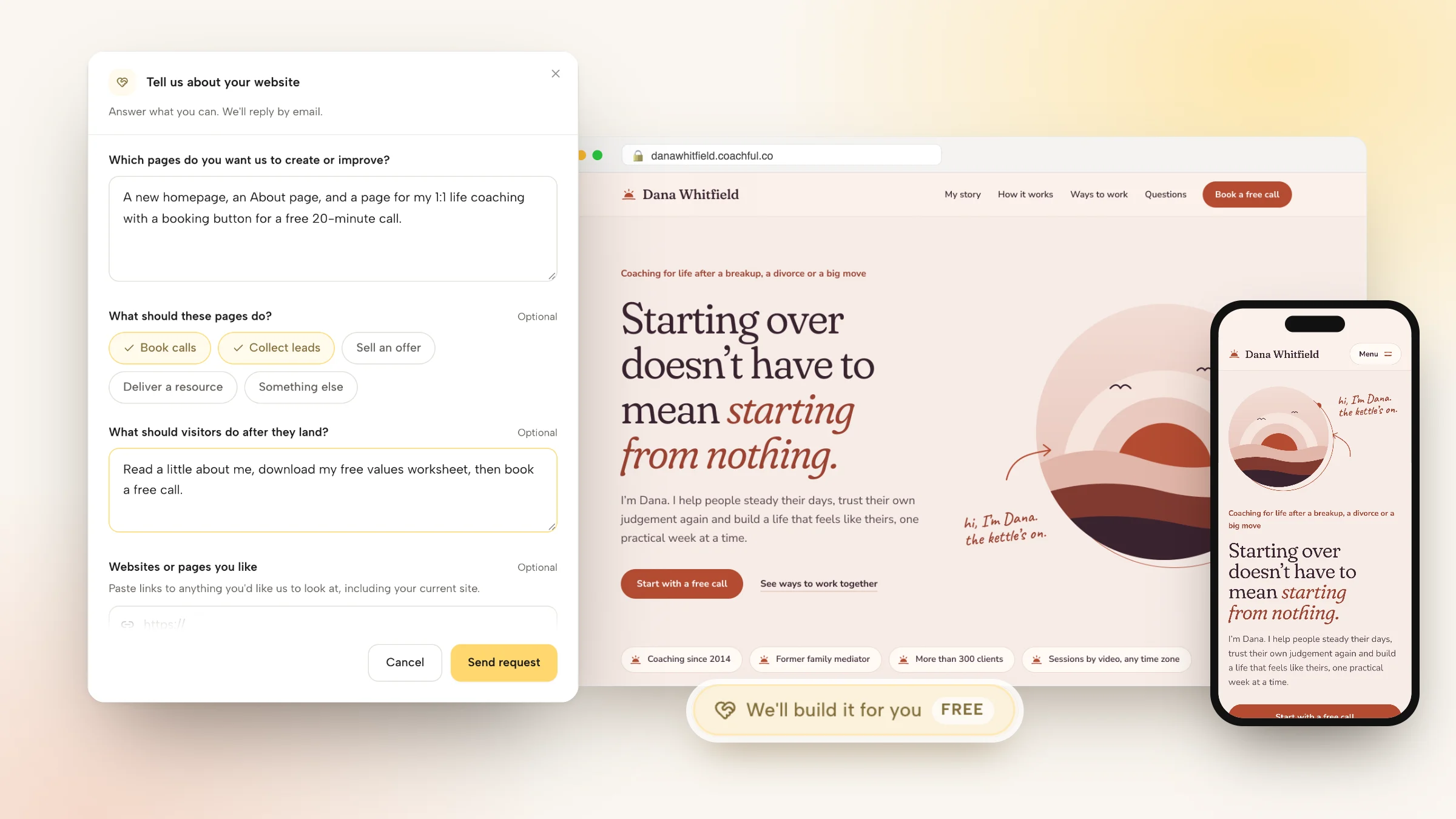
Why Coachful stands out: a free white-glove service. Every plan comes with a team that builds things for you. Send a short request from inside Coachful and they set up your website, a booking funnel, your first program and the welcome emails in your account, usually within about 24 hours, at no extra cost. It takes the slowest part of starting a coaching business, the setup, off your plate. See what the team will build for you.

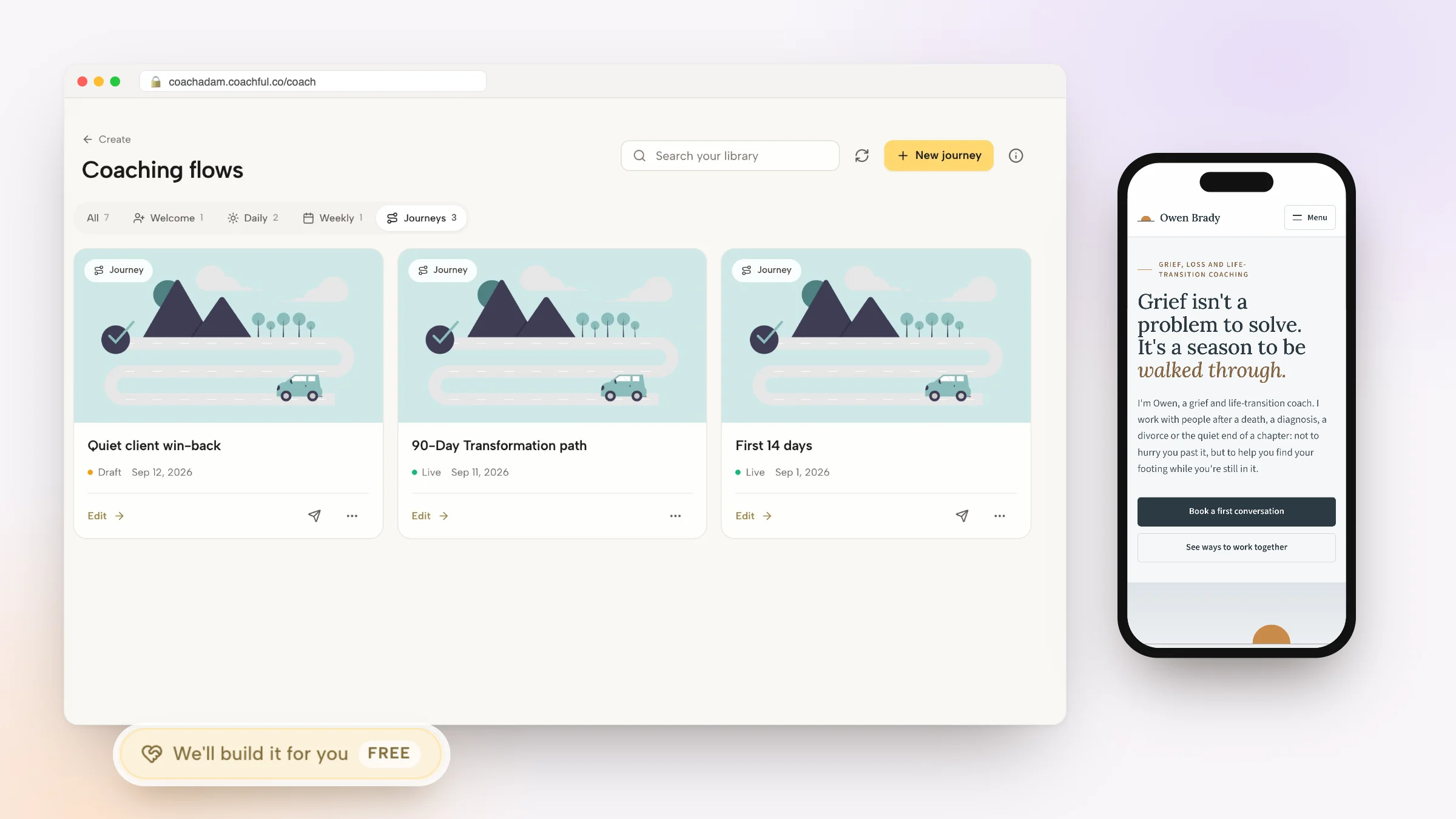
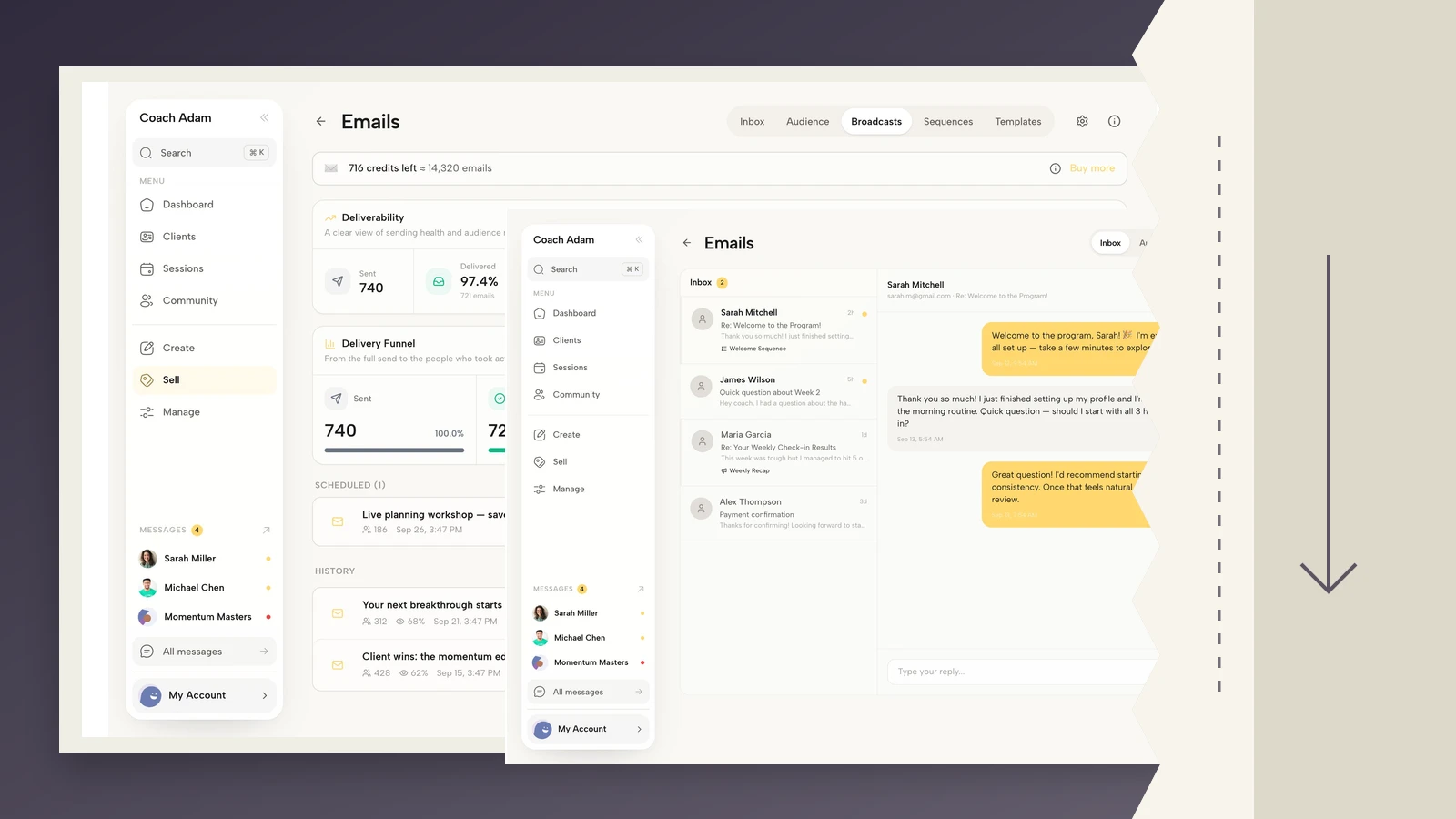
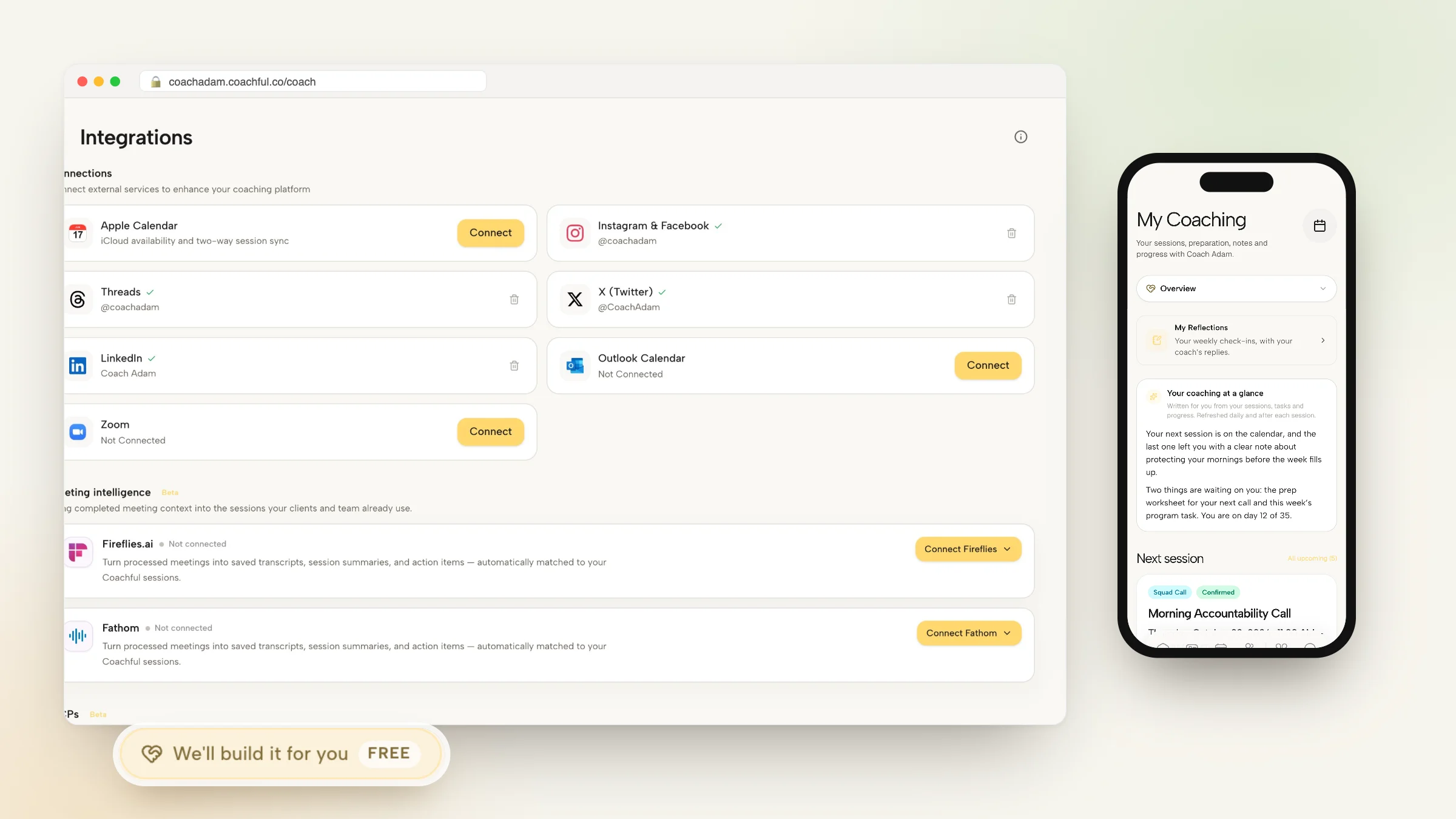
Coachful is the strongest fit here for coaches who want one branded workspace instead of a stitched-together stack. It combines website and funnel building, scheduling, secure payments, chat and video, program delivery, cohort management, progress tracking, reminders, renewals, and analytics. The Growth plan starts at $49/month, with a 7-day free trial. That price question matters because most coaches are not asking “is this cheap?” They are asking “is this cheaper than my current mess?”
Best for coaches ready to consolidate
This is not just a solo coaching tool. It also makes sense for growing practices that need structure without jumping straight into enterprise software.
The part I would pay attention to is not the feature list by itself. It is the workflow. A coach can onboard a client, schedule sessions, collect payment, track habits and milestones, send resources, and keep communication in one place. That reduces the tiny gaps where clients drift.
Coachful also leans hard into accountability. Habit tracking, streaks, milestone dashboards, and community tools help keep momentum alive between sessions. That matters because clients rarely struggle only inside the session. They struggle on Tuesday afternoon when motivation drops and no one is there to nudge them.
Where the AI helps
A lot of platforms throw in AI and call it innovation. Coachful’s AI feels more useful because it connects to coaching work. The AI assistant can summarize calls, create action items, and send nudges. There is also an AI coach you can train on your own materials, with voice cloning support for around-the-clock check-ins.
That does not replace human coaching. It extends your presence between sessions.
If your clients often say, “I knew what to do after our session, then life got in the way,” this kind of between-session support is where software starts paying for itself. Our ranking of the best software for life coaches scores seven tools on exactly that.
For coaches comparing systems, Coachful also speaks directly to the all-in-one question in its guide to coaching business software.
Trade-offs that matter
Coachful is strongest when you want fewer tools, fewer handoffs, and a more polished client journey.
- Big win for solo and team setups: Custom domains and branding help clients stay inside your ecosystem instead of bouncing between third-party apps.
- Strong fit for group programs: Cohorts, assignments, progress tracking, and community are built in, which is still underserved in many tools for life coaches.
- Watch the scaling cost: The Growth plan starts with a smaller client allowance, so larger books of business will need to move up.
- Factor in payment fees: Stripe processing applies, and in-app payments include a platform fee.
Website: Coachful
2. Paperbell
Paperbell is what I recommend when a coach says, “I need this running by Friday, not next month.”

It is one of the easiest platforms in this list to set up. You can sell packages, take payments, send contracts, schedule sessions, and give clients a simple portal without wrestling with a complicated backend. That low friction is Paperbell’s selling point. Clients usually do not care how clever your software is. They care whether they can book, pay, sign, and move forward without confusion.
Best for coaches in the early growth stage
If you mostly run straightforward 1:1 coaching and want a system that gets out of your way, Paperbell makes sense. It also supports group coaching and live classes, which is useful if you are testing offers before building a bigger program infrastructure.
This is the platform for the coach who is tired of connecting payment software to scheduling software to forms software and hoping the handoff works.
- Fast setup: You can get your service pages and workflows live quickly.
- Client-friendly experience: Self-serve scheduling, signed contracts, forms, and materials sit in one simple portal.
- Good selling basics: Payment plans, deposits, and coupon codes cover the practical sales side well.
The downside is depth. If you run a team, need more advanced reporting, or want highly customized operational control, you may outgrow it.
Where it shines and where it does not
Paperbell is not trying to be enterprise software. That is a strength if you are a solo practitioner. It is a limit if you are building a multi-coach operation or need detailed program analytics.
If your next challenge is getting cleaner systems around intake and follow-up, this overview of client management software for coaches helps frame where a simpler platform ends and a fuller operating system begins.
A practical example: if you sell a three-month life coaching package with an intake form, contract, recurring payments, and biweekly sessions, Paperbell handles that flow well. If you later want deep cohort tracking, stronger community, or more advanced data dashboards, you will start feeling the edges.
Website: Paperbell
3. CoachAccountable
A client leaves your session clear and motivated. Three days later, the plan is buried in their notes app, the habit tracker is untouched, and you are spending the next call rebuilding momentum. CoachAccountable is built for that problem.

In this stack, CoachAccountable fits the coach who has moved past basic booking and payments and now needs a better delivery system. It is strongest at the middle of the client journey. Goals, action plans, worksheets, reminders, dashboards, and progress tracking are the core product, not side features.
Best for coaches who sell accountability, not just access
Some platforms are best at helping you get clients in the door. CoachAccountable earns its place after the sale, when clients need structure, prompts, and visible progress between sessions.
That distinction matters if you are choosing tools by stage.
If you are just starting, this may feel heavier than you need. A simpler setup often wins early because clients adopt it faster and you spend less time configuring workflows. If you are scaling and your coaching promise depends on follow-through, CoachAccountable starts making much more sense. It can replace a patchwork of forms, habit trackers, shared docs, and reminder tools.
The primary question is usually price versus use. Will clients log in? Some will. Some will not. In practice, adoption is highest when your method already includes clear weekly actions, reflections, or habit commitments. If your coaching style is conversational and open-ended, the platform can feel like extra machinery.
What works well in practice
CoachAccountable does a few things particularly well:
- Tracks commitments clearly: Clients can see what they said they would do, what is overdue, and what is complete.
- Supports structured coaching models: Worksheets, action items, and session records work well for behavior change, habit work, and milestone-based programs.
- Handles more complex delivery: Group coaching and organization-level controls make it more viable once your practice grows beyond straightforward 1:1 work.
There are trade-offs.
The interface is functional more than elegant, so setup takes more intention than with lighter tools. Pricing can also rise with active clients, which means a growing practice should model costs before migrating fully. It is also not the best choice for coaches who need HIPAA-ready workflows in health-adjacent work.
For many coaches, CoachAccountable is the point in the maturity model where consolidation starts paying off. If you are tired of chasing clients across email, PDFs, spreadsheets, and separate reminder apps, it gives you one place to run the accountability side of your business. If you are not there yet, wait.
For coaches tightening the first few weeks of a program, these client onboarding best practices pair well with CoachAccountable’s follow-through tools.
Website: CoachAccountable
4. Delenta
You reach the point where Calendly handles booking, Zoom handles calls, Stripe handles payments, Google Drive holds contracts, and a spreadsheet is trying to act like a CRM. That setup works for a while. Then one client misses a form, another cannot find the session link, and you start asking a fair question: is it time to consolidate?

Delenta fits that middle stage of the maturity model well. It suits coaches who have outgrown a lightweight solo setup but are not ready for an enterprise-style platform with extra complexity and cost.
Its appeal is straightforward. You can run client intake, scheduling, payments, e-signatures, session notes, goals, tasks, courses, and group programs in one place. For a coach shifting from private sessions into a small program or membership, that can be the difference between a usable stack and a messy one.
Best for the coach who is consolidating on purpose
Delenta is strongest when your question is not "What is the best tool on paper?" but "What can my clients keep using without friction?" That distinction matters.
Clients usually do not care how elegant your backend is. They care that the link works, the reminders arrive, the invoice is easy to pay, and their notes do not disappear into email threads. Delenta does a solid job on that day-to-day reliability. It also keeps organized records for coaches who want cleaner documentation for credentialing, supervision, or professional development.
The integrations help too. Zoom, Google Meet, Teams, calendars, and email tools are all supported, so you do not have to rebuild your whole business in one week to make it useful.
The trade-off to weigh
Delenta makes sense when convenience matters more than depth in any single feature.
Its reporting is fine, but not the strongest option here. Its lower tiers also give you less brand control than some coaches want once they start selling to companies or building a more polished client experience. If you need advanced analytics, heavy customization, or larger team workflows, you may outgrow it.
If your practice is still simple, the price may feel high compared with stitching together a few cheaper apps. That instinct is reasonable. The key test is whether the admin time you save each month is worth more than the subscription. For many coaches at the scaling stage, it is.
A practical example helps. A coach running two private days per week, one monthly group call, digital agreements, and recurring Stripe payments can keep the whole client journey inside Delenta without asking clients to juggle multiple logins. That is usually the point where consolidation starts paying for itself.
Website: Delenta
5. Upcoach
Upcoach makes the most sense when your business is not just sessions. It is curriculum.

If you run cohorts, masterminds, certifications, or a structured transformation with assignments and habits, Upcoach is built for that format. The program builder, smart documents, course editor, group spaces, and habit tracking all support a guided journey rather than a loose coaching container.
Strong for cohorts and structured delivery
A lot of tools for life coaches still assume a simple one-client, one-call model. That is one reason coaches get stuck when they try to scale. Background research in your brief points out that group program management remains underserved, and that gap is real in practice.
Upcoach reduces tool sprawl by combining community, documents, courses, and coaching delivery. That is useful when you want clients to do pre-work, complete assignments, interact with each other, and stay accountable without needing four separate logins.
- Best use case: A six-week confidence cohort with weekly lessons, group calls, journaling prompts, and habit tracking.
- Less ideal use case: A coach who only sells discovery calls and monthly private sessions.
The buying question
Will clients use it?
They usually will if your process is structured and the workspace is part of the promise. They usually will not if your program is improvisational and you are adding software just because it looks advanced.
The caution with Upcoach is cost layering. Lower tiers can include transaction fees, and team member pricing matters if you expand. But if your revenue model depends on cohorts instead of pure 1:1 work, the consolidation can be worth it.
One broader data point supports why this matters. Searches and coach discussions show growing need for better group coaching infrastructure, while practical advice on curricula, assignments, community touchpoints, and tracking group progress still lags, according to Transformation Academy’s piece on coaching tools for life coaches.
Website: Upcoach
6. Coaching.com
You sign a corporate coaching contract, then the intensive work starts. HR wants coach matching, managers want progress visibility, procurement wants process, and your coaches need one place to run the program without drowning in spreadsheets.
That is the stage where Coaching.com makes sense.
In this maturity model, Coaching.com sits firmly in the team and enterprise tier. It is built for coaching businesses that have outgrown a solo-coach stack and now need shared operations across multiple coaches, clients, and stakeholders. The platform covers engagement management, client portals, coach matching, goals, surveys, nudges, dashboards, and reporting in one system.
Best for the team stage
For a solo coach selling a few private packages, this will usually feel expensive and heavy. Setup takes time. Your clients may only touch part of the platform. If your business still runs well with scheduling, notes, and a simple portal, you are probably not at the Coaching.com stage yet.
For a coaching firm, the math changes fast.
Once you are coordinating several coaches, running programs across departments, or selling into HR and L&D buyers, the question stops being “Is this the cheapest option?” and becomes “What breaks if we keep patching tools together?” In practice, the breaking point is usually reporting, permissions, and program oversight. Corporate buyers often care as much about consistency and visibility as they do about coaching quality.
The buying question
Will clients use it?
Enterprise clients usually will, if the platform is tied to a clear program experience: assessments, session flow, goals, reminders, and progress reviews. Individual end users do not need to love every feature. They need a clear next step and a login that does not create friction. Internal stakeholders are often the heavier users here, because they are the ones checking participation, coach activity, and outcomes across a program.
The trade-off is straightforward. Coaching.com can replace a messy stack when your business has enough operational complexity to justify it. If you are still early stage, it can become an expensive layer of admin.
It helps when you need:
- Multi-coach operations
- Program oversight across many clients
- Client and coach matching
- Reporting for HR, L&D, or other stakeholders
It is a poor fit when you need:
- Simple package sales
- Basic scheduling and reminders
- A lightweight portal for 1:1 coaching
A good rule is this. Do not buy Coaching.com because you want to look established. Buy it when your current stack is already slowing down delivery, creating reporting gaps, or making team coordination harder than it should be.
Website: Coaching.com
7. Quenza
Quenza earns its place if your coaching relies on structured between-session work.

It is not a full front-office business platform. It is a client engagement and program delivery system with a strong focus on exercises, automated pathways, secure messaging, and completion tracking. If you want clients doing meaningful work between sessions, Quenza is compelling.
Best for coaches who prescribe practice
Quenza includes a large library of ready-made activities and a drag-and-drop builder for multi-week programs. This works well for coaches who want to assign reflections, habits, values exercises, or structured prompts instead of emailing PDFs and hoping clients open them.
It also supports HIPAA and GDPR compliance, which matters if your work touches sensitive personal material or sits close to health and wellness.
One of the most useful coaching measures in this space is the Satisfaction with Life Scale. It was developed and validated in 1991 by Pavot, Diener, Colvin, and Sandvik, and the same background source notes reliability above 0.80 and sensitivity to track life satisfaction improvements over time in coaching contexts, according to Leadership Circle’s overview of coaching assessment tools. Quenza is the kind of platform where a coach can pair that kind of assessment approach with automated follow-through.
What to expect
This is not where I would start if your urgent need is package sales, contracts, and scheduling. It is where I would look if your urgent need is better client engagement between sessions.
Quenza works best when your method has repeatable exercises. If your coaching is entirely conversational and spontaneous, you may underuse it.
A practical example: a transition coach can build a four-week program with weekly values clarification, confidence prompts, decision reflections, and progress check-ins. Clients complete the work inside the app. The coach tracks completion instead of chasing homework manually.
Website: Quenza
8. CoachVantage
A coach reaches the point where five separate tools start costing more in friction than they save in flexibility. CoachVantage is built for that stage.

It combines client CRM, goals and assignments, contracts, invoicing, programs, group coaching, forms, resource libraries, and a native video tool called CV Meet. For a coach in the middle of the maturity curve, that matters. You can stop stitching together Zoom, a scheduler, a notes app, and a billing tool, while still keeping a client experience that feels organized and professional.
Best fit in the maturity model
CoachVantage makes the most sense for the scaling stage. You have enough clients that admin work is starting to leak into evenings, but you are not running a large organization with complex reporting requirements.
That is the sweet spot.
Solo coaches can use it well, especially if they want one branded portal instead of a stack of disconnected apps. Small teams also get real value from it because it supports group coaching, shared resources, and coaching logs that can be exported for credentialing. If your practice depends on clean records, repeatable workflows, and fewer handoffs between tools, CoachVantage earns a serious look.
The trade-off is straightforward. It is broader than a lean scheduling-and-payments tool, so setup takes more thought. If you are still at the just-starting stage and only need discovery calls, invoices, and contracts, this can feel like more system than you need.
What clients and coaches notice
Clients usually do not care which platform you bought. They care whether it is easy to find their session link, forms, notes, and next steps.
CoachVantage does that part well. The built-in portal reduces the usual confusion of "Where do I upload this?" and "Which link are we using today?" CV Meet also helps if you want fewer moving parts in your workflow. Some coaches will still prefer Zoom because clients already know it and reliability is familiar. That is a real trade-off, not a dealbreaker.
A practical use case is a coach with private clients, a monthly group Q&A, structured goals, and signed packages that renew on a set cadence. CoachVantage can hold all of that in one place without forcing the coach into an enterprise-level system.
Where it fits best
- Good fit: Scaling solo coaches who want CRM, delivery, billing, and video in one platform.
- Also good fit: Small teams that need a shared client portal, group coaching, and organized coaching records.
- Less ideal: Practices that need advanced analytics, complex stakeholder reporting, or tighter enterprise controls.
If your current stack feels messy, CoachVantage is a sensible consolidation move. If your business is still simple, the price only makes sense when you can feel the cost of patching tools together every week.
Website: CoachVantage
9. Satori
A coach books a discovery call from Instagram, sends a contract that afternoon, and starts the client next week. No course portal. No community space. No six-app handoff behind the scenes. That is the kind of practice Satori serves well.

Satori is built for a lean coaching business: discovery sessions, package sales, scheduling, contracts, and billing tied to active clients. For coaches in the early stage of the maturity curve, or solo practitioners who intentionally want a smaller stack, that focus can be a strength. You are not paying for programs, course delivery, or a layered member experience if you do not plan to use them.
That last part matters. A lot of coaches buy for the business they hope to have in 18 months, then spend the next 6 weeks configuring features their clients never touch.
Best for coaches who want less software, not more
Satori makes the most sense for private 1:1 practices with a clear sales flow. Someone finds you, books a call, signs, pays, and enters a package. If that is your model, the product feels aligned with the work instead of asking you to build an operating system around it.
The Scholar plan is also a smart detail for coaches in training who are doing pro-bono or lower-fee work. That lowers the risk of overbuying before your offer, niche, and client volume are stable.
The trade-off is straightforward. If you are already adding group programs, content libraries, structured between-session work, or a team, Satori can start to feel narrow. At that point, the question is not whether Satori is good. It is whether your business has outgrown a lean stack.
Where it fits in the maturity model
For a coach who is just starting, Satori can be enough. It covers the front door and the core client admin without much setup.
For a scaling coach, it depends on what is creating strain. If your problem is messy enrollment and billing, Satori may still solve it. If your problem is delivery complexity, accountability, or multi-offer operations, consolidating into a broader platform usually makes more sense than patching extras onto a minimalist one.
Clients usually adopt Satori easily because there is less to learn. That is an underrated advantage. Simpler systems get used.
A practical example: a coach offers a free chemistry call, then sells a 12-week package with a signed agreement, recurring sessions, and straightforward payment handling. Satori keeps that process clean. If that sounds like your current stage, the price is usually easier to justify. If you are already stitching on workarounds for programs and engagement, save yourself the second migration and choose for the next stage instead.
Website: Satori
10. Practice Better
Practice Better sits slightly outside the classic life coaching category, and that is why some coaches should take it seriously.
It is popular in health and wellness, but increasingly relevant for mindset, behavior, and life coaches who work near health, habit change, or regulated data. It combines scheduling, telehealth, secure messaging, programs, forms, automations, payments, recurring billing, and broad integrations.
Best for health-adjacent coaching
If your coaching touches lifestyle change, stress, sleep, nutrition habits, or collaboration with wellness professionals, Practice Better offers compliance and infrastructure that many general coaching platforms do not.
It supports HIPAA, PIPEDA, and GDPR, and it has mobile apps that clients tend to appreciate when they are tracking routines and communicating between sessions.
The trade-off is obvious. Some of the platform feels healthcare-leaning. If you are a pure life coach doing values work, transitions, or confidence coaching with no need for stronger compliance or wellness integrations, it may be more system than you need.
When the extra structure is worth it
Practice Better makes sense when secure communication, programs, and operational depth matter more than minimalist simplicity.
One reason these richer digital experiences are gaining ground is growing interest in AI-supported and technology-assisted coaching. Professionals have shown strong willingness to try AI-powered tools, according to CareerTrainer.ai’s AI coaching statistics report. Practice Better is not an AI-first platform in the way some others market themselves, but it does fit the wider move toward tech-enabled, trackable support beyond the live session.
A good example is a coach who blends life coaching with wellness goals and wants secure forms, recurring packages, telehealth delivery, and a client mobile app. Practice Better handles that style of hybrid practice better than many lighter coaching-only tools.
Website: Practice Better
Top 10 Life Coach Tools Comparison
| Product | Core features | Unique selling points ✨ | UX & quality ★ | Pricing & value 💰 | Target audience 👥 |
|---|---|---|---|---|---|
| Coachful 🏆 | Scheduling, payments, website/funnels, programs, progress tracking, messaging | AI assistant (call summaries), trainable AI coach & voice clone; flexible branding | ★★★★☆: outcome & retention dashboards | 💰 from $49/mo (Growth); 1% in‑app fee + Stripe | Solo coaches → growing teams |
| Paperbell | Client portal, self‑serve scheduling, payments, contracts, offer pages | Extremely fast setup; flat predictable pricing | ★★★★☆: simple, low friction | 💰 flat/predictable; great for solopreneurs | Solo package sellers & transformational coaches |
| CoachAccountable | Goals, action plans, worksheets, reminders, client dashboards | Strong engagement tooling for ROI; per‑active‑client model | ★★★★☆: mature, feature‑rich | 💰 per‑active‑client pricing; transparent | Solo → multi‑coach teams, ROI‑focused |
| Delenta | CRM, onboarding, scheduling, e‑sign, group sessions, integrations | ICF‑aligned coaching logs; broad integrations | ★★★☆☆: solid feature coverage | 💰 competitive entry pricing | Solo & growing practices |
| Upcoach | Program builder, Smart Docs, courses, habit tracking, workspaces | Excellent for cohorts, masterminds & curriculum delivery | ★★★★☆: program/cohort optimized | 💰 per‑seat/team fees; transaction on lower tier | Cohort leaders & program creators |
| Coaching.com | Scheduling, messaging, contracts, reporting, coach marketplace | Enterprise reporting, coach matching, implementation services | ★★★★☆: enterprise grade | 💰 license + implementation (higher cost) | Enterprises, HR/L&D, large coaching firms |
| Quenza | 200+ activities, multi‑week programs, secure messaging, tracking | HIPAA/GDPR compliance; evidence‑based activities & assessments | ★★★★☆: outcome & compliance focused | 💰 pay‑as‑you‑grow; compliance included | Outcome‑oriented & clinical coaches |
| CoachVantage | CRM, scheduling, invoicing, coaching logs, branded portal, CV Meet | Native video (CV Meet) + credentialing exports | ★★★★☆: good value & support | 💰 value tiers; quotas on entry plans | Solo coaches & small teams |
| Satori | Discovery booking, package sales, e‑sign, calendar sync, active‑client billing | Active‑client pricing; Free Scholar plan for trainees | ★★★☆☆: simple, quick to launch | 💰 active‑client tiers; free trainee plan | Solo 1:1 coaches & trainees |
| Practice Better | Scheduling, telehealth, secure portal, programs, payments, integrations | Strong HIPAA/PIPEDA/GDPR compliance; health integrations | ★★★★☆: strong for health contexts | 💰 free → team plans; add‑on credits for some features | Health/wellness coaches & clinicians |
Stop Patching, Start Building When to Go All-in-One
A coach starts with Zoom, Calendly, Stripe, Google Drive, a form tool, a course platform, and a community app. Nothing is broken on day one. By month six, clients are asking where to upload homework, invoices live in a different system than session notes, and one missed automation turns into an awkward apology email. That is usually not a discipline problem. It is a stack problem.
The key question is not, “What else should I add?” It is, “Which part of this stack is now costing more attention than it saves?”
That is the lens that matters in a maturity model. The right platform depends on your stage.
- Just starting: Speed matters more than feature depth. You need a clean way to sell, schedule, collect payment, and send agreements. Paperbell or Satori often cover enough without burying you in setup.
- Growing: Client load is up, follow-up matters more, and your memory is no longer a system. CoachAccountable, Delenta, or CoachVantage fit better when accountability, onboarding, and repeatable workflows start to matter.
- Scaling programs: Group delivery changes the math. You need assignments, curriculum, discussion, and clearer client visibility across many people at once. Upcoach or a broader all-in-one usually becomes easier to justify here.
- Team or enterprise: Oversight, permissions, reporting, and multi-coach coordination stop being nice extras. Coaching.com or a higher-tier all-in-one enters the picture when service delivery needs structure across several coaches.
The trigger to consolidate is operational, not emotional. Clients are asking, “Where do I find that again?” Your VA is maintaining handoffs in a document nobody trusts. You are paying for five tools, yet still doing manual follow-up. At that point, the cheaper stack often becomes the more expensive one.
I tell coaches to look at two forms of cost. First is the subscription total. Second is the friction tax. Friction shows up in reschedules, missed tasks, lower client engagement, and the quiet drain of managing software instead of coaching. That second cost is the one people underestimate.
This matters even more for coaches building programs instead of staying with pure 1:1 work. Cohorts break patchwork systems faster because every weak handoff gets repeated across a group. Calls happen in one place, materials in another, chat somewhere else, and payments in a fourth. Clients will not use a stack that makes them work to stay engaged. They log in where the path is obvious.
If you are feeling tired of your current setup, pay attention to that. Coaches usually hit all-in-one readiness before they admit it.
Coachful fits that stage well because the product is built around consolidation. Onboarding, scheduling, payments, messaging, progress tracking, programs, and community live in one branded client experience. That changes more than admin time. It reduces client confusion, shortens handoffs, and makes the service feel more intentional.
The trade-off is real. All-in-one platforms ask you to commit. Migration takes time, and you may give up a favorite niche app with one feature you love. But if clients use the platform, your delivery becomes simpler, cleaner, and easier to scale.
If you are done patching together your practice and want one system built for real coaching delivery, take a closer look at Coachful. It gives solo coaches and growing teams a single place to manage clients, programs, payments, scheduling, communication, and accountability, without forcing clients through a maze of disconnected apps.