Client Onboarding Checklist Template for Coaches (Free, 2026)

Coachful
That surge of excitement when a new client signs up is incredible. But what happens next? For many coaches, it’s a scramble of emails, disjointed documents, and a nagging fear: "Did I forget something?" This first impression is too important to leave to chance.
A scattered onboarding process signals disorganization and can erode a client's confidence before the real coaching even begins. They start wondering, "If the start is this messy, will the coaching be too?" We're going to replace that anxiety with a clear, professional, and automated system.
This article isn't just a list; it’s your definitive guide to creating a world-class client experience from day one. We’ll provide a complete client onboarding checklist template you can download, adapt, and implement immediately. You're probably thinking, "I just need a simple list to get started." We have that. But you might also be wondering, "How do I make sure this process doesn't feel robotic?" We'll show you how to blend efficiency with a personal touch, ensuring every new client feels welcomed, valued, and ready for transformation. To ensure you are fully prepared for your client’s first 90 days, leveraging a robust client onboarding process template is essential.
Short on time? The free client onboarding checklist generator builds a version for your niche and format in about ten seconds, with the same four phases this guide walks through.
Inside, you will find a curated list of the best platforms and downloadable resources for managing your onboarding. We break down options from Coachful, Asana, Notion, and more, showing you exactly how they work with screenshots and direct links. You'll get step-by-step checklist items, email snippets for automation, and specific customization tips for different coaching niches. This guide will help you find the right system to stop the chaos and start every client relationship with confidence and professionalism.
1. Coachful
Coached is not just a place to find a client onboarding checklist template; it’s an all-in-one platform designed to embed that checklist directly into an automated, professional workflow. For coaches tired of juggling spreadsheets, email clients, and payment processors, Coachful centralizes the entire client journey. It’s built for the coach who thinks, "There has to be a more efficient way to get clients from 'yes' to their first session without losing my mind." This platform answers that question by turning your onboarding process from a manual chore into a seamless, automated system.
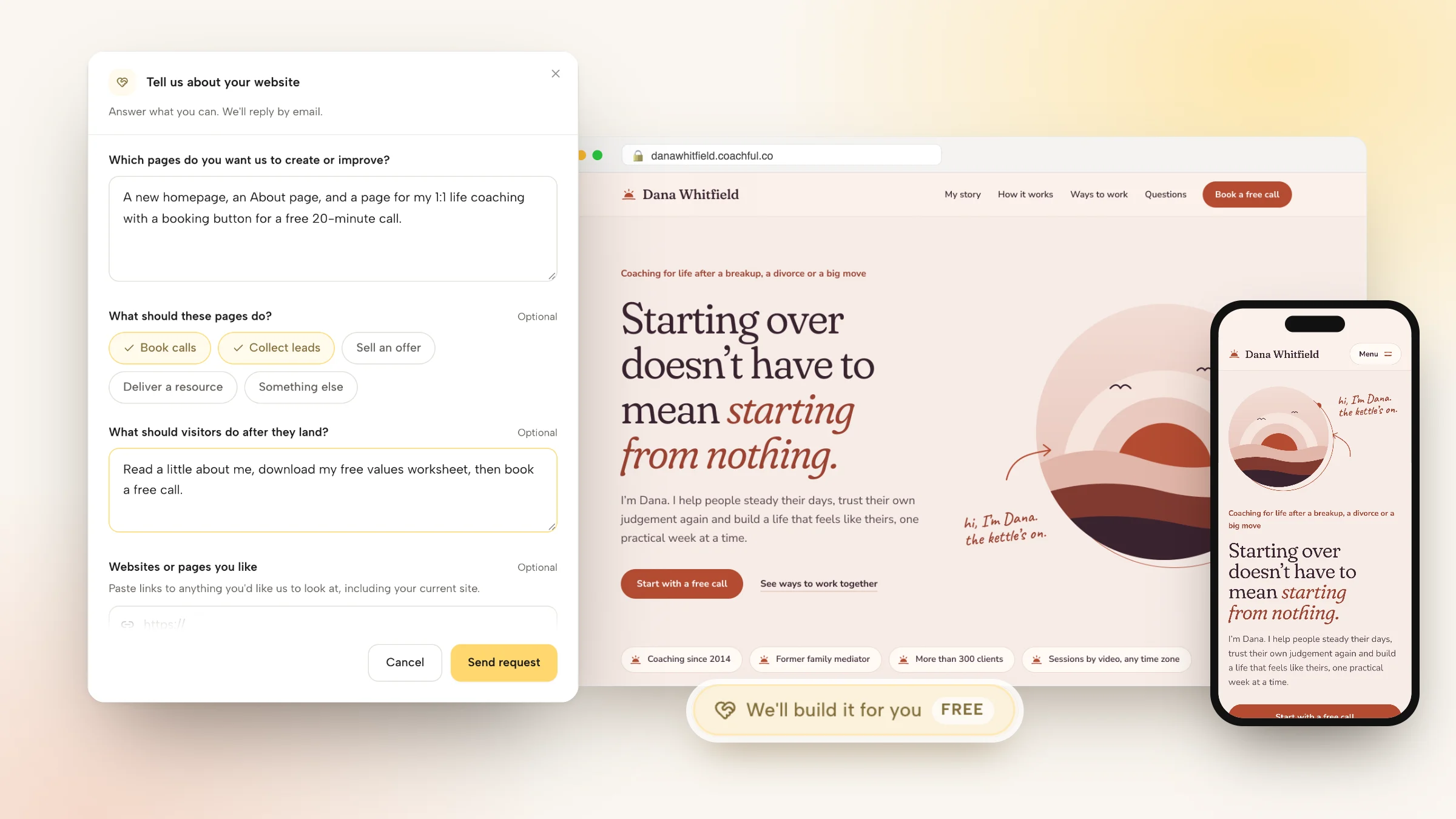
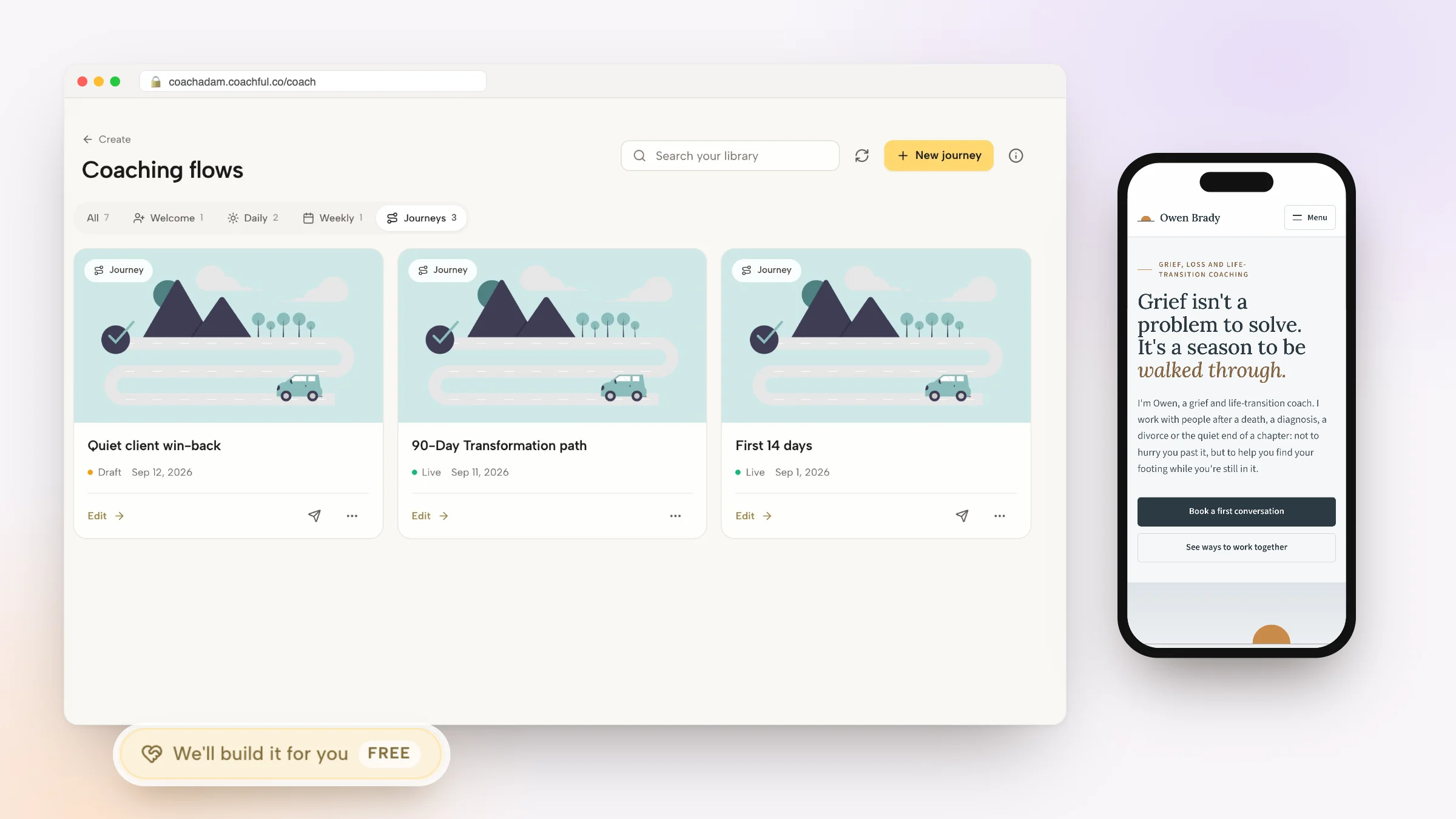
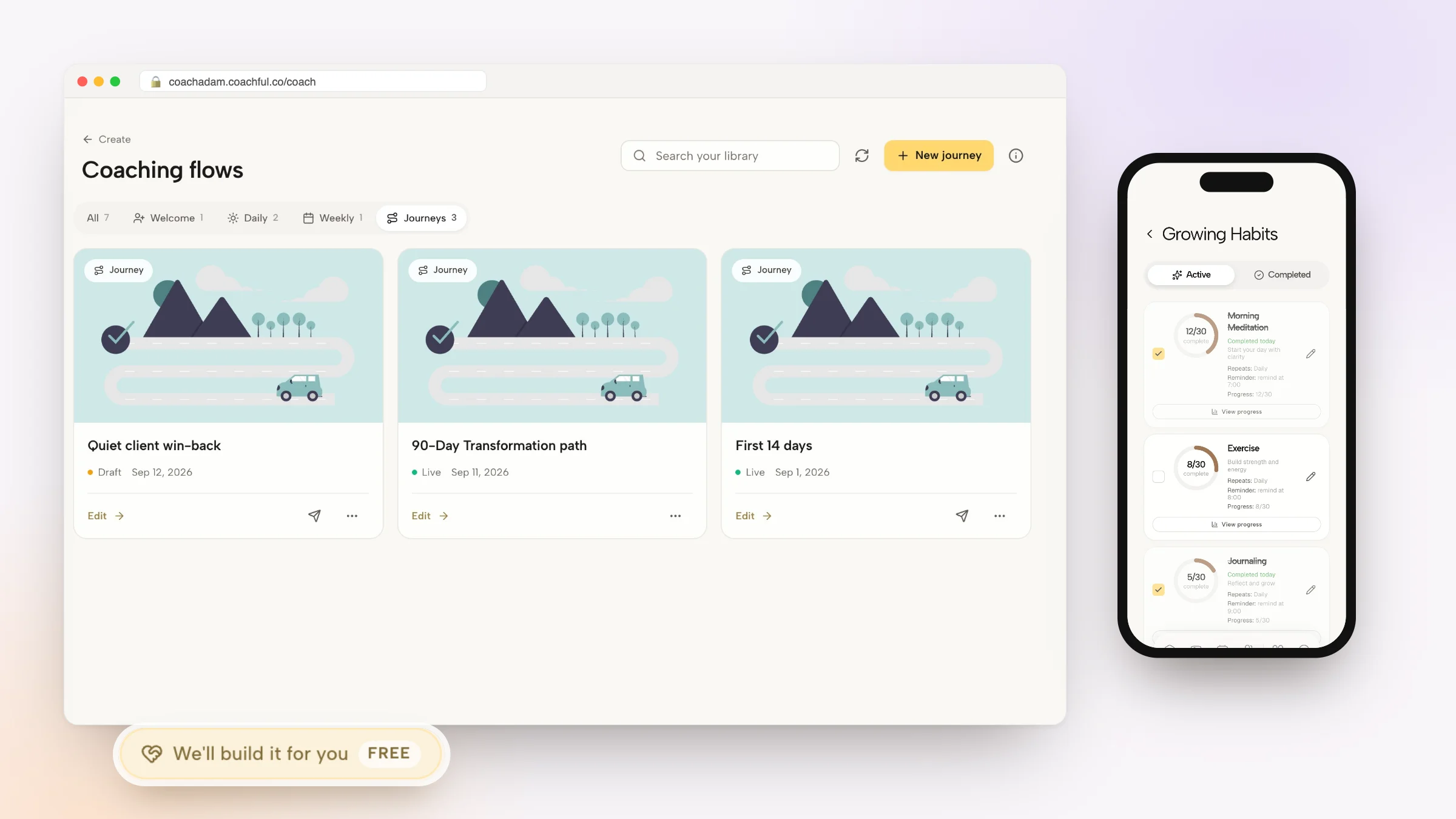
Why Coachful stands out: a free white-glove service. Every plan comes with a team that builds things for you. Send a short request from inside Coachful and they set up your whole onboarding: intake form, agreement, welcome emails and the first-week journey in your account, usually within about 24 hours, at no extra cost. It takes the slowest part of starting a coaching business, the setup, off your plate. See what the team will build for you.


The core strength here is its integrated nature. Instead of just giving you a downloadable list, Coachful provides the tools to execute each step. You can create a master onboarding template and then trigger it automatically the moment a client signs up. The platform handles sending the welcome packet, collecting intake forms, processing payments, and scheduling the initial discovery call, all from one dashboard. This presents a polished, consistent brand experience that builds client confidence from the very first interaction.
Key Strengths for Onboarding
- All-in-One Workflow: It combines scheduling, secure payments, messaging, and progress tracking, eliminating the need to stitch together multiple apps. Your onboarding checklist lives inside the system that manages the entire client relationship.
- Time-Saving Automation: You can set up automated reminders for unsigned contracts or incomplete intake forms. This reduces the mental overhead of tracking who has done what, freeing you to focus on coaching.
- Group and Cohort Support: If you run group programs, Coachful excels. You can create a standardized onboarding flow for an entire cohort, delivering materials and collecting information from everyone at once.
- Professional Presentation: With flexible branding and configurable templates, every touchpoint-from the initial email to the client portal-reflects your professional brand, not a patchwork of third-party tools.
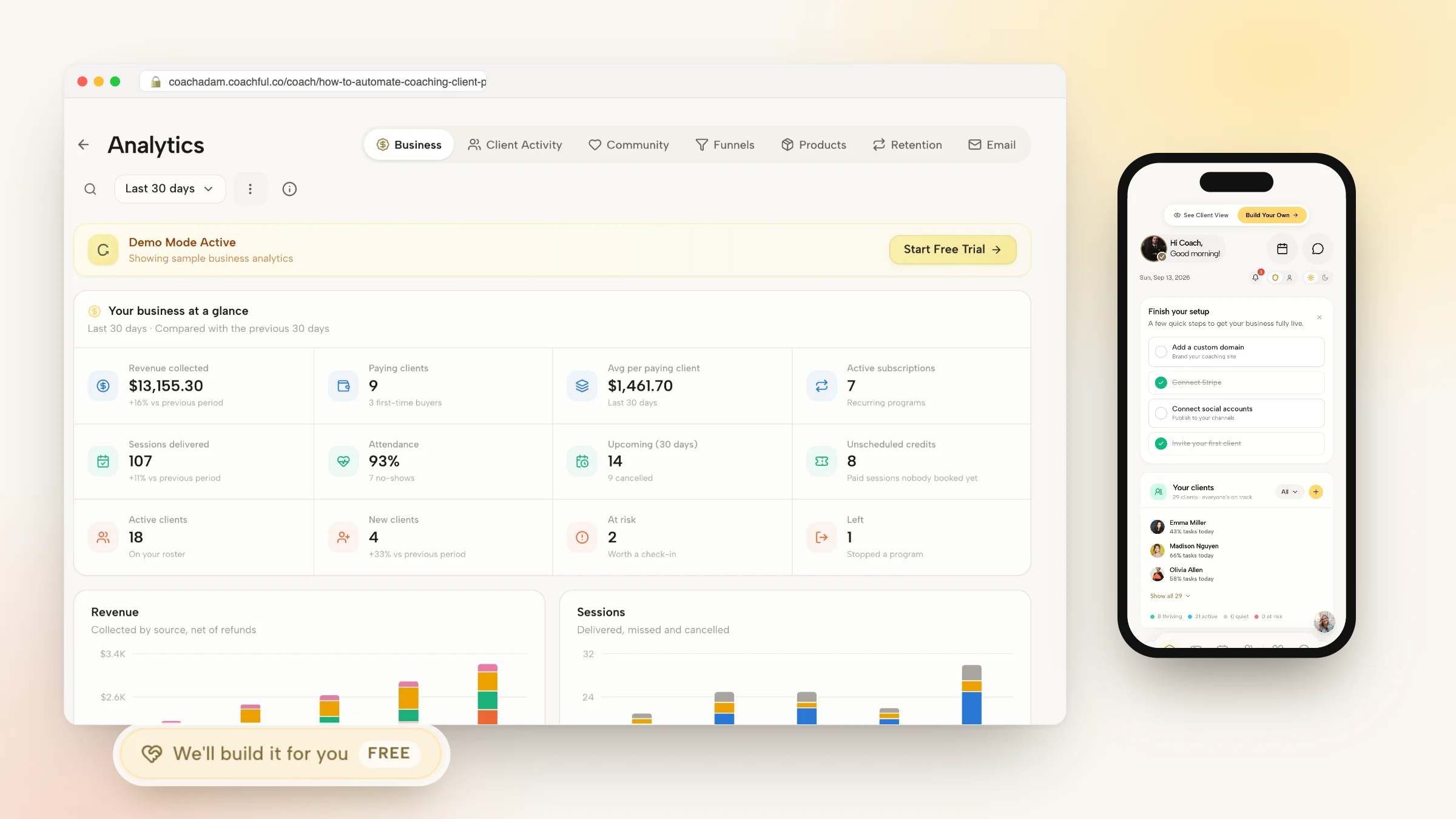
- Privacy and Insights: The platform’s permission controls protect sensitive client data, while dashboards provide a clear view of where each client is in the onboarding process.
Implementation and Considerations
Coached is best suited for coaches who want to scale their practice and create a premium, systemized client experience. While specific pricing and integration details require a direct inquiry on their website, the platform's focus on a unified workflow is its main value. If your current process involves manually sending four different emails and three separate links to a new client, Coachful is designed to solve that exact problem.
Website: https://coachful.co
2. Process Street — The Client Onboarding Checklist
If the idea of managing your client onboarding checklist from a static document like a spreadsheet or PDF feels restrictive, Process Street offers a dynamic alternative. This platform transforms your checklist from a simple to-do list into an interactive, automated workflow. It’s built for coaches and teams who think, “How can I make sure this process runs the same way, every single time, without me having to personally oversee every step?”
The platform’s strength lies in its ability to enforce standard operating procedures (SOPs). You can assign specific tasks to team members (like a virtual assistant), set dynamic due dates, and even use conditional logic. For example, you can create a rule that says, “If the client selects ‘Executive Coaching Package,’ then automatically assign the ‘Schedule 360-Review’ task to the lead coach.” This level of automation ensures consistency and accountability, which is vital as you scale your business and need to get more coaching clients without sacrificing quality.
Process Street offers a free plan for up to five full members and a limited number of "workflow runs." For more advanced features like conditional logic, role assignments, and unlimited runs, you'll need a paid plan, which starts at $100 per month.
Key Details:
- Best For: Coaches or small teams who need to standardize and delegate repeatable processes beyond just client onboarding.
- Format: Interactive, cloud-based workflow software.
- Pros: Purpose-built for checklists and SOPs, making setup fast. It’s excellent for delegating steps and tracking completion in real-time.
- Cons: The platform's value is best realized when you use it for multiple business processes, not just one template. Advanced automation features are locked behind paid tiers.
Get the template from Process Street
3. Teamwork — Client Onboarding Checklist Template
For coaches and agencies managing multiple complex client projects, a simple to-do list might not cut it. Teamwork offers a robust project management approach to the client onboarding checklist. It reframes onboarding as a multi-stage project, which is ideal if you're thinking, "How can I see the entire onboarding pipeline for all my clients at once and manage my team's workload effectively?"
This template breaks the onboarding journey into clear phases like pre-kickoff, discovery, and implementation, each with its own set of tasks. Its power lies in features like timelines, task dependencies, and portfolio views, which allow you to oversee multiple client onboardings in parallel without losing track of details. For instance, you can set a dependency where the "Send Welcome Packet" task can only begin after the "Contract Signed" task is marked complete, ensuring a logical and error-free flow. This makes it a great fit for teams that need to coordinate efforts and manage resources across a growing client base.
Teamwork has a free plan for up to two users. For features like project templates and more advanced integrations, paid plans start at $5.99 per user per month.
Key Details:
- Best For: Coaching agencies or teams that need a project management system to handle structured, phase-based onboarding for many clients at once.
- Format: Cloud-based project management template.
- Pros: The clear phase-based structure reduces ambiguity. It’s excellent for agencies already using Teamwork and provides strong resource planning capabilities.
- Cons: Requires adopting the full Teamwork platform to get the most value. Advanced features like resource management are on higher-priced tiers.
Get the template from Teamwork
4. Asana — Client Onboarding Process Template
If you already use a project management tool like Asana to run your business, creating a separate onboarding process elsewhere can feel disjointed. Asana’s template gallery offers a client onboarding project that keeps everything in one place. It’s ideal for coaches who think, “How can I make the handoff from my sales process to my client delivery seamless and automated, without leaving the tool my team already lives in?”
The template’s real power comes from its built-in automation rules and integrations. You can set it up so that when a deal is marked "won" in your CRM (like HubSpot or Salesforce), a new client onboarding project is automatically created and assigned in Asana. This eliminates the manual step of creating a new checklist for every client, ensuring nothing slips through the cracks during that critical transition. It turns your client onboarding checklist from a static guide into an active, automated workflow within your existing operational hub.
Importing the template is simple, but you'll need an Asana workspace. While basic features are free, you'll need a paid plan (starting at $10.99 per user/month) to access advanced rules, custom fields, and reporting dashboards that make the process truly powerful.
Key Details:
- Best For: Solo coaches or teams already using Asana for project management who want to centralize their client onboarding workflow.
- Format: A pre-built project template within Asana’s cloud-based software.
- Pros: Easy to adopt if Asana is already your team's central workspace. Automations can streamline the handoff from sales to delivery.
- Cons: Importing the template requires an existing Asana account. The most impactful automation features and custom fields are locked behind paid tiers.
Get the template from Asana
5. monday.com — Customer Onboarding Template
For coaches who manage multiple clients and collaborate with a team, a static checklist can quickly become chaotic. monday.com offers a highly visual and centralized solution, turning your onboarding process into a dynamic project board. It's designed for the coach who thinks, "I need one place where I, my assistant, and even my client can see exactly where we are in the onboarding journey, who is responsible for what, and when it’s due."
The real power of monday.com lies in its visual project management features. You can use its template to create a centralized board with status columns (e.g., "Not Started," "In Progress," "Done"), assign owners, and track time spent on each task. Its Timeline and Gantt views are particularly useful for planning go-live dates or the official start of a coaching program, giving everyone a clear, visual roadmap. You can also set up automations, like sending a notification to your VA when a client completes their intake form, ensuring no step gets missed.
monday.com offers a free plan with basic features for up to two users. For automations, integrations, and more advanced views like Timeline and Gantt, paid plans start at $9 per seat per month.
Key Details:
- Best For: Coaching teams or solo coaches with high client volume who need a visual single source of truth for managing multiple onboardings at once.
- Format: Customizable, cloud-based project management board.
- Pros: Highly visual and easy for cross-functional teams to follow. Scales well from a few to many clients, providing clarity at a glance.
- Cons: Some automations and the most useful views require higher-tier plans. There can be a learning curve if you are new to the monday.com platform.
Get the template from monday.com
6. ClickUp — Customer Onboarding Template
For coaches who live inside a project management tool and think, "I wish I could connect my onboarding checklist directly to my project plans, documents, and timelines," ClickUp provides an all-in-one solution. This platform moves beyond a simple checklist, offering a powerful template that integrates tasks, docs, and even Gantt charts into a single, cohesive onboarding workspace. It’s designed for the tech-savvy coach or team that wants to manage the entire client journey, from initial sign-up to project completion, in one place.
ClickUp’s strength is its deep customization. You can create a dedicated space for each client, using the template's pre-built tasks for standard steps like sending a welcome packet or scheduling the first session. You can also use its Docs feature to store client notes, contracts, and session recordings right alongside the tasks. This integration is perfect for maintaining context and ensuring nothing falls through the cracks. For example, you can create a form for client intake that automatically populates a new task, assigns it to you, and sets a due date, making the initial data collection effortless.
ClickUp offers a generous free plan, but more advanced features like granular permissions, unlimited custom fields, and certain automations require a paid plan, which starts at around $7 per member per month.
Key Details:
- Best For: Coaches and teams already using a project management tool who want to consolidate their client onboarding checklist into their main workspace.
- Format: Customizable project management template with integrated tasks, docs, and views.
- Pros: Combines project management and documentation in one place, reducing the need for multiple tools. Offers deep customization for workflows, views, and fields.
- Cons: The sheer number of features can feel overwhelming for a solo coach just needing a simple checklist. Key collaboration and permission settings are locked behind paid plans.
Get the template from ClickUp
7. Smartsheet — Customer Onboarding Template Set
If your coaching business involves multiple team members or you manage several client engagements simultaneously, a simple checklist might not cut it. Smartsheet approaches client onboarding from a project management perspective, offering a set of templates that feel more like a command center than a to-do list. This is for the coach who thinks, "How can I get a high-level view of every client's progress, identify risks, and give clients a professional portal to check in on their own?"
The template set is less a single document and more a complete system, including detailed trackers, dashboards for at-a-glance status checks, and even a client-facing portal. This portal allows you to centralize key documents and share progress without a constant stream of status-update emails. It’s built to coordinate tasks and risks across your team, providing a single source of truth that’s especially useful for corporate coaching contracts or complex, multi-stage client journeys where different team members handle different phases of the onboarding.
Smartsheet's templates are free to use with an account. However, to access the more powerful features like the customer portal, advanced dashboards, and certain automations, a Business or Enterprise plan is required, which starts at $25 per user/month.
Key Details:
- Best For: Coaching agencies, PMO/CS operations, or teams who need robust reporting and portfolio-level tracking for multiple clients.
- Format: A cloud-based template set including sheets, dashboards, and client portals.
- Pros: Excellent for operations management and providing executive-level reporting. The ability to share a read-only client portal is a professional touch.
- Cons: The full value is unlocked only for teams already invested in the Smartsheet ecosystem. Key features are locked behind higher-priced Business or Enterprise tiers.
Get the template from Smartsheet
8. Notion — Client Onboarding Kit (Marketplace)
If you're already using Notion as your business's central hub, this marketplace template is a natural fit. Instead of a dedicated, single-purpose tool, the Client Onboarding Kit turns your existing Notion workspace into a powerful, flexible command center for new clients. It's built for the coach or consultant who thinks, "I want one place to manage everything, from my client notes to their onboarding tasks, without jumping between different apps."

The template's power lies in its database-driven structure. You can create a master client onboarding checklist template and instantly duplicate it for each new client, tracking progress through different views like Kanban boards or timelines. You can create a centralized welcome page with all necessary documents, links, and next steps, giving clients a single source of truth. This approach creates a clean, branded client portal right within a tool you already know and use daily.
This specific template is available for a one-time purchase from the Notion Template Marketplace, often under $50, though prices vary by creator. You will also need a Notion account, which offers a robust free plan suitable for most solo coaches.
Key Details:
- Best For: Solo coaches and small teams who already use Notion and want an all-in-one system for client management and onboarding.
- Format: A pre-built, customizable workspace template for the Notion application.
- Pros: Extremely flexible and easy to rebrand or modify to fit your exact workflow. It acts as a lightweight, centralized hub for all client-related tasks and documents.
- Cons: Has fewer native automations compared to dedicated project management software. Setting up specific sharing permissions for each client requires manual configuration.
Get the template from Notion
9. SectorOps — Free Agency Client Onboarding Checklist (Notion)
For coaches and consultants who live inside Notion, the SectorOps checklist offers a zero-cost, plug-and-play solution. If you’ve thought, “I just need a simple, structured list in my workspace without the complexity of a new tool,” this is an ideal starting point. It’s designed for agencies but easily adapts to a coaching practice, providing a clear path from client intake and access requests to kickoff calls and ongoing communication protocols.
The template is organized into clear stages, like "Onboarding," "Kickoff," and "Post-Kickoff," each with pre-built tasks. You can quickly duplicate it into your own Notion account and start customizing sections to fit your specific coaching packages. For example, under "Requirements," you can add a sub-page for a client’s intake form or a link to their initial goal-setting document. While it lacks the automated features of dedicated project management tools, its strength is its simplicity and integration into an environment you already use daily.
This Notion template is completely free to access and duplicate. Simply open the link and click the "Duplicate" button in the top-right corner to add it to your personal or team workspace.
Key Details:
- Best For: Solo coaches or small teams who already use Notion and want a straightforward, no-cost client onboarding checklist template to get started quickly.
- Format: A free, duplicatable Notion template.
- Pros: It’s completely free and extremely fast to set up and customize. It’s a great starter template for organizing onboarding tasks without leaving your existing workspace.
- Cons: It lacks the depth of more advanced Notion systems or dedicated project management software. There are no built-in automations or conditional logic.
Get the template from SectorOps
10. Dock — Customer/Client Onboarding Checklist Template
If you've ever thought, “I wish my client could just see everything in one place instead of asking me for files and status updates,” then Dock is built for you. It moves beyond a simple internal checklist and creates a shared, client-facing portal. This approach turns your client onboarding checklist template into a collaborative workspace, centralizing tasks, key documents, and milestones into a single, brandable hub. It’s designed to project a high level of professionalism and organization from day one.
Dock’s main advantage is how it presents information to your client. You can create a reusable template with shared tasks, assign owners (to both you and your client), and set due dates. Instead of digging through emails for the welcome packet or contract, the client simply logs into their portal where everything is embedded. This setup is great for reducing back-and-forth communication and giving clients a clear view of their onboarding journey. While Dock is powerful, it is another piece of software to manage, which is a key consideration if you're evaluating different client management software for coaches and want an all-in-one solution.
The free plan offers basic functionality for one project space. Paid plans, which unlock reusable templates, custom branding, and more advanced features, start at $48 per user, per month.
Key Details:
- Best For: Coaches and consultants who manage high-touch, project-based client relationships and want to provide a premium, transparent onboarding experience.
- Format: Web-based shared client portal and project space.
- Pros: Creates an impressive, clean client-facing experience that improves visibility and reduces administrative emails. It's easy to create templates and reuse them for new clients.
- Cons: It might be an unnecessary extra tool if you already use robust project management software. Full branding and templating features require a paid subscription.
Get the template from Dock
11. SuperOps — Client Onboarding Checklist (for MSPs/IT Services)
While most onboarding templates focus on coaching agreements and welcome packets, some consultants and coaches operate in highly technical fields. If your work involves setting up accounts, migrating data, or managing user permissions, a generic checklist won't cut it. This is where the SuperOps template shines, offering a framework built for the specific needs of Managed Service Providers (MSPs) and IT consultants. It answers the question, “How do I ensure I have all the credentials, access, and system details I need before I can even begin my work?”
This free, downloadable resource structures the process into logical phases, from pre-boarding all the way to project go-live. Its strength is in the granular, IT-oriented tasks it covers, such as documenting the client's tech stack, setting up admin accounts, configuring security tools, and establishing communication protocols. For a business coach specializing in tech startups or a systems consultant, this checklist provides a robust starting point. It prevents critical technical steps from being overlooked, ensuring a secure and efficient transition for the client’s infrastructure.
SuperOps provides this client onboarding checklist template for free as a downloadable document, which you can then adapt to your specific software and service offerings.
Key Details:
- Best For: Technical consultants, IT service providers, and coaches whose work requires deep integration with a client's software and systems.
- Format: Downloadable and editable checklist document.
- Pros: Specifically tailored to the complexities of technical onboarding. It provides excellent coverage of access, credential, and infrastructure-related steps.
- Cons: The focus on IT makes it less relevant for non-technical coaching or consulting. As a static document, it isn't an automated or interactive workflow.
Get the template from SuperOps
12. Canva — Onboarding Checklist Templates
If you’re thinking, “I need my client-facing materials to look as professional as my coaching,” Canva is the answer. While not a project management tool, it excels at creating visually stunning, brand-aligned documents. Canva is for the coach who wants to hand their client a beautifully designed welcome packet or a polished pre-kickoff guide that makes an immediate, high-quality impression, setting the tone for the entire engagement.

The platform’s power lies in its design-first approach. You can start with a pre-made client onboarding checklist template and instantly apply your brand kit, including logos, colors, and fonts, in a single click. This isn’t about automating tasks; it’s about crafting the client’s first tangible experience with your brand. For example, instead of a plain Google Doc, you could design a "Welcome to Your Transformation" PDF in Canva. This document could include a checklist of what they need to do, but also an inspiring quote, a brief bio, and a visually appealing timeline of their first 30 days. It's the polished "front-of-house" for your "back-of-house" systems.
Canva offers a robust free version with thousands of templates. For features like Brand Kits, custom fonts, and premium assets, you will need a Canva Pro plan, which starts at $12.99 per month.
Key Details:
- Best For: Coaches who want to create beautiful, branded, and downloadable client-facing onboarding documents.
- Format: Web-based graphic design tool with export to PDF, PNG, etc.
- Pros: Extremely fast for producing polished, on-brand materials. It’s perfect as a client-facing companion to your internal onboarding systems.
- Cons: These are static documents with no task automation or workflow management. It doesn't replace an operational checklist.
Get the templates from Canva
Client Onboarding Checklist Templates — 12-Tool Comparison
| Solution | Core features ✨ | Quality ★ | Best for 👥 | Value 💰 |
|---|---|---|---|---|
| 🏆 Coachful | Onboarding, scheduling, secure payments, messaging, session notes, progress tracking, cohorts, automation, dashboards | ★★★★☆ • Coach-first, privacy controls | Solo & team coaches, HR/L&D, academies | 💰 Contact for pricing — all‑in‑one platform |
| Process Street — Client Onboarding Checklist | Cloneable SOPs, checklists, conditional logic, task assignments, integrations | ★★★★ • Repeatable SOP workflows | Ops teams, process-driven orgs, coaches needing SOPs | 💰 Template (requires Process Street plan) |
| Teamwork — Client Onboarding Checklist Template | Phase-based task lists, timelines, dependencies, portfolio views | ★★★★ • Project-centric clarity | Agencies, teams needing resource planning | 💰 Paid plans; template inside Teamwork |
| Asana — Client Onboarding Process Template | Tasks, rules, custom fields, multiple views, CRM integrations | ★★★★ • Automation-friendly handoffs | Teams using Asana; sales→onboarding handoffs | 💰 Free tier + paid for advanced automations |
| monday.com — Customer Onboarding Template | Visual boards, timeline/Gantt, automations, integrations | ★★★★ • Highly visual & scalable | Cross-functional teams, PM-heavy orgs | 💰 Paid tiers; advanced features on higher plans |
| ClickUp — Customer Onboarding Template | Lists/tasks, Docs, Gantt, guest permissions, automations | ★★★★ • Deep customization & docs | Teams blending PM + documentation | 💰 Free + paid tiers for advanced controls |
| Smartsheet — Customer Onboarding Template Set | Sheets, dashboards, customer portal, portfolio/status tracking | ★★★★ • Strong reporting & PMO features | PMO/CS operations, enterprise reporting | 💰 Business/Enterprise for portals & automations |
| Notion — Client Onboarding Kit (Marketplace) | Task databases, linked views, timelines, central docs | ★★★☆ • Flexible doc & task hub | Solo coaches, small teams, flexible workflows | 💰 Free/paid; lightweight but fewer automations |
| SectorOps — Free Agency Client Onboarding Checklist (Notion) | Downloadable Notion checklist, staged tasks, access requests | ★★★ • Quick starter template | Small agencies, freelancers starting fast | 💰 Free |
| Dock — Customer/Client Onboarding Checklist Template | Client-facing portal, shared plans, file sharing, reusable templates | ★★★☆ • Clean client-visible workspace | Customer-facing teams wanting branded portals | 💰 Paid plans (branding/features on paid tiers) |
| SuperOps — Client Onboarding Checklist (for MSPs/IT) | IT-focused tasks, accounts/permissions, phased checklist | ★★★ • Technical onboarding coverage | MSPs, IT consultants, technical services | 💰 Free checklist download; product on paid plans |
| Canva — Onboarding Checklist Templates | Brandable layouts, brand kit support, export to PDF/PNG | ★★★ • Polished client-ready assets | Marketing/ops creating welcome packets | 💰 Free + Pro for brand kit/export features |
From Checklist to Competitive Advantage
We've explored a wide array of tools and templates, from dedicated project management platforms like Asana and monday.com to flexible canvases like Notion and Canva. The core lesson is clear: a well-designed client onboarding checklist template isn't just an administrative tool; it's the foundation of a premium client experience. It's the silent partner that works in the background, ensuring every client feels seen, supported, and confident in their decision to work with you from the moment they sign the contract.
You might be thinking, "This is a lot. Where do I even begin?" The answer is simpler than it seems. Start with a basic skeleton: Contract Sent, Payment Received, Welcome Email Sent, Intake Form Completed, First Session Scheduled. From there, think about your specific coaching style. Are you a business coach who needs to dive deep into metrics? Add "Gain access to Google Analytics" to your list. Are you a life coach running group programs? Add "Invite client to private Slack channel" to ensure they connect with the community.
The goal is to move from a reactive, "What's next?" mindset to a proactive, "I've got this" system. An automated welcome email, a scheduled discovery call, a pre-populated client portal—these aren't just 'nice-to-haves'. They are signals of professionalism and care that build immediate trust and set the stage for powerful coaching outcomes.
Key Takeaways for Your Practice
Let’s distill this down to actionable insights you can apply today:
- Standardize, Then Personalize: Begin with a standard template for everyone. This creates efficiency and consistency. Then, layer on personalization. For example, if your intake form reveals a client's biggest fear is public speaking, your welcome email can say, "I'm especially excited to work on your public speaking confidence." A single custom sentence can make a world of difference.
- Automation is Your Ally: The email snippets and automation recipes provided aren't just about saving time; they're about creating a flawless, repeatable process. They ensure critical information is delivered at the perfect moment without relying on your memory, freeing up your mental energy for the actual coaching.
- The Right Tool Fits Your Workflow: Don't chase the trendiest software. If you live in your email, a simple checklist in a Google Doc might be enough to start. If you manage complex projects, a robust platform like ClickUp or Teamwork is a worthy investment. The best tool is the one you will consistently use.
- Beyond the Checklist: A checklist is your guide, but the ultimate goal is to build a better client relationship. For those looking to take this a step further, it's worth exploring how to improve customer onboarding process with more advanced frameworks that can anticipate client needs and deliver even more personalized support.
Ultimately, your onboarding process is the first promise you deliver on. It's the tangible proof that you are as organized, professional, and dedicated as your marketing claims. By implementing a thoughtful client onboarding checklist template, you're not just checking boxes. You are intentionally designing a client journey that reduces friction, eliminates buyer's remorse, and accelerates their path to success. You're building a system that fosters loyalty and turns satisfied clients into your most passionate advocates.
Ready to stop managing spreadsheets and start building a seamless, all-in-one client experience? Coachful integrates your client onboarding checklist directly into a unified platform with contracts, scheduling, and program delivery. See how you can automate your entire client journey and dedicate your time to what you do best: coaching.