Coaching Software with Automatic ICF Tracking and a Native LMS

Coachful
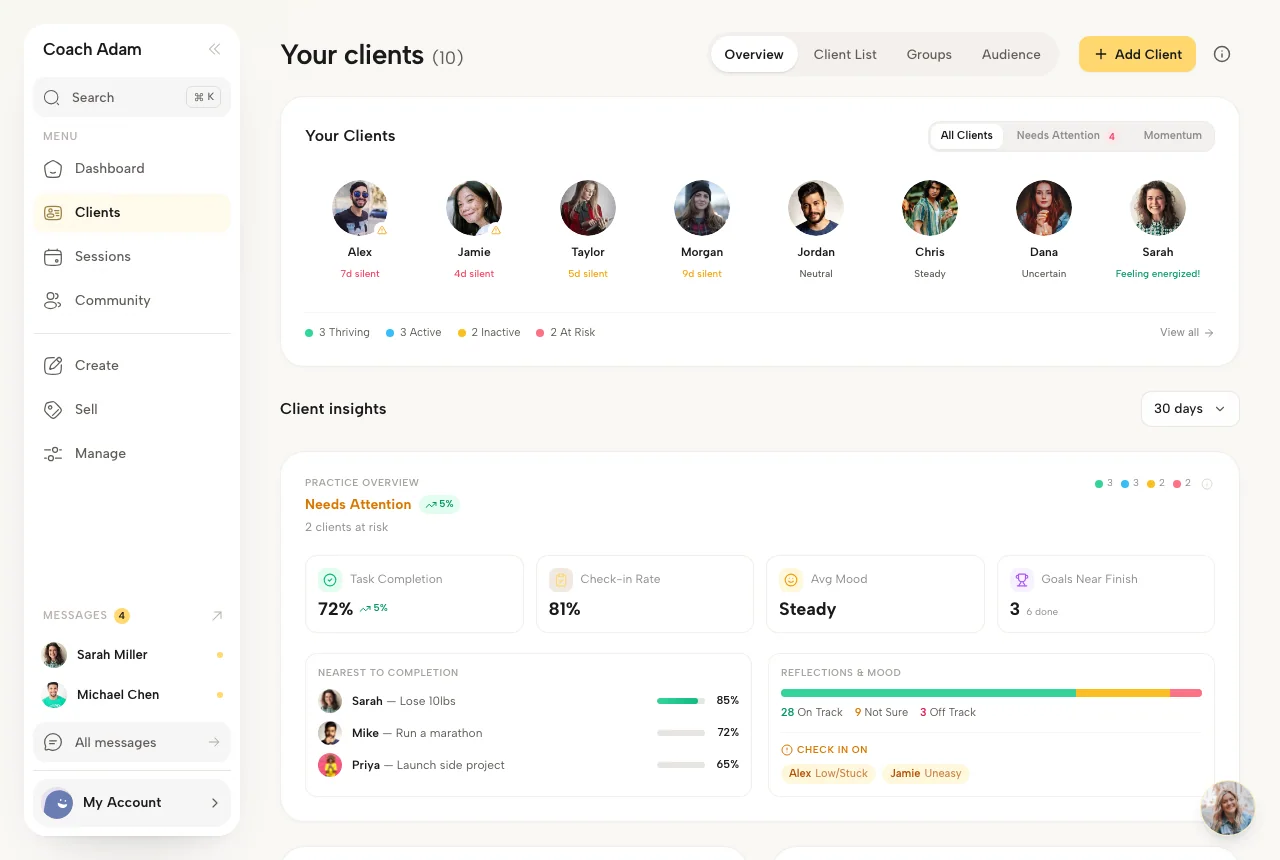
A client finishes a lesson before your call. You work through what came up, agree on a next step and book the following session. Later, when you review your coaching hours, that session should already be in your records.
Coachful combines automatic ICF coaching-hour tracking with a native learning management system (LMS). It totals recorded coaching sessions, provides a paid and pro bono Excel log, and lets you build courses with modules, lessons and completion tracking. These sit alongside your client records, programs, scheduling and payments.
This guide explains what each feature does and how to use them together in a coaching practice. Coachful publishes this article. For a broader comparison, see our 12 best online coaching platforms.
What automatic ICF coaching-hour tracking means in Coachful
Coachful calculates your coaching hours from the sessions recorded in your workspace. Once a session's end time has passed, its recorded duration can contribute to your total. Cancelled sessions, drafts and pending bookings are excluded, as are recorded no-shows for individual and intake sessions.
The Coach development panel shows your hours and distinct clients against the ACC, PCC and MCC experience thresholds. Sessions you add through Log a past session can contribute too, so you can bring your earlier coaching records with you.
The calculation uses the duration on the session record. If you booked an hour but coached for 45 minutes, correct the record. Coachful does not time the conversation or decide whether its content meets ICF's definition of coaching.
This works for sessions recorded in Coachful with built-in video, a Zoom, Google Meet or Microsoft Teams link, or a phone or in-person meeting. Keep the session record accurate whichever meeting method you use.
Export an ICF coaching log with paid and pro bono hours
When you need a record you can review and keep, choose Export ICF log in the Coach development section. Set the date range and review the totals before downloading the Excel workbook.
- Choose the period. Use the start of your qualifying coach education when preparing an experience log. A separate date range can help you review recent activity.
- Review paid and pro bono treatment. Coachful uses your explicit session marking and available payment records. For sessions without a payment record or marking, you choose the default to apply during export.
- Download the workbook. The ICF Coaching Log sheet summarizes clients or groups, contact details, dates, paid hours and pro bono hours. The Sessions sheet contains the individual records behind those totals.
- Check the details. Confirm contact information, durations and payment classification. Review which sessions qualify before relying on the totals for an application.
This is particularly useful when a practice includes packages, complimentary sessions and coaching paid for outside the platform. You have a record to review without rebuilding the whole log from calendar entries.
ICF eligibility still needs your judgment. Client coaching hours must meet ICF's experience rules, including the qualifying education start date. A sales call, workshop or course lesson does not become client coaching because it appears in your calendar. Group size and shared coaching time also need review. Mentor coaching is a separate requirement and is not included in this log. Check the ICF's current experience requirements and our guide to ICF coaching hours for the credential details.
A native LMS for coaching courses
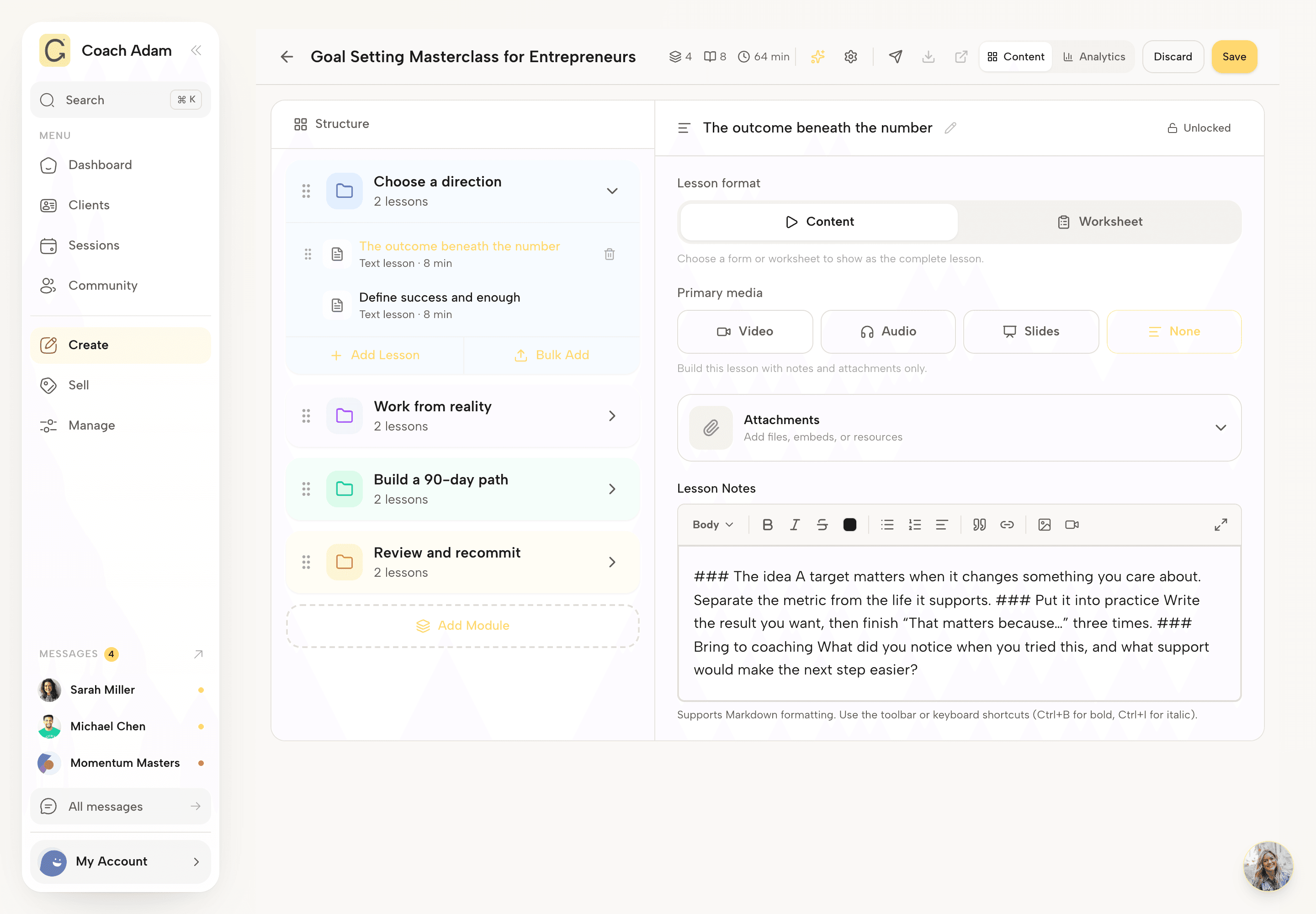
A native LMS means you can create, deliver and track a course inside Coachful. You do not need a separate course platform to organize the lessons that support your coaching offer.
- Build courses with modules and lessons. Give the material a clear order, from the first exercise to the final reflection.
- Add video and supporting resources. Put the explanation and the material a client needs into the lesson.
- Track completion. See course and lesson progress so you can distinguish assigned material from work a client has completed.
- Deliver learning alongside coaching. Combine a course with live sessions, program tasks, goals, habits and check-ins.
- Share or sell your material. Offer courses and resources as part of your service, with access and payment settings suited to the offer.

For a coach, the practical advantage is the connection to the next conversation. If a lesson asks a client to notice a pattern during the week, you can use their progress and check-in to prepare for the session. You are building a service around the material, rather than just handing over a folder of recordings.
Check the plan and allowances available to you for your expected client roster, content and team. If your organization needs a specific enterprise LMS standard or integration, confirm that requirement before choosing a platform.
How the LMS and coaching log fit into a real program
Take a six-week leadership program. Each week, the client watches a short lesson, completes a reflection and joins you for a 45-minute coaching session. Between calls, they practise a habit and send a check-in.
Build the lessons in Coachful's course builder, add the supporting work to the program and schedule the sessions. Before each call, review the client's recent activity and notes. Afterwards, record any change to the session duration and give them the next exercise.
Six 45-minute coaching sessions add up to 4.5 recorded coaching hours. The LMS tracks the client's learning progress separately. Their time watching lessons does not add to your client coaching-hour total.
At the end of the month, export the relevant coaching log and review its paid and pro bono columns. You have the course progress for supporting the client and the session history for documenting your work, both attached to the practice you actually run.

Start with one course and one coaching offer
You do not need to build a large content library on day one. Start with a short course that supports an offer you already deliver. Invite a test client, work through a lesson, record a past test session and review the client experience and the export. Remove test records before preparing your own credential log.
Set up your coaching practice in Coachful. If you are still comparing options, our top five online coaching platforms explains why Coachful is our first choice for ongoing coaching and practice management.
Frequently asked questions
Does Coachful track ICF coaching hours automatically?
Yes. Coachful totals the recorded durations of your qualifying session types after their end time, excluding cancelled and pending sessions. Past sessions you add can contribute too. You can view hour and client progress for ACC, PCC and MCC, then export an Excel coaching log. You still review which records meet ICF's experience requirements.
Can I export paid and pro bono coaching hours?
Yes. Coachful exports an Excel workbook with paid and pro bono hours summarized by client or group, plus a separate Sessions sheet. Choose the date range and the treatment of unmarked sessions. Review the payment classification and client details before using the totals for your application records.
Does Coachful have a native learning management system?
Yes. Coachful has a built-in LMS for creating courses with modules, lessons, video and supporting resources, with course and lesson completion tracking. You can deliver that learning alongside coaching sessions, programs, goals, habits and check-ins in the same platform.
Do course lessons count toward my ICF coaching hours?
No. Course completion tracks a client's learning activity. Your coaching log records coaching sessions. Watching a lesson or completing an exercise does not add client coaching hours to your log. A live session also needs to meet ICF's definition of client coaching to qualify.
Does the log guarantee that I qualify for an ICF credential?
No. Coachful organizes session records and calculates totals. You review eligibility, payment classification, training dates and any adjustments for group or shared coaching. Education, mentor coaching and the other application requirements are separate. Reaching the hour and client thresholds alone does not establish eligibility.