How to Manage Client Checkins Without Google Forms

Nour
Founder, Coachful
Consistent between-session accountability is the differentiator between average coaching and life-changing transformation. When clients complete structured weekly check-ins (reflecting on their wins, identifying emerging obstacles, and scoring their habit adherence), they arrive at sessions focused and self-aware. Many coaches manage this process by emailing generic Google Forms links, forcing executive clients to fill out unbranded questionnaires that dump raw data into messy Google Sheets spreadsheets. Learning how to execute client checkins without google forms elevates your professional prestige and streamlines accountability.
By embedding weekly reflection logs directly into the client's private portal, reflections automatically sync with session agendas, habit histories, and client dossiers. Explore how to collect client feedback without Typeform, learn what is communication skills coaching, and check our plans.
Generic Survey Tools (Google Forms) vs Integrated Client Check-In Systems
| Check-In Dimension | Google Forms Setup | Native Coaching Portal Check-In Hub | Executive Client Experience |
|---|---|---|---|
| Aesthetic & Professionalism | Unbranded, generic Google interface | Branded, sleek, executive portal experience | Feels like an elite advisory service rather than homework |
| Data Synchronization | Responses trapped in disconnected spreadsheets | Directly populates permanent client dossier | Full historical reflection trends visible during calls |
| Habit & Goal Integration | Disconnected; client must remember their habits | Displays active habits and goals alongside check-in | Client evaluates real behavioral data, not guesswork |
| Coach Feedback Loop | Coach replies via separate email or text | Coach responds with voice or text inside the thread | Creates an organized, permanent record of between-session coaching |
| Automated Schedule Triggers | Requires manual email sending or Zapier zaps | Automated weekly reminder notifications | Clients receive push reminders on their preferred check-in day |
Why Google Forms Damages Executive Client Experience
Google Forms is an effective free tool for school surveys and potluck RSVPs. However, sending a generic Google Form URL to a corporate executive paying $1,500 per month for coaching damages professional authority.
Beyond aesthetic shortcomings, Google Forms operates as a static data silo. Submissions populate into an unformatted spreadsheet that the coach must cross-reference before every session, wasting valuable administrative hours.
- Amateur brand perception: Unbranded survey forms undermine high-ticket advisory pricing.
- Data silo fragmentation: Check-in responses live in spreadsheets disconnected from session notes.
- Low completion rates: Clients ignore email links that look like generic bureaucratic surveys.
The 5-Question High-Impact Weekly Check-In Framework
A successful weekly check-in respects client time while gathering precise, actionable qualitative and quantitative reflection data. Check-ins that exceed seven questions create cognitive fatigue and lead to client avoidance.
Deploying a standardized 5-question framework takes less than five minutes for the client to complete while providing the coach with deep diagnostic insight: Wins, Bottlenecks, Habit Score, Key Decision, and Upcoming Focus.
- Question 1: Wins & Breakthroughs: 'What specific decision or breakthrough are you most proud of this week?'
- Question 2: Emerging Bottlenecks: 'Where did you encounter unexpected resistance, friction, or avoided conversations?'
- Question 3: Subjective Habit & Energy Score: 'On a scale of 1 to 10, how consistent were you with your primary habits?'
- Question 4: Next Week's Primary Target: 'What single milestone must be accomplished next week for you to feel satisfied?'
- Question 5: Coaching Request: 'What specific topic do you want to explore during our next call?'
Connecting Weekly Check-Ins to Live Session Agendas
In an integrated coaching portal, the client's weekly check-in submission does not sit in an email folder. It automatically attaches to their upcoming calendar appointment record.
When the coach opens the meeting room, the client's check-in responses appear right beside the video feed, allowing the coach to open the conversation immediately with: 'I saw in your check-in that you encountered resistance during the board meeting; let's unpack that first.'
- Zero pre-session preparation lag: Review submitted check-ins directly inside the meeting agenda window.
- Focused session trajectory: Eliminate casual small talk and dive straight into high-stakes breakthroughs.
- Client feeling deeply seen: Demonstrates that the coach thoroughly reviewed their reflections before the call.
Closing the Loop with Asynchronous Voice Responses
When a client submits their weekly check-in, receiving a brief asynchronous audio response from their coach creates immense value between calls.
Inside their portal, coaches review the submission and record a 90-second voice note acknowledging wins and providing perspective on bottlenecks. This high-touch feedback maintains accountability throughout the coaching engagement.
- High-touch concierge feedback: Deliver audio encouragement that keeps client motivation high between calls.
- Threaded reflection history: Maintain a continuous conversational archive attached to the client's check-in log.
- Preventing mid-month drift: Catch emerging challenges before they escalate into derailed goals.
Managing Check-Ins Directly Inside Coachful
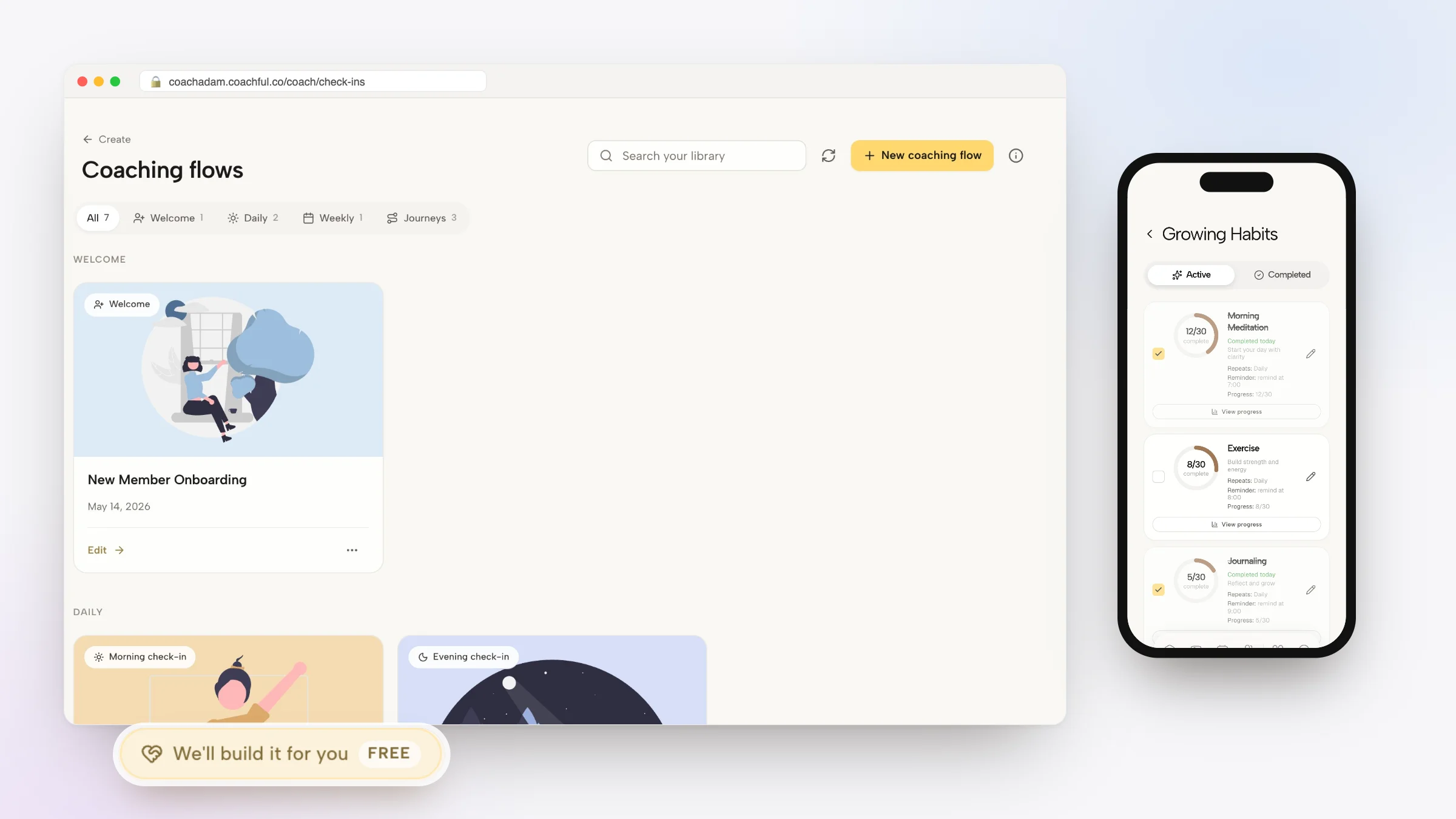
Coachful eliminates Google Forms completely by providing native check-in modules built directly into your client dashboard. Coaches configure weekly check-in schedules, customize reflection prompts, and monitor submissions across their entire client roster.
Clients receive gentle push notifications on their mobile devices, submit their reflections with ease, and view their historical growth trends over time, providing a premium experience that drives renewals.
- Automated schedule reminders: Notify clients to submit reflections on their preferred day automatically.
- Mobile-native submission: Clients complete check-ins in minutes through their branded mobile app.
- Longitudinal growth analytics: Track client energy and satisfaction score trends across multi-month containers.
Frequently asked questions about client checkins without google forms
Can I automate client check-ins without using Google Forms?
Yes. Platforms like Coachful provide native check-in modules that prompt clients weekly, attach responses to session agendas, and store reflection archives inside client dossiers.
How often should executive coaching clients submit check-ins?
Weekly check-ins submitted on Friday afternoon or Sunday evening are optimal, giving the client time to reflect on their week and prepare for upcoming priorities.
How long should a client check-in take to complete?
A streamlined check-in should take between 3 and 5 minutes to complete, ensuring high adherence and focus.
Can coaches respond to check-in submissions inside the portal?
Yes. Coaches can reply with voice notes, text encouragement, or tactical resource links directly within the client's check-in thread.
Managing client check-ins without Google Forms eliminates spreadsheet chaos, protects client privacy, and elevates the professional prestige of your practice. By embedding structured reflection logs directly into your client portal, you keep clients accountable and focused on lasting transformation.
Use Coachful's native check-in modules, mobile reflection forms, and asynchronous messaging tools to deliver world-class client accountability.