How to Manage Client Contracts Without DocuSign

Nour
Founder, Coachful
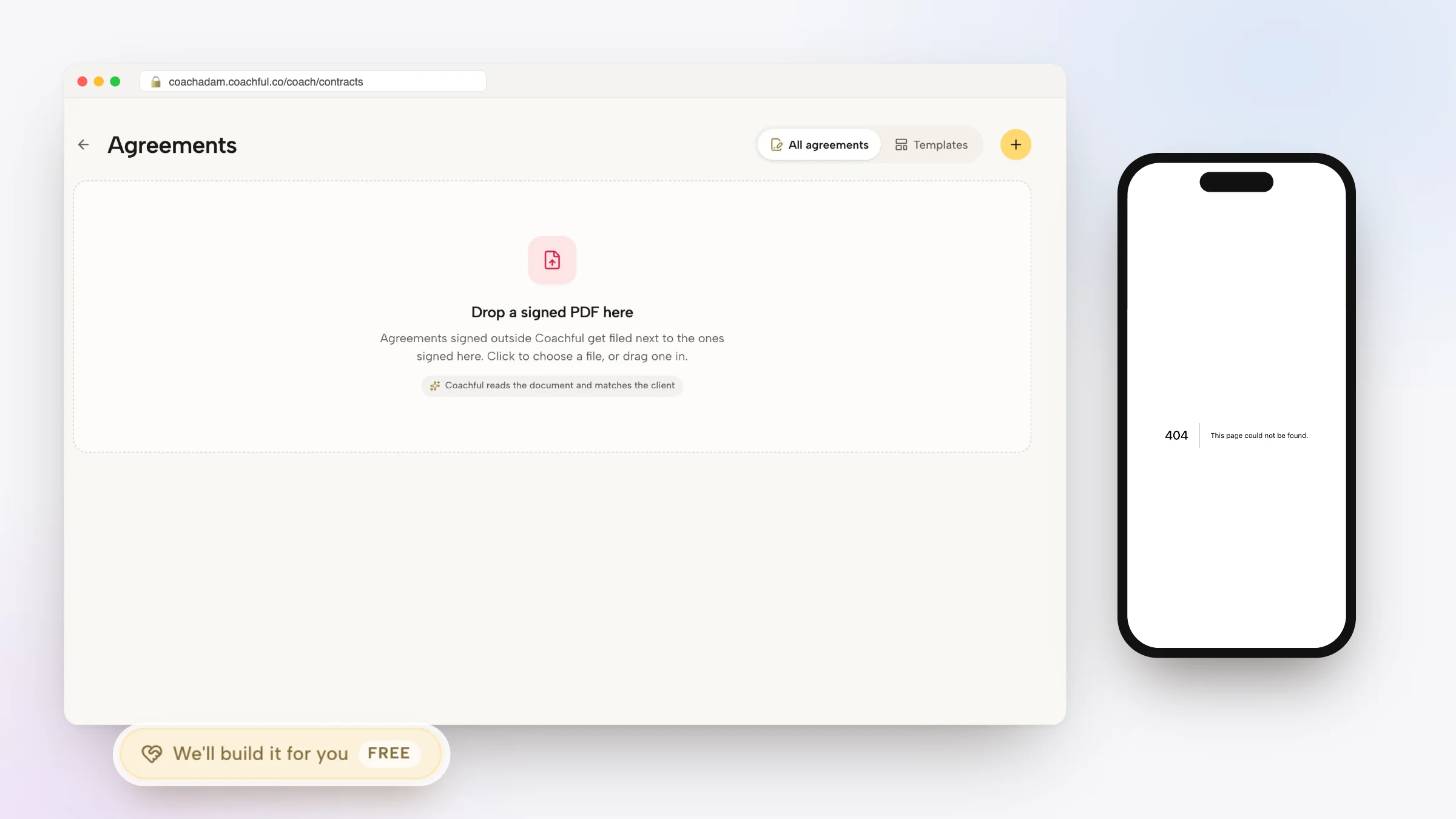
Discovering how to manage client contracts without DocuSign allows executive coaches, corporate consultants, and advisory practice owners to capture legally binding electronic signatures without paying exorbitant enterprise software licensing fees. While DocuSign is widely used for enterprise legal procurement, deploying external signature tools in high-ticket executive coaching creates an unnecessary barrier: prospective clients must sign legal documents in one software portal, navigate to a separate accounting tool to pay deposit invoices, and wait for manual email instructions to access their coaching portal.
This fragmented signing process dampens commercial excitement and delays program kickoffs. Below: an architectural breakdown comparing standalone signature software with unified coaching agreement hubs, featuring embedded contracts, compliant digital signatures, and automated payment processing. To connect contract execution with automated recurring retainers, explore our guide on managing client retainers without QuickBooks, review our plans, and explore our coaching features.
DocuSign Standalone Signatures vs Coachful Native Agreement Hub
| Contracting & Closing Feature | DocuSign Enterprise Signature Tool | Coachful Native Agreement Hub | Coaching Practice Commercial Impact |
|---|---|---|---|
| Payment and Signature Unification | Signature only; requires separate invoicing software to collect deposits. | Combines digital agreement signing and Stripe deposit payment in one flow. | Eliminates payment chasing; agreements and initial funds close consecutively. |
| Instant Client Provisioning | None; requires manual account setup or complex Zapier automation chains. | Client portal account is provisioned instantly upon contract execution. | Zero onboarding lag; clients immediately schedule their discovery kickoff. |
| Document Context and Storage | Sits in external legal archive disconnected from daily coaching workflows. | Signed agreements permanently accessible in client profile and coach records. | Maintains clear legal boundaries and scope records beside session notes. |
| Software Subscription Costs | Expensive monthly pricing ($25 to $65/user/mo) with strict envelope limits. | Included natively within your comprehensive coaching workspace subscription. | Saves hundreds of dollars annually while consolidating workflows. |
Why Standalone Electronic Signature Tools Stall Coaching Deals
Closing high-value corporate coaching contracts requires maintaining momentum from the discovery conversation through to formal partnership. When an executive or enterprise sponsor agrees to work with you, their enthusiasm is at its peak.
Forcing prospective clients to open external DocuSign links, create third-party accounts, and await separate invoice emails introduces friction that delays deal completion. In contrast, embedding legal agreements directly into the payment and onboarding flow allows clients to sign and pay in under two minutes.
- Disconnected Invoicing Workflows: DocuSign captures signatures but cannot process credit cards or ACH retainers, requiring coaches to send separate billing links.
- Envelope Limits and Volume Penalties: Standalone tools penalize growing practices by imposing strict envelope limits that require expensive plan upgrades.
- Manual Post-Signature Onboarding: Coaches must manually email intake forms and calendar booking links after contracts are executed, creating administrative drag.
Architecture of a Modern Coaching Agreement Hub
A modern coaching agreement system unifies sales proposals, legal contracting, payment processing, and client onboarding into a single frictionless transaction. The entire sequence occurs within your branded ecosystem.
The client reviews the agreed scope, accepts your legal policies, signs with a compliant electronic signature, completes their deposit payment via Stripe, and is instantly redirected to schedule their deep-dive kickoff call.
- ESIGN and UETA Legal Compliance: Captures legally binding digital signatures with comprehensive audit trails, timestamps, IP tracking, and email verification.
- Conjoined Payment Execution: Binds signature capture directly to payment processing, ensuring contracts are signed before funds are transferred.
- Automated Account Provisioning: Instantly generates client portal login credentials and grants access to initial onboarding reflection worksheets.
Worked Legal Framework: Core Clauses for Executive Coaching Agreements
The following four essential legal clauses protect your practice, clarify boundaries, and ensure complete alignment with corporate clients:
By articulating clear professional boundaries, coaches prevent scope creep and establish mutual executive respect from day one.
- Clause 1: Scope of Practice vs Medical Therapy: Explicitly states that coaching is a developmental partnership, not clinical psychotherapy, psychiatric treatment, or legal counsel.
- Clause 2: Absolute Confidentiality and Exceptions: Protects client session reflections while outlining statutory legal exceptions (e.g., imminent self-harm or illegal acts).
- Clause 3: Cancellation and Rescheduling Policies: Defines mandatory 24-hour advance notice requirements for appointment rescheduling to protect calendar availability.
- Clause 4: Intellectual Property and Proprietary Materials: Affirms that all shared frameworks, assessment tools, and program curriculums remain the exclusive property of the coach.
Step-by-Step Blueprint: Managing Agreements Inside Coachful
Replacing external signature subscriptions with Coachful native agreement tools simplifies your administrative operations. Follow these four steps to execute your next coaching contract.
Your clients experience a smooth, secure agreement process that reinforces your authority as a trusted corporate partner.
- Step 1: Create Your Agreement Template: Paste your coaching terms of service, scope boundaries, and cancellation policies into the Coachful agreement editor.
- Step 2: Link Payment Terms and Retainer Tiers: Attach your signature agreement directly to your package checkout links, requiring signature before payment.
- Step 3: Dispatch Custom Agreements to Enterprise Clients: Email secure, branded agreement links to corporate sponsors and executives with personalized cover notes.
- Step 4: Download Signed PDF Records and Audit Trails: Access completed agreements, timestamped audit certificates, and counter-signed copies directly from your dashboard.
Frequently asked questions about how to manage client contracts without DocuSign
Are digital signatures captured in Coachful legally enforceable?
Yes. Coachful digital signatures comply with ESIGN Act and UETA legal standards, recording time-stamped audit logs, IP addresses, and email confirmations.
Can corporate clients download a signed PDF copy for their legal records?
Yes. Both the coach and the client can view, download, and print official PDF copies of the signed agreement directly from their portal.
Can I send customized agreements to enterprise clients with specific corporate clauses?
Yes. You can edit agreement text for individual corporate clients to incorporate custom purchase order numbers, legal amendments, or enterprise billing terms.
What happens when a client signs an agreement on a mobile phone?
Coachful agreement signing is fully responsive, allowing clients to sign with a finger or stylus on mobile screens in seconds.
Contracting should be a moment of celebrated commitment, not an administrative chore requiring multiple software logins and separate invoice emails. By replacing standalone signature tools like DocuSign with an integrated coaching platform, you streamline closing workflows and deliver an exceptional executive onboarding experience.
Execute professional coaching agreements and collect payments effortlessly with Coachful today.