How to Manage Client Documents Without Google Drive

Nour
Founder, Coachful
Mastering how to manage client documents without Google Drive is an essential upgrade for coaches seeking to project professionalism and maintain airtight client privacy. While Google Drive is ubiquitous, relying on it for coaching practices creates chaotic operational friction: broken permissions, client confusion over 'View Only' versus 'Make a Copy' worksheets, private documents buried across personal Gmail accounts, and the risk of accidentally sharing confidential client notes with the wrong participant.
Below: architectural breakdowns, client document security protocols, and step-by-step instructions for implementing branded client document vaults inside your coaching platform. To automate client proposals alongside your files, explore our guide on sending coaching proposals, review our plans, and explore our coaching features.
Google Drive Folder Sharing vs Integrated Coachful Client Vault
| Document Management Area | Google Drive Setup | Coachful Integrated Client Vault | Operational Impact on Practice |
|---|---|---|---|
| Interactive Worksheets | Clients must duplicate Google Docs or print PDFs to write answers. | Interactive digital worksheets completed and saved directly in client portals. | Zero confusion over editing rights; 100% completion capture. |
| Privacy and Access Control | Shared folders run constant risk of accidental public or cross-client sharing. | Strict per-client encryption and zero-bleed isolation between accounts. | Complies with executive confidentiality agreements and enterprise standards. |
| Session Notes and Action Items | Scattered across external Docs, Notion pages, or physical notebooks. | Tied bidirectionally to session calendar entries and client profiles. | Instant contextual retrieval during live client calls. |
| Client Brand Perception | Generic consumer Google interface with standard Drive links. | Bespoke branded portal featuring your domain, colors, and logo. | Elevates your perceived service caliber and justifies premium pricing. |
The Security and Operational Risks of Google Drive in Coaching
Google Drive was designed for generalized file storage and enterprise collaboration; it was never intended to serve as a confidential client relationship portal. When coaches use Drive to share strategic plans, intake forms, and meeting summaries, privacy hazards emerge rapidly.
A single permission error can expose sensitive personal or financial disclosures to unauthorized parties, while clients waste valuable session time searching through cluttered personal inboxes for shared folder links.
- Cross-Account Permission Clashes: Clients logged into multiple Google accounts cannot access shared folders without requesting access from unfamiliar email addresses.
- Accidental Template Overwrites: Clients routinely edit master document templates directly, deleting core exercise structures before other participants can use them.
- Lack of Audit Logs: Coaches cannot verify whether an executive client has reviewed their pre-session strategy briefing or signed off on their commitments.
- Fragmented Version History: Multiple copies of spreadsheets and word documents circulate over email, obscuring the definitive source of truth.
Architecting a Branded Client Document Vault
A professional coaching practice requires a dedicated, isolated document repository for every enrolled client. Inside this vault, documents are categorized logically, encrypted at rest, and accessible only through authenticated credentials.
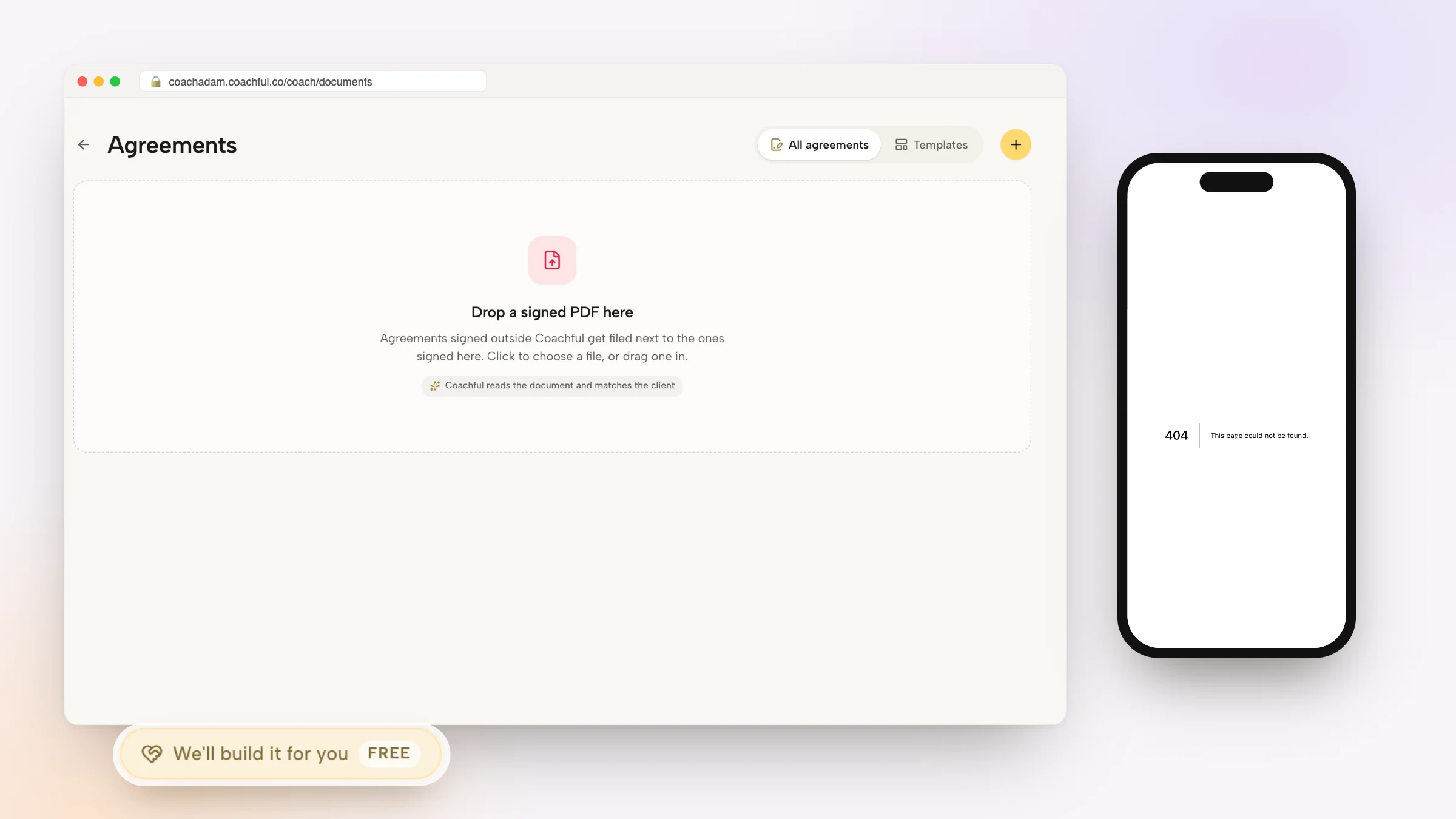
This clean architecture establishes a single permanent repository where all agreements, diagnostics, worksheets, and strategic reviews reside.
- Legal and Financial Agreement Vault: Stores countersigned coaching contracts, payment terms, liability waivers, and fee schedules.
- Diagnostic and Intake Records: Houses completed 360-degree reviews, psychometric assessments, and initial intake questionnaires.
- Living Strategic Roadmaps: Dynamic quarterly goals, OKR tracking sheets, and milestone trackers that evolve over the engagement.
- Resource and Framework Library: Curated PDF playbooks, reading lists, and leadership reference guides assigned specifically to that coachee.
Worked Consulting Transcript: Solving File Chaos for a Practice
Examine this operational review between a business coach and a systems consultant as they audit document workflows across 25 corporate clients.
Observe how transitioning away from Google Drive restores order and administrative peace:
- Business Coach: 'Every Monday, I have clients asking for access to their strategic plan spreadsheet because they logged in with their personal Gmail instead of their corporate email, or they accidentally overwrote my master template.'
- Practice Consultant: 'That is the classic Google Drive permission trap. When your client materials live inside your branded portal, the client logs in with their single set of credentials and their contract, assessments, worksheets, and session notes are immediately available.'
- Business Coach: 'What happens when they fill out their monthly revenue breakdown worksheet? Do I have to download a new file?'
- Practice Consultant: 'No. They complete the fields natively in their portal. You see their responses updated in real time on their client profile, and both of you can review historical submissions during your next strategy call.'
Converting Static PDFs into Interactive Dynamic Worksheets
One of the biggest breakthroughs of modern coaching software is the transition from static document attachments to living interactive forms. Instead of expecting busy executives to download, edit, and re-upload files, digital worksheets capture inputs natively.
This fluid interaction dramatically increases homework completion rates and eliminates file version confusion.
- Autosaving Form Fields: Clients can fill out responses gradually across desktop and mobile devices with zero risk of lost progress.
- Synchronous Coach Visibility: Coaches inspect client worksheet entries prior to calls, tailoring session inquiries directly to written reflections.
- Historical Snapshot Comparisons: Compare baseline assessments from Month 1 against Month 6 submissions to demonstrate tangible quantitative ROI.
Managing Confidential Session Notes in Coachful
Professional coaches must maintain two distinct streams of documentation: shared action notes accessible to the client, and private clinical reflections reserved exclusively for the coach.
Coachful provides dual-stream note taking directly linked to calendar sessions, ensuring sensitive observations remain protected.
- Shared Action Commitments: Mutual agreements and next steps published directly to the client's home dashboard for continuous visibility.
- Private Coach Reflections: Confidential observations regarding client defenses, body language, and supervisory questions hidden from client view.
- Full-Text Search Across Engagements: Instantly retrieve historical insights, previous commitments, or breakthrough quotes across years of coaching notes.
Frequently asked questions about how to manage client documents without Google Drive
How to manage client documents without Google Drive?
You can manage client documents without Google Drive by utilizing an integrated coaching platform like Coachful that offers private document vaults, interactive digital worksheets, and shared session notes natively in each client portal.
Are client files secure inside the portal?
Yes. Documents are encrypted and secured behind role-based authentication, ensuring that each client only sees their own assigned materials with no possibility of cross-client data leaks.
Can clients upload their own files and spreadsheets for review?
Yes. Clients can upload business plans, resumes, audio recordings, or financial spreadsheets directly into their portal for coach review prior to sessions.
Can I store confidential coach-only notes that the client cannot see?
Yes. The system provides private coach-only notes alongside shared client notes, allowing coaches to maintain clinical and strategic reflections securely.
Managing client documents is not merely an administrative chore; it is a direct reflection of your professional standards and commitment to confidentiality. By moving away from fragmented Google Drive folders and adopting a dedicated coaching document vault, you provide a secure environment that inspires executive trust.
Consolidate your client agreements, interactive worksheets, and session archives inside Coachful to deliver an organized, premium practice experience.