How to Manage Client Intakes Without Google Forms

Nour
Founder, Coachful
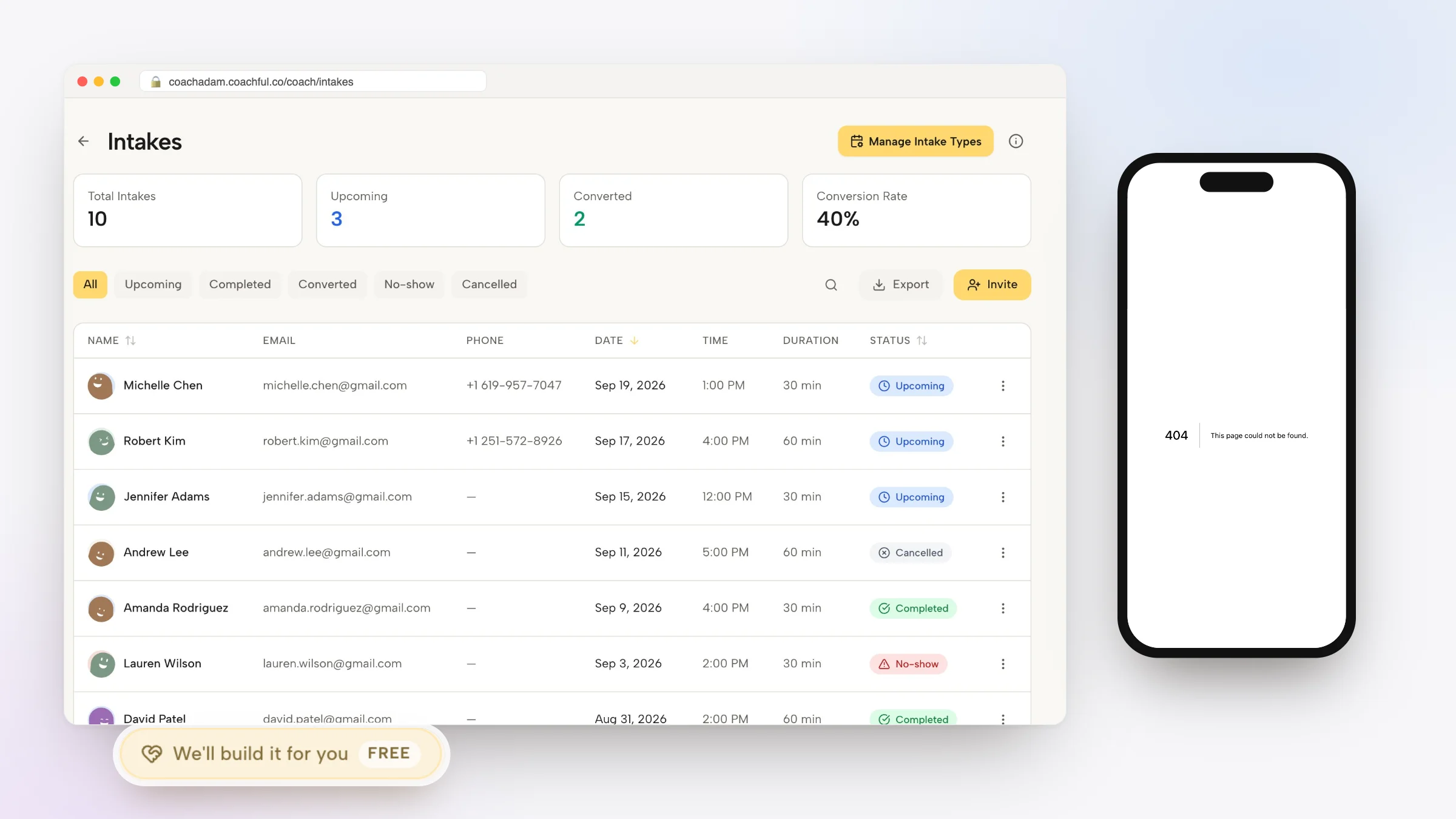
Mastering how to manage client intakes without Google Forms enables executive coaches, leadership mentors, and corporate consultants to onboard new clients with elegance and security without relying on generic consumer spreadsheet forms. While Google Forms is a ubiquitous free tool for basic surveys, using it for high-ticket executive coaching creates an unprofessional first impression: intake data is stored in unencrypted Google Sheets, confidential executive reflections are disconnected from coaching records, and clients must navigate multiple separate links to sign agreements and book calls.
A clumsy intake process damages executive credibility at the exact moment of peak client enthusiasm. Below: an architectural analysis comparing consumer survey forms with unified coaching intake hubs, featuring embedded diagnostic questionnaires, automated client profile syncing, and conjoined contract signing. To connect intake questionnaires with proposal management, explore our guide on managing client proposals without Better Proposals, review our plans, and explore our coaching features.
Google Forms Consumer Survey vs Coachful Integrated Intake Hub
| Intake Workflow Feature | Google Forms Consumer Survey | Coachful Integrated Intake Hub | Coaching Practice Advantage |
|---|---|---|---|
| Client Record Population | Data sits in Google Sheets; requires manual copy-pasting to coaching notes. | Answers immediately populate the client profile and coach private dossier. | Zero data loss; coach reviews answers directly before kickoff calls. |
| Branding and Client Experience | Generic Google consumer branding with standard unstyled form fields. | Elegant, white-labeled interface customized with your practice branding. | Reinforces executive credibility and aligns with premium advisory rates. |
| Agreement and Legal Terms | Requires external electronic signature tool or separate contract sending. | Legal contract signing integrated into the linear onboarding sequence. | Ensures legal compliance before discovery materials are released. |
| Kickoff Scheduling Integration | Requires embedding external calendar links in post-submission text. | Immediate calendar booking dynamically activates following form submission. | Eliminates scheduling drop-offs and administrative back-and-forth. |
Why Generic Consumer Form Tools Erode Executive Authority
First impressions in executive coaching set the psychological frame for the entire engagement. When a high-level executive or business leader signs up for coaching, receiving a generic Google Forms link filled with standard purple styling creates immediate cognitive dissonance.
Furthermore, storing sensitive executive reflections: such as boardroom conflicts, imposter syndrome fears, and confidential revenue metrics: in personal Google Sheets raises severe data privacy concerns. Corporate procurement teams routinely flag unencrypted cloud spreadsheets as security vulnerabilities.
- Unprofessional Consumer Aesthetics: Sending generic consumer forms diminishes the perceived value and sophistication of high-ticket advisory partnerships.
- Data Privacy and Confidentiality Risks: Storing sensitive executive reflections in unencrypted personal Google Sheets creates significant compliance vulnerabilities.
- Fragmented Client History: Coaches must manually search across external spreadsheets to review baseline intake reflections during quarterly progress reviews.
Architecture of a Dedicated Coaching Intake and Onboarding Hub
An effective executive onboarding flow gathers profound developmental insights while keeping cognitive friction minimal. Inside a unified coaching platform, the intake questionnaire is not an isolated survey; it is the opening chapter of the client private developmental workspace.
When a new client completes their agreement and payment, they are immediately guided into their diagnostic intake questionnaire. Once submitted, their answers populate their private profile, and the system prompts them to schedule their 90-minute deep-dive kickoff call.
- Diagnostic Developmental Questioning: Capture leadership challenges, stakeholder dynamics, and overarching commercial goals for the upcoming six months.
- Automatic Dossier Population: Responses feed directly into the coach private session dashboard for instant reference during advisory calls.
- Linear Onboarding Sequence: Transitions clients smoothly from agreement signing to intake reflections and kickoff session scheduling in under five minutes.
Worked Practice Framework: The Executive Diagnostic Intake Questionnaire
The following four-part diagnostic framework gathers profound developmental clarity while demonstrating deep commercial understanding:
By asking diagnostic questions that stimulate self-awareness, coaches begin delivering transformational value before the first session even occurs.
- Part 1: Strategic Vision and Commercial Stakes: What are the two most critical organizational outcomes that must be achieved over the next six months?
- Part 2: Relational and Behavioral Friction: Where are you experiencing interpersonal tension, avoidance, or self-doubt in your executive leadership?
- Part 3: 360 Stakeholder Perceptions: How do your board, peers, and direct reports currently perceive your communication and leadership presence?
- Part 4: Coaching Alliance Dynamics: How do you prefer to be challenged? What is your greatest hope and deepest concern regarding this coaching partnership?
Step-by-Step Blueprint: Building Native Intakes in Coachful
Replacing external form tools with Coachful native intake builder takes less than fifteen minutes. Follow these four implementation steps to launch your onboarding flow.
Your clients enjoy a unified, executive-grade onboarding path that prepares them thoroughly for transformational work.
- Step 1: Build the Diagnostic Intake Template: Draft your reflective intake questions using text, multiple-choice, and rating modules inside the Coachful intake builder.
- Step 2: Attach Coaching Agreement and Policies: Incorporate your coaching agreement, confidentiality policies, and cancellation rules into the pre-intake acknowledgment screen.
- Step 3: Link Kickoff Session Scheduling: Set up an automated calendar redirect that allows clients to book their deep-dive kickoff call as soon as their intake is submitted.
- Step 4: Automate Welcome Sequences and App Access: Trigger an automated welcome message granting the client immediate access to their personal developmental dashboard.
Frequently asked questions about how to manage client intakes without Google Forms
Can I customize intake questions for different coaching programs?
Yes. You can build separate intake workflows for executive 1-on-1 coaching, team leadership intensives, and group cohort programs with tailored questions for each offering.
Are client intake responses secure and confidential?
Yes. All client responses are encrypted at rest and in transit, accessible exclusively by authorized coaches and the individual client inside their private portal.
Can clients edit or update their intake answers after submission?
Clients and coaches can view historical intake submissions at any time, and coaches can grant clients permission to update ongoing developmental reflections as goals evolve.
How do clients access their onboarding sequence on mobile devices?
Clients can complete their entire onboarding sequence (from contract signing to intake forms and scheduling) within the responsive mobile web interface or native mobile app.
Your onboarding sequence is the opening chapter of your client transformation. By moving away from external form builders like Google Forms to a unified coaching platform, you eliminate software friction and offer clients a coherent, premium experience from their very first click.
Streamline your intake workflows and strengthen your executive brand with Coachful native onboarding today.