How to Manage Client Onboarding Without Airtable

Nour
Founder, Coachful
Understanding how to manage client onboarding without Airtable allows executive coaches, career consultants, and organizational facilitators to welcome new clients smoothly without maintaining fragile relational databases and complex multi-tool webhook bridges. While Airtable offers flexible database views, it is not a client-facing platform: it lacks native client authentication, signature workflows, integrated appointment booking, and private client communication portals.
Using Airtable as a primary onboarding backend forces coaches to string together external form tools, document signers, and calendar widgets, creating a fragmented first impression for incoming executives. Below: an architectural evaluation comparing spreadsheet databases with a dedicated coaching onboarding hub, emphasizing automated milestone tracking, dynamic intake delivery, and client engagement analytics. To connect your onboarding intake with habit systems, explore our guide on tracking client habits without Streaks, review our plans, and explore our coaching features.
Airtable Database vs Coachful Integrated Client Onboarding Hub
| Onboarding Capability | Airtable Relational Database | Coachful Integrated Client Onboarding Hub | Executive Coaching Practice Impact |
|---|---|---|---|
| Client-Facing Experience | Raw database interfaces or generic embedded web forms with no client login. | Bespoke, private executive portal with branded welcome video and roadmap. | Projects institutional polish and establishes immediate executive rapport. |
| Legal Agreement Execution | Requires external DocuSign or PandaDoc integrations linked via Zapier. | Native coaching contract signing embedded directly into the onboarding flow. | Eliminates document drop-off and secures legal consent prior to kickoff calls. |
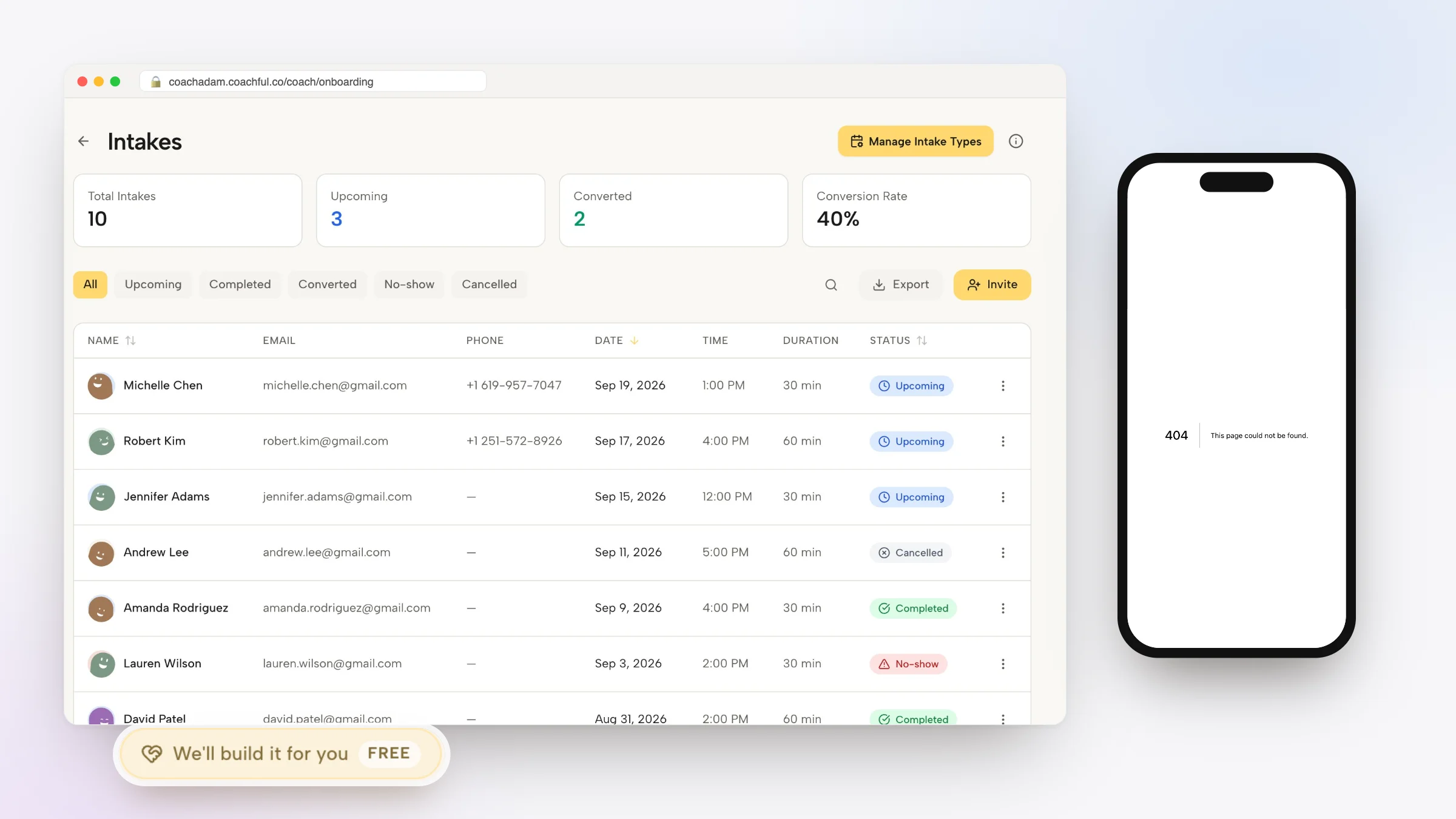
| Intake Form and Diagnostic Sync | Stores responses as flat spreadsheet rows requiring manual copy-pasting into session agendas. | Intake data automatically populates the coach client dashboard and session preparation view. | Ensures diagnostic insights are immediately actionable during advisory sessions. |
| Maintenance and Setup Complexity | Demands constant monitoring of webhook triggers, formula errors, and third-party API limits. | Ready-to-use onboarding pipelines pre-configured for executive coaching workflows. | Saves dozens of technical maintenance hours every month. |
The Pitfalls of Treating Airtable as a Client Portal
Airtable is an outstanding tool for relational internal data management, but it was never engineered to serve as an executive client touchpoint. When coaches attempt to convert Airtable bases into onboarding systems, they quickly encounter major security, privacy, and UX roadblocks. Clients are asked to fill out generic forms that dump answers into private records, with no direct way for the client to review, update, or reflect on their answers later.
Furthermore, corporate enterprise clients expect an intuitive, beautifully formatted onboarding sequence that guides them through confidentiality agreements, stakeholder assessment scheduling, and 360-degree diagnostic reviews. Replacing internal database patchwork with an integrated client portal strengthens your practice credibility from day one.
- First Impressions Define Perceived Value: Welcome senior executives into a branded developmental environment that reflects the premium caliber of your advisory work.
- Elimination of Webhook Vulnerabilities: Remove fragile third-party automation tools that can break silently when form fields or table schemas change.
- Enterprise-Grade Data Confidentiality: Provide private, isolated client access credentials rather than sharing public form links across corporate networks.
Architecture of a High-Conversion Executive Onboarding Flow
An optimized executive onboarding workflow should guide the client through four clear milestones: engagement agreement execution, comprehensive intake diagnostic completion, kick-off session booking, and initial habit or goal configuration. When these steps occur within a unified platform, client completion rates reach near one hundred percent.
Coaches gain instant visibility into client onboarding progression. If an executive signs the agreement but delays completing their 360-degree stakeholder list, automated, polite reminders can prompt action without requiring manual follow-up emails from the coach.
- Progressive Onboarding Steppers: Break complex onboarding requirements into intuitive, bite-sized stages that busy corporate leaders can complete on mobile or desktop.
- Automated Diagnostic Aggregation: Compile client leadership objectives, personal strengths, and developmental roadblocks into a structured client overview.
- frictionless Kickoff Call Provisioning: Automatically activate the scheduling calendar only after all mandatory legal and diagnostic requirements are finalized.
Worked Dialogue: Guiding a Newly Promoted Senior Director Through Intake
The following dialogue illustrates how an executive coach conducts an onboarding alignment conversation, referencing intake responses captured within the unified portal:
Executive Coach: Elena, thank you for completing our digital intake diagnostic before today call. In your responses, you noted that transitioning from direct engineering execution to strategic cross-functional influence feels like your most urgent challenge. Where does that tension surface most acutely?
Elena (Senior Director of Engineering): In product roadmap reviews. I find myself arguing about technical implementation details instead of championing broader architectural vision with the VP of Product. I get dragged into the weeds because that is where I feel most competent.
Executive Coach: That is a profound realization. Your intake responses also highlighted a desire to build psychological safety within your newly inherited management team. How does your tendency to jump into technical details impact your managers sense of ownership?
Elena (Senior Director of Engineering): It suffocates them. Seeing it framed so clearly in my own intake words makes me realize that stepping back technically is actually the prerequisite for their leadership growth.
By referencing specific diagnostic responses submitted during the digital intake, the coach demonstrates deep attentiveness and establishes immediate traction in the engagement.
- Leveraging Intake Data in Early Sessions: Use pre-session diagnostic answers to challenge client assumptions and identify high-leverage focus areas instantly.
- Reinforcing Accountability from Day One: Establish expectations around asynchronous reflections, goal updates, and transparent communication throughout the coaching tenure.
Step-by-Step Blueprint: Building an Onboarding Flow in Coachful
Replacing your Airtable onboarding base with Coachful is straightforward and requires zero coding or webhook configuration. Follow these four steps to activate an executive-ready onboarding journey.
Your incoming clients will experience a frictionless, professional onboarding process that sets the stage for meaningful developmental transformation.
- Step 1: Upload Your Standard Engagement Agreement: Add your coaching agreement terms into Coachful legal module, enabling legally binding digital signatures during checkout or intake.
- Step 2: Construct Your Executive Intake Survey: Deploy custom diagnostic questions exploring leadership challenges, core stakeholders, career aspirations, and immediate blind spots.
- Step 3: Define Onboarding Milestones and Tasks: Assign default initial tasks, such as reviewing the coaching code of ethics, downloading the mobile app, and booking the kickoff call.
- Step 4: Publish Your Automated Welcome Sequence: Configure instant email and in-app notifications that greet the executive immediately upon contract confirmation.
Frequently asked questions about how to manage client onboarding without Airtable
Why is Airtable poorly suited for executive coaching client onboarding?
Airtable lacks native client authentication, secure document e-signatures, integrated calendar booking, and private client communication portals, forcing coaches to stitch together fragile third-party automations that undermine professional credibility.
Can I transfer my existing Airtable intake questionnaires into Coachful?
Yes. You can recreate your custom questions, multiple-choice scales, and text prompts inside Coachful native intake builder in minutes, keeping all historical client responses organized in client records.
How does an integrated onboarding system improve client completion rates?
By presenting contracts, questionnaires, payment verification, and call scheduling within a unified progressive stepper, clients complete all onboarding requirements in a single sitting without getting lost across multiple tabs.
Does the client portal support corporate stakeholder 360 feedback reviews?
Yes. Dedicated coaching platforms allow coaches to dispatch stakeholder assessment forms, track completion rates, and aggregate feedback directly into the executive private development plan.
Advancing your coaching practice with disciplined executive frameworks provides an enduring structural foundation for lasting transformation. By moving away from fragmented tools and reactive protocols, you deliver a disciplined, confidential developmental environment that meets the rigorous standards of enterprise leadership.
Consolidate your client workflows and scale your executive practice with Coachful today.