How to Manage Client Onboarding Without Paperform

Nour
Founder, Coachful
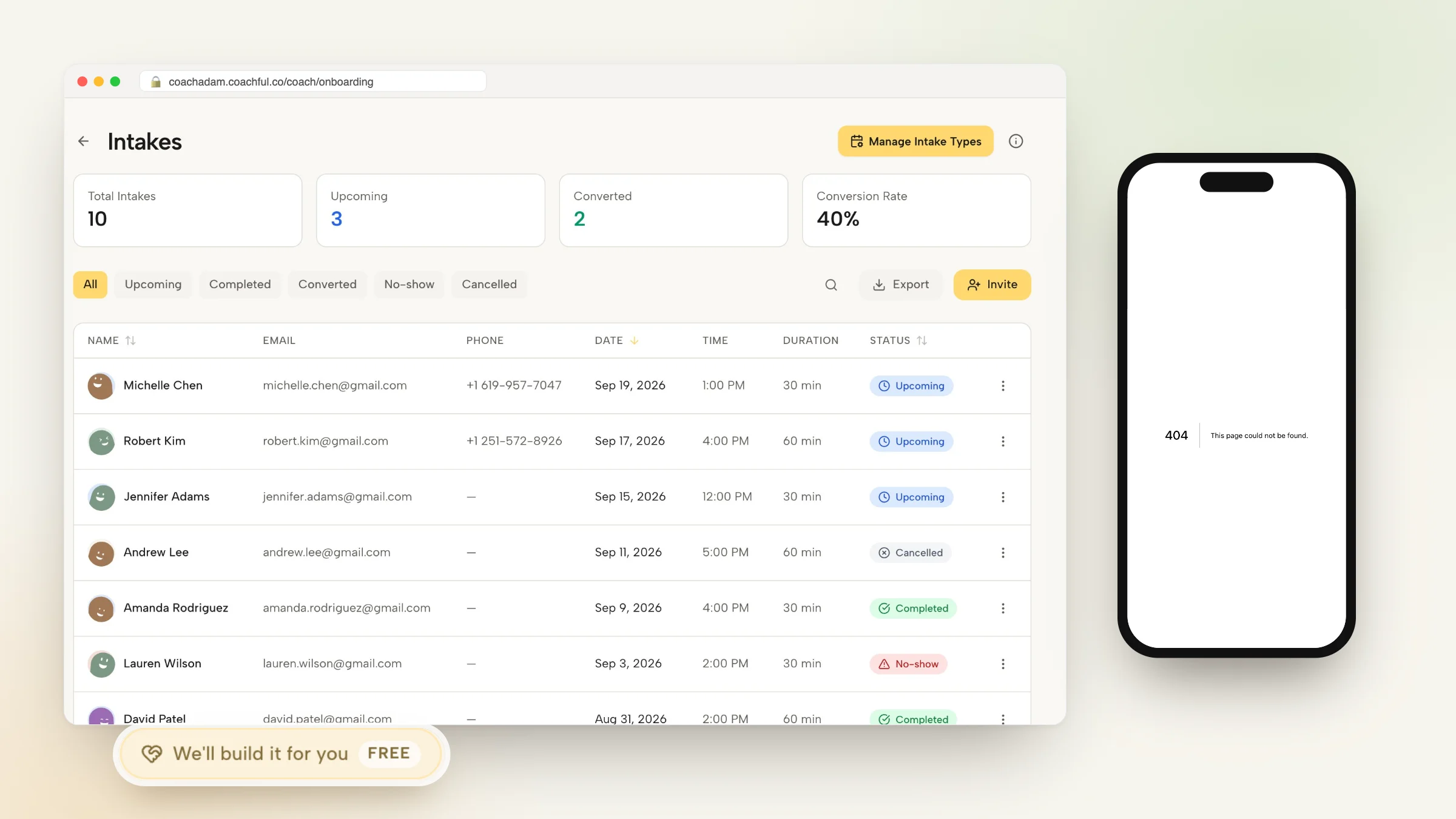
Mastering how to manage client onboarding without Paperform allows professional coaches to deliver an elegant, branded client intake journey while eliminating third-party form subscription fees. While Paperform provides customizable form fields, relying on external form software forces new clients to navigate multiple disparate web links, manually transfer intake answers into coaching notes, and struggle through disjointed onboarding steps.
A disjointed onboarding experience damages executive credibility right at the critical moment of peak client enthusiasm. Below: a comprehensive analysis of native onboarding architecture, comparing external form tools with unified client hubs. To connect client onboarding with automated agreement workflows, explore our guide on managing client contracts without SignWell, review our plans, and explore our coaching features.
Paperform Standalone Forms vs Coachful Unified Client Onboarding
| Onboarding Workflow Element | Paperform External Form Tool | Coachful Native Onboarding Hub | Client and Practice Benefit |
|---|---|---|---|
| Intake Form Placement | External web page or iframe requiring custom redirect logic. | Native step inside the client mobile app and private desktop portal. | Maintains continuous brand immersion without jarring redirects. |
| Client Record Population | Data sits in form database; requires Zapier to sync to CRM. | Answers immediately populate the client profile and coach private notes. | Zero data loss; coach reviews answers directly before kickoff calls. |
| Agreement and Legal Terms | Requires external electronic signature tool or separate contract form. | Legal contract signing integrated into the linear onboarding sequence. | Ensures legal compliance before discovery materials are released. |
| Initial Scheduling Sequence | Requires embedding third-party calendar widget at form completion. | Immediate calendar booking activates automatically following form submission. | Eliminates scheduling drop-offs and administrative back-and-forth. |
Why Standalone Form Builders Break the Client Onboarding Journey
First impressions in executive and leadership coaching establish the psychological frame for the entire engagement. When a high-level executive or business leader signs up for coaching, receiving a string of disconnected links (one for Paperform, one for DocuSign, and one for Calendly) creates immediate administrative fatigue.
Furthermore, standalone form responses become siloed data. Coaches must copy and paste intake text from Paperform email notifications into Google Docs or Evernote, increasing the risk of privacy breaches and losing context when reviewing long-term client development.
- Fragmented User Experience: Clients must create accounts across disparate platforms or submit sensitive personal reflections into generic third-party web forms.
- High Maintenance Integration Chains: Connecting Paperform to CRMs, spreadsheets, and calendar software requires fragile Webhook or Zapier automations that break frequently.
- Disconnected Reflection Archives: Clients cannot revisit their baseline intake reflections later in their coaching journey because form submissions vanish into the coach email inbox.
Designing a High-Impact Executive Coaching Intake Sequence
An effective executive onboarding flow gathers profound developmental insights while keeping cognitive friction minimal. Rather than overwhelming clients with dozens of administrative fields, focus on diagnostic questions that stimulate self-awareness before the first session.
Inside a unified coaching hub, intake questions become living developmental documents. The coach can highlight specific quotes during sessions, while the client can reflect on their initial responses during quarterly progress reviews.
- Core Developmental Milestones: Capture top leadership challenges, relational friction points, and overarching commercial objectives for the upcoming six months.
- 360 Stakeholder Awareness: Inquire how executive sponsors, direct reports, and board members currently perceive the client performance and presence.
- Preferred Learning and Accountability Style: Identify whether the client responds best to direct challenge, structured homework assignments, or reflective Socratic inquiry.
Worked Dialogue: Reviewing Intake Insights During the Kickoff Session
The following transcript demonstrates how an executive coach leverages native intake reflections to establish immediate depth during the introductory kickoff session:
Because the intake responses reside directly within the coach dashboard, the conversation bypasses surface pleasantries and targets meaningful developmental leverage points.
- Referencing Baseline Quotes: Use the client exact written words to ground developmental goals in concrete emotional and organizational realities.
- Validating Vulnerability: Acknowledge the honesty displayed in the intake submission to cultivate psychological safety early in the partnership.
Step-by-Step Blueprint: Constructing Native Onboarding in Coachful
Replacing external form subscriptions with an integrated onboarding flow requires only four simple configuration steps inside your coaching workspace.
Once configured, every new client automatically experiences a polished, linear onboarding path that prepares them thoroughly for transformational work.
- Step 1: Build the Diagnostic Intake Template: Draft your reflective intake questions using text, multiple choice, and rating scale modules inside the Coachful intake builder.
- Step 2: Attach Coaching Agreement and Policies: Incorporate your coaching agreement, confidentiality policies, and cancellation rules into the pre-intake acknowledgment screen.
- Step 3: Link Kickoff Session Scheduling: Set up an automated calendar redirect that allows clients to book their 90-minute deep-dive kickoff call as soon as their intake is submitted.
- Step 4: Automate Welcome Sequences and App Access: Trigger an automated welcome message granting the client immediate access to their personal developmental dashboard and resource library.
Frequently asked questions about how to manage client onboarding without Paperform
Can I customize intake questions for different coaching programs?
Yes. You can build separate intake workflows for executive 1-on-1 coaching, team leadership intensives, and group cohort programs with tailored questions for each offering.
Are client intake responses secure and confidential?
Yes. All client responses are encrypted at rest and in transit, accessible exclusively by authorized coaches and the individual client inside their private portal.
Can clients edit or update their intake answers after submission?
Clients and coaches can view historical intake submissions at any time, and coaches can grant clients permission to update ongoing developmental reflections as goals evolve.
How do clients access their onboarding sequence on mobile devices?
Clients can complete their entire onboarding sequence (from contract signing to intake forms and scheduling) within the responsive mobile web interface or native mobile app.
Your onboarding sequence is the opening chapter of your client transformation. By moving away from external form builders like Paperform to a unified coaching platform, you eliminate software friction and offer clients a coherent, premium experience from their very first click.
Streamline your intake workflows and strengthen your executive brand with Coachful native onboarding today.