How to Manage Client Scheduling Without Acuity: Guide

Nour
Founder, Coachful
Coaching businesses rely on frictionless calendar booking to convert prospects and schedule ongoing client sessions. Many coaches default to third-party scheduling platforms like Acuity Scheduling or Calendly, only to face recurring monthly software fees that increase as client volume expands. Learning how to manage client scheduling without acuity allows practitioners to streamline their tech stack while keeping booking anchored inside their primary coaching portal.
By embedding native appointment scheduling into client portals, coaches eliminate software overhead and remove login barriers. Review our guide on how to automate client scheduling without Calendly, discover how to manage coaching clients without Paperbell, and calculate subscription savings with our coaching pricing calculator.
Standalone Scheduling Software (Acuity) vs Integrated Coaching Portal Booking
| Scheduling Feature | Acuity Scheduling Paid Tier | Native Coaching Portal Booking | Practitioner Advantage |
|---|---|---|---|
| Monthly Software Cost | $16 to $49+ every month | $0 included in platform | Saves $192 to $588 annually in scheduling overhead |
| Client Session Package Tracking | Requires separate add-on codes | Automatically deducts from client balance | Zero manual package balance reconciliation |
| Intake Form Coordination | Generic form before appointment | Directly populates permanent client dossier | Full historical context visible during live calls |
| Client Brand Immersion | Acuity-branded URLs and confirmation emails | Custom subdomain and branded mobile experience | Elevates executive presence for corporate buyers |
| Video Meeting Provisioning | Requires third-party Zoom integrations | Built-in video links and calendar invites | Never fails when an external API token expires |
The Friction of Standalone Scheduling Software in Coaching
While standalone calendar tools provide basic appointment booking, their architecture was designed for beauty salons, dentists, and service trades. In a high-ticket coaching practice, appointments are rarely isolated events; they are part of a multi-month transformational journey.
Using an external scheduling tool creates administrative disconnects. Clients must enter their contact details repeatedly, track separate package coupon codes, and navigate between multiple third-party links, eroding the premium feel of your advisory service.
- Disconnected package tracking: Clients forget coupon codes, leading to manual booking emails and confusion.
- Fragmented data silos: Appointment histories live in an isolated calendar database rather than with session notes.
- Recurring subscription overhead: Paying monthly fees for basic calendar logic reduces net profit margins.
Automating Package Balances and Session Deductions
In a professional coaching agreement, clients purchase packages of sessions (such as twelve 50-minute calls over six months). Managing this through external schedulers requires configuring complex coupon systems that frequently break.
With native coaching portal scheduling, session packages are tethered directly to the client's financial account. When the client books a session, the system automatically verifies their remaining balance, deducts the credit, and confirms the appointment in seconds.
- Automatic credit deduction: Eliminates the need for clients to enter coupon codes or secret links.
- Remaining balance transparency: Clients see their remaining session balance clearly inside their dashboard.
- Expiration date enforcement: Enforces package completion windows automatically without awkward enforcement conversations.
Timezone Intelligence and Calendar Synchronization
Executive coaches routinely work with corporate leaders across global timezones. A scheduling system must handle timezone conversions with complete precision, automatically adjusting for daylight saving changes.
Native coaching scheduling synchronizes bidirectional availability with Google Calendar, Outlook, and Apple Calendar. Busy blocks on your personal calendar automatically block availability, preventing double-bookings.
- Automatic timezone detection: Converts availability to the client's local city time with zero manual math.
- Two-way calendar sync: Prevents booking conflicts by reading real-time availability across multiple calendars.
- Buffer time protection: Automates 15-minute buffers between meetings to prevent cognitive fatigue.
Automating Pre-Session Agendas and Intake Sync
An appointment should not merely place a placeholder on a calendar; it should prepare both coach and client for high-impact dialogue. When booking inside an integrated portal, the client is prompted to submit a brief pre-session focus agenda.
Their responses automatically attach to the upcoming meeting record, allowing the coach to review key wins, immediate challenges, and session priorities prior to initiating the video call.
- Integrated pre-session prompts: Capture the client's core discussion topic during the booking interaction.
- Direct meeting attachment: Review submitted agendas directly inside the video meeting interface.
- Accountability momentum: Ensures clients arrive prepared and focused on high-leverage topics.
Native Client Scheduling Inside Coachful
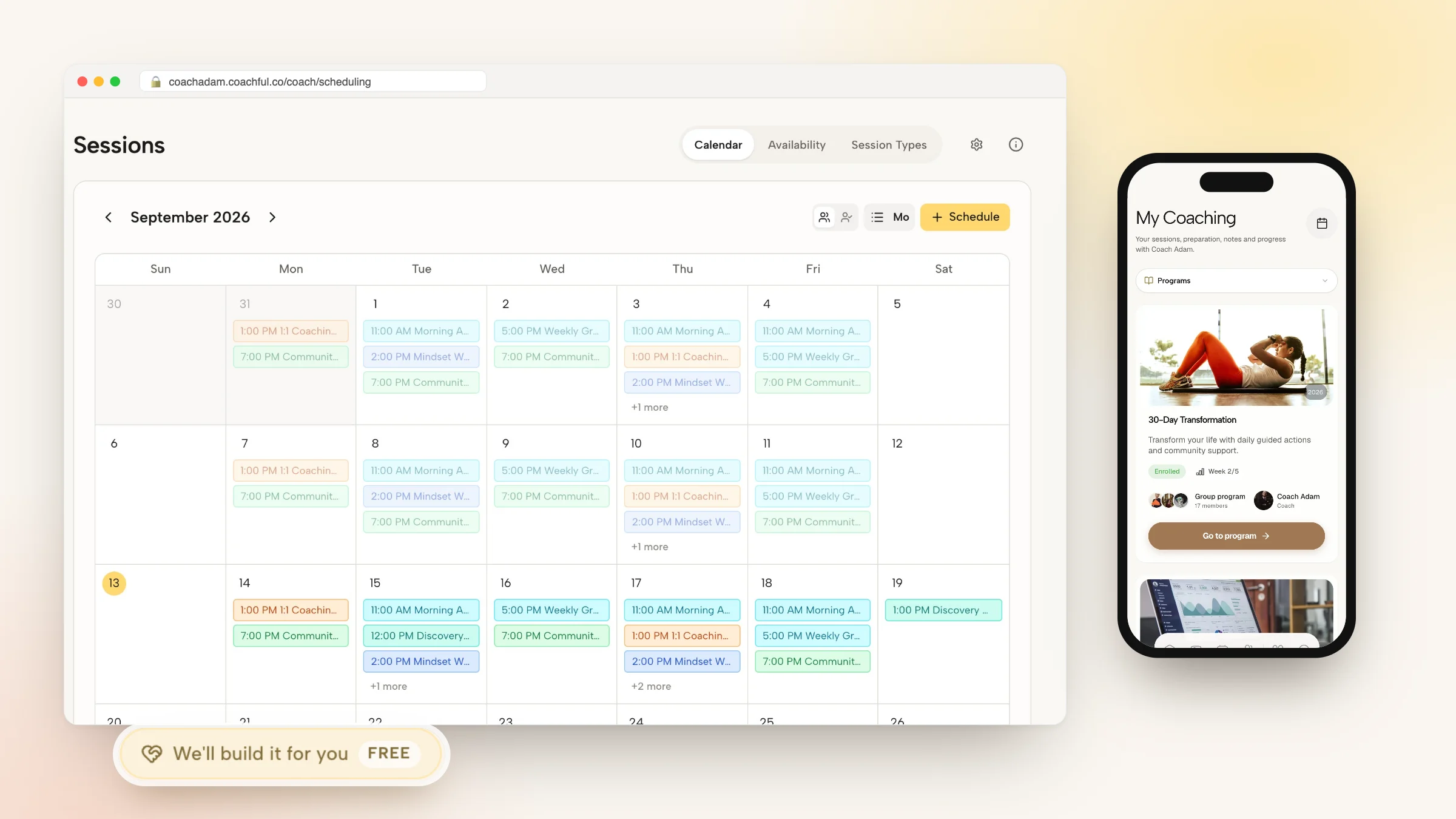
Coachful eliminates Acuity and external scheduling subscriptions by providing built-in calendar management engineered specifically for coaches. Coaches set weekly availability windows, buffer rules, and meeting types within minutes.
Clients book sessions, reschedule within established cancellation policies, and access video meeting rooms directly inside their branded web and mobile app without ever visiting a third-party website.
- Zero third-party tool fees: Save hundreds of dollars annually by using native integrated scheduling.
- Automated policy enforcement: Enforce 24-hour or 48-hour rescheduling windows automatically.
- Unified client dossier integration: View upcoming appointments alongside billing records, notes, and habits.
Frequently asked questions about client scheduling without acuity
Can I manage coaching appointments without Acuity or Calendly?
Yes. Platforms like Coachful provide native calendar scheduling that syncs with Google and Outlook, manages timezones, and deducts sessions from client packages automatically.
How do clients reschedule calls in an integrated system?
Clients log into their private portal, select their upcoming session, and choose a new available time, subject to the cancellation rules configured by the coach.
Does native scheduling support multiple meeting types?
Yes. You can configure discovery calls, 90-minute kickoff intensives, regular 50-minute sessions, and quick 15-minute emergency check-ins with distinct rules.
What happens if I update my personal calendar?
Two-way calendar synchronization ensures that any personal event added to your connected Google or Outlook calendar immediately blocks availability on your coaching booking page.
Managing client scheduling without Acuity eliminates subscription overhead, prevents package tracking errors, and keeps your clients immersed in your professional ecosystem. By embedding calendar logic directly into your client dashboard, you protect your time while elevating client convenience.
Use Coachful's native scheduling, automated calendar sync, and package management tools to run a streamlined, professional coaching practice.