How to Start a Coaching Blog That Brings In Clients
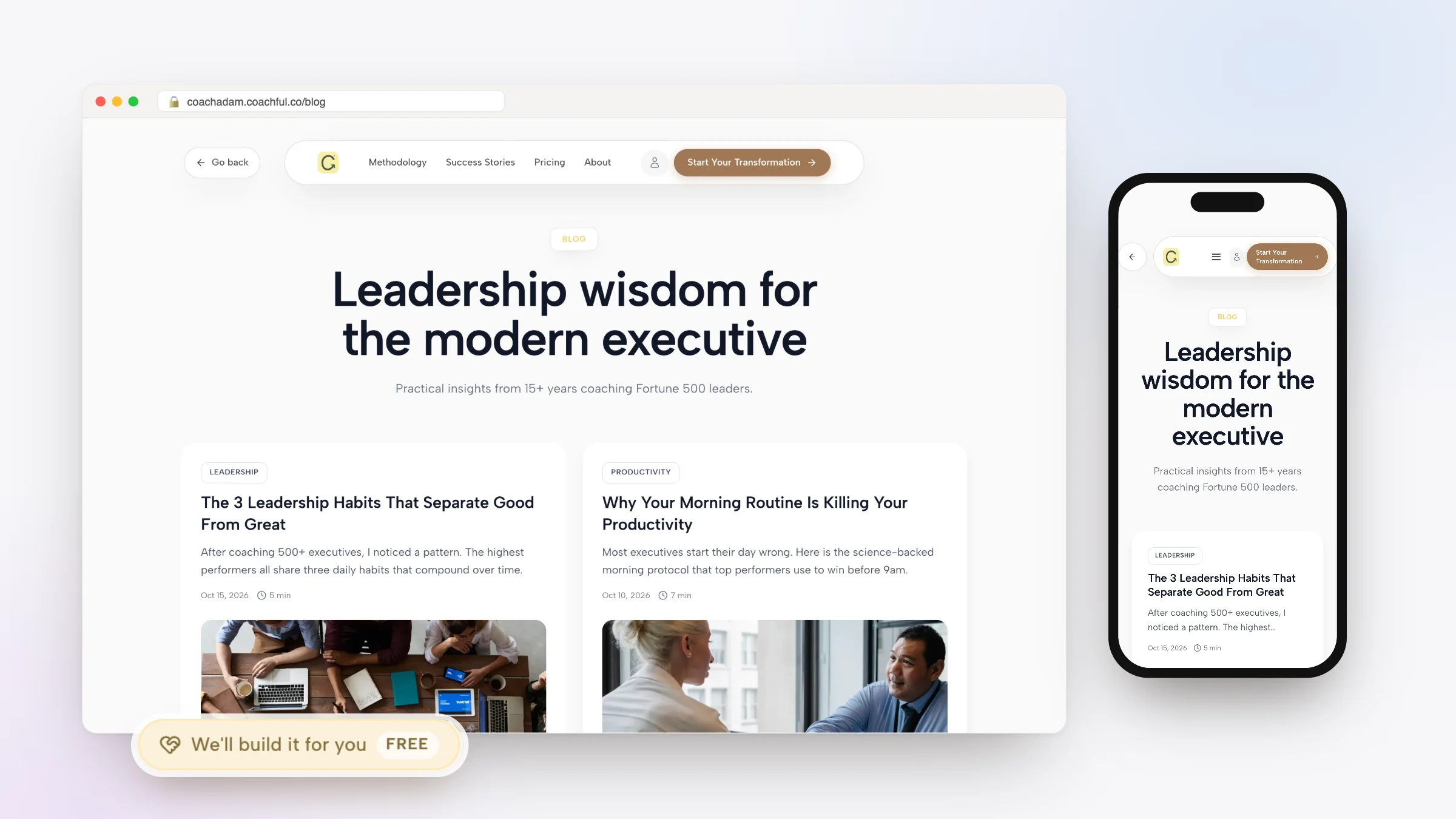
A coaching blog runs on a different clock from social media. A post on Instagram has its moment and then sinks down the feed. A useful article on your own website can still bring someone to your booking page two years from now, because they typed their problem into a search box and your answer was there. That slow, compounding effect is the whole case for starting one.
This guide covers whether a blog is worth it for your practice, how to choose topics from questions your clients already ask, a post structure that answers and invites, how to write without dreading it, and how to set the blog up on your own site. If you would rather not write every post yourself, Coachful's free build service includes Article or blog post: send our team your topic and notes, and we write it in your account, usually replying with next steps within around 24 hours.
Is a coaching blog worth it?
Honestly, it depends on how your clients find coaches.
- Worth it if your clients search for their problem before they search for a coach: "how to change careers at 45", "can't sleep during perimenopause", "how to stop people-pleasing at work". Those searches are where a blog lives.
- Worth it if you like explaining things in writing, or can talk through ideas and have them turned into writing.
- Less useful if all your clients come from referrals or one social platform, and you have no time to publish regularly. A blog with three posts from 2024 can make a site look abandoned.
The trade-off is time. A blog rewards consistency over months, not bursts over a week. If you can commit to one good post every two weeks for six months, start. If not, start with a newsletter and come back to the blog later.
Choose topics from questions clients already ask
The best coaching blog topics are hiding in your discovery calls. Open a note and write down every question prospects and clients have asked you in the last three months. Thirty is easy once you start. Then sort them into three kinds of posts:
| Kind of post | What it does | Career coach example | Health coach example |
|---|---|---|---|
| Problem posts | Name and explain a problem the reader has | Why you feel stuck in a job you are good at | Why you are hungry an hour after breakfast |
| How-to posts | Give one practical method they can try today | How to explain a career change in an interview | How to build a breakfast that lasts until lunch |
| Decision posts | Help them choose between options, including whether to hire a coach | Career coach or recruiter: which do you need? | Health coach or dietitian: what is the difference? |
Problem and how-to posts bring people in through search. Decision posts are read by people close to buying, so link them to your booking page. Our article on how to turn discovery call questions into website content goes deeper on this method.

A post structure that answers, then invites
Most readers arrive from a search with one question. Answer it quickly, then earn the rest of their attention. A shape that works for coaching posts:
- Title with the question or the result in it. "How to explain a career change in an interview (with three sample answers)".
- The short answer in the first two or three sentences. No warm-up story first.
- Why it happens, in plain language, with one example from your work, anonymized.
- The method: steps, a script, a checklist or a worksheet.
- Common mistakes, because readers love knowing what not to do.
- When to get help: a short, honest paragraph about when coaching makes sense, with a link to book a call.
Aim for 1,000 to 2,000 words for a how-to post, shorter for a simple question. Length matters less than whether the post fully answers the question. For more shapes, see ten blog post formats coaches should master.
Write without dreading it
Coaches who say they cannot write usually explain things beautifully out loud. Use that.
- Talk first, write second. Pick one question, set a timer for ten minutes and answer it into your phone as if a client asked. The transcript is a rough first draft.
- Write in one 45-minute block. Outline for ten minutes, draft for thirty, stop. Edit the next day.
- Keep a running list. Every time a client asks something good, add it.
- Use your own voice. Short sentences, the words your clients use, the occasional joke. Readers are deciding whether they want to talk to you.
- Batch on good weeks. Write two on a quiet week and schedule one for later.

Set up your coaching blog on your own site
Put the blog on the same domain as your coaching website. Every article then builds the authority of the address where people book and buy, instead of a separate platform. In Coachful, the blog runs on your website alongside your pages, offers and booking calendar. From Create, the Blog post shortcut opens a new post.

Useful details when you set it up:
- Blog address. Your blog lives at /blog by default. In Blog settings you can change it to another available word, such as insights, and old /blog links redirect automatically.
- Post settings. Each post has an excerpt for blog cards (written for you if you leave it empty), an SEO title that defaults to the post title, and a description that defaults to the excerpt. Edit both for the posts that matter.
- Cover images. Use your own photos or a simple image that suits the topic. Avoid generic stock smiles.
- Scheduling. Save as a draft, publish now, or schedule for later, so batching actually works.
- Pinning. Pin your most useful post to the top of the blog.
- RSS. The blog has an RSS feed for readers and tools that use one.
- Bringing old posts over. If you blogged on another platform, the website import can bring your existing blog posts in as drafts.
- Substack. If you also publish on Substack, the editor's Send to Substack option copies a post so you can paste it there.
The blog sits on the same site as everything else covered on the coaching website page: booking, checkout, pages and your own domain.

Turn every post into more than a post
One good article can carry a week of marketing.
- Newsletter. Send a short version to your list with a link to the full post. Our guide to starting a coaching newsletter covers the rest.
- Social posts. Each section heading is a post. The common mistakes list is a carousel.
- Sessions. Send a client the post when the topic comes up. It saves you explaining it twice.
- Your website. Link decision posts from your services page, and how-to posts from your free resources.
- Lead magnets. A popular how-to post often becomes a good free guide. See how to create a lead magnet.

Why most coaching blogs stall
- Writing for other coaches. Posts about "holding space" and "the coaching container" are read by peers, not clients. Use your clients' words.
- Diary posts. "What I learned this week" can be lovely, but nobody searches for it. Keep personal reflections for the newsletter.
- No next step. A post that helps and then ends wastes the moment when a reader trusts you most. Add a link to book, or to a free resource.
- Stopping after six weeks. Search results take time to notice a new site. The coaches who see results are usually the ones still publishing in month six.
- Never updating. A post from three years ago with old advice quietly undermines you. Refresh the ones that still get read.
Let the Coachful team write a post for you
The free build form includes Article or blog post among its 14 options. Open Create > We'll build it for you · FREE, choose it, and send:
- The question the post should answer, and who is asking it.
- Your notes, a voice memo of you answering it, or an old post to rework. Audio files are accepted; video files are not.
- One or two posts or writers whose style you like.
- Anything the post must not say, and the offer or call it should lead to.
The team replies by email with next steps, usually within around 24 hours, which is a typical turnaround rather than a guaranteed deadline. The post is written into your account so you can edit it before it goes live. Nothing gets invented: no made-up statistics, client stories or credentials. If the post needs an example you have not given, it is left for you to add. See the full guide to the free white-glove service for everything else the team builds.
Two self-serve options exist too. Michelle, Coachful's AI assistant, can draft a blog post from your description; questions and planning are free, and confirmed builds use AI credits. Growth Lab, Coachful's content engine, drafts articles from themes in your niche for you to approve, with auto-posting and its SEO work part of the Pro plan.
Your first 90 days
- Week 1: list 30 client questions and sort them into problem, how-to and decision posts.
- Weeks 2 to 4: publish two how-to posts and one decision post. Link the decision post to your booking page.
- Weeks 5 to 8: publish one post every two weeks, and send each one to your newsletter.
- Weeks 9 to 12: look at which posts people read and which led to calls. Write more like those.
- Every month: update one older post with something you have learned since.
Expect the first months to be quiet. Search traffic builds slowly. The posts are still useful from day one, because you can send them to prospects and clients.
Frequently asked questions
How do I start a coaching blog?
Put the blog on your own coaching website, list 30 questions your clients ask, and turn them into problem, how-to and decision posts. Answer the question in the first few sentences, give a practical method, and end with when coaching helps and a link to book. Publish one post every two weeks.
What should a coach blog about?
The questions your prospects and clients already ask: the problems they have, practical methods for those problems, and decisions such as whether they need a coach or another kind of professional. Your discovery call notes are the best topic list you have.
How often should a coaching blog post?
One good post every two weeks is a sustainable start for most solo coaches. Consistency over six months matters more than volume. Schedule posts ahead on good weeks so the rhythm holds when you are busy.
Should my coaching blog be on my website or on Medium or Substack?
On your own website, so every article builds the domain where people book and buy. You can still share posts elsewhere. In Coachful, Send to Substack copies a post so you can paste it into Substack.
Can Coachful write blog posts for me for free?
Yes. Article or blog post is one of the 14 options in Coachful's free build form. Send your topic, notes or a voice memo, and the team writes the post in your account without inventing statistics, stories or credentials. Coachful itself is a paid subscription with a free trial.
How long until a coaching blog brings in clients?
Search traffic usually builds over months, not weeks, and depends on how competitive your topics are. In the meantime, send posts to prospects and your newsletter list, where they can help win clients straight away.