
Best Learning Management System for Small Companies

Coachful
Your training system probably looks functional from the outside. There’s a shared drive with folders, a spreadsheet that tracks who got what, a calendar full of reminders, a payment tool, a form tool, and a long email thread nobody wants to revisit. Then a client asks for the worksheet from week two, or a new employee misses a key onboarding step, and the whole setup shows its seams.
Coaches feel this sharply because their work is personal. A client journey isn’t just “consume module three.” It includes prep work before a session, reflection after it, missed milestones, private notes, and those small nudges that keep momentum alive between calls. Small companies running employee training hit a similar wall. Content exists, but delivery is inconsistent and nobody is fully sure what people completed, understood, or ignored.
There is a better way. The challenge is that the market is crowded. The global LMS market was valued at $28.58 billion in 2025 and is projected to reach $123.78 billion by 2033, with a 20.2% CAGR from 2026 to 2033, according to Grand View Research’s LMS market analysis. That growth is good news for small businesses because it has expanded the range of accessible and lower-cost options. It also means more noise, more demos, and more feature lists that look impressive but don’t match how your business functions.
The best learning management system for small companies isn’t the one with the longest checklist. It’s the one that fits your operating model. For an HR manager, that might mean onboarding, compliance, and reporting. For a consultant, it might mean structured client education. For a coach, it often means something more specific. You need learning delivery plus accountability, progress visibility, and day-to-day client management in one place.
Beyond the Chaos of Spreadsheets and Shared Drives
A small leadership coach I’ve seen many times in the market usually starts with good intentions. She has a clean Google Drive. Every client gets a folder. Session notes live in one doc, worksheets in another, recordings somewhere else, reminders in her calendar, and accountability check-ins through email or WhatsApp. It works for a handful of clients.
Then growth arrives.
She adds a group program. A corporate client wants a branded resource hub. One private client misses assignments because links are buried in email. Another asks, “Can you resend the goal tracker?” Suddenly she isn’t coaching. She’s hunting for files, updating spreadsheets, and trying to remember who received which resource.
That’s the breaking point where most owners start searching for a learning management system for small companies. Not because they want more software. Because they want fewer moving parts.
What the daily mess usually looks like
- Training lives in fragments. Videos are in one tool, PDFs in another, assignments in a form app, and communication in email or chat.
- Tracking is manual. Someone updates completion by hand, if they remember.
- The client or employee experience feels uneven. One person gets a polished journey. The next gets a rushed link dump.
- Admin work expands faster than revenue. Each new learner adds delivery overhead.
You don’t need an LMS because you want “digital transformation.” You need one because repeated manual coordination steals time from actual service delivery.
For coaches, there’s another layer. Traditional training software assumes the work is mostly content delivery. Coaching isn’t. A client may need a short lesson, then a habit tracker, then a private reflection, then a session note tied to a goal. That’s not a course business in the usual sense. It’s a guided change process.
What actually changes when you centralize
A good system creates one obvious place for the journey. People know where to log in, what to do next, what they’ve completed, and what still matters. You stop resending links. You stop guessing who’s engaged. You stop rebuilding the same onboarding flow for every new person.
That doesn’t mean every small company needs a heavyweight enterprise LMS. Most don’t. In fact, many small teams buy too much software because they assume “professional” means “feature-rich.” Usually it means the opposite. Clear pathways, simple administration, and enough structure to make your process repeatable.
Pinpoint Your True North Before You Shop
If you start with vendor demos, you’ll get distracted. Every platform looks polished during a walkthrough. The better starting point is operational truth. What exactly are you trying to improve, and for whom?
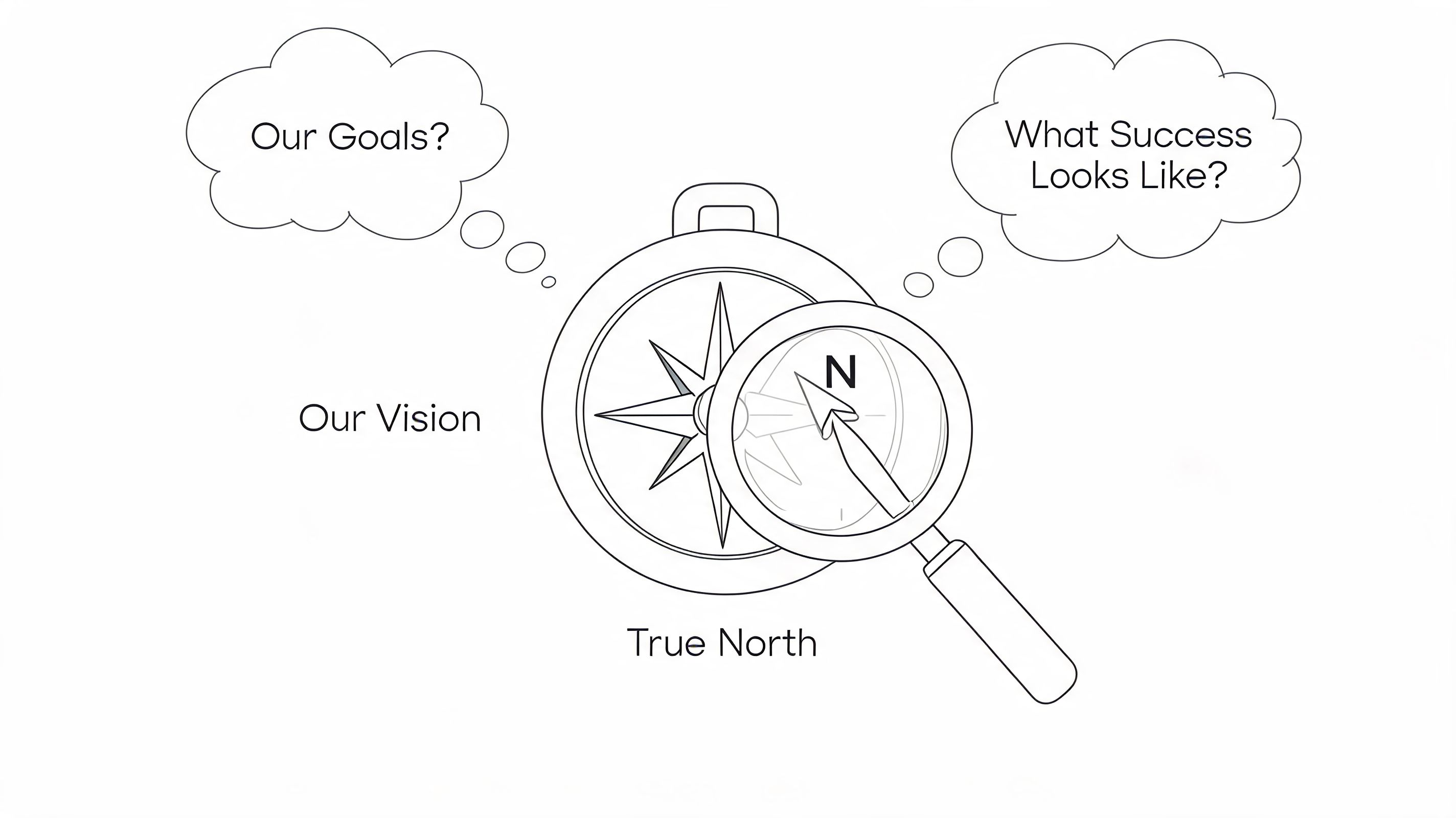
The answer changes the kind of platform you should consider. It also changes which features are essential and which ones are just glossy extras.
If you lead HR or internal training
Your questions are usually operational.
- Where does onboarding break down. Is it in content delivery, manager follow-through, or completion tracking?
- What must be documented. Compliance-heavy teams need proof, timestamps, and clean reporting.
- How fast should someone become productive. If a new hire can’t find the right material in the first week, the system is already failing.
The people using the system will also tell you what matters. By 2025, 58% of employees prefer self-paced learning, and 74% of Millennials and Gen Z consider quitting due to a lack of skills development, according to eLearning Industry’s LMS statistics roundup. That means flexibility and visible growth paths aren’t nice extras. They affect retention.
If you sell courses or educational programs
Your questions are commercial as much as educational.
A course creator usually needs smooth enrollment, structured modules, easy content updates, and some level of branding. If you’re selling to larger groups, learner management matters more than one-to-one accountability. You care about whether students start, continue, complete, and come back for the next offer.
A useful self-check is this: are you primarily delivering information, or are you managing transformation? If it’s mostly information, a classic LMS or course platform may be enough. If transformation depends on feedback loops and personal milestones, you may need more than a standard course tool.
If you’re a coach or consultant
Many buying decisions often go wrong at this stage.
You might think, “I just need a place for videos and worksheets.” But that’s rarely the full job. A coaching workflow often includes:
- Structured onboarding so a new client feels guided from day one
- Goal tracking so progress isn’t trapped inside session conversations
- Assignments and reflections between meetings
- Private notes or documentation tied to each relationship
- Scheduling and reminders that reduce no-shows and back-and-forth
Practical rule: If your business depends on accountability between sessions, don’t buy a platform that only organizes content.
Write down success before you compare tools
A short planning sheet beats ten product demos. I recommend defining:
| Business type | Good goal statement |
|---|---|
| HR team | New hires complete onboarding in a consistent sequence with visible progress |
| Course creator | Students can move through modules without support tickets for missing access |
| Coach | Clients can see goals, tasks, resources, and next steps in one place |
The strongest buyers are not the ones with the biggest budget. They’re the ones who can say, clearly, “If this software works, here’s what will become easier every week.”
Must-Have Features That Actually Move the Needle
Most LMS shopping lists are inflated. They’re built from enterprise sales pages, not small-company reality. A better approach is to separate features that support your operating model from features that just sound advanced.
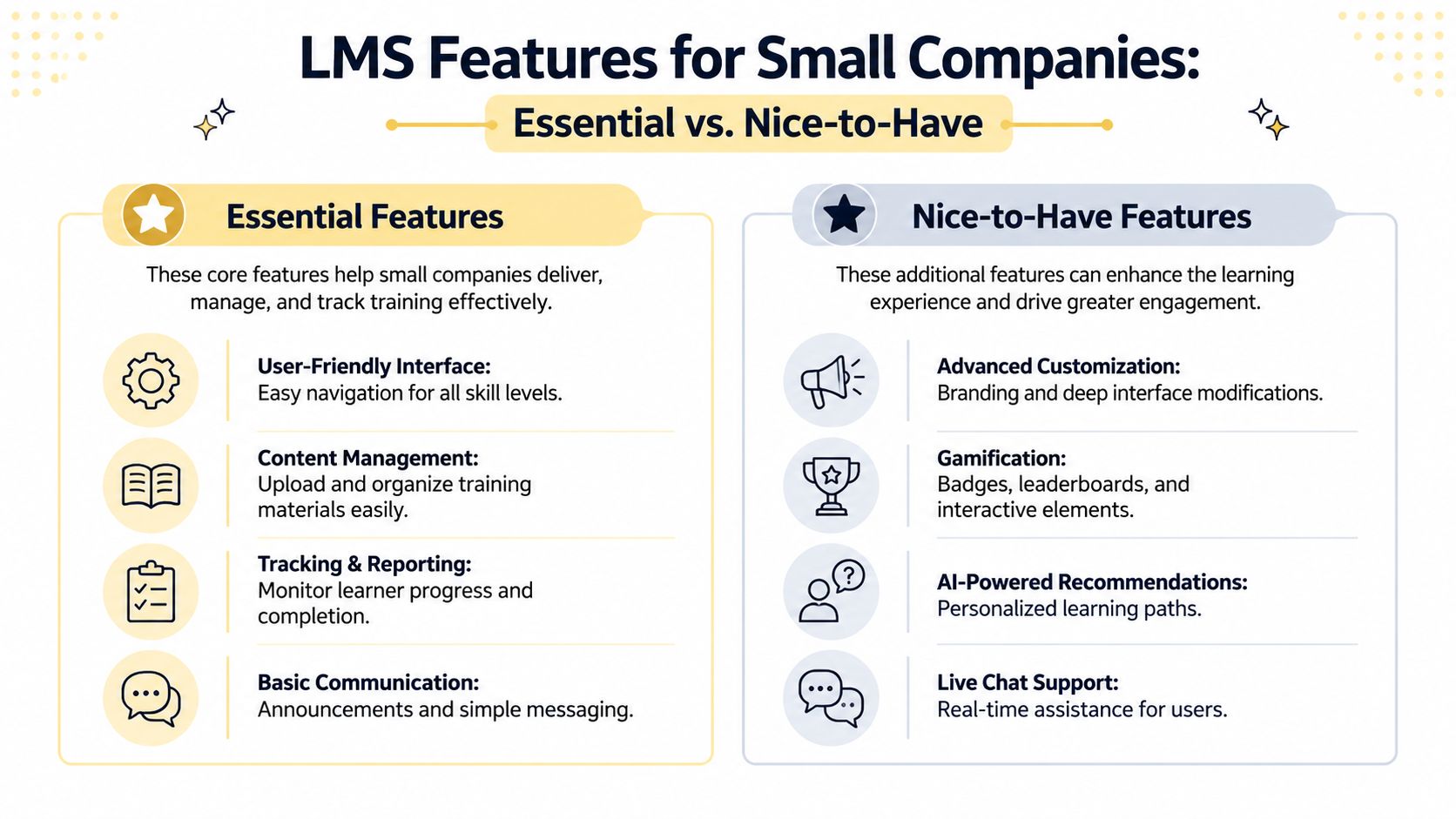
The essentials for most small teams
These matter whether you’re training staff, educating clients, or delivering a paid program.
- Simple user experience. If people need a tutorial just to find their next step, usage will drop.
- Content organization that matches your process. Modules, sessions, resources, assignments, and progress should feel intuitive.
- Basic reporting. You need to know who started, who finished, and where people stall.
- Communication tools. Announcements, reminders, or simple messaging keep the program alive.
For many teams, that’s enough. They don’t need deep customization on day one. They need clarity.
What’s often overvalued
Small businesses regularly overbuy in these areas:
- Heavy gamification when the audience just wants clean delivery
- Advanced branding controls before the core journey is stable
- Complex learning standards support that only matters in specialized setups
- Feature depth that requires an admin team to maintain
A consultant with a high-touch offer doesn’t need a giant corporate training engine. A five-person company doesn’t need to administer software built for multinational compliance departments.
Where traditional LMS tools miss coaches
This is the big gap. Traditional LMS products are built around corporate training metrics. They track completions, quizzes, seat assignments, and content libraries well. But they often fall short on the workflows coaches require.
That gap is spelled out clearly in AcademyOcean’s discussion of LMS options for small businesses, which highlights how traditional LMS platforms fail to address coaching-specific needs such as one-on-one session documentation, client accountability, and milestone management.
If you’re a coach, ask yourself whether the platform handles these realities:
| Need | Why it matters in coaching |
|---|---|
| Session notes | Progress often depends on what happened in the last conversation |
| Goal and milestone tracking | Clients need visible movement, not just content access |
| Secure messaging | Accountability happens between sessions |
| Scheduling or calendar connection | Administrative friction damages the client experience |
A lot of coaches end up forcing a general LMS to behave like practice management software. That usually means patching together multiple tools. It’s workable, but clunky.
Build for the workflow, not the demo
I’d rather see a coach choose a lean platform that handles session flow, assignments, and progress than a flashy LMS with twelve content formats and no way to manage a real client journey. That’s why some teams end up exploring custom or semi-custom e-learning platform development when their delivery model doesn’t fit off-the-shelf categories.
If your business sits between online education and service delivery, compare tools through that lens. A course platform may fit pure teaching. A coaching platform may fit accountability-heavy programs. A standard LMS may fit employee training. Blending those use cases without thinking usually creates frustration later. If you’re weighing course-first tools, this Coachful review of course platforms is a helpful contrast point.
Buy for the work you do every week, not the features you might use once a year.
Decoding Budgets and Pricing Models Without the Headache
Pricing is where a lot of small companies make avoidable mistakes. The monthly fee looks manageable. Then the team grows, clients rotate in and out, and the bill starts reflecting the vendor’s business model more than your own.
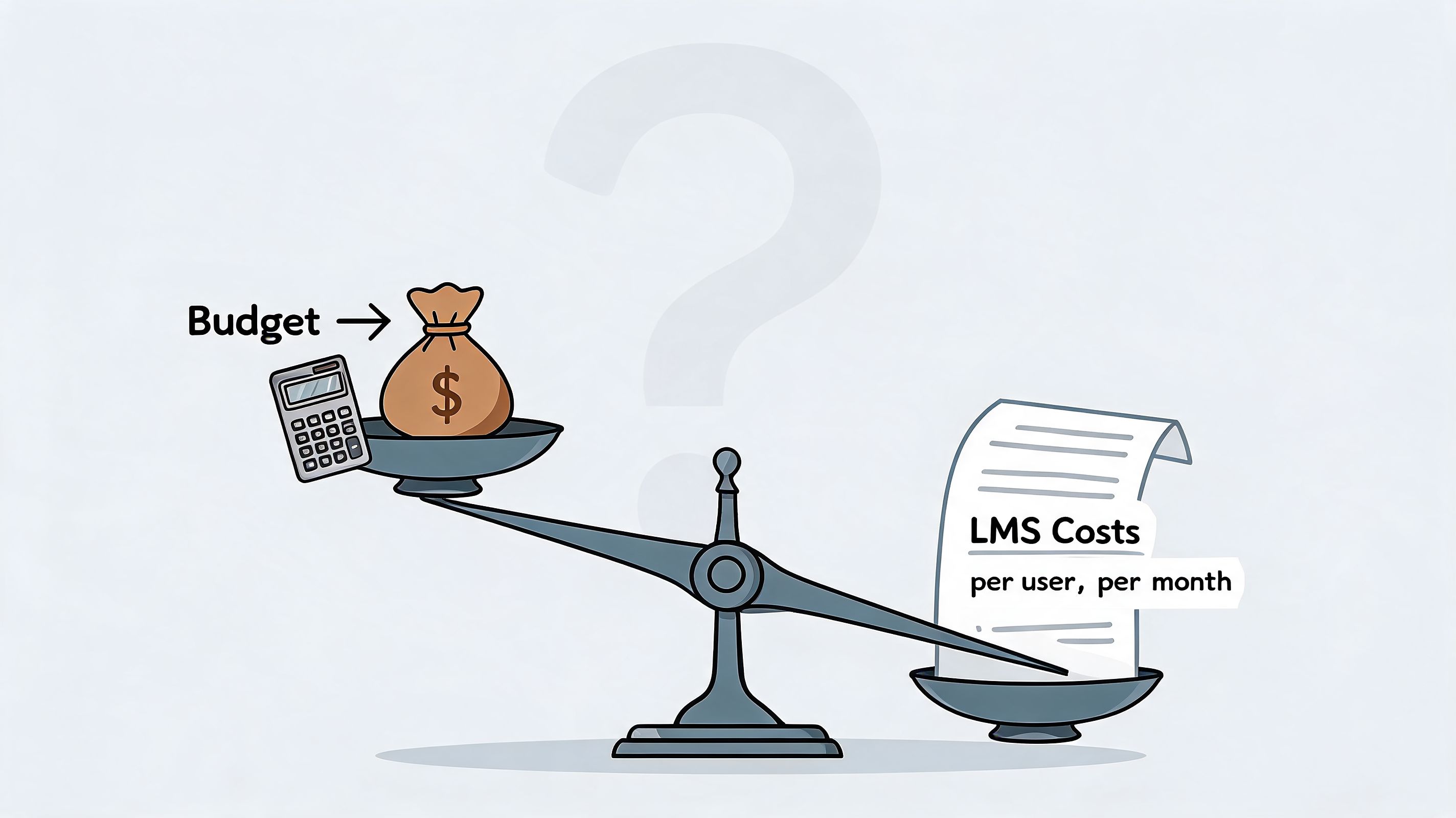
The most common problem for coaches and small consulting firms is simple. LMS pricing is often designed for companies training large groups of learners. Coaching businesses usually serve a smaller number of high-touch clients at a time. That mismatch matters.
According to UseWhale’s look at LMS pricing for small business, some pricing starts at $89/month for 40 users, and 88% of SMB coaches cite budget as a primary constraint. That’s exactly why many coaching businesses feel punished by traditional per-user pricing. If you only have a modest active client base, paying like a large training department doesn’t make sense.
The three pricing models you’ll run into
Per-user pricing
This is the easiest to understand and often the easiest to outgrow.
You pay based on the number of registered users or seats. It works reasonably well for employee training if your learner count is stable. It works poorly for coaches who may have past clients, paused clients, private clients, and cohort participants all sitting in the system at different stages.
Per-active-user pricing
This model is often fairer, especially if your usage fluctuates.
You pay for the people actively using the platform in a given period rather than everyone who has an account. That can help seasonal programs, cohort offers, and rolling enrollments. But you still need to ask what “active” means. Does opening one email count? Does logging in once count? Vendors define this differently.
Flat or tiered pricing
This can be the most predictable model for small companies.
A flat tier gives you room to grow without worrying about every additional learner. The catch is that tiers often hide upgrade cliffs. You feel fine until you cross a threshold and the next plan is much more expensive than the current one.
The questions that reveal the real cost
A clean proposal still doesn’t tell the full story. Ask these before you sign:
- What triggers an upgrade
- How are archived users handled
- Are support, onboarding, or implementation charged separately
- Do integrations require a higher plan
- What happens if I exceed my learner cap temporarily
These questions matter more than the headline monthly fee.
A cheap plan that breaks your workflow or penalizes growth isn’t cheap.
A useful gut check is this. If you feel nervous every time you add a client, learner, or cohort member because of software cost, the pricing model is working against you.
Watch this before comparing vendor quotes
Different billing structures are easier to understand when you see them explained plainly:
What coaches should look for instead
For a coaching practice, the ideal structure usually aligns with the business itself. Think in terms of active coaching relationships, number of coaches, or program capacity, rather than raw seat count.
That’s why many coaches eventually move away from generic LMS tools and toward platforms built around client management and guided delivery. A coach with twenty active clients doesn’t need to pay like a business managing hundreds of passive learners. They need pricing that reflects actual service design.
If you’re comparing options, map the price to your next stage of growth. Not your current month. Not the vendor’s perfect use case. Your actual next stage.
Ensuring Your New System Gets Used and Loved
Buying software feels like progress. Adoption is what actually creates progress.
The strongest learning management system for small companies can still fail if the rollout is confusing, rushed, or admin-heavy. Most small teams don’t need a giant implementation plan. They need a simple path that gets people using the system without friction.
Start with a pilot, not a grand launch
Small teams have an advantage here. You can test fast.
Pick a small group of real users. For an internal training team, that might be one department or a handful of new hires. For a coach, it might be a few trusted clients who will tell you where the experience feels clumsy. Give them one clear path through the system and watch what happens.
Look for moments where people hesitate:
- They can’t find the next step
- They miss notifications
- They don’t know where to upload work
- They reply by email instead of using the platform
Those moments tell you more than any onboarding checklist.
Make the first five minutes painfully obvious
Most platforms lose people early, not late. The login is fine. The confusion starts right after.
Your first-screen experience should answer these questions immediately:
| User question | What the platform should show |
|---|---|
| Where do I begin | A single obvious next step |
| What’s expected of me | A short checklist or sequence |
| Where do I ask for help | One visible support or message path |
For coaches, this matters even more because the client reads the platform as part of your service quality. If the experience feels scattered, they assume your process is scattered too.
If someone has to “figure out” your system, they’ll postpone using it.
Use short onboarding assets
Don’t write a manual. Record a short walkthrough. Add a tiny checklist. Label everything in plain language.
Good onboarding materials usually include:
- A welcome video with a quick orientation
- A first-week checklist so users know what to complete
- A support note that tells them where to message if they get stuck
That’s enough for most small-company rollouts.
Integrate the tools people already live in
Adoption improves when the LMS doesn’t feel like one more isolated destination. Calendars, email, payment systems, and core communication channels should connect wherever possible. The point isn’t to create a perfect tech stack. It’s to reduce duplicate work.
This is especially important for coaches building recurring programs, memberships, or hybrid learning experiences. If that’s your model, these membership website strategies can help you think through how content, community, and client flow should work together.
Keep listening after launch
The first version won’t be perfect. That’s normal.
What matters is whether you create an easy way for users to tell you where the experience breaks. A simple check-in question works well: what felt confusing, unnecessary, or easy to miss? Small fixes compound fast. Rename a menu. Simplify a dashboard. Move one link. Remove three clicks.
When teams skip this part, they blame “poor adoption” on people. Usually the system just asked for too much effort too early.
How to Measure What Matters and Prove Your ROI
The return on an LMS is rarely visible from login counts alone. Activity isn’t the same as value. What matters is whether the system improves delivery, learning, and business outcomes you care about.
There is real upside when the platform is used well. According to Knolyx on LMS outcomes for small business, eLearning via an LMS can reduce training time by 40 to 60% and improve knowledge retention by 25 to 60%. That same source notes that connecting learning analytics to CRM data can help small businesses correlate training completion with customer satisfaction and sales metrics. That’s where ROI stops being abstract.
Build a small dashboard, not a giant report
Start with a few measures that connect platform use to business performance.
For internal training teams
Track whether the system is making learning easier to complete and easier to apply.
- Completion trend by program or department
- Time to readiness for new hires
- Assessment or proficiency signals where relevant
- Manager-reported performance improvement after training
For course-based businesses
Focus on progression and customer behavior.
- Start-to-completion movement
- Drop-off points inside the curriculum
- Repeat purchases or next-offer uptake
- Support issues tied to access or confusion
For coaches and consultants
The strongest metrics are tied to client movement, not just content views.
- Milestone completion
- Assignment follow-through
- Retention into the next phase of work
- Referral behavior or re-engagement
A simple digital dashboard for client goals is often more useful than a complex analytics suite because it keeps attention on visible progress.
Don’t ignore retention signals
A system can look active while still losing people. That’s why it helps to benchmark engagement and drop-off against broader category patterns. If you want context for that side of the picture, these LMS churn benchmarks are useful for framing what healthy retention and usage can look like over time.
The best ROI metric is the one that connects platform activity to a business result you’d notice even if the software disappeared tomorrow.
What proving ROI really looks like
For a small business, ROI often shows up in ordinary places first. Fewer repeated questions. Faster onboarding. Less chasing. Better completion. Clearer client follow-through. More consistency across delivery.
For coaches, the strongest signal is often this: clients stop asking where things are and start focusing on the work itself. The platform fades into the background, which is exactly what good infrastructure should do.
If you need a system built around coaching workflows rather than generic training delivery, Coachful is one option to evaluate. It combines client onboarding, scheduling, messaging, progress tracking, and program delivery in one workspace, which is often a better fit for coaches than a traditional LMS built around seat-based training.
If you're trying to replace a patchwork of folders, forms, calendars, and reminders with one clear client or learner experience, Coachful is worth a look. It’s designed for coaches and coaching teams who need structured program delivery, accountability tracking, and practice management in the same place, without forcing their work into a generic corporate LMS.