Professional Email Address for Coaches: 7 Setup Steps

Coachful
Coachful Editorial
The best professional email address for a solo coach is usually your first name at your own business domain, with a simple public alias such as hello@ pointing to the same monitored inbox. You need a domain, a mailbox provider, correct email records and a tested reply route. Buying a website address alone does not create an inbox.
If you are worried about looking established without buying unnecessary software, start small. One working mailbox is more useful than five impressive-looking addresses nobody checks. A custom domain helps make your identity consistent; it does not prove your qualifications, protect every message or guarantee inbox placement.
This guide explains how to choose and set up a coaching business email address, separate personal correspondence from newsletter sending, and change addresses without losing client replies. The examples use the reserved domain example.com. They are illustrations, not real businesses or destinations to contact.
1. Choose an address a client can recognize and repeat
Use an address you can say aloud at a workshop without spelling a string of numbers. Match the domain to the business name clients see on your website, agreement and invoice. Consistency matters more than finding a clever word before the @ symbol.
For a personal coaching practice, maya@example.com is a sensible primary address. For a practice likely to add other coaches, a public hello@example.com can remain stable while individual staff addresses change. There is no universal rule that info@ is unprofessional or that hello@ produces more enquiries.
- firstname@: personal correspondence and a clear human contact. Less convenient if several people later need to handle the same enquiries.
- firstname.lastname@: useful when a team has repeated first names. Longer to dictate or print.
- hello@: a general public enquiry route. Assign a specific person to monitor it.
- bookings@: useful only when appointment administration really has a distinct workflow.
- billing@: useful for payment questions, especially with organizational buyers. Do not imply a separate finance team if you are the person answering.
Avoid putting a current qualification, city or narrow offer into the domain unless you intend to keep that identity. A career coach who later adds leadership work should not need to move every client to a new inbox just because the original package name stopped fitting.

Do you need a custom email domain before your first client?
No. A carefully managed personal address can let you begin while you validate your practice. Do not delay a legitimate conversation because your stationery is unfinished. Once you regularly send proposals, invoices, referral introductions or marketing emails, a domain you control becomes a practical business asset.
Keep your display name equally clear: “Maya Reed | Career Coaching” is more informative than “Admin.” Use your actual professional name and an accurate description. An address that looks polished does not justify claims about accreditation or specialist competence.
2. Separate the domain, mailbox and marketing sender
Three services often get bundled in a sales pitch, which makes this decision unnecessarily confusing. You may buy them together, but they do different jobs.
- The domain is the name you register and renew, such as
example.com. - The mailbox receives and stores correspondence and lets you send individual messages.
- The marketing sender sends newsletters or sequences, handles the relevant subscription controls and provides sending reports.
Your website is another separate service. Connecting a domain to a coaching website does not automatically mean someone has created a working hello@ inbox. Likewise, verifying a newsletter sending domain is not proof that replies have somewhere to go.

Choose your mailbox provider around the tools you actually use, administration requirements and budget. Google Workspace and Microsoft 365 are familiar options; compare their current plans and terms directly. This is not a provider ranking, and you do not need to move a functioning mailbox simply because you change coaching platforms.
Before purchasing, check domain renewal, mailbox licensing, storage, aliases, account recovery, data export and any needs arising from your client agreements. Read the ongoing price, not just the introductory offer. We are not quoting a universal setup cost because provider plans and regional pricing change.
Can you use an alias instead of buying another mailbox?
Often, yes. An alias is an additional address delivered to an existing account, rather than a separate inbox with its own user. For example, hello@ can arrive in Maya’s primary mailbox. Google's email alias documentation explains this distinction for Workspace.
Check how sending from that alias works before publishing it. Receiving mail as hello@ does not by itself establish that replies will leave with hello@ as the sender. And an alias is not a collaboration system: when several people need access, investigate the provider’s supported shared-mailbox or delegation arrangement instead of sharing one password.
3. Create the mailbox before changing live email routing
Register the domain in an account your business controls. Keep access to the registrar and DNS provider, enable multifactor authentication where available, and store recovery information somewhere other than the inbox you are creating. Losing domain access can affect both your website and email.
Then follow your chosen mailbox provider’s domain-verification and user-creation process. Verification proves control of the domain; it is not the same as routing incoming email. Create the intended account and any necessary aliases before directing clients toward them.
Incoming mail is routed using MX records in DNS. Use the current values supplied by your provider. Google's Workspace MX setup instructions illustrate the process, but another provider may require different records.
If the domain already receives business email, treat an MX change as a migration, not a cosmetic edit. Record the existing configuration, decide how old messages and aliases will be handled, and arrange a rollback with qualified help if necessary. Do not delete records experimentally during a client working day.
Website and email records coexist. Changing the website destination does not require indiscriminately replacing the whole DNS zone. If the instructions you were given say to remove everything, stop and ask the service provider which specific records it actually needs changed.
4. Authenticate every service that sends your email
Authentication helps receiving systems assess whether a service is allowed to send for your domain. It matters for a solo coach sending a proposal as well as for a newsletter tool. It is not a guarantee that a message reaches the inbox.
- SPF identifies authorized sending sources for the domain used in the SPF check. Follow your providers’ instructions when combining multiple authorized services.
- DKIM adds a digital signature that the receiving service can verify using a DNS-published key.
- DMARC checks alignment with the visible From domain and publishes a policy for handling messages that fail its checks.
These are related controls, not interchangeable boxes. Do not copy an SPF or DKIM value from another coach’s blog, even when they use the same software. Some values are specific to your account or domain. Ask your mailbox and marketing providers for the exact records they currently require.

A domain should not have multiple competing SPF records at the same name. When you add a sending service, get the authorized sources combined correctly rather than pasting in a second SPF record. Keep within the applicable technical limits; ask the provider or a qualified administrator to resolve errors.
Do not jump to an aggressive DMARC rejection policy before you have identified legitimate senders and verified their alignment. An incomplete setup can reject your own messages. Google's email sender guidelines are a useful primary reference for Gmail delivery requirements and practices, not a promise that authentication alone solves deliverability.
Maintain a short list of services sending for your business: mailbox, newsletters, booking notifications, invoicing and any other genuine sender. Different tools may use different sending arrangements. Updating one provider does not automatically authenticate all the others.
5. Make the website, sender name and reply route agree
Once the mailbox works, audit what clients see. Your website may show the new address while an old sequence still directs replies to a personal account. That mismatch is an administrative problem before it is a branding problem.
Check the contact page, enquiry acknowledgements, booking messages, proposal templates, invoice correspondence and signature. Update only the places you control, and test the actual received message rather than trusting a settings screen.

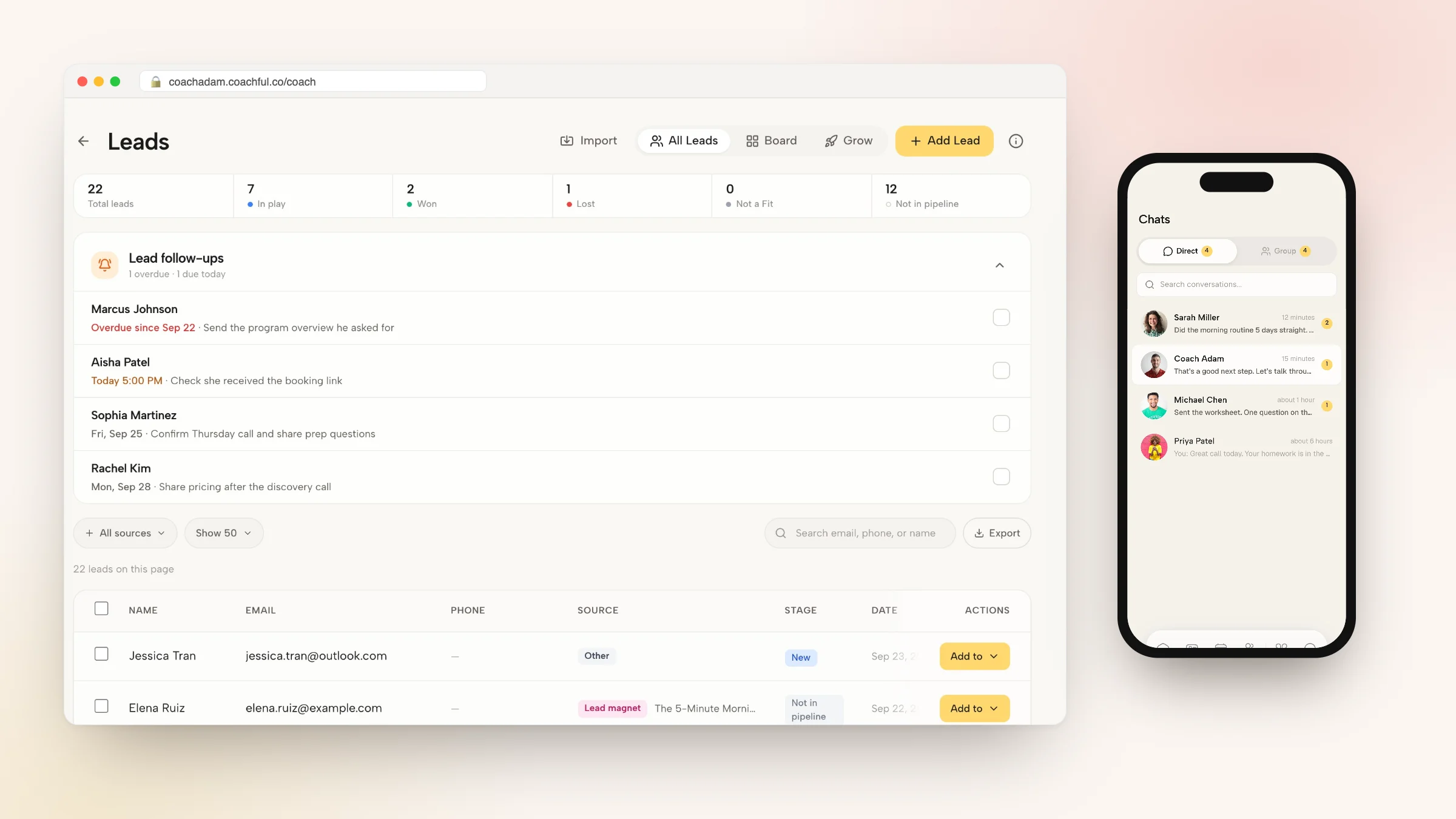
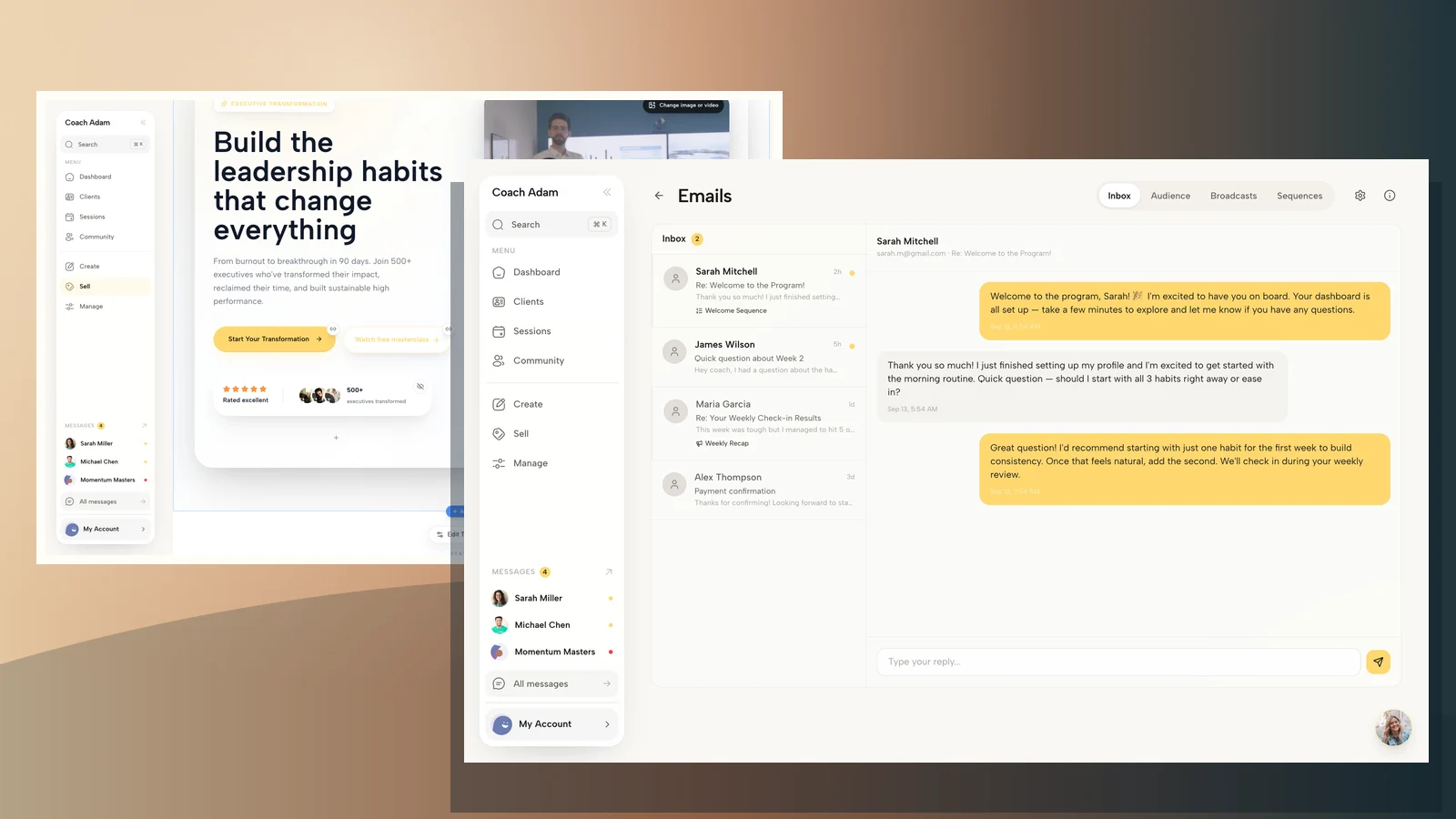
Coachful’s website editor is one place to review the public identity and contact route around your coaching offer. The demo screenshot illustrates the website surface, not mailbox hosting or DNS administration. A contact address on a page still needs a real monitored destination behind it.
Use the same recognizable professional identity across your website and client workspace. Brand styling can support that recognition, but a logo does not route email. Do not mistake a successfully saved brand setting for a successfully delivered message.

Check From and Reply-To separately
The visible From name identifies the sender. The From address and Reply-To address can differ. Whatever arrangement your service supports, a recipient who presses Reply should reach a person or a clearly explained service route.
Send a test, press Reply from the receiving account, and confirm where the reply arrives. Repeat that test for individual correspondence, a booking message and a marketing email if you use all three. A successful personal email does not prove the newsletter route works.

Coachful’s demo inbox shows the conversation side of client email. It does not demonstrate a standalone business mailbox or prove that any particular custom domain is authenticated. Explore the supported email configuration in your own account and verify a real reply before relying on it.
6. Keep client service and marketing permissions separate
Someone emailing to reschedule a session has not automatically asked to receive your newsletter. A professional business address does not remove obligations around marketing, privacy or unsubscribe handling. Applicable rules depend on your jurisdiction, recipients and circumstances.
Use your mailbox for the correspondence it is designed to handle, and a suitable marketing service for permitted newsletters and sequences. Keep the subscription explanation clear. Do not import your entire client correspondence history into a marketing audience merely because you now have a branded sender.

The Coachful broadcast workspace illustrates the separate campaign side of email. Its demo delivery figures are sample data, not benchmarks or promised results. For a first campaign, confirm the sender identity, reply destination, permissions and unsubscribe behavior before choosing any audience.
For ongoing client service, decide which topics belong in email and which need the agreed client communication route. A custom domain does not make ordinary email an appropriate place for every sensitive disclosure. Use proportionate access controls and security practices, and do not rely on a confidentiality footer to correct a misdirected message.
Give anyone helping with administration the access required for their role, not your personal account password. If a contractor leaves, remove their access through the provider’s supported process and check forwarding rules. An inbox can keep leaking messages even after someone stops being part of your practice.
7. Run an acceptance test, then migrate gradually
Before updating every public profile, test sending, receiving and replying from accounts outside your business. Use more than one receiving provider where practical. A message appearing in your own Sent folder proves very little about what the client received.
- Incoming: send to the primary address and each published alias. Confirm receipt in the intended account.
- Outgoing: send an ordinary message to an external test account. Check the displayed name and address.
- Reply: reply to that message. Confirm delivery to the mailbox or client communication route you intended.
- Authentication: inspect the provider’s verification results and, where appropriate, received-message headers. Resolve failures with the sending provider.
- Client journey: test an enquiry, booking notification or permitted test campaign using the real setup. Check every relevant reply path.
- Recovery: confirm you can recover access without depending entirely on the new inbox itself.

For an existing practice, tell active clients about the address change through a channel they already recognize. Keep the old inbox monitored during a deliberate transition appropriate to your situation. Update reusable templates as well as public pages. Otherwise, the next copied proposal may quietly reintroduce the obsolete address.
If you enable forwarding, test it rather than assuming every message survives unchanged. Keep access to the original mailbox until you have verified the transition and retention arrangements. Forwarding is not a replacement for a complete data migration or an archive.
Do not close an old account while it is still used for domain recovery, payments, contracts or service logins. Make an inventory first. A coaching business can stop advertising an address long before it is safe to delete it.
A minimal setup for a solo coaching practice
A sensible starting configuration is one business-controlled domain, one named mailbox, one public enquiry alias and a documented reply owner. Add separate billing or bookings addresses only when they reduce a real handling problem. More addresses do not make a practice more professional if every message still depends on one overstuffed inbox.
Keep a private setup note with the registrar, DNS host, mailbox provider, renewal owner, published aliases, authorized senders and recovery method. Store credentials securely rather than putting passwords in an ordinary planning document. Revisit the note when a team member or provider changes.
Then make the next step practical. If your mailbox is ready but you need to understand the client-facing website and email workflow around it, Try the interactive demo. Explore the website, inbox and broadcast surfaces with a specific question: can a client recognize the sender and reach the right place when they reply?
Coachful is not being presented here as a domain registrar, a replacement for every business mailbox, or a guarantee of email delivery. The useful distinction is between your email infrastructure and the coaching experience connected to it.
Frequently asked questions
Should a coach use Gmail or a custom business email?
A personal Gmail account can be a practical starting point. A custom domain gives you a business identity you control independently of one free address. Choose it for continuity, recognition and administration, not because a particular suffix guarantees clients will trust or hire you.
Does buying a domain give me an email address?
Not necessarily. Domain registration gives you control of the name. You still need a mailbox or another supported receiving arrangement, plus the correct setup. Check what the purchase actually includes rather than assuming email hosting comes with the website.
Can hello@ and my name@ use the same inbox?
Yes, when your provider supports that alias configuration. Test both receipt and sending identity. If two people need to answer independently, consider a supported shared arrangement rather than treating an alias as a separate staff account.
Will a custom domain stop emails going to spam?
No. Authentication, sender reputation, recipient expectations, sending practices and other factors affect delivery. A branded address with incorrect records or unwanted messages can still have problems. Diagnose the actual failure rather than repeatedly changing the display name.
Do I need a separate domain for my newsletter?
Not automatically. Some businesses use a sending subdomain, but the right arrangement depends on their provider and infrastructure. Follow the sending service’s documented configuration and verify alignment. Do not introduce another domain simply to evade poor sending practices.
Sources and limits: Google’s current documentation supports the explanations of MX routing, aliases and sender authentication. The coach-specific address choices and acceptance test are original editorial guidance, not legal or security certification advice. Product images show real Coachful demo surfaces; they do not show mailbox provisioning, DNS settings or customer outcomes.