
Selling Spreadsheet Templates: A Coach's Guide to Profit

Coachful
You probably already have one.
It's the spreadsheet you send after session two. The one clients use. It helps them track leads, plan content, map offers, monitor habits, or keep their numbers straight between calls. They refer back to it. They thank you for it. Sometimes they say, “This alone was worth it.”
That's the moment most coaches miss.
They think the spreadsheet is just support material for coaching. It isn't. In many cases, it's the first version of a real product. And selling spreadsheet templates works best when you treat them as part of your coaching method, not as a random side hustle bolted onto your business.
A good template does three jobs at once. It gives clients structure, creates a lower-ticket entry point into your world, and makes your coaching more scalable because buyers can get a result before they're ready for a full program. For coaches, that's the smart play. Not “sell a few downloads.” Build a cleaner path from free content to product to program.
From Client Tool to Profitable Product
A coach builds a spreadsheet for private clients, walks them through it on calls, and watches results improve. Then the same question shows up: would this still be useful without me in the room?
That question is the filter.
Some spreadsheets should stay internal. They depend too heavily on your live explanation, your judgment, or the context of a full program. Others already carry a clear transformation on their own. Those are the ones worth turning into products.

Audit the tools you already use
Start with the files that clients consistently use between sessions, not the ones you personally like best. The right candidate usually solves a problem that exists before someone hires you and continues after the call ends.
Look for signs like these:
- Clients ask for it before you offer it: They want access early because the problem already feels expensive.
- You use the same structure again and again: The method is stable enough that you are not rebuilding the tool for each client.
- It reduces hesitation: The spreadsheet helps people decide what to do next.
- The outcome is visible: Buyers can see cleaner tracking, better planning, stronger accountability, or faster review of key numbers.
A pricing coach might productize a margin calculator. A business coach might sell the weekly sales tracker used inside group programs. A wellness coach might package a habit scorecard that helps clients spot drop-off patterns before they lose momentum.
The point is not to sell "a spreadsheet." The point is to package one repeatable part of your coaching method.
That is where many coaches get stuck. They try to invent a side product from scratch when the better move is to extract one proven tool from delivery, then let it serve two jobs. It supports current clients, and it gives new buyers a low-risk way to experience your framework. Coachful's digital product playbook is useful here if you want to map that product-to-program path more deliberately.
Sell the urgent workflow, not the file
Buyers do not wake up wanting tabs, formulas, and conditional formatting. They want a way to handle an annoying recurring task with less friction and fewer mistakes.
A spreadsheet becomes sellable when it owns a specific workflow:
- tracking outreach and follow-up
- forecasting cash flow
- planning launches
- scoring habits
- monitoring client progress
- mapping capacity and delegation
That shift is important because it changes how you describe the product, price it, and place it in your business. A standalone template can bring in direct sales, but the stronger play for coaches is often strategic. The template pre-qualifies buyers, shortens onboarding, and makes your paid program easier to deliver because people arrive with better data and better habits.
I learned this the hard way. Early on, I sold tools based on what I had built. Sales improved when I started selling the moment of relief each tool created. "Weekly CEO dashboard" was vague. "Know exactly which activities drove sales this week in ten minutes" was clear.
Practical rule: If the template removes repeated confusion and helps someone act, it can become a product. If it mainly stores information, keep refining.
Validate demand before you polish anything
Do not spend a week formatting a sheet that no one has asked for.
Test the promise first. A simple post, email, or message to past clients is enough if the problem is specific. Show the use case, show a screenshot, and invite people to join a waitlist or buy a beta version. The responses will tell you whether the tool stands on its own or still needs your live coaching to work.
Ask practical questions:
- What problem does this help you solve right now?
- Would you use this on your own, or would you need training with it?
- What would stop you from buying it today?
- Would you want this as a standalone template or inside a larger program?
That last question matters more than many coaches realize.
Sometimes the spreadsheet should be the product. Sometimes it should be a fast-action bonus, an upsell after a workshop, or the operational backbone of your group offer. The best choice depends on where the tool creates the most momentum in your customer journey, not where it can make a few quick sales.
If people reply with some version of "I need this," "I have been trying to build this myself," or "Can I use this with my team," pay attention. You are no longer guessing. You are looking at a tool that already carries value outside the coaching container.
Designing Templates People Love to Use
A lot of coaches freeze here because they think product design means visual design.
It doesn't.
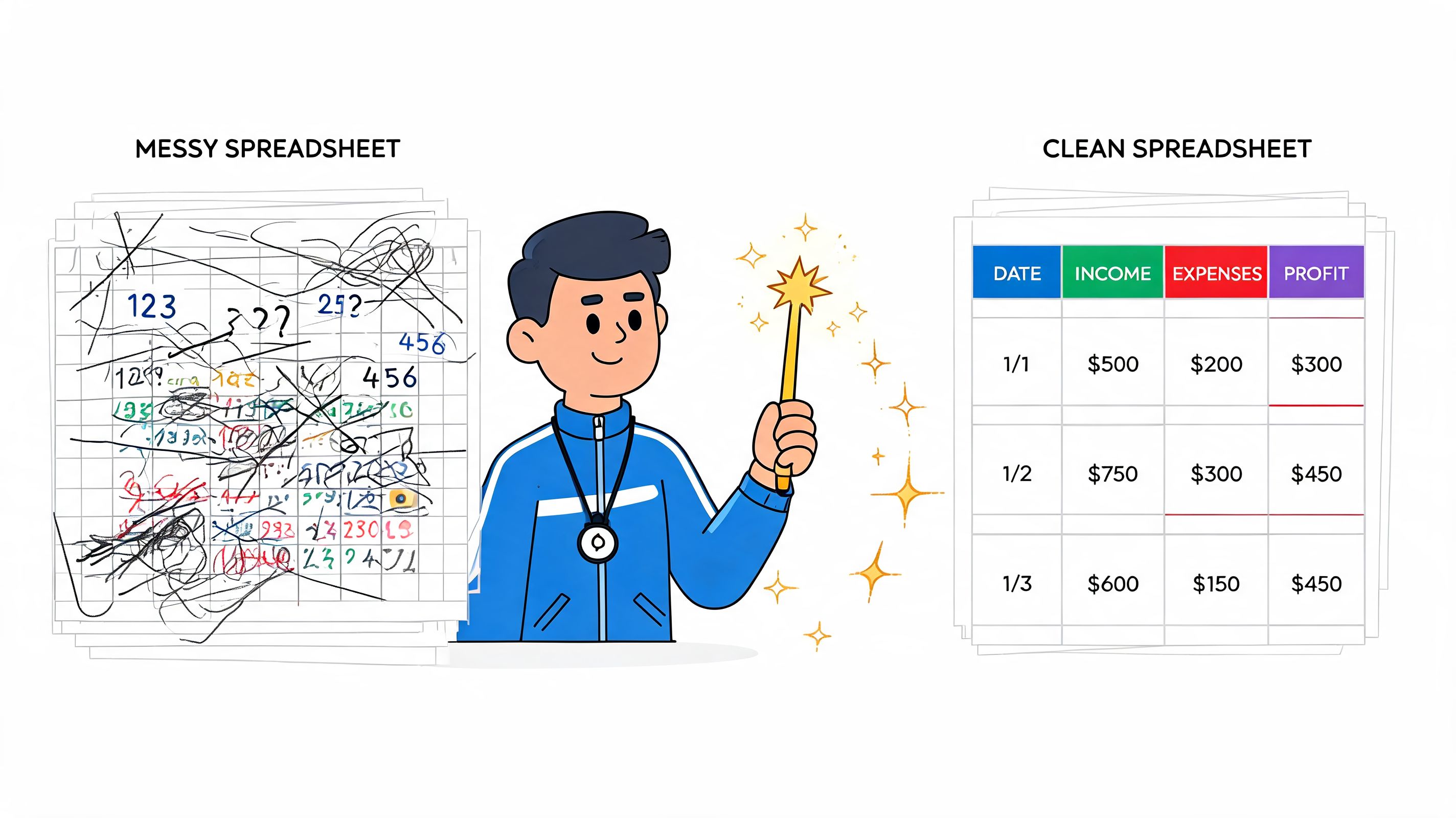
For spreadsheet products, design is mostly about usability, trust, and error prevention. Buyers will forgive plain styling. They won't forgive confusion.
Reliability beats decoration
Many sellers get it backwards. They spend hours picking colors and almost no time reducing user mistakes.
Oracle's analysis of spreadsheet risk explains that spreadsheet-driven workflows often slide into “spreadsheet hell” because people create multiple versions, use outdated data, and make manual-entry mistakes. For sellers, the point is simple. A good-looking file is not enough. Reliable templates need controls such as locked cells and validation rules, as outlined in Oracle's breakdown of spreadsheet risks.
A premium template should feel hard to break.
That means:
- Lock formula cells so buyers don't accidentally wipe out calculations.
- Use data validation for fields like category, status, or owner.
- Separate tabs by function so users don't edit critical logic in the wrong place.
- Label input areas clearly with visual cues.
- Use conditional formatting to direct attention to what matters.
A sales tracker, for example, should make it obvious where to enter deal stage, close date, owner, and projected revenue. It shouldn't ask the user to decode your logic.
The buyer doesn't need more flexibility. The buyer needs fewer ways to make mistakes.
Build the product experience, not just the file
The easiest way to increase support requests is to upload a raw spreadsheet and call it done.
The better move is to package a full experience around the file. If you've ever used Coachful's digital product playbook, you'll recognize this principle immediately. The asset matters, but the buyer experience around the asset is what makes it feel premium.
Use this checklist before you sell:
| Element | What it does | Example |
|---|---|---|
| Quick Start tab | Reduces confusion on first open | “Start here, enter your baseline numbers in highlighted cells” |
| Instructions PDF | Handles edge cases and setup questions | “How to duplicate, customize categories, and reset for a new month” |
| Branding space | Helps the file feel professional and reusable | Logo area, color accents, named sections |
| Version notes | Builds trust over time | “Updated dashboard labels and fixed category sorting” |
A polished template is easier to coach with
This is the aha moment for coaches. When your spreadsheet is clearer for the buyer, it also becomes clearer inside your program.
A leadership coach might include a meeting-prep tracker with:
- One tab for priorities
- One tab for decisions and follow-ups
- A dashboard tab for recurring themes
That same asset can be sold standalone, added as a program bonus, or used as a diagnostic in the sales process.
The template starts earning in multiple ways because it's built to work without you sitting beside the buyer.
Pricing and Packaging Your Spreadsheets
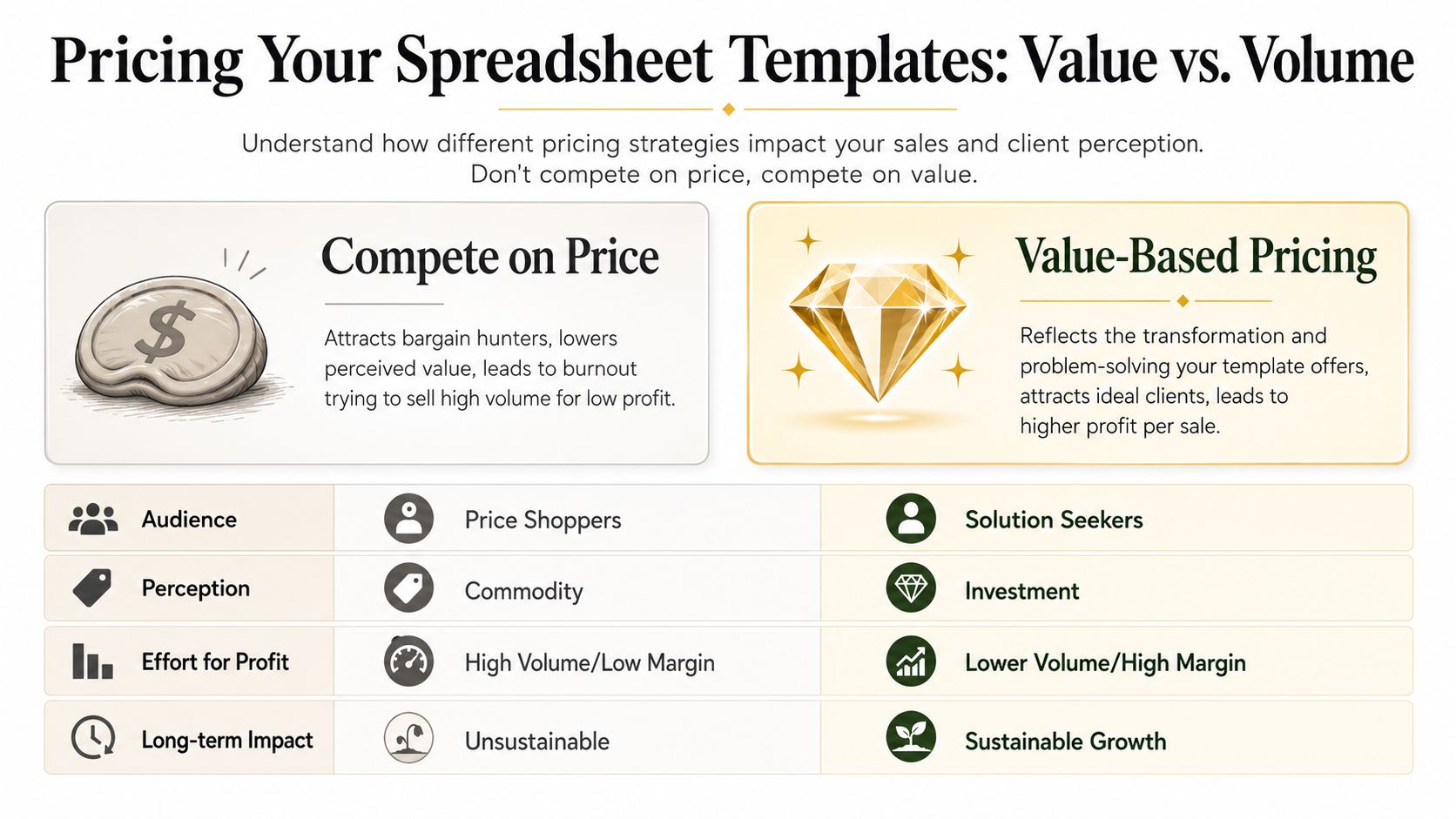
Most coaches underprice their first template because they're thinking like a service provider. They ask, “What would feel reasonable for a spreadsheet?” instead of “What is this workflow worth to the buyer?”
Those are different questions.
SendOwl's guidance is blunt on this point. It argues that $5 to $10 pricing signals a disposable product, while $49+ pricing cuts the volume required for meaningful revenue and positions the template as a premium tool, according to SendOwl's spreadsheet pricing guidance.
Why low pricing creates bad business decisions
Cheap products attract buyers who compare features instead of outcomes. They also make you hesitant to add support materials, update the product, or spend time improving the sales page because the margin feels too thin.
That's why a coach's first instinct often works against them.
If your spreadsheet helps a consultant forecast pipeline, a founder clean up reporting, or a coach run client accountability more smoothly, it shouldn't be framed like a throwaway download. Kajabi's guidance, summarized in the verified data above, also supports this split. Simpler templates often sit in the $10 to $30 range, while more advanced templates can command $50 to $100+ when they solve a more involved workflow.
Price communicates category. If you price like a convenience file, buyers treat it like one.
Three packaging models that work
Selling spreadsheet templates facilitates the transition from a single product experiment to a real business.
Single solution
Best when one spreadsheet solves one sharp pain point.
Examples:
- Sales follow-up tracker for coaches
- Client capacity planner for consultants
- Monthly revenue dashboard for freelancers
This works well when your audience already understands the pain. The page can stay simple. Problem, outcome, screenshots, instructions, buy.
Toolkit bundle
Best when buyers need a sequence, not just one file.
A business coach could bundle:
- Lead tracker
- Weekly sales activity report
- Revenue forecast sheet
- Monthly review dashboard
This format usually feels stronger because the buyer can see a system, not just a template. It also raises average order value without asking you to create something unrelated.
Subscription or membership
Best when your templates change regularly or naturally connect to a larger resource library.
For coaches, this model only makes sense if you can support recurring value with new assets, office hours, implementation prompts, or seasonal planning tools. Don't force it. A weak membership creates churn and support work.
Here's a simple decision view:
| Model | Best use case | Buyer mindset |
|---|---|---|
| Single solution | Clear urgent problem | “I need this now” |
| Toolkit bundle | Related workflows | “I want the whole system” |
| Subscription | Ongoing implementation support | “I want fresh tools and accountability” |
Bundle around the coaching journey
The strongest packaging usually mirrors how you already help clients.
If you're a career coach, don't bundle random admin sheets. Bundle the progression:
- role clarity worksheet
- networking tracker
- interview prep scorecard
- offer comparison sheet
If you're a business coach, package the operational rhythm:
- weekly KPI tracker
- sales forecast
- content planning sheet
- profit review dashboard
That's a more strategic version of what many creators miss when they study a generic guide to scaling your coaching business. The spreadsheet product should fit into the buyer's next milestone, not float beside your business with no connection to your offers.
When pricing feels uncomfortable, remember this. Buyers aren't paying for your rows and formulas. They're paying to skip setup, reduce confusion, and start with a working system.
Choosing Your Sales Channel and Automating Delivery
A coach finishes a strong spreadsheet template on Friday, gets three sales over the weekend, and spends Monday morning replying to payment emails, sharing files manually, and answering the same setup question three times. That is not a product system. It is delivery work hiding inside a low-ticket offer.
The sales channel you choose decides whether your template becomes a clean extension of your coaching business or another task on your calendar.
Traffic versus control
The decision is customer acquisition versus customer ownership.
Marketplaces can help early if you have no audience, no email list, and no site traffic. People can find your template while browsing, and that can validate demand fast. The trade-off is brand dilution, thinner margins, and limited connection to your higher-value offers. The customer often remembers the marketplace, not your framework.
Owned channels give you the opposite setup. You control the product page, the buyer experience, the follow-up emails, and what happens after purchase. For coaches, that usually creates more long-term value because the spreadsheet is rarely the final sale. It is often the first useful step into a workshop, audit, group program, or private engagement.
If you want a broad comparison of digital product sales options 2026, review it with one question in mind: where should the client relationship live after the purchase?
That question matters more than feature lists.
Choose the channel that matches your business model
If templates are a side offer with no deeper connection to your services, a marketplace may be enough. If the template reflects how you coach, sell it where your brand can carry the sale.
A business coach selling a weekly KPI dashboard should place that product near the consulting offer it supports. A career coach selling an interview tracker should connect it to the program that helps clients turn interviews into offers. In both cases, the spreadsheet works best as proof of method. It shows buyers how you think, how you organize decisions, and what working with you feels like before they ever book a call.
That is the mental model many coaches miss. The template is not separate from the coaching business. It is part of the client journey.
Keep the setup boring and reliable
The best delivery system is usually the one you barely think about after setup.
Use a checkout page, payment processing, automatic file delivery, and a short post-purchase email sequence. Add a clean instruction page or one-page quick-start guide so buyers can use the file without emailing you for help. If your spreadsheet needs context, include a short walkthrough video. That single step can cut support requests more than any fancy platform feature.
A simple starting setup looks like this:
- upload the spreadsheet files
- add preview images or a sample tab
- write plain-language instructions
- connect Stripe or your payment processor
- send the download automatically after purchase
- add one follow-up email with setup help and the next logical offer
That is enough for most coaches.
The best channel for most coaches
For coaches building a real product ecosystem, direct sales usually make more sense than marketplace-first selling.
A branded page lets you explain who the template is for, what problem it solves, and how it fits your broader method. It also lets you segment buyers. Someone who buys a planning template may be a fit for your accountability program. Someone who buys a forecasting sheet may be a fit for your advisory offer. That information is useful. Marketplaces usually keep a lot of that distance in place.
A practical route is to create a website for coaches and sell from a branded product page, then connect delivery through a lightweight tool or a coaching platform that supports payments and client access. Coachful, for example, can handle payments and branded delivery workflows for digital offers inside a broader coaching setup. That is useful when your templates connect to onboarding, program resources, or client portals.
Avoid manual fulfillment from the start. If every sale creates an email thread, a file-sharing task, or a custom response from you, the spreadsheet is not passive income. It is admin with a prettier label.
Marketing Your Templates Without Feeling Salesy
Coaches usually don't struggle with marketing because they lack ideas. They struggle because most promotion advice feels out of character.
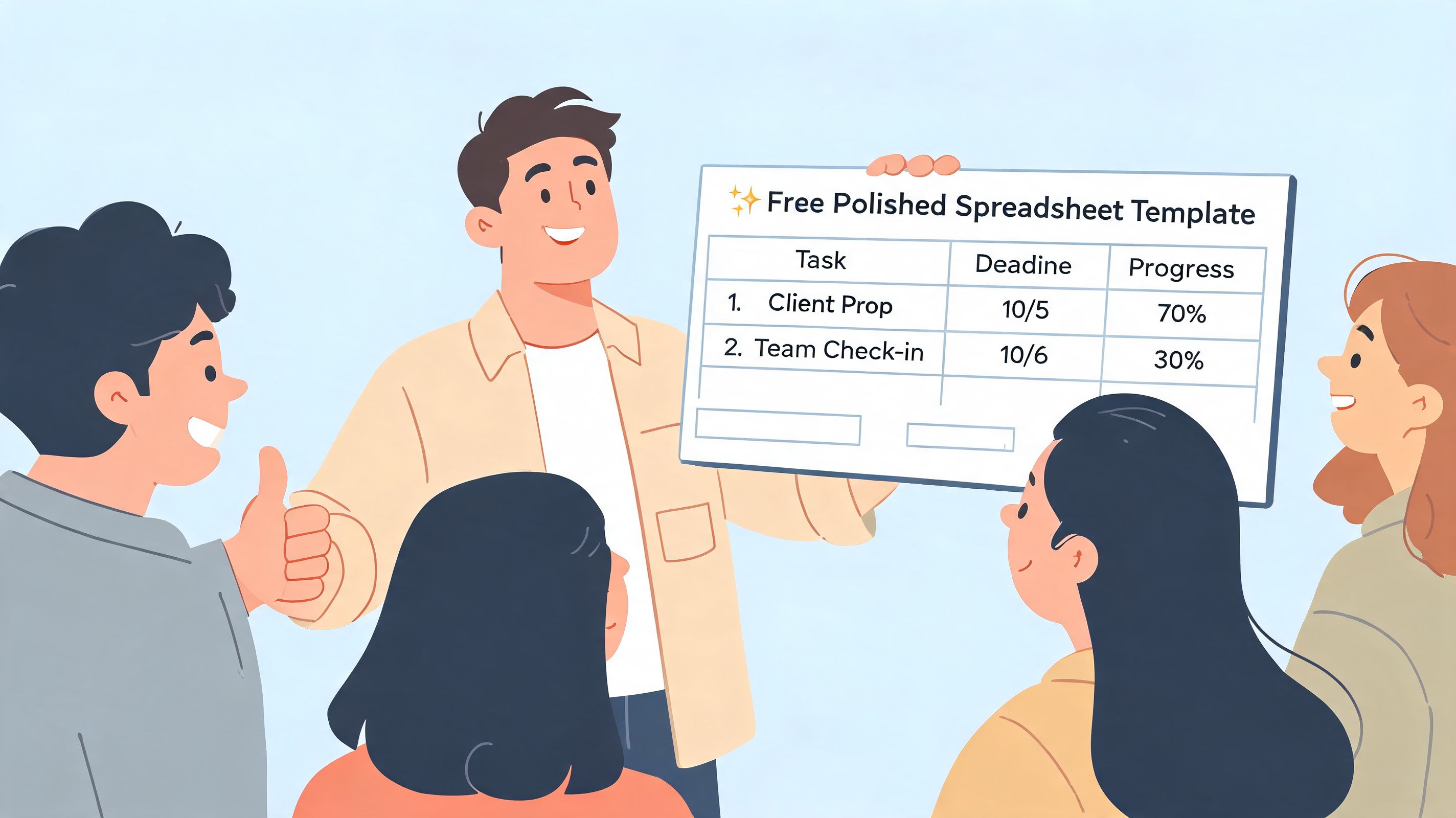
The fix is simple. Don't market the spreadsheet as a file. Market the problem you help people solve.
Position the template like a coaching tool
This matters even more for business-focused offers.
Apollo's 2026 analysis says 66% of companies still use spreadsheet-based forecasting and reports that poor data quality costs B2B organizations an average of 12% of revenue, according to Apollo's sales spreadsheet analysis. That gives you a sharp positioning angle. You're not selling “a tracker.” You're helping buyers reduce expensive mess, improve visibility, and make better decisions with cleaner structure.
A sales coach could say:
- “A full CRM overhaul isn't always the initial priority; a reliable weekly sales reporting rhythm is often the more pressing requirement.”
- “This template helps managers spot activity gaps before they become forecasting problems.”
That doesn't feel pushy because it's useful. It sounds like consulting because it is consulting, packaged.
Four channels that feel natural for coaches
Content that teaches the problem
Write or record content that helps buyers understand the issue the template solves.
A health coach could publish an article on consistency breakdowns in habit tracking. A business coach could record a short training on how to review weekly pipeline movement. A leadership coach could teach how to run a better one-on-one cadence.
Then the template becomes the next logical step.
Sell the shortcut after you teach the method.
SEO that matches buyer intent
Your product pages should use the language buyers search for. Not your internal jargon.
Examples:
- sales forecasting spreadsheet for coaches
- client progress tracker template
- weekly revenue dashboard spreadsheet
- coaching program KPI tracker
Keep the copy simple. Show screenshots. Explain who it's for, what problem it solves, and what's included.
Partnerships with adjacent experts
This one is underused.
A business coach can partner with a bookkeeper. A career coach can partner with a recruiter. A wellness coach can partner with a habit specialist or a nutrition educator. The other expert teaches the context, and your spreadsheet becomes the implementation tool.
If you want a sustainable way to stay in front of those buyers, start building owned attention. This practical resource on how to start a newsletter is useful if you've been relying only on social posts and want a steadier channel.
A short weekly email with one insight, one common mistake, and one tool mention is enough.
Here's a simple walkthrough format that works well in content:
Use the template inside your paid program first
This is still my favorite move.
When a template lives inside your coaching offer, you see where users hesitate, what they ignore, and which parts create momentum. That feedback makes the product stronger before you push it publicly.
Then your clients start saying things like:
- “This finally gave me a way to stay on track between calls.”
- “I stopped guessing because the dashboard showed me the gap.”
Those aren't fake testimonials manufactured for a launch. They come from real use.
The Overlooked Essentials Licensing Support and Scaling
Most advice about selling spreadsheet templates stops at creation, pricing, and delivery.
That's not enough if you sell to teams, agencies, coaching schools, or consultants who work across client accounts. The moment your product becomes useful inside an organization, licensing stops being a minor detail and becomes part of the offer.
Licensing is part of the product
Payhip's guidance highlights a major gap in the market. Most guides barely address multi-user rights or redistribution even though spreadsheet products are easy to copy. That makes clear license tiers one of the simplest ways to professionalize the offer and support higher-value sales, as discussed in Payhip's template licensing overview.
If you ignore this, buyers will ask the same questions over and over:
- Can my assistant use this too?
- Can I share this with my team?
- Can I give a copy to my clients?
- Can we rebrand it internally?
- Can we use it across multiple cohorts?
Those are not edge cases. They're buying questions.
A vague license creates friction before the sale and conflict after it.
Simple license tiers you can use
You don't need legal complexity to start. You need clarity.
Personal or single-user license
Use this when the buyer is one person using the spreadsheet for their own work.
Sample language:
Purchase includes use by one individual purchaser. Redistribution, resale, or sharing with team members, clients, or third parties is not permitted.
Team license
Use this when a small business or internal team needs shared use.
Sample language:
Purchase includes internal use by one team within a single organization. Redistribution outside the purchasing organization is not permitted.
Client delivery or agency license
Use this when a consultant, coach, or agency wants to use the spreadsheet across client engagements.
Sample language:
Purchase includes use in client delivery within your business. Resale as a standalone template, transfer of source files, or unrestricted redistribution is not permitted unless separately agreed in writing.
That structure alone will answer half the pre-sale emails you'd otherwise receive.
If you ever need to formalize usage terms more thoroughly, it can help to review examples of templated legal documents in plain language. Even something unrelated like this resource to create a lease online is a useful reminder that buyers expect clear rights, conditions, and boundaries when money changes hands.
Support less by documenting more
The coaches who end up hating digital products usually don't hate products. They hate support debt.
Support debt builds when:
- the instructions are thin
- the tabs aren't labeled clearly
- the buyer can break formulas easily
- version updates aren't tracked
- the license terms are fuzzy
A low-support setup usually includes:
- A start-here tab with first actions
- A short PDF guide with screenshots
- A short walkthrough video for setup
- An FAQ block on the sales page
- A changelog when updates are released
Scale by building around one workflow family
Don't jump from a sales tracker to a meal planner to a hiring dashboard just because all of them are spreadsheets.
Scale within one transformation.
A business coach might grow from:
- weekly sales tracker
- forecast dashboard
- pipeline review pack
- KPI reporting bundle
- implementation workshop
A life coach might expand from:
- habit tracker
- weekly planning sheet
- reflection dashboard
- accountability bundle
- group reset challenge
That's how spreadsheet products strengthen the main business instead of distracting from it. They create a path into coaching, improve program delivery, and give past clients something useful to buy when they're not ready for another private package.
If you want one place to package your coaching offers, take payments, deliver resources, and present digital products in a branded client experience, Coachful is built for that kind of workflow. It's a practical fit for coaches who want their templates to support the broader business, not sit in a disconnected tool stack.