Video in Carousel Made Simple for Coaches

Coachful
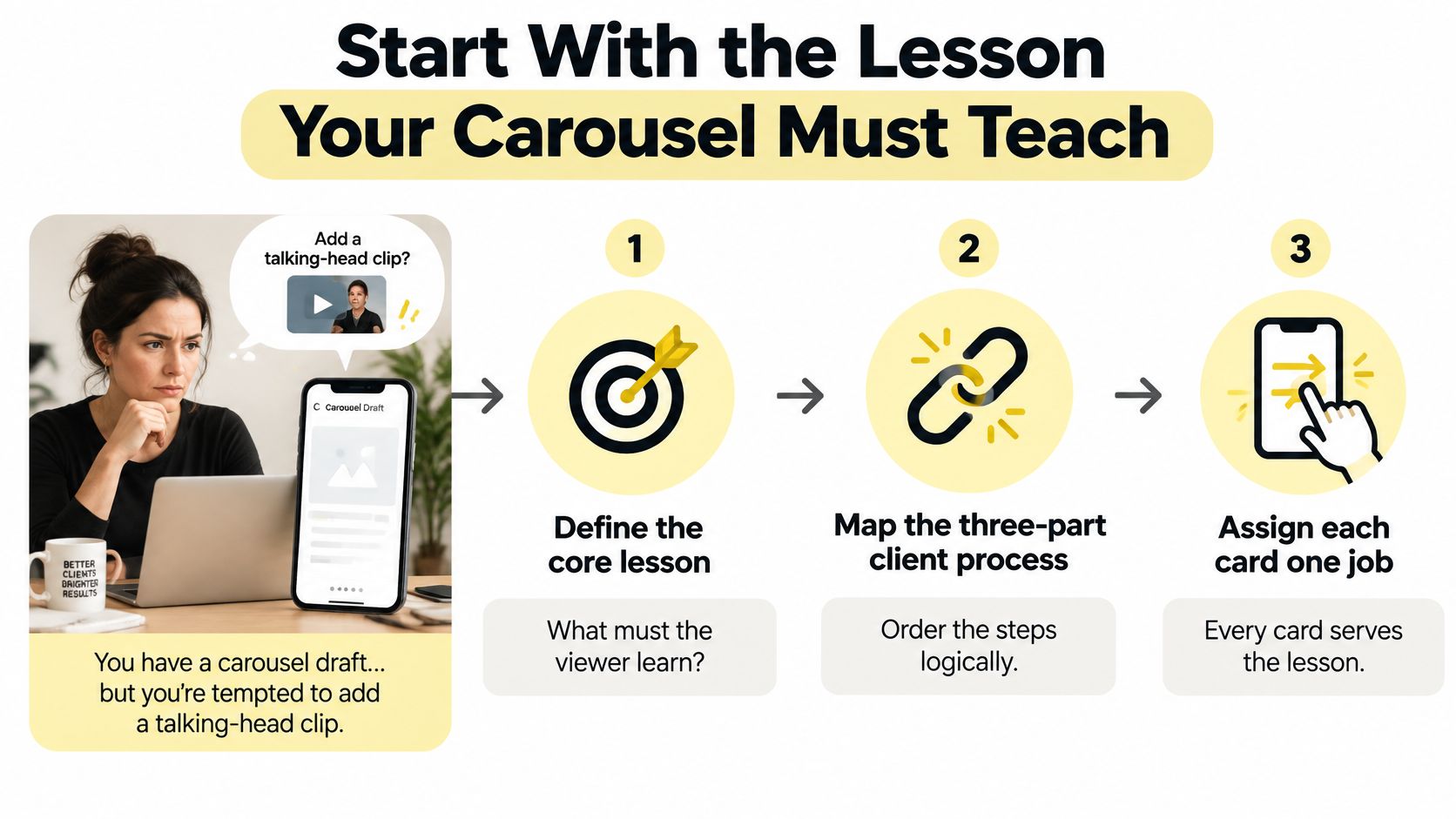
You're staring at a half-built post and a phone full of clips. You have a three-part process your clients pay you to teach, a talking-head video that almost explains it, and a quiet worry that if you just drop that clip in the middle, nobody will swipe, nobody will save it, and you'll have spent an afternoon editing for nothing. That's the normal starting point. The fix isn't better editing. It's deciding, before you touch any footage, what each card is supposed to teach.
Start With the Lesson Your Carousel Must Teach
A coach I work with wanted one swipeable post to explain her onboarding process. Her draft had a selfie video on card two because video felt more engaging. When asked what that clip showed that text couldn't, she couldn't answer. That's the tell. You're not building a folder of media. You're building a sequential teaching path.
A carousel is a multi-frame format that lets one paid placement contain up to 10 images or videos, with each card able to use its own link, across Facebook, Instagram, Messenger, and the Audience Network, as documented in Hootsuite format specifications referenced in carousel performance coverage. That structure suits sequential storytelling, product demonstrations, feature comparisons, and step-by-step explanations. For you, it means a client journey can live in one unit instead of being split across separate posts.
Name the Promise Before You Pick the Media
Write five short answers on paper first. What's the client problem in their words, not yours? What's the transformation you help with? What's your method, in plain steps? What evidence can you show, a milestone, a testimonial, a before and after moment? And what's the one next action?
If you can't fill those five lines, you don't have a carousel yet. You have material. A business coach might write, problem, founders avoid pricing conversations, transformation, calm confident price delivery, method, prepare, anchor, pause, evidence, a client quote, action, book a diagnostic call. That sentence now controls every card.
Answer the Question You're Already Asking
Will adding video make my carousel better? Only when motion demonstrates change, sequence, or technique that a still card shows poorly. A clip of you saying the same words written in the caption adds production time and sound dependence. It adds no learning.
Motion earns its place when the viewer needs to see something happen in order, not when you need the post to look more advanced.
Use this order as your starting skeleton. Hook, problem, method, video demonstration, actionable steps, proof or example, and one CTA. The video sits after the viewer understands why the technique matters. By then, they're watching for how, not wondering what they're looking at. That's when a video in carousel format starts teaching instead of decorating.
Design the Sequence Before You Add Video
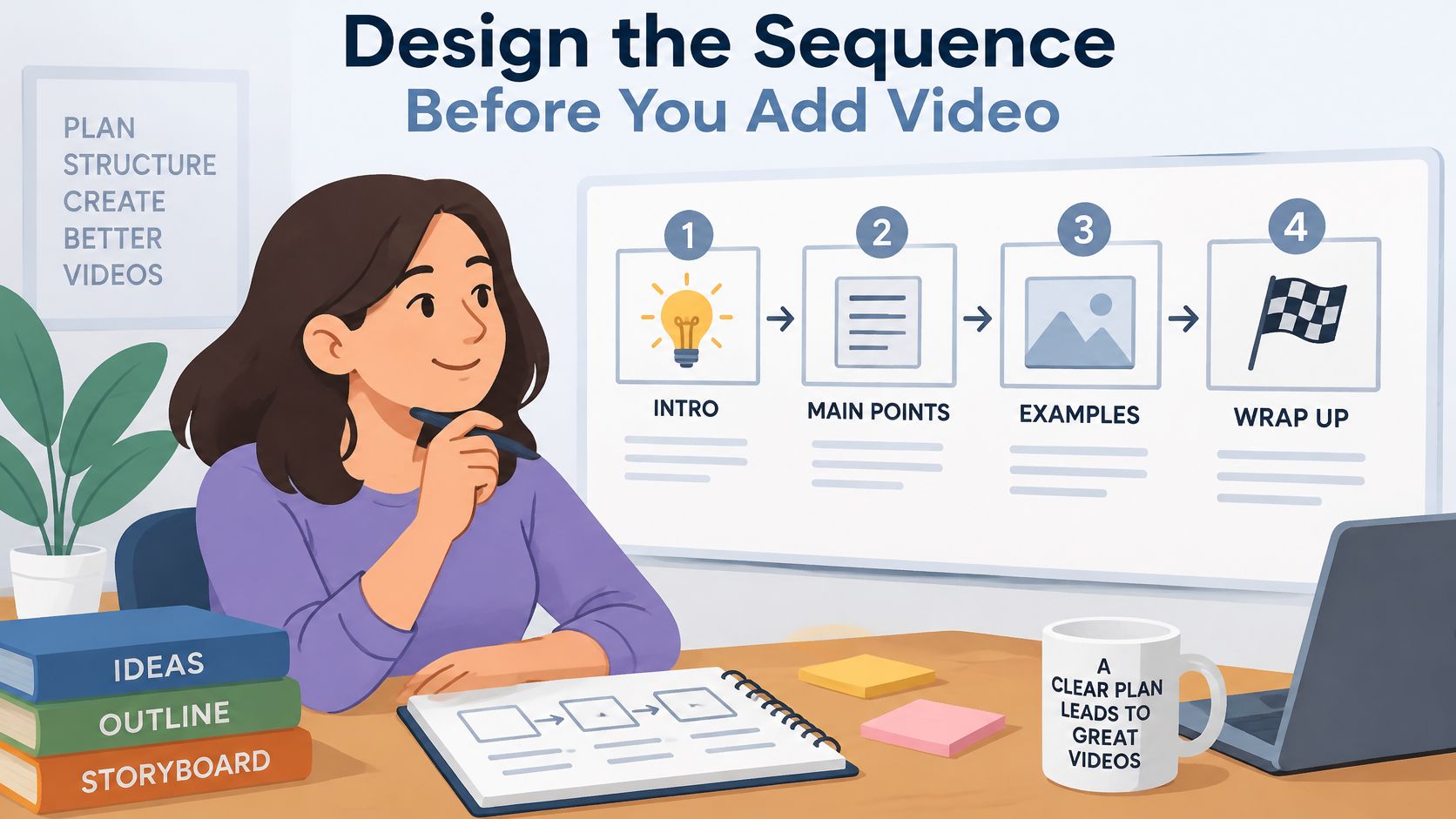
Build backwards from the last card. If the final action is booking a call, the card before it must remove the last objection. The card before that must make the method feel usable today. When you design in that direction, the video finds its own slot and you stop forcing it into card one because an algorithm tip told you to.
Here's a concrete sequence for an executive coach teaching difficult conversations. Card one names the problem, you rehearse the conversation in the shower and avoid it in the meeting. Card two introduces a simple framework, observation, impact, request. Card three is a short demonstration of you delivering the opening line with steady pacing. Cards four and five give the written script and a recap. Card six shows a client example. Card seven invites a booking.
Give Every Card One Job
A card doing two jobs usually does neither. Use this assignment check before you design anything.
- Opening hook: One outcome oriented claim the right client recognizes instantly.
- Problem card: The cost of staying stuck, stated without shame or hype.
- Method card: Your framework named and numbered so it's saveable.
- Demonstration card: The short clip that shows pace, posture, or process.
- Instruction cards: Exact words or steps the viewer can copy later.
- Proof card: A specific example, milestone, or testimonial in context.
- CTA card: One action only, with a reason to take it now.
Notice what's missing. There's no card for follow me, save this, share this, comment below, and book a call all at once. Competing CTAs split attention at the exact moment you need a decision. Pick the action that matches your business goal for this post and let the others go.
Static First or Video Led
A static-first sequence opens with a strong text hook, then rewards the first swipe with context before the demonstration. It works well for frameworks, diagnostics, and content people save to reuse. The viewer can skim, screenshot, and come back.
A video-led sequence puts motion early. It can stop a scroll, but it carries risk. If the opening seconds are slow, uncaptioned, or unclear without sound, you've spent your best card on your weakest moment. A slow opening gives the viewer no reason to continue, and no later card can fix a first impression they never reached.
Your inner objection here is usually time. Won't mapping all this take longer? In practice it's faster. You hand a designer, editor, or scheduler a numbered list where each card already has a purpose, a headline, and an asset type. Nobody guesses. Nobody rebuilds the post three times because the clip landed in the wrong place.
Prepare Video Cards for Reliable Mobile Playback
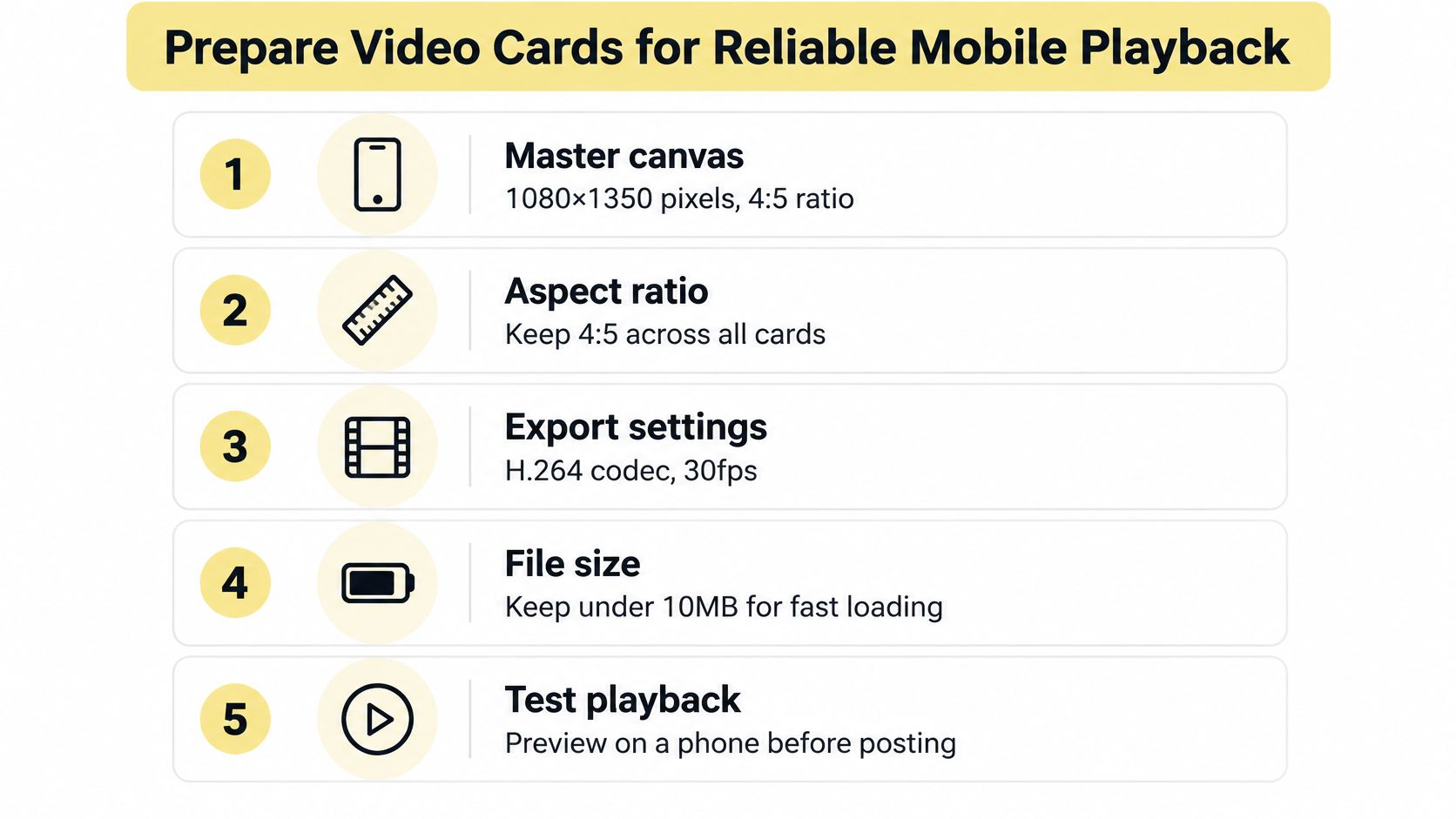
Most carousel failures aren't creative. They're preflight failures. Mixed dimensions, text sitting at the edge, a clip exported for desktop and never checked on a phone. You can avoid nearly all of it with one master template and a boring checklist you run every time.
Start with a mobile-first 4:5 canvas at 1080×1350 px and keep that aspect ratio across every image and video card, and encode video as MP4 using H.264 video and AAC audio, with practical feed specifications supporting clips from 3 to 60 seconds and a maximum file size of 4 GB, as set out in Sprout Social video specification guidance. Those numbers are a production target for feed work, not a universal rule for every destination. You'll adjust per platform later.
Build in This Order
First, create one 4:5 master template and lock it. Second, design the opening card around one outcome oriented hook, not your logo and not a generic title. Third, place short demonstrations or screen recordings after that hook. Fourth, add concise on-screen captions because viewers may watch without sound. Fifth, export and inspect every card on a mobile device before publishing.
This short walkthrough shows the assembly mindset in action, so watch how the sequence reads as a whole rather than as isolated files.
The Mistake That Wrecks Legibility
Mixing portrait, square, and horizontal source assets is the most common pitfall. Carousel platforms apply one orientation to the post, so inconsistent dimensions cause cropping, padding, or shrunken text you didn't plan for. Your horizontal screen recording might look fine in your editor and arrive letterboxed with unreadable labels.
Keep essential text inside a generous safe margin. Don't put instructions, step numbers, or captions near edges that may be cropped. For coaching content this matters more than for lifestyle content, because your viewer is trying to learn a prompt or an exercise. If they can't read step two, the demonstration can't save it.
Run a Five Point Preflight
- Orientation check: Every card matches the master canvas with no exceptions.
- Safe margin check: Headlines, captions, and step numbers sit well inside the edges.
- Readability check: Text is legible at phone size without zooming.
- Export check: Format, codec, duration, and file size match your destination.
- Order check: Cards are numbered, sequenced, and previewed in swipe order.
Practical rule: If you haven't watched the exported files on your own phone, in order, with the sound off, you haven't finished the post.
Match the Format to Each Publishing Destination
Your next inner question is usually, can I make this once and post it everywhere? You can reuse the lesson. You can't assume the format travels. Supported media, item counts, and discovery behaviour differ by destination, and pretending otherwise is how a good Instagram post becomes a broken LinkedIn ad.
On Instagram, a video can sit as one item in a carousel even though a standalone video post is published as a Reel. Current publishing specifications list MP4 and MOV support with a minimum duration of 3 seconds, a maximum of 59 seconds per carousel video, a maximum file size of 100 MB, and supported aspect ratios between 16:9 and 4:5, according to Agorapulse publishing specifications for images and video. Treat that clip as one concise teaching card, not the whole presentation.
Carousel Publishing Contexts at a Glance
| Destination | Supplied carousel detail | Coaching implication |
|---|---|---|
| Mixed photo and video items in one feed carousel | Best fit for a swipe-through lesson with one short demonstration | |
| Facebook, Messenger, Audience Network | Multi-frame paid carousel capability | Strong for sequential offers where each card can carry its own link |
| Document-style sponsored carousel using image cards | Split the job, carousel for the framework, separate video ad for credibility | |
| TikTok | Image-based carousel ad mechanic with looping music | Design still cards that teach, create spoken instruction as a separate video |
| X and website sliders | Behaviour varies by upload route and CMS | Verify current rendering before reusing an Instagram export |
TikTok needs its own warning. Standard TikTok carousel ads require between 2 and 35 images with mandatory looping music, where the music must be at least 2 seconds long in MP3 format and uploaded music is capped at 10 MB, per TikTok carousel ad specifications. A coaching academy promoting a confidence workshop could sequence seven image cards, problem, misconception, exercise, client scenario, outcome, instructor, registration prompt. Your talking-head lesson doesn't drop into that format as another card.
LinkedIn is similar. Its carousel ads require at least 2 and at most 10 cards, allow up to 10 MB per card, recommend 1080-by-1080-pixel square images, and scale those images to 312-by-312 pixels in the feed, while its separate video ad specification recommends 15-to-30-second videos for eligibility across Feed and Audience Network placements, as described in LinkedIn carousel ad requirements. That scaling is why dense text dies there. Build a readable ten-card diagnostic for the carousel and let a short video ad carry your face and voice.
If you're adapting footage across these destinations, social video creation tips are worth reading for general production habits before you re-edit. For your own website, don't assume a slider behaves like a feed. The guidance on embedding a video on your coaching homepage is a better reference point for how video sits on a page you control, where playback and layout follow your site setup rather than a social app. Check X and any CMS slider the same way, by testing the actual upload, not by trusting that an export will transfer unchanged.
Make the Video Work Without Sound
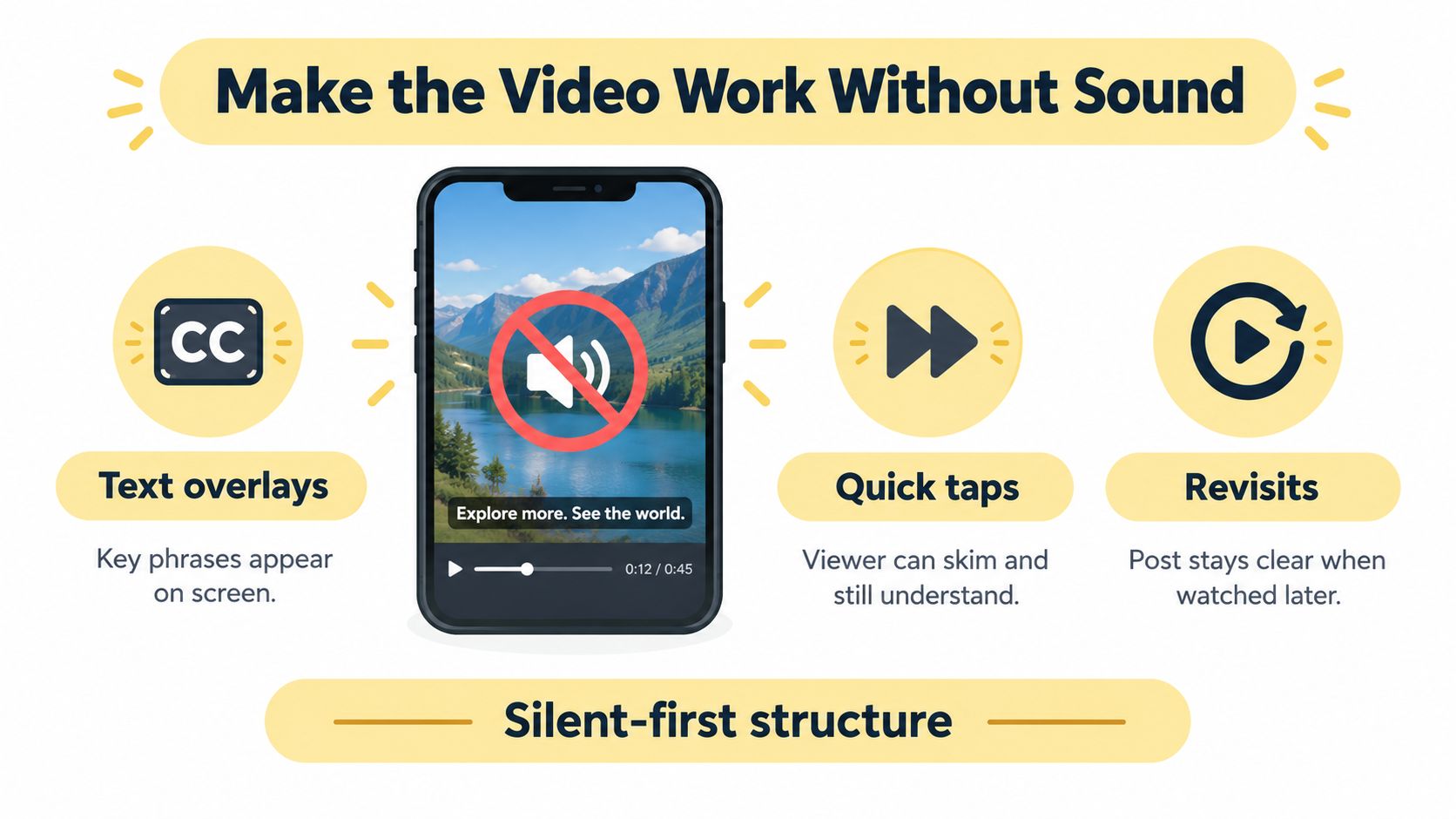
You recorded a clean demonstration. Your voice is clear, your pacing is good. Then your ideal client opens it on a train, in an office, or next to a sleeping child, with the sound off. If the meaning lives in your narration, the card fails for exactly the person you wanted to reach.
Design silent-first. Put the essential instruction in text on the same slide as the motion. Add accurate captions and high contrast overlays to the video itself. Then place a static summary immediately after the video so the lesson survives as something readable, saveable, and reusable.
A Breathing Exercise That Works on Mute
Take a life coach teaching a reset practice. Card one names the moment, your chest tightens before a hard meeting. Card two is a short clip showing posture and breathing pace, with on-screen text counting the inhale and exhale. Card three is a still recap with the written three-step practice. Card four explains when to use it.
The video demonstrates rhythm, which text describes poorly. The surrounding cards preserve context and recall, which video handles poorly once it's scrolled past. This is the core trade-off of video in carousel work. Motion should demonstrate a process. Text and a still recap preserve access. Technical guidance noting that all carousel items share one orientation and videos follow the carousel orientation rather than operating as independent Reels is covered in Sked Social Instagram size recommendations, which is why accessibility has to be designed across every slide as one system.
Don't Confuse a Carousel Video With a Reel
A video inside your carousel stays part of that feed post. It doesn't automatically inherit the discovery workflow of a standalone Reel. If reach through a separate video surface is your goal, publish a separate Reel with its own hook rather than expecting the carousel clip to do both jobs.
Choose your cover frame deliberately. Pick a frame that communicates the action, a hand raised, a whiteboard mid-diagram, a screen at the key step. Avoid dense text in that frame, avoid a blank opening second, and make sure the first visible moment still makes sense with sound unavailable. Also avoid making your call to action dependent on audio. If someone has to hear you to know what to do next, a chunk of your audience never hears the instruction.
Adding video doesn't automatically improve learning. For instructional content, a beautiful demonstration that can't be understood silently is a liability dressed as production value.
Test Whether Video Earns Its Place
You don't need an opinion about whether video helps. You need a small, controlled comparison. Publish two otherwise equivalent versions of the same lesson. One is static-first. The other introduces a short process demonstration early.
Hold audience, posting time, caption length, and CTA constant. Then compare reach, saves, shares, profile visits, and completion related signals over a fixed period. Benchmark evidence indicates carousels averaged 0.55% engagement versus 0.52% for Reels and 0.37% for single images in one cited analysis, though results vary by account and measurement method, as reported in CreatorFlow analysis of Instagram carousel performance. That's context, not a promise for your account.
Read the Signals Without Overclaiming
- Saves: Suggest the lesson felt useful enough to revisit.
- Shares: Suggest the content carried social value for someone else.
- Profile visits: Suggest curiosity about you, not just the tip.
- Completion related signals: Suggest viewers stayed with the sequence.
- Reach: Shows distribution, not whether anyone learned anything.
No single metric proves the video caused anything. You're looking for a pattern that matches your goal. If you sell a program, profile visits followed by enquiries matter more than raw reach. If you build a resource library, saves matter more. The thinking behind funnel A/B testing and what to measure applies here too. Decide the decision before you read the numbers.
When the Result Disappoints
Your objection will be that testing takes time and might tell you nothing. Treat it as a learning loop, not a verdict. Investigate the usual failures first, a slow opening, a long video that repeats the caption, multiple competing CTAs, and reliance on audio alone. Any one of those can make a video version underperform for reasons that have nothing to do with video itself.
Your decision rule is simple. Keep the version that moves viewers toward your stated goal at a production cost you can repeat weekly. A format you can't sustain isn't a winner, whatever one post did.
Build a Repeatable Coaching Carousel Workflow
Start with the promise and the audience problem. Map the card sequence. Mark each card as move, read, or cut: motion earns a place only where a demonstration needs movement, while the framework, steps, and CTA still have to read cleanly with the sound off. Build on one master canvas, add captions and a static recap, inspect on mobile, then check the destination's current publishing requirements before anything goes into a scheduler.
That last step hides a trap. Native Instagram publishing can support up to 20 mixed photo/video items, while Meta's publishing API is limited to 10 items, a gap reported in Influencer Marketing Hub Instagram video size guidance and worth confirming against Meta's current developer documentation before you build around it. If you batch produce in a scheduling tool, a 16-card lesson that works in the app may force cuts or a manual publish. Sometimes the shorter, scheduler-compatible carousel is the smarter choice. Clean delivery beats a richer post you cannot ship consistently.
Keep three templates ready. A business coach client journey: problem, method, milestones, testimonial, CTA. An executive coach framework: hook, diagnostic, demonstration, script, recap, booking prompt. A life coach exercise walkthrough: trigger moment, silent demonstration, written steps, when to use it, reflection prompt.
Run a simple production log for every post: promise, card count, which cards carry motion, video length, caption status, destination, publish method, and the result you were measuring. That record turns the next carousel into a revision instead of a fresh guess. Once prospects move from content into your programs, a platform such as Coachful can hold client workflows, resources, and progress tracking behind the post. The broader system for turning content into clients is laid out in this content marketing playbook for coaches. Build one useful carousel first. Let each platform keep the shape it can publish reliably.
When a carousel brings you a client, you still need somewhere clean to onboard them, deliver your program, share resources, and track progress without stitching together five tools. Visit Coachful to see how one workspace handles scheduling, payments, messaging, and program delivery. Then take the carousel lesson that produced the clearest result and turn it into the front door of a coaching experience as well sequenced as the post itself.