Business Coaching Platform Explained and Why It Matters

Coachful

A business coaching platform is a single connected workspace where you run the operational side of your practice. Onboarding, scheduling, payments, contracts, messaging, session notes, progress tracking, and resource sharing all live in one place.
What a Business Coaching Platform Does for Your Practice

Imagine cooking with a stove from one shop, a blender from another, and a fridge that has no idea what the other two are doing. Dinner still gets made, but it takes forever, and something always falls through the cracks.
Plenty of coaches run their practice this way. A platform is more like a kitchen that was designed as a whole, where every appliance expects to work with the others.
A business coaching platform is one connected system that handles the admin, delivery, and client experience of a coaching practice. Its real value comes from how well the pieces work together.
Platform Versus Single-Purpose Tools
A calendar app handles bookings nicely. For example, it can show you a free Thursday at 2 p.m. What it cannot do is tell you that a client has missed their last two check-ins.
A payment processor collects money without knowing whether your client is making progress. That missing link is what separates a platform from a single-purpose tool.
Is This Just Another App to Learn?
You might be thinking, "I don't have time to learn another login." That worry is common, and it's reasonable. In practice, a platform usually replaces several tools rather than adding another one.
Instead of switching between a booking tool, an invoicing tool, a contract tool, and a notes document, you open one workspace. The individual functions still exist, but they now share information.
A connected platform typically covers:
- Client onboarding and contracts
- Scheduling and reminders
- Payments and messaging
- Session notes and progress tracking
Coachful is one example of this model. It combines scheduling, a coaching CRM, payments, and client apps in one workspace. Its free tools, such as the Coaching ROI Calculator, can also help you estimate what a smoother setup is worth to your practice.
How Daily Practice Tasks Change
The comparison below shows how the same routine tasks play out in each setup.
How a Business Coaching Platform Changes Daily Practice Tasks
| Practice Task | Scattered Tools Approach | Business Coaching Platform Approach |
|---|---|---|
| Booking sessions | Calendar app plus a long thread of texts | Scheduling with automatic reminders |
| Collecting payment | Invoice sent from a separate tool | Payments tied directly to the client's program |
| Preparing for a call | Digging through email and old notes | Intake, goals, and notes on one client record |
| Onboarding a new client | Emails, forms, and file links sent one by one | Automatic start once the client pays |
Once you see the difference in your own week, the rest of the decision tends to get easier.
If your setup is five or six apps stitched together, you probably have good reasons to be attached to it. It works. Bookings land, invoices go out, and your clients keep showing up. You might even think, "Why fix what isn't broken?"
Switching only makes sense when that setup starts costing you something. The cost usually hides in small moments rather than obvious failures.
Picture a Typical Sunday Evening
Imagine a coach with twelve active clients. On Sunday evening, she's chasing unpaid invoices, moving sessions around by text, and digging through her inbox for the goals a client set last month. She tells herself, "This is just what running a practice looks like."
Each task takes a few minutes on its own. Put together, they quietly eat hours every week.
Hidden Costs That Add Up
- Lost time: Hours spent hunting for files and rebuilding context before each call.
- Missed follow-ups: A promised resource or check-in slips through because it lived in an old email thread.
- Weaker accountability: Clients drift when nobody is tracking their goals in one clear place.
These gaps rarely look like a dramatic failure. More often, they look like a client who forgot their homework, or a session that starts with five minutes of catching up.
Why Now Matters More Than Ever
Coaching has grown fast, and that growth raises the stakes. The International Coaching Federation's 2023 Global Coaching Study estimated 109,200 coach practitioners worldwide in 2022. That passed 100,000 for the first time and marked a 54% increase from 2019. Read the full research about global coaching growth
More coaches also means more competition. Clients now compare practices on how smooth the experience feels, not only on the quality of the conversation.
In a crowded field, a polished, consistent experience becomes part of what clients are paying for.
Would My Clients Notice?
You might be wondering whether any of this would register with your clients. It's a fair question, and the honest answer is yes.
Clients rarely comment on your scheduling system. They do notice the gaps between sessions, though, like a reminder that never arrived or a goal you discussed that they quietly forgot. When a client says, "I wasn't sure what we agreed on," that's often a systems problem, not a coaching one.
What a Connected System Gives You
- More focused coaching time: Prep lives in one place, so you walk into each call knowing where the client left off.
- Fewer dropped balls: Reminders stay attached to the clients they belong to.
- A polished experience: Clients feel the difference in every session.

A business coaching platform proves its worth in your daily routine, not on a feature list. Each capability below is grouped by the job it actually does for you.
Keeping Your Calendar Full
Scheduling tools handle the back-and-forth so you don't have to. Clients pick a time from your open slots, and reminders confirm each session without you sending a single text.
- Self-service booking: Clients see your real availability and book the slot that works for them.
- Smart reminders: Confirmations and nudges go out on time, so fewer sessions fall through the cracks.
Walking Into Every Call Prepared
A coaching CRM is where the connections start. It links intake forms, goals, habits, check-ins, sessions, private notes, and messages to one client record.
Picture the thirty seconds before a call. You open a single record and immediately see the goal they committed to last week, the habit that slipped, and the note from their last breakthrough. You think, "Good, I know exactly where to start."
The value of a coaching platform lies in the connections between its features, not in any single tool on its own.
Getting Paid Without the Chase
Money is where small gaps turn expensive. An offer bundles the price or payment plan, the calls, the private chat, and the program into one package.
Here is what happens when a client signs up for a six-month program:
- The client pays, and the payment plan starts.
- Onboarding begins automatically, with intake forms and the contract.
- Sessions get booked, so the first call is already on the calendar.
- A first assignment shows up in the client's app.
The coach never has to open five separate systems to make that happen. She no longer has to wonder, "Did they sign the agreement?" before the first call.
Running Group Programs and Cohorts
Group coaching brings its own moving parts. Cohorts need a curriculum, assignments, and a space where members can check in with one another.
Group features take care of that structure. A ten-person leadership cohort can move through the modules on the same schedule while sharing wins in one community space. Many group coaches worry that a shared space will feel like noise. Clear channels and scheduled prompts usually keep it focused.
Publishing Your Practice Everywhere
Your practice needs a front door, and it needs a presence in clients' pockets. A website builder lets you publish under your own domain, while digital products let you sell resources between sessions.
Branded iOS and Android apps keep everything within reach. Clients check in from their phones, and you review their progress from yours.
If you want to see how that single record is built, take a look at how coaching client management software keeps every detail in one place.
Why Connections Beat Individual Features
A calendar with good reminders is useful on its own. Link that calendar to your notes, payments, and onboarding, though, and the whole week starts to feel different.
That shift is the real point. It's why integration matters more than any single feature on the list above.

Not every coach needs the same workspace. The right business coaching platform depends on who is paying for it and what that person needs to get done each week.
The Solo Coach Who Wants to Look Established
Picture an executive coach about to pitch a senior leader on a six-month engagement. Her proposal, booking page, and client app all need to feel like they came from a boutique firm, even though she runs the entire practice herself.
For a solo buyer, speed and low admin load come first. Branding matters almost as much, because a polished client experience makes a one-person practice look like it has been around for years.
You might hear yourself say, "I don't need enterprise features." That's a fair point. For a small practice, the most useful tools are usually automation and branding, not reporting dashboards.
A reminder that sends itself and a client app with your logo on it will do more for you than a quarterly analytics report.
The Corporate Program Managing Many Coaches
Now picture an HR director running coaching for 60 managers spread across three regions. Each manager should get the same quality of support, no matter which coach they happen to be paired with.
Corporate buyers look for team seats, shared program templates, and reporting on engagement and outcomes. Privacy controls matter just as much here, since employee goals and session notes are sensitive. An HR director may ask, "How do I prove this is working without exposing anyone's private notes?" Role-based permissions are the answer.
Pricing is often based on client count or team seats. That means the program can grow without the team having to switch platforms halfway through.
The Academy Director Keeping Students on Track
An academy director runs a nine-month certification with twenty students. Every week brings new assignments, and a student who falls behind can quietly drift away before anyone notices.
Academies need cohort management, structured curricula, and assignment submissions that make it obvious who is on schedule. The goal is steady progress across the whole class, not a single sale. The director's worry is usually the same: "How do I know who's struggling before they drop out?"
Buyer Personas and the Capabilities That Matter Most
Each buyer above has a different idea of a good week. The table below pairs each persona with its primary needs and the capabilities worth prioritizing during evaluation.
| Buyer Persona | Primary Need | Capabilities to Prioritize |
|---|---|---|
| Solo coaches | Speed, low admin load, a polished brand | Automation, reminders, branded client app |
| Corporate programs | Consistent delivery and visible outcomes | Team seats, engagement reporting, privacy controls |
| Coaching schools and academies | Multi-month student progression | Cohort management, curricula, assignment tracking |
Before you choose, figure out which of these buyers you are. Then rank the capabilities in the table by how many hours each one would save you every week.
Most coaches will see themselves in at least one of these stories. If you recognize your own week in one of them, start your evaluation there.
The best platform is the one that removes the admin your specific buyer dreads most.
Keep this table open during every platform demo you sit through.
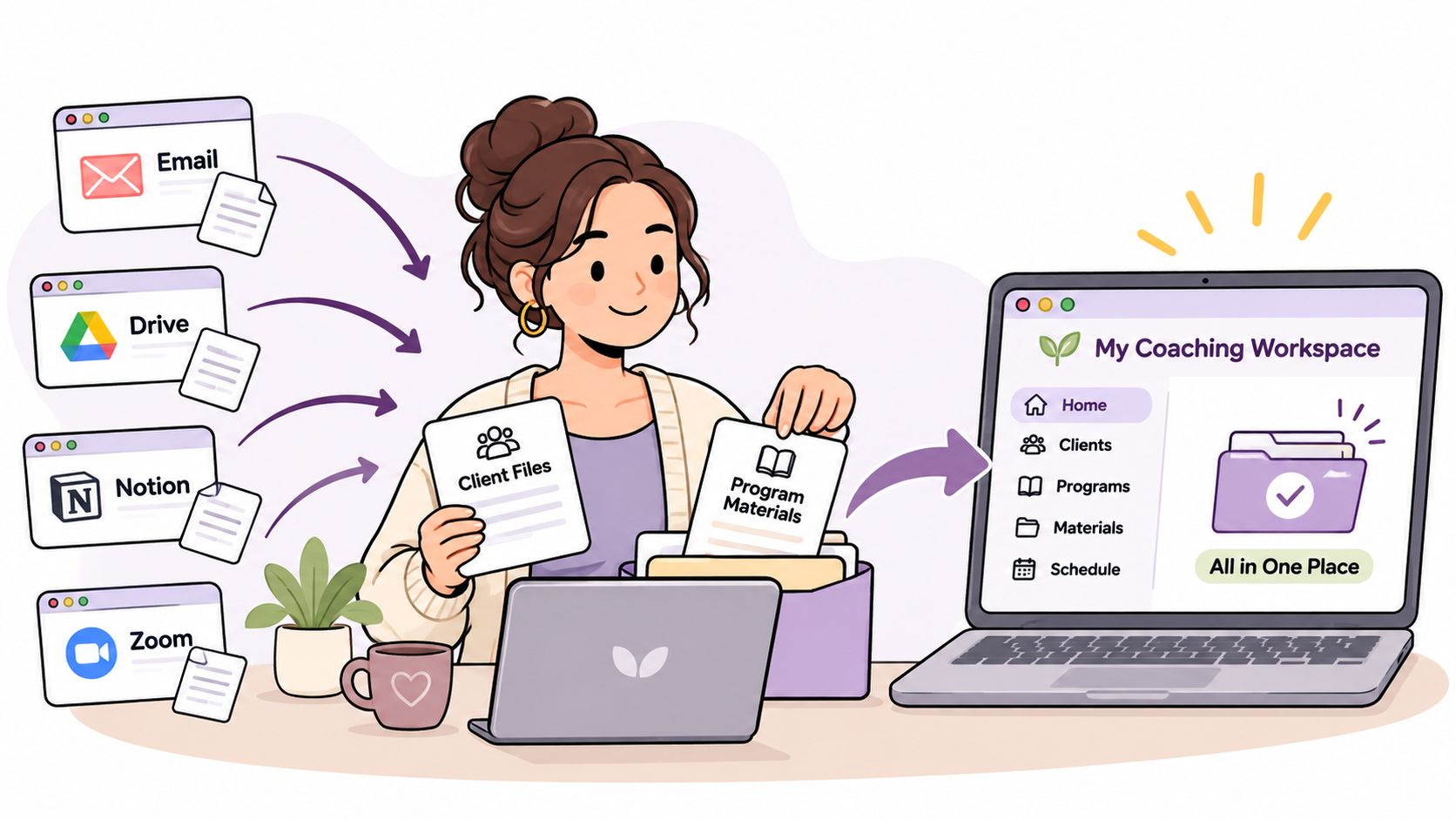
Picking a platform isn't about turning into a different coach. It's about running the practice you already have with less friction. Your methods, your voice, and your clients stay the same. You're just giving that work a better home.
Use This Checklist Before You Commit
Before you sign up for anything, put each option through four quick questions.
- Is everything in one place? Scheduling, CRM, payments, and content should all live on a single client record. A pile of loosely connected modules brings back the juggling you were trying to escape.
- How does pricing grow? Find out whether costs rise with active clients or with team seats. The answer will shape your bill as your practice expands.
- Does your brand hold together? Your website and mobile app should feel like one practice, not two tools stitched together.
- Who can see sensitive notes? Permissions should limit session notes to the people who actually need them.
Why Migration Feels Riskier Than It Is
Moving a practice can feel like renovating a house while someone is still living in it. Your first thought is probably, "What if I lose client records?" The reassuring part is that you never have to move everything at once.
Think of the move in three stages:
- Import clients, programs, and content first.
- Rebuild one active offer as a test.
- Move the remaining clients once the workflow has proven itself.
How a Two-Week Migration Actually Works
Consider a coach who moved her practice over two weeks. In the first few days, she imported her clients, programs, and content. Her old tools kept running in the background, so nothing vanished while she worked.
She then rebuilt one six-month offer as a test. Only after a new client moved smoothly through onboarding did she shift the rest of her roster. Her old scheduling tool stayed active until that flow was confirmed.
What Onboarding Imports Carry Over
Good onboarding imports carry clients, programs, and content across, so you aren't rebuilding each item by hand. Coachful, for example, brings a coach's clients, programs, and content over during onboarding.
Cost matters too. Coachful charges a 0% platform fee on everything you earn or sell, so compare that figure with what your current tools cost each month.
Migration works best when the old system keeps running until the new one has earned your trust.
Starting Small Is a Valid First Step
You don't need to move your whole practice to see whether a platform fits. One program is usually enough to test the workflow. If you're worried about committing too much too soon, this is the low-risk path.
Read also: how to migrate clients between coaching platforms for a step-by-step walkthrough of the switch.
If you're still validating or narrowing the platform idea before committing to a migration, this comparison of niche micro SaaS ideas offers a useful lens.
On a quiet Friday afternoon, the coach closes her laptop. Every client has their next session booked, every invoice has gone out, and no follow-up is stuck in an old inbox. Nothing is hanging loose, and that is exactly the point of making the switch.
Every platform purchase comes down to one question: is this an expense or an investment? The answer is usually in numbers you can see for yourself.
Start with the business side. Four numbers show whether your platform is actually saving you money and time.
Business Numbers Worth Tracking
- Revenue per client: Shows whether your offers grow alongside your roster.
- Weekly admin time: Hours spent on scheduling, invoicing, and follow-ups, logged every Friday.
- Booking and no-show rates: The share of slots you fill and the share that sit empty.
- Payment collection speed: The average number of days between sending an invoice and getting paid.
Recovering just one session a week adds up to roughly fifty sessions a year. That's real money hiding in your calendar.
Client Outcome Numbers That Drive Referrals
Business numbers keep the lights on. Client outcomes are what bring people back and send new ones your way.
- Goal completion: The percentage of client goals reached by their target date.
- Habit consistency: How often clients complete the habits they committed to each week.
- Check-in frequency: Whether clients show up for their scheduled touchpoints.
- Milestone progress: Where each client stands against the milestones in their program.
Dashboards in engagement tools make these patterns easy to spot at a glance.
Spotting Drift Before Clients Disconnect
Picture a coach who tracks check-in frequency over six months. At first, the data looks like noise. Then a pattern emerges: clients who skip two check-ins in a row are almost always the ones who cancel. She thinks, "I wish I'd seen that sooner."
A vague worry about a client becomes a specific rule: two missed check-ins trigger a personal follow-up call.
That one rule turns guesswork into a plan you can act on this week. You don't need to wait for a cancellation email to know someone is slipping.
A Thirty-Minute Monthly Review Routine
Once a month, set aside about thirty minutes and look at two numbers. Keep it short so you actually do it. If you think, "I'll never find time for this," start with just ten minutes.
- Pick one business number, such as revenue per client or no-show rate.
- Pick one outcome number, such as goal completion or habit consistency.
- Note what changed, then write one follow-up action for the coming month.
How Do I Know It's Worth the Money?
Run the math yourself before you commit. A rough estimate beats a sales pitch every time.
The free Coaching ROI Calculator and the Coaching Business Revenue Calculator can help you turn a saved hour or a retained client into dollars.
Start with your weekly admin hours and your average session fee. Then add the value of one client you keep for another month. For example, if you save three hours a week and keep one client who would have left, the math may favor the platform quickly. If the total comfortably beats the subscription cost, the platform is paying for itself.
Read also: how progress tracking software keeps goals visible for building these dashboards.
Model your own numbers this week, then compare them at your next monthly review.
Is a Business Coaching Platform Only for Large Teams?
Not at all. Solo coaches often see the biggest payoff, since they handle every task themselves.
Picture a life coach with fifteen clients who spends every Sunday night sending invoices and rescheduling texts. Once reminders and payments run on their own, those evenings are hers again. A client app with her own branding also makes her practice look established. Pricing usually scales with your client count or team seats, so you pay for what you use.
How Is a Coaching CRM Different from a General CRM?
A general CRM is built for sales. It tracks deals as they move toward a yes.
A coaching CRM picks up where the sales process ends. It keeps everything about the client in one place:
- Intake forms and stated goals
- Habits and check-ins
- Session history and private notes
- Messages and shared files
Before a call, you can see whether a client hit this month's habit goal without digging through old email threads. That small detail changes the whole conversation.
How Long Does Moving an Existing Practice Take?
You don't have to move everything at once, and you shouldn't try. Start by importing your clients, programs, and content during onboarding so you aren't retyping them by hand.
Next, rebuild one active offer as a test. Once a new client moves through onboarding without a hitch, shift the rest of your roster over. Many coaches finish within a couple of weeks, and they keep their old tools running in the background as a safety net until they feel sure.
How Do I Protect Sensitive Client Information?
Permissions and privacy settings do most of the work here. Session notes and personal details should be visible only to the people who truly need them.
Before you commit, check exactly who can view notes, including any assistant or team member you've added. Then test those settings yourself by logging in as a limited user. It takes a few minutes, and it's the surest way to know your clients' information is safe.
Ready to see how it fits into your week? Explore the all-in-one workspace from Coachful at coachful.co and start with a single program.