Can You Delete Groups on Facebook: Delete Your Facebook

Coachful

You started that Facebook group for a good reason. It gave your clients a place to gather, ask questions, celebrate wins, and stay close to your work between sessions. Then reality set in. More notifications. More moderation. More random distractions from the feed around your content. More energy spent managing a space you don't control.
So let's answer the question directly. Can you delete groups on Facebook? Yes. But Facebook doesn't make it clean, fast, or forgiving. For coaches, that matters because this isn't just a technical task. It's a business decision, a client experience decision, and often an emotional one too.
If you're staring at a stale group, an off-brand group, or a group that once felt alive and now feels like an obligation, you're not failing. You're probably outgrowing a setup that no longer fits the business you're building.
That Facebook Group Seemed Like a Good Idea
You open Facebook to check one client question. Twenty minutes later, you are still there, buried under notifications, side conversations, and content that has nothing to do with your work. That is the main problem with a Facebook group for coaching. The group may hold value, but the container works against the experience you are trying to create.
Facebook feels convenient at first because the barrier to entry is low. Clients already know how to use it. Joining is easy. Posting is familiar. For an early-stage offer, that convenience can be enough.
Then the tradeoff gets expensive.
Your best prompt sits beside ads, family updates, and algorithm-driven noise. A thoughtful client win disappears in the feed. You end up moderating a community inside a platform designed to keep attention for Facebook, not for you. That is why so many coaches start asking, can you delete groups on Facebook without throwing away the relationships and trust they built there?
Yes, you can delete the group. The smarter decision is to choose what should happen to the community before you remove anything. Sometimes the right call is to shut it down. Sometimes it makes more sense to pause the group, preserve the best content, and move members into a proper coaching platform where you control the experience, the access, and the next step.
That distinction matters. Deleting a group is not just admin cleanup. It is a business move. It forces you to answer a harder question: are you ending the community, or are you finally giving it a better home?
If you have felt boxed in by algorithm changes, weak visibility, and the risk of building on borrowed land, the downsides of social media marketing lay out the core problem well. Social platforms are useful for attention. They are a poor foundation for a client community you want to grow and keep.
You are not deleting a mistake. You are deciding whether this group still fits the business you run now.
For some coaches, the answer is obvious. The group is quiet, off-brand, and draining. For others, the group still contains strong conversations, testimonials, and resources worth keeping. That is why this decision deserves a plan, not a frustrated click on "delete."
The Pre-Deletion Checklist For Coaches
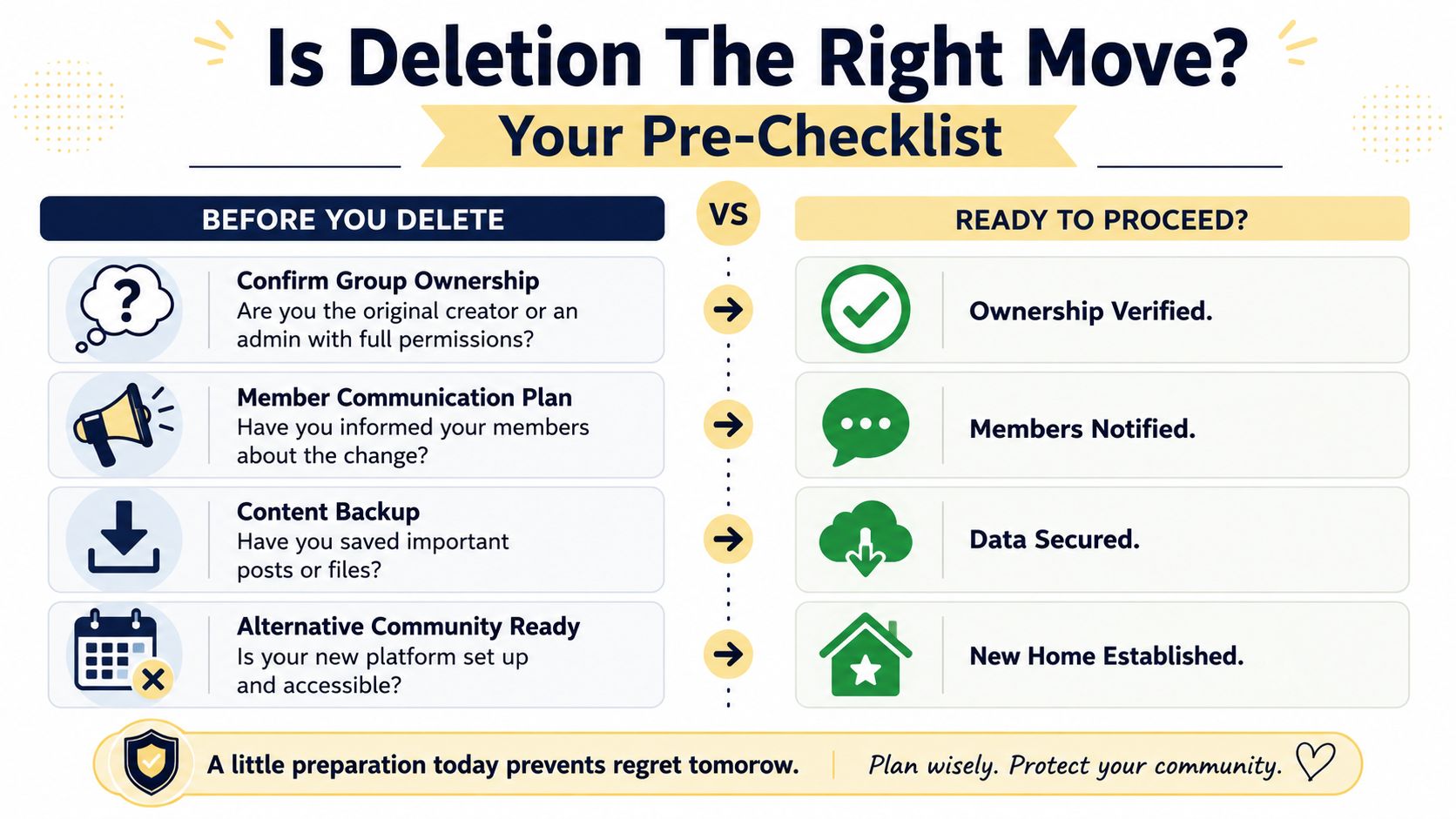
Before you touch anything, slow down. Deleting a Facebook group is final in practice, and the work leading up to deletion is where most coaches realize they needed a better plan.
Start with the business question
Don't ask, “How do I get rid of this?” Ask, “What problem am I solving?”
For example, if your real issue is that you don't want to moderate daily posts anymore, deletion may be too extreme. If your issue is that the group no longer matches your offer, your brand, or your client experience, then closing it might be exactly right.
Use this short decision screen:
- Ownership check: Are you the admin with full permissions to manage the group?
- Community intent: Are you ending the community, or just ending Facebook as the place where it lives?
- Content value: Are there posts, files, prompts, wins, or testimonials you'll want later?
- Transition plan: Do members know what's happening next?
- New destination: Have you already created a home for links, updates, and resources, such as a link in bio for coaches page that points people to your next step?
If you can't answer those clearly, you're not ready to delete.
Deleting and archiving are not the same move
A lot of coaches confuse “I want out” with “I need to erase this.” Those are different decisions.
| Action | Deleting the Group | Archiving the Group |
|---|---|---|
| Access to old content | Removed from active use and no longer available once gone | Preserved for reference |
| Member activity | Ends completely | Stops or slows depending on settings and access |
| Emotional impact | Clean break | Softer transition |
| Best for | Closed programs, rebrands, dead communities, compliance concerns | Pausing a community, preserving resources, reducing management load |
| Risk of regret | Higher if you didn't save content first | Lower because the material remains available |
If you ran a short-term cohort and that container is finished, deleting can make sense. If your group contains years of thoughtful answers, prompts, and client wins, archiving is often the more mature move.
Decision rule: If the content still has value, don't delete in a rush. Preserve first, then decide.
Ask the uncomfortable questions
In these instances, coaches usually know the truth.
Maybe you've been avoiding the group because it reminds you of an offer that no longer sells. Maybe you feel guilty because members still post, even though the space no longer reflects your current work. Maybe you're afraid that closing it means you're letting people down.
That guilt isn't strategy. If the group no longer supports your clients well, keeping it alive out of obligation is the weaker choice.
Before you proceed, make sure you've done three practical things:
- Warn members clearly: Tell them what's changing and when.
- Save what matters: Copy your best posts, FAQs, templates, and testimonials into a document.
- Point people somewhere else: Even a simple transition page is better than silence.
How to Permanently Delete a Facebook Group
If you've made the call, commit to it and do it properly. Facebook's group deletion process is intentionally manual. You must remove all members before the final admin can delete the group, and Meta distinguishes this from enforcement actions where it removes groups that repeatedly violate Community Standards, as explained in this walkthrough on how Facebook group deletion works.
Accept what the process is
This is not a one-click delete button.
Facebook requires the group to be emptied first. That means your real task isn't “delete the group.” Your real task is remove every member one by one, then leave as the last admin. Only then does the final deletion action become available.
If you have a small coaching group, this is annoying but manageable. If you have a large group, this becomes a project. That's why many coaches should decide strategically before they begin instead of discovering halfway through that they've signed up for hours of manual admin.
Desktop workflow
On desktop, the cleanest approach is to work methodically.
First, go into the Facebook group you manage and open the member list. You'll need to review the people currently inside the group and begin removing them individually. Facebook typically places removal actions inside the member management area or through the menu next to each member's name.
Work in a deliberate order:
- Remove inactive members first: This reduces clutter fast and helps you build momentum.
- Remove peers or moderators next: If you have other admins or moderators, coordinate with them so no one gets confused.
- Leave yourself for last: If you exit too early, you lose control of the process.
A coach example: if you ran a mastermind for one calendar year, tell members the group is closing on Friday, give them time to save anything they need, and then spend that evening removing members in batches until only you remain.
Mobile app workflow
The mobile app follows the same logic, even if the menus look different.
Open the group, find the people or members section, and use the menu beside each member to remove them. Don't assume the app will give you a faster route. It won't. The sequence is still manual, and the final delete option won't show up until the group is empty except for you.
That's why coaches often prefer desktop for this task. You're doing repetitive actions, and desktop usually gives you better visibility and less friction.
Here's a walkthrough if you want to see the flow before you start:
The final step
Once every other member is gone, you leave the group yourself as the last remaining admin. That's the moment the group deletion flow is triggered.
This is the part coaches often misunderstand. The last click isn't the hard part. The hard part is everything before it.
Don't start this process late at night assuming it'll take five minutes. It won't, unless the group is tiny.
Protect your reputation while closing
Before you start removing people, post a clear final message. Keep it brief and respectful. Tell members:
- Why the group is closing: Keep it simple and honest.
- What they should save: Resource posts, files, or links they want to keep.
- Where to follow you next: Email list, website, private portal, or client hub.
You don't need a dramatic goodbye. You need clean communication.
What Really Happens When a Group Is Gone
Deletion isn't symbolic. It's operational. Once the group is gone, the space disappears from Facebook as an active community.
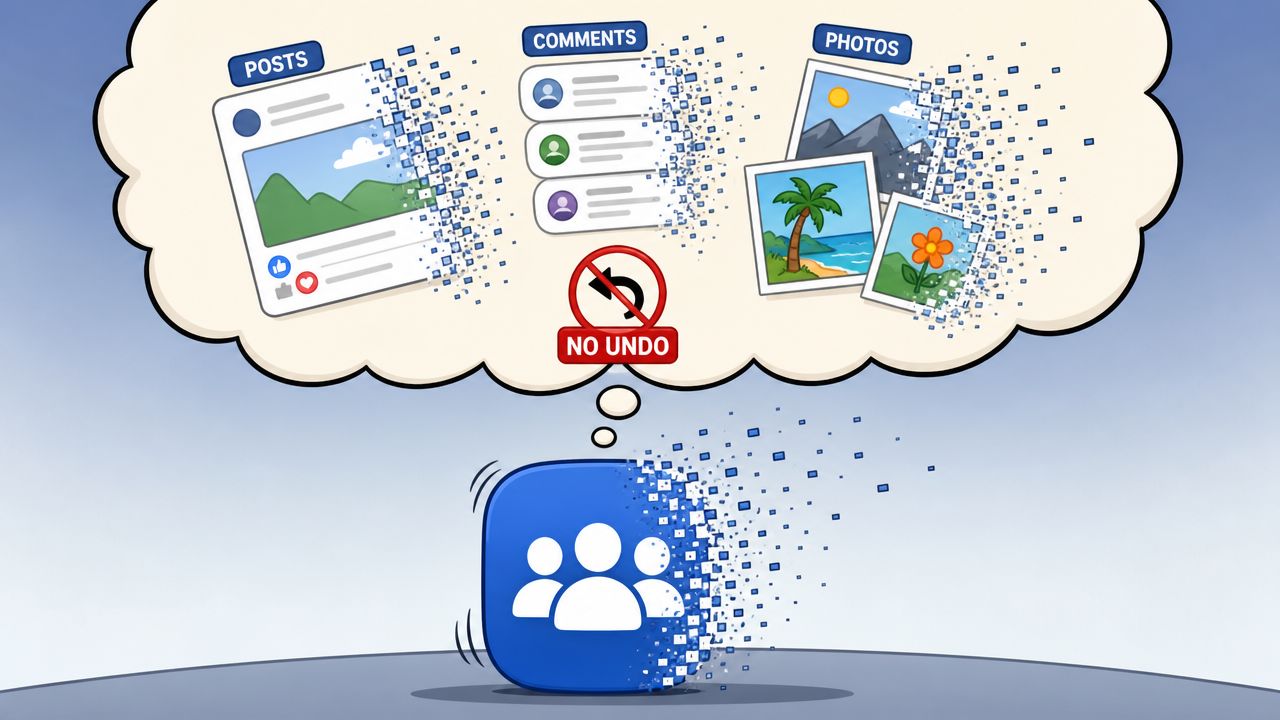
That means your old posts, comment threads, shared photos, uploaded files, member discussions, and the social proof built inside that room are no longer available to you in practice. For a coach, that can sting more than expected because what you're losing isn't just a forum. You're losing a record of conversations, breakthroughs, and client language that may have shaped your offers.
What disappears for you
If you used the group as an informal resource library, that library is gone with it. Think about the practical examples coaches often overlook:
- Welcome posts: Those often contain your clearest positioning.
- Client wins: Great testimonials are sometimes buried in comment threads.
- Training prompts: Weekly prompts can be repurposed into curriculum later.
- Files and guides: If you uploaded worksheets there, don't assume you'll remember to recreate them.
This is why deleting without a backup plan is reckless.
What changes for members
From the member's side, the group stops being part of their Facebook world. They won't keep access to the discussions they contributed to. They also won't be able to revisit old threads where they got value or shared progress.
That matters if your clients treated the group like a support archive. A coach might think, “Nobody's active in there now anyway.” Maybe. But one quiet member may still return to old threads for reassurance before a hard conversation, a launch, or a life change.
If the group contained client value, treat deletion like closing a library. Save what deserves a second life.
What this means strategically
A deleted group doesn't strengthen your business by itself. It only helps if the deletion is part of a cleaner system. If you remove the Facebook group and replace it with nothing, you create silence. If you remove it and replace it with a sharper client journey, the move feels professional.
That's the standard to use.
Common Problems and How to Fix Them
Most deletion problems come down to one of three issues. The group is too large, the admin setup is messy, or the coach starts the process before thinking through the sequence.
The group is too big to delete realistically
The practical workflow is O(n) in member count because the admin must remove members individually and then leave last. The main bottleneck is manual member removal, which makes large-group deletion operationally expensive, as shown in this video explanation of Facebook's deletion flow.
If your reaction is, “I have too many members for that,” you're probably right.
Your options are straightforward:
- Archive instead: If manual removal is unrealistic, archiving is often the sane choice.
- Shrink the scope first: Stop admitting new members and communicate a closure timeline.
- Use admin help carefully: If you have trusted support staff, coordinate the cleanup process with precision.
You can't find the delete option
Usually, that means one of two things. Either there are still members in the group, or you are not the last admin in the group.
Check the basics:
- Member status: Make sure no regular members remain.
- Admin roles: Confirm that no other admin still has access.
- Your own status: You must be the final admin to leave.
You removed yourself too early
This is the ugly one. Coaches do this when they're moving too fast.
If you leave before the group is empty, you can lose the ability to complete the process. At that point, you may need another admin to finish it, or you may need to rejoin and regain admin status if that's possible.
The fix is mostly preventative. Slow down. Remove others first. Leave last.
Beyond Facebook A Professional Hub for Your Community
Deleting a Facebook group can be a smart move if it's part of a larger upgrade. Not a tantrum. Not a cleanup spree. An upgrade.
For coaches, the opportunity is this: stop treating community like a side effect of social media and start treating it like part of your client delivery. That changes everything. Your resources become easier to organize. Your conversations happen in a cleaner setting. Your brand stops competing with the noise of a newsfeed.
Keep the value, change the container
Before you close anything, do a content audit. Open your group and pull out the pieces worth keeping.
Look for things like:
- High-signal posts: Questions that sparked great discussion.
- Client language: The exact words members use to describe pain points and wins.
- Teaching assets: Mini trainings, checklists, live session summaries.
- Proof points: Testimonials, thank-you comments, breakthrough posts.
Those pieces can live elsewhere. They can become onboarding material, resource libraries, community prompts, or program curriculum.

Choose a platform on purpose
Not every replacement should look the same. Some coaches need discussion-heavy spaces. Others need a structured client hub with resources, program access, and payments in one place.
If you're comparing community tools more broadly, this guide to understand Slack vs Discord differences is useful because it highlights how different platforms shape conversation and culture. That's the right lens. Don't just ask what's popular. Ask what supports your coaching model.
And if you're rebuilding your online presence more broadly, pair your community decision with a proper coaching website builder so your clients have a clear, branded home base outside social media.
Make the move feel premium
Here's the standard I'd use if I were advising a coach one-on-one.
Don't say, “I'm shutting down the Facebook group because I'm overwhelmed.” Say, “I'm moving our community experience into a more focused space so you can access support and resources without the distractions of Facebook.”
That's not spin. If you build the better experience, it's the truth.
If you're ready to move your coaching business out of scattered tools and into one professional system, Coachful gives you a cleaner way to manage programs, client communication, resources, payments, and group experiences in one place. It's a strong next step when Facebook no longer fits the level of experience you want to deliver.