10 Client Onboarding Tools for Coaches in 2026

Coachful
A new coaching client pays on Monday. By Tuesday, the agreement is sitting in one app, intake answers are buried in another, scheduling is happening through a separate calendar link, and the welcome email still depends on whether you remember to send it between sessions. The client isn't sure what happens next, and you're already carrying the quiet anxiety that something important will fall through.
The right client onboarding tools should calm that first-week chaos. They should create a dependable path from payment and agreement to intake, scheduling, the first meaningful coaching milestone, and the next accountability touchpoint. That matters because only 29% of professional services firms have a standardized onboarding process, while effective onboarding can improve retention by 16% and cut time-to-value by 50%, according to a 2026 client onboarding summary.
This roundup evaluates each platform through a coach's real journey, including delivery, automation, client experience, team or cohort fit, pricing structure, limitations, and the workflow stitching still required. The goal isn't to find the tool with the longest feature list. It's to find the system you can maintain when your calendar is full and a client needs reassurance.
If you're rebuilding your process, a useful framework is the 30-60-90 day onboarding approach. The tools below can help you turn that framework into an actual client experience.
1. Coachful
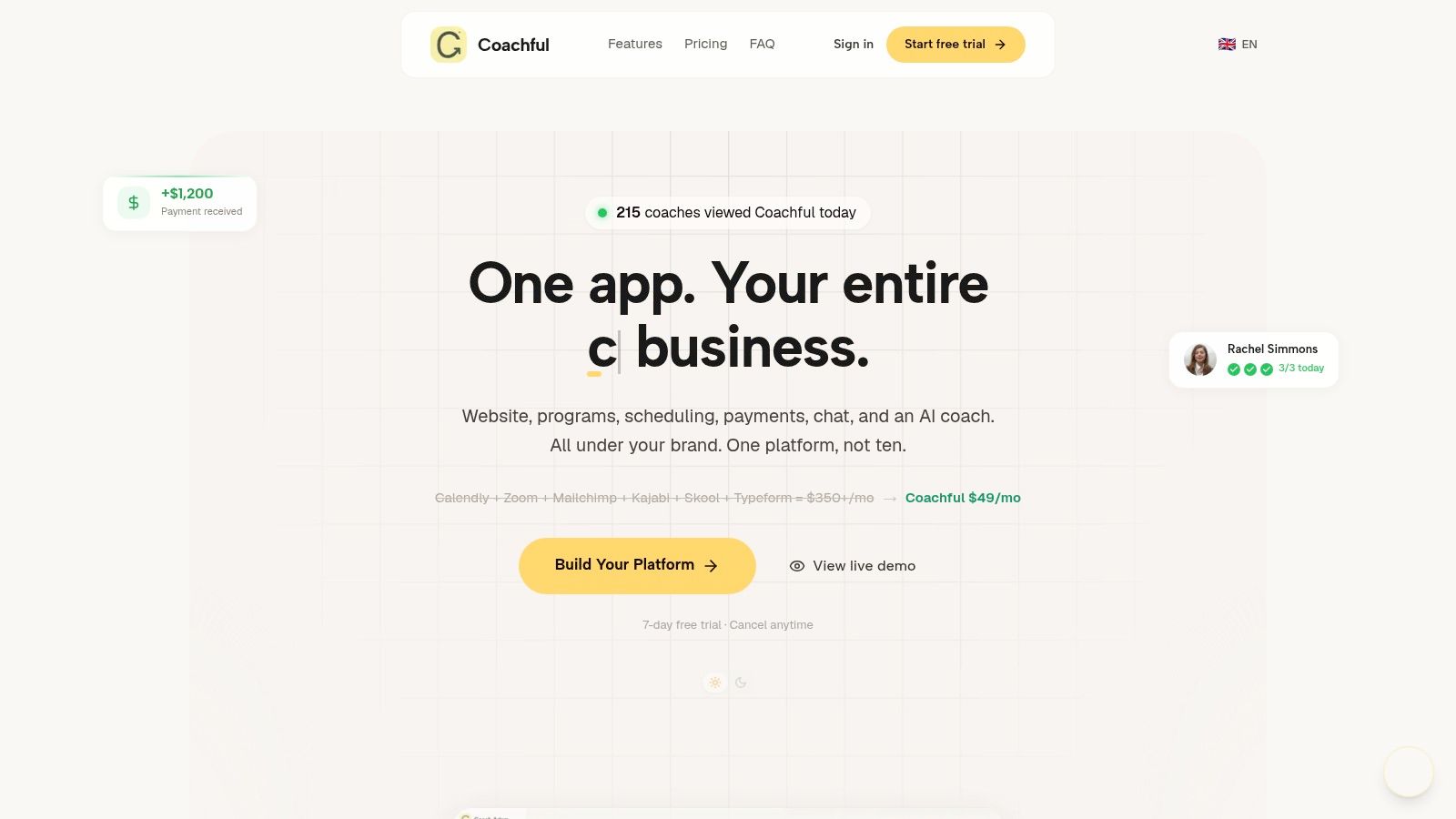
Coachful is the strongest fit for coaches who don't want to assemble their practice from disconnected tools. It brings client invites, enrollment, payments, scheduling, messaging, program delivery, habit tracking, progress dashboards, and analytics into one branded workspace. A coach can invite a client, assign a program, choose a start week, and send a welcome notification instead of manually coordinating every step.
The difference becomes clear after the first session. Coachful isn't only a payment-and-contract tool. Programs can include gated content, quizzes, assignments, community feeds, streaks, and milestones, so the onboarding flow continues into delivery and accountability. That makes it useful for a solo life coach, a business coaching school, or a small team delivering the same curriculum across cohorts.
Best use: Choose Coachful when onboarding and coaching delivery need to live in the same client experience.
Where Coachful reduces stitching
Coachful connects with Google, Outlook, and Zoom for scheduling, and its workspace supports secure payments, messaging, notes, and client progress. Michelle, its AI assistant, can summarize calls and generate action items, while the trainable AI coach can extend a coach's voice and methodology across clients, cohorts, and WhatsApp. Those features can reduce the tedious work that usually follows a session, especially when follow-ups are inconsistent because the coach is moving between five systems.
The platform also positions itself as an alternative to combining Calendly, Zoom, Mailchimp, Kajabi, Skool, and Typeform, a stack it says can cost $350 or more per month. Coachful plans start at $29 per month, with Pro at $99 per month, Studio at $199 per month, and custom Agency pricing. Additional coach seats add $49 per month, and there's a 7-day free trial. These figures come from Coachful's product information.
The trade-off
The main caution is scale economics. Extra seats and advanced team services, such as priority onboarding or app store submission, can increase the total cost for larger organizations. Coaches should also ask detailed security and permission questions before moving sensitive information because specific certifications such as SOC 2 or ISO aren't prominently published on the product site.
For a solo coach or small coaching team, the value is less about replacing one app and more about removing the handoffs that create hidden drop-offs. Coachful is the featured choice when you want one branded system to carry a client from yes to payment, intake, delivery, progress, and renewal.
2. Paperbell
A client pays for a package at breakfast, signs the agreement before lunch, and still emails you that afternoon asking how to book the first session. Paperbell is designed to prevent that handoff. Payment, contract signing, scheduling, questionnaire completion, and portal access can sit in one enrollment path, without requiring you to assemble a custom system.
That path works well for a solo coach selling a defined offer. The portal supports packages, automated emails, scheduling, and group programs, so a small cohort can receive consistent instructions after purchase. You can connect the purchase to sessions, reminders, and other onboarding events, giving clients a clear next action instead of leaving the coach to send several follow-up messages.
A career coach, for example, could sell a six-session package, collect payment and an e-signature, ask about goals and current obstacles, then direct the client to book an initial appointment. The coach avoids building a separate bridge between checkout and intake. For better responses, plan the questionnaire around the decisions you will make during coaching, using these coaching intake forms as a reference.
The client should never have to ask what happens after payment.
Paperbell's main advantage is speed. It is not a broad CRM with extensive reporting, and its third-party integrations are fewer than those of generalist platforms. That trade-off matters if your practice depends on complex segmentation, detailed financial reporting, or a large connected-tool ecosystem.
The platform plan includes its features and does not add a Paperbell transaction fee, according to the product plan notes. That pricing approach suits coaches who need a polished enrollment path quickly and do not want to configure every step. It is less suitable when a program needs unusual branching, extensive client data, or detailed operational reporting.
Paperbell fits a solo practice or straightforward group offer better than a multi-department coaching organization. It reduces stitching between payment, agreements, scheduling, and intake. You will still need another system for richer coaching delivery, advanced accountability, or complex team operations, so assess the workflow after the welcome email as carefully as the checkout experience.
3. CoachAccountable
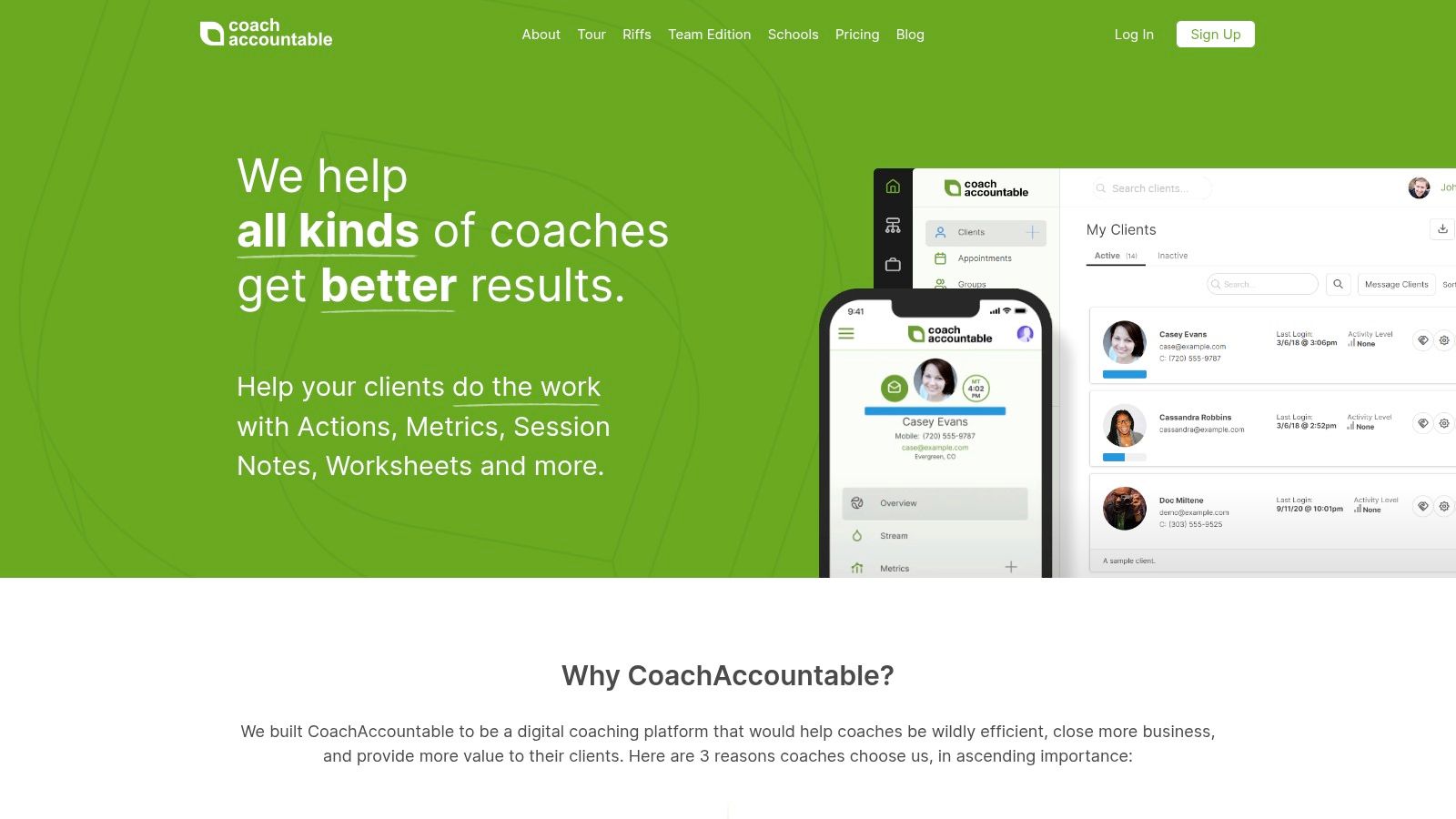
CoachAccountable suits coaches who treat onboarding as the start of behavior change. The client can move from agreement and payment into forms, scheduling, goals, files, messages, homework, metrics, and reminders in one coaching workspace. That keeps the work visible after the welcome email, rather than ending onboarding at the first booked session.
A health coach could collect baseline information, set goals, assign an opening worksheet, schedule the first session, and request a weekly metric. An executive coach could use action items and progress records to review commitments between meetings. These delivery and accountability features distinguish CoachAccountable from a basic client-management tool.
Built for engagement after the welcome email
Templates and reusable workflows help when similar clients follow a repeatable path. A solo coach can create a standard onboarding sequence. A larger practice can use Team Edition and role-based access, with pricing based on active clients. That supports shared delivery while keeping client work in the same system.
The trade-off is presentation and budget planning. The interface feels utilitarian beside newer platforms, and active-client pricing is harder to estimate than one universal tier. Coaches who need a branded, highly polished client experience may need extra configuration or another front-end tool.
Workflow stitching is moderate. CoachAccountable can handle much of the path from payment and agreement through intake, scheduling, coaching delivery, accountability, and renewal prompts. You may still need separate tools for a branded website, advanced marketing funnels, or unusual payment arrangements. Those additions increase setup and maintenance, especially for a solo practice.
Choose it when between-session action is part of the service. It fits solo coaches and teams with structured ongoing programs better than a simple checkout-and-booking workflow. Cohort operators should confirm how their group delivery and permissions will work before committing.
4. Satori
Satori functions as an enrollment gateway for coaching businesses. It supports discovery calls, package sales, agreements, payments, booking, and intake questionnaires. For a solo coach, that creates a focused route from interested prospect to scheduled first session.
A relationship coach could finish a discovery call, send a package with its agreement, collect payment, and request an intake questionnaire before the client books. The workflow keeps the early experience professional without demanding a large CRM or a lengthy implementation project.
That simplicity helps when administrative friction is already making onboarding feel heavier than the coaching itself. Satori's active-client-based tiering follows current client volume, which may make costs easier to relate to a small practice's workload. It still makes sense to verify current pricing before comparing it with a broader all-in-one platform. Satori offers a free Scholar plan and a 15-day trial, according to its product plan information.
The main trade-off appears after enrollment. Satori is less suited to detailed habit tracking, complex cohort delivery, community features, content delivery, or large-team permissions. It also offers fewer enterprise-style features and integrations than a generalist CRM. Those gaps matter if accountability between sessions is central to the service.
Workflow stitching is therefore moderate. Satori can cover the path from initial conversation through payment, agreement, intake, and booking, while another platform may handle delivery, community, or deeper outcome tracking. A solo practice can keep that setup manageable, but each added tool creates another system to configure and maintain.
Choose Satori for a lightweight pay-to-intake flow and a short learning curve. It fits solo coaches better than teams or cohort operators that need shared permissions and structured group delivery. Before committing, map the client journey after the first appointment and identify which tool will own accountability and renewal.
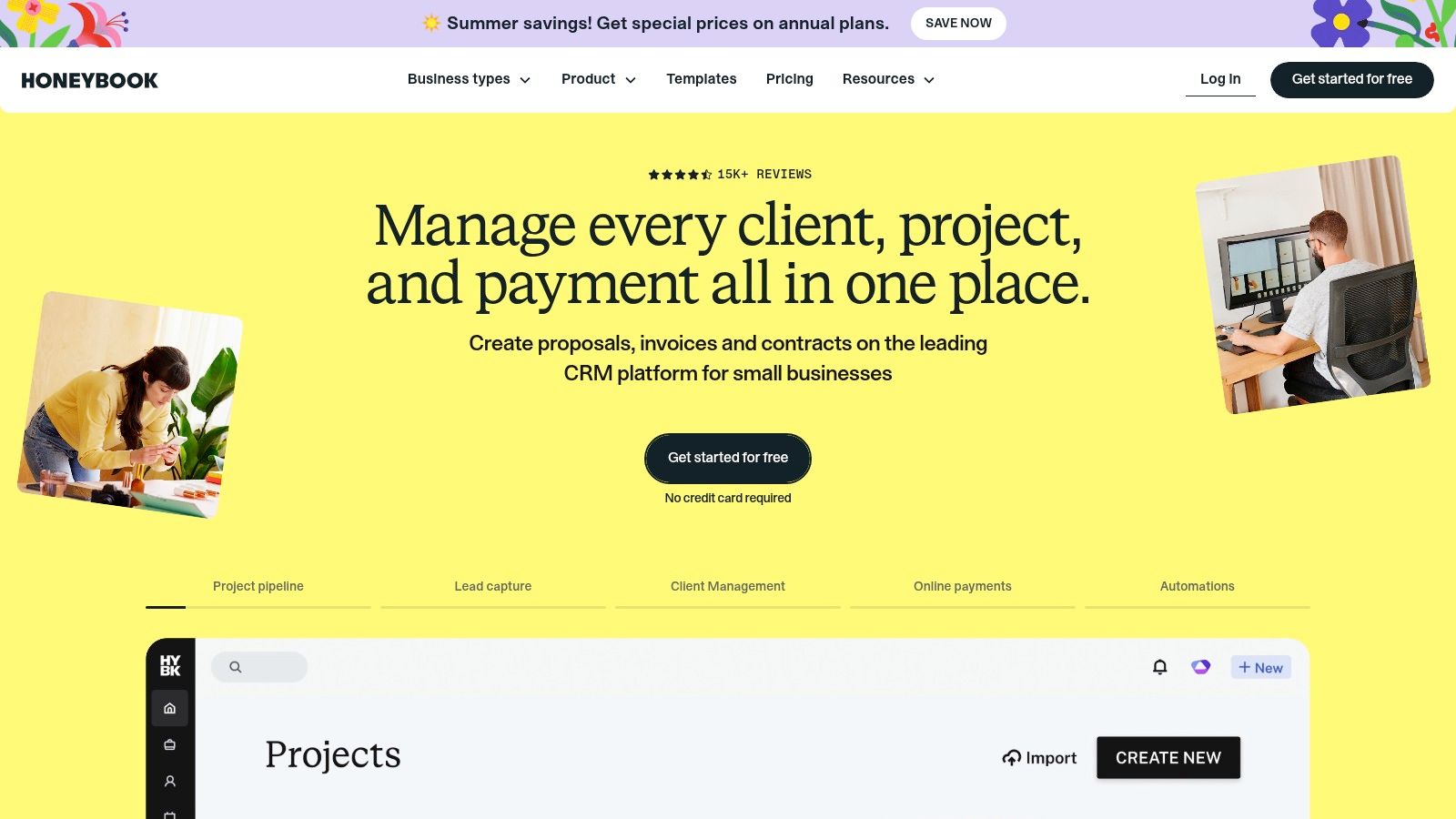
5. HoneyBook
HoneyBook fits a coaching practice that also sells consulting, workshops, or other professional services. Its workflow covers lead capture, proposals, contracts, invoices, payments, scheduling, project tracking, templates, and automations. For a solo operator or small service team, that breadth can reduce the number of business systems to maintain.
A typical onboarding flow can start with an inquiry, move to an interactive proposal, then combine service options, the agreement, and payment in one client-facing experience. That works well for a private coaching package, an executive team engagement, or a workshop. It also gives teams a repeatable commercial process without requiring each offer to be built from separate documents.
HoneyBook's template library and file setup service may reduce the work of migrating from manual documents. US-based payment processing includes listed card and ACH fees, so review the current payment terms before estimating transaction costs.
The trade-off appears after the first payment. HoneyBook does not naturally organize coaching goals, homework, streaks, accountability, or cohort curriculum. You can build a workable process, but coaching delivery usually requires another platform, forms, spreadsheets, or manual follow-up. That stitching becomes more noticeable when clients need regular progress tracking or a structured renewal path.
Use HoneyBook when the commercial agreement is the center of your process. Use a coaching platform when the client journey after payment matters just as much.
HoneyBook offers a 30-day free trial, according to the plan notes, while pricing and plans have changed in recent years. Verify current tiers before comparing alternatives. It suits solo operators and small service teams that prioritize polished administration. Cohort operators and coaches with intensive accountability should budget for added workflow connections.
6. Dubsado
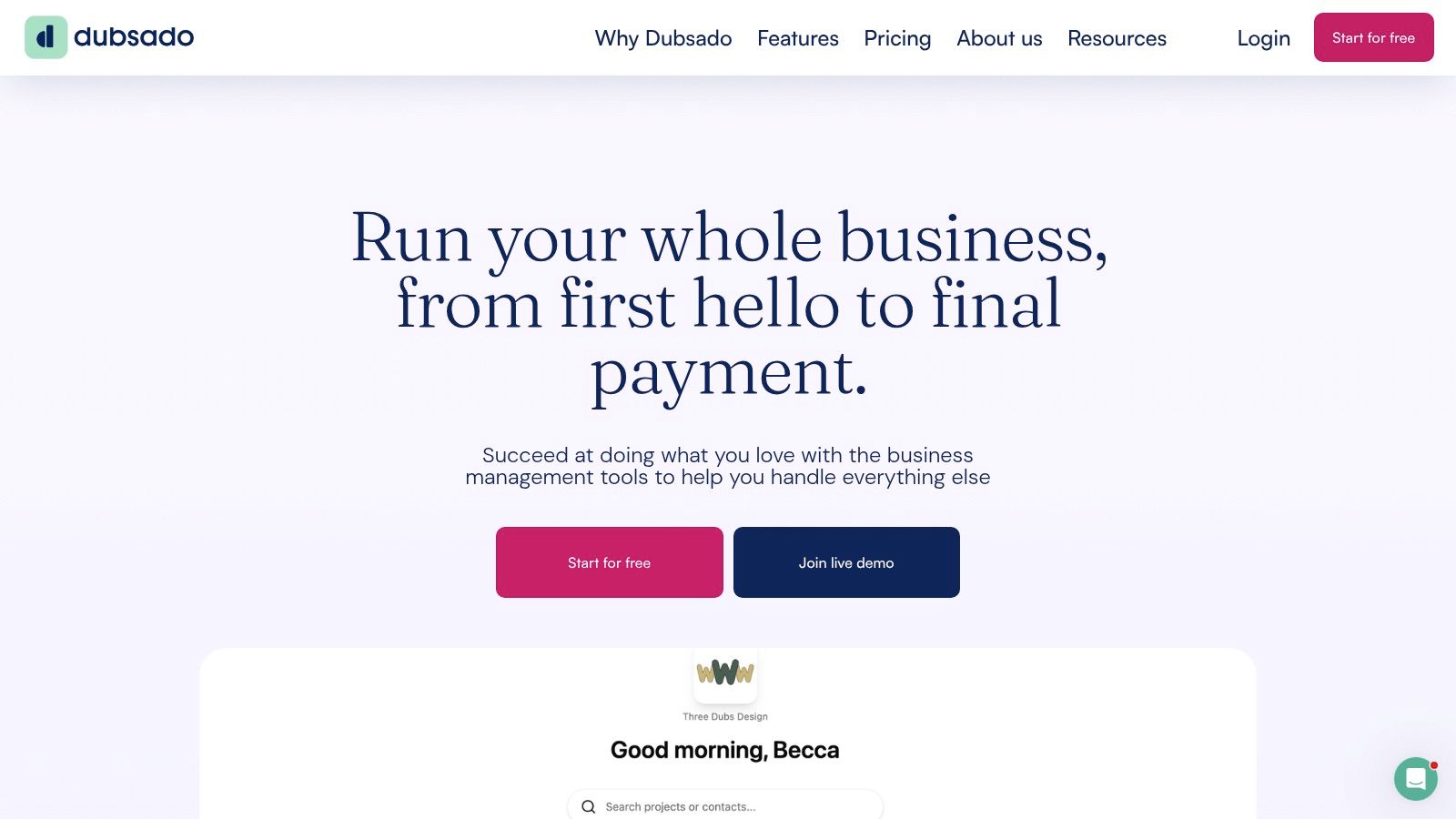
Dubsado suits coaches who want to build a repeatable path from inquiry to renewal. Proposals, contracts, invoices, forms, workflows, templates, and client portals can connect the commercial steps, so a new client receives the agreement, pays, completes intake, and gets the next instruction without repeated manual messages.
A consultant-coach could create separate journeys for private coaching, leadership workshops, and cohort programs. Each journey might use its own proposal, agreement, questionnaire, invoice, scheduling step, and follow-up. That control helps when administrative friction is taking time away from delivery.
Automation rewards careful setup
The trade-off is configuration. Dubsado works well after you map the client journey, but coaches who want to switch on a few settings and begin immediately may find the learning curve demanding. Scheduling and advanced automation require the higher-tier plan, while Zapier integration is available on the Premier plan.
Unlimited clients and projects across all plans can work well for a busy solo practice. User and brand add-ons matter more for a coaching school, agency, or team with several facilitators. Model those costs and permissions before migrating.
Dubsado handles payment, agreements, intake, and reminders more effectively than coaching delivery. It can collect information and trigger tasks, but it does not replace a coaching system for goals, habit tracking, curriculum, accountability, progress dashboards, or renewal conversations. Expect to connect another delivery or communication tool, especially for cohorts.
The fit depends on how much system design you will maintain. A systems-minded solo coach can create a consistent, largely hands-off onboarding process. A team may gain repeatability but need clear ownership of templates and automations. Coaches who want built-in delivery and accountability may save more time with a coaching-native platform, even if it offers fewer workflow branches.
7. Bonsai
Bonsai suits coaches whose client journey starts with a defined offer, proposal, agreement, and payment. It combines proposals and estimates, contracts, e-signatures, invoicing, payments, scheduling, pipelines, client tasks, messaging, and reporting across its plans.
The proposal builder helps when a coaching package needs context before purchase. You can present pricing and options, request approval, then move the client into contract and payment steps. For a business consultant who also coaches, keeping those records together reduces handoffs between sales and administration.
After payment, Bonsai can support scheduling, client tasks, messages, and project reporting, depending on the plan. Templates also standardize repeat documents, while cost and margin views help a small practice review the commercial side of each engagement. It is less suited to intake depth, weekly accountability, habit tracking, curriculum delivery, or renewal conversations, so those stages may need another tool or manual work.
Plan limits deserve attention. Scheduling and pipeline features sit on higher tiers, while client tasks, messaging, and reporting are limited to Premium or Elite plans. Seat-based pricing can become more significant as a coaching team adds facilitators.
Bonsai fits a solo consultant-coach who wants a polished path from proposal to paid engagement and can accept workflow stitching for delivery. A team should test permissions, templates, and seat costs before standardizing on it. Cohort operators should confirm how shared curriculum, group discussion, participant progress, and facilitator responsibilities will work without treating every learner as a separate project.
8. Rocketlane
Rocketlane is designed for structured onboarding projects rather than simple client enrollment. It provides project templates, playbooks, shared workspaces, tasks, timelines, automations, and analytics. That makes it a serious option for coaching schools, cohort programs, and team-based implementations where several people must own different steps.
Suppose a leadership academy enrolls a company cohort. One person manages contracts, another schedules kickoff sessions, a facilitator prepares the curriculum, and the client sponsor must supply participant information. Rocketlane can make those dependencies visible instead of leaving the program manager to chase every stakeholder through email.
The client-facing portal is central to the experience. Clients can see tasks and status, while internal teams can monitor progress and time-to-value. That visibility matters because a 2026 industry report found that 62% of customer success leaders lack real-time visibility into onboarding progress, with complex setup, scattered tools, unclear next steps, and disconnected communication identified as major momentum killers. The finding is detailed in the 2026 state of onboarding report.
Rocketlane may be too heavy for a solo coach with a handful of private clients. It won't naturally replace a coaching portal, habit tracker, or session-notes system, so delivery may still require stitching. Pricing isn't always shown publicly and may require a sales conversation.
Use Rocketlane when your biggest anxiety is coordination across people and milestones. Before adopting it, map the complete client onboarding workflow and confirm that the project layer will connect cleanly to the coaching delivery layer.
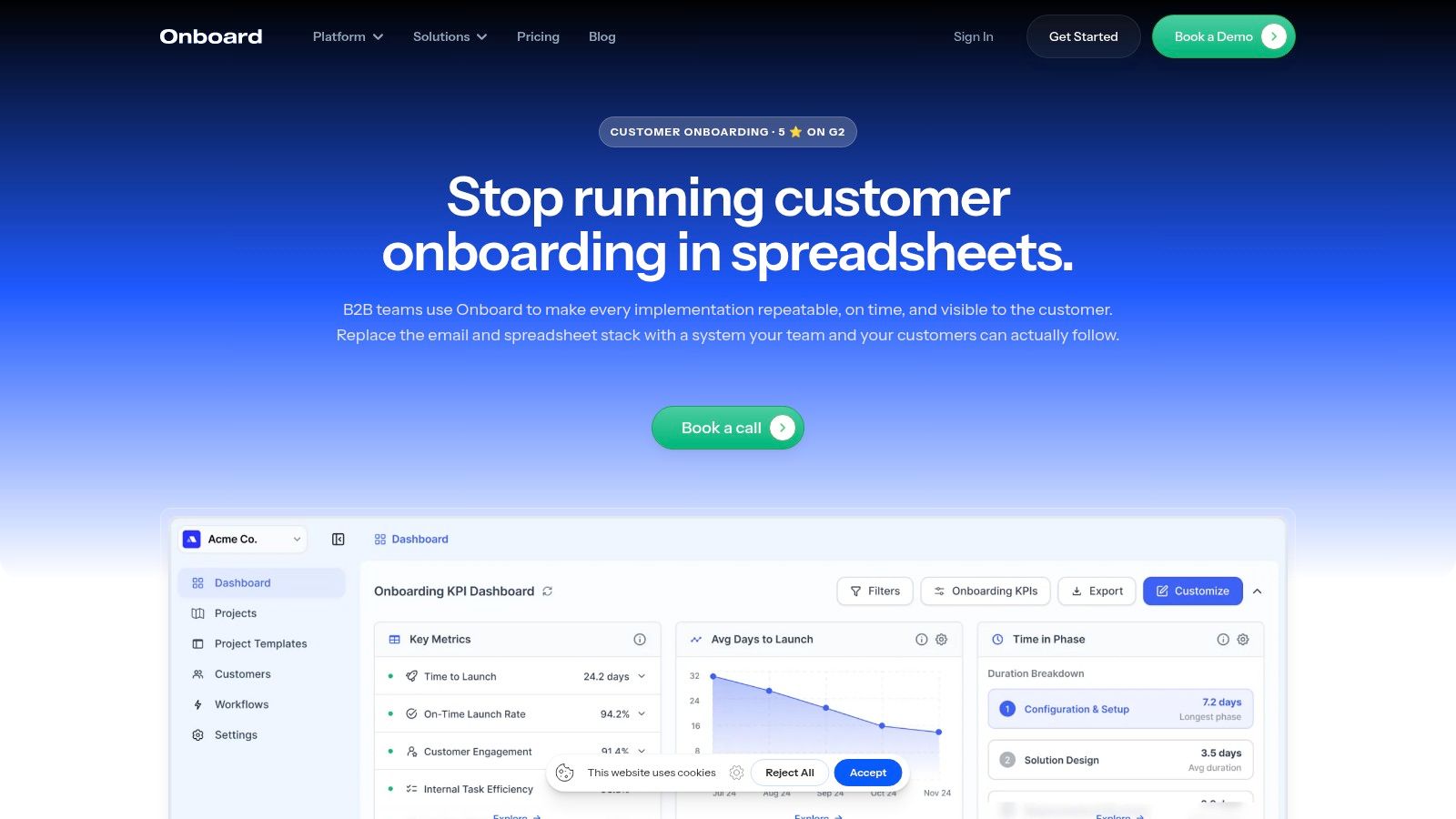
9. Onboard.io
Onboard.io takes a narrower approach. It provides reusable onboarding templates, checklists, client-visible portals, task assignments, status visibility, CRM synchronization, and role-based access. For an agency or consultancy, that can be enough to enforce a consistent first-30, 60, or 90-day runbook without introducing a full project-management suite.
A coaching organization could use it to standardize facilitator setup, client documents, kickoff preparation, and early milestones. The client sees what they need to do, while the internal team sees ownership and progress. That shared view is valuable when the client keeps asking, “Are we waiting on me or on you?”
The platform's narrow scope is intentional. Contracts, payment collection, scheduling, and coaching delivery happen elsewhere, so Onboard.io won't eliminate a fragmented stack by itself. It can improve the handoff layer while leaving the commercial and coaching layers intact.
Per-seat and team pricing tiers are designed for different volumes, but team plans may not suit a low-throughput solo practice. A coach with only a few new clients may pay for organizational structure that isn't necessary.
A portal helps only when it becomes the place where the next action actually happens.
Onboard.io is best for teams that already have systems for selling and delivering services but need clearer onboarding accountability. It isn't the most natural first choice for an independent coach seeking payments, intake, scheduling, messaging, and progress in one branded home.
10. Ignition
Ignition handles the commercial handoff from proposal to paid engagement. It is built for professional services businesses that need option-based proposals, engagement letters, e-signatures, payment details, invoicing, and automated billing.
For a coach selling several support levels, the first steps are clear: the prospect selects a package, accepts the agreement, submits payment information, and enters the invoicing workflow. This reduces manual copying when each offer has different scope or terms.
Ignition is strongest when onboarding problems begin with unclear scope or delayed payment. The client can see what they are buying, accept the relevant terms, and continue into billing without separate administrative handoffs. Online intake forms and CRM integrations can extend the process after the proposal is accepted.
The trade-off appears after the sale. Ignition does not provide coaching delivery features such as homework, goals, habit tracking, session management, or a client progress environment. A coach still needs another system for scheduling, delivery, accountability, and renewal conversations. That creates workflow stitching, even though the commercial start is organized.
AI Price Insights can inform pricing decisions, while plan add-ons and client quotas may change the total cost. Pricing also varies by region, so review the current commercial terms before choosing it.
Ignition fits a consulting-style solo practice or professional services team where agreements and billing drive onboarding. It can suit a coach with a separate delivery platform. Cohort programs and relationship-led practices will need more tools around it, making it a commercial layer rather than a complete coaching workspace.
Top 10 Client Onboarding Tools: Feature Comparison
| Product | Core features | UX / Quality (★) | Value & Pricing (💰) | Target audience (👥) | Unique selling points (✨) |
|---|---|---|---|---|---|
| 🏆 Coachful | Programs, scheduling, payments, messaging, progress tracking, AI assistant | ★★★★☆, intuitive workspace; 92% retention cited | 💰 Lite $29/mo · Pro $99 · Studio $199 · 7‑day trial, cheaper than stitching tools | 👥 Solo coaches, coaching schools, small teams | ✨ All-in-one + trainable AI coach, auto-summaries, cohort delivery |
| Paperbell | Branded booking/checkout, contracts, payments, intake forms, client portal | ★★★★☆, very fast setup for onboarding flows | 💰 Fixed pricing; no Paperbell transaction fee | 👥 Solo & group coaches needing quick pay→sign→schedule flows | ✨ End-to-end onboarding in minutes; intake + e-sign in one flow |
| CoachAccountable | Onboarding templates, client portal, goals, homework, automations, Team Edition | ★★★★☆, deep coaching tools; utilitarian UI | 💰 Active-client pricing; scales well but pricing less transparent | 👥 Solo to multi-coach organizations | ✨ Coaching-centric automations and extensive library of templates |
| Satori | Package selling, booking, agreements, intake questionnaires, active-client tiers | ★★★★☆, clean, fast enrollment flow | 💰 Active-client billing; Scholar free plan + 15‑day trial | 👥 Early-stage coaches seeking predictable growth costs | ✨ Rapid enrollment setup; billing based on active clients |
| HoneyBook | Proposals, contracts, invoices, scheduling, templates, lead capture | ★★★★☆, strong template library, robust US support | 💰 30‑day trial; transparent US payment fees; generalist value | 👥 SMBs & service providers (including coaches) | ✨ Interactive proposals that combine service, contract & payment |
| Dubsado | Proposals, contracts, invoicing, forms, workflows, automations, portals | ★★★★☆, powerful automations; steeper learning curve | 💰 Unlimited clients on plans; strong automation value at higher tier | 👥 Coaches/consultants wanting hands-off onboarding automation | ✨ Highly customizable workflow automations & reusable templates |
| Bonsai | Proposals/estimates, contracts, invoicing, scheduling, client tasks/portal | ★★★★☆, modern UI; proposal & finance views | 💰 Seat-based tiers; scales with team seats | 👥 Coaches/consultants preferring agency-style onboarding | ✨ Clean proposal builder with margin/cost insights |
| Rocketlane | Onboarding playbooks, client-facing portal, task timelines, analytics | ★★★★☆, best for structured, repeatable onboarding projects | 💰 Tiered plans (Essential→Enterprise); pricing often via sales | 👥 Teams, cohort programs, implementation/onboarding teams | ✨ Playbooks + client transparency to improve time‑to‑value |
| Onboard.io | Reusable templates, onboarding checklists, client portal, CRM sync | ★★★★☆, lean, quick to implement playbooks | 💰 Per-seat/team tiers; focused pricing for onboarding use | 👥 Agencies & consultancies standardizing first 30/60 days | ✨ Client-visible checklists & simple runbook enforcement |
| Ignition | Option-based proposals, e-sign, payments, auto-billing, invoicing | ★★★★☆, excellent proposal→payment conversion | 💰 Regional pricing; add-ons/quotas can affect total cost | 👥 Professional services (accounting, consultancies); some coaches | ✨ Strong proposal→accept→pay flow that reduces AR and scope leakage |
Choose the Workflow You Can Actually Maintain
The best client onboarding tools aren't the ones with the most impressive demo. They're the ones that keep a client and a practitioner aligned after the sale, when the excitement of enrollment fades and the small administrative decisions begin. A client may need to sign an agreement, answer sensitive questions, choose a time, find the first resource, and understand what success looks like. If those steps are split across too many systems, both sides carry unnecessary uncertainty.
Start with the journey you deliver. Map the path from payment and agreement to intake, scheduling, first milestone, delivery, accountability, and renewal. Then ask where the current process breaks. Do clients wait for an invitation? Do you copy intake answers into notes? Do facilitators know who owns the next step? Can you see a stalled client without opening several apps?
If you want one branded system for onboarding, program delivery, accountability, and cohorts, choose Coachful. It's the strongest fit for a solo coach, coaching school, or small team that wants payments, scheduling, messaging, programs, progress tracking, and automation in one workspace. If your priority is a fast coach-specific enrollment flow, Paperbell or Satori may be easier to implement. Choose CoachAccountable when deeper coaching engagement, metrics, homework, and client actions matter most.
HoneyBook, Dubsado, Bonsai, and Ignition make more sense when proposals, contracts, payments, invoicing, and service-business administration lead the process. Rocketlane and Onboard.io are better suited to structured team or client onboarding projects, especially when several stakeholders need shared tasks, timelines, and status visibility.
Migration doesn't need to happen all at once. Export contacts and intake data, document the current client journey, and rebuild one core workflow first. Test it with a small group, tell clients clearly what is changing, and keep the old system available until active clients complete the transition. Don't migrate every historical note before you know that the new process works.
Security deserves a place in the decision, especially when coaches hold health, financial, or highly personal information. SOC 2 Type II is commonly recommended for demonstrating operational security over time, while GDPR and DPA coverage matter for EU-related data processing. Stronger setups may also include HIPAA support, TLS 1.2 or higher, AES-256, role-based access control, SSO, and audit logs, as outlined in this enterprise onboarding security guidance.
Finally, compare total workflow cost, not just the subscription price. Include extra coach seats, add-ons, payment fees, integrations, implementation effort, and the hours you spend maintaining disconnected tools. A cheaper platform can become expensive when every new client requires manual copying, chasing, and reassurance. Choose the workflow your future self can still run on a busy Monday.
Coachful brings client onboarding, secure payments, scheduling, messaging, program delivery, habit tracking, progress dashboards, and cohort support into one branded workspace. If you're ready to replace scattered forms, calendars, and follow-ups with a coaching journey you can maintain, visit Coachful and explore the platform for your practice.