Health Coaching Templates: 10 Tools Compared for Clients

Coachful
At 9 p.m., the intake form is still blank, the client is waiting, and you're staring at the same questions you rewrote last quarter. Should this be a form, a worksheet, a session note, or a full platform? Will anyone finish it before the first call? Which fields matter once the coaching starts?
That is the core problem with health coaching templates. The best ones are not just prettier documents, they are workflow tools that decide how intake, between-session tracking, session documentation, and group progress move. Health coaching works best when templates support consistent goal-setting, action planning, follow-up, and progress documentation, not just a nice layout, and the evidence behind coaching keeps pointing back to those mechanics rapid review summary.
This list compares ten tools by the stage they serve, so you can see what belongs at intake, what belongs between sessions, and what breaks once privacy, scope-of-practice, or group delivery enters the picture. If you also need a broader client-experience layer, this guide to custom reports for agencies shows why reporting structure matters once the work leaves the intake form and becomes visible in a dashboard.
1. Coaching Forms and Questionnaires
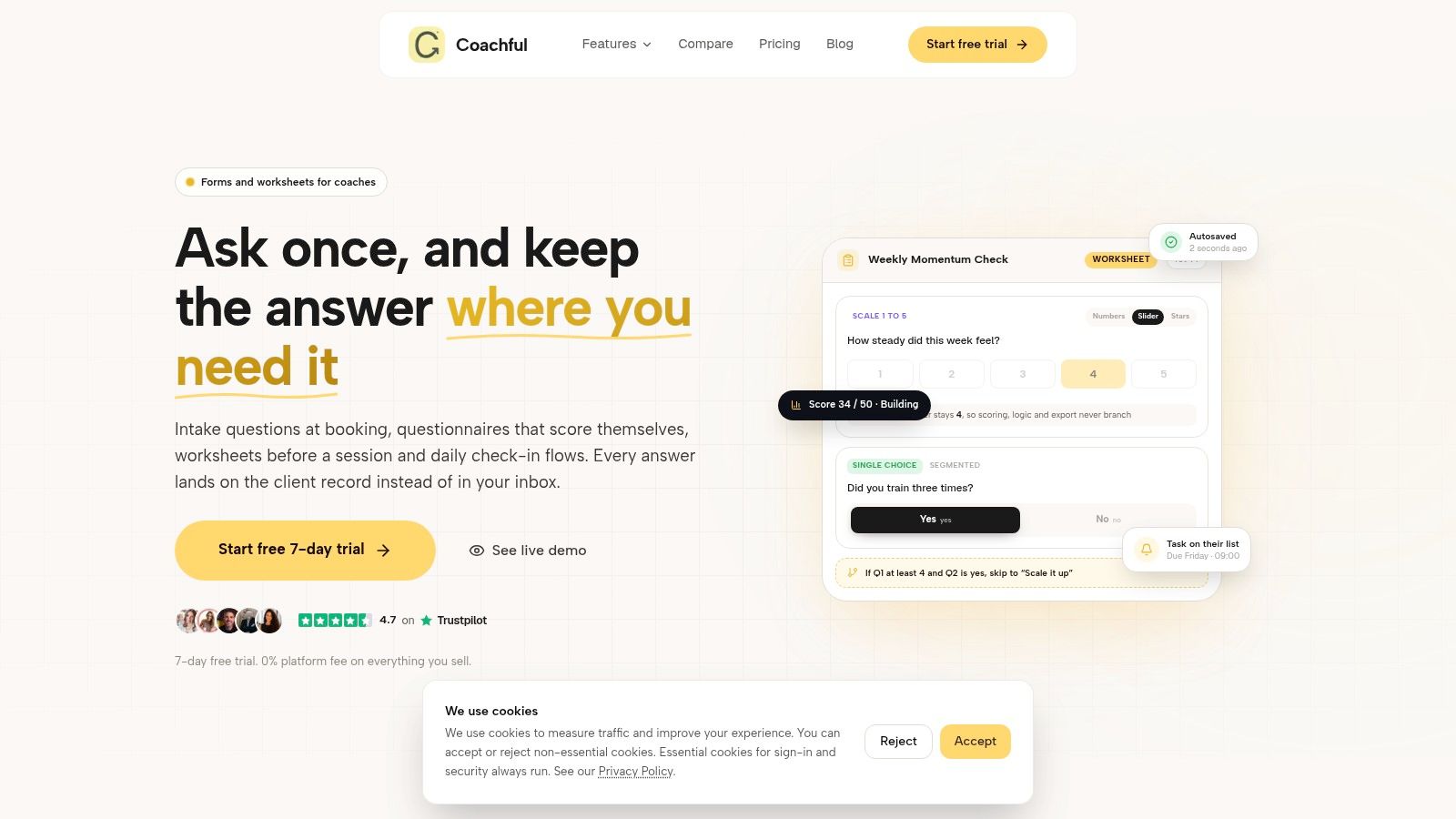
A coach who wants intake, recurring check-ins, and worksheets in one place needs a system that can carry the work from the first form to the next client touchpoint. The value sits in the workflow, because the forms live inside a coaching workspace with scheduling, messaging, secure payments, branding, and privacy controls. A template that sits outside that flow often gets used once, then disappears.
Coaching Forms and Questionnaires covers new-client intakes, wellness trackers, pre-session worksheets, scored assessments with result pages, and recurring check-ins for morning, evening, or weekly use. Branching logic, scheduled cadences, automated reminders, and link-based responses reduce friction for clients and cut down on cleanup for coaches. I'd use it when I want clients to answer once and then keep feeding the same workflow over time, without sending them through five separate tools.
Where it fits and where it breaks
The strongest fit is intake and ongoing tracking, especially if you need progress visible through history charts and cohort trend views. That makes it easier to run one-on-one coaching and group programs from the same reporting logic, which helps when you want to compare movement across clients without stitching notes together by hand.
Before a client sees the form, a few fields need careful review:
- Baseline measures: capture the starting point so later progress has something real to compare against.
- Client-selected goals: let the client define success in their own words first.
- Weekly actions and barriers: include both, because adherence without friction context leaves gaps.
- Confidence ratings and outcome reassessment dates: these help separate commitment from outcome.
The adaptation step is simple. Trim the template to the stage you are using it for, intake, between-session tracking, session documentation, or group progress, and remove anything that does not serve that stage. The limitation matters too. Highly structured templates can feel too rigid if your coaching style depends on unusual assessments, and you still need to check privacy and scope-of-practice boundaries before a client sees the form. For intake-specific setup ideas, the companion piece on coaching intake forms is worth using before you send the first version.
Practical rule: if the form cannot show what changed, when it changed, and what the client tried between sessions, it is probably just collecting noise.
Website: Coachful coaching forms and questionnaires
Backlink: done-for-you acquisition in coaching
2. Practice Better
A coach who wants intake forms, a client portal, scheduling, billing, and group programs in one place will find Practice Better easier to run than a stack of separate tools. Its Template Library is built for health and nutrition workflows, so the forms feel familiar if your process already includes intake, consent, and chart notes. The main advantage is speed with structure, you get a polished client experience without building every workflow from scratch.
The library covers intake forms, consent and waiver forms, SOAP and ADIME chart notes, and ready-made program templates you can preview and customize before clients see them. That preview step matters, because coaches often notice too late that a template sounds more clinical than their practice does. I would use it when I need repeatable documentation and a clean client journey, but I still want room to shape the language to fit my coaching style.
Best fit for clinicians and hybrid coaches
Practice Better works well for coaching practices that already run with some of the discipline of a clinical operation. Template search, filters, and in-app preview make it easier to find the right structure, and the health coach labeled library gives you a head start instead of a blank page.
The trade-off is weight. You need paid plans to access the full practice stack, and if all you want is a simple form, the learning curve may be more than you need. For coaches who document regularly, that extra structure is part of the value.
Use it when you want:
- Clinical-style notes: SOAP and ADIME are already in the system.
- Program consistency: clone and customize templates across clients.
- One client experience: the portal keeps the workflow less fragmented.
- Extra support: downloadable checklists and playbooks extend the template library.
A practical check matters before you send anything out. Make sure the template matches the workflow stage you are using it for, intake, between-session tracking, session documentation, or group progress. Then trim away fields that do not belong, and review privacy and scope-of-practice limits so the form does not collect information you should not be asking for. If your question is whether it saves time or just moves admin somewhere else, the answer depends on how much documentation you already do. For a practice that needs repeatable structure, it saves time. For a coach who does not want anything that feels like an EHR, it may be too much platform for too little form.
Website: Practice Better templates
Image: 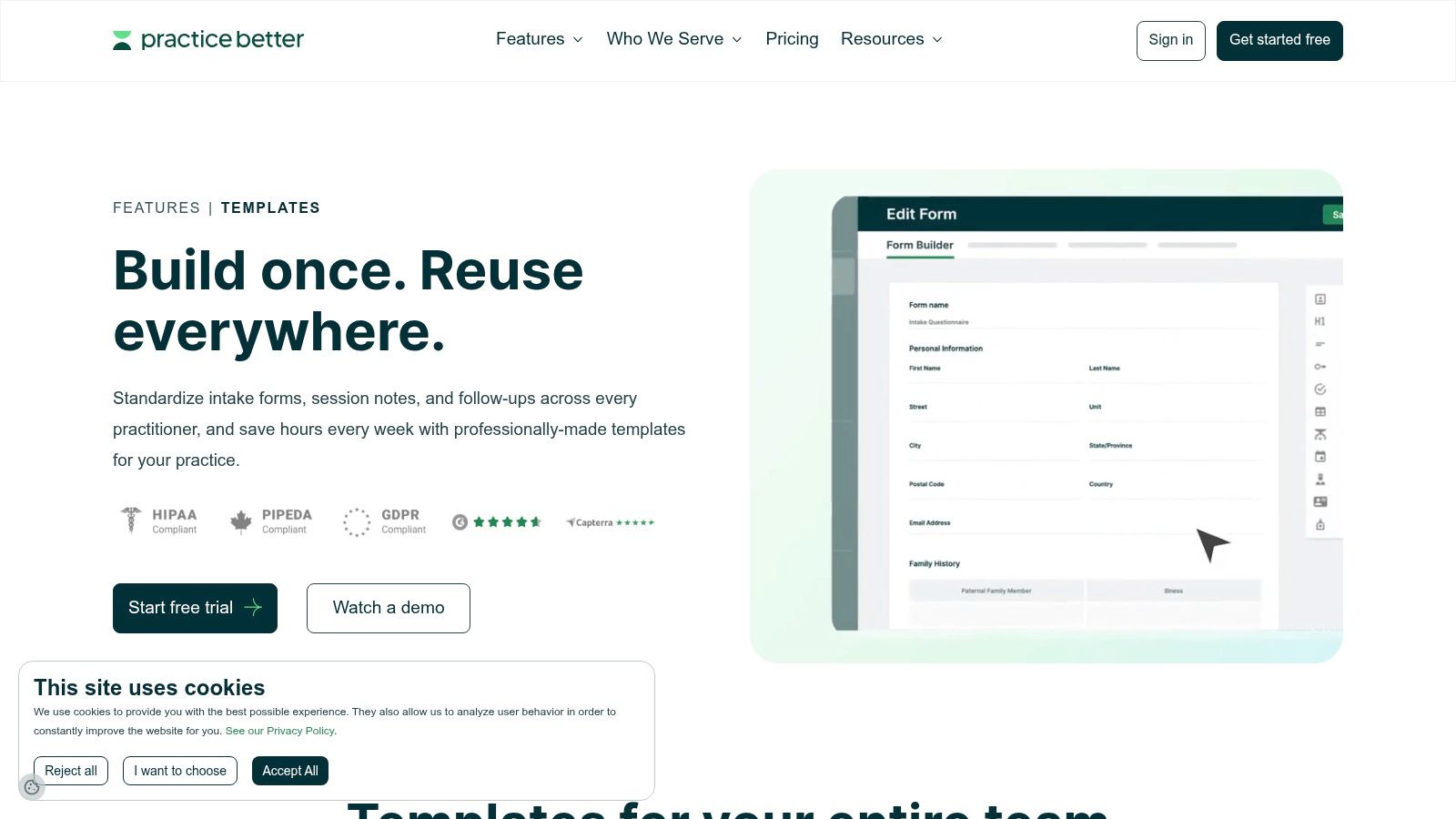
3. Healthie
A coach usually reaches for Healthie when the template needs to live inside a larger client workflow, not just sit as a standalone form. The Form Builder, shareable templates, charting, and client portal fit teams that handle health data, e-signatures, and consistent record-keeping. For coaches who document sessions regularly, that structure can save time later, but it also asks for more setup up front.
The strongest use case is shared templates across an organization. If several coaches need the same intake language or note structure, Healthie lets you standardize it instead of rebuilding the same form in three places. Standard SOAP and ADIME templates give the platform a clinical backbone, and specialty packs such as Health Coaching Intake & Documentation reduce setup work. That matters most at the intake and session documentation stages, where consistency is the difference between usable records and a pile of near-duplicates.
Client flow is the first thing to check before you send a template out. Some form completion functions are web-only and do not carry across every mobile path, so the experience may vary by device. Pricing also rises with seats and features, which can be hard to justify if you only need a light template system.
Before you use it, check the wording as closely as the settings.
- Client access: can the client complete and e-sign forms where they use the platform?
- Scope and privacy: do the questions and notes stay within coaching, or do they drift into therapy or medical territory?
- Workflow fit: does the template match intake, between-session tracking, session documentation, or group progress?
That last check matters because a template can be well built and still be wrong for the job. The right form for intake is not always the right form for follow-up notes, and group progress sheets need different fields than one-to-one coaching records. If you want a wider comparison point while choosing how much system you need, best health coaching software is a useful guide.
Website: Healthie pricing and templates
Image: 
4. Quenza
A coach usually reaches for Quenza when the work starts with structured activities, not paperwork. Its library of 250+ pre-made Activities and Programs, called Expansions, gives you ready-made building blocks for behavior change, agreements, questionnaires, and guided interventions. That makes it more useful for curriculum design than for document storage.
The practical part is the drag-and-drop Activity and Program builders. You can take a prebuilt behavior-change sequence and shape it into your own method, which matters when the same workflow needs to work across 1:1 coaching and group delivery. The trade-off is time spent adapting the language before clients see it.
Before sending anything out, check the workflow stage. For intake, use Quenza for pre-coaching questionnaires and agreements. For between-session tracking, use it for short behavior-change check-ins that keep clients engaged without turning the process into charting. For group progress, make sure the questions fit shared work and do not expose more personal detail than participants should see. Privacy and scope still matter, because the platform can carry coaching content well, but it should not drift into clinical charting or billing territory.
It works best when you need repeatable program delivery and want the same structure to run across individual and group clients. If your main need is one place for notes, records, and billing, it will leave gaps. The form can be useful, but only if the coach checks what the client will actually see, and what should stay outside the workflow.
Website: Quenza pricing
5. SimplePractice
A coach reaches for SimplePractice when the work has moved into formal documentation. The template library covers intake documents, consent policies, session notes, treatment plans, and scored measures, so the workflow is built for structured records, portals, and e-signatures. That makes it useful when admin and documentation are already part of the job, not an afterthought.
The strongest feature is the system around the templates. Paperless intakes, mobile-friendly portal access, template editing, shareable documents, and cloned defaults reduce repeat setup, which matters when several clients need the same intake or agreement with only small changes. Teams also benefit from that consistency, since client-facing language stays closer across coaches.
The trade-off is tone. The default wording is therapy-centric, so health coaches usually need to rewrite fields before a client sees them. If a form starts sounding like diagnosis or treatment, it needs a scope check before it goes out. Privacy matters here too, because templates that handle sensitive information should stay inside the right practice boundaries.
Use SimplePractice when the workflow stage is already formal:
- Intake: structured onboarding, consents, and shared records.
- Session documentation: note-taking that needs more order than a basic form.
- Group progress: standardized measures and repeating templates for multiple clients.
- Client administration: portals, signatures, and cloned documents that cut duplicate work.
The limitation is cost and complexity. For a coaching business that only needs a few forms, the pricing and add-on fees can feel high, especially if the rest of the system goes unused. SimplePractice pricing is listed on SimplePractice pricing, but the fit still depends on whether you need a documentation-heavy setup or just a light intake tool.
6. CoachAccountable
A client finishes a session with one clear next step, and the coach needs a place to put it that is easy to reuse. CoachAccountable fits that workflow well. The CoachAccountable worksheet templates system supports reusable assignments, check-ins, and reflections, while Resource Packages let you group those pieces for different clients or organizations. For coaches who rely on follow-through between sessions, that structure saves real setup time.
The best fit is the stage between appointments. A worksheet can hold a reflection prompt, a recurring assignment, or a progress checkpoint without rebuilding the same form each time. That makes it practical for coaches who want clients to do specific work before the next meeting, then bring something concrete back into the conversation.
A health coach should still check the limits before sending anything out. CoachAccountable is not an EHR, so it does not cover clinical note depth, ADIME-style documentation, insurance workflows, or team standards for formal records. If the template starts to look like a clinical intake, it needs a scope-of-practice check and a privacy review before a client sees it.
Good for assignments, not full records
Use it when the workflow is simple and repeated:
- Between-session tracking: clients complete the same check-in or reflection each week.
- Assignments: the template gives one clear task to finish before the next session.
- Program rollout: the same resource set can be shared across a group or organization.
- Standardization: each client gets the same structure, which keeps delivery consistent.
It does not replace session notes, and that trade-off matters. CoachAccountable handles the accountability work around a session better than the documentation inside a clinical practice. For coaches who need repeatable client follow-through without full health-record complexity, that is the right fit.
7. upcoach
A group coaching program needs structure before it needs polish, and upcoach fits that stage well. Its Program Types set up sessions, events, and channels in one step, which helps when you are building a cohort, mastermind, or bootcamp around fixed milestones. The platform works for coaches who plan in curriculum blocks instead of treating every appointment as a one-off.
The value shows up after the first session. Built-in worksheets, check-ins, task lists, and participant activity tracking make between-session follow-up easier to manage, especially when clients need recurring accountability. You can see who has engaged without chasing updates across separate apps, and the mobile apps make participation easier for clients who will not stay on desktop. That said, the workflow still needs a privacy check before clients see anything sensitive, and you should confirm the content stays within coaching scope if a worksheet starts to resemble clinical intake or advice.
Use it for group delivery, not formal charting
upcoach serves the program stage, not the record-keeping stage. It is not an EHR, so it does not provide HIPAA-level charting or insurance workflows, and it is a weaker fit for a practice that needs clinical documentation. The health-specific templates are also less clinical than what you would expect in a wellness EHR, which is useful if you want lighter coaching materials and a limitation if you need formal records.
It works well when you need:
- Cohort structure: one setup can support many participants.
- Fast rollout: quick-start guidance shortens launch work.
- Visible engagement: activity is easy to review without extra admin.
- Client app access: clients can participate without relying on email alone.
Choose the template that makes participation visible before the session, not after you start chasing updates. upcoach quick start guide
8. Paperform
A coach often reaches for Paperform at the intake stage, when the goal is a branded discovery flow that feels polished without moving into a full EHR. The health coach template gallery includes discovery questionnaires, wellness intakes, and weight-loss forms, and the design controls are strong enough to make the form look like part of your brand instead of a generic intake page. That matters when the first client touchpoint needs to feel professional and easy to finish.
Paperform also handles the handoff work that sits between intake and follow-up. Conditional logic, payments, e-sign fields, and email automations turn a form into a lightweight workflow, while the integration options help route responses into another system after submission. I would use it when speed and presentation matter more than charting, and when the intake does not need to carry the weight of clinical documentation.
Check privacy and scope before a client sees it
The main limit is privacy. As of 2026, Paperform is not HIPAA-compliant, although HIPAA support is planned for 1H 2027 Paperform templates. That makes it a better fit for lower-risk intake than for handling PHI-heavy workflows. Plan limits can also push you into upgrades as submissions grow, which becomes a practical issue once a program starts collecting more than a few responses.
Use Paperform if you need:
- Fast deployment: a branded intake can go live quickly.
- Good design control: the form looks custom without custom development.
- Useful automations: email, payments, and logic reduce manual follow-up.
- Flexible integrations: handoff to other tools is straightforward.
The key decision is whether the form is doing intake work or record work. If it starts to resemble clinical screening, progress tracking, or advice, stop and check scope-of-practice boundaries before a client ever sees it.
Website: Paperform health coach templates
9. Jotform
A coach who needs a client intake form fast can usually get there with Jotform without rebuilding the rest of the workflow. The platform already includes health coach intake, consent, and patient registration templates, and it can be configured for HIPAA compliance on Business or Enterprise plans. That makes it a workable choice for intake, e-signatures, and handoffs to other tools when a full platform feels like too much.
The stronger use case is template-to-template adaptation. Start with a prebuilt intake, then adjust the questions, logic, branding, and automations to match the stage you are collecting for. For intake, that saves setup time. For session documentation, it is less convincing unless you carefully shape the form so it does not drift into recordkeeping that belongs elsewhere.
Check the plan and the privacy boundary before a client sees it
The trade-off is volume and fit. Submission and storage limits can push you into a higher tier sooner than expected, and the pricing structure takes some reading before you know what your actual cost will be.
Use it if you need:
- HIPAA-eligible workflows: on qualifying plans.
- E-signatures and payments: one form can handle more than intake alone.
- Marketplace speed: start from a ready-made template instead of a blank page.
- Template reuse: standardize intake across clients or programs.
The limitation to check is scope. If the form starts collecting clinical notes, screening details, or advice, make sure the workflow still fits your privacy rules and your scope of practice before anyone submits it.
Website: Jotform health coach intake form
10. Acuity Scheduling
A coach uses Acuity Scheduling well when the intake needs to stay close to booking. Intake form questions can sit inside appointment types, so a first consult and a follow-up can collect different details without sending clients to a separate form. That reduces drop-off, but only if the questions stay short and clearly tied to the session stage.
Use it for intake, not for full documentation. File uploads and basic custom fields handle simple screening and scheduling details, and API support leaves room for custom workflows if you have technical help. The trade-off is that the calendar becomes the front door, which helps speed but limits how much structure you can build around the form itself.
Good for booking, limited for session notes
The limitation shows up once a coach expects the tool to hold more than booking data. Acuity is not an EHR, so it does not fit clinical documentation or PHI-heavy workflows in the same way a deeper system does. Answers entered outside Acuity can also be awkward to reconcile with appointment details, which means inconsistent client use can create cleanup work before the session.
Before a client sees the form, adapt it to the workflow stage and check the boundary. For intake, ask only what you need to prepare the first session. For follow-up appointments, keep the questions narrower and avoid drifting into notes, advice, or screening that belongs elsewhere. Privacy and scope matter here, because a scheduling form should not become a record-keeping system.
Use it when you need:
- Booking plus intake: one step before the first session.
- Appointment-specific questions: initial consults and follow-ups can differ.
- Fast setup: a simple form is quick to configure.
- A lighter stack: no full form system is required yet.
For a coach comparing scheduling tools, the internal breakdown of Acuity alternatives is a useful benchmark if the question is whether booking alone is enough.
Website: Acuity Scheduling intake forms
Image:
Top 10 Health Coaching Template Tools Comparison
| Product | Core features | Quality (★) | Price / Value (💰) | Target (👥) | Unique selling point (✨ / 🏆) |
|---|---|---|---|---|---|
| Coaching Forms and Questionnaires | Turnkey templates, branching logic, scheduled cadences, progress charts, workspace integrations | 4.5★ | 💰 $ (platform subscription; all-in-one value) | 👥 Solo coaches & teams | ✨ Branching + cohort trend views; 🏆 Integrated into Coachful workspace |
| Practice Better | Intake & clinical templates (SOAP/ADIME), client portal, scheduling, billing | 4.0★ | 💰 $ (paid plans for full features) | 👥 Nutrition & health coaches | ✨ Health-focused template library; preview & customize |
| Healthie | EHR-style forms, shareable templates, client portal, e-sign | 4.2★ | 💰 $$ (scales with seats/features) | 👥 Clinics, dietitians, PHI workflows | ✨ HIPAA-ready EHR tooling; 🏆 Strong clinical documentation |
| Quenza | 250+ Activities & Programs, drag-drop builder, behavior-change tools | 4.0★ | 💰 $ (tiered content/licensing) | 👥 Coaches building curricula & programs | ✨ Research-informed activity library for curriculum speed |
| SimplePractice | Paperless intakes, e-sign, template editor, scored measures | 4.5★ | 💰 $$ (core + add-ons) | 👥 Behavioral-health providers & teams | ✨ Mature HIPAA-ready ecosystem; 🏆 Robust documentation workflows |
| CoachAccountable | Worksheet templates, installable resource packages, accountability tools | 4.0★ | 💰 $ (pricing by active clients) | 👥 Accountability-focused coaches & program managers | ✨ Easy templatize + resource packaging for scale |
| upcoach | Ready-made program templates, check-ins, participant tracking, mobile app | 4.0★ | 💰 $ (program-centric plans) | 👥 Cohort leaders, masterminds, program operators | ✨ One-step program scaffolds for rapid launches; 🏆 Cohort-first tooling |
| Paperform | Flexible branded forms, conditional logic, payments, automations | 4.0★ | 💰 $–$ (fast deploy; usage caps) | 👥 Coaches needing branded web forms | ✨ High design/control + integrations (not HIPAA as of 2026) |
| Jotform | Large template marketplace, e-sign, payments, HIPAA-capable plans | 4.0★ | 💰 $ (scales to Enterprise) | 👥 Teams requiring HIPAA-eligible forms | ✨ Enterprise HIPAA option + broad integrations; 🏆 Template library |
| Acuity Scheduling (by Squarespace) | Scheduling with attachable intake questions per appointment type | 4.0★ | 💰 $ (affordable scheduling + simple intakes) | 👥 Appointment-driven coaches | ✨ Seamless booking → intake flow; quick to templatize |
Pick One Template and Test It on a Pilot Client
The fastest way to choose the right health coaching templates is to stop comparing features in the abstract and start with the workflow that creates the most friction. For many coaches, that's intake, because the client either understands the form or ignores it. For others, it's weekly check-ins, because the work falls apart between sessions and nobody notices until the next call.
Start with one workflow step, not your whole practice. Adapt one template for one pilot client, send it, then review the answers after two weeks. If a question gets skipped, misunderstood, or answered with vague language, remove it or rewrite it before rolling the template out to the rest of your coaching process. That's how you find out whether the form supports action planning, follow-up, and progress documentation, or whether it just looks organized.
The evidence points in the same direction. Coaching can support behavior change, but outcomes vary by population and implementation, and clinical results aren't guaranteed just because the template looks polished rapid review summary. A template should separate process from outcome, and it should make room for barriers, confidence, and reassessment dates instead of assuming every client will move in a straight line.
If privacy is your biggest concern, choose a tool that matches the data you plan to collect. If scope-of-practice is the issue, tighten the language before the client sees it. If the problem is follow-through, use the template that makes the next action obvious, visible, and easy to complete.
Coachful gives you health coaching templates, session notes, progress trackers, and onboarding tools in one workspace, so you can keep intake, follow-up, and reporting connected instead of scattered. If you want a platform that helps you customize templates for real coaching workflows and keep client progress visible, visit Coachful and see how it fits your practice.