Content Automation Platform Guide for Coaches

Coachful
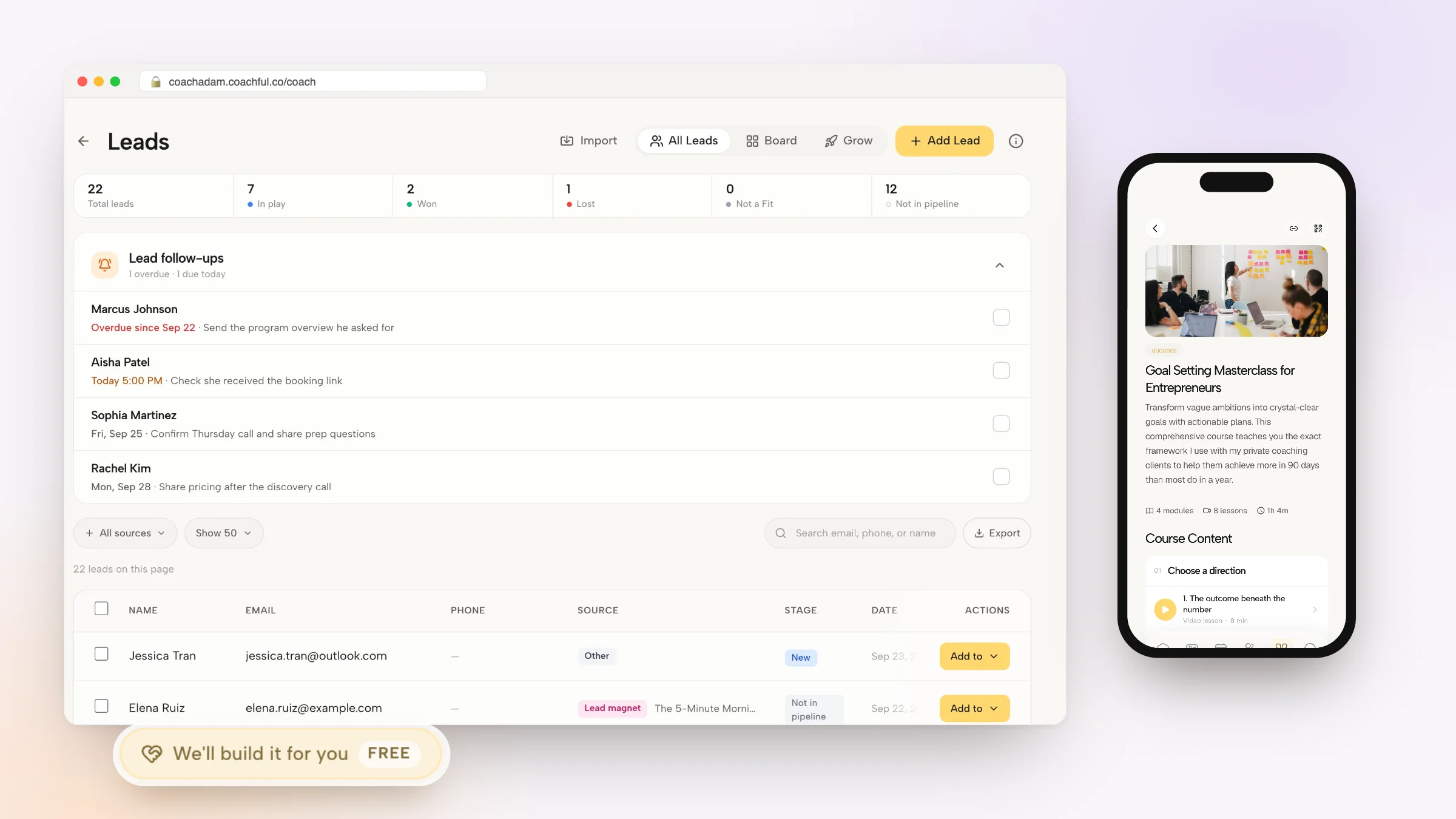
You finish a coaching session feeling present, useful, and connected. Then the admin starts. You still need to send the recap, remind the client about the next appointment, chase a missing reflection, update the program materials, and check in with someone who has gone quiet. By the time you return to your own priorities, the emotional energy that belonged to coaching has been spent on coordination.
A content automation platform can remove much of that repetition without flattening the relationship into a sequence of robotic messages. The right system handles predictable delivery, reminders, routing, and reporting, while you keep responsibility for interpretation, empathy, challenge, and difficult conversations. That distinction matters because clients don't trust software to understand them. They trust a coach who uses software carefully enough to stay attentive.
The category is expanding quickly. The AI content automation market was valued at USD 5.2 billion in 2025 and is projected to reach USD 18.7 billion by 2033, representing a projected 17.8% compound annual growth rate from 2026 to 2033, according to market data on AI content automation software. Coaches don't need to adopt every new AI feature, but they do need to decide which parts of delivery should be consistent, visible, and repeatable.
What a Content Automation Platform Changes for Coaches
At 8:15 in the morning, you prepare for a client session by searching through notes, reviewing the last commitment, and checking whether the client completed the exercise you assigned. At 9:00, you coach. At 10:05, you remember that the recap email still needs to go out. Before lunch, you send two reminders, move a calendar appointment, and answer a question that could have been handled by a well-timed resource.
None of these tasks feels difficult. Together, they scatter your attention.
The hidden cost of being the follow-up department
A coach may tell themselves, “I should remember to send that.” The client may hear something else: “My coach forgot.” That interpretation isn't always fair, but it's predictable. A missed recap can make a strong session feel unfinished. A dormant client who receives no meaningful touchpoint can assume the program has lost momentum.
A content automation platform gives those routine moments a dependable path. After a session, a rule can prompt you to complete notes, prepare an approved recap template, and schedule a client message. If a client hasn't submitted a reflection, the system can send a reminder. If a participant stops engaging, it can flag the account for your review instead of pretending an automated nudge is enough.
Practical rule: Automate the reminder, not the relationship.
The relief comes from no longer carrying every future task in your head. You can focus on what a client means, avoids, or struggles to say, rather than wondering whether a follow-up disappeared into your inbox.
Consistency protects trust
Automation also creates operational consistency. Your welcome instructions don't change because you're tired. A client receives the preparation materials you intended to send. A renewal reminder doesn't depend on whether you happen to notice a date between sessions.
That doesn't mean every message should be automated. A client describing grief, burnout, fear, or a serious setback deserves human attention. The platform should surface the situation, preserve the context, and give you room to respond. It shouldn't send a cheerful generic message because a rule matched a keyword.
Coaches evaluating this approach can start with the practical distinctions outlined in this guide to automation for coaches. The central question is simple: which tasks consume attention without requiring your judgment? Automate those first, then protect the moments where your presence changes the outcome.
How Content Automation Platforms Work
Think of a content automation platform as the operating layer between your content library, client records, and delivery channels. Your library contains the materials. Your client data provides context. The platform applies rules that decide what should happen, when it should happen, and who should receive it.
The system works through four connected layers.

Start with reusable content
First, store approved material as templates, modules, and reusable resources. A post-session recap might include a standard structure with merge fields for the client's name, goal, next action, and appointment date. A leadership program might contain a sequence of reflection prompts, worksheets, and session preparation notes.
The point isn't to make every client experience identical. It's to stop rewriting the stable parts of the experience. You decide what language represents your practice, then personalize the parts that require context.
Add rules and conditions
Next, define triggers. An intake form submission can start onboarding. A completed session can create a note task. A missed assignment can trigger a reminder. A payment event can enable a program module.
Conditional logic keeps one template from behaving identically for everyone. A new executive client might receive a leadership assessment, while an existing client in a renewal stage receives a progress review prompt. A client who reports confidence may receive a stretch exercise. A client who reports distress should be routed to you.
A useful overview of the broader mechanics appears in WaveGen.ai's automation guide, particularly for understanding how content, triggers, and distribution fit together. For coaches, the important test is whether the platform lets you inspect and edit the logic instead of hiding it behind vague “smart” behavior.
Control timing and delivery
The timing engine determines when a message is sent, delayed, paused, or escalated. Time-zone awareness matters when a reminder should arrive during a client's working day rather than at an inconvenient hour. Delivery layers then send the approved content through email, SMS, a client portal, or a learning environment.
The explanation of Coachful's AI coaching assistant is useful when considering where an assistant might support a coaching workflow. Keep the boundary clear. The platform can coordinate information and actions, but you remain accountable for the coaching decision.
Value compounds when the same client event can update records, assign a task, deliver a resource, and prepare a dashboard without separate manual entry. Integration is what turns isolated automation into an operating system for delivery.
Core Features That Make Automation Useful
A platform earns its place in a coaching practice through operational reliability, not through a long feature page. You need the system to preserve context, respect confidentiality, and make routine delivery easier without forcing you to reconstruct the workflow elsewhere.
Seven capabilities worth examining
Templating and merge fields reduce rewriting while preserving a personal voice. Build a recap with a fixed structure, then insert the client's goal, agreed action, and next meeting details. The coach still reviews the message before it goes out.
Scheduling and time-zone awareness prevent silent gaps. A sequence should account for session dates, program milestones, pauses, and local delivery times. If scheduling requires manual correction every time a client reschedules, the feature isn't doing enough.
Segmentation and behavioral triggers turn one journey into several relevant paths. Tags might distinguish executive coaching, group programs, or clients working on accountability. Behavior adds nuance, such as opening a resource, completing an assessment, or missing an assignment.
Multi-channel distribution lets you match the channel to the task. Email can carry a detailed recap. SMS can prompt a simple check-in. A portal can hold sensitive notes or structured resources. More channels create more responsibility, so consent and preferences must be visible.
Analytics tied to outcomes matter more than message counts. A dashboard should help you connect engagement with goal attainment, retention, or client feedback. If you only know that a message was delivered, you know distribution happened, not whether coaching moved forward.
Integrations connect calendars, CRMs, payment systems, and learning tools. A workflow that requires duplicate data entry will eventually become another administrative burden. For practical examples, review these Zapier automation recipes for Coachful.
Security controls protect the trust your practice depends on. Look for permissions, encryption, consent records, retention rules, and compliance auditing. Sensitive coaching information shouldn't be visible just because someone has general workspace access.
| Feature | What It Does | Coaching Outcome |
|---|---|---|
| Templating | Reuses approved structures and personalized fields | Faster, more consistent follow-up |
| Scheduling | Sends tasks and content at the right time | Fewer missed touchpoints |
| Segmentation | Applies different journeys to different clients | More relevant support |
| Distribution | Delivers through email, SMS, portals, or learning tools | Better channel fit |
| Analytics | Connects engagement with progress indicators | Stronger coaching decisions |
| Integrations | Shares data across existing systems | Less duplicate administration |
| Security | Controls access, consent, and records | Safer client relationships |
Governance can't be an afterthought. Research on cloud content lifecycle automation identifies policy-driven governance, metadata management, automated classification, lifecycle orchestration, and compliance auditing as core elements of a mature architecture, not decorative additions. That architecture supports controlled publishing and retention for coaching assets, curricula, session notes, and client resources, as described in research on cloud content lifecycle automation.
Coaching Workflows That Keep Humans in Charge
The strongest automation workflow has a deliberate handoff to a person. It doesn't try to eliminate judgment. It makes the point of judgment easier to see.

Onboarding should feel organized, not impersonal
A prospective client completes an intake form. That event can create a client record, send a welcome message, provide a calendar link, and deliver a short reflection prompt. The platform can also remind the client about incomplete preparation without requiring you to track every response manually.
Your role begins where interpretation matters. Read the intake answers yourself. Notice contradictions, hesitation, or language that signals a deeper concern. You might revise the first-session agenda, send a personal note, or decide that the client's needs require a different conversation before the program begins.
Consent belongs in this workflow too. A client should know what messages they'll receive, through which channels, and how to pause them. A smooth sequence isn't successful if it makes the client feel watched or pressured.
Check-ins should surface setbacks for human review
A weekly cadence can handle accountability prompts, habit reminders, and resource delivery. For example, a client working on delegation might receive a reminder to record one conversation, followed by a worksheet after the scheduled check-in.
The platform should record the response and identify a setback, not answer it with an automatic motivational phrase. If the client reports shame, conflict, or repeated failure, you decide whether to call, write a thoughtful response, alter the goal, or address the issue in the next session.
Human coaching can be more engaging than fully automated support in adherence interventions, although automated reminders can still prompt adherence. A qualitative study of human coaching and automated reminders also found that phone calls felt more personal but more disruptive, while text messages were easier and more flexible. That distinction gives you a practical design principle: use automation for low-friction prompts, then make human contact available when the emotional stakes rise.
A short demonstration can help teams visualize how automated delivery and coach oversight might coexist.
Launches and renewals need discernment
When someone enrolls in a program, automation can deliver the welcome sequence, lesson access, replay links, milestone prompts, and renewal information. It can celebrate a completed stage with a prepared message, while still allowing you to add a personal observation.
Renewal is where judgment becomes commercially important. A client who has achieved meaningful progress may be ready for a deeper offer. Another may need closure, a pause, or a candid conversation about fit. Let the platform identify the timing and prepare the context. Let the coach decide whether an upsell conversation belongs in a live call, a personal email, or nowhere at all.
Every workflow should include pause and override controls. You need to stop a sequence after a difficult disclosure, correct a mistaken trigger, or change the next step without destroying the client record. That flexibility protects both data integrity and the relationship.
Where Coaches, L&D Teams, and Course Creators Benefit
The same platform serves different operators for different reasons. An independent coach usually needs relief from scattered administration. A corporate program needs governance and reporting. A course creator needs reliable enrollment and content release.
Four operating environments
An independent coach may automate scheduling reminders, invoice follow-ups, onboarding instructions, and re-engagement prompts. The main benefit is consistency. You reclaim attention from small tasks that interrupt preparation and client work.
A small coaching team has a different problem. Associate coaches need shared templates, clear permissions, and a common delivery standard. The platform should make it easy to update approved material without allowing every team member to alter sensitive workflows casually.
L&D teams coordinate cohorts, assignments, progress reporting, and compliance-aligned communications. They need audit trails, role-based access, and a clean way to report progress to HR partners without exposing unnecessary personal information.
Course creators and cohort educators prioritize enrollment windows, checkout connections, lesson access, replay delivery, and completion records. Automation can run the structured curriculum while the creator keeps live Q&A, feedback, and community discussion human-led. For completion records, a creator may also choose a verifiable certificate system that gives learners a way to demonstrate participation without adding manual administration.
| Operator Type | Primary Automation Win | Must-Have Feature | Watch-Out |
|---|---|---|---|
| Independent coach | Consistent scheduling and follow-up | Flexible timing and calendar integration | Automating personal responses |
| Coaching team | Shared delivery standards | Templates and role-based permissions | Unclear ownership of client communication |
| L&D program | Coordinated cohort oversight | Audit trails and reporting | Exposing sensitive information |
| Course creator | Reliable enrollment and content release | Drips, checkout, and completion tracking | Letting automation replace live feedback |
The buying decision should follow your operating reality. A solo practice may value simplicity over enterprise controls. A coaching academy may need governance before it needs generative drafting. The right platform reduces coordination without pretending all four groups have the same risk profile.
How to Choose the Right Platform
Don't begin with the question, “Which platform has the most impressive AI?” Begin with, “Which recurring process keeps failing when I'm busy?” That question exposes workflow fit, which matters more than a clever content generator.
Integration remains a serious barrier. One industry report says 68% of marketing leaders cite integration challenges as a primary barrier to AI content automation adoption, as reported in coverage of AI content marketing automation. For a coach, the lesson is direct: a platform that drafts excellent copy but can't connect cleanly to your calendar, client records, payments, or learning environment may create more work than it removes.
Build the shortlist from real workflows
Map three repetitive processes, such as onboarding, weekly check-ins, and renewal follow-up. Write down the trigger, the data required, the message or task, the human review point, and the final record. Then ask each vendor to demonstrate those exact workflows.
Assess:
- Template flexibility: Can you preserve your voice and add client-specific fields?
- Scheduling depth: Can sequences account for time zones, reschedules, pauses, and missed actions?
- Personalization: Can rules respond to behavior without exposing sensitive information?
- Distribution: Do email, SMS, portals, and learning environments work together?
- Integration fit: Can data move between your existing systems without duplicate entry?
- Security: Are consent capture, permission controls, data residency, and audit logs clear?
Governance deserves particular scrutiny. Independent coverage reports gaps in unacceptable-use rules at 66%, data-handling guidance at 64%, transparency rules at 48%, and legal or copyright review processes at 47%, according to B2B content AI policy benchmarks. Those figures point to a practical concern. Your vendor should explain who can approve content, how inputs are handled, and how disclosures are recorded.
Ask what happens when a client shares something emotionally sensitive. If the answer is only “the AI can respond,” keep looking.
Require transparent pricing, exportable data, and a clear process for leaving. Ask how you pause a sequence, override a trigger, review an audit log, delete records, and prevent an automated message from sending after a client requests space.
Implementation, ROI, and Metrics
Start with one high-friction workflow. Don't automate onboarding, check-ins, billing, content publishing, and renewals at the same time. Choose the process that creates the most repeated effort or the most embarrassing omissions, document how it works now, and make the first launch easy to inspect.

A controlled rollout
- Identify the workflow: Choose one process with a clear beginning and end, such as post-session follow-up.
- Map current effort: Record the tasks, handoffs, delays, errors, and judgment points before configuring anything.
- Automate and test: Build the sequence, review every template, test conditions, confirm permissions, and run it with a small pilot group.
- Expand deliberately: Add onboarding, check-ins, reporting, or re-engagement only after the first workflow behaves reliably.
Your launch checklist should include permission review, template approval, compliance sign-off where relevant, pilot selection, and documented intervention rules. Every team member needs to know which events require a coach, which messages can send automatically, and who owns exceptions.
Measure reclaimed capacity and client movement
Calculate ROI by comparing the value of hours reclaimed, conversion lift, retention improvements, and reduced no-shows with the platform subscription cost. Keep the calculation grounded in your own records. If automation saves time but clients disengage, the workflow needs redesign rather than celebration.
A useful dashboard can include:
- Workflow completion rate, to identify broken handoffs.
- Client engagement score, based on the signals relevant to your program.
- Time saved per coach per week, measured against the pre-launch workflow.
- Email and SMS open and response rates, interpreted alongside actual coaching progress.
- Retention at 30, 60, and 90 days, where those intervals fit your program.
- Revenue per active client, connected to ethical renewal and delivery decisions.
An ROI-focused coaching measurement model recommends starting with engagement rates, goal attainment, and Net Promoter Score, then connecting those indicators to retention, productivity, internal promotions, OKR attainment, and broader business performance. You can use that progression as a dashboard architecture, as outlined in this coaching measurement resource.
Review the workflow at 30, 60, and 90 days. Scale it when completion is dependable, clients understand the communication, and coaches have enough visibility to intervene. Pause it when messages confuse clients, sensitive cases slip through, or the team can't explain why a trigger fired.
A coaching-based leadership intervention recorded work engagement rising from 4.8 (0.68) to 5.2 (0.51) in the experimental group, with a between-group test at T2 of t=-3.76 and p=0.001, as reported by research summarized on the ROI of coaching. The broader lesson is that coaching operations should measure outcomes, not merely activity. A platform should help you protect the human work that produces change.
Coachful brings client onboarding, scheduling, secure payments, messaging, progress tracking, program content, and automation into one coaching workspace, with workflows for reminders, renewals, group programs, and cohort delivery. Visit Coachful to map your most repetitive coaching workflow and see how structured automation can give you more time for the conversations only you can lead.