Embedded Audio Player: A Coach's Guide to Engagement

Coachful

An embedded audio player lets clients listen to coaching content directly on your website or portal, without opening another app. That small convenience can support client retention, lesson completion, and between-session practice.
Why Coaches Need Embedded Audio Players
You may be thinking, “My clients already use Spotify. Do I really need audio on my coaching site?” It’s a fair question. The answer depends on whether you want your guided meditation, session recap, or mini-lesson to compete with notifications, recommendations, and unrelated content.
An embedded audio player keeps the listening experience inside your branded coaching environment. A client can finish a session, open a follow-up resource, and press play without leaving the page. That shorter path matters when someone is tired, busy, or already questioning whether they have time to complete the exercise.
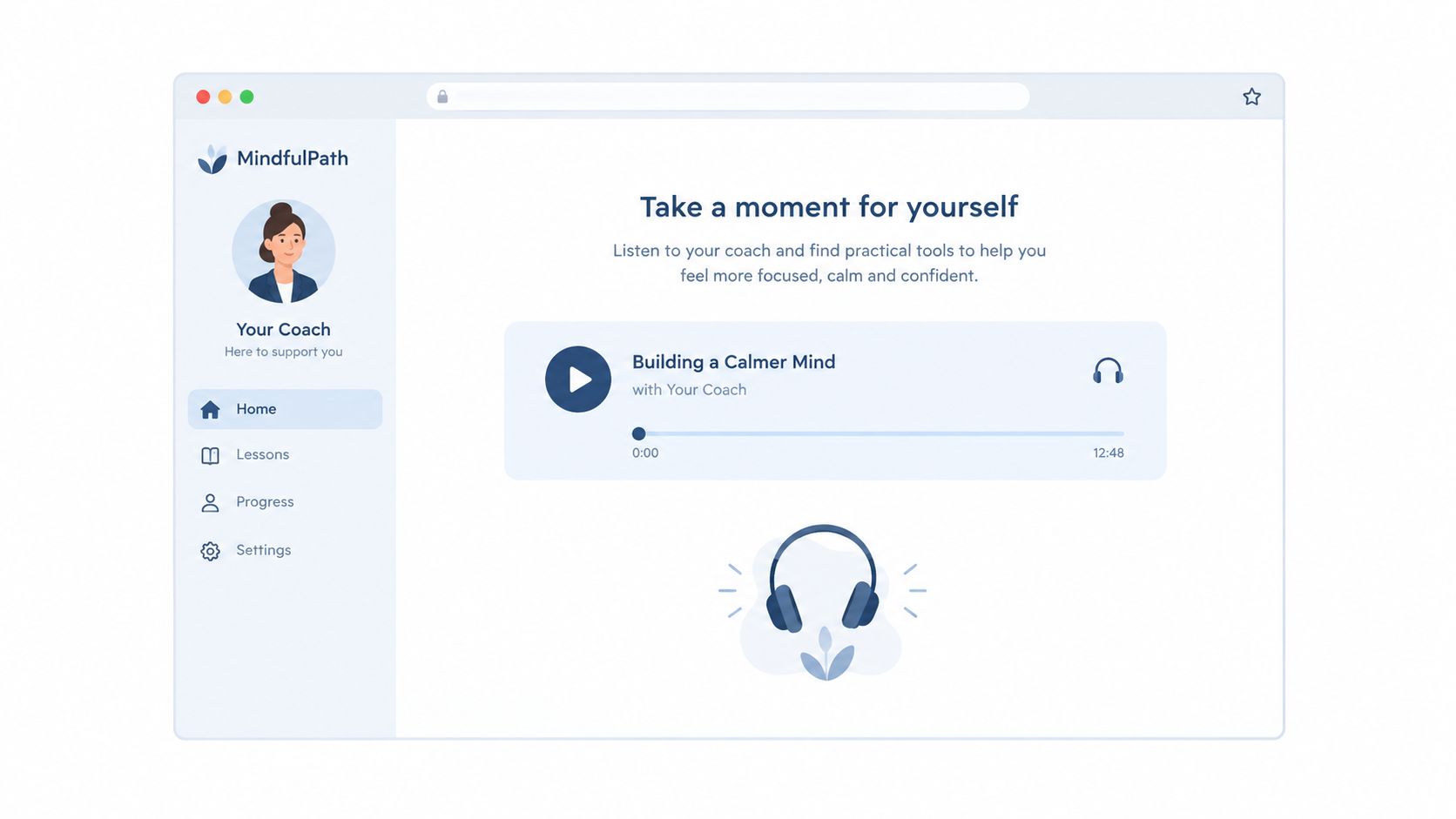
The player isn't the product. It's the container that helps your coaching work continue between meetings.
Consider a life coach assigning a five-minute breathing practice after a difficult call. If the client must download a file, find an app, and search for the right track, friction grows. If the practice sits beneath the session notes, the next action feels obvious.
Turn Audio Into a Coaching Touchpoint
Audio can give your program a human presence when you aren’t available live. Useful examples include:
- Guided meditations that help clients apply an emotional regulation technique.
- Session recaps that reinforce one decision and the reason behind it.
- Mini-lessons that explain a model before the next coaching conversation.
- Accountability messages that remind clients what to practice this week.
NPR’s 2015 embed rollout offered a useful signal: a major publisher placed audio archives and lessons directly inside web pages rather than making readers hunt for separate listening destinations. The same principle works for coaches, whether your portal serves one executive or an entire cohort.
You don’t need another flashy feature to prove your program is valuable. You need a dependable way to deliver the right resource at the right moment. Coachful can support that broader client experience, while learning how a coaching podcast or YouTube channel can build authority can help you decide which audio belongs publicly and which stays private.
If your audio directly answers, “What should my client do next?”, it deserves a place in your portal. Start with one short resource tied to a real coaching milestone, then watch whether easier access helps clients return, listen, and complete the work.
The right embedded audio player comes down to one question: how does your coaching business actually deliver value? Are you chasing public reach, or do you need a private, branded listening space?
A life coach running a weekly mindset podcast might lean on Spotify’s sharing tools because discoverability is the whole point. An executive coach sending confidential reflection exercises to clients, on the other hand, probably wants native HTML5 audio tucked inside a protected Coachful portal—anywhere an external logo or public link could erode trust.
Audio Hosting Options for Coaching Platforms
| Feature | Native HTML5 | Third-Party Embed |
|---|---|---|
| Control | You own the file, player behavior, and presentation. | Settings depend on Spotify, SoundCloud, or another provider. |
| Analytics Depth | Your system can track plays, progress, and completion more precisely. | Insights are usually broader and platform-dependent. |
| Branding Consistency | The player can match your portal and white-label experience. | External branding may remain visible. |
| Setup Complexity | Requires hosting and initial configuration. | Usually quick, often requiring only a share link. |
| Cost | Hosting may add a small ongoing expense. | Free or low-cost plans may be available. |
The table above lays out the core trade-offs. Neither option is inherently better—it depends on what you’re trying to accomplish with each piece of audio.
Match the Player to Your Coaching Model
Third-party players feel easier because they take file hosting off your plate. Podia's audio guidance, for instance, supports SoundCloud, Spotify, Deezer, Apple Podcasts, Podbean, and DjPod through a simple share URL.
That convenience works well for a life coach publishing a public meditation series. Drop a Spotify episode into a resource page and spend your energy on audience growth instead of building private delivery infrastructure.
But ease comes with trade-offs:
- Confidential resources may need tighter access control.
- Premium programs benefit from a consistent, distraction-free interface.
- Client data may require clearer permission and sharing policies.
- White-label portals look less polished when outside logos appear.
Choose third-party hosting for reach and speed. Choose native HTML5 when control, privacy, and brand trust carry more weight.
Make the Native Choice Practical
Native HTML5 shines when an executive coach needs to place a three-minute preparation briefing right beside private session notes. A simple player embedded inside Coachful keeps the client focused on one assignment rather than sending them off to a public platform.
The trade-off is responsibility. You’ll need suitable hosting, access permissions, and a reliable file format. If those requirements feel manageable, native audio supports a far more controlled client experience.
Before deciding, write down what each recording needs to do:
- Attract new listeners—go with a third-party platform.
- Support enrolled clients—lean toward native HTML5.
- Protect sensitive material—keep access inside your portal.
- Build public authority—prioritize discoverability.
Your answer should reflect the specific resource, not some universal rule. Start public audio on Spotify or SoundCloud, and reserve native players for private coaching assets where the client relationship and confidentiality come first.
The easiest way to think about adding an embedded audio player is in three layers: where the file lives, where the player shows up, and who gets to hear it. Once you frame it that way, the whole process feels far less intimidating.
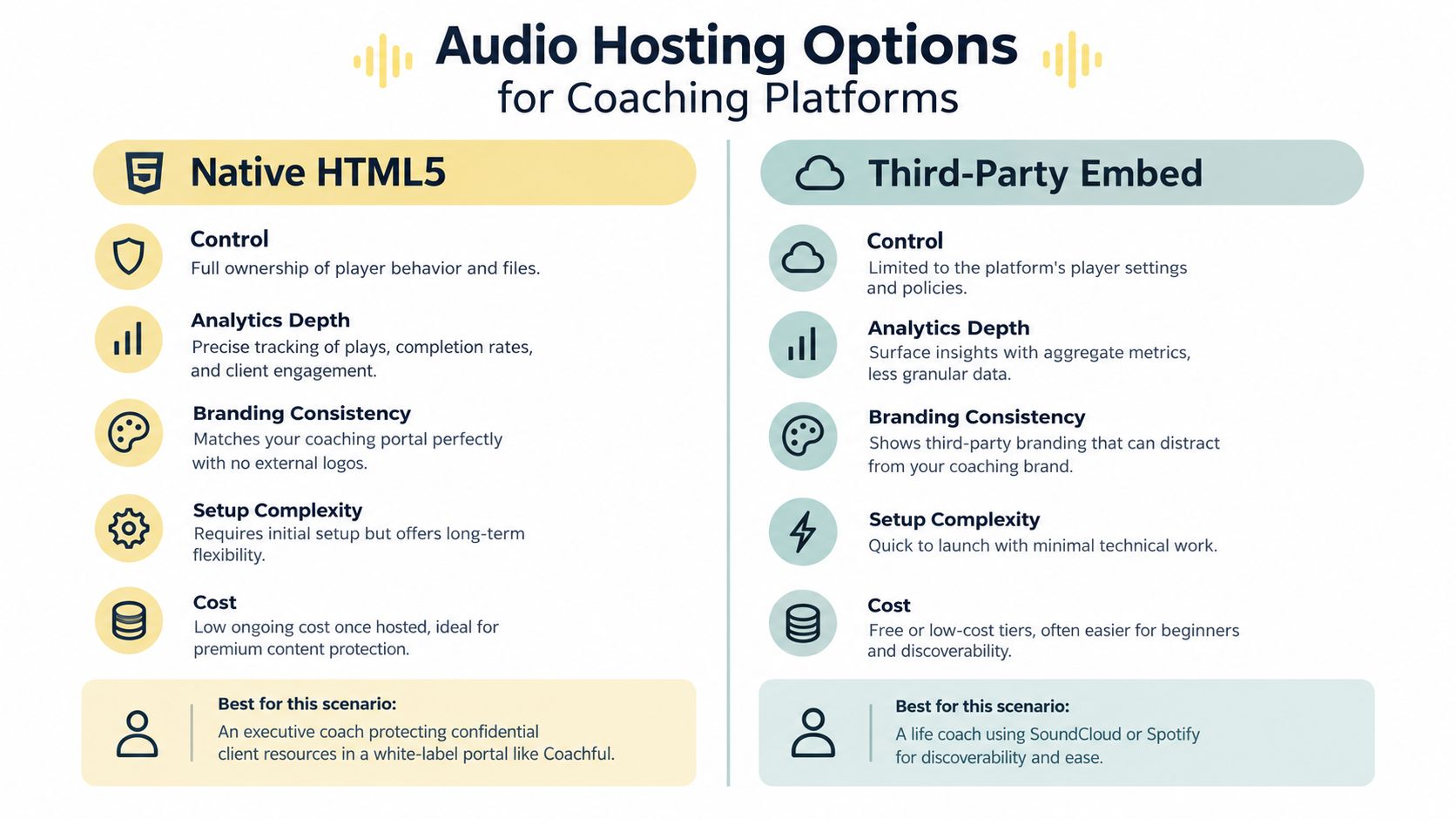
This chart breaks down control, analytics, branding, setup complexity, and cost across native HTML5 and third-party hosting. The takeaway is straightforward: native audio works best for private, white-label coaching resources, while platforms like Spotify or SoundCloud make more sense when you want public reach and fast publishing.
Find the Right Setting
In WordPress, upload your MP3 through the Media Library, drop in an Audio block, and preview the page before hitting publish. If you’re pulling from an external provider, use a Custom HTML block or the platform’s built-in share option, then double-check whether your page or membership plugin handles access control.
Squarespace works much the same way. Use an Audio block for files you host directly, or a Code Block for an approved third-party embed. Privacy settings live in the page permissions, member areas, or course settings—not inside the player itself, so look there first.
For a custom portal like Coachful, place the audio right next to the relevant milestone, assignment, or session note. Then confirm that client roles, program enrollment, and resource permissions actually lock confidential recordings down to the right people.
Preview first, publish second. A draft page lets you test everything without risking the layout your clients see.
Fix the Problems That Cause Abandonment
When autoplay doesn’t work, resist the urge to assume the embed is broken. Browsers routinely block unexpected sound, so always give clients a visible Play button and never rely on autoplay for guided exercises.
Mobile responsiveness deserves a real test, not just a resized browser window. Pull up the page on an actual phone in portrait mode. A fixed-width third-party frame can easily overflow the screen, whereas a native player tends to adapt more gracefully.
Stick with MP3 for the widest device compatibility, and keep a backup format handy if your hosting setup demands it. If a file refuses to play, verify the extension, re-export the recording, and try it in a different browser.
For video-style embeds, learn how to embed YouTube videos in coaching programs using that same preview-first approach. Once the player works on desktop, mobile, and a restricted client account, you can publish with confidence.
Staring at 450 loads and a 4.7% retention rate at the 20-second mark can make any coach wonder whether their content is landing. A 2023 case study on coaching portals shows why that gut reaction is usually wrong. Drop-off often points to the opening hook, where the player sits on the page, or whether the audience was right for that particular recording—not the quality of your coaching itself.
An embedded audio player also generates several distinct events that analytics dashboards tend to lump together. A page load just means the resource appeared on screen. A start within the first 60 seconds means someone hit play, even briefly. A stream lasting beyond 60 seconds is the real signal—it means someone is actually listening.
Treat analytics as diagnostic feedback, not a verdict on your coaching ability.
Read the Listening Pattern
Say you publish a 12-minute guided exercise for executive clients. The page pulls in 450 loads, 120 starts, and 35 streams that cross the 60-second threshold. That pattern tells you curiosity is there, but something in the opening or the pacing isn’t holding attention.
Now compare those numbers against a three-minute pre-meeting briefing. If it gets fewer loads but a higher share of streams past 60 seconds, the shorter format probably fits your clients’ schedules better.
Three questions help make sense of the data:
- Content length: Does the recording demand more time than your clients realistically have?
- Placement: Is the player sitting right next to the relevant assignment, or buried below unrelated material?
- Topic relevance: Does the title promise an immediate solution to a problem your client is facing right now?
These questions turn an uncomfortable analytics report into a practical conversation about how you’re delivering content.
Test One Change at a Time
Resist the urge to re-record everything after one disappointing result. Pick a single variable—the opening sentence, the player’s position on the page, or the title—and compare similar resources over a reasonable window.
For instance, swap “Weekly Reflection Audio” for “Reset Before Your Difficult Conversation.” The second title tells a stressed client exactly why pressing play might help them right now.
If your portal supports granular event tracking, separate loads, starts, 60-second streams, completions, and repeat plays. On a coaching platform like Coachful, you can connect those signals to specific milestones or assignments—just be careful to keep private client data protected.
A low completion rate isn’t always a failure. If a client replays a single breathing exercise five times, that repetition is the point. Your goal isn’t a perfect analytics chart. It’s figuring out which audio resources actually help clients take their next meaningful step.
The $4.46 billion podcast advertising market signals that audiences already treat audio as a serious content format. For coaches, that doesn’t mean launching a polished podcast. It means using an embedded audio player to deliver the right message when a client needs support.
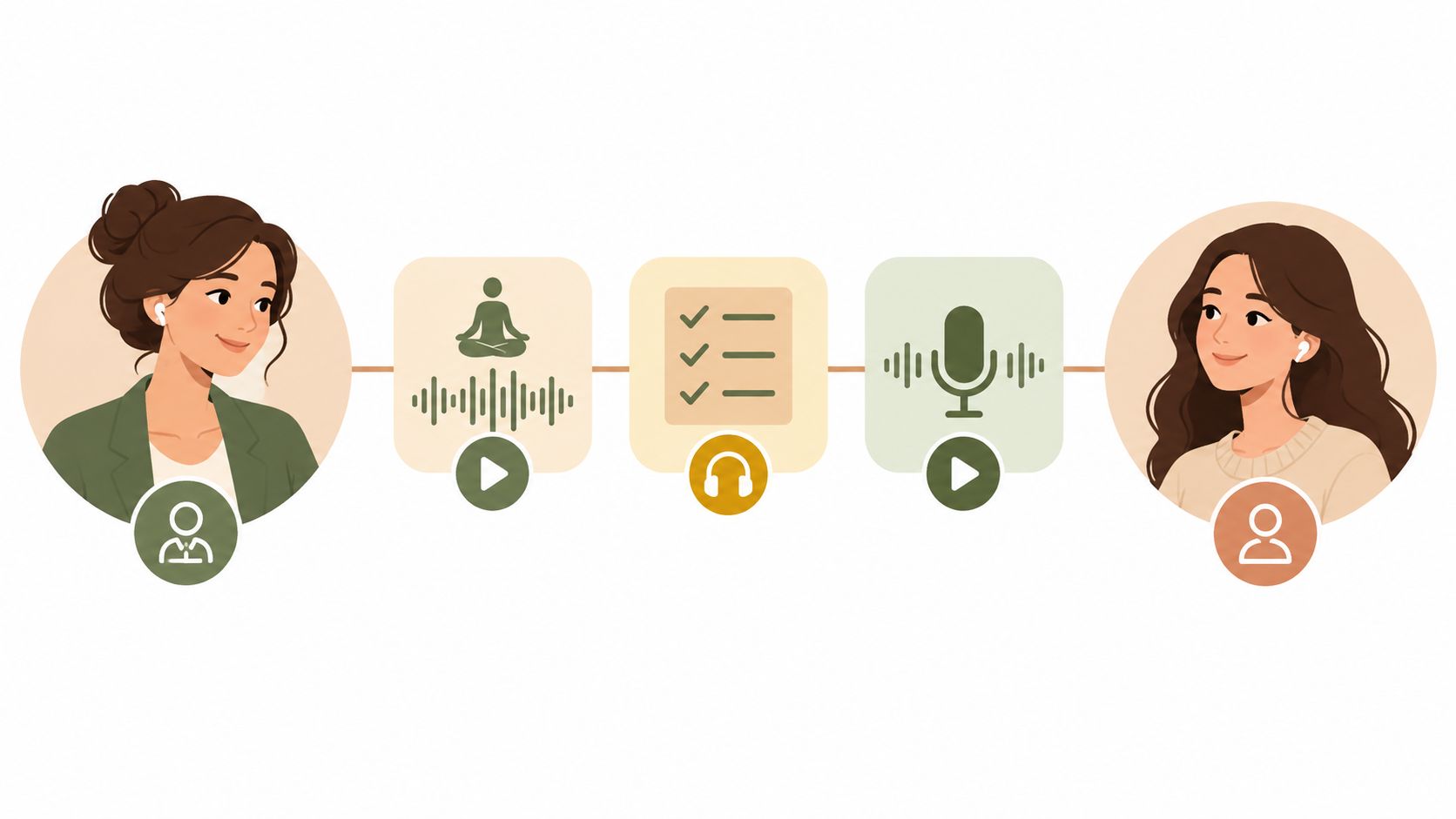
You may be wondering, “Will anyone actually listen?” Start with the client’s immediate problem, not your production ambitions. A two-minute recording that helps someone prepare for a difficult conversation can create more value than a twenty-minute episode they never finish.
Create Audio Around Coaching Moments
Useful formats include:
- Session preparation briefings: Explain what to reflect on before a meeting.
- Post-session integration guides: Repeat the key action and describe how to apply it.
- Accountability check-ins: Offer a calm reminder midway through the week.
- Short guided practices: Lead breathing, visualization, or focused reflection.
Imagine a business coach sending a three-minute briefing before a leadership review. The client can listen while walking, arrive prepared, and connect the recording directly to the upcoming goal.
Authenticity usually matters more than studio polish. Clear speech, steady volume, and minimal background noise are professional standards, but your clients don’t need a radio announcer. A warm, natural voice can feel more trustworthy than an overproduced performance.
Record for usefulness, not vanity metrics. The best audio answers one client question and makes the next action easier.
Accessibility also expands who can benefit. Add a transcript, descriptive title, and playback-speed controls where your platform supports them. Someone may prefer reading, need captions for comprehension, or listen at 1.25x speed between appointments.
Before recording, define the intended outcome:
- Name the client situation.
- Choose one action or reflection.
- Keep the opening direct.
- Place the player beside the related assignment.
For recording guidance, learn how to create an audiobook-style audio resource before publishing your first client library. Then use Coachful to connect each recording with a milestone, message, or follow-up task, and judge success by client progress rather than play counts.
What About Clients Who Need Offline Access?
Embedded players generally need a connection. That’s a real problem for clients traveling on planes or dealing with spotty cellular coverage. The practical fix is straightforward: give them a direct download link for the audio file alongside the player, or pair it with a clean transcript they can open anytime.
A nutrition coach I worked with handles this elegantly. Clients heading on a plane download the guided breathing exercise the night before, then use the embedded player during weekly sessions when connectivity isn’t an issue. She tests every download on her own phone before sending it out, and she makes it clear how long the file stays available in their account so nothing catches them off guard.
How Do I Keep Premium Recordings from Being Shared?
No audio player is bulletproof. Someone with screen-recording software or a simple audio capture tool can always find a workaround. What you can do is make casual sharing inconvenient enough that most clients won’t bother.
A few practical moves that actually help:
- Gate premium audio behind authenticated pages so only logged-in clients can access it.
- Disable the download button when you don’t want files leaving the browser entirely.
- Tie access to enrollment status or membership level so recordings disappear automatically when someone’s plan lapses.
For executive coaches sharing confidential pre-session briefings, avoid posting those recordings to public platforms like Spotify or SoundCloud. Instead, place the recording directly next to the relevant assignment inside a private portal, then verify everything works by logging in under a test client account with restricted permissions.
Protect access at the portal level, not only through the player.
Which Audio Format Should You Use?
Stick with MP3 for the actual file you embed. It plays natively across every phone, tablet, and desktop browser without drama. That said, always keep your original uncompressed recording stored separately in case you need to re-export or downsample later.
AAC or WAV files have their place in specific production workflows, but MP3 remains the safest bet when your clients are using a mix of devices and you don’t want support headaches. And regardless of format, include a transcript. Some clients prefer reading, and some need an alternative for accessibility reasons. Either way, it’s a small effort that removes a common friction point.
Will Embedded Players Hurt Page Load Speed?
They will if you’re not careful. A single player is usually fine, but load three or four third-party embeds on the same page and you’ll feel it, especially on mobile.
The rule of thumb: only place one player above the fold per page. Don’t stack multiple recordings on a single landing page. For a resource library, give each lesson its own page instead of cramming ten players onto one screen. Clients find what they need faster, and your load times stay reasonable.
Coachful helps you organize protected resources, milestones, and client access in one coaching workspace. Explore Coachful and give every recording a clear place in your client journey.