How to Share YouTube Video on Instagram Story

Coachful
You've uploaded a strong YouTube lesson, shared it to Instagram, and watched the Story disappear without producing a meaningful spike in views or consultation requests. The technical action was easy. The strategic mistake was treating the Story as a delivery mechanism instead of a persuasive step.
For an independent coach, the key question is not just how to share a YouTube video on an Instagram Story. It's how to make the right viewer understand why the video matters, what they'll gain from watching, and exactly where to tap next. Your Story should create enough relevance and curiosity that leaving Instagram feels worthwhile.
Why Most YouTube Links Fail on Instagram
Adding a link doesn't create demand. It creates an option, and people ignore options when they don't immediately see a personal benefit.
Many coaches post a blank background, paste a YouTube URL, and use generic sticker text. They then think, “My audience must not be interested.” More often, the audience never received a compelling reason to interrupt its scrolling. A Story promoting a coaching video needs to function as a conversion slide, not a URL container.
Instagram's old swipe-up system made this problem harder for smaller accounts. Before swipe-up was retired in August 2021, clickable external links were generally limited to verified accounts, business accounts, or profiles with at least 10,000 followers, as outlined in Instagram's transition from swipe-up links to the Link sticker. In late 2021, Instagram expanded clickable Story links through the Link sticker to all account types, removing that follower threshold.
That change gave coaches access to a valuable publishing capability. It didn't make audiences more attentive. Now that almost any account can add a link, your Story has to earn the tap through specificity, visual context, and a clear promise.
Strategic rule: Don't announce that a video exists. Sell the next useful step.
A leadership coach might write, “New YouTube video,” or “Watch my latest upload.” Those phrases describe the content from the creator's perspective. A stronger slide says, “The delegation mistake that keeps landing work back on your desk,” followed by “Watch the full lesson.” The second version speaks to a problem the viewer already recognizes.
Your thumbnail and preview also shape the perceived quality of the destination. If your social preview looks unfinished, viewers may assume the video and your coaching experience will feel the same. Before publishing, review how to add Open Graph images for social sharing, and use Facebook video sharing best practices when adapting your broader promotion system across platforms.
The Exact Workflow for Adding Link Stickers
The cleanest process separates the Story asset from the YouTube destination. Instagram displays the image, screenshot, or authorized teaser. The Link sticker sends the viewer to the full video on YouTube. You don't need to upload the entire YouTube file to Instagram.
Copy the destination first
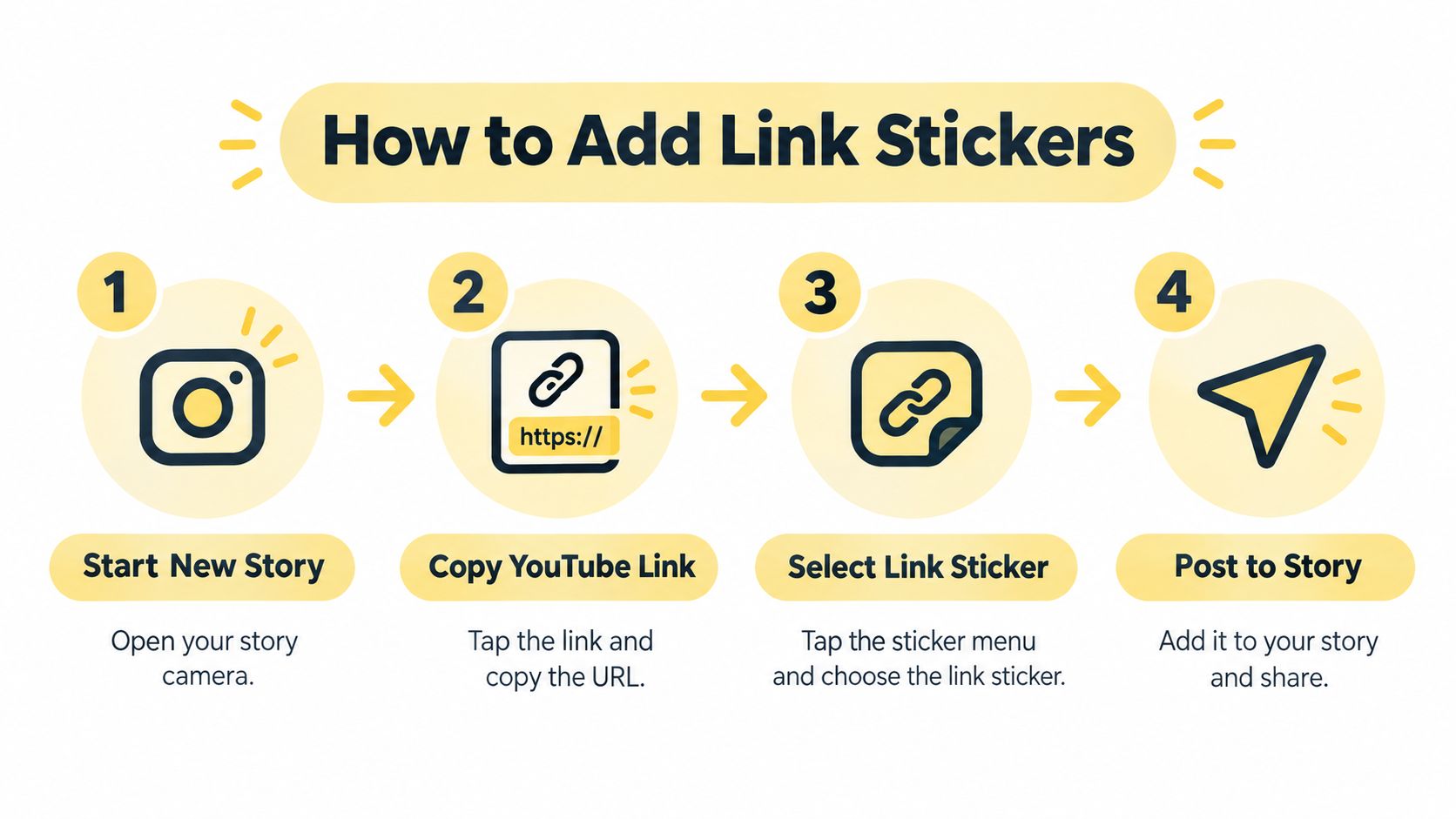
Open the selected video in the YouTube mobile app. Tap Share, then choose Copy link. Copying from YouTube's Share menu reduces the chance of missing part of the address or using the wrong destination.
Next, open Instagram and create a new Story. Upload a relevant thumbnail, screenshot, branded slide, or authorized teaser clip. You can record Story content directly in Instagram, but the asset should support the reason someone should watch the longer video.
Add and customize the sticker
Tap the Stickers icon, choose Link, and paste the YouTube URL. Instagram will create a tappable sticker that routes viewers to the video page.
Don't leave the sticker with vague or unhelpful wording if Instagram allows you to customize it. Replace generic text with an instruction that tells the viewer what happens after the tap:
- “Watch the full lesson” works for an educational video.
- “View the interview” fits a guest conversation.
- “Continue the strategy” suits a multi-part coaching framework.
- “See the exact steps” gives a practical tutorial a clear destination.
Place the sticker where it remains visible and easy to tap, but keep it away from Instagram's interface controls. Check that it isn't covered by other text, a poll, a question box, or the lower navigation area.
A link sticker should answer one question immediately: “What will I get if I tap this?”
Publish to Your Story for your wider audience or Close Friends when the content is intended for a smaller, warmer group. After publishing, view the Story from another account or device and test the sticker. This quality check catches wrong URLs, poor placement, and text that becomes difficult to read.
The key limitation is simple: the link doesn't place the complete YouTube video natively inside the Story. It creates a tappable route to YouTube. Set that expectation in your copy so the viewer understands the action.
Designing Visual Teasers That Stop the Scroll
A YouTube link without a visual hook asks the viewer to do too much thinking. Your audience has to understand the subject, decide whether it applies, and figure out where to tap. A well-designed teaser handles those decisions quickly.
Use a 9:16 Story layout so the visual fills the screen naturally. Start with one concrete tension from the video, not the broad topic. “Leadership webinar” is a category. “Why capable managers keep avoiding difficult conversations” is a problem with emotional weight.
Choose the right background
A strong Story background can be:
- A branded thumbnail: Use the same title or visual language as the YouTube video so the destination feels consistent.
- A screenshot: Capture a relevant moment from your own video, especially when your face, presentation, or whiteboard adds credibility.
- A short teaser clip: Use an authorized preview from your own content, with the most useful or provocative moment placed early.
- A text-led slide: Keep the design simple, but make the problem and promised outcome unmistakable.
A plain-color slide can work when the copy is unusually strong. It shouldn't be your default. A blank background paired with “New video” forces the words to do all the work, and those words rarely provide enough reason to leave Instagram.
For coaches, the best teaser creates an open loop. It gives away enough context to make the problem recognizable without resolving the entire issue. A business coach might show a clip about delegation and write, “You're not overloaded because your team is incapable.” The next line can point toward the unresolved explanation, then the sticker can say, “Watch the full lesson.”
Keep the teaser focused on one idea. Don't put the video title, a paragraph of explanation, three benefits, a testimonial, and several calls to action on one slide. Clutter signals that the viewer will have to work hard to understand the message.
If you create videos without appearing on camera, ClipNova's guide to faceless reels can help you think through visual formats that still carry a clear hook. For broader content planning, videos in blogs offers another way to reuse long-form teaching without reducing every promotional asset to a bare link.
Respect ownership and presentation quality
Use only a thumbnail, screenshot, or clip you own or have permission to use. Downloading and reposting someone else's YouTube content can create copyright and formatting problems. Your Story should promote your expertise, not make viewers question whether the material belongs to you.
A short authorized preview can work especially well when it contains a clear before-and-after contrast, a surprising correction, or a direct answer to a familiar coaching problem. The purpose isn't to recreate the whole lesson in Stories. It's to make the full lesson feel like the logical next step.
Psychological Triggers for Higher Tap Rates
People tap because the content feels relevant, the outcome feels worthwhile, and the next action feels simple. Visual polish helps, but it doesn't replace psychological clarity.
Your first job is to reflect the viewer's internal dialogue. A potential client may be thinking, “I know I should delegate, but every time I do, I have to fix the work later.” A life coaching prospect may be thinking, “I keep setting boundaries, then apologizing for them.” A career client may wonder, “Why do I sound uncertain in interviews when I know I'm qualified?”
Write the Story copy to meet that thought directly.
Lead with a problem they recognize
A benefit-led hook is more persuasive than a content label. Compare these examples:
| Weak Story copy | Stronger Story copy |
|---|---|
| New business coaching video | The delegation mistake most managers make |
| Watch my latest interview | How to ask for a promotion without sounding defensive |
| Full webinar on YouTube | The boundary script to use when “no” feels uncomfortable |
The stronger versions create recognition. The viewer can place themselves inside the problem before deciding whether to watch.
For the business coach example, pair the slide text “The delegation mistake most managers make” with a Link sticker labeled “Watch the full lesson.” The headline creates curiosity, while the sticker removes uncertainty about the next step.
Make the promise specific
“Watch now” is an instruction without a reason. “See how to prepare for the conversation” gives the viewer a tangible benefit. Your promise doesn't need to be dramatic. It needs to be credible and connected to what the video actually delivers.
Avoid exaggeration such as “This will transform your entire career.” Coaching audiences are sensitive to inflated claims. Calm specificity often builds more trust than urgency.
Remove the action gap
A viewer shouldn't have to ask, “Will I know what to do?” The sticker itself is tappable, but the surrounding language should make the sequence obvious:
- Name the tension: “Your team keeps bringing every decision back to you.”
- Offer the next insight: “This lesson shows where delegation breaks down.”
- Give one instruction: “Watch the full lesson.”
That sequence moves a passive scroller toward an intentional action. It also protects the viewer from the fear of wasting time on a video that may not apply to them.
The best coaching CTA doesn't shout. It tells the right person exactly what problem the next tap will help them solve.
Use one primary action per Story slide. If you ask people to watch the video, reply to your poll, book a call, download a guide, and follow another account at the same time, you dilute the decision. The YouTube video should have a clear role in the journey, whether that role is building trust, explaining your method, or preparing someone for a consultation.
Strategic Distribution and Quality Control
Publishing the Story is only part of the job. You also need to decide who should see it, whether the link works, and how you'll interpret the response.
Use Your Story when the video addresses a broad problem across your audience. Use Close Friends for a more selective message, such as an advanced coaching snippet, a private workshop replay, or a resource intended for people already familiar with your work. The distribution choice should match the level of context the video assumes.
Test before you promote
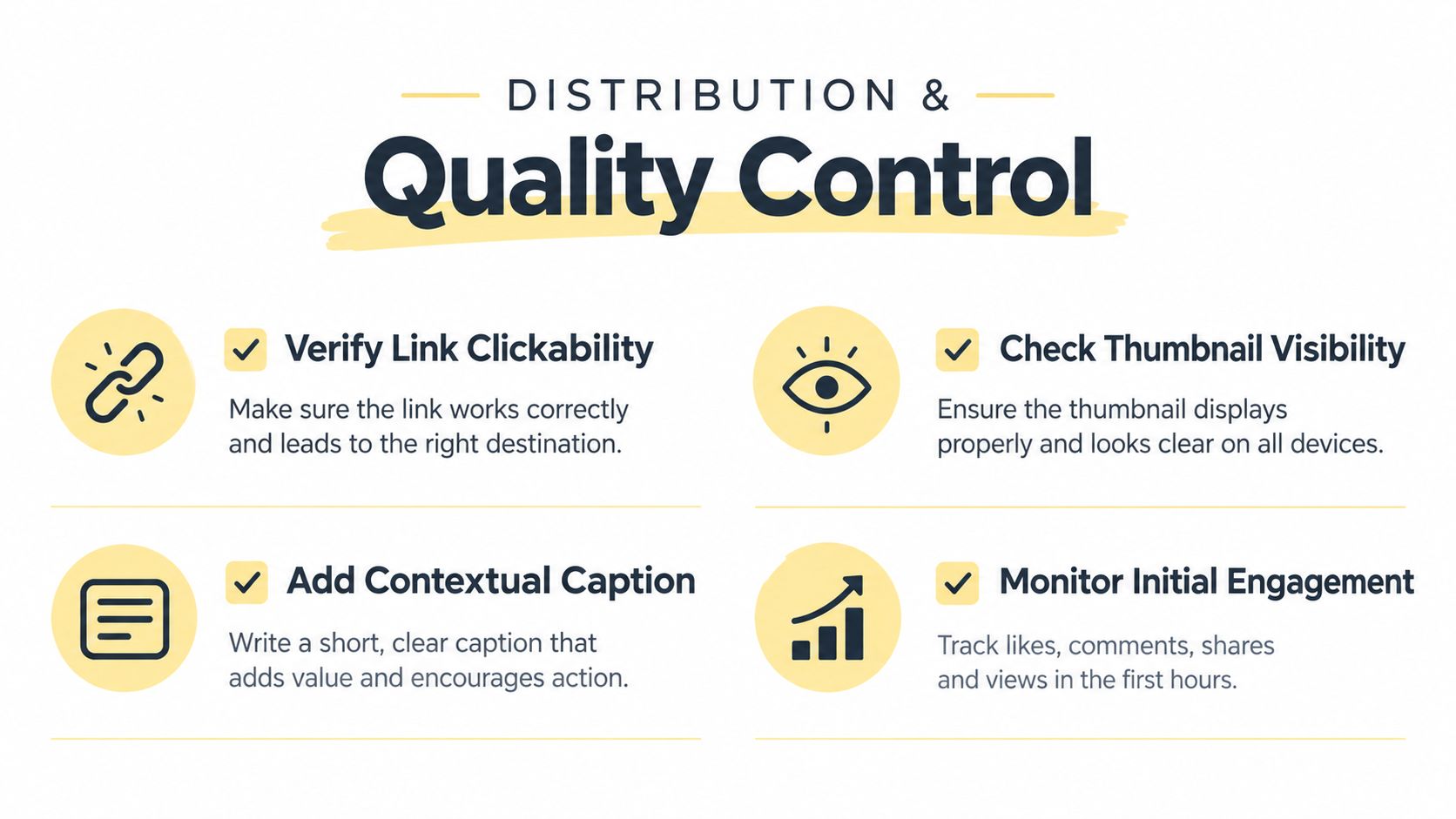
View the published Story from another account or device. Test the sticker, confirm that the correct YouTube page opens, and check the visual placement. Look at the Story as a viewer would, not as the creator who already knows what it's supposed to say.
Run this short check:
- Link destination: Does the sticker open the intended video page?
- Sticker visibility: Is it large enough to tap without effort?
- Safe placement: Is it clear of Instagram's interface controls?
- Message match: Does the YouTube title deliver what the Story promised?
- Mobile readability: Can someone understand the slide quickly without zooming?
If you're also maintaining a permanent profile route for current videos, review the best link-in-bio tools for coaches. A Story is temporary, while a profile link can support people who discover your work later.
Judge performance without vanity thinking
Third-party benchmarks report that Stories may reach roughly 6–20% of followers for small-to-mid-sized accounts, while large accounts may see approximately 2% reach. Reported Link sticker tap rates commonly range from 1–5% of viewers, although there isn't a universally accepted industry benchmark. These figures come from third-party Instagram Story benchmark guidance, so treat them as directional context, not a promise.
A low tap count doesn't automatically mean the video failed. Compare the result with the quality of the hook, the relevance of the audience, and the clarity of the destination. A smaller number of highly interested viewers can matter more to a coaching practice than broad exposure with no follow-up.
Building a Consistent Content Promotion Habit
A reliable promotion system starts when you publish the YouTube video, not when you remember the Story later. Prepare the thumbnail, teaser clip, hook, and sticker wording alongside the long-form upload so promotion becomes part of production.
For example, a business coach could record a lesson, select a short moment about unclear accountability, and prepare one Story slide with the copy, “Your team isn't confused. Your ownership lines are.” The sticker then says, “Watch the full lesson.” The coach can publish the YouTube video and its Instagram teaser as one coordinated workflow instead of rebuilding the campaign from scratch.
Review the questions clients ask, the objections that appear in sessions, and the topics that generate thoughtful replies. Those signals can guide future YouTube subjects and help you build a library that answers real buying concerns. Over time, your Stories become a repeatable top-of-funnel habit: tease one problem, promise one useful outcome, link to one deeper resource, and invite the next conversation.
The system stays manageable when every video gets the same basic treatment. Create the asset, copy the link, add the sticker, test the published Story, and note which topics attract serious interest. That discipline gives your content a better chance of producing conversations, not just views.
Coachful gives coaches one workspace for client onboarding, scheduling, payments, messaging, progress tracking, programs, and resources, so your content can lead into a more organized coaching experience. Visit Coachful to see how it can support the client journey after someone discovers you through YouTube and Instagram.