Newsletter Re-Engagement Emails for Coaches: 5 Templates

Coachful
Editorial Team
Should you email newsletter subscribers who have gone quiet, or stop sending? First check that you still have an appropriate permission basis to contact them. Then send one relevant invitation to continue, make the choice explicit and honour the stopping rule you state. Do not treat an old download, an email open or a previous coaching purchase as a fresh yes.
A coach can spend an afternoon polishing a newsletter while wondering whether anyone on the list still wants it. The temptation is to write “We miss you,” add a discount and call it re-engagement. But the useful question is not whether you can get one more click. It is whether your newsletter still matches a problem the subscriber wants help with.
These five original templates address different reasons for reconnecting with a quiet newsletter audience. They are fictional editorial examples, not campaigns sent to Coachful subscribers or proven conversion recipes. Choose the one that fits. They are alternatives, not instructions to send five emails to every inactive contact.
What counts as an inactive newsletter subscriber?
Inactivity is an operational definition, not a diagnosis of someone's interest. A person might read without loading tracking images, save your advice for later or never see a message that lands in spam. Another might generate recorded activity through privacy or security tools without reading anything.
Mailchimp's bot-activity guidance explains that non-human interactions can inflate both opens and clicks. This matters when your entire cleanup rule is “clicked once, therefore interested” or “never opened, therefore delete.” Neither rule reliably captures a person's choice.
Start with your actual sending cadence and available evidence. Someone who received two occasional notes has had a different opportunity to engage from someone who received a long weekly run. Review recent replies, bookings, preference submissions and relevant interactions before putting a person in a re-engagement group. Do not invent a universal number of days that makes every coaching audience inactive.

Keep these categories separate:
- Quiet but subscribed: permission is documented, but meaningful recent interaction is limited.
- Unsubscribed: the person has asked to stop marketing. Do not send a re-engagement promotion.
- Permission unclear: you cannot establish why the address is on the list. Do not assume a “can I email you?” marketing message fixes that gap.
- Active service contact: the person may need appointment or service information even if they do not want your newsletter.
Archive, suppress and delete are not interchangeable actions. Stopping newsletter delivery should not accidentally destroy invoices, an existing client agreement or records you need to retain. Make the mailing decision separately from the service-record decision.
Before choosing a template, verify four things
Permission: find the signup source, wording and relevant date. Check the applicable rules, including whether the proposed message falls within what the person agreed to receive. This article is practical marketing guidance, not legal advice or a universal consent determination.
Promise: write one sentence explaining what a subscriber receives now. “Occasional updates” is not helpful if you actually send weekly career exercises and several launch invitations. If your niche or frequency has changed, say so rather than pretending nothing happened.
Action: decide what a click does. Opening an article, submitting a preference and booking a consultation are different actions. Do not label all three “staying subscribed.” If you ask for confirmation, test an actual confirmation step.
Stopping rule: decide what happens to non-responders and when you will apply it. Use a real review date if you mention one. Do not promise to stop and then quietly add the same people to your next promotion.

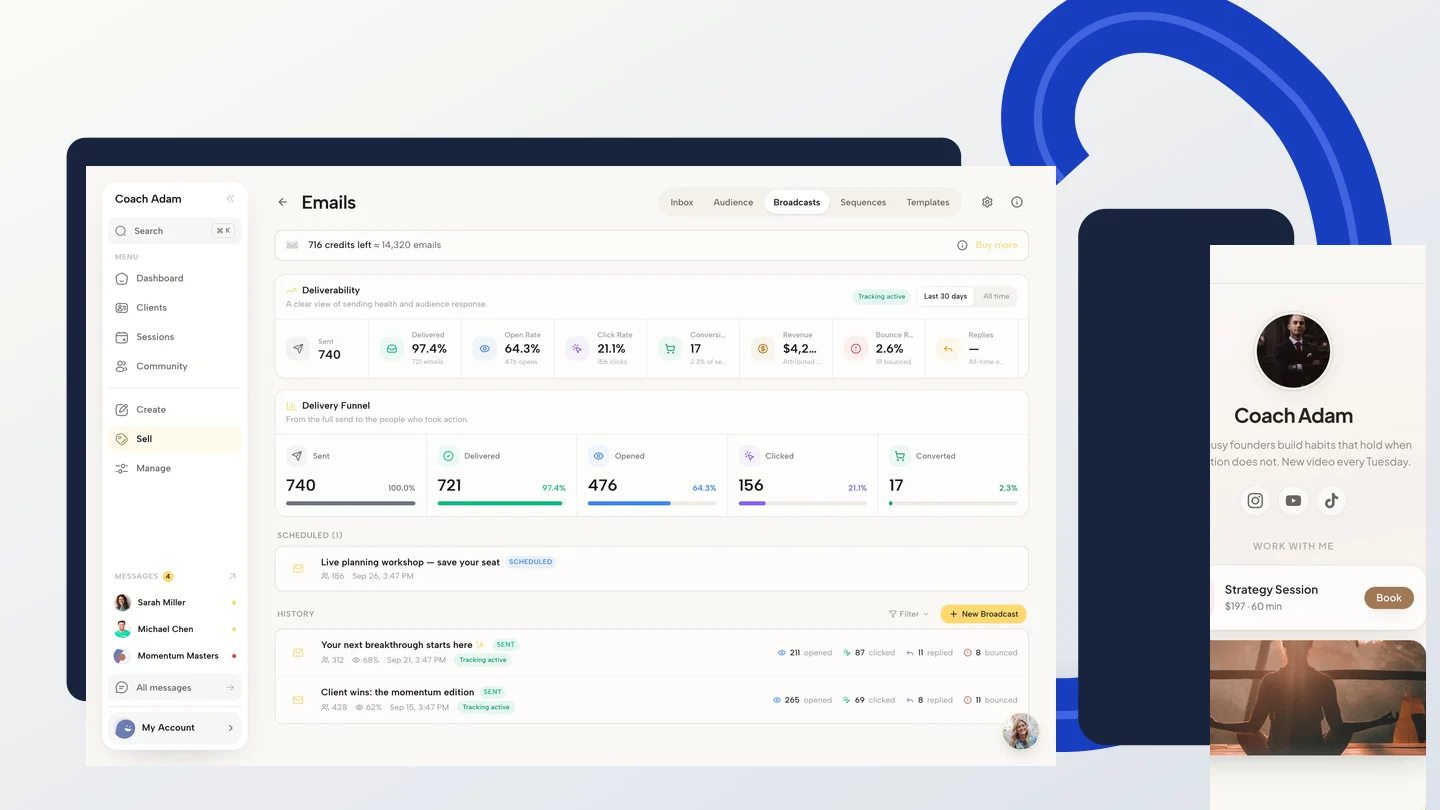
The Coachful email feature overview documents broadcasts, lists, segments and multi-step sequences. Those are useful building blocks. They do not remove your responsibility to establish permission, define the audience correctly and verify what a preference action changes.
1. The useful-resource reminder
Use this when: the newsletter promise still fits, your permission basis is documented and you have a genuinely useful resource to offer. Lead with help, not an accusation that the subscriber has been ignoring you.
Subject: A smaller way to make that career decision
Preview: One exercise, without another giant workbook.
Hi [First name],
If a career decision is still on your mind, try this: write down the decision, the information you are missing and one conversation that could provide it.
I put a short worked example here: [Read the career-decision exercise: insert resource link].
This is the kind of practical exercise I share in [Newsletter name], [accurate frequency]. If it no longer fits, you can unsubscribe using the link below. No explanation needed.
[Coach name]
This version tests relevance without pretending that consuming a resource is an explicit preference confirmation. If your policy requires an affirmative choice to continue, use the confirmation template instead. Keep the resource available as promised; do not unexpectedly replace it with a discovery-call application.
Adapt the exercise to your legitimate scope. A business coach might share a capacity-planning example. A leadership coach might offer a meeting-preparation question. Do not build a re-engagement message around sensitive details inferred from past coaching sessions.

2. The honest restart after you went quiet
Use this when: you stopped publishing and are returning to subscribers who can appropriately receive the message. Do not blame “low engagement” when you have not sent anything for months. Own the gap briefly, then explain the new promise.
Subject: A quick reset for [Newsletter name]
Preview: What I will send, and how often.
Hi [First name],
I let this newsletter go quiet. I am restarting it with a simpler promise: [specific useful content] every [accurate frequency].
The next note will cover [specific reader question]. There will also be [honest description of occasional relevant promotions, if applicable].
If that is useful to you, please confirm your choice here: [Review my newsletter preference: insert confirmation-page link].
If you do not confirm by [real review date], I will stop sending this newsletter to this address. You can also unsubscribe now using the link below.
[Coach name]
Only use the date sentence if you can implement it. An apology followed by daily sales emails is not a reset. Before returning, prepare the next useful issue so that a subscriber's renewed interest leads to the experience you described.
If the list is very old or the original permission no longer supports this contact, a restart message may not be appropriate at all. Do not use this template as a way around that assessment.
3. The changed-focus explanation
Use this when: your newsletter has shifted enough that existing subscribers deserve a clear explanation. A coach moving from job-search advice to first-time-manager leadership should not assume those are the same audience.
Subject: This newsletter is changing direction
Preview: Please choose whether the new focus fits.
Hi [First name],
You originally subscribed for [accurate original topic]. My work now focuses on [specific new focus], so I want to make the change clear.
Future issues of [Newsletter name] will share [concrete content] for [defined reader], [frequency].
Please review the new description and choose whether to continue: [Choose my newsletter preference: insert page link].
I will not treat silence as agreement to the new promise. [Accurate explanation of how and when newsletter delivery will stop without confirmation].
[Coach name]
A material change can also change the permission question. Depending on the original signup and applicable rules, you may need a different approach rather than emailing the whole old list about unrelated services. Check before sending. Transparent copy is important, but it does not legalise an otherwise inappropriate contact.

Update the newsletter description at its signup points as well. Otherwise one person is deciding based on a new promise while the next subscriber joins through an outdated one. Match the page, confirmation language and actual editorial schedule.
4. The single-question relevance check
Use this when: you need to understand whether the content still fits, and you will genuinely use the answer. Ask a small question about newsletter preferences, not a coaching intake disguised as a survey.
Subject: Which topic would be useful now?
Preview: One question about the newsletter.
Hi [First name],
I am reviewing [Newsletter name] so the next issues answer questions readers actually have.
Which topic would be most useful: [relevant topic A], [relevant topic B], or neither?
You can choose here: [Answer the one-question newsletter survey: insert form link]. The page also explains whether you want to continue receiving the newsletter.
If it no longer fits, the unsubscribe link below is the simplest route. You do not need to complete a survey to leave.
[Coach name]
Keep the meaning of the response explicit. Selecting “interview preparation” tells you something about a topic; it does not automatically mean “send every future coaching promotion.” If you also request a subscription preference, make that a separate, clearly described choice.
Do not ask for medical history, relationship difficulties, an employer's name or detailed financial circumstances to decide which newsletter to send. A topic preference usually needs far less information. Explain the purpose of the form, collect only what is necessary and restrict access appropriately.

5. The clear continue-or-stop message
Use this when: permission supports a final preference request, you have a real stopping process and the subscriber needs a simple decision. The point is clarity, not a theatrical breakup.
Subject: Keep receiving [Newsletter name]?
Preview: Please confirm if you want future issues.
Hi [First name],
I am reviewing who wants to keep receiving [Newsletter name]: [specific promise] every [frequency].
If you would like future issues, please save your choice here: [Review my newsletter preference: insert confirmation-page link].
If you do not confirm by [real date], I will stop sending this newsletter to this address. This does not change any coaching service you have already agreed with me.
You can unsubscribe immediately using the link below.
Thank you for reading, whether you stay or leave.
[Coach name]
Do not say “your account will close” when you only mean newsletter delivery will stop. Do not imply that the reader owes you attention because you have worked hard. A subscriber can appreciate your coaching and still prefer fewer emails.
Make the confirmation page mean what the email says
A “keep me subscribed” link should not silently treat every visit as a human decision. Security systems can follow links. A more defensible design is a page that explains the choice and requires a deliberate preference submission, with appropriate safeguards and a clear result.

The fictional page above uses the following live-text promise: “One practical career-decision exercise, every other Tuesday.” It offers “Keep receiving this newsletter” and “Stop receiving this newsletter,” followed by “Save my newsletter preference.” After saving, it confirms that the preference was updated. These are copy examples, not a claim that Coachful has a ready-made page with those controls.
Use the email provider's supported preference or subscription mechanism where available. If you build a form-based workflow, verify that the submitted choice updates the correct newsletter record and respects suppression. A form response sitting in an inbox is not the same as an updated mailing permission.
- Record the exact choice, relevant wording, date and source appropriately.
- Do not expose an email address or personal details unnecessarily in a public URL.
- Keep the ordinary unsubscribe route available and easy to use.
- Test accidental repeat submissions and a person who has already opted out.
Build a short process, not an endless recovery sequence
Mailchimp's re-engagement guide recommends identifying inactive subscribed contacts and using relevant content to reconnect. For a coaching practice, that is a better starting point than borrowing a retail discount sequence. You are checking whether the relationship still fits, not trying to sell a forgotten pair of shoes.

Write the process in ordinary language before configuring software: who qualifies, which exclusions apply, which message they receive, how responses are reviewed and what ends the process. Include existing unsubscribes, complaints and any other applicable suppression rules. A person who answers deserves a human response, not the next automated nudge.
The sequence screenshot shows real email-flow structure, not a ready-made re-engagement setup. Do not assume that an inactivity trigger, a preference submission or a non-response suppression rule exists merely because a visual sequence editor exists. Confirm the specific supported mechanism and test it before enabling anything.
Use a pre-send test that includes the stop
The most important test is not whether the email looks attractive. It is whether the recipient's choice changes what happens next. Use an appropriate test environment or authorised test contacts, never a real subscriber as an unannounced experiment.
- Eligible reader: confirm the intended audience includes the correct subscribed test contact.
- Excluded reader: confirm an unsubscribed test contact cannot enter the campaign.
- Confirmation: submit the preference and verify the actual record, not just the thank-you screen.
- Silence: check that the stated review rule stops future newsletter delivery as promised.
- Service continuity: verify that newsletter suppression does not disable agreed client services.

Review outcomes as choices: confirmed continuation, confirmed opt-out, unresolved response and no response. Opens and clicks are supporting diagnostics, not a substitute for those categories. Do not announce that you “won back” everyone who loaded a tracking pixel.
Commercial email rules vary by jurisdiction. The FTC's CAN-SPAM guidance explains US requirements, including opt-out responsibilities and the distinction between commercial and transactional messages. Other regimes can require consent or impose additional conditions. A client relationship is not blanket permission for marketing.
Frequently asked questions
How many re-engagement emails should a coach send?
Use the smallest process that gives an appropriately contacted subscriber a clear choice. One message may be enough. A further reminder needs a genuine purpose and an appropriate permission basis. These five templates are options for different situations, not a recommended five-email sequence.
Should I offer a discount to inactive subscribers?
Not by default. A discount does not establish whether someone still wants the newsletter, and it can confuse the mailing decision with a purchase decision. Start with relevance and an explicit promise. Keep any later sales offer separate and truthful.
Can I reactivate someone who unsubscribed?
Do not send a re-engagement promotion simply because they used to subscribe. Honour the opt-out. If the person independently chooses to subscribe again through an appropriate route, handle that new request with your provider's supported process and applicable rules.
Should I delete every subscriber who never opens?
No. Open tracking is imperfect, and deletion is a different decision from marketing suppression. Review meaningful evidence, permission and your stated policy. Keep required client or business records under the relevant retention process rather than deleting them to tidy a newsletter report.
Write the promise before the subject line
Choose one template, replace every placeholder and test the destination and stopping rule. The useful result is a newsletter audience whose choices you can explain, not a temporarily prettier engagement chart.
If the practical next step is reviewing how broadcasts, sequences and coaching contacts fit together, Try the interactive demo. Use the real email surfaces to assess your workflow before configuring a campaign. The demo is a product walkthrough, not permission to contact anyone or proof that a preference action has been implemented.