Online Course Lesson Titles: 5 Formulas and 25 Examples for Coaches

Nour
Founder, Coachful
Can a client open your course after a busy week and find the lesson they need, or does every title sound like another version of “Unlock Your Potential”? Name each lesson for the action, question or useful output it actually contains. Keep the wider promise in the course description.
A good online course lesson title helps a learner choose, begin and return. It does not need to sell the entire coaching engagement again. “Draft a delegation brief” tells a client more than “The Leadership Breakthrough,” especially when they are looking for the exercise on their phone.
Use the five formulas below to name individual lessons inside a coaching course. The 25 examples are fictional editorial suggestions, not real client results, tested conversion winners or ready-made curricula. Choose a title only when the lesson actually delivers the work it describes.
Course names, module names and lesson titles do different jobs
The course name identifies the whole learning experience. A module name groups a related stage of work. A lesson title identifies one useful stopping point inside that stage. If all three levels repeat the same aspirational phrase, clients have to open items to discover the difference.
For a hypothetical leadership course, the course might be “Delegation Practice,” the module “Prepare the handover,” and the lesson “Write the task brief.” Each level narrows the work. The lesson title does not promise a confident team by Friday; it describes something a learner can attempt.
This distinction matters when your offer includes both coaching and teaching. A course lesson can teach a method, demonstrate an example or invite practice. It should not suggest that watching a recording replaces individual coaching, guarantees behaviour change or resolves an issue outside your competence.

Before naming anything, write a private planning sentence: “After this lesson, the client can [specific action or output].” Then check the actual content. If the lesson contains three unrelated outputs, fix the scope before hunting for a more elegant title. A naming problem can be a course-design problem wearing a smaller hat.
1. Action plus object: use this for a practical task
Formula: [useful verb] + [specific thing the learner will work on]. This is the simplest default when the lesson ends with a draft, comparison, plan or rehearsal. Put the meaningful words early rather than beginning every title with “How to successfully.”
- Draft your first delegation brief
- Compare two career options
- Map a realistic working week
- Prepare one feedback opening
- Choose a small routine experiment
These titles describe work, not guaranteed outcomes. A career coach can teach a comparison process without promising the right job. A health coach can support a routine experiment within their scope without promising a clinical improvement. The title should preserve that distinction.
The trade-off is that action titles can become repetitive. If every lesson begins “Create,” use a more precise verb where it is truthful: compare, identify, rehearse, revise or review. Do not introduce variety at the expense of clarity. “Architect your future” is not a more useful instruction than “Compare two options.”

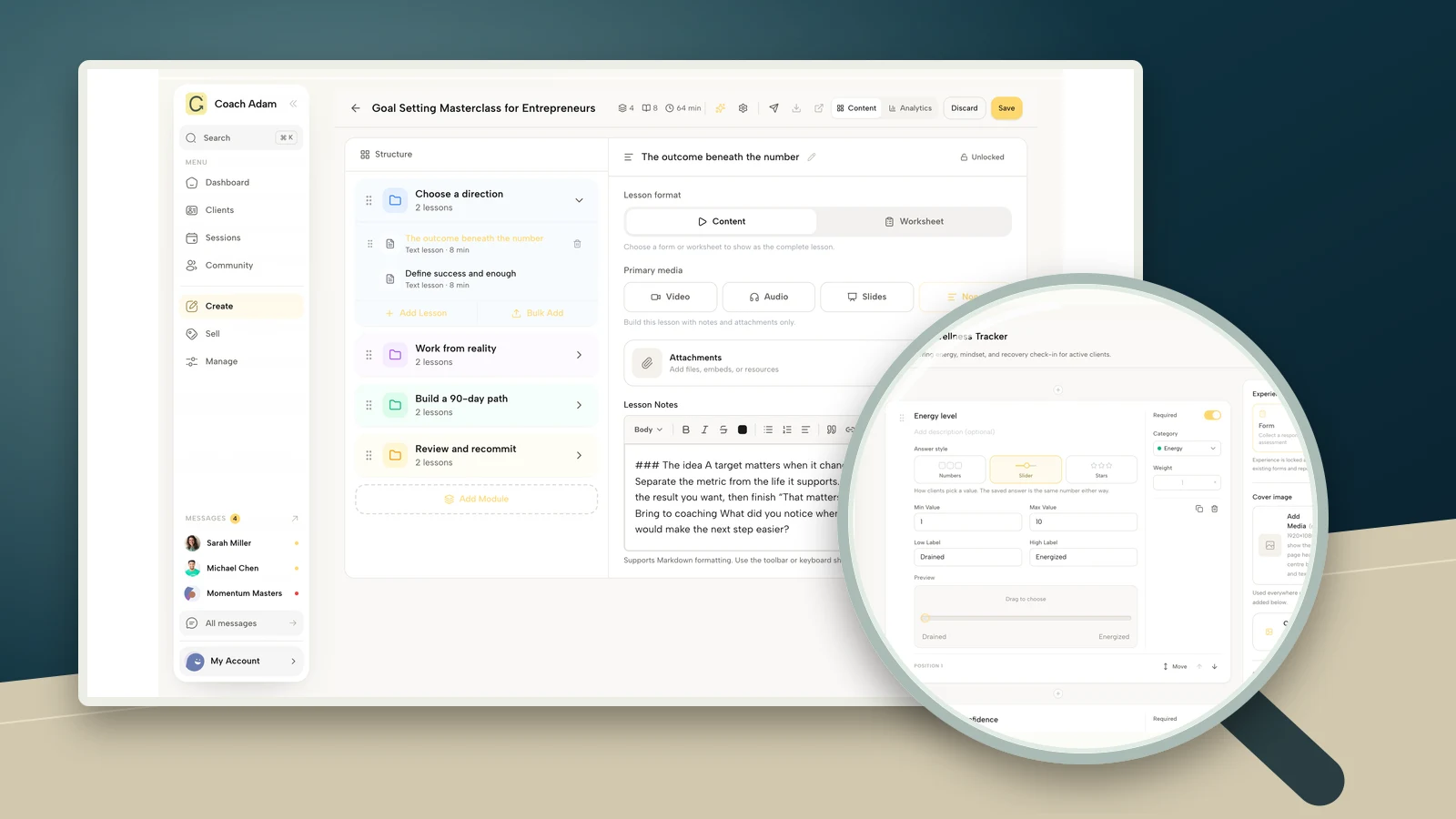
In the real Coachful course builder pictured here, lesson names appear beside the selected lesson. That is the editing context to review: can each label identify a different piece of work without opening it? The demo’s existing titles are product examples, not the fictional titles proposed in this article.
2. A learner question: use this when the lesson resolves uncertainty
Formula: [the question a learner needs answered before acting]. Use this when choosing a direction matters more than producing a document. A recognizable question can help someone return to the explanation later, especially when the same question arises during real work.
- Which task should I delegate first?
- What do I need from my next role?
- Where does my weekly plan break down?
- When is a boundary worth discussing?
- What should I review after an experiment?
Write the question in the learner’s language, not the language of your certification manual. If clients say “I keep taking the work back,” that can guide a useful question about handovers. Do not reproduce identifiable client wording or situations without appropriate permission.
The risk is clickbait. “The one question that changes everything” withholds the subject instead of helping navigation. An honest question title should tell the reader what the lesson concerns and the lesson should actually address it. Avoid questions whose answers depend on a private assessment you cannot provide in a recording.

3. Output plus format: use this for a reusable resource
Formula: [useful output] + [example, worksheet, demonstration or practice]. This helps distinguish a teaching explanation from the material a client will use afterward. It is especially useful when a module contains a short video, an example and an exercise about the same topic.
- Delegation brief: worked example
- Career options: comparison worksheet
- Weekly plan: guided demonstration
- Feedback opening: rehearsal practice
- Routine experiment: review prompts
Only name a resource the lesson actually includes. Calling a lecture a worksheet does not create a worksheet. If the exercise is optional, explain that in the introduction rather than making clients discover a hidden requirement after they start.
Use a consistent pattern across equivalent items. A learner should not have to work out whether “Practice,” “Action Lab” and “Implementation Experience” mean different things or merely reflect the mood you were in while writing. Consistency is a navigation aid, not a ban on personality.

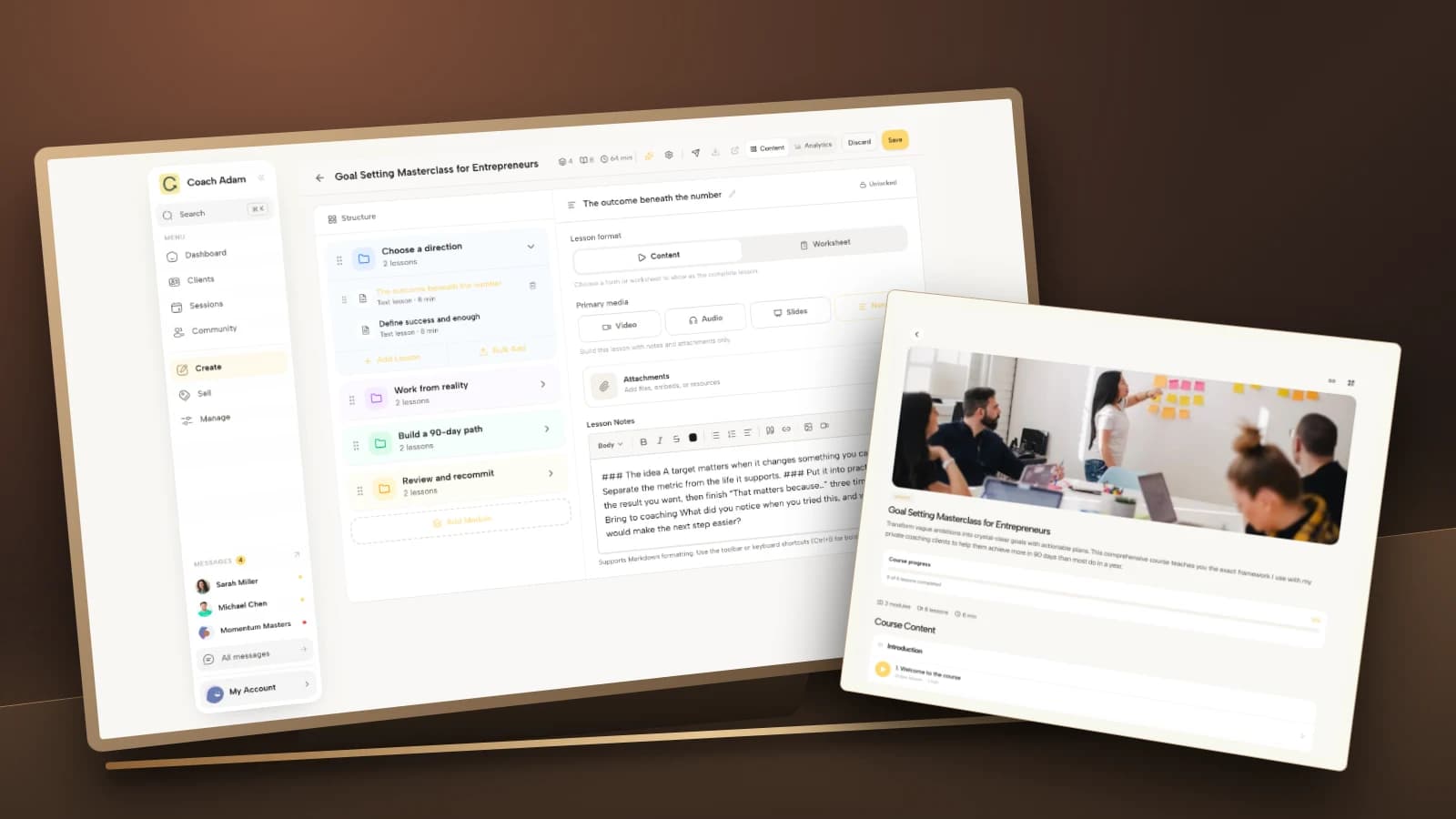
The real client-side course view lets you review the sequence from the learner’s perspective. Check the title beside its neighbours, not only as a heading above an attractive video. A label that works in isolation may be indistinguishable from the next three lessons.
4. Situation plus response: use this for an application problem
Formula: [recognizable situation] + [the response the lesson helps practise]. Choose this when learners know the broad method but need help applying it under a particular constraint. Keep the situation ordinary enough to recognize without turning the title into a long case history.
- When a handover stalls: clarify the next step
- When two roles appeal: compare your criteria
- When the week changes: revise the plan
- When feedback feels difficult: prepare the opening
- When a routine slips: review before restarting
This structure has a practical cost: it is longer. Put the distinctive situation first and check where the real interface truncates it. If the title gets unwieldy, shorten it to “Revise a disrupted weekly plan” and place the situation in the lesson description.
A situation label is not a diagnostic label. Avoid titles that imply you can identify or treat a clinical condition through a generic coaching lesson. Likewise, a leadership coach’s conflict example should not quietly become employment-law advice. Keep the response within the work the course actually teaches.
5. Review plus decision: use this at a useful stopping point
Formula: [review the attempt] + [choose what happens next]. Courses often contain plenty of preparation and not enough review. A title can make the review visible as real work rather than an optional motivational ending.
- Review the handover and choose one adjustment
- Check your criteria before choosing a role
- Review the week and revise one commitment
- Reflect on the conversation and plan a follow-up
- Compare your attempts and choose the next experiment
These examples are not instructions to judge success from a completion tick. The review might involve a voluntary reflection, an observation from an attempt or material discussed in a coaching session. Explain what evidence is relevant without requiring sensitive disclosures simply to finish the course.
Do not make every review title a promise of mastery. “Integration” can be a reasonable module label, but it tells a returning learner little about the task. “Choose the next experiment” gives them a clearer action and leaves room for uncertainty.

A before-and-after outline you can adapt
Consider a hypothetical coach’s three-lesson module called “Prepare a delegation conversation.” The original lesson labels are “Introduction,” “The Framework” and “Next Level.” Those names describe the presenter’s sequence but not the client’s work.
- Introduction becomes “Choose one task to delegate.” The lesson helps the learner identify a suitable task and the constraints around it.
- The Framework becomes “Draft the task brief.” The lesson demonstrates a brief and invites a first draft.
- Next Level becomes “Rehearse the handover opening.” The lesson gives a practice prompt, not a promise of leadership transformation.
The important change is not merely stronger verbs. Each title now points to a different output. If the content still consists of three overlapping talks, renaming it will not produce those outputs. Align the instructions, resources and practice with the new labels before releasing the revision.
Keep the module heading broad enough to hold the sequence and each lesson specific enough to serve as a return point. You do not need to repeat the entire course name in every title. Use numbering when it helps reference and sequence, but remember that moving lessons can require updating references elsewhere.

Coachful’s separate program library illustrates why naming levels matter. A program title identifies the larger experience; a course lesson identifies a smaller learning step. Do not rename a whole program as if it were a worksheet, or assume that editing one label changes every connected resource.
Check the titles where your clients actually see them
Review the course as a learner before publishing changes. The coach-facing editor can show more space than a compact lesson list. A long title may look acceptable on your monitor while the meaningful distinction disappears on a phone.
- Distinctive beginning: can you tell adjacent lessons apart from their first words?
- Accurate promise: does the lesson contain the action, answer or resource named?
- Consistent terms: do “lesson,” “module,” “practice” and “review” mean the same things throughout?
- Plain language: can a new client understand the title without your verbal explanation?
- Useful return point: could someone find the exercise again a week later?

The mobile demo above is a real program-entry view, not proof of how every course lesson title will display. It shows the compact context clients may start from. Test the actual course list and selected lesson in your own configured learner experience rather than inferring behaviour from an unrelated screenshot.
Do not rely on emoji, colour or a thumbnail to distinguish essential instructions. Keep the difference in readable text. Where a title links to a resource, make the destination understandable rather than repeating “click here” throughout the course.
The NCSSM Canvas Style Guide’s naming guidance recommends concise, descriptive and consistent names and discusses the trade-off around numbering. That is course-design guidance from a different learning platform, not evidence that a particular formula increases coaching sales or course completion.

Rename an existing course without losing people
Start with the lesson people struggle to find, not a complete brand overhaul. Keep a small internal mapping of the old label and the new label. Check instructions, worksheets, emails and session preparation notes that refer to the old title.
If current clients are using the course, explain a meaningful change briefly: “The lesson previously called ‘The Framework’ is now ‘Draft the task brief.’ The content and your access have not changed.” Say that only if it is true. If you also changed the content or requirements, describe those changes separately.
A rename is not permission to alter what someone purchased. Preserve the agreed scope, access and support unless you properly agree a change. Avoid deleting and recreating lessons casually if that could affect links or progress; verify the actual platform behaviour first.
Ask one test reader to find a specific lesson without help: “Where would you go to practise the opening?” Their explanation can reveal ambiguous labels. This is qualitative usability feedback, not a controlled experiment. One successful attempt does not establish that the entire course is easy for everyone.
Frequently asked questions
Should every lesson title start with a verb?
No. A verb is useful for a practical task, while a question can suit an explanation and a resource label can suit a worksheet. Choose the structure that tells the learner what they will find. Consistency matters within similar items; identical grammar across every item is unnecessary.
How long should an online course lesson title be?
Use the shortest wording that still identifies the work. There is no universal character count that guarantees a good display across platforms, phones and assistive technologies. Preview the real list, put distinguishing words early and move supporting detail into the description.
Should I add the video duration to the title?
Only if it is useful and you will maintain it. Recording time is not the whole workload when a lesson also includes practice. Explain the expected activity in the introduction and update any duration label after replacing the video. For planning the work itself, see how long online course lessons should be.
Can I use a memorable metaphor?
Yes, if clients can still identify the task. “The Handover: draft your brief” is easier to navigate than an unexplained “Pass the Torch.” The course brand can carry personality; the lesson list still needs to work when someone is trying to find an exercise quickly.
Improve one lesson list before recording more content
Choose one module, write the actual output of each lesson, and replace labels that hide the difference. Then check the sequence on a phone and ask someone to find the next useful action. You may need clearer labels, not another video.
If you are choosing where to build that experience, Coachful’s course platform page describes modules, lessons and learner progress. Try the interactive demo to inspect the authoring and client-facing surfaces before deciding whether they suit your course. The next step is a navigation test, not a promise that software can repair an unclear curriculum.