Maximize Impact: The Ultimate Student Progress Tracking Template

Coachful

A good student progress tracking template isn't just a spreadsheet; it's the one thing that shifts your coaching from hopeful intuition to proven impact. Think of it as your shared command center—a digital dashboard that logs a client’s goals, milestones, and the steps they take to get there. This isn't about micromanagement; it's about creating a shared roadmap to success and having the concrete evidence to prove your value.
Move Beyond Guesswork and Track What Matters
Ever finish a fantastic coaching call, feel that buzz of connection, but then hang up and wonder, "Are we actually moving forward, or just having good chats?" If so, you're not alone. It’s a thought that keeps even the best coaches up at night. We operate on a feeling, an intuition that our clients are making strides. But you know deep down that hope isn't a strategy, and feelings don't get contracts renewed.
The reality is, failing to track progress comes with hidden costs. It’s the reason momentum stalls and that initial excitement fades into uncertainty. It slowly chips away at a client's confidence when they can’t see tangible proof of their hard work. Worst of all, it leads to that awkward renewal conversation where the value of your coaching feels abstract instead of obvious.
From Chore to Essential Tool
You might be thinking, "Another thing to manage? My clients are already so busy." But let’s reframe how we see this. Progress tracking isn't some tedious chore to force on clients. It's your single most powerful tool for demonstrating value and building an unshakable coaching partnership. It’s what turns abstract goals into a visible, motivating game plan.
A simple student progress tracking template is what you need to:
- Prove your impact with data, not just anecdotes.
- Justify your fees by showing a clear return on their investment.
- Build client trust through transparency and shared accountability.
This is what turns your coaching from a helpful service into an indispensable partnership. It's the difference between being a cheerleader and being the co-pilot on their journey. If you want to dig deeper into the mechanics, a practical guide on how to track learner progress using data for better outcomes is a great place to start.
The Real Cost of Unstructured Coaching
The danger of unstructured coaching isn't just a feeling; it’s backed by data. International research, like the 2009 CESifo DICE Report, has shown that educational systems without clear tracking mechanisms can dramatically widen performance gaps. This mirrors what happens in coaching. Clients who don’t have a clear framework often drift, contributing to dropout rates in online coaching programs that can be as high as 40-60%.
A tracking template isn't for you to judge the client; it's for you both to judge the strategy. It depersonalizes a lack of progress and turns it into a puzzle to solve together.
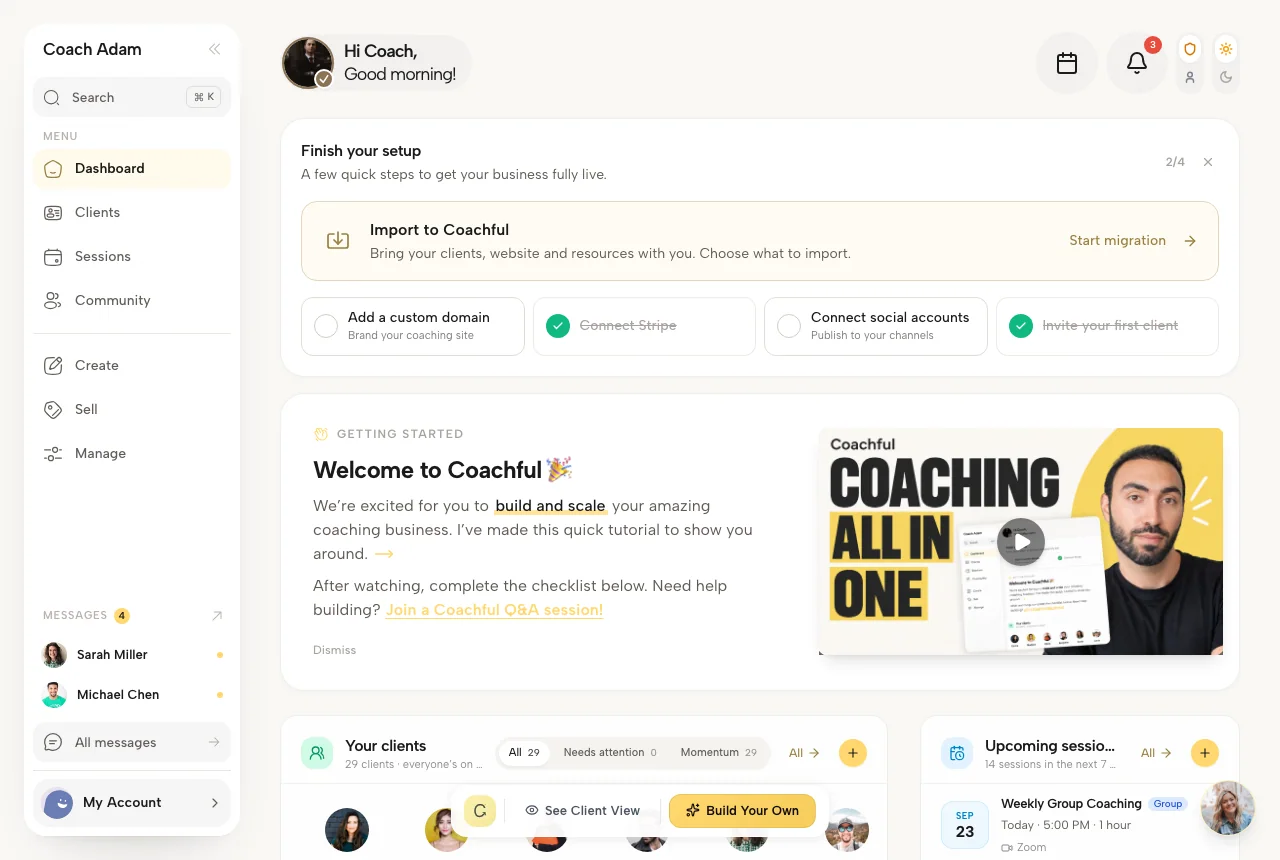
A visual dashboard, for example, makes progress feel real and tangible. It’s incredibly motivating. Here’s a peek at how a platform like Coachful can visualize a client's journey, turning lofty goals into a clear, actionable plan.
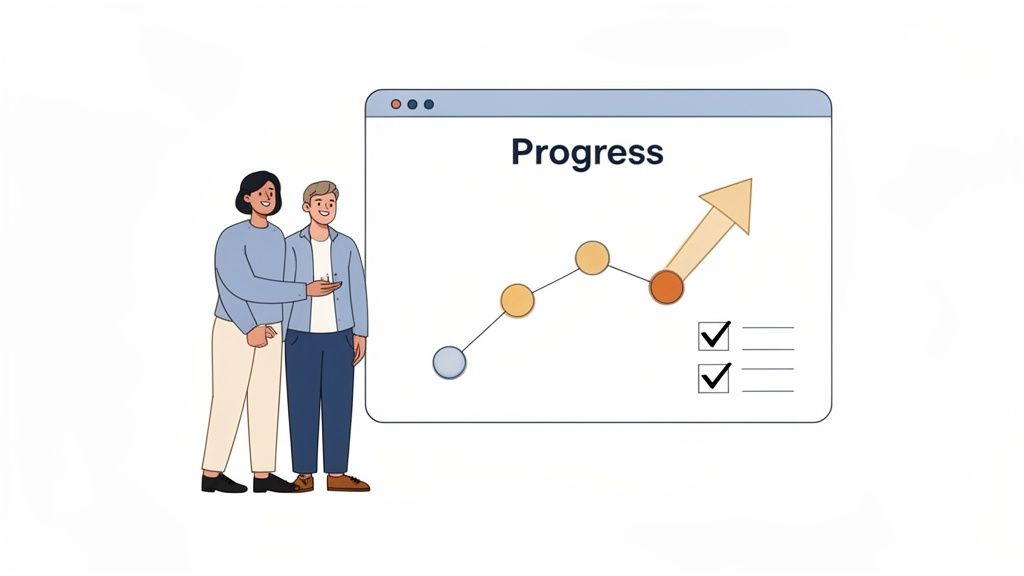
This kind of visual report instantly shows which goals are on track and which milestones have been hit, giving both you and your client a single source of truth. It's more than just a record—it’s a conversation starter and a constant source of motivation.
Building Your Foundational Tracking Template
You're ready to start tracking student progress with real data, but then you open a fresh spreadsheet. That blinking cursor in cell A1 can feel surprisingly intimidating. "Where do I even start?" you wonder.
I've seen it a hundred times. Coaches get stuck in a mental loop: "If this is too complicated, my student will never use it. But if it's too simple, it won't actually track what matters." It's a classic dilemma. The goal isn’t to create more busywork; it's to build a focused, powerful dashboard that clarifies the journey for both you and your student.
Let’s walk through the essential components of a tracking template that actually works, no matter your coaching niche. This is the starting point I've honed over years of practice.
Start with the Big Picture: SMART Goals
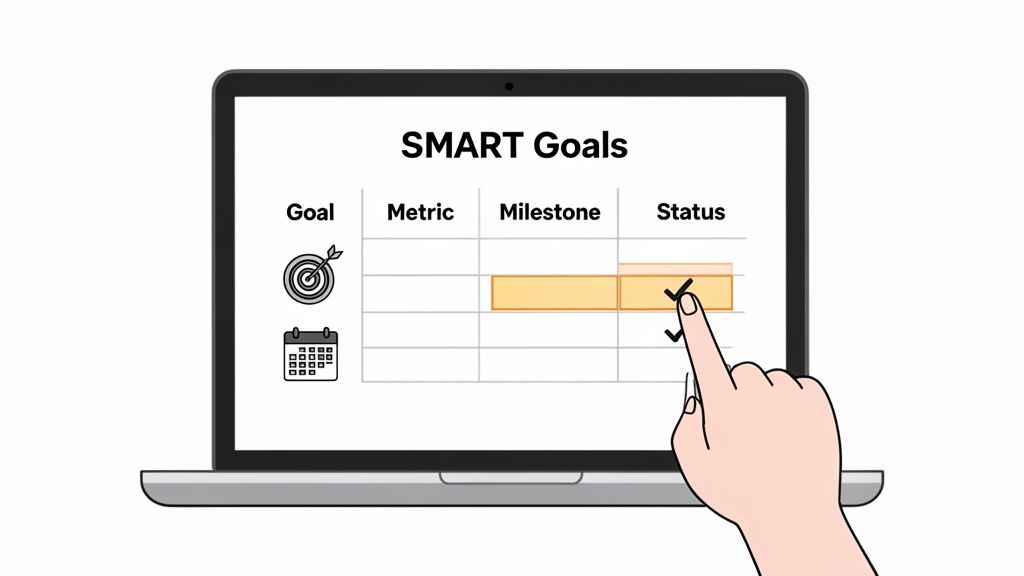
Before you track a single task, you need a North Star. Every effective tracking document is anchored by the overarching outcomes the student is working toward. This is where you have to get specific with SMART goals.
Vague goals just don't work. We need to turn fuzzy aspirations into concrete targets.
- "Get better at my job" becomes "Secure a Senior Project Manager role."
- "Be healthier" becomes "Lower my resting heart rate by 10 bpm and complete a 5k race."
- Every goal needs to be Specific, Measurable, Achievable, Relevant, and Time-bound ("within the next six months").
Don't just list these goals at the top of your template—give them their own dedicated section. This ensures the what is always tied directly to the why. If you need a refresher on writing powerful objectives, our guide on effective coaching goal setting methods is the perfect resource.
Break Goals Down into Quantifiable Milestones
A six-month goal can feel so far away that it's easy to lose momentum. The real magic happens when you break that huge objective into smaller, tangible milestones. This is what you'll actually be tracking week to week.
Think of it like a road trip. The SMART goal is your final destination (Los Angeles). The milestones are the major cities you pass through along the way (Phoenix, Las Vegas). They are the undeniable proof that you're on the right path.
For that "Secure a Senior Project Manager role" goal, the milestones provide a clear roadmap:
- Milestone 1: Complete PMP certification course (by Month 1).
- Milestone 2: Revamp resume and LinkedIn profile with keywords (by Month 2).
- Milestone 3: Conduct 5 informational interviews with senior PMs (by Month 3).
- Milestone 4: Apply to 10 qualified roles per week (Months 4-5).
- Milestone 5: Successfully negotiate and accept an offer (by Month 6).
Each one is a mini-win with a clear "definition of done." In your template, give these their own table with columns for Milestone, Target Date, Status (Not Started, In Progress, Complete), and Notes.
Track Leading and Lagging Indicators
Now we get to the heart of what makes tracking truly effective. For a complete picture of progress, you have to monitor two different kinds of metrics.
Lagging Indicators are the results—the outcomes. They’re easy to measure but you can't influence them directly in the moment. They lag behind your efforts. Examples include revenue generated, weight lost, or job offers received.
Leading Indicators, on the other hand, are the inputs. They are the daily and weekly actions you have direct control over. These are the habits that drive the results. Think sales calls made, calories tracked, or job applications submitted.
A great progress template tracks both. You monitor the leading indicators to make sure the right work is being done consistently, and you watch the lagging indicators to confirm that the work is actually producing the outcome you want.
When you're building out your own template, it's always helpful to see how other pros organize complex information. For example, looking at a well-structured Notion blogging template can give you fantastic ideas for creating clear, actionable workflows—a principle that applies directly to building a student tracker.
Choosing Your Coaching Progress Tracking Toolkit
So, you’ve mapped out the perfect template. You know the goals, the milestones, and exactly what metrics will help your student get from A to B. Now comes the practical question: "Okay, where will this template live and breathe?"
For most coaches starting out, the answer is a spreadsheet. It’s free, everyone knows how to use it, and for that very first client, it works just fine.
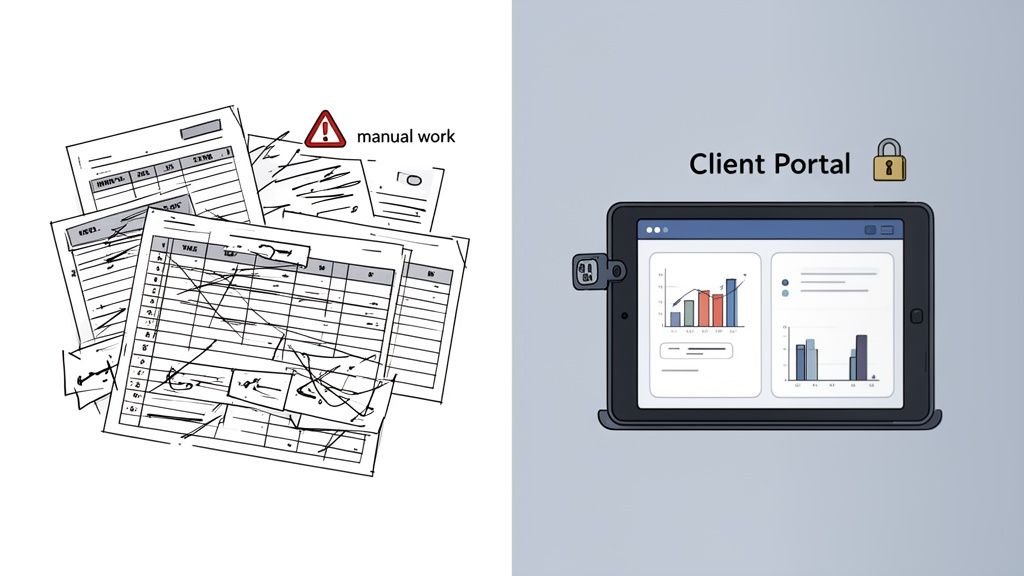
But what happens when you get client number two? Or five? Suddenly, you're drowning in a sea of separate spreadsheets. Client A emails you their update, but Client B forgets, so you have to send a reminder. Meanwhile, Client C saves a new version of their file, and now Tracker_v3_final_final.xlsx is mocking you from your inbox.
This isn't coaching anymore. It's admin drudgery. You're spending hours every week just copy-pasting data, chasing down updates, and trying to make sense of it all. That’s valuable time and energy you could be pouring back into what you do best—actually helping people.
Recognizing the Tipping Point
I've seen countless coaches get stuck in what I call the "spreadsheet trap." The thinking goes, "Why pay for a tool when I can make this work for free?" But this mindset overlooks your most valuable resource: your time.
The tipping point arrives when the hassle of your manual system costs you more in lost focus and administrative headaches than a dedicated tool would. It’s that moment you realize that emailing sensitive client information back and forth isn't just a clunky workflow—it's a genuine security risk.
This challenge isn't new. For the last 50 years, educators have known that consistent, clear progress monitoring is key to student success. While global education has made huge strides, the research still shows that effective tracking is what closes the gap between starting and finishing. It's not a "nice-to-have"; it's a fundamental part of getting results. If you’re interested in the data, you can read more on the research behind strategic progress tracking and see how these principles have been proven over decades.
Spreadsheet vs. Coaching Platform: A Practical Comparison
Let’s be clear: spreadsheets aren't the enemy. They’re a great starting block. But a growing coaching business deserves a system that can keep up.
To make the choice clearer, let’s break down the real-world differences between a simple spreadsheet and a platform built for coaching.
| Feature | Spreadsheet (e.g., Google Sheets) | Coaching Platform (e.g., Coachful) |
|---|---|---|
| Data Entry | Manual updates from both you and the student. High risk of errors and version-control chaos. | Updates happen in a secure client portal. Everyone works from a single, up-to-date source. |
| Security | Low. Relies on emailing files or managing tricky sharing permissions. | High. All data is encrypted and stored within individual, password-protected accounts. |
| Automation | None. You are the reminder system. You are the one generating reports and chasing updates. | Built-in. Send automated reminders for check-ins and get notified when a student completes a task. |
| Reporting | Manual. You have to build every chart and dashboard from scratch, for every single student. | Automatic. Instantly view visual dashboards showing trends, goal progress, and engagement levels. |
| Client Experience | Disjointed. Students have to juggle emails, separate files, and calendar invites. | Centralized. One professional, branded hub for their goals, resources, appointments, and messages. |
Ultimately, the right tool gives you back the time to be a coach, not an administrator.
Moving from a manual student progress tracking template to an all-in-one platform is an investment in your own efficiency, your client’s experience, and your brand's professionalism.
When your system looks professional, your clients perceive you as more professional. A dedicated platform signals that you are serious about their success and privacy.
Imagine this: instead of spending an hour before a call piecing together a student's progress, you click a single button and see their entire journey on one clean dashboard. That’s the power of an integrated system. It's a game-changer for how you run your business. To explore this further, take a look at our guide on choosing the best client management software for coaches.
Adapting Your Template for Different Coaching Niches
So, you've built a solid foundational template. That’s a fantastic starting point. But now the inner voice pipes up: "This is great, but the metrics that energize my executive client will be worlds away from what motivates someone on a wellness journey. Will they even use this?" That’s a brilliant question. Using a one-size-fits-all tracker is the quickest way to have it ignored.
This doesn't mean you have to reinvent the wheel for every single person. Think of yourself as a strategic editor, not a writer starting from a blank page. Your job is to add, remove, and rephrase fields so the tracker perfectly aligns with what success looks like for that specific client.
Let’s break down what this looks like in a few different coaching niches.
For the Executive and Business Coach
When you're coaching executives, leaders, or business owners, everything comes down to performance, ROI, and tangible results. Their world is driven by data, and your progress tracker needs to speak that language. Vague wellness metrics will get you nowhere; they need to see a clear line connecting your coaching to their professional goals.
Instead of generic fields, you'll want to get specific. Here are some things I often add:
- Key Performance Indicators (KPIs): Get right to the heart of their role by tracking metrics like
Team Productivity Increase (%),Sales Pipeline Growth ($), orProject On-Time Delivery Rate. - Stakeholder Feedback: A simple 1-5 scoring system for qualitative feedback from 360-degree reviews can be powerful. Use it to measure progress on
Leadership,Communication, andStrategic Thinking. - Meeting Effectiveness Score: After important meetings, have them rate their own performance (from 1-10) on things like
Agenda Adherence,Actionable Outcomes, andParticipant Engagement.
At the same time, you'll want to trim the fat. Ditch fields like "Daily Mood" and rephrase others to fit the corporate context. "Weekly Wins" becomes "Strategic Accomplishments." It’s a small change, but it reframes the exercise to match their mindset.
For example, instead of a simple "Completed a project," a business coaching tracker should dig deeper with columns for Project Name, Budget vs Actual, Timeline Adherence, and a qualitative Lessons Learned field. It's all about adding those layers of professional context.
For the Life Coach
Life coaching clients are on a different kind of journey, one that's often more subjective and internal. Progress isn't always a number on a chart; it’s the quiet click of a new perspective, a shift in behavior, or a growing sense of self-awareness. Your tracker has to be designed to capture this inner work.
A life coaching tracker should feel like a personal dashboard for their inner world. It's less about hard metrics and more about noticing patterns and celebrating internal shifts.
To make the intangible tangible, I focus on tracking patterns and behaviors. Try incorporating fields like these:
- Habit Streaks: A simple checkbox system for daily habits like
Meditated (10 min),Journaled (1 page), or aNo-Spend Daycan be incredibly powerful. Watching that chain of checkmarks grow is a huge motivator. - Subjective Well-Being Score: Ask for a weekly self-rating (1-10) on categories like
Energy Levels,Clarity, andSense of Purpose. This isn't about hitting a perfect 10; it's about helping you both spot trends over time. - Boundary Setting Log: This is a game-changer for many. Create a simple space for them to note a situation where they successfully held a boundary, what happened, and how it made them feel.
With these clients, you’ll want to remove any corporate-sounding jargon. Forget "KPIs" or "ROI." I often rephrase "Milestones" to something softer, like "Intentions" or "Focus Areas" for the month.
For the Health and Wellness Coach
For health and wellness clients, a great tracker is the bridge between their daily choices and their long-term goals. It needs to balance quantitative data (the "what") with qualitative feedback (the "how it feels").
Here, it’s about finding the right level of detail. You want enough data to be useful without it becoming an overwhelming chore. I’ve found these additions to be really effective:
- Nutrition Adherence: Instead of tedious daily food logging, try a simple weekly rating (1-5) on how well they stuck to their nutrition plan. It’s less about perfection and more about consistency.
- Workout Log: Keep it simple with columns for
Workout Type,Duration (min), and a post-workoutEnergy Level (1-10). This helps you both connect specific activities to how they feel throughout the day. - Non-Scale Victories: This is crucial. Create a dedicated section to celebrate wins that have nothing to do with the number on the scale. Think:
Pants feel looser,Slept through the night, orClimbed stairs without getting winded.
By making these kinds of specific tweaks, your tracker is no longer just a generic document. It becomes a personalized roadmap that speaks your client’s language and measures what they truly value. This is how you ensure it becomes an indispensable tool in their journey with you.
Turning Your Tracker from a Chore into a Cherished Tool
Let's be honest. You can create the most beautiful, comprehensive progress tracker in the world, but if it just gathers digital dust, it’s useless. The real question nagging at you is, "How do I get my clients to actually use it?" And not just use it, but see it as their secret weapon for success, rather than just another piece of homework you’ve assigned.
The trick is to make the tracker an integral part of your coaching rhythm from the very beginning. It's not about nagging or chasing down updates. It's about positioning it as your shared command center—the single source of truth that guides your entire partnership. When you do that, it stops being a task and becomes a tool for motivation and clarity.
Introduce It as Their Personal Dashboard from Day One
Your first conversation about the tracker is everything. Don't just fire off an email with the template attached and hope for the best. Bring it up during your onboarding call and frame it as a collaborative space that belongs to them.
You could say something like this:
"Okay, I want to walk you through something I call your 'Success Dashboard.' This isn't for me to grade you—it's for us to see what’s working, celebrate wins, and figure out where we need to pivot. Think of it as our playbook, a live look at your progress as it happens."
This simple shift in language transfers ownership to the client. It’s not your spreadsheet; it’s their dashboard. Getting that enthusiastic buy-in from the start is what makes this whole process stick.
From there, you can easily adapt a base template for any coaching niche, whether it's business, life, or health coaching. The goal is to turn a generic starting point into a perfectly tailored tool.
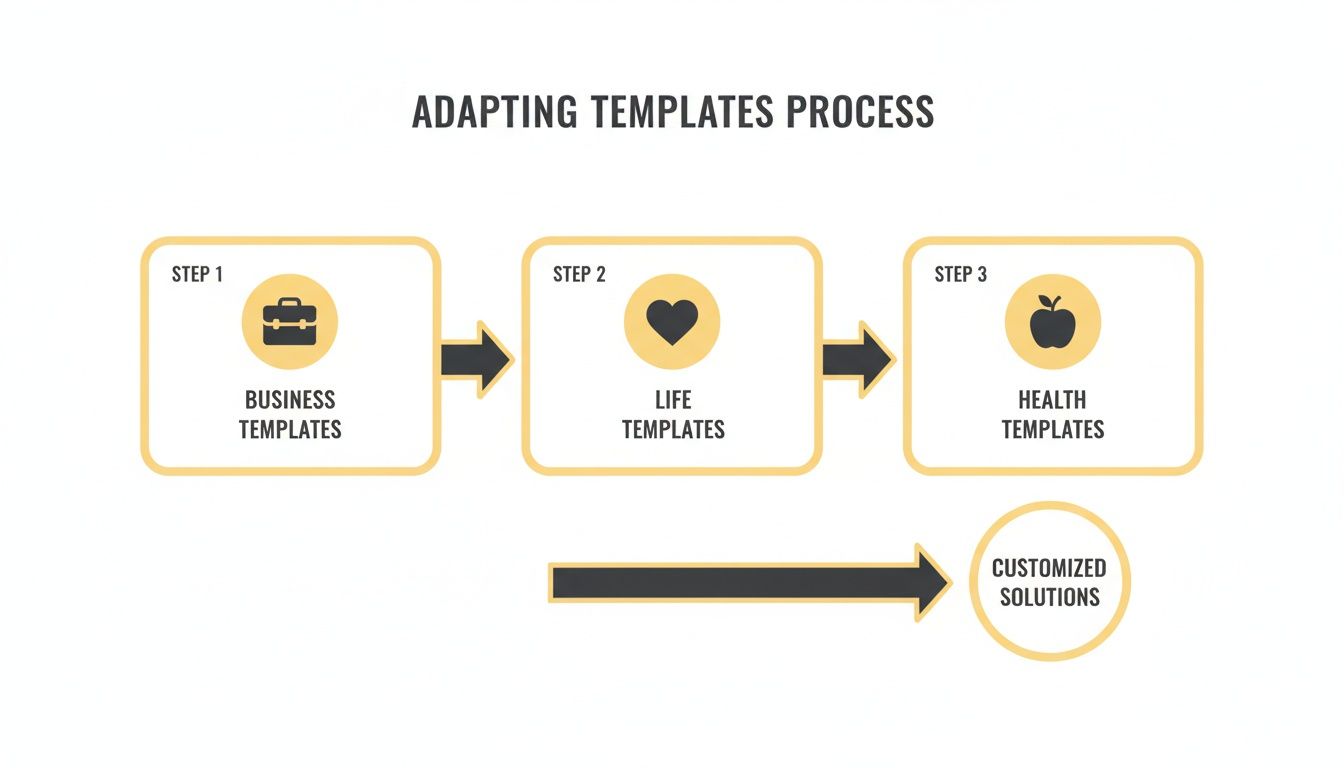
It really is that straightforward: start with a solid foundation, layer in the specific metrics your client needs, and ruthlessly cut out anything that doesn't directly serve their goals.
Kick Off Every Session by Looking at the Tracker
Want to ensure the tracker becomes an essential part of their routine? Make it the official start of every single coaching call. No exceptions. Ditch the generic "So, how was your week?" and dive right into the data with purpose.
Try opening your sessions with questions like:
- "Let's pull up your dashboard. What story is the data telling us since we last spoke?"
- "Looking at your updates, what are you most proud of accomplishing?"
- "I see we didn't get much traction on this particular goal. What got in the way?"
This simple habit accomplishes two things. First, it creates natural accountability; clients will keep their tracker updated because they know you’re going to look at it together. Second, it provides an immediate, focused agenda for the call, letting you get straight to the meaningful work. A dedicated tool like the Coachful progress tracker can make sharing and reviewing this data completely seamless.
Nurture Consistency with a Feedback Loop
You don't have to be the "reminder-in-chief." Let technology do the heavy lifting. Gentle, automated reminders are a coach's best friend for building consistency without making you feel like a nag. A simple notification the day before your session is often all a client needs to pop in and log their progress.
This creates a powerful feedback loop that keeps them engaged and gives you the real-time insights you need to be an amazing coach. And the impact is undeniable. Research shows that consistent progress monitoring can boost client outcomes by as much as 30-50% in personalized coaching programs.
This kind of data-driven accountability is a stark contrast to what's happening on a global scale. A recent UNESCO report revealed a massive blind spot in education, with nearly 47% of countries not even measuring fundamental learning progress. As coaches, we have an opportunity to close that gap for our clients, using simple digital tools to provide the clarity and accountability they need to thrive. You can discover more about the global data gap in education and see why this matters more than ever.
Make Data Privacy Your Foundation of Trust
Finally, and this is a big one, you have to talk about security. When a client shares their goals, struggles, and personal data with you, they're placing a tremendous amount of trust in your hands. Using a secure, private system isn't just a best practice; it's a fundamental part of honoring that trust.
When you first introduce the tracker, address privacy head-on. Explain that their information is encrypted and stored in a private space that only the two of you can access. This isn't just a technical detail—it's a powerful signal of your professionalism and your absolute commitment to creating a safe space for them to be vulnerable and grow.
Answering Your Lingering Questions About Progress Tracking
Even after you've built the perfect student progress tracking template, some questions will inevitably bubble up. That's a good thing. It means you're thinking deeply about your client's experience, your own workflow, and all the potential "what-ifs." This is the kind of thinking that separates a good coach from a great one.
Let's dive into the questions I hear most often from other coaches. My hope is that by tackling them head-on, you'll feel more confident putting your new trackers into action.
How Do I Get My Clients to Actually Use the Tracker?
This is, without a doubt, the number one worry. You’ve put all this work into a beautiful template, but now you're picturing it gathering digital dust, feeling like just another piece of homework for your already busy client.
The key is to make them a partner in its creation. Don't just hand over a finished template. During your onboarding session, pull up a blank version and build it with them. Frame it as their personal "Success Dashboard." Ask them things like, "What would make this feel motivating for you, not like a chore?" or "Which of these metrics actually feel exciting to track?" When they have a say in the design, their ownership skyrockets.
From there, make the tracker the centerpiece of your sessions. I always start my calls by pulling up our shared tracker and reviewing it together. When clients see that the data they enter directly shapes our conversation and helps them get unstuck, it stops being a task. It becomes their most valuable tool.
What If My Client Isn't Making Progress?
This is exactly why the tracker exists in the first place! A lack of progress isn't a sign of failure—it's a signal flare. Without a tracker, you're both stuck with that vague, awkward feeling that things have stalled. With one, you have concrete data points to discuss.
A tracker depersonalizes the problem. It’s no longer about your client’s character or willpower. The data points to a flaw in the strategy, and that's a problem you can solve together.
Your job is to approach this conversation with curiosity, not judgment. Try opening with something like, "I was looking at our tracker and noticed we haven't seen much movement on this goal for a couple of weeks. Can you tell me what's been coming up for you around that?"
This simple shift changes the entire dynamic. You're no longer asking, "Why aren't you doing the work?" Instead, you're asking, "How can we adjust our plan to make this work for you?" The tracker becomes a diagnostic tool, helping you pinpoint exactly where your approach needs a tune-up.
How Often Should My Clients Update Their Tracker?
Finding the right update frequency is all about balance. You want to build momentum and gather timely data, but you don't want to create another burden for your client. The answer really depends on your coaching rhythm and the goals themselves.
Here’s a good rule of thumb I've developed over the years:
- For weekly coaching calls: Having your client spend 10 minutes updating their tracker the day before your session is ideal. It helps them reflect on their week and gives you fresh insights to guide the conversation.
- For habit-based goals: If you're tracking daily actions (like meditation, writing, or exercise), a quick daily check-in is far more effective. It can be as simple as a checkbox.
- For long-term project goals: It often makes more sense to align updates with key milestones or weekly sprint reviews rather than a fixed daily or weekly schedule.
The most critical step is to agree on the schedule together. Simply ask your client, "To make sure this tool is really working for us, how about we plan on you taking 10 minutes every Friday to fill this out for our Monday call? Does that feel manageable?" By giving them a voice, you make them an active participant, not just a passive recipient of instructions.
How Do I Keep My Client's Sensitive Data Secure?
Trust is the currency of our profession, which makes this question non-negotiable. You are the guardian of your client's most personal goals, private reflections, and sensitive information. Simply emailing spreadsheets back and forth just doesn't cut it anymore.
Using a dedicated coaching platform is the gold standard for security and professionalism. These systems are built from the ground up with privacy in mind, offering features like data encryption and secure, individual client portals. Their information lives in a private, protected space that only you and they can access.
I make it a point to highlight these security measures when I introduce the tracking system. It's not just a technical detail; it's a powerful way to show your commitment to their psychological safety. When you show them you take their trust this seriously from day one, you build a much stronger foundation for the entire coaching relationship.
Ready to move beyond messy spreadsheets and give your clients the professional, secure, and motivating experience they deserve? Coachiul centralizes your entire practice—from onboarding and scheduling to progress tracking and payments—into one seamless platform. Stop wasting time on admin and start spending more time making an impact.
Explore how Coachful can transform your coaching business today.