
Your First AI Automation Course: A Guide for Coaches

Coachful
If you're a coach, L&D lead, or course creator, you probably don't need more ideas. You need fewer tabs open, fewer manual follow-ups, and fewer moments where a client slips through the cracks because your systems depend on memory.
That's where an ai automation course becomes useful. Not because you want to become a developer, and not because you want a robot doing the coaching. You want the repetitive work handled cleanly so you can stay present for the conversations that matter.
For service businesses, automation isn't abstract. It's the reminder that goes out on time. It's the intake form that appears right after booking. It's the post-session summary draft that saves you from writing the same email for the tenth time that week. Done well, it protects your energy and makes the client experience feel more consistent.
Beyond the Hype What AI Automation Means for Your Coaching Practice
Most coaches hear "AI automation" and assume one of two things. Either it's technical enough to be a headache, or it's impersonal enough to damage trust.
In practice, it's neither when used properly. For a coaching business, AI automation is a system that handles repeatable tasks using rules, connected apps, and AI where judgment-lite work is involved. It doesn't replace your coaching presence. It protects it.

What coaches actually need from automation
Think about the tasks that subtly eat your week:
- Booking admin that bounces between calendar, email, and reminders
- Onboarding steps like forms, agreements, welcome notes, and folder creation
- Resource delivery after sessions when you promised to send a worksheet
- Check-ins that should feel personal but often get delayed
- Content support when one client session idea could become a newsletter or post
A good automation setup works like a reliable operations assistant. It notices a trigger, such as a booking or completed form, then moves the next pieces into place.
That matters because AI skills aren't fringe anymore. Microsoft and LinkedIn research found that 66% of leaders said they wouldn't hire someone without AI skills, which shows how quickly AI literacy has moved into mainstream professional expectations, including for service-based businesses that need efficient, scalable operations (University of Georgia summary).
What AI should do, and what it shouldn't
The biggest mistake I see is trying to automate the part clients pay for. Don't automate the insight, the discernment, or the emotionally loaded moments.
Automate the surrounding infrastructure instead.
Practical rule: Use AI for preparation, organization, drafting, routing, and reminders. Keep humans responsible for interpretation, sensitive feedback, and decisions that affect client wellbeing.
Here's the simplest framing:
| Task type | Better handled by |
|---|---|
| Session reminders | Automation |
| Intake routing | Automation with review |
| Drafting follow-up email | AI plus human edit |
| Reading emotional nuance in a client setback | Human coach |
| Recommending a pre-approved worksheet based on milestone completion | Automation |
| Making a sensitive judgment call about a client's readiness | Human coach |
When coaches get this boundary right, automation stops feeling cold. It starts feeling like relief. Your business runs with more consistency, and your clients still get you where you matter most.
Inside a Modern AI Automation Course Curriculum
The old version of an automation course was mostly tool demos. Click here, connect this app, copy that template.
A modern ai automation course is broader. The stronger programs combine no-code tools, AI agents, and business workflow design. One example often cited in course roundups is UiPath Academy's free starter path, which teaches AI automation and agentic automation in a little over 6 hours and 40 minutes and reflects the shift from simple scripting to workflow architecture for business users (course roundup summary).
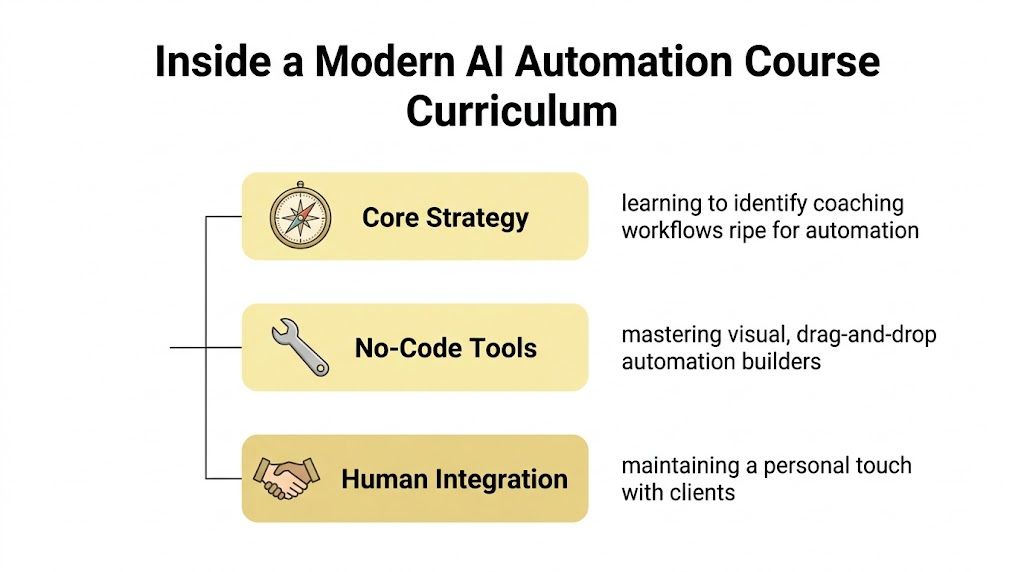
The five pillars that matter for coaches
No-code workflow builders
This is usually the first layer. Tools like Zapier, Make, and n8n let you connect apps visually instead of writing software from scratch.
For a coach, that might mean:
- booking confirmed
- welcome email sent
- intake form delivered
- CRM updated
- reminder scheduled
You're not coding a product. You're arranging business logic.
Workflow design
This is the skill often skipped, and it's the one that saves the most frustration. Before you automate anything, you need to map the actual journey.
For example, a leadership coach might map:
- inquiry comes in
- discovery call booked
- pre-call questionnaire sent
- offer accepted
- kickoff materials delivered
- session cadence tracked
- renewal prompt triggered near program end
If you can diagram that clearly, you can automate parts of it. If you can't, the tool won't save you.
A lot of coaches also discover that workflow mapping improves their offers. That's why it's useful to learn to write a coaching curriculum alongside automation thinking. Good curriculum design and good automation design both depend on a clear client journey.
Prompting and structured AI use
Prompt engineering sounds more intimidating than it is. In a practical course, this means learning how to give AI clean instructions so it produces useful drafts, summaries, classifications, or resource suggestions.
A weak prompt says, "summarize this client session."
A stronger prompt says, "summarize the session into goals discussed, obstacles named, action commitments, and follow-up resources, without adding advice not mentioned in the notes."
That difference matters.
AI agents and human integration
The term AI agent gets overhyped. For coaches, think of an agent as a helper that can perform a sequence of actions within boundaries, not a magical employee.
A useful course teaches you where autonomy helps and where it creates risk.
The final piece is human integration. Strong courses don't just teach how to make things run. They teach how to keep the process personal. That includes approval steps, exceptions, and moments where a coach should step in before anything goes to a client.
Real-World Automation Projects for Your Coaching Practice
The fastest way to judge any ai automation course is simple. Ask what you could build by the end.
If the answer is vague, keep looking. If the answer sounds like real operational relief, you're in the right territory.
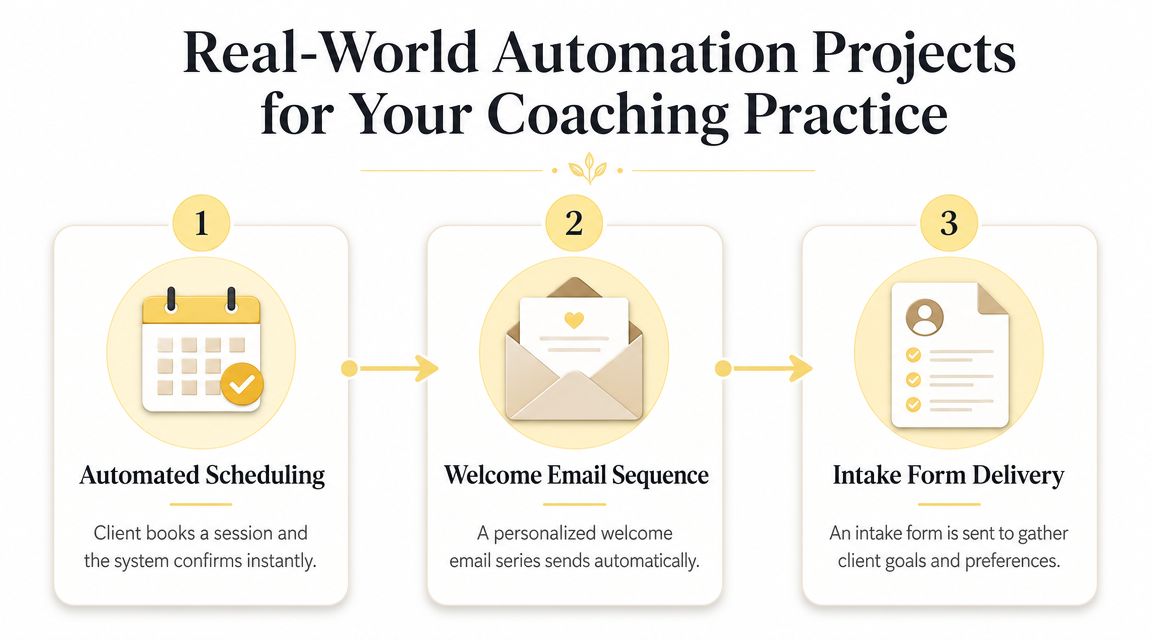
Project one: automated client onboarding
A strong beginner project is onboarding because it's repeatable, visible, and immediately useful.
The flow can look like this:
- Trigger when a client books or pays
- Action create or update their record in your CRM
- Action send a welcome email with next steps
- Action deliver intake form and agreement
- Action create a session note template or client workspace
- Action set reminder tasks for you before the first session
This kind of setup works because good automation depends on connecting systems, often through APIs and webhooks that link your CRM, email, scheduling, and document tools. That's what allows client intake and follow-up to happen without manual handoffs, which improves workflow reliability (St. Cloud State overview).
If you're looking for a coaching-specific example, this guide on client onboarding automation for coaches is a useful companion because it keeps the workflow grounded in actual client experience rather than generic operations talk.
Project two: content repurposing from coaching insights
Coaches sit on a mountain of useful language. Session patterns, client questions, repeated objections, mindset shifts. Most of that never gets reused because you're busy.
A practical automation can start with one recorded lesson, webinar, or voice memo and route it through a workflow that:
- transcribes the audio
- drafts a blog summary
- turns key points into short-form captions
- suggests an email topic
- stores everything in your content system for review
For teams publishing regularly, it's worth studying examples of streamlining content workflows with AI. Not because you should auto-publish everything, but because the operational model is useful. AI can do the first pass, and you keep editorial control.
A short walkthrough often helps make this concrete:
Project three: milestone-based check-ins
Automation can feel surprisingly human.
Say a client completes week three of a habit-change program. Instead of waiting for you to remember, the system can send:
- a check-in prompt
- a relevant worksheet
- a reminder to log a win
- a notice for you if the client flags being stuck
Good coaching automation doesn't fake intimacy. It creates timely support around the relationship you already built.
Project four: light operational hub
Some coaches prefer fewer tools. In that case, a platform such as Coachful can centralize parts of the workflow, including programs, scheduling, payments, messaging, notes, and automated delivery of resources. That doesn't remove the need to think clearly about process, but it can reduce how many separate systems you have to connect.
How to Choose the Right AI Automation Course
Most courses don't fail because the content is wrong. They fail because the content doesn't match your business.
A coach buys a developer-heavy course, gets buried in jargon, and concludes automation isn't for them. That's not a capability problem. It's a course selection problem.
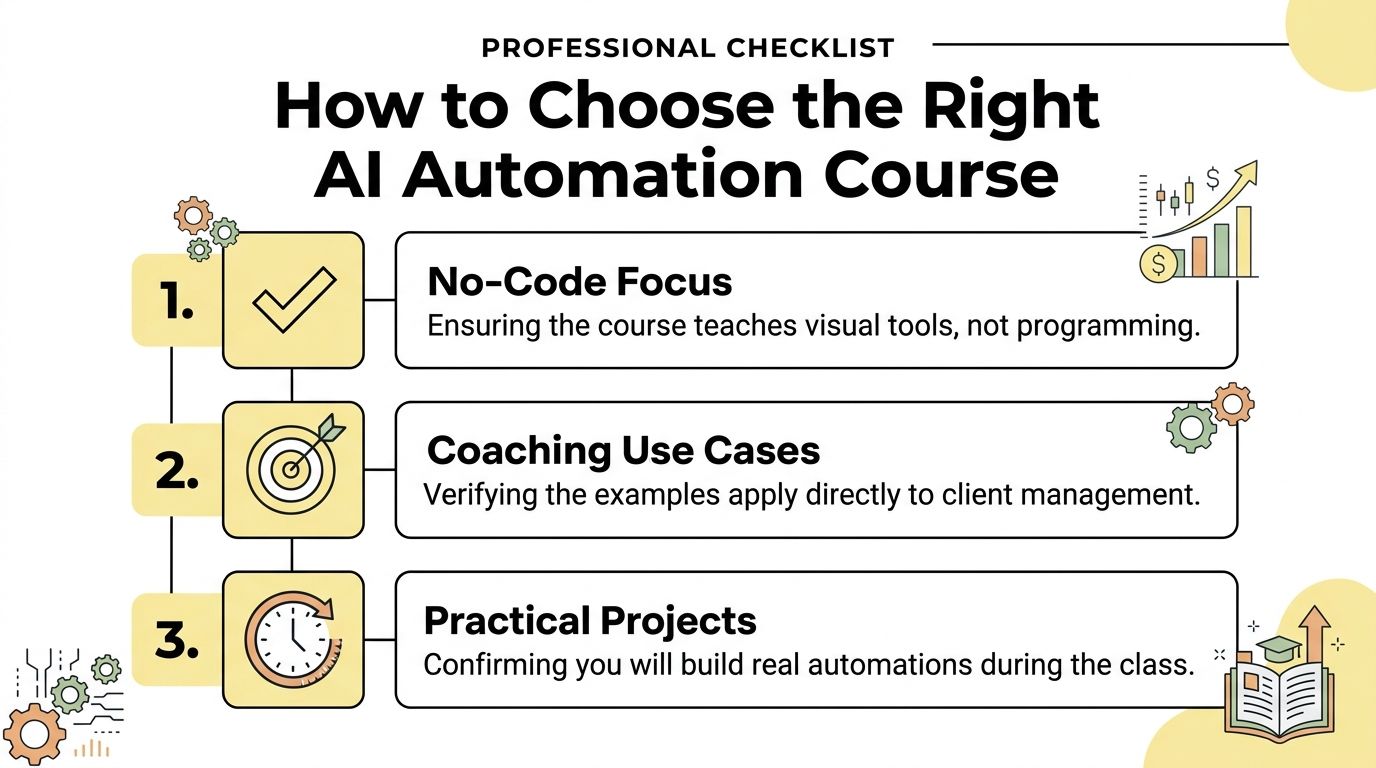
Use this buyer's checklist
Start with the examples
Look at the course projects before you look at the branding. If all the examples are software deployment, ecommerce fulfillment, or engineering pipelines, you may still learn something, but you'll spend more time translating than applying.
You want examples closer to:
- Client intake rather than warehouse logistics
- Reminder sequences rather than developer alerts
- Content workflows rather than backend maintenance
- Approval steps for client communications rather than autonomous publishing
Check the tool mix
A practical course for coaches should lean heavily on no-code or low-code tools. That's what lets you implement quickly.
It should also explain when those tools stop being enough. You don't need deep programming, but you do need a course that acknowledges edge cases, exceptions, and integrations.
Make sure governance is taught, not skipped
Many courses prove unsafe for service professionals. Tool tutorials often show how to make an automation run, but not how to decide whether it should run.
That gap matters. A 2024 McKinsey survey found 65% of organizations were using generative AI regularly, and the same governance discussion highlights why the best courses need to cover client consent, sensitive data handling, and moments where human review is required (Coursera overview citing the survey).
The red flags I would avoid
| Red flag | Why it matters |
|---|---|
| The instructor only teaches tool clicks | You'll learn features, not judgment |
| No discussion of privacy or consent | Risky for client-facing work |
| No real projects | Hard to transfer learning into your practice |
| Heavy coding from lesson one | Often a poor fit for coaches |
| Promises of full autonomy | Usually a sign the course ignores real-world exceptions |
If a course never says "don't automate this," it's probably not mature enough for a coaching business.
The right ai automation course should leave you with one working system, one clear governance standard, and a realistic sense of what still needs your eyes.
Who This Is For The Solo Coach, L&D Pro, and Course Creator
Some people read about automation and think, "This sounds useful, but maybe it's for bigger teams." That's usually backwards. Smaller service businesses often feel the pain first because they have less buffer for manual work.
The solo coach
If you coach one-to-one, your business probably depends on your attention in every layer. You sell, schedule, prepare, coach, follow up, invoice, and chase renewals.
Automation helps by reducing the invisible task switching. A client books, the right materials go out. A package nears completion, the renewal conversation gets prompted. A missed form doesn't sit in your head all weekend.
For solo coaches, the gain isn't only time. It's steadiness.
The L&D or HR professional
Internal coaching programs create a different problem. You aren't usually trying to sound more personal. You're trying to run a consistent, defensible system across many participants, managers, coaches, and reporting expectations.
Advanced programs such as MIT's no-code AI and agentic AI offering emphasize prototyping, operationalizing AI responsibly, and using agentic workflows with clear constraints, which is relevant when you need automations like intake triage, reminders, and summaries while keeping human oversight for sensitive decisions in client-facing or employee-facing environments (MIT program overview).
That matters in L&D because the question isn't only "can we automate this?" It's "can we automate this in a way that is auditable and appropriate?"
The course creator or group coach
When you run a cohort, membership, or digital program, the work expands between sessions. New students join. People ask the same questions. Modules become available. Reminders lag. Engagement drops when nobody gets nudged.
Automation becomes operational glue.
A useful stack might help you:
- Onboard new learners with customized welcome paths
- Route common questions to pre-approved answers or resources
- Trigger engagement prompts when someone falls behind
- Summarize responses so you can spot patterns in the group
If you're evaluating writing and content support tools for this side of the business, a comparison resource like the Algomizer blog can help you think through the broader AI tool space without treating every tool as interchangeable.
Your First Steps into AI Automation
You don't need a grand plan. You need one clean win.
Step one: pick a five-minute task you repeat
Choose something boring and frequent. Good candidates include sending intake forms, copying meeting links, filing attachments, or drafting the same follow-up note.
If the task happens often and follows a pattern, it's a strong first candidate.
Step two: research one course with a filter
Use the checklist from above and evaluate a single ai automation course. Don't buy yet if you're not ready. Just inspect it.
Look for:
- Relevant projects tied to client workflows
- No-code emphasis with room for growth
- Governance guidance around consent and review
- Build outcomes rather than passive lectures
Step three: tighten your home base first
Automation works better when your business has a clear front door. Before you add more moving parts, make sure prospects and clients can understand what you offer and where to take action. If that piece is messy, start by using tools that help you create a coaching website so your workflows have a stable entry point.
Start with one automation that reduces friction for both you and the client. That's usually enough to make the value obvious.
You don't need to become an automation expert this month. You just need to stop doing one task manually that software can handle well.
Frequently Asked Questions About AI Automation Courses
Do I need to be technical to take an ai automation course
No. Many modern courses are built for business users and rely on visual builders, templates, and plain-language workflow logic.
The primary skill isn't coding. It's thinking clearly about process. If you can map what should happen after a client books a session, you're already working with the core logic automation depends on.
Will AI automation replace me as a coach
No. It can replace pieces of admin, drafting, and coordination. It can't replace your judgment, presence, or ability to hear what a client means beneath the words.
The most effective use of automation in coaching is supportive, not substitutive. It handles repeatable operations so you can spend more time on transformation.
How quickly can I see value
Usually faster than people expect, if you start with a narrow workflow. A small automation can remove friction immediately. More complex setups take more thinking because you need exceptions, review points, and cleaner process design.
The first return often isn't dramatic. It's quieter than that. Fewer dropped balls. Less mental clutter. More confidence that your client experience doesn't depend on memory alone.
Coachful gives coaches and program teams one place to manage core workflows like onboarding, scheduling, payments, messaging, progress tracking, and structured program delivery. If you're building a practice that needs more consistency without stitching together too many separate tools, it's worth exploring Coachful.