
What Is a Client Portal for Coaches in 2026

Coachful
A message lands late on a Sunday, asking three things at once: the link for Tuesday's call, the worksheet from session four, and whether the invoice cleared. You have all three answers. They're scattered across a calendar invite, a downloads folder, an email thread with four subject lines, and a payment page you'd have to open on your laptop.
A client portal is a private login where one client, and only that client, finds their own messages, files, session times, payments and progress. A shared folder with a password or a public members' area hands everyone the same room. A portal hands each client their own room, with a door only they can open.
Feature lists are easy to find. The question that matters to an independent coach is whether the room reduces the chasing or just gives the chasing a nicer address. The uncomfortable half of the answer: gathering a client's notes, invoices and private messages in one place shrinks the number of spots where data can leak, and it also builds one very valuable vault that nobody has permission-checked.
The Private Room Clients Already Expect
A client portal is a secure, authenticated online workspace where a client can access their information, communicate with you, complete tasks and review the history of your work together without everything running through email or phone calls, as the Office of the National Coordinator for Health Information Technology defines the equivalent in healthcare.
That equivalence isn't decoration. The patient portal gives people their records, test results, clinical notes and messages behind one login, and the federal data shows how completely the pattern replaced the phone call: the share of individuals who were offered and accessed an online medical record climbed from 25% in 2014 to 65% in 2024, more than doubling in ten years. In 2024, more than three-quarters of people reported being offered online access by a provider or insurer, and 65% both received access and used it.
The pattern repeats for a simple reason. People don't return to a login because it exists. They return because the room holds something that belongs to them.
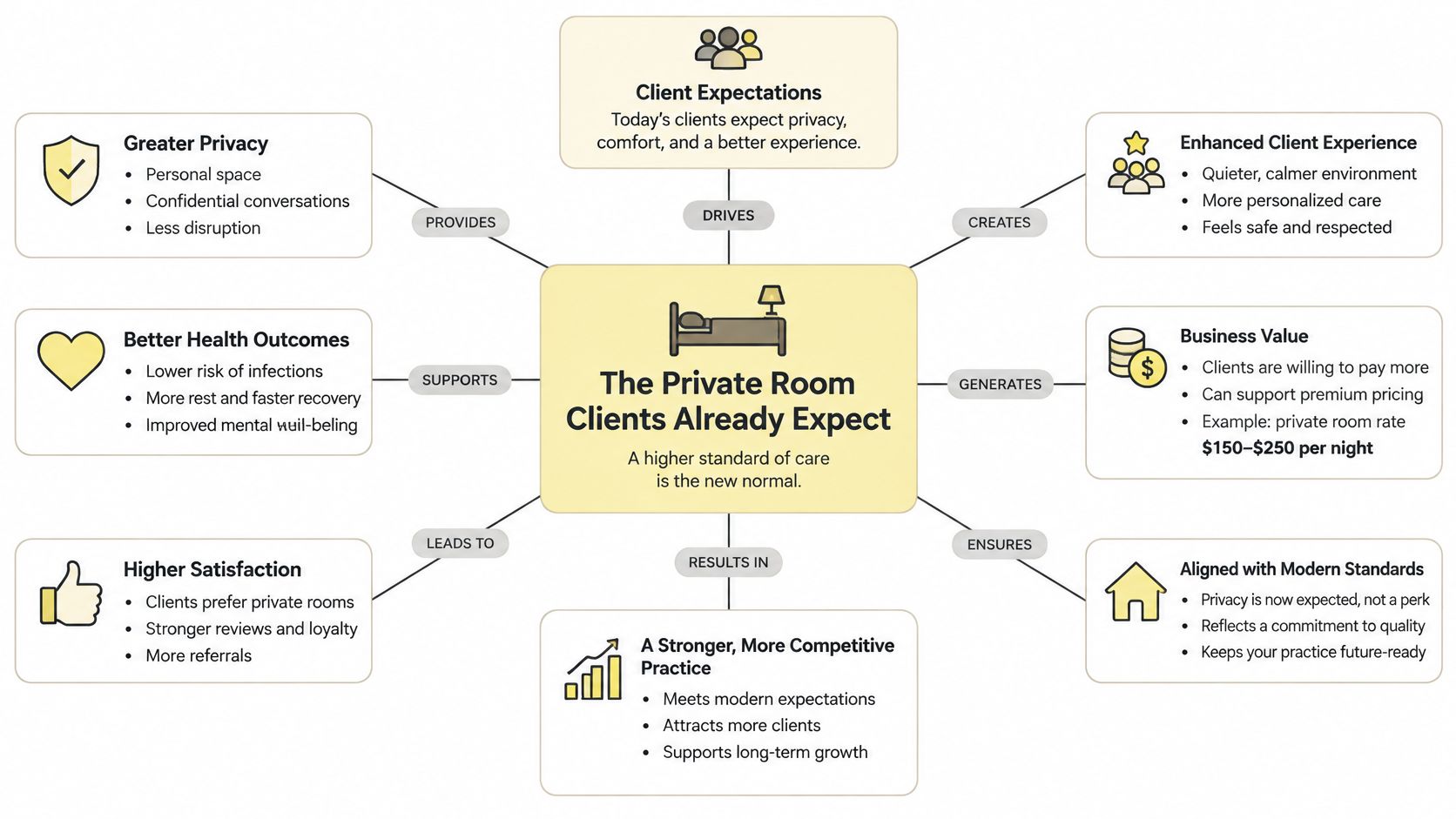
Translated to coaching, that persistent channel holds onboarding forms, schedules, payments, messages, session notes, goals, resources and progress updates in one controlled place. Your client stops rebuilding context every month from whatever they can find in their inbox.
What a portal is not
Three tools get mistaken for a portal, and the mistake costs coaches time and occasionally confidentiality.
A public website is readable by anyone, including the client who hasn't signed yet. It can take a booking. It can't hold a note.
A shared drive depends on per-file permissions that nobody audits. One forwarded link and a client is reading another client's intake answers.
A group chat gives every member the same view. Fine for a cohort celebrating a win, wrong for the reason a client is stuck.
Law firms show the same structure under different vocabulary, with client centers where people access your case documents behind a login rather than asking an assistant to email a PDF.
The one-sentence test: if you can't say who can open a file and who can't, you have a folder with a logo on it.
Five jobs belong in that room, and they're the ones that currently generate the Sunday message. The checks that keep one client's notes away from another client's eyes belong there too, and they matter more as the room fills up.
The Five Jobs a Coaching Portal Replaces
Run this comparison against your current setup before you evaluate a single product. The question isn't which portal has the longest feature list. It's which of these five jobs your client can finish without messaging you first.
| Job | Without a portal | Inside a portal |
|---|---|---|
| Messaging | Email, texts and social DMs mixed together | A private thread tied to that client |
| File sharing | Attachments and shared drives with loose permissions | Worksheets, replays and resources the client can reopen |
| Scheduling | A calendar link resent before every call | Upcoming sessions and booking in the same login |
| Payments | Invoices chased in a separate email thread | Plan status, receipts and balances next to the program |
| Goals and tasks | A spreadsheet, notes app or forgotten doc | Assignments and milestones the client marks done |
What each row takes off your plate
Messaging is where the hunting happens. Today it's a text from a number saved as "Sarah gym", a reply in a thread from March, and a DM you'll see tomorrow. A thread under the client's name keeps the exchange in order, so the answer you gave three weeks ago is still findable by both of you.
File sharing is where the re-sending lives. You build a worksheet, send it, and send it again in April. Inside the room, the client reopens the version you already uploaded, and you stop wondering whether the attachment that reached them was the edited one.
Scheduling removes a small ritual that adds up. A booking link pasted into every monthly email becomes a session list sitting beside the program, so nobody needs to ask what time Thursday is.
Payments remove the guessing. Instead of chasing a separate invoice thread to find out whether the second installment landed, the client sees their plan status and receipts, and you see who is current when you open their record.
Goals and tasks answer the quiet objection every coach has after a strong session: they'll forget all of this by Wednesday. An assignment the client can mark done turns the session into a visible next step, and turns "we talked about it" into a date stamp.
The real win is subtraction. You aren't adding software to your week. You're deleting the four places where work used to disappear.
The honest version of this test is that a portal earns its place only when all five jobs share one login. A dashboard that stores PDFs and nothing else is still a folder. If messaging happens in three inboxes while files live somewhere else, you've paid for a login screen and kept the chasing.
Why Clients Come Back Between Sessions
The objection arrives early in most conversations: my clients won't log in. The evidence says they will, provided something inside is worth coming back for.
The nationally representative U.S. Health Information National Trends Survey analyzed by the Office of the National Coordinator found that 73% of individuals were offered online access to their medical records in 2022, and 57% accessed their records or portal at least once during the previous year, according to the 2022 patient portal data brief. Access among people offered it was 50% higher than in 2020, while the share offered access rose 24% over the same period.
The same survey shows the habit forming after that first visit: people who were offered access came back more than once, and a substantial share returned again and again. What pulled them back was specific and personal, mainly test results they had been waiting on and clinical notes written about their own care. These are healthcare figures, not coaching figures, but the pattern underneath them is plain. A portal earns repeat visits when what's inside is timely, personal and unfinished.
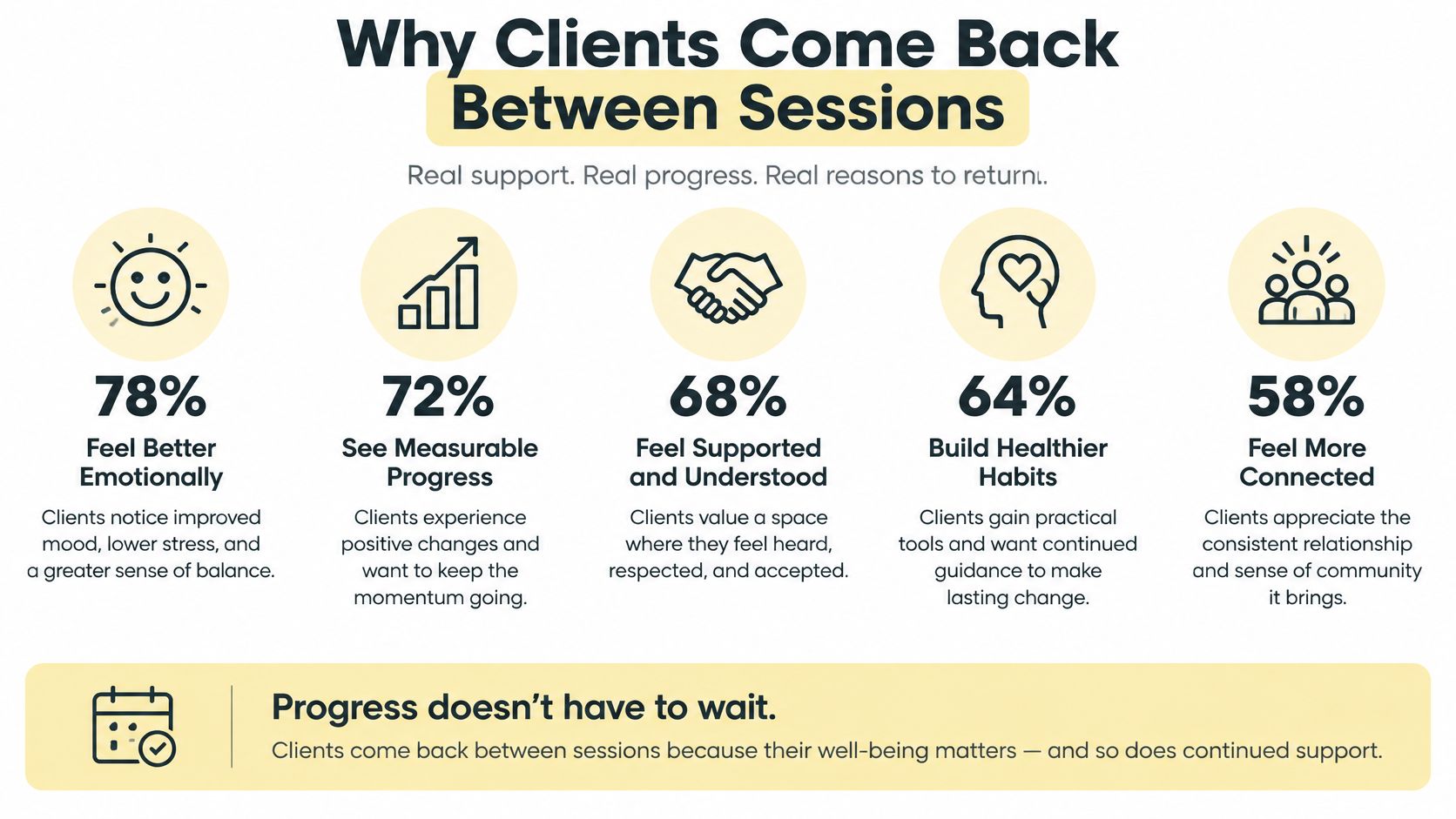
For a coach, "results and notes" translates to six concrete reasons to reopen the room between calls: a goal check, an assignment due, the next session time, written feedback after a hard conversation, a secure reply to a question they didn't want to text, and a milestone that moved.
Contrast that with one-time delivery. A PDF emailed after intake gets read once, maybe, and then it's an attachment in a thread they'll search for in six weeks. A workspace still has a next action on Thursday, which is why it gets opened on Thursday. When milestones live in the same login, progress tracking software stops being a dashboard you maintain for your own reassurance and becomes a record the client updates alongside you.
"If I'm not in the room, the work stops." That's the sentence underneath the objection, and it's true. The fix is a visible unfinished step: somewhere the client can see the work without asking you where it went, rather than another demand on their willpower.
Return visits also depend on who else can see inside. A client who treats the portal like a public comment box will stop writing; a client who trusts the room stays candid. Practices that message clients in a portal treat the thread as clinical material rather than small talk, and this explanation of how patient portal messaging protects privacy shows why the location of a message changes who can read it. Putting everything in one place cuts both ways: it ends the scattered leaks across inboxes and folders, and it concentrates the responsibility. The client keeps coming back when the room feels both useful and governed.
A Week Inside One Coach's Portal
Maya coaches founders on pricing and positioning. On Sunday at nine, Jordan pays for a six-session program. Six months earlier, Maya's Monday would have started with four separate emails: the agreement, the intake form, a booking link and the folder of resources.
Now the journey starts at the purchase itself. Jordan's payment opens the sequence, with steps for the agreement, the intake worksheets, the first call and program access, and each step closes only when Jordan does the thing, whether that's signing or answering a question.
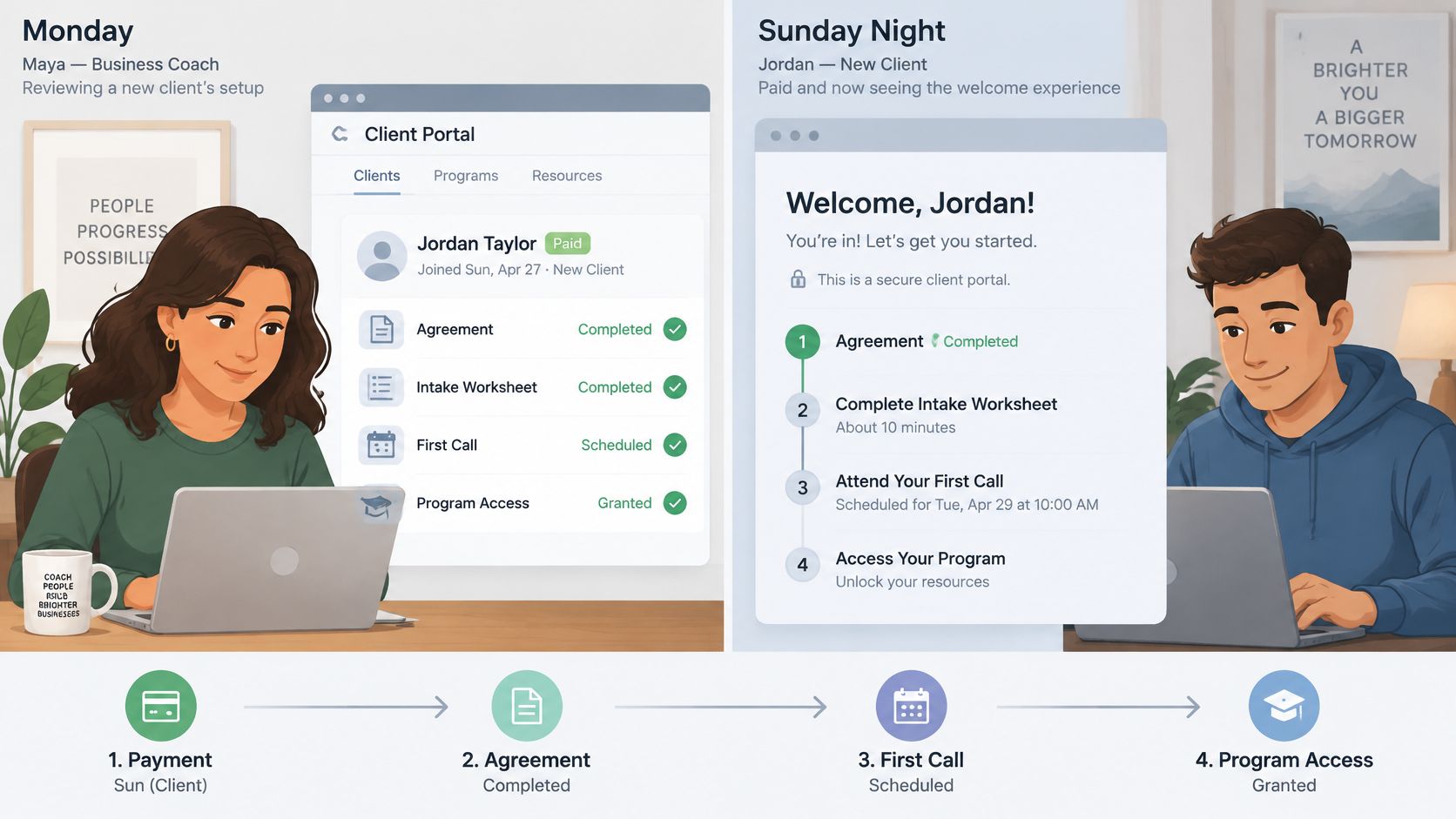
That sequence doesn't have to be assembled by hand. It can be drafted from the offer itself, so the path Jordan sees on Monday morning looks like this:
- A welcome step that names what happens next
- A private chat thread with Maya
- First call booking
- Each included item opened in turn
- Invitation to the community room
- A short review at the end
On Monday, Jordan signs the agreement and answers three intake questions before Maya has opened her laptop. Maya prepares for a call with real answers instead of a hunch, and she doesn't spend Sunday night wondering whether onboarding is a box she'll have to chase.
Tuesday's first call gets booked from the same place as the chat, so there's no lost link and no "did that invite reach you?" message.
Wednesday, the stuck point
Jordan opens one resource on packaging a retainer and posts a question in the thread. Maya answers once, in writing, in a place Jordan will find again. No forwarding, no screenshotting, no summary of a summary. The answer also becomes part of the record Maya reviews before session two, which is the difference between coaching from memory and coaching from evidence.
Friday produces the moment that matters most. Jordan sees the unfinished milestone sitting there, and mentions it in the thread before the next session rather than admitting on the call that nothing happened. A peer group can sit beside that thread as a separate room for the cohort, which keeps the celebration public and the stuck point private.
By Sunday, Maya has not resent a single file, rewritten her welcome message, or asked anyone whether they finished their intake. The room held the sequence, and she held the coaching.
Security and Access Questions Worth Asking
A password on a dashboard does not make client data safe. The specific failure to check for is broken object-level authorization, where the application confirms that someone is logged in but never confirms that this file, message or note belongs to them. It ranks first in OWASP's 2023 API Security Top 10, and it's the reason a portal can look professional and still expose one client's session notes to another, as this analysis of client portal risk for agencies points out.
The checks below are the ones that separate a real room from a locked folder.
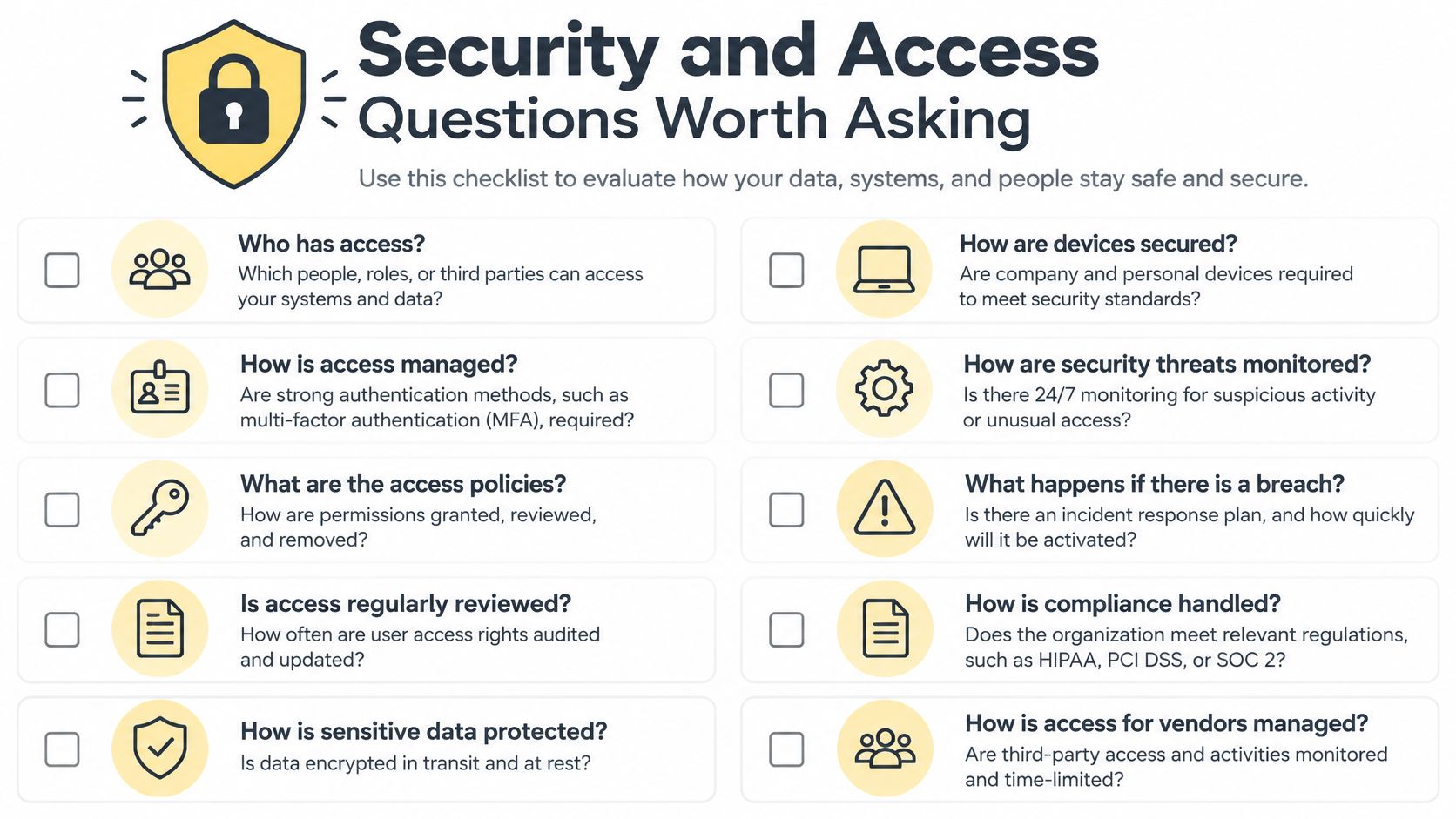
For a coach, the exposure is concentrated. One login may hold session notes, health or performance information, invoices, assessments and candid messages. Consider the questions to ask, expressed in the words you would use.
| Coach's question | What good looks like |
|---|---|
| Can one client open another's notes? | Every file, message and record is checked against that user, not just the login |
| Who on my team can read private notes? | Separate roles for client, coach, assistant and administrator |
| What happens when a program or contractor ends? | Access is removed immediately rather than left on an old login |
| Is there a record of who saw or changed a note? | An audit history of sensitive views and edits |
| Can every client finish the journey alone? | Keyboard, screen reader, captions, labeled forms and 4.5:1 text contrast |
The first question is the one to press hardest. An assistant who books sessions shouldn't be able to read what a client said about their marriage, and an administrator managing a cohort shouldn't inherit access to one-to-one notes. That's the practical meaning of zero trust: a staff login is not a pass to every private record, and a client sees only their own plan, messages, files and progress. A plain-language guide to who can see your coaching data makes that boundary concrete for the person on the other side of the login. Offboarding belongs in the same conversation, because an old contractor's working password is the leak nobody plans for.
The usability half of access
Then there's the question coaches ask second and should ask first: will my client be able to use this? The WCAG 2.2 specification organizes accessibility around four principles, perceivable, operable, understandable and dependable, with testable criteria at Levels A, AA and AAA, where Level AA requires every Level A and AA criterion. Ordinary text needs at least a 4.5:1 contrast ratio, replays need captions, forms need meaningful labels, and the whole journey from invite through payment to progress review has to work with a keyboard and a screen reader. The same guidelines now carry an ISO number, ISO/IEC 40500:2025, which makes conformance a recognized benchmark rather than a vendor's opinion.
The trade-off nobody says out loud: one well-run room cuts the stray attachments floating between inboxes, and it concentrates the risk if offboarding is sloppy. Both are true. Design for the second one.
Where a Portal Fits and When to Start
Four practices show up in these conversations, and each one breaks at a different point. Find yours.
The solo life coach with eight one-to-one clients. Nothing is on fire, but notes, homework and payments no longer fit in one inbox. The win here is continuity, not scale. The room gets the worksheet and the next step out of your head and into a place the client returns to.
The executive coach with an assistant. The moment someone else touches scheduling, the question becomes what they can see. Separate visibility lets the assistant move a call without reading a confidential note.
The cohort program. One curriculum, one community room, and private one-to-one material that stays private. The breaking point is a group thread being used to deliver something personal.
The course creator who also coaches. Lessons and check-ins need to sit together, or clients read the course as abandoned and stop opening it in week three.
The objections follow predictable lines. I only have eight clients. Eight clients times three tools times twelve months is the arithmetic that eventually wins. My assistant is trustworthy. Trust isn't the risk. A shared password outliving the job is.
A Facebook group is fine. It's fine until someone posts a health update and you can't remove it. The course platform already has logins. It does, and it can't take a payment plan, a private note and a booking in the same record.
What makes a portal premature? A one-off workshop with no follow-up work, no private notes and no recurring payment. There's nothing to return for. Everything else is a timing question.
The two-week test
Move now if any of these is true: clients still hunt for links, homework dies between sessions, payments get reconciled by hand, or more than one person touches the practice. Before any of that, a repeatable client onboarding process decides whether the room feels ready on day one.
- Bring your existing clients and programs across. Importing first means the room looks lived-in on day one, which is what we do during Coachful onboarding.
- Attach one offer to its parts. Price, calls, private chat and program belong in one object, so a payment starts onboarding instead of triggering a manual scramble.
- Run only the next new client inside the portal for two weeks. One real journey tells you more than a demo, and it protects your current clients from a half-built room.
- Check published pricing before you quote anything, ours included: Coachful Solo is $49 a month for up to 20 clients, and Pro is $99 a month with unlimited clients. Then move the rest across in one pass rather than dribbling it out.
A portal answers the Sunday message by removing the conditions that produced it. Start with the one client you're onboarding this week, and let their first journey be the test of everything else.
Coachful keeps the whole sequence in one branded space: each client signs in to their program, shared session notes, files, tasks, payments and next steps, with a private chat thread and a client app for iOS and Android that they pay nothing to use. It's built for the coach who wants the room to hold the work between calls instead of holding another inbox. Move your current clients and programs across during onboarding, then start with Coachful and run your next client through it before you change anything else.


