Google Search Console for Coaches: 5 Checks That Matter

Coachful Editorial Team
Is your coaching website failing to attract clients, or has Google barely shown it to anyone? Google Search Console helps you separate those problems. Start with relevant search queries and landing pages, inspect any important missing URL, and investigate indexing or sitemap issues only when the evidence points there. Do not redesign your site because one graph dipped.
The five checks below turn search data into a small decision: improve a page, investigate a technical problem, create a genuinely missing answer, or leave things alone. They are for a coach responsible for a practice website, not an SEO specialist looking for another dashboard to watch.
What Search Console can tell a coach
Search Console is Google's tool for understanding how a property appears in Google Search and investigating how Google accesses its pages. Its search performance data includes impressions, clicks, click-through rate and average position. It is not a record of every website visit, every marketing channel, or every person considering your coaching.
The distinction matters. A career coach might see an article attract searches for free interview questions without receiving suitable enquiries for a paid coaching package. That is not automatically a broken website. The article may be answering a useful but different need.
Keep three questions separate: Are we visible? Are we attracting relevant attention? Does that attention lead to suitable enquiries? Search Console helps with the first two. Your enquiry and client records help with the third. A search click is not proof that someone loaded the entire page, booked a call or became a client.

Before the checks: open the correct website property
Use a Google account your practice controls, open Google Search Console, and add or select the property for your public website. If a developer already manages it, ask them to grant appropriate access. Do not share the practice owner's Google password.
A Domain property covers the domain's protocols and subdomains and uses DNS verification. A URL-prefix property covers the specified prefix, including its protocol. A property for an old subdomain is not a substitute for the custom domain visitors currently use. Follow Google's property guidance and verification instructions for the method available to you.
Coaches using a hosted subdomain should verify only an address they control, using a supported method. Do not attempt to claim the hosting platform's parent domain. If the required verification mechanism is unavailable, ask the website provider which methods it supports rather than improvising DNS changes.

Once verified, allow time for data to appear. A new property with little data does not establish a technical failure or prove that your niche has no demand. Record your starting date and confirm that you are looking at the live public address, not a preview, member portal or previous domain.
1. Performance queries: are the searches relevant to your practice?
Open the Search results Performance report and inspect the Queries dimension. Use a consistent search type and date range. A recent complete period compared with the preceding equivalent period is a practical starting point; widen the range if your site has very few impressions. Consider seasonal differences before interpreting a change.
Read the actual phrases before sorting by the biggest number. Separate them into three working groups:
- Named interest: your name or practice name. These searches may reflect earlier referrals or marketing, not discovery through a new topic.
- Relevant problem or service: a situation you coach, a useful question your intended clients ask, or a specific coaching service they are considering.
- Other intent: jobs, training, free downloads, definitions or unrelated needs that your current page happens to attract.
Do not label every informational query worthless. Someone researching a problem can become a future client. The useful question is whether the page serves a person your practice can responsibly help, and whether its next step fits that person's readiness.

For example, imagine a fictional career coach whose report shows 900 impressions and 27 clicks for “career coach for managers,” 2,400 impressions and 24 clicks for “free interview questions,” and 200 impressions and 40 clicks for the coach's name. The largest impression count does not identify the best commercial opportunity. These invented rows illustrate interpretation, not expected results.
Next move: choose one relevant query and inspect which page receives its impressions or clicks. If the right page already exists, improve that answer before creating a competing article. If the query needs a materially different answer, consider a separate page. Do not turn one isolated phrase into an entire content strategy.
The query table is not a complete transcript of everything people searched. Google limits the data shown, including for privacy, and chart totals and table totals can differ. Use patterns as evidence, not an exact census of your audience. Google's Performance report documentation explains the metrics and aggregation.
2. Performance pages: is the right page earning the click?
Switch to Pages, select the relevant URL, then examine its queries. Keep the same country, device and search-type filters when comparing periods. Otherwise you may compare a different audience mix and mistake that for a change in the page.
Read impressions and clicks together. Click-through rate is clicks divided by impressions. Average position is an aggregated measure, not a promise that everyone sees your page in one fixed slot. Changes in query mix can alter both position and click-through rate without your editing anything.

A hypothetical page with 12 clicks from 400 impressions has a 3% click-through rate. Another period with 24 clicks from 800 impressions also has a 3% rate. Clicks doubled, but this comparison alone does not show that the search snippet became more persuasive.
If a relevant page receives impressions but few clicks, review its title, description and actual answer. Does the title describe the situation the searcher asked about? Does the opening answer it? Is a local or specialty qualification missing? Google can generate different title links and snippets, so your saved metadata is not a guarantee of the exact search appearance.
Suppose a leadership coach's services page is titled “Unlock Your Potential,” while relevant searches ask about coaching for first-time managers. A clearer title and introduction may help visitors understand the fit. That is a testable editorial change, not a reason to insert the phrase into every heading or promise a promotion.

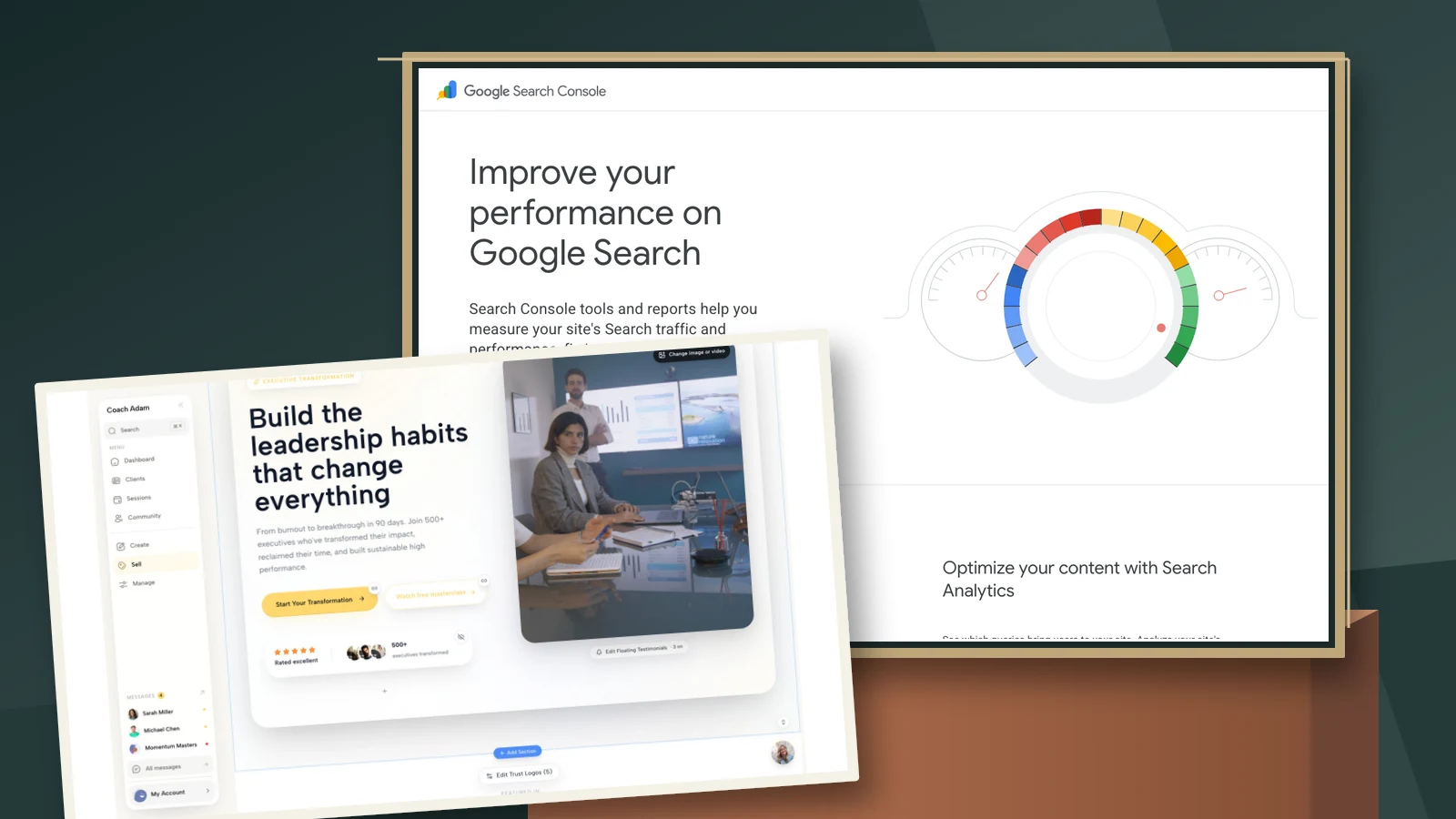
In Coachful, the live website editor is a place to make a destination-page change once you know what needs clarification. It is not a Search Console report. The screenshot shows real demo website editing, not evidence that Coachful automatically diagnoses your rankings.
Next move: change one meaningful element, record the date and reasoning, then compare comparable periods when enough data exists. Also read the page on a phone and test the next step. If clicks are growing but enquiries are not, investigate visitor fit and the enquiry path rather than endlessly rewriting the title. Our coaching website audit covers that different decision.
3. URL Inspection: is a specific important page eligible?
Use URL Inspection when a particular page seems absent or a technical change needs investigation. Paste the full public URL while the correct property is selected. Begin with the main services page or a critical resource, not every forgotten announcement on the site.
The first result describes Google's indexed information. It is not a fresh test of your website. Read the indexing status and relevant details, including the Google-selected canonical where available. If Google associates the content with a different canonical URL, investigate whether that matches your intended public version.
The live test answers a different question: what can Google test about the page now? It can help check a recent repair. It does not guarantee indexing, check every possible eligibility condition or predict the canonical Google will ultimately select.
- Expected private page: keep client portals, private worksheets and account pages out of public search where appropriate. Visibility is not the goal for confidential material.
- Unexpected access problem: check whether the public page loads without a login, redirects to the intended destination, and can be accessed by Google's tools.
- Unexpected exclusion or canonical: give your website provider the exact URL, reported reason and test details. Do not make sitewide changes from a vague “not on Google” summary.
After a meaningful fix, you can request indexing where the tool permits it. Repeating the request is not a faster ranking strategy. As Google's URL Inspection guidance explains, even “URL is on Google” does not guarantee that the page will appear for a particular search.
Next move: save the affected URL, the reported issue, what changed and the test result. If you need help, send that evidence to the provider. Never remove a privacy control merely to make an indexing report look healthier.
4. Page indexing: is there a pattern worth investigating?
The Page indexing report groups known URLs by indexing status and reasons. For a small coaching site, it is not a score you need to maximize. Google itself advises that many small sites can start with their important individual pages rather than making this report a routine project.
Use it when an important missing URL suggests a wider issue, after a migration, or when several public pages unexpectedly stop being eligible. Look for a shared cause: an unintended exclusion, a recurring server error or URLs pointing at an unexpected alternative.

Imagine a fictional inventory of 20 URLs: 11 indexed, seven intentionally excluded and two requiring investigation. A useful response is not “get all 20 indexed.” Determine whether the two include the services page you need people to find, and whether the seven exclusions are genuinely expected. The numbers are explanatory, not a recommended indexed-page ratio.
Redirects, duplicates and deliberately private pages can have valid reasons not to be indexed. Conversely, a public offer page excluded by mistake deserves attention even if the overall chart looks stable. Importance beats volume.
For “crawled” or “discovered” but not indexed pages, do not assume the remedy is more words or repeated submission. Check whether the page is useful, distinct, internally findable and intended for public search. Read the actual reason in Google's Page indexing guidance before deciding what to repair.
Next move: choose one affected example, inspect it, and establish the cause before applying a sitewide fix. Escalate technical settings you do not understand. A coach does not need to become a developer, but should be able to describe which public page matters and what the report actually says.
5. Sitemaps: can Google process the intended page list?
The Sitemaps report concerns submitted sitemap files and their processing. It does not certify that every listed page has been crawled, indexed or ranked. A successful read is useful evidence about the file, not a green light for the entire coaching website.
First ask your website provider where the sitemap actually lives and whether it manages submission. Do not guess an address because another website uses it. Open the confirmed file and check that an important public page is represented by the intended URL. A sitemap may also be an index pointing to other sitemap files.

Keep three checks distinct: the sitemap can be fetched and parsed; the intended page is included; URL Inspection supplies information about that page. None promises a ranking. If the report shows a processing failure, investigate that error instead of repeatedly submitting the same broken file.
A very small, well-linked website may not need a sitemap as a separate project. Google's Sitemaps documentation explains when one is useful and how submission works. Follow the provider's instructions before manually changing generated files.
Next move: record the actual sitemap URL and its reported processing status. If an important page is missing, ask the provider whether that is intentional and how its public-page list is generated. Avoid building a second conflicting sitemap without understanding the existing one.
Turn the five checks into one monthly practice decision
You do not need a daily rankings ritual. Set a proportionate review rhythm, and investigate specific alerts or incidents when they occur. In an ordinary review, compare relevant queries and pages, inspect a priority URL if necessary, and select one action. Leave healthy settings alone.
A simple review note can contain: property and date range; relevant query; receiving page; observation; likely explanation; one action; date changed; and what would support or weaken the explanation. Write “unknown” where the data cannot answer a question.
Keep enquiry evidence alongside that note, not inside a fictional attribution model. Ask prospects an optional, neutral question such as “How did you first hear about the practice?” Their answer can supplement analytics, but memory and multiple touchpoints make it imperfect. Do not put personal client information into public URLs or search experiments.

Coachful's prospects screen illustrates the separate business question: which enquiries are progressing, and are they a fit? It does not prove that a particular search query caused a sale. A spreadsheet can also support a small review. Pick a record you will maintain honestly.
If search evidence points to a confusing destination or a difficult booking path, inspect that practical workflow next. Try the interactive Coachful demo to explore the website and prospect surfaces shown here before deciding whether they suit your practice. Search Console remains a separate Google tool; this is not a claim of automatic integration.
Frequently asked questions
Do coaches need Google Analytics as well as Search Console?
They answer different questions. Search Console concerns Google Search visibility and indexing. Website analytics can help analyze on-site behavior and other acquisition channels, subject to your setup and privacy requirements. Neither replaces your records of suitable enquiries and clients. Start with the question you need answered rather than installing tools without a purpose.
Why does Search Console show no data?
Check the selected property, public domain, filters, date range and how recently the property was added. New or little-searched sites may have sparse data. Inspect a critical public page if there is reason to suspect an indexing problem. No data by itself does not tell you which cause applies.
Should I rewrite a page whenever average position drops?
No. Review the actual queries, landing page, device and country mix, comparison period and business relevance first. An aggregate position change is not a diagnosis. Make an edit when you can explain the mismatch it addresses, not because one number became uncomfortable.
Can Search Console tell me which searcher bought coaching?
It is not a named-customer sales record. Use enquiry and sales records for those decisions, with appropriate privacy safeguards, and acknowledge attribution uncertainty. The defensible conclusion is often “search visibility increased and relevant enquiries also increased,” not “this query caused this client to buy.”
Sources: Google Search Console's official property, ownership, Performance, URL Inspection, Page indexing and Sitemaps documentation linked above. All numerical examples are fictional. Cover composition includes Google's public Search Console overview and a real Coachful demo website editor, not a customer report or partnership claim.