How to Move a Coaching Website Off Kajabi, Wix or Squarespace
When coaches move a coaching website to a new platform, two things go wrong more often than anything else: old links stop working, and clients get confused about where to log in. Both are avoidable. The safe order is inventory first, rebuild second, test third, and switch the domain last, so the old site stays live until the new one is ready.
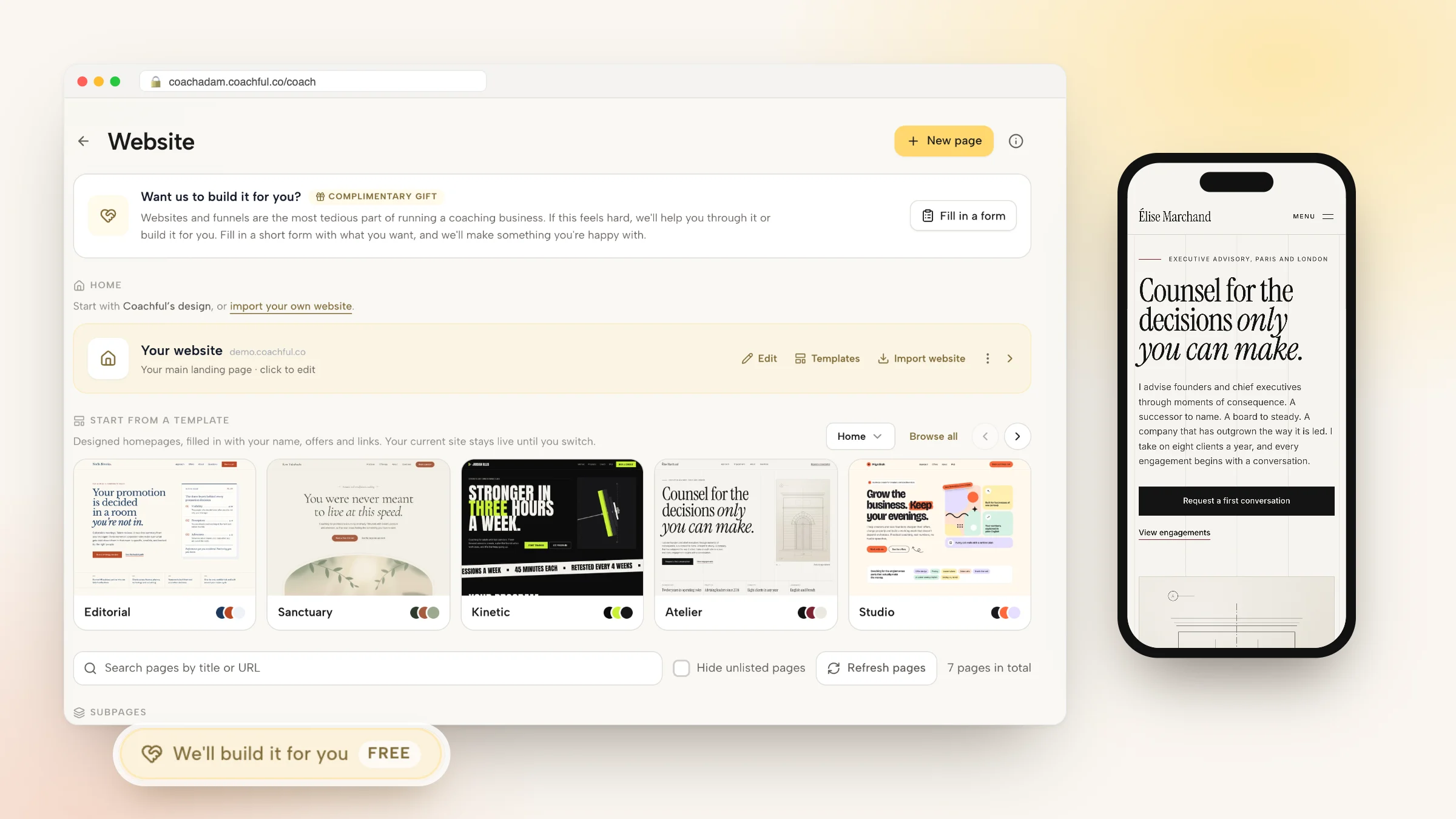
This guide walks through that order for coaches leaving Kajabi, Wix or Squarespace. If you are moving to Coachful, you have two shortcuts: the Import website option, which brings your pages and blog posts over as drafts, and our free build service, where the Coachful team rebuilds the site for you. The team usually replies with next steps within around 24 hours.
We will not compare prices here. If cost is the reason you are leaving, you already know your own numbers. This is about getting from one platform to another without losing clients, search traffic or your nerve.
Before you touch anything: the content inventory
Open a spreadsheet and list every page that someone outside your business could land on. It takes an hour and saves a week. Columns that matter:
| Column | What to write | Why it matters |
|---|---|---|
| Full address | The exact path, such as /about or /work-with-me | This is what Google and old links point to |
| Page type | Home, about, offer, booking, blog post, legal, landing page | Tells you what has to be rebuilt as what |
| Visits | Rough traffic from your analytics or Search Console | The top pages deserve the most care |
| What it connects to | Booking tool, checkout, form, email list, course login | Every connection has to be replaced, not just the words |
| Keep, merge or drop | Your decision for the new site | Most coaching sites carry a few pages nobody visits |
Also note what is not a page but still matters: your email list, testimonials (especially ones saved as images), PDFs people download, course videos, and any client logins. Kajabi in particular often holds courses, a community and email on top of the website, so list those separately.

Protect your search traffic: keep the same addresses
Search engines and old links know your pages by their address. If /work-with-me still exists after the move with similar content, you keep most of what that page had earned. If it vanishes, visitors get an error page and the page eventually drops out of results.
The simplest protection is to keep addresses identical. In Coachful every page has its own URL slug in page settings, so a page that lived at /work-with-me can live at /work-with-me again.

A few details are worth knowing before you plan:
- Coachful page addresses are one level deep, such as yoursite.com/about. If your old platform used nested paths like /pages/about, the new page gets a single slug, and you choose which.
- Coachful does not have a manual list for redirecting old addresses to new ones. That makes the inventory more important: decide on every address before you switch the domain, and keep the ones that bring traffic.
- Your blog has its own address. It is /blog by default, and Blog settings let you change it to another available word. If you change it later, old /blog links redirect to the new address automatically. A few words are reserved, including journal and shop.
- Wix keeps blog posts at /post/ by default. If that is your setup, set your Coachful blog address to post (as long as no page or funnel already uses that word) and publish each article with its old slug, so the old links keep working.
After the switch, submit your new sitemap in Google Search Console and check the coverage report for errors over the following weeks. Every page also has its own SEO title, description and social image, so copy those across from your inventory.
Option one: use Import website
On the Website page in Coachful, press Import website and paste your current site's address. Coachful scans the public pages, shows up to 10 at a time, and lets you pick which to bring over along with your blog posts.
- Pages and posts arrive as drafts you can edit in place.
- Images, fonts and styles are copied, and links between imported pages point to their new addresses.
- Each imported page takes its address from the old path where it can.
- Importing never changes your current homepage or domain, so nothing goes live until you choose.
The Website page says it plainly: "Paste its address and Coachful brings over your pages and blog posts, ready to edit here. Nothing to rebuild, and no paying for two websites." It also says that if the imported website is not exactly like the one you have now, you can email support@coachful.co and the team will make it so.
Import is the right choice when you like your current design and mostly want it in the same place as your booking, payments and client portal.
Option two: ask the Coachful team to rebuild it
If the old site never quite worked, a move is a good moment to fix it. Open Website, press Fill in a form on the Want us to build it for you? card, and tell us what to rebuild. Paste your current site in the links box (up to 8 links), attach files (up to 10: logos, photos, screenshots, brand guides, copy or audio; no video files), and describe anything that feels broken or unfinished.

Here are three recent moves, described without names:
- A somatic coach leaving Kajabi. The homepage and About page were rebuilt from the old Kajabi theme. Testimonials and numbers that had been images became real text, which search engines and screen readers can actually read, and the contact form now feeds Coachful.
- A leadership coach with a Squarespace renewal days away. One clean, mobile-friendly homepage with a repeated "talk with me" button, connected visually to the coach's sister company.
- A life-purpose coach moving from another coaching tool. A dark forest-green site with home, about and coaching pages, the three programs shown as one pine drawn at three heights from the coach's emblem, and program descriptions and FAQ adapted from the old pages.

The team replies by email with next steps, usually within around 24 hours. That is a typical turnaround and not a guaranteed deadline, so put your renewal date in the request. The rebuild happens in your Coachful account, and nothing gets invented: credentials, testimonials and prices come from you, and anything missing is left for you to fill in. The free build does not include logo design or recording videos. For the full list of what the team builds, see the guide to the free white-glove service.

Don't lose clients in the move
Search traffic is recoverable. A confused paying client is harder. Plan these before the switch:
- Subscriptions and payment plans. Anything billed through your old platform keeps billing there until you stop it. Decide, client by client, when they move to the new checkout, and tell them before their card is charged by the new system.
- Logins. If clients used to log in on Kajabi for a course or community, send them the new link and a two-line explanation, and keep the old access open for a short overlap.
- Booked sessions. Move future bookings into the new calendar, or let them run out on the old one and only take new bookings in the new one.
- Email list. Export your subscribers, with their consent status, before you cancel anything on the old platform.
- A short announcement. "We have a new home. Your sessions and materials are now here: [link]. Nothing changes about our work together."
For a longer checklist on the client side, read how to switch coaching platforms without disrupting clients, and if your old tool is shutting down rather than just being replaced, how to migrate from a discontinued coaching CRM.
The switch-over day
When the new site is built and tested, the domain move itself is short.
- Test the new site on its coachful.co address. Book a call, buy your cheapest offer, send the contact form, open every page on a phone.
- Check your addresses against the inventory one last time.
- Make the new homepage live in Coachful.
- Connect your domain. Coachful shows the A and CNAME records to add at your domain registrar, then checks them and marks the domain verified. Changes can take a while to spread, so do this on a quiet day.
- Keep the old platform running for a few days while the domain change settles, then cancel it once nothing points there any more.
- Submit the sitemap in Search Console and update links you control: social bios, email signatures, your Google Business Profile and directory listings.
If you want a final check before switching, run through the coaching website audit checklist.
Kajabi, Wix and Squarespace: what tends to differ
Each platform leaves a slightly different mess behind.
- Kajabi sites are often more than a website: courses, a community, email and checkout live there too. Plan each of those separately. If you are still weighing the move, our Kajabi alternative page compares the two.
- Wix sites tend to have lots of small layout tweaks made by hand. A rebuild is often cleaner than an exact copy, and the /post/ blog paths are worth planning for.
- Squarespace sites are usually tidy, but booking and payments are frequently bolted on with other tools. Those connections are the part to rebuild, since Coachful's booking calendar and offer checkout live on the site itself.
Whichever you are leaving, the goal is the same: one address, one place for clients to log in, and pages that keep working. If the move is also a chance to rethink the site, our done-for-you coaching website guide covers what a finished site should include.
Frequently asked questions
Will I lose my Google rankings if I move my coaching website?
You can keep most of them if the important pages keep the same addresses and similar content. Build an inventory first, give each new Coachful page the same URL slug as before, copy each page's SEO title and description, and submit the new sitemap in Google Search Console after the domain switch.
Can I import my Squarespace, Wix or Kajabi site into Coachful?
Yes. Import website on the Website page scans your current site, lets you choose pages, shown up to 10 at a time, plus blog posts, and brings them in as drafts with their images, fonts and styles. Importing does not change your current homepage or domain until you decide to switch.
Does Coachful set up redirects from my old URLs?
Coachful does not have a manual redirect list, so the best approach is to keep page addresses the same using each page's URL slug. Changing your blog address does redirect old /blog links automatically, and links between imported pages are updated to their new addresses.
Will Coachful rebuild my website for free when I move?
Yes. The Coachful team rebuilds or improves your site at no extra cost on any plan. Paste your current site into the request form, attach your copy and photos, and the team replies by email with next steps, usually within around 24 hours. Coachful itself is a paid subscription with a free trial.
Will my old website go down during the move?
It stays live on your old platform until you point your domain at Coachful. Build and test the new site on its coachful.co address first, then connect your domain on a quiet day and keep the old platform for a few days while the change settles.
How do I tell clients I have moved platforms?
Send a short, specific message: the new link, where their sessions and materials now live, and that nothing changes about your work together. Move any subscriptions client by client and tell them before the new system charges them.