Practice Better App: What Clients and Practitioners Get
The Practice Better app is one mobile app, on iPhone and Android, that both clients and practitioners sign in to. Clients use it to log food with barcode scanning and photos, see upcoming sessions and tasks, message their practitioner securely and join video sessions. Practitioners get the same features as the desktop version on a phone, with secure messaging and alerts they can tune.
That makes it a strong companion for nutrition and wellness work, where the client's daily job is journaling. It is a different animal from a coaching app, where the client's daily job is a task, a habit or a check-in. This guide covers both sides of the Practice Better app, what we could and could not confirm about it, and how the Coachful client app compares screen by screen.
If you are a coach thinking of moving your clients to a different app, Coachful's team will also build your programs, forms and website inside it for you, free on every plan, so the app is full on the day you invite people.
What clients do in the Practice Better app
According to Practice Better's mobile app and client portal pages in October 2026, a client can:
- Journal food and lifestyle. Barcode scanning, photo entries and free-form notes, drawn from a food database of more than 600,000 items.
- Sync wearables. Apple Health, Fitbit, Garmin and Oura data comes in automatically, covering sleep, activity and heart rate.
- See sessions and tasks. Upcoming appointments and the tasks you set, with alerts.
- Book and reschedule. Through the client portal, which the app opens on mobile.
- Message securely. HIPAA-compliant messaging without leaving the app.
- Join a video session. Telehealth calls start from the app or the portal.
- Follow programs and protocols, fill in forms and pay invoices. These live in the client portal, which works in the app and in any browser.
You decide what each client sees, because permissions are set per client. A meal-planning client can see journals and protocols while a short-term client sees only sessions and messages.

What practitioners do in the Practice Better app
Practitioners use the same app. Practice Better describes it as full access to the same experience as desktop: your schedule, client records, billing and payments, forms, and secure messaging with instant alerts. You can customize which notifications arrive and how, which matters when clients can reach you from their pocket. The pitch on its page is supporting clients anywhere "while keeping boundaries in check", and the notification settings are how you do that.
For a dietitian reviewing food logs between appointments, this is the real value. You can comment on a journal entry from the train and see that the client is checking off their targets.
What we could not confirm about the app
Three things are worth asking Practice Better about before you rely on them:
- Your brand inside the app. Its branding page covers your logo and colors on the client portal, portal branding and a personalized URL on Plus, branded emails on Plus and branded PDFs from Professional. We could not find a statement on how much of your branding shows inside the mobile app itself.
- Group video on mobile. One-to-one telehealth is built in. Group sessions run through the Zoom integration, so check how a client on a phone joins a group call.
- Habit streaks and goals. The app is built around journals, targets and tasks. We did not find habits with streaks, or goals with progress bars and milestones, on its feature pages.
The Coachful client app, screen by screen
Coachful's client app runs on iPhone, Android and the web from one account. It is built for coaching clients, so the first screen is today: what to do, what is next, and where the client stands against their goals. Here is what a client sees in a Coachful demo account.
Their program, one tap away
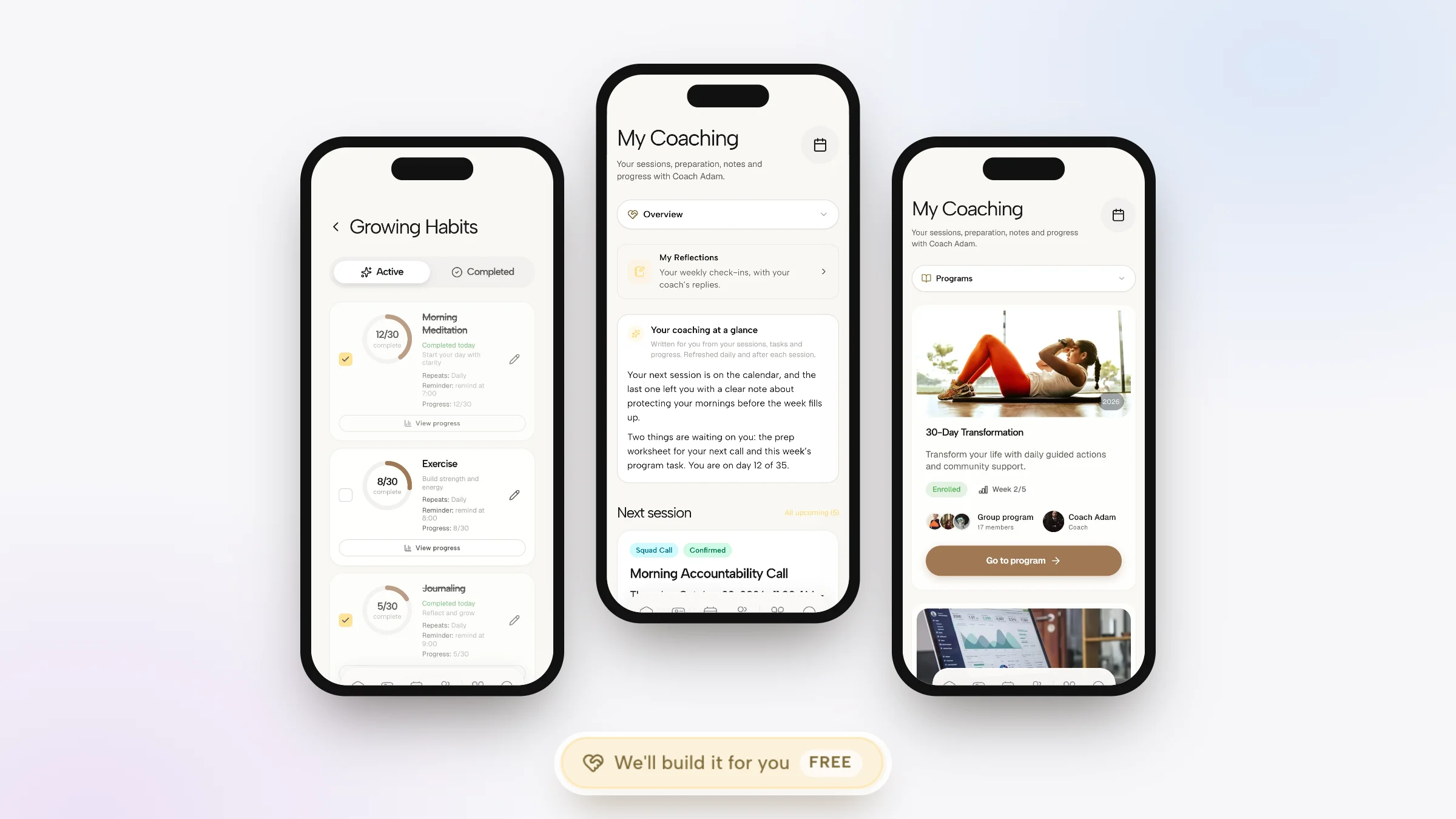
Programs run for set weeks, with weekly goals and daily tasks that arrive on the right day. A client in a group program sees the cohort and their coach on the same card.

Habits with streaks and reminders
Each habit has its own frequency, reminder time and target. A client ticks it off in the app, or straight from a home screen widget without opening anything.

My Coaching: the screen they open before a call
The next session with its joining link, the worksheet you need back before it, and the notes you chose to share, compiled over time. Clients stop searching their inbox for what you sent.

Goals with a path
Goals carry a deadline, progress and milestones, plus a weekly reflection. Programs and journeys can add checkpoints to the same path.

A community that is part of the app
The feed, channels, group chat and live sessions sit in the same app as the coaching work, so a client posting a win does not need a second login.

And your side, on a phone
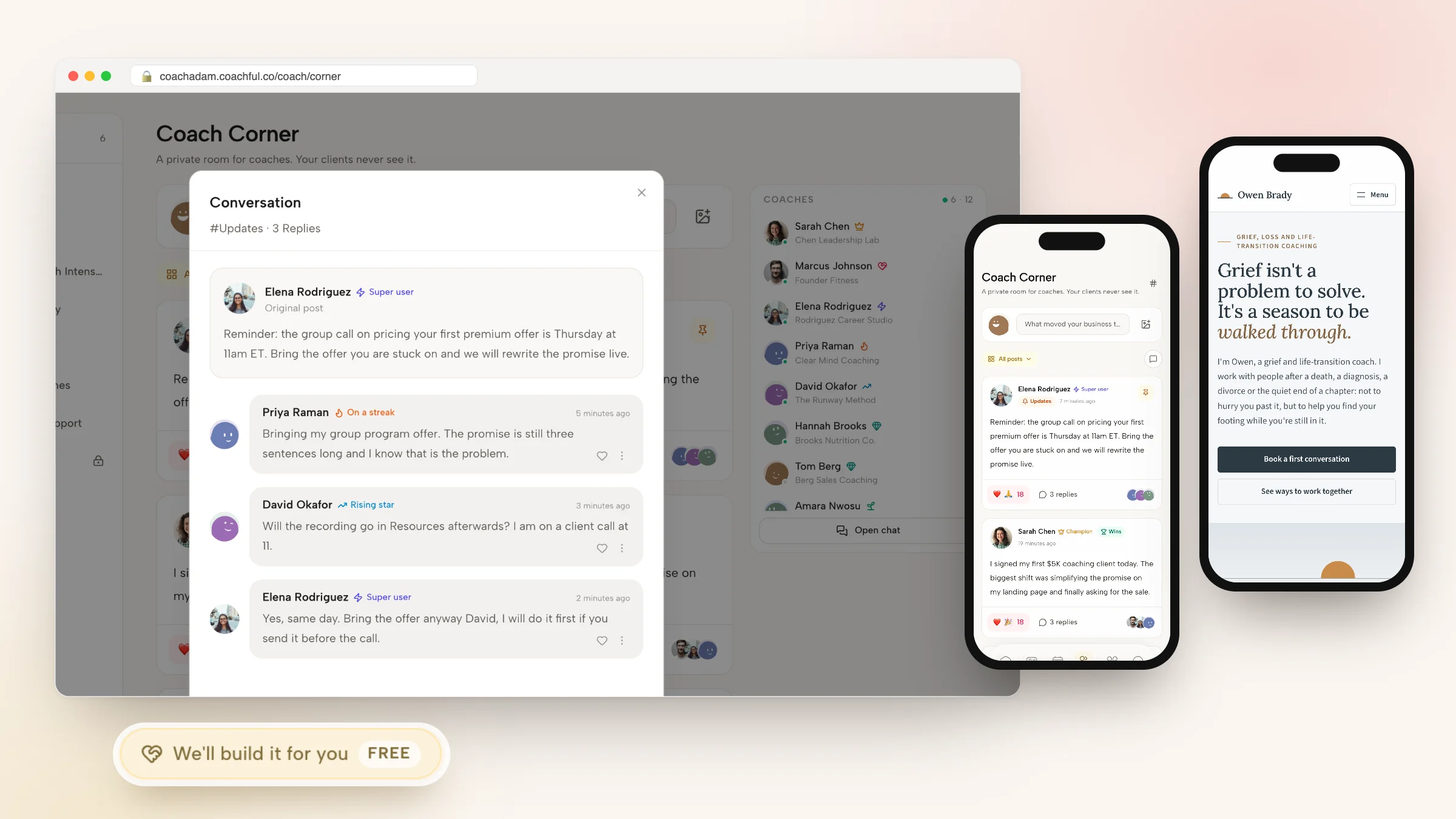
The coach dashboard works on a phone too: your setup checklist, every client with today's task completion, and a count of who is thriving, active, quiet or at risk.

Practice Better app vs Coachful app: side by side
| Practice Better app | Coachful client app | |
|---|---|---|
| Platforms | iPhone, Android and web portal | iPhone, Android and web |
| Who signs in | Clients and practitioners | Clients; the coach dashboard also works on a phone |
| Daily job for the client | Food and lifestyle journals, tasks | Program tasks, habits, morning and evening check-ins |
| Food logging | 600,000+ foods, barcode and photo entries | Food log with barcode scanning in the Fitness & Nutrition power-up |
| Wearable sync | Apple Health, Fitbit, Garmin, Oura | None; metrics are entered or imported from a file |
| Goals and habits | Targets in journals | Goals with milestones; habits with streaks |
| Home screen widgets | Not stated | iPhone and Android, plus lock screen and StandBy on iPhone |
| Community | Program chat as a feed or direct chat | Feed, channels, group chat, live sessions |
| Video sessions | Built-in telehealth for 1:1; Zoom for groups | Built-in video, or Zoom, Meet and Teams links |
| Your branding | Logo and colors on the portal; more on Plus | Logo, colors and renamed product words, inside the Coachful app listing |
| HIPAA | Stated | Not certified; GDPR-ready |
| Cost to the client | Included in your plan | Nothing; only the coach subscribes |
Two rows deserve plain words. If your clients wear a Garmin or an Oura ring and you rely on that data, Practice Better's app does something Coachful's does not. And if you need HIPAA, the decision is already made. For coaches without either need, the question is which daily job you want your clients doing. Our client app page has the full feature list.
Five questions to ask before you pick a client app
Feature tables only go so far. Before you move a single client, answer these honestly:
- What will the client do in it every day? If the answer is "log meals", a journaling app wins. If it is "do this week's task and tick a habit", pick an app built around tasks and habits.
- Do you need health data from devices? Wearable sync is a reason to choose Practice Better. Hand-entered or imported metrics are fine for most coaching.
- Where will clients talk to each other? A cohort chat covers one group. A community where alumni and current clients mix needs a real feed.
- How much does your name matter on the screen? Coachful's app carries your logo and colors inside the Coachful listing on the App Store and Google Play, and we could not confirm how far Practice Better's branding reaches inside its app, so ask before you choose. Our white-label app guide explains the trade-offs.
- Is it on the phones your clients carry? Both run on iPhone and Android. Our list of the best coaching apps for iPhone covers more options if your clients are mostly on Apple devices.
How to get clients to actually open a coaching app
The best app in the world loses to a client's full inbox. Whichever app you choose, these habits decide whether it becomes part of their week:
- Invite at the moment of commitment. Send the app invitation in the same message as the welcome, right after payment, while motivation is highest.
- Give them a task for day one. An empty app is a deleted app. One small task, such as "write down the three things you want from our work together", gives them a reason to come back tomorrow.
- Put prep where the session is. Attach the pre-session worksheet to the session itself, so the reminder and the work arrive together.
- Stop sending things by email. If the worksheet, the recording and the notes all arrive by email, the client learns that email is where coaching lives.
- Use the home screen. Ask clients to add a widget on the first call. Seeing today's habit without opening anything is the cheapest nudge there is.
- Reply inside the app. When a client texts you, answer in the app's chat. Within two weeks most of them move over.
We cover the between-session side in depth in keeping clients engaged between sessions, and the build-versus-buy question in how to create a coaching app.
Want the app full on day one? We'll build it for you
A new app is only as good as what is inside it. Coachful's free white-glove service, included on every plan, fills it for you. Open the Want us to build it for you? card, labelled Complimentary gift, on the Website or Funnels page, or choose Create > We'll build it for you. Then pick what you need: a program, a course, a coaching flow or journey, a form or worksheet, a website, a funnel, an email sequence and more.

Attach what you already have: up to 10 files such as your Practice Better program outline as a PDF, intake forms, handouts and logo, plus up to 8 links. Video files are not accepted. The Coachful team replies by email, usually within about 24 hours, and builds everything inside your account, so your clients open an app with their first program week, their onboarding flow and your forms already there. You can edit all of it afterwards.
A recent example: a real-estate and money coach got a year-long cohort program with an application form, an eight-page website on the coach's own domain, and a free nine-day bootcamp course with its own signup funnel and emails. The team does not record your videos, so courses arrive as written lessons for you to film. Read the white-glove service guide for everything it covers.
Still comparing tools? Our Practice Better client portal guide looks at the web side, and Practice Better alternatives ranks the wider field.
Frequently asked questions
Is there a Practice Better app for clients?
Yes. Clients use the Practice Better app on iPhone and Android to journal food with barcode and photo entries, see sessions and tasks, message securely and join video sessions. The client portal, which also works in any browser, adds booking, forms, programs, protocols and invoices.
Is the Practice Better app free for clients?
Clients do not pay Practice Better to use the app or portal; the portal is included in every plan. The practitioner pays for the plan, which as listed in October 2026 starts free for 3 clients and runs from $35 to $155 a month.
Can practitioners use the Practice Better app?
Yes. Practitioners sign in to the same app and get the desktop features on mobile, with secure messaging and notifications you can customize. It is useful for reviewing food journals and answering messages between appointments.
Does the Practice Better app sync with Apple Health or Fitbit?
Yes. Practice Better lists Apple Health, Fitbit, Garmin and Oura, with sleep, activity and heart rate synced automatically. Coachful does not sync with wearables or Apple Health; metrics are entered by hand or imported from a file.
What is the best client app for a life coach instead of Practice Better?
A coaching app built around tasks, habits, goals and check-ins rather than food journals. Coachful's client app gives each client a daily home, a My Coaching hub for sessions and notes, habits with streaks, goals with milestones, a community and home screen widgets on iPhone and Android.
Can I put my own brand on the Coachful app?
Your logo, colors and wording show across the client home, emails and the web version on your own custom domain, and you can rename product words and choose menu sections. The app ships under the Coachful listing on the App Store and Google Play rather than your own developer account.
Will Coachful set up my programs in the app for me?
Yes, free on every plan. Request it from Create > We'll build it for you and attach your old program PDFs and forms. The team builds programs, flows and forms in your account, usually within about 24 hours. You record any videos yourself.