Practice Better Client Portal: What Clients See (2026)
The Practice Better client portal is where a practitioner's clients book and reschedule sessions, send secure messages, fill in intake forms, follow programs and protocols, open handouts and pay invoices. Nutrition clients also log meals there from a database of more than 600,000 foods, and data from Apple Health, Fitbit, Garmin and Oura syncs in automatically. It works in any browser and in the iPhone and Android app, and it is included in every Practice Better plan.
What the portal is built around matters as much as what is in it. Practice Better's portal is organized around a care plan: forms, protocols, journals and payments. A coaching client home is organized around the week: today's task, this week's habit, the next session and the people in the group. This guide walks through the Practice Better client portal as a client would see it, then shows the Coachful equivalent so you can judge which shape fits your practice.
If you decide your clients need the coaching shape, Coachful's team will set up your programs, forms and pages for you, free on every plan.
A walk through the Practice Better client portal
Here is the path a new client takes, pieced together from Practice Better's client portal, scheduling and branding pages in October 2026.
- The invitation. The client gets access from a booking link or an invitation and signs in on the web, or downloads the app.
- Intake forms and agreements. Forms, waivers and agreements go out automatically, the same way every time, with signature fields for the client and for you.
- Booking. The client books or reschedules on their own, from your booking link or inside the portal. You can require a card or a deposit at booking, and up to three reminders go out by email or text.
- The session. A one-to-one telehealth session starts from the portal, with secure, HIPAA-compliant video.
- Between sessions. The client follows the programs and protocols you assigned on their own schedule, opens your resources and handouts, journals food and lifestyle, and messages you securely.
- Billing. Invoices are paid in the portal, next to messages and forms.
You control exactly what each client sees, because permissions are set per client. Branding starts with your logo and colors, and Plus, at $99 a month as listed in October 2026, adds portal branding and a personalized URL.

What the Practice Better portal is designed around
The portal is the client-facing side of a clinical record. Everything in it feeds or reflects the chart: forms become intake history, journals become nutrient data, protocols become recommendations attached to session notes, invoices become superbills. For a dietitian or a functional medicine practitioner that is exactly right. The client sees what they need to follow the plan, and the practitioner sees a complete record.
It also explains what you will not find. There is no community space for all your clients, only program chat that can run as a feed. We did not find goals with progress bars, habits with streaks or a daily check-in flow on its feature pages. And the portal is reached from a website you host elsewhere, because Practice Better does not include a website builder.
What clients see in Coachful instead
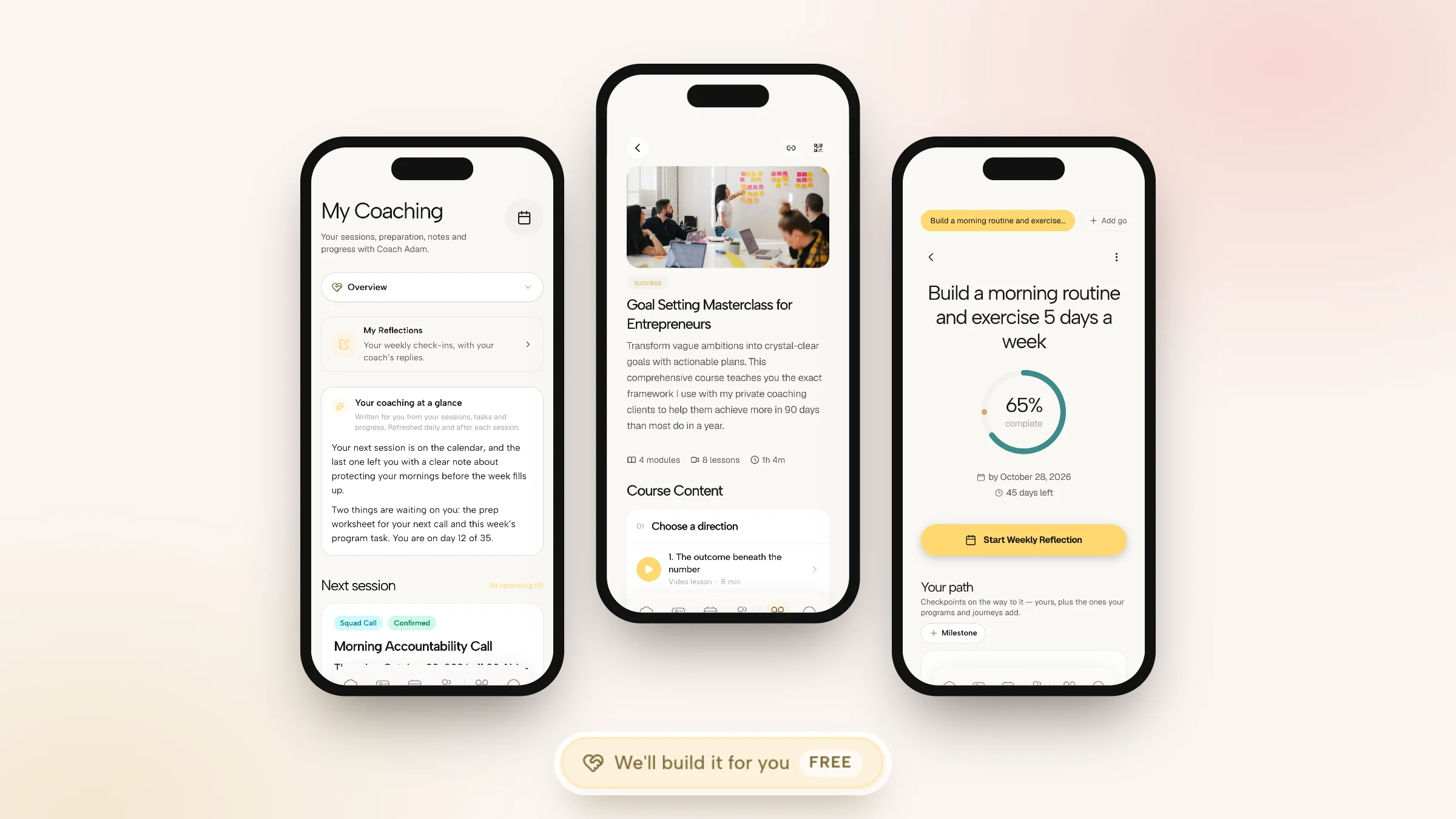
Coachful's client home is the client side of a coaching platform, on the web, iPhone and Android. It opens on today and keeps the coaching relationship in one hub called My Coaching. These screens come from a Coachful demo account.
Overview: the week at a glance
The top card is a short summary written from the client's sessions, tasks and progress, refreshed daily and after each session. Below it sit the next session with its joining link and any worksheet that is due first, and a "What to do next" list gathered from sessions, journeys and programs.

Progress: the path, not just the numbers
The Progress tab shows the client's journey with its next step, and every program they are in with the week, the theme and the next task. A client can see they are two steps into a five-step path and what step three asks of them.

Sessions: notes that build over time
Upcoming and past sessions, each with a prepare button when there is work to do first, plus the notes you chose to share, compiled into a running thread across sessions. Private notes stay private.

Courses and content
Courses, libraries, worksheets and downloads you give a client land in their content library, with progress per lesson. Coachful includes 48 course templates with quizzes if you are starting a course from scratch.

Your brand on all of it
Your logo, accent color and business name carry across the client home and emails. You can rename product words, so "programs" can be whatever your practice calls them, choose which sections appear in the client menu, and serve the web version on your own custom domain on plans that include one.

Practice Better client portal vs Coachful client home
| What the client needs | Practice Better client portal | Coachful client home |
|---|---|---|
| Book and reschedule | Yes, with card or deposit at booking | Yes, with payment at booking and session credits |
| Intake forms and agreements | Forms, waivers and signature fields | Intake questions on booking, forms, and agreements with e-signature |
| Daily work | Protocols, journals and tasks | Program tasks, habits, morning and evening check-ins |
| Food logging | 600,000+ foods, barcode and photo | Food log with barcode scanning in the Fitness & Nutrition power-up |
| Goals | Targets and measurements | Goals with deadlines, progress and milestones |
| Session notes | Shared resources and handouts | Shared notes compiled across sessions |
| Other clients | Program chat as a feed or direct chat | Community feed, channels, group chat and live sessions |
| Payments | Pay invoices in the portal | Checkout for offers, plans and products, with an invoice for each |
| Branding | Logo and colors; portal branding and personalized URL on Plus | Logo, colors, renamed product words, chosen menu sections |
| Compliance | States HIPAA, PIPEDA, PHIPA and GDPR | GDPR-ready with full data export; not HIPAA-certified |
If the HIPAA row decides it for you, stay with Practice Better. If you coach, the rows above it are the ones your clients will feel every day. For a wider look at what a portal should do, see our list of client portal features coaches need.
One honest caveat on the Coachful side: there is no wearable or Apple Health sync, so clients who rely on Practice Better's automatic sleep and activity data will enter those numbers themselves or import them from a file.
How to set up a client portal people actually use
Whichever portal you run, the setup decides whether clients log in twice or every day. What works for the coaches we see:
- Trim the menu. Show only what a client needs this month. In Coachful the client menu holds up to six items on mobile and eight on desktop, with up to two custom entries, which forces good choices. Hide anything you have not set up yet.
- Pick the start page. Decide where a client lands when they open the app. Coachful lets you set it under Manage > Customize > Language & Menus; most coaches choose Home or My Coaching.
- Load week one before the invite. The first session, a short welcome flow and one small task. An empty portal teaches clients that nothing happens there.
- Move prep into the portal. Attach the pre-session worksheet to the session, not to an email.
- Say the portal's name out loud. On the first call, share your screen and show where things live. Two minutes here saves twenty emails later.
- Answer inside it. Reply to messages in the portal, and post group updates in the community instead of by email.
We go deeper on this trade-off in client portal vs email onboarding and on the security side in secure client portal software.
Which portal fits your practice?
Three quick portraits, drawn from the kinds of practices that ask us this question:
- A registered dietitian seeing insurance clients. Her clients log meals daily, she comments on their journals, and she sends superbills. The Practice Better client portal fits this practice well, and moving would mean losing tools she uses every day.
- A gut-health coach with a three-month program. Her clients do a little every day, mostly habits and reflection, and the group chats about recipes and setbacks. She is not a clinician and pays separately for her website. A coaching client home with habits, check-ins and a community fits her better, and the Fitness & Nutrition power-up covers the meal plans and food log she does use.
- A life coach running a six-month group. No journals, no protocols, no insurance. His clients need this week's task, a goal they can see moving, the next call and each other. A clinical portal would be mostly empty rooms for him.
If you are somewhere between the first two, that is normal. Many health coaches split the difference by keeping clinical work on a compliant system and running their coaching programs on a coaching platform. Our wider guide to choosing a coaching portal covers the options beyond these two.
Have Coachful's team build your client home, free
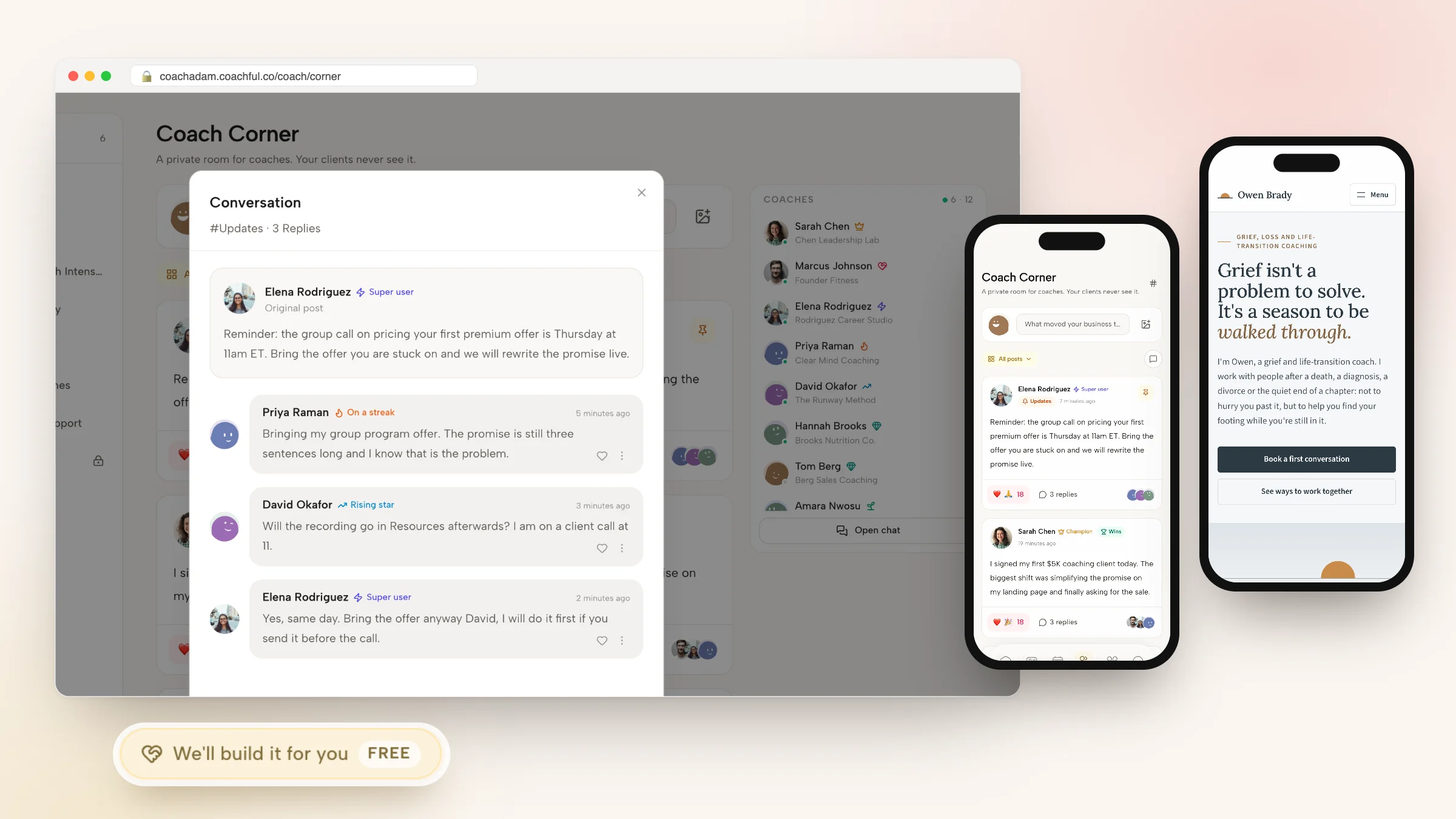
A portal is only as good as what is inside it, and filling it is the part coaches put off. Coachful's white-glove build service is free on every plan and is labelled that way in the app. Open Create > We'll build it for you, or the Want us to build it for you? card at the bottom of the Programs list, the Courses list or the Forms & worksheets list.
Choose what you need: a program, a course, a journey or coaching flow, a form or worksheet, a website page, a funnel or an email sequence. Describe it, then attach up to 10 files and up to 8 links. Coaches leaving Practice Better usually send their program outlines as PDFs, their intake forms and their handouts. Video files are not accepted.

The Coachful team replies by email with next steps, usually within about 24 hours, and builds everything in your own account, so you edit it afterwards with the normal editors. Recent requests have ranged from an author and speaker who got five pages built from their own copy document and photos plus a free community signup page, to a business mentor for beauty professionals who got a sales page and checkout for a 12-week mentorship and a free guide funnel leading into it. The team does not record videos for you, and nothing gets invented: no testimonials or credentials you did not supply. See what the white-glove service builds.
More on the app side in our Practice Better app guide, and the full field in Practice Better alternatives. Life coaches can see the niche setup on Coachful for life coaches.
Frequently asked questions
How do clients log in to the Practice Better client portal?
Clients sign in on the web in any browser or through the Practice Better app on iPhone and Android, after booking through your link or accepting your invitation. No download is needed for web access.
What can clients do in the Practice Better client portal?
Book and reschedule sessions, message you securely, complete intake forms, follow programs and protocols, view handouts, pay invoices, journal meals from a 600,000-food database and sync data from Apple Health, Fitbit, Garmin and Oura. You choose what each client can see.
Can I brand the Practice Better client portal?
You can add your logo and brand colors. As listed in October 2026, portal branding, a personalized URL and branded emails need the Plus plan at $99 a month, and branded PDFs start on Professional at $69.
Is the Practice Better client portal HIPAA compliant?
Practice Better states that it is HIPAA, PIPEDA, PHIPA and GDPR compliant, and describes messaging in the portal as secure and HIPAA-compliant. Coachful is not HIPAA-certified, so clinicians handling protected health information should stay on a compliant system.
What is a good client portal for coaches who are not clinicians?
One built around the coaching week: tasks, habits, check-ins, goals, sessions with shared notes and a community. Coachful's client home does this on the web, iPhone and Android, with your branding, and the clients never pay Coachful anything.
Can clients see their session notes in Coachful?
They see the notes you choose to share, compiled across sessions in My Coaching, next to the upcoming session and any worksheet due before it. Private notes stay visible only to you.
Will Coachful set up my client portal content for me?
Yes, free on every plan. Use Create > We'll build it for you, attach your program outlines, forms and handouts, and the team builds them in your account, usually within about 24 hours. Course videos are yours to record.