Coaching Portal: What Clients Should See When They Log In
A coaching portal is the private space your client opens between sessions, and it has one job: answer the client's three questions before they think to message you. When is my next session? What am I supposed to do before it? What did we agree last time? If a client can see all three within a few seconds of logging in, the portal is working. If they have to scroll, search their inbox or ask, it is a filing cabinet with a password.
This guide covers what a good coaching portal shows on the first screen, what should stay private to you, how to run the first login so clients come back, and eight platforms compared on what their portal really shows. We publish Coachful, which ranks first on that criterion, and we explain why each of the others might suit you better.
What is a coaching portal?
A coaching portal, sometimes called a client portal, is a signed-in area where each client sees their own sessions, tasks, notes, documents and messages. It replaces the trail of emails, shared folders and calendar invites that most coaching relationships start with.
The difference between a portal and a shared folder is that a portal knows what time it is. It puts the next session at the top, flags the worksheet that is due tomorrow and hides last month's paperwork. A folder shows everything with equal weight, so the client sees nothing. If you are still deciding whether you need one, our comparison of a client portal versus email onboarding covers the trade-off, and client portal features lists the building blocks.
What clients should see when they log into a coaching portal
Here is the checklist we use. Order matters: the first three items belong above the fold on a phone.
- The next session, with a join button. Date, time in the client's own time zone, the coach's name and the call link. A "you can join from 10:00" line heads off the usual where-is-the-link message.
- Anything due before that session. The prep worksheet, the form, the reading. Mark it required if it is, and show when it is overdue.
- This week's tasks. Three to five things, each tied to a program week or a session. A wall of 20 tasks gets ignored.
- Progress they can feel. Goal progress, habit streaks, "day 12 of 35". Clients renew when they can see movement.
- A short summary of where things stand. The thread across recent sessions in two sentences, written for the client. This is what they reread before the next call.
- Shared session notes. What you agreed, the next steps and any resources mentioned, kept per session.
- Messages with you. One place to ask a question, with your reply-time expectations stated.
- Their content. Courses, worksheets, recordings and downloads you have given them, and nothing they have not bought.
- Documents and billing. The signed agreement, invoices and remaining session credits.
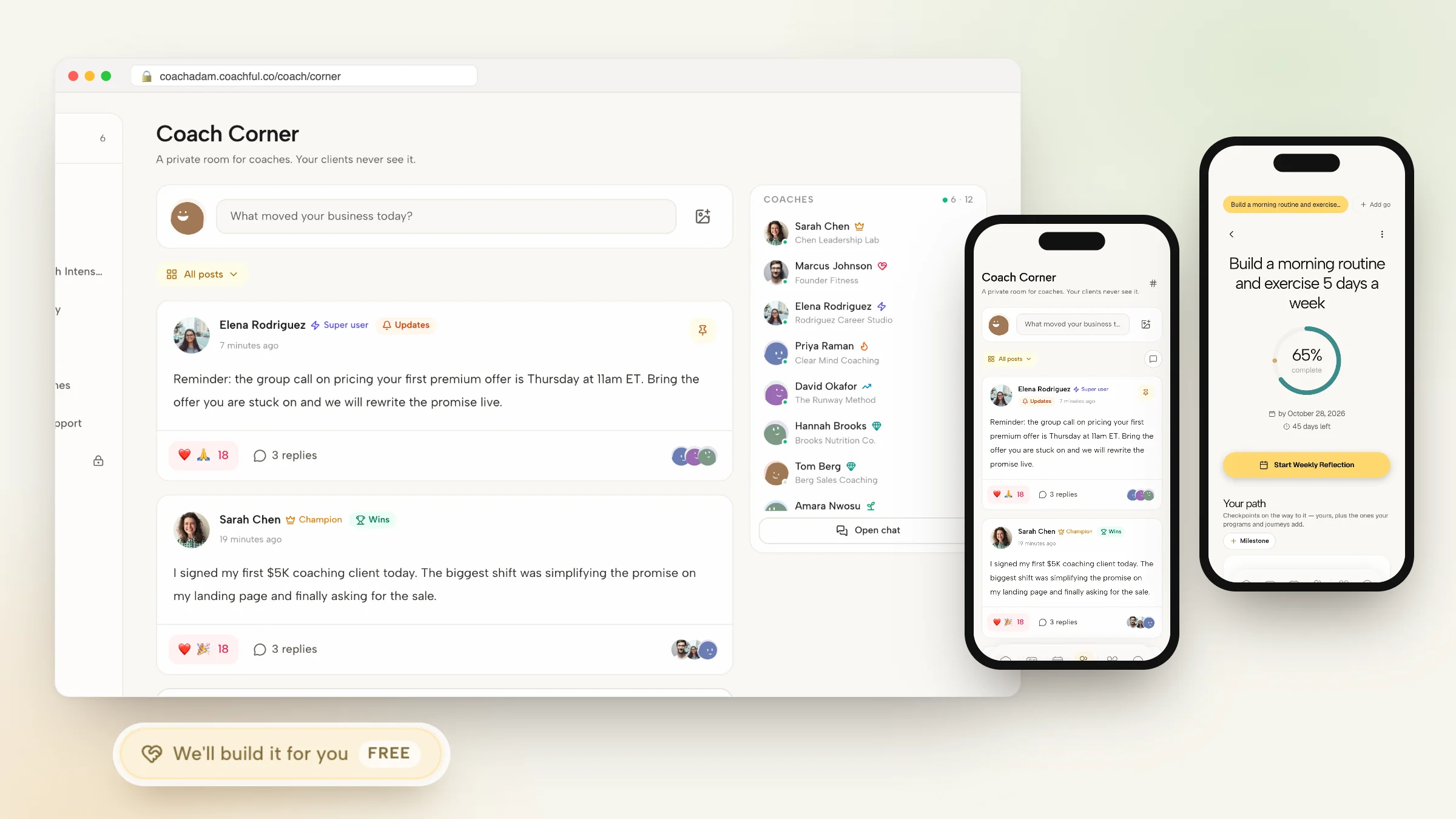
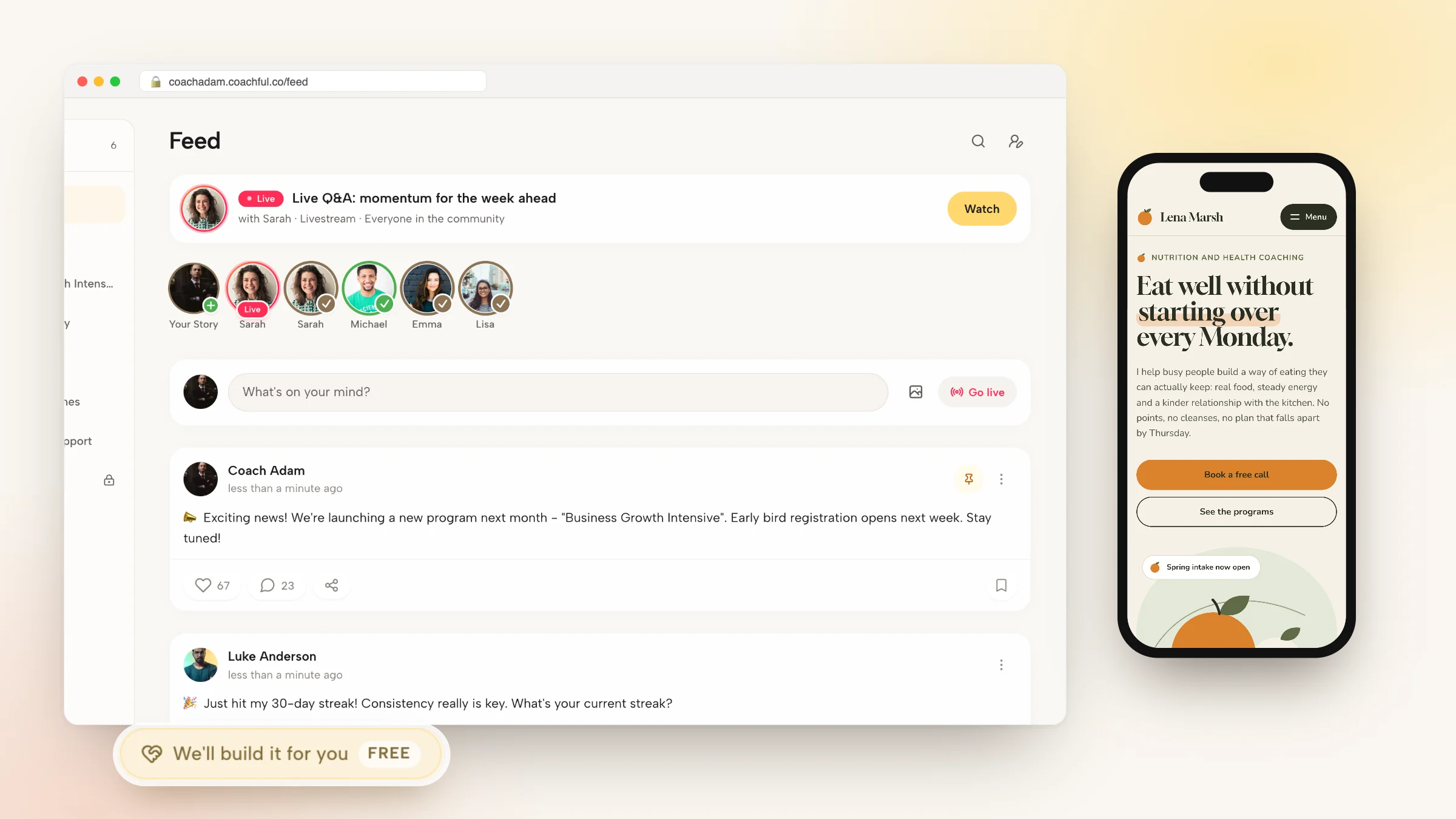
- Community, if you run one. The cohort feed or group chat, one tap away rather than on the home screen.
A practical test: hand your phone to a friend, log in as a test client and ask them when the next session is and what they need to do first. Time it. Anything over ten seconds means the portal needs editing.
What should stay private in a coaching portal
A portal also has to keep some things away from the client. Make sure your platform separates these clearly:
- Your private session notes. Hypotheses, observations and reminders to yourself are not for the client. Shared notes and private notes should be different fields, not a discipline you try to remember.
- Risk and status labels. "At risk" or "quiet" help you plan outreach. Seeing that label would not help the client.
- Internal tags and sales stages. Lead source, discount codes and renewal flags belong to you.
- Feedback on your own coaching. If your platform reviews your sessions against coaching competencies, that stays in your view.
- Other clients. In a group program, members see the cohort feed, not each other's goals, notes or check-ins.
For the security side of this, including access controls and data export, see our guide to secure client portal software.
The first login: how to get clients to come back
Most portals fail in week one, not week ten. A client logs in once, sees an empty page and goes back to email. Four steps fix that:
- Fill it before the invite. The first session booked, the agreement waiting, one short welcome task. Never send an invitation to an empty portal.
- Put the app on their phone during the first call. Ask them to install it while you are both on video. It takes two minutes, and the first reminder then lands on the phone they already carry.
- Send one reason to open it each week. A check-in, a new lesson, a reply to their reflection. Reminders should point into the portal, not replace it.
- Refer to it in sessions. "It's in your notes from last week" trains the habit faster than any email.
Our client onboarding checklist covers the paperwork that goes with this.
The best coaching portal platforms compared
How we ranked them: how much of the coaching relationship a client sees after login (next session, prep, tasks, progress, notes, content, messages) and whether it works as a real app on their phone.
| Platform | What clients see after login | Phone | Best for |
|---|---|---|---|
| 1. Coachful | Next session, prep, tasks, habits, goals, shared notes, content, chat, community | iPhone and Android app | Ongoing coaching with work between sessions |
| 2. Kajabi | Courses, community and coaching sessions | Customer app; branded app on Growth and Pro | Course-led businesses |
| 3. Circle | Community spaces, courses and events | Circle-branded app | Communities and memberships |
| 4. Delenta | Sessions, notes, files, programs and courses | White-label app on Premium | Coaches who need their own app name |
| 5. CoachAccountable | Actions, metrics, worksheets and history | Web app, home-screen shortcut | Detailed accountability |
| 6. Paperbell | Session history, shared notes and messages | Mobile browser | Simple one-to-one packages |
| 7. Satori | Rescheduling, billing history, notes and messages | Mobile browser | Admin that runs quietly |
| 8. HoneyBook | Files, payments and messages | Web portal | Paperwork-heavy client projects |
Plan details as listed in October 2026.
1. Coachful: the coaching portal built around the next session
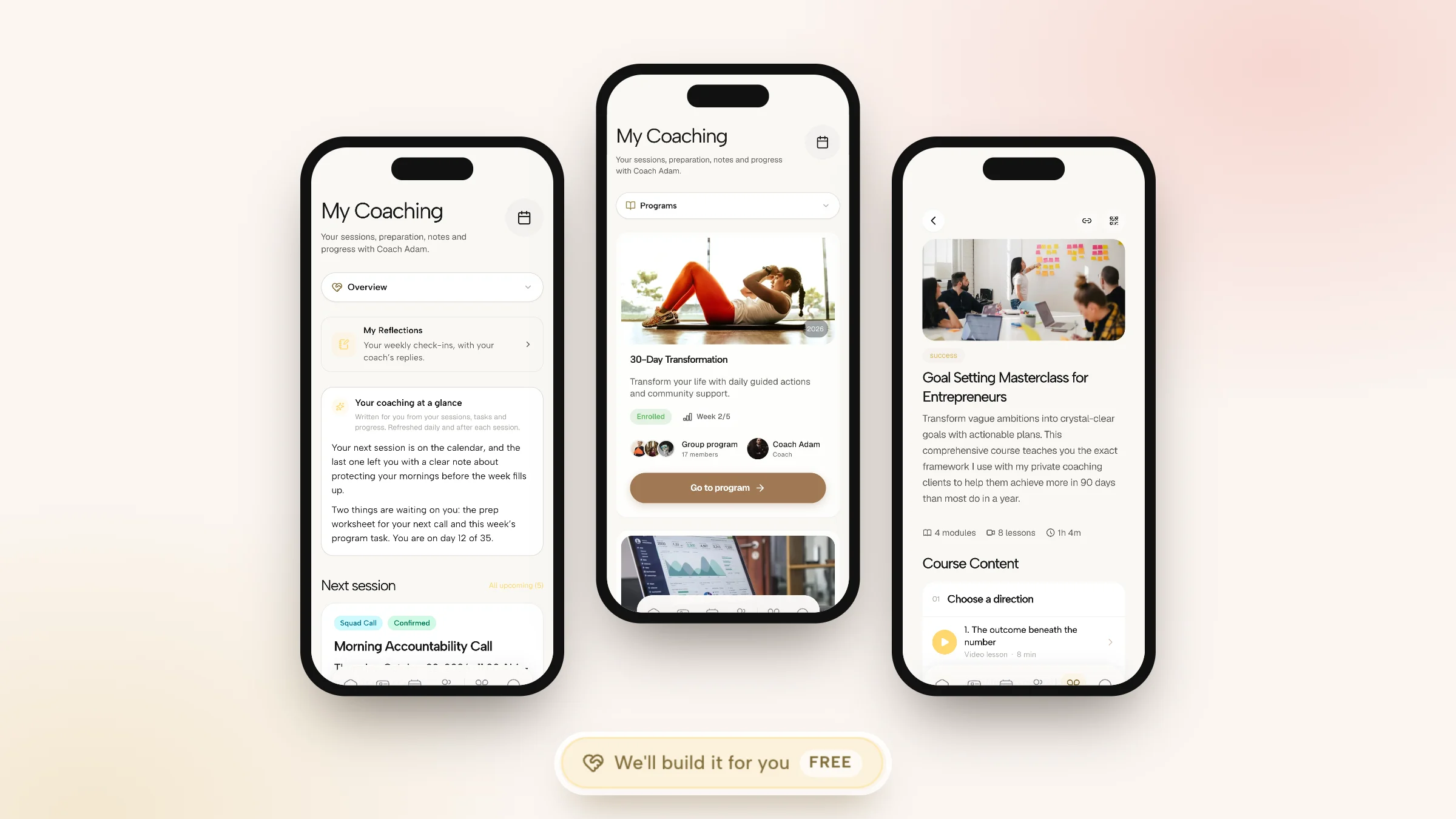
Coachful's client side opens on My Coaching. At the top sits a short summary written from the client's sessions, tasks and progress and refreshed after each session. Below it, the next session with its join time and the worksheet required beforehand, and a "What to do next" list gathered from sessions, journeys and programs. Tabs for Programs, Sessions, Progress and Documents hold the rest.

The same experience runs on iPhone, Android and the web from one account, with home screen widgets for today's tasks, habits and the next session. Clients get daily habits with streaks, morning and evening check-ins, goals with progress, shared notes per session, direct chat with you, their course and content library, and the community feed. Signed agreements, invoices and session credits sit under Documents and billing.

The privacy split is built in. Private notes are visible only to you, and shared session notes appear in the client's My Coaching hub. Client health statuses and tags stay on your side. Your logo, colors, product wording and custom domain carry across the client experience, and the client app is included in your Coachful membership, so clients have nothing extra to buy.
Why Coachful stands out: a free white-glove service. Every plan includes a build service at no extra cost. From Create > We'll build it for you, describe the onboarding journey, program or worksheets you want your clients to see, and the Coachful team builds them in your account, usually within about 24 hours. You edit everything afterwards. See what the white-glove service covers.
Limitations: the app ships under the Coachful listing with your branding inside, not under your own App Store account. The client menu holds up to six items on mobile and eight on desktop. It is not HIPAA certified, and lower plans cap the number of clients, so check the plan shown to you. More on the client side at the Coachful client app.
2. Kajabi: a portal for courses and community

Kajabi's member library and customer app hold a client's courses, community and coaching sessions under one login, and its coaching product adds a scheduler, live video and session notes. Growth ($249 a month) and Pro add a branded mobile app. Where it stops: no habits, daily check-ins or contracts, and Basic starts at $179 a month. Pick it over Coachful if your clients mostly consume courses.
3. Circle: the community as the portal

In Circle, the community is the portal: spaces, posts, courses, events and live rooms, on the web and in a Circle-branded app. A fully branded app needs the custom-priced Circle Plus. Where it stops: no booking, intake or one-to-one session records. Pick it if your offer is a membership.
4. Delenta: a portal under your own app name

Delenta gives each client a secure portal with sessions, notes and files, plus programs, courses and community feeds. The white-label iOS and Android app comes with Premium at $79 a month; Starter at $29 covers 10 client portals. Pick it over Coachful if the app must carry your own name in the store.
5. CoachAccountable: the accountability portal

CoachAccountable's branded portal shows actions, metrics, worksheets and a full activity history, which is ideal for clients who like to see their numbers. Pricing follows active clients, from $20 a month for 2. Where it stops: it is a web app with a home-screen shortcut rather than a native app, and reviewers call the interface dated.
6. Paperbell: a clean portal for packages

Paperbell's portal holds session history, shared notes and messages, attached to the package the client bought. It offers a free trial, then $97 a month with unlimited clients. Where it stops: nothing for tasks or progress, and no native app. Our Paperbell review covers it in full.
7. Satori: an admin portal that stays out of the way

Satori's client portal lets clients reschedule, view billing history, read notes and message you, after a one-link enrollment flow. Essentials is $33 a month for up to 10 active paying clients. Where it stops: no courses, community, goal tracking or app.
8. HoneyBook: a portal for paperwork

HoneyBook's client portal holds files, payments and messages for each project, with polished proposals and contracts. Starter is $36 a month. Where it stops: there is no coaching layer at all, so it suits consulting-style work. It ranks last on this criterion because clients see paperwork, not progress.
How to choose a coaching portal
- If clients do work between sessions, you need tasks, habits or check-ins in the portal, which narrows the field to Coachful, Delenta and CoachAccountable.
- If clients mainly watch content, a course platform's member area is enough.
- If clients mainly talk to each other, a community tool is the portal.
- If clients only book and pay, a simple admin portal does the job.
Whatever you pick, run the ten-second phone test above with a real client before rolling it out to everyone. For a wider view of coaching platforms, see the digital coaching platforms guide.
Frequently asked questions
What is a coaching portal?
A coaching portal is a private, signed-in space where each client sees their own sessions, tasks, notes, documents and messages with their coach. A good one puts the next session, the prep due before it and this week's tasks on the first screen, and keeps the coach's private notes out of view.
What should a client portal for coaches include?
At minimum: the next session with a join link, anything due before it, this week's tasks, progress on goals or habits, shared session notes, messages, the client's content, and documents such as the signed agreement and invoices. A community link belongs in it if you run group programs.
Is there a coaching portal with a mobile app?
Yes. Coachful's client app runs on iPhone, Android and the web with your branding inside the Coachful app. Delenta offers a white-label app on its Premium plan, Kajabi includes a branded app on Growth and Pro, and Circle has a Circle-branded app. Paperbell, Satori and CoachAccountable work in the mobile browser.
Can clients see my private session notes in a coaching portal?
They should not. Choose a platform that keeps private and shared notes in separate fields. In Coachful, private notes are visible only to the coach, while shared session notes appear in the client's My Coaching hub.
Do clients pay to use a coaching portal?
Usually not. The coach pays for the platform. Coachful's client app is included with every Coachful plan, so your clients have nothing to buy, which is typical across coaching platforms.
Can Coachful set up my client portal content for me?
Yes. The white-glove build service is free on every plan. Use Create > We'll build it for you to request an onboarding journey, a program, worksheets or a welcome email sequence. The Coachful team builds it inside your account, usually within about 24 hours, and you can edit everything afterwards.
What is the difference between a coaching portal and a coaching app?
Mostly the device. A portal is the signed-in area, usually on the web; an app is the same area installed on the client's phone with push notifications and widgets. Clients open apps more often, which matters for check-ins and habits.
Related: the Coachful coaching platform and client onboarding portals.