Client Portal Features for Coaches in 2026: 10 Must-Haves

Coachful
Monday morning starts the same way for a lot of coaches. The inbox is already full, and none of the messages are hard, but all of them steal time, a payment question, a file request, a no-show, and a client asking for last week's worksheet again. That's the hidden cost of running coaching through email and memory instead of through client portal features built for the work you do.
A good portal doesn't just store things. It reduces repetition, keeps clients moving between sessions, and gives you a clean way to know what's happening without chasing every update by hand. The key question is simple: will this save time without making clients feel managed?
1. Secure Document & Resource Library with Instant Client Access
A resource library is one of the first features that cuts down the daily stream of “can you send that again?” requests. For solo coaches, it is a must-have. For coaching organizations, it is also a must-have, because a shared, permission-controlled library keeps materials consistent across programs and reduces version confusion.
A life coach can keep reflection prompts, visualization scripts, and homework templates in one place so clients can work between sessions without waiting for an email reply. A business coach can store pitch frameworks, competitive analysis templates, and example decks. An executive coach can keep 360-feedback tools and conversation guides ready for clients to revisit mid-week.
The portal should feel like a personal knowledge base. If you want a model for that kind of structure, see this example of knowledge base software. The library should support the client journey, with clear paths for onboarding, active work, and completion, so people see only what matters now.
Practical rule: if a resource does not help a client take a next step, it probably does not belong in the library yet.
A few details matter more than many coaches expect:
- Name files for clients, not for yourself. “Week 3 Goal-Setting Worksheet” is clearer than internal file codes.
- Use short video intros when needed. A 30-second explainer can stop confusion before it starts.
- Audit the library quarterly. Outdated examples weaken trust fast.
- Tie each asset to a use case. If clients cannot tell when to use it, they will not.
The best KPI here is resource usage by active clients. If clients keep downloading, bookmarking, or returning to materials between sessions, the library is doing its job. For a secure portal setup, this secure client portal software mindset matters more than the folder structure itself. The goal is immediate access with clear organization, so clients spend less time searching and more time using what you have given them.
2. Automated Session Reminders & Pre-Session Prep Workflows
Automated reminders are a must-have for solo coaches and coaching organizations alike. They cut no-shows, reduce prep friction, and make sessions more useful because clients arrive with context instead of a blank slate. The objection is usually, “My clients already know when we meet.” They don't always, and even when they do, they still need a nudge to prepare.
The strongest reminder workflow does two jobs. It confirms the appointment and it gets the client thinking before the session starts. A business coach can send a prompt three days out asking, “What's your biggest win this week, and what's blocking progress?” A life coach can send a short SMS reminder an hour before a session with the meeting link and one reflection question.
The timing matters. Email works well for reflective prompts a few days ahead, while SMS is better for a short, time-sensitive reminder closer to the call. Keep the message tight. Clients skim, and they need the action item immediately visible.
Practical rule: don't treat reminders like calendar noise. Treat them like session design.
A useful workflow includes:
- Pre-session prep 3 to 7 days out. That gives clients time to think, not panic.
- A short reminder 24 hours before. Use the channel they notice.
- A post-session summary. Send the next steps while the conversation is fresh.
- Clear reschedule rules. Less back-and-forth means fewer dropped sessions.
The KPI to watch is no-show rate. If sessions start on time more often and you spend less energy chasing confirmations, the feature is doing real work. For an organization, this also shows up in better coach utilization and less admin load across the team. A reminder that helps clients arrive ready is worth more than a polished notification nobody reads.
3. Real-Time Progress Tracking & Milestone Visualization
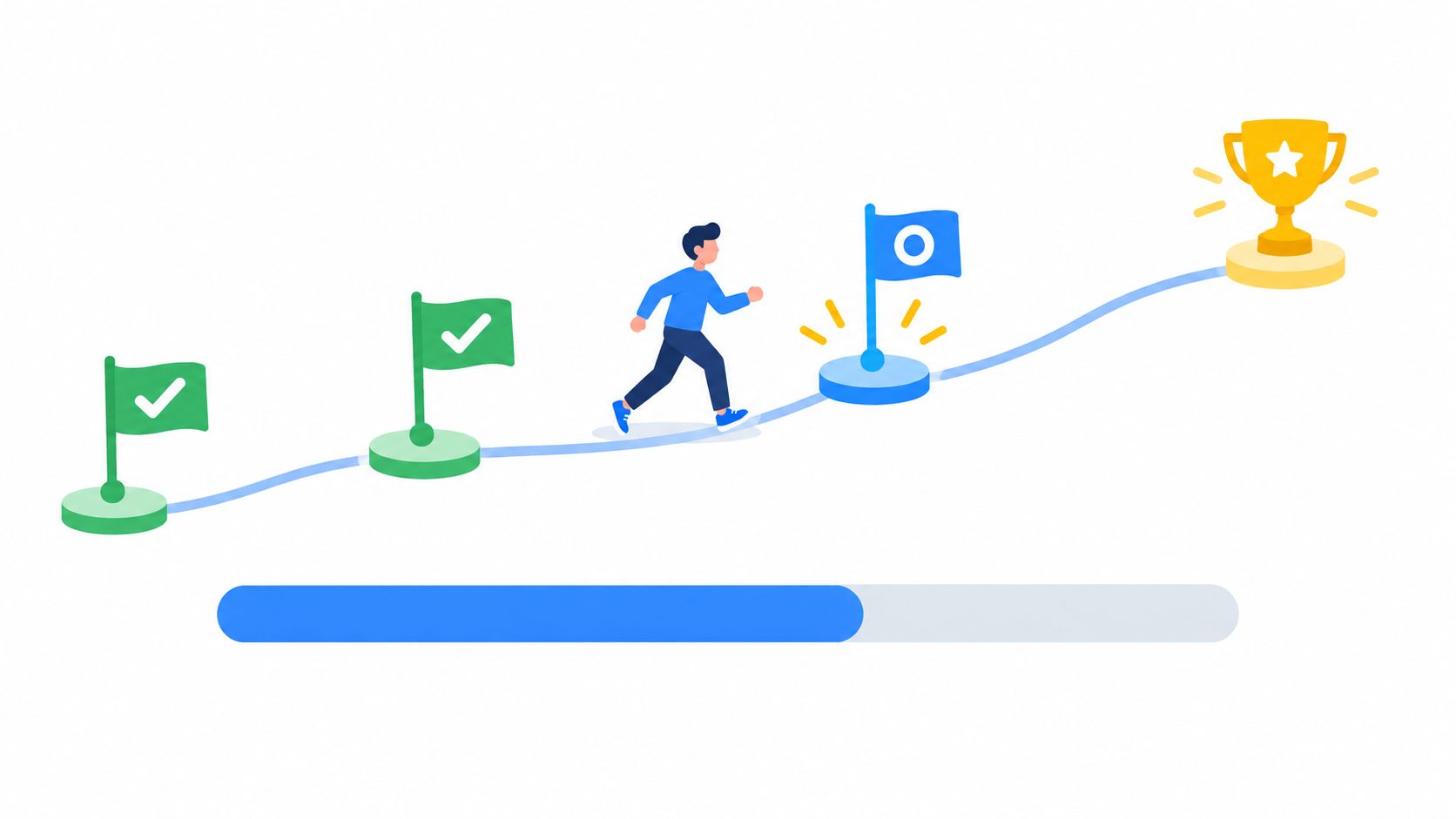
A client who cannot see progress often assumes nothing is changing. That is why progress tracking is a must-have for coaching organizations and a must-have for solo coaches who work with outcomes, habits, or structured programs. Visible movement makes the work feel real.
Many portals stop at a label like “in progress.” That is not enough. A useful progress view shows milestones, completion status, and the next action tied to the goal. See how to track client progress at https://www.coachful.co/blog/how-to-track-client-progress for a practical setup.
The strongest version connects each goal to something measurable. A business coach can track weekly pipeline updates against a revenue objective. A life coach can track a meditation habit day by day. An executive coach can track delegation attempts and what happened afterward. Real progress tracking only works when it records actual behavior, not a motivational badge.
A good dashboard should show a small number of milestones, not a wall of checkboxes. Too many markers create fatigue. Three to five per goal is usually enough for clients to stay engaged without feeling buried.
The KPI here is goal completion rate, but it should not be the only one. Track milestone completion, check-in consistency, and client-return usage too. Those signals show whether the dashboard is creating accountability or just looking impressive.
Clients do not need a prettier progress bar. They need proof that the work is moving somewhere.
For teams, cohort-level views matter. They help you spot where a program is stalling, which coach is getting stronger engagement, and which client segment needs a different rhythm. For a solo coach, the value is simpler. It answers the question, “Are clients doing the work between sessions?” If the answer is visible, the coaching gets sharper.
A progress path only earns its place when it changes what happens next.
4. Integrated Session Notes & AI-Powered Summaries
For solo coaches, session notes are a must-have. For coaching organizations, they're also a must-have because handoffs, supervision, and consistency all depend on them. The key is not just storing notes. It's turning them into something usable without creating more admin work.
A coach doesn't need more typing. A coach needs a fast way to capture what matters, decisions, action items, concerns, and moments that change the direction of the work. Voice-to-text can help in the moment, and AI-assisted summaries can clean up the structure after the session. That's useful when the coach has back-to-back calls and can't spend 15 minutes rewriting the same notes.
The trade-off is simple. AI can save time, but it can also flatten nuance. That's why the summary should never be treated as final without a quick review. If a client said something sensitive, contextual, or emotionally loaded, the coach still needs to edit the language before sharing anything back.
A practical setup is to use 2 or 3 templates that match your coaching style, then keep the workflow simple. One template can prioritize action items, another can prioritize themes, and another can capture risks or follow-up questions. Coaches who over-customize usually slow themselves down.
The KPI here is time spent per session note. Track how long it takes to produce a usable summary and whether the client references it later. Also watch post-session action completion, because the point of the note is not documentation, it's follow-through.
Share the action items while the session is still fresh in the client's mind. Delayed notes lose momentum.
For organizations, notes also create a searchable history that supports continuity across coaches or program stages. For solo operators, they become the memory you can't keep in your head forever. If the portal helps you remember what happened without making the client wait for your admin block, it's doing the job.
5. Payment Processing & Automated Billing with Flexible Plans
Payment handling is a must-have for both solo coaches and coaching organizations. If clients pay in one place, with clear terms, the business runs with less friction. Sending invoices in one tool, chasing reminders in another, and checking payment status somewhere else wastes time and creates avoidable errors.
The usual objection is trust. Coaches worry that clients will hesitate to pay inside a portal. That concern is real, but it usually fades when the payment flow is clear, the branding looks professional, and the client can see exactly what they are confirming. Security cues matter because people want to know their payment is handled with care.
Flexible billing matters because coaching rarely fits one payment shape, so see this guide to choosing software for recurring revenue at https://www.tagada.io/blog/subscription-billing-software before you lock in terms. Some clients pay per session. Others pay monthly. Some join a cohort, and others buy a multi-month package. A good portal handles those models without forcing you to rebuild the invoice process each time.
For a solo coach, the KPI is payment success rate. For an organization, track that plus renewal rate and billing-related support requests. If clients stop asking how to pay, when they are due, or what a charge covers, the system is doing its job.
A few things should be standard:
- Show the business name and amount before confirmation. Vague charges create disputes.
- Use a consistent payment policy. Refund terms and due dates should be easy to find.
- Separate payment records from coaching notes. That keeps sensitive information cleaner.
- Support automatic renewals carefully. Clients need to know what repeats and when.
A monthly cohort, a retainer, and a one-off intensive should not all require the same billing scramble. Solo coaches usually need simple setup and fewer manual follow-ups. Coaching organizations need cleaner handoffs, fewer billing tickets, and a clear record when staff changes. If the portal handles those differences without adding admin work, it helps you run the business like a coaching practice, not a collections desk.
6. Group Program Management & Cohort Engagement Tools
Group coaching changes the portal problem completely. Suddenly you're not just serving one client's workflow, you're managing a shared learning environment. For coaching organizations, this is a must-have. For solo coaches, it's a nice-to-have until you start running cohorts, then it becomes a must-have fast.
The main value here is coordination. Shared forums, assignment tracking, cohort timelines, and resource libraries keep people moving without you having to repeat the same instruction across five channels. A business cohort can use weekly prompts to spark peer discussion. A life coaching group can complete reflections and experiments inside the portal. An executive cohort can trade scenario advice between live calls.
The main risk is chaos. If the discussion space is too open-ended, participation gets noisy or goes quiet. If you don't set a group agreement up front, people don't know what belongs in the room. That's why structure matters more than social features.
A good cohort setup includes:
- A fixed program timeline. People should know what happens each week.
- Structured prompts. Specific questions work better than vague check-ins.
- Moderation expectations. Clients need to know when you'll respond.
- A participation agreement. Confidentiality and respect should be explicit.
The KPI here is program completion rate, but also look at assignment submission rate and peer engagement. If clients are posting, responding, and returning to the forum, the cohort has momentum. If they disappear between calls, the portal is just hosting empty content.
In group programs, the portal should reduce herding, not create more of it.
For solo coaches testing a group offer, start with one cohort, one schedule, and one discussion rhythm. For organizations, the portal should make repeated launches easier, not harder. Once the group structure is working, the software stops being a container and starts becoming part of the curriculum.
7. Secure Messaging & Asynchronous Communication Between Sessions
Secure messaging is a must-have for coaching organizations and a must-have for solo coaches who want to stay responsive without living in email. The value is simple. Clients can ask quick questions, share wins, or raise concerns between sessions without breaking the whole workflow.
The objection is predictable. “Won't messaging just create more work?” It can, if you don't set boundaries. It becomes efficient when you define the response window, the kind of topics allowed, and when a message should turn into a full session instead of a quick answer.
A business coach might use messaging to respond to a client who just pitched a prospect. A life coach might use it for quick accountability on habits. An executive coach might use it for mid-week decisions that don't need a call but do need a thoughtful prompt. That's the sweet spot, fast enough to preserve momentum, structured enough to protect your time.
The KPI here is message response time. Also watch asynchronous resolution rate, meaning how often a message solves the issue without another session. For organizations, this can reduce inbox sprawl and keep client history in one place.
Set the response rule before the first message. After that, the portal should enforce the rhythm, not your mood.
A good setup includes a searchable thread history, read receipts when useful, and canned replies for common questions. “How do I reschedule?” and “Where's the resource link?” shouldn't require a custom response every time. The portal should make you look attentive without making you available 24/7.
When messaging works well, it becomes part of the coaching rhythm. Clients feel held. Coaches stay in control of the boundary.
8. Customizable Branding & White-Label Portal Experience
Branding is a must-have for coaching organizations and a nice-to-have for solo coaches, unless positioning matters a lot in your market. If you sell a premium experience, the portal should feel like part of your practice, not a generic add-on.
That is not vanity. It is consistency. A portal with your logo, colors, domain, and email style helps clients feel they are inside one system instead of bouncing between tools. That matters when trust and professionalism help close the sale.
White-labeling should make the portal feel native to your business, see the white-label app overview at https://www.coachful.co/blog/white-label-app for setup options, not louder than your coaching. The trade-off is setup time. If you rush it, the portal can clash with your website or onboarding emails. Keep the palette tight. Two or three brand colors are usually enough. Review the automated emails too, because generic system language can break the experience faster than weak design.
For a premium executive coach, a custom portal domain can support the sales story. For a life coach, a softer visual identity can make the space feel more personal. For a coaching academy, separate branded tracks can help each program feel more intentional and structured.
The KPI here is client login adoption together with brand consistency feedback. If clients use the portal and describe it as polished, clear, and easy to trust, the branding is doing its job. If it feels disconnected from the rest of the practice, clients notice quickly.
For solo coaches, branding is a nice-to-have unless your market expects a premium look. For coaching organizations, it is a must-have because multiple programs need a consistent front door. The common objection is, “Will clients care?” They will if the portal is part of how they judge the quality of your offer. If they open it and it feels like your practice, they are more likely to treat it like one.
9. Mobile App & On-The-Go Client Access
Mobile access is a must-have because clients live on their phones. For solo coaches, it's a practical must-have. For coaching organizations, it's a strategic one, because a portal that only works well on desktop loses usefulness in the exact moments when clients are trying to stay accountable.
Clients don't sit down at a laptop every time they want to check a habit, open a resource, reply to a message, or see what's next. They do it between meetings, on the train, in the gym, or while traveling. If the portal is clumsy on mobile, the habit dies off quickly.
The point is not just responsive design. It's real usability on a phone. Can the client find the next session? Can they reply to a message without zooming in? Can they check progress, open a worksheet, or review a reminder in a few taps? If not, the feature looks modern but behaves old-fashioned.
The KPI here is mobile engagement rate. Also watch notification opt-in, resource opens on mobile, and check-in completion from phone. Those numbers reveal whether the app is supporting behavior between sessions.
A few practical boundaries help:
- Let clients control push notifications. Too many alerts create fatigue.
- Set quiet hours. Boundaries matter for both sides.
- Promote mobile use during onboarding. If they install it late, they use it less.
- Offer offline resources where possible. Travel and weak data plans are real.
Mobile access is not a fancy extra. It's the difference between a portal that sits there and one clients actually use in real life.
10. Platform Implementation Summary & Cross-Feature Recommendations
The smartest rollout starts with two or three features that solve a real bottleneck. For solo coaches, that usually means automated reminders plus either the resource library or payment processing. For coaching organizations, the same mix often works, with simple progress tracking added once the team can support it. Launching everything at once looks ambitious, but adoption usually suffers.
A portal works best when the features reinforce each other, which is why many teams evaluate web apps for client portals when planning a phased rollout. Reminders should point into the resource library. Progress tracking should connect to session notes. Payments should live beside the client record, not in a separate tool. Messaging should match the tone and boundaries set in onboarding. When those pieces line up, clients spend less time asking where things live.
Implementation discipline matters just as much. Publish response times, payment terms, and messaging rules. Use the same naming conventions across resources, milestones, and programs. Review content quarterly so outdated worksheets, stale templates, and old email copy do not stay in circulation. The portal should feel current, not merely installed.
Keep the KPI set small at first. Track no-show rate, payment success rate, completion rate, and active clients. If those numbers improve, the portal is doing useful work. If they stall, the issue is usually design, onboarding, or too many features at once.
Coachful is one example of a platform built around these workflows, with client access, messaging, progress tracking, and branded portal experiences in one place. That matters less because it looks polished and more because it cuts tool sprawl. The true test is whether it makes the coaching process easier to run and easier for clients to follow.
Client Portal: 10-Point Feature Comparison
| Feature | 🔄 Implementation Complexity | ⚡ Resources & Setup | 📊 Expected Outcomes | Ideal Use Cases + 💡 Tip | ⭐ Key Advantages |
|---|---|---|---|---|---|
| Secure Document & Resource Library with Instant Client Access | Medium, initial organization and version control setup required | Storage, structured folders, search indexing, basic encryption | Reduced file requests; higher perceived professionalism; measurable resource access rates | Onboarding-heavy programs, recurring worksheets. 💡Tip: Organize by journey stage to show only relevant files | Protects IP, reduces admin, scalable |
| Automated Session Reminders & Pre-Session Prep Workflows | Low–Medium, template + scheduling logic setup | Scheduler, SMS/email gateway, conditional logic for reminders | Lower no-shows (30–50% drop), better-prepared sessions | One-on-one or high-frequency sessions. 💡Tip: Use SMS for 24h reminders | Cuts coordination time, improves session quality |
| Real-Time Progress Tracking & Milestone Visualization | Medium, requires goal modeling and metric definitions | Dashboarding, data capture from clients, integrations for uploads | Increased motivation; earlier intervention; higher completion rates (25–35% fewer dropouts) | Goal-driven programs (habits, revenue, skills). 💡Tip: Start with 3–5 milestones per goal | Data-driven coaching, clearer ROI |
| Integrated Session Notes & AI-Powered Summaries | Medium, template design + AI tuning and review workflow | Voice-to-text, AI summarization, secure storage, compliance checks | Saves admin time (60–70%); faster client follow-up; searchable note history | Coaches with back-to-back sessions. 💡Tip: Review AI draft within 1 hour | Reduces post-session grind; consistent summaries |
| Payment Processing & Automated Billing with Flexible Plans | Low–Medium, payment gateway integration and terms setup | Payment processor (fees apply), invoicing rules, retry logic | Improved cash flow; reduced late payments; higher paid show rates | Programs with recurring fees or installments. 💡Tip: Offer annual discount for upfront cash | Streamlines billing, real-time revenue visibility |
| Group Program Management & Cohort Engagement Tools | Medium–High, curriculum design + moderation workflows | Cohort timelines, forums, assignment tools, facilitator time | Higher margins; stronger peer accountability; better completion vs. self-paced | Cohort-based courses, group coaching. 💡Tip: Use group agreements to set norms | Scales revenue while preserving engagement |
| Secure Messaging & Asynchronous Communication Between Sessions | Low, policy setup + message threading configuration | Messaging system, notification settings, canned responses | Centralized communication; sustained engagement without email clutter | Clients needing ongoing check-ins. 💡Tip: Publish response-time expectations | Keeps history, supports boundaries, reduces email overload |
| Customizable Branding & White-Label Portal Experience | Low, branding assets + domain DNS steps | Logo / color assets, domain setup, email template customization | Stronger perceived value; easier premium positioning | Coaches positioning as premium brands. 💡Tip: Limit colors to 2–3 for cohesion | Enhances trust and sales differentiation |
| Mobile App & On-The-Go Client Access | Medium, app deployment and push notification tuning | Native app development or responsive build, push infrastructure | Increased usage (30–50% higher), faster client action in real moments | Busy clients who use phone-first. 💡Tip: Let users control push prefs | Extends coaching into real-world moments; higher engagement |
| Platform Implementation Summary & Cross-Feature Recommendations | Medium, phased rollout and audits required | Project plan, migration, training, metric tracking | Reduced tool fragmentation; measurable improvements in no-shows, payments, completion | Practices scaling features incrementally. 💡Tip: Launch 1–2 high-impact features first | Cohesive client experience; operational scalability |
Start With Two Features and Prove They Work
Start with the two features that remove the most daily friction, usually automated reminders plus either the resource library or in-portal payments. That's the simplest way to get value without drowning in setup work. A coach who launches five features at once often ends up with five half-used features and more admin than before.
The smarter move is to run a short test window and watch the numbers that matter. Track no-show rate, payment success rate, completion rate, and active clients over a three-month window before adding more features. If those numbers improve, you've got evidence that the portal is helping. If they don't, the issue may be onboarding, unclear client expectations, or a workflow that looks good but doesn't fit how your clients behave.
Permissions and data handling deserve the same attention as the flashy features. Review access controls, consent language, retention rules, and any vendor commitments before you store session notes or sensitive client information. A portal is only useful if clients trust it enough to use it consistently.
Solo coaches should resist the urge to build the perfect system on day one. Coaching organizations should resist the urge to let every team member request a different workflow at the start. Keep the first version tight, measure what changes, and expand only when the portal has earned the next layer.
If you want a client portal that brings scheduling, secure messaging, progress tracking, payments, and branded client access into one workflow, take a look at Coachful. It's built for coaches who want fewer loose ends between sessions and a more consistent client experience. Visit the site and see whether it fits the way you already coach.