Paperbell Client Portal: What Your Clients See and Do
The Paperbell client portal is where your clients book sessions, check what they have bought, open the files and links you shared, answer your surveys and update their card. They sign in with their email address and a one-time code, so there is no password to forget, and it runs in the browser on any phone or laptop. There is no Paperbell app in the App Store or Google Play.
That covers the admin side of being a client well. What it does not try to cover is the week between calls: there are no habits, check-ins or goals in the portal, and messages arrive as email. Below is a screen-by-screen tour of what Paperbell clients see, where the portal stops, and how the Coachful client home and app compare. If you decide to move, Coachful's team will set up your offers, forms and website for you at no extra cost, which we explain near the end.
How the Paperbell client login works
Clients never create a Paperbell account. When someone buys a package or books a free call, they enter their email address and Paperbell creates a protected client portal for them in the background. That is a nice touch for a first-time client who is already nervous about the money.
Coming back later works like this, according to Paperbell's client guide:
- The client clicks Client login on your Paperbell site, or opens Paperbell's client login page.
- They type their email address.
- Paperbell emails a one-time code, and they enter it to get in.
Clients normally stay signed in. They will be asked to log in again if they switch browsers, move to their phone, or have cookies blocked, which is the most common reason a client emails you saying "I can't find my sessions". Paperbell's help center also keeps a universal existing-client login link you can paste into your welcome email.

What clients see inside the Paperbell portal
The portal is organised around the packages a client has bought. Paperbell's help center describes six areas:
| Area | What the client can do there |
|---|---|
| Overview | See upcoming appointments, available content and surveys, search, and start a booking with the Book Appointment button. Your name and a link to your site sit in the left column. |
| Appointments | View upcoming and past sessions and book the ones left in a package. Reschedule or cancel up to 24 hours before; inside 24 hours they have to contact you. |
| Content | Open the files and links attached to their packages, filter them, and download, visit or watch. Anything shared only with them is labelled Private. An Uploads tab lets them send files to you, and you are notified. |
| Surveys | Complete, update or review the surveys linked to their packages, such as intake and exit surveys. |
| Purchases | See each package with its date, price, remaining sessions and whether a subscription or payment plan is active. Cancel a subscription themselves; payment plans cannot be self-cancelled before they finish. Cards are changed from the Packages page, and receipts come from Stripe. |
| My Profile | Update name, email, phone, time zone and photo. Adding a verified phone number turns on SMS reminders, if you have enabled them. |
Session notes you mark as shared also appear for the client, while private notes stay private. Signed contracts can be downloaded from the portal, so nobody has to dig through their inbox for the agreement.
What the Paperbell portal does well
It would be easy to dismiss a browser portal, and that would be unfair. For one-to-one coaching it gets a lot right:
- No password, no install. A one-time code is about as low-friction as a login gets, which matters for clients who coach with you twice a month and forget everything in between.
- The money is clear. Remaining sessions, payment plan status and a self-serve card update remove a whole category of awkward emails.
- Boundaries are built in. The 24-hour cancellation rule is enforced by the portal rather than by you.
- Files go both ways. Clients can upload a worksheet or a CV and you get a notification, which beats a shared folder nobody opens.
- Everything hangs off the package, so a client with two packages sees what belongs to which.
If your clients' relationship with you is "book, show up, pay, repeat", the portal is enough, and they will probably like it.
Where the Paperbell client portal stops
The gaps show up as soon as your coaching asks clients to do something between sessions:
- Messages are email. Paperbell sends your messages from the address you registered, and replies go straight to your inbox rather than into the portal. There is no chat thread inside it.
- No daily layer. There are no habits, check-ins, streaks or goals with progress, and reviewers on software review sites point to the missing goal tracking.
- Content is files and links. Online classes and downloads sit inside packages and can be released over time, but a client does not get a course with lesson-by-lesson progress.
- No community. Group clients have no shared feed or group chat in the portal. Paperbell's group coaching page suggests linking a private Facebook group or similar.
- No app, so no push notifications. Paperbell's FAQ says it does not have a standalone mobile app; clients can add the browser page to their home screen.
- Branding is light. Your logo and brand colours appear, and one Trustpilot reviewer described the branding options as pretty limited.
None of that is hidden. Paperbell sells simplicity, and a portal with fewer jobs is simpler. The question is whether your clients need those jobs done somewhere, because if they do, you are sending them to a second login. Our guide to client portal features for coaches lists what to look for if they do.
What a client sees in Coachful instead
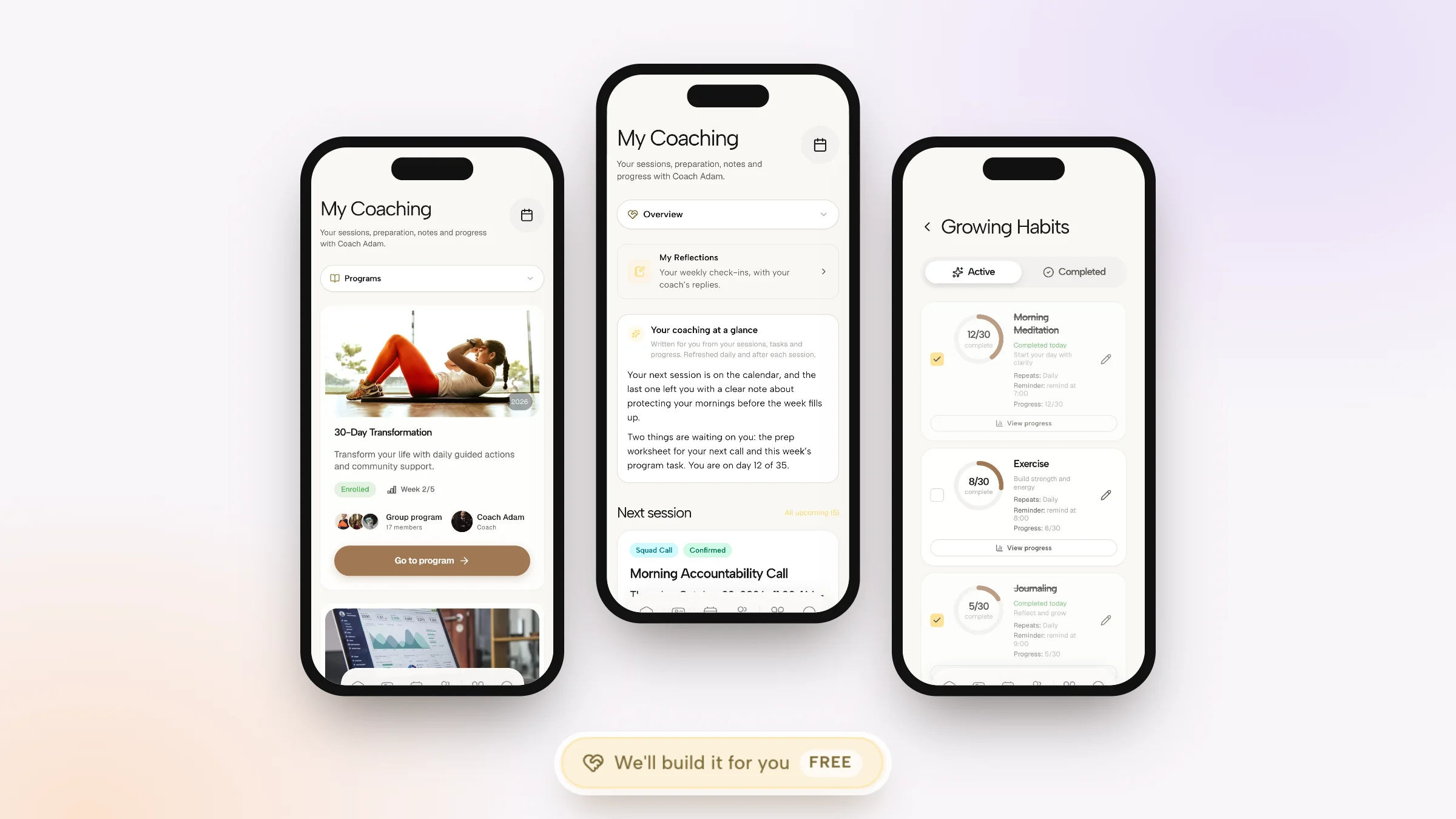
Coachful gives clients two places, on the web and in the iPhone and Android app: a daily home with today's tasks, habits, check-ins and the next session, and a My Coaching hub that holds the relationship itself. My Coaching has five tabs: Overview, Programs, Sessions, Progress and Documents.

The Overview opens with Your coaching at a glance, a short summary written from the client's sessions, tasks and progress and refreshed daily and after each session. Beside it, the next session card shows the time in the client's own time zone, the video link, any worksheet that must be finished first, and an Add to calendar button. A What to do next list gathers the few things waiting on them from their sessions, journey and programs, with overdue items flagged.
The Sessions tab lists upcoming and past sessions with prep status, and Your notes so far pulls together the notes you chose to share across sessions, so a client can reread the thread of their own coaching before the next call.

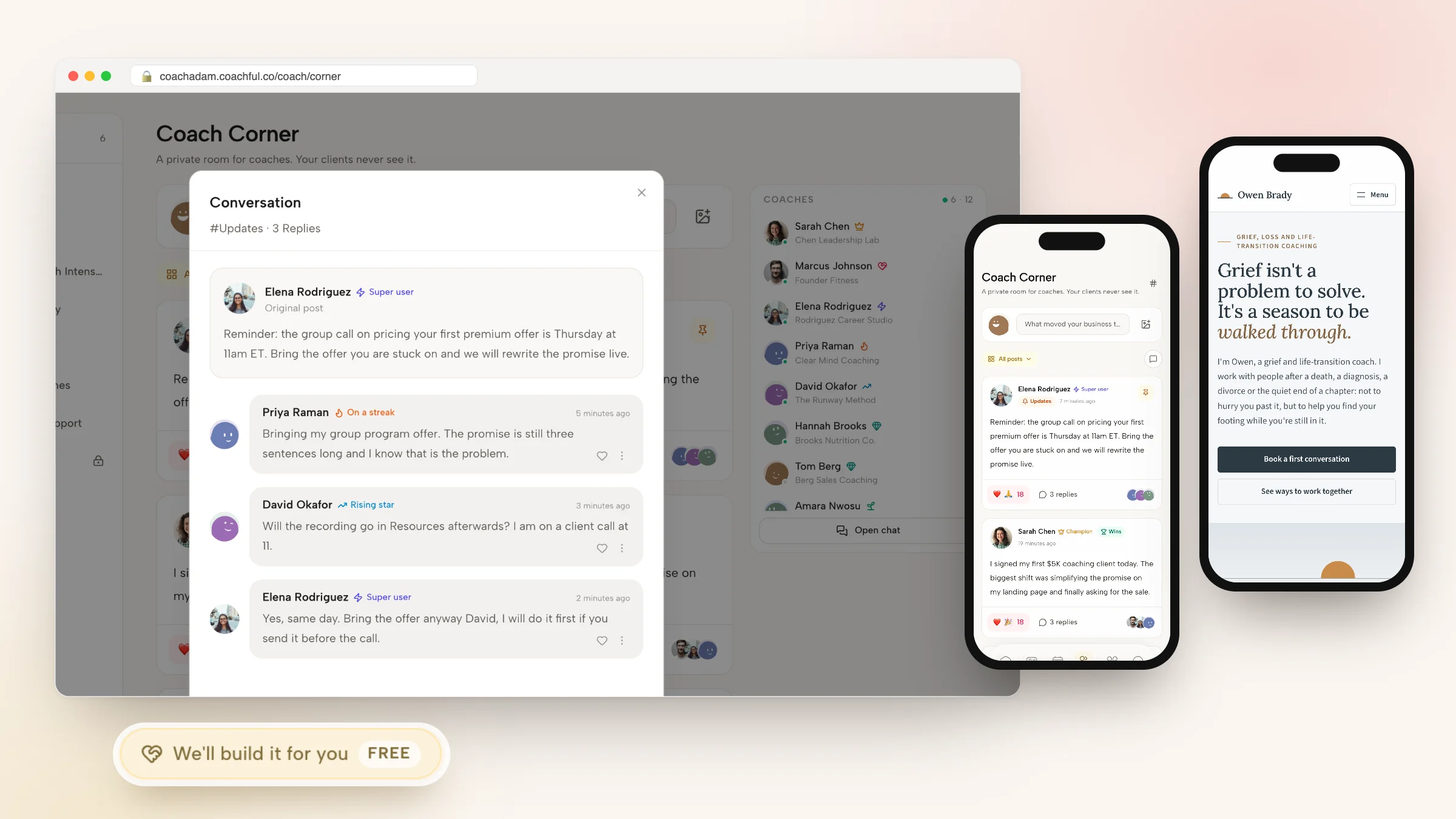
Progress shows the client's journey step by step and each program with its current week, and Documents holds every file shared to their record. Outside My Coaching, clients tick habits with streaks, run morning and evening check-ins, open courses with progress tracked lesson by lesson, chat with you directly and take part in the community and their cohort's group chat.


The phone side matters more than it sounds. Home screen widgets on iPhone and Android show today, tasks, habits, streaks, goals and the next session, and a client can tick a task or a habit from the widget without opening anything. Push notifications cover sessions, messages and reminders.

Your logo, colours and wording carry across the client home, the emails and the web version on your own domain. You choose which sections appear in the client menu and can rename product words, so "programs" can be whatever your practice calls them. To be clear about the limits: the app ships under the Coachful listing in the App Store and Google Play rather than under your own developer account, and there is no wearable or Apple Health sync. Clients are never charged for the app; only the coach subscribes. More on the Coachful client app.

Paperbell client portal vs the Coachful client home
| What the client does | Paperbell client portal | Coachful client home and app |
|---|---|---|
| Signs in | Email and a one-time code; no account to create | By invitation, by buying, or through a funnel signup; web, iPhone and Android |
| Books and reschedules | Yes, with a 24-hour rule | Yes, under the cancellation and reschedule rules you set |
| Sees what they bought | Purchases, remaining sessions, payment plan status | Programs, sessions, content and documents in My Coaching |
| Messages you | Email; replies land in your inbox | Direct chat in the app, plus group and community chat |
| Reads shared notes | Shared notes appear in the portal | Shared notes per session, plus a running summary |
| Daily work | None | Tasks, habits with streaks, morning and evening check-ins |
| Courses | Files, links and online classes inside packages | Courses with modules, lessons and progress |
| Community | None built in | Feed, channels, cohort groups and live sessions |
| On the phone | Mobile browser and home-screen shortcut | App with push notifications and home screen widgets |
For the full product comparison beyond the portal, see Coachful vs Paperbell, and our Paperbell review for the rest of Paperbell.
How to tell which portal your clients need
Ask three questions about a typical client in week three of working with you.
- Do they have something to do tomorrow? A habit, a reflection, a lesson, a worksheet. If yes, they need a place to do it and you need to see that they did.
- Do they talk to you between sessions? If quick questions currently arrive by text message or email, a chat inside the client home keeps them on the client record instead of your personal phone.
- Do they talk to each other? Group programs and memberships need a shared space, or the group is only together for an hour a week.
Three noes means the Paperbell portal is enough, and there is real value in not asking clients to download anything. One yes is usually manageable with a second tool. Two or three yeses is where a client home with programs, habits, chat and community saves you and your clients a login each. Our article on when a client portal beats email onboarding goes deeper on introducing one without losing people.
If you do move, start with new clients and switch current ones at renewal so nobody loses a booked session. The checklist for switching from Paperbell covers clients, packages, payments and contracts step by step.
Let Coachful's team set it up for you
A client home is only as good as what is inside it on day one, and that is the part most coaches put off. Why Coachful stands out: a free white-glove service. Every Coachful plan includes a build service at no extra cost: the Coachful team builds your website, offers, intake forms, a client onboarding journey or a program inside your account, usually within about 24 hours.

To request it, open Create > We'll build it for you · FREE, or use the Want us to build it for you? card on the Website page and press Fill in a form. Pick what you want built, describe what clients should do after they sign up, and add up to 8 reference links (your Paperbell site and package pages are ideal) and up to 10 files such as your logo, intake questions or welcome PDF. Video files are not accepted, and the team does not record videos or design logos. The team replies by email with next steps, and because everything lives in your own account, you can edit it afterwards with the normal editors. They also invent nothing: if a price or a testimonial is missing, it is left for you to fill in. Full details are in our guide to the white-glove service, and the client onboarding journey guide shows what a good first week looks like.
Frequently asked questions
How do clients log in to the Paperbell client portal?
Clients use the Client login link on their coach's Paperbell site, or Paperbell's client login page, enter their email address, and type the one-time code Paperbell emails them. There is no password and no account to create. They may need to log in again after switching browsers or devices, or if cookies are blocked.
Does Paperbell have a client app?
No. Paperbell's FAQ says it does not have a standalone mobile app. The client portal works in any mobile browser and can be added to the home screen. Coachful has a client app on iPhone and Android with push notifications and interactive home screen widgets, carrying the coach's branding inside the Coachful app.
Can Paperbell clients message their coach in the portal?
Paperbell's messaging is email. Messages go out from the address the coach registered with, and replies go to the coach's inbox, not into the portal. Clients can upload files to their coach from the portal. Coachful clients chat with their coach directly in the client app, and group members also get a group chat.
Can clients cancel or reschedule sessions in Paperbell?
Yes, up to 24 hours before the appointment. Inside 24 hours, the portal blocks it and clients have to contact their coach. Clients can also cancel a subscription themselves from Purchases, but a payment plan cannot be self-cancelled before it is complete.
Can clients see session notes in the Paperbell portal?
Notes a coach shares with a client appear in their portal, and private notes stay hidden. In Coachful, shared notes appear on each session in My Coaching, and a Your notes so far summary pulls together the thread across sessions for the client to reread before the next call.
What is the best client portal for a coach whose clients do work between sessions?
Look for one place that holds the sessions and the work: tasks, habits, check-ins, courses with progress, chat and a community, ideally in an app with notifications. Coachful includes all of these in your membership, on the web and in its iPhone and Android app, alongside booking, payments and agreements.
Will Coachful set up my client portal and offers for free?
Yes. The white-glove build service is free on every Coachful plan. Request it from Create > We'll build it for you, and the team builds your offers, intake forms, onboarding journey or website in your account, usually within about 24 hours. Your clients then see a finished client home from their first login.