Create Step by Step Tutorials That Transform Clients

Coachful
You're probably feeling two things at once.
First, you're tired of repeating the same explanation in sessions. You walk one client through a process, then the next client asks the same question, then another client gets stuck at the same step a week later. Second, the idea of turning that explanation into a tutorial feels heavier than it should. Record a video? Write a script? Make it look polished? Upload it somewhere? It's enough to make “I'll just explain it live again” feel easier.
That's exactly why many coaches stay trapped in custom delivery mode. They keep solving the same problem from scratch, even when the problem is predictable.
Good step by step tutorials change that. They don't replace coaching. They protect it. When clients can revisit your guidance on demand, they stop using live time for “Where do I click?” and start using it for “Here's what happened when I tried it.” That's where better coaching lives.
Beyond Information Why Step-by-Step Tutorials Transform Coaching
A client leaves your session clear, motivated, and ready to act. Two days later, they are staring at the screen where they got stuck last time, wondering which step comes first and whether they are about to do it wrong. You get the follow-up email. Then another one from a different client with the same question.
That pattern usually points to a delivery gap, not a motivation gap.
Tutorials create support between sessions
Step-by-step tutorials work because they hold the process steady when the client is on their own. Clients rarely struggle with understanding alone. They lose the sequence, second-guess a choice, or hit a small variation that makes the live explanation hard to apply.
A good tutorial reduces all three forms of friction:
- Recall: It shows the order clearly, so clients do not have to reconstruct it from memory.
- Confidence: It lowers the pressure of getting every click, draft, or decision right on the first try.
- Independence: It gives clients a way to keep moving without waiting for your next available slot.
That changes the role of coaching. Sessions spend less time on repeated instructions and more time on interpretation, feedback, and behavior change.
I use a simple rule here. If a client needs the same walkthrough more than a few times, the issue is no longer access to information. The issue is that the process has not been made reusable.
Tutorials feel personal when they address real hesitation
Coaches often avoid tutorials because they do not want to sound stiff, generic, or overly technical. Fair concern. Many tutorials feel like software manuals written for people who already know what they are doing.
Coach-created tutorials can sound different because they are built around hesitation, not just steps.
A useful lesson can say, “If this part feels awkward, use this version first.” It can point out the mistake clients commonly make after a discovery call, profile update, or boundary-setting exercise. It can also reassure them that a rough first draft is acceptable, because the first win is completion, not polish.
That is not less professional. It is better instruction.
Transformation comes from structure, not volume
Many guides stop at the obvious advice: write a script, record a video, send the link. Coaches need a stricter standard. The true question is whether the tutorial helps the client complete a task, apply it in context, and get a result they can see.
That is why strong tutorials are built around measurable coaching outcomes, not around everything you could explain on the topic.
There is a trade-off here. More detail can make you feel thorough, but it often makes clients hesitate. Less detail can speed action, but only if the sequence is clear and the next step is obvious. The best tutorials choose clarity over coverage. They teach the next right move, then let coaching handle nuance.
The same principle shows up in content education outside coaching too. Practical teaching works best when the learner can act on it immediately, as you can see in Aicut social media tips.
The best step by step tutorials do more than pass along information. They help clients follow through, which is what creates real change.
Designing Your Tutorial for Maximum Client Breakthroughs
A coach records a 12-minute tutorial, sends it with good intentions, and hears nothing back. The client is not confused because the coach lacked expertise. They are stuck because the lesson asked them to handle too much at once.
That is the design problem.
A strong step by step tutorial gives a client one clear action path they can finish without you in the room. For coaches, that means narrowing the topic until the result is visible and specific. “Set up a LinkedIn profile that gets referral conversations” works better than “how to use LinkedIn” because it tells you what to include, what to leave out, and how to judge whether the lesson worked.
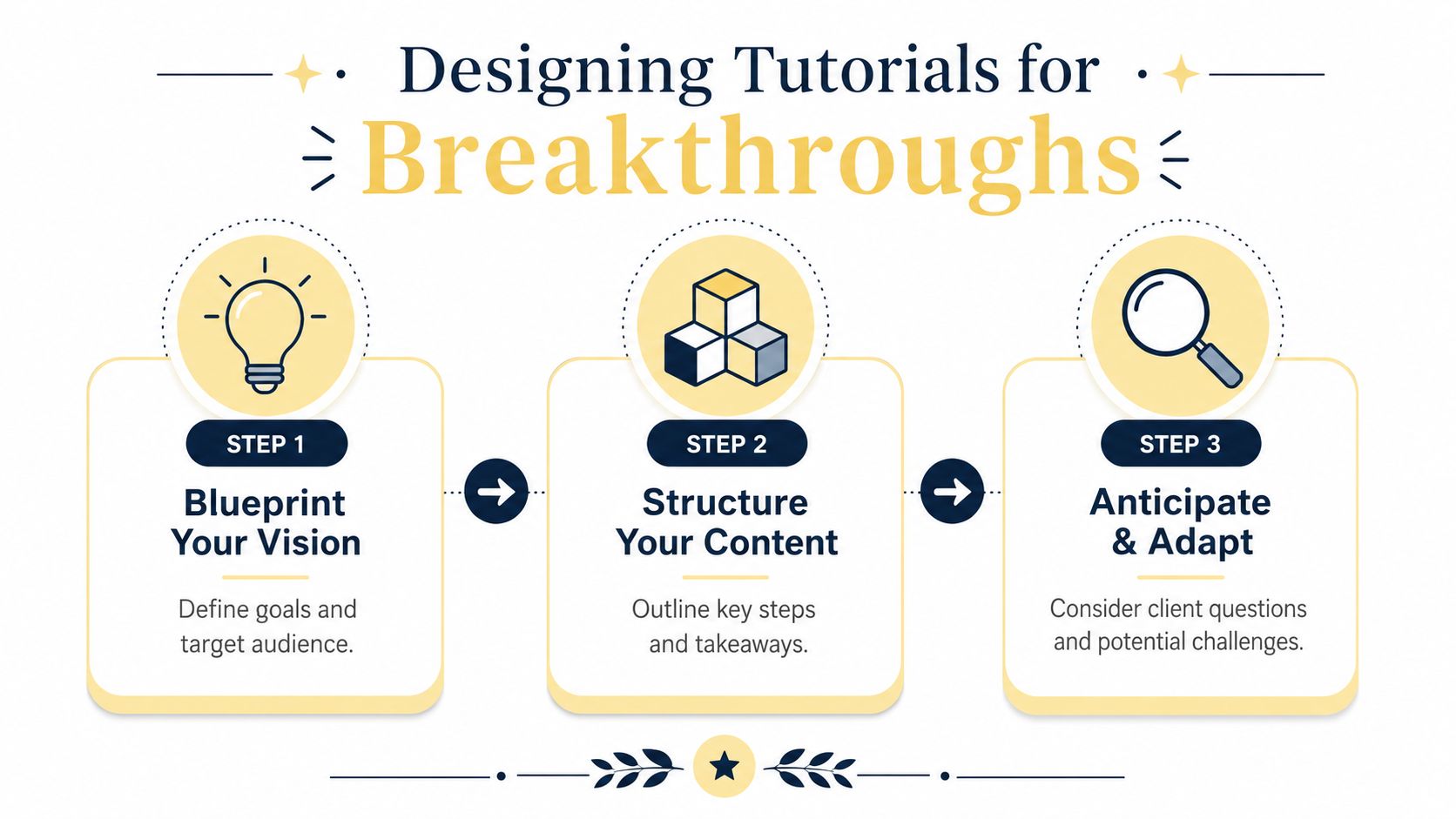
Start with goal, audience, and outcome
Before scripting, define three things:
Goal
What process are you teaching?Audience
Which client is this for, at what stage, with what obstacle?Outcome
What should they be able to complete or submit by the end?
That extra specificity saves time later. It also keeps the tutorial from drifting into general advice that sounds useful but does not change behavior.
| Weak tutorial idea | Strong tutorial idea |
|---|---|
| Social media tutorial | Help a hesitant consultant set up a lead-generating LinkedIn profile |
| Onboarding video | Show a new executive coaching client how to prepare for their first session |
| Mindset resource | Guide a burnout-prone founder through a pre-week planning ritual |
The stronger version creates boundaries. Boundaries improve the lesson.
Sequence for confidence, not completeness
Coaches often overteach because they care about doing a good job. I see this constantly with experienced practitioners. They try to include every caveat, every exception, every strategic nuance, and the client leaves with more tabs open than progress made.
Good sequencing solves that.
As noted earlier, strong teaching usually moves from foundational steps into more complex decisions. Coaching tutorials need the same structure. Start with the task that creates motion, then build toward judgment and refinement.
For a LinkedIn profile tutorial, that sequence might look like this:
- Start with the visible win: Update the headline first so the client gets early momentum.
- Add core credibility: Write the about section and current role details.
- Introduce positioning: Align the profile with the referrals, leads, or opportunities they want.
- End with a review step: Check the profile from the perspective of an ideal client.
This order matters. Clients who get a quick win are more likely to finish the rest. Clients who begin with abstract strategy often stall because they are trying to make perfect decisions before they have built anything concrete.
Plan for resistance, not just content
Clients do not open a tutorial in a neutral state. They bring hesitation. They worry about sounding awkward, looking self-promotional, or doing the task “wrong.” If the lesson ignores that, even clear instruction can feel hard to follow.
Build the tutorial around the moments where they are likely to freeze.
A practical planning note can include:
- What they are worried about: “I'll sound salesy.”
- Where they will likely stall: Writing the summary or choosing examples.
- What support helps at that moment: A prompt, template, or before-and-after example.
- What finished looks like: A profile they feel comfortable sending to a prospective client.
Format and coaching goal begin to connect. A client who needs reassurance may do better with a short video that models tone. A client who needs to complete a checklist may move faster with text and examples. The best choice is the one that reduces friction for that specific task.
If you create social tutorials for clients, resources like Aicut social media tips can help you gather practical examples of content structure and engagement patterns without starting from zero.
For stronger planning, reverse the process from the result you want. This guide to measurable coaching outcomes shows how to decide what the client should demonstrate at the end, then build your lesson steps backward from there.
A useful test is simple. If the client finishes your tutorial, what can they do by themselves that they could not do before? If that answer is vague, the tutorial still needs design work.
From Jumbled Ideas to a Clear Actionable Script
Coaches often know the material well enough that they accidentally make it harder to teach. They skip steps because the process feels obvious to them. Then they overcorrect and explain every tiny detail until the tutorial becomes exhausting.
That's why scripting matters. Not to make you sound robotic. To make you sound clear.
Use a two-column script
The simplest script format I know is this:
| What They See | What You Say |
|---|---|
| LinkedIn profile page open | “Start with your headline. Don't write your job title only. Write what you help people do.” |
| Cursor over About section | “If this section feels intimidating, use three sentences. Who you help, what problem you solve, and what kind of work you do.” |
| Example profile on screen | “Notice this example is specific, but it isn't trying to sound impressive.” |
This format forces alignment. Your visuals and your words stop competing with each other.
It also helps if you record screen tutorials, because you can tell at a glance whether the learner is being asked to watch, read, and process too many things at once.
Reduce overload without dumbing it down
Learning research warns that many tutorials fail because they create cognitive overload. Novices benefit from worked examples, but too much step-by-step detail can create an illusion of understanding if learners never have to apply the idea themselves as discussed in this instructional design talk.
That has a direct implication for coaching tutorials. Don't just explain. Pause and prompt action.
Try this pattern:
- Show the step: Demonstrate the action.
- Explain the why: Give one sentence of reasoning.
- Prompt application: Ask the client to do their version before moving on.
For example: “Write your headline now. Keep it plain. When you're done, ask whether a stranger could tell who you help.”
Compare weak scripting to strong scripting
A weak script sounds like this:
“We're going to optimize your profile positioning architecture so your market-facing narrative is aligned with platform discoverability.”
That might sound polished to you. It sounds foggy to a client.
A stronger script sounds like this:
“We're going to rewrite your profile so the right people understand what you do within seconds.”
Same topic. Better result.
If you tend to speak in long-form conversation, transcribing your own rough explanation can help you spot jargon and tighten phrasing. If your work includes sensitive client discussions or recorded intake material, this guide on handling confidential interviews is a useful reference point when you're deciding how to capture and process spoken material responsibly.
A good script doesn't try to sound smart. It helps the client act.
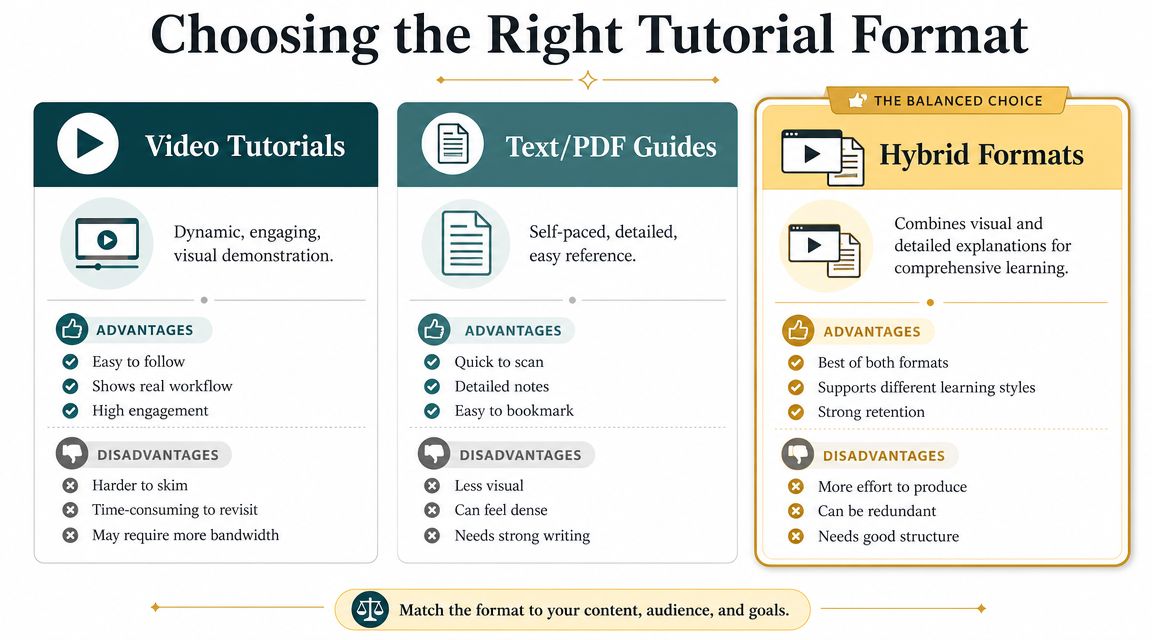
Video Text or Hybrid Choosing the Right Delivery Format
The format question traps a lot of coaches before they start. They assume they need a polished video setup, a perfect speaking voice, or editing skills they don't have. Usually, they need a better match between the teaching job and the medium.
The right format depends on what the client needs to do.
When video works best
Video is strongest when the learner needs to watch motion, sequence, or tone.
Use it for:
- Screen walkthroughs: Setting up a booking page, updating a profile, navigating a tool.
- Behavior modeling: Showing how to open a sales call or deliver feedback.
- Short emotional calibration: Talking a client through a mindset exercise where your tone matters.
Step by step tutorials became mainstream as tools like Excel, R, and Python made hands-on, task-based learning easier to deliver in guided workflows as described by DataCamp. That same logic fits coaching. If the task is procedural, seeing the process often beats reading about it.
A simple Loom recording with decent audio is enough for most coach-created tutorials.
When text and PDF guides work better
Text-based guides shine when the client needs reference, reflection, or repetition. A PDF can sit beside the task. A checklist can be printed. A worksheet can be revisited without scrubbing through a timeline.
Use text or PDF for:
| Best use case | Why it works |
|---|---|
| Pre-session reflection | Clients can pause and think |
| Checklists | Easy to follow during action |
| Templates and scripts | Easy to copy, revise, and reuse |
If you're sharing downloadable video resources, file size matters for delivery. This guide to video file optimization for coaches is practical if you want clients to access material without friction.
Why hybrid is often the most coach-friendly choice
Hybrid means a short video plus a supporting document. For many coaches, this is the sweet spot.
You might record a brief walkthrough, then pair it with:
- a one-page checklist
- a reflection prompt
- an example document
- a “common mistakes” reference sheet
That combination works because the video builds clarity and trust, while the text reduces rewatching.
If you ever need polished scrolling previews or demonstration assets for web-based instruction, a specialized resource for web video capture automation can help when simple screen recording isn't enough.
One practical note matters more than gear. Clear audio and visible visuals beat fancy production every time. Clients forgive simple. They don't forgive confusing.
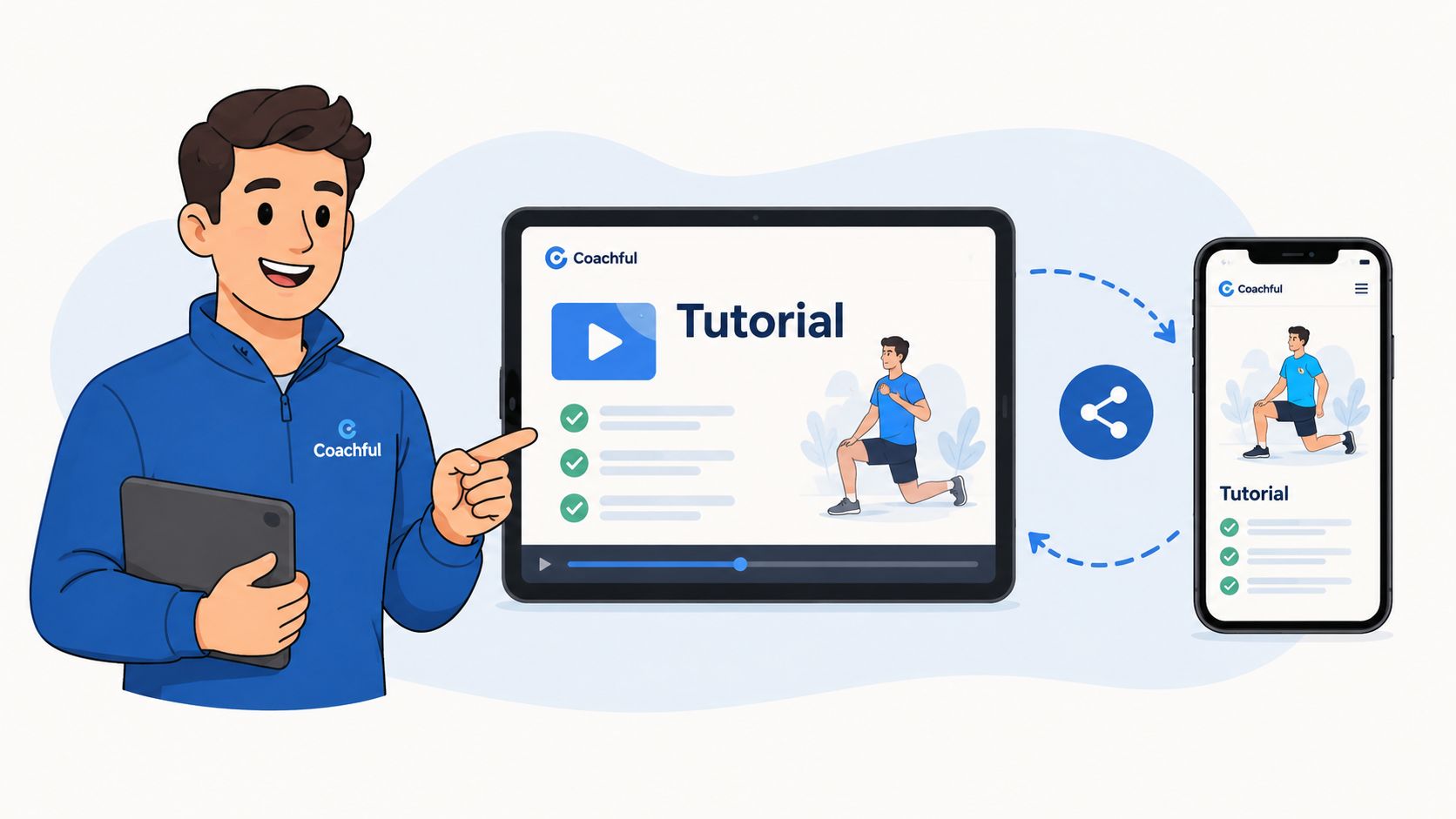
Sharing Your Tutorial and Embedding It in Coachful
A tutorial only helps if the client can find it at the exact moment they need it. That's where many solid resources fail. The content exists, but it lives in an email thread, a random drive folder, or a message that gets buried.
Delivery needs structure.
Choose a hosting setup your clients can actually use
For most coaches, the choice is simple:
- Unlisted YouTube: Easy to upload and familiar for clients.
- Private Vimeo link: Useful if you want more control over presentation.
- PDF in cloud storage: Fine for worksheets, checklists, and guides.
The right answer depends less on features and more on access. If your client has to hunt for the file, the tutorial loses value fast.
Attach the tutorial to a real milestone
A standalone resource feels optional. A tutorial attached to a step in the client journey feels actionable.
That's why it helps to place tutorials where they naturally belong:
Pre-work before a session
Example: “Watch this profile setup walkthrough before Thursday's call.”Support after a live session
Example: “Use this boundary-setting script guide after today's conversation.”Module content inside a program
Example: “Complete this onboarding tutorial before moving to the outreach phase.”
If you run your business through an integrated platform, a tool can earn its keep. Coachful can house resources alongside programs, milestones, client progress, and scheduling, so the tutorial sits inside the client journey instead of floating outside it. If you're also building your broader online presence, a coaching website builder can help you present those resources within a more structured client experience.
Make retrieval effortless
Clients rarely need a tutorial when they are calm and organized. They need it when they are stuck, late, tired, or doubting themselves.
That means your naming and placement matter.
Try labels like:
- Before Session 1 Preparation Guide
- How to Fill Out Your Intake Form
- Write Your LinkedIn Headline
- Post-Call Reflection Worksheet
Those names are better than “Module 2 Resource” because they tell the client what the asset is for.
If a client has to ask where the tutorial is, your delivery system still needs work.
Good tutorials reduce repeated explanations. Good delivery makes that reduction possible.
Is It Working How to Measure and Improve Your Tutorials
A tutorial can look polished, get polite praise, and still fail in the one place that matters. Client action.
That is the standard I use. Not whether the video was watched to the end. Not whether the worksheet looked professional. The question is whether the client completed the task with less confusion and made progress on the coaching goal behind it.
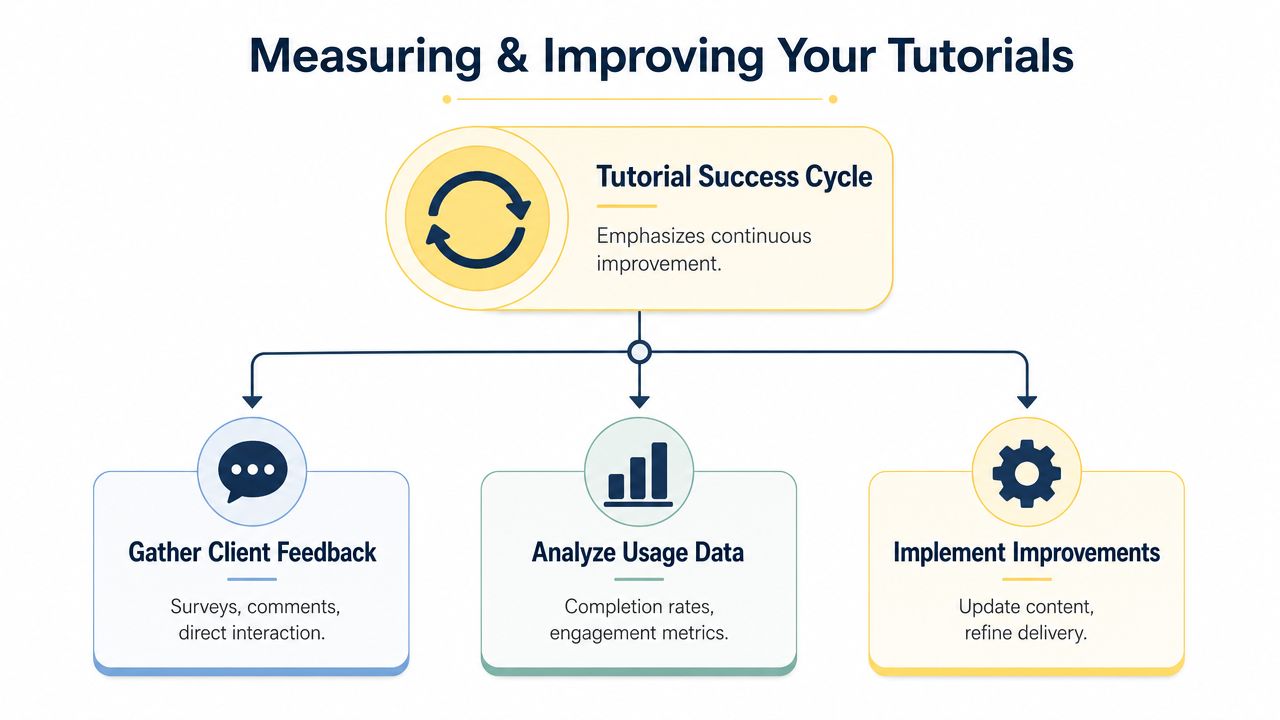
A practical way to measure that comes from training evaluation. The ROI Institute application guide lays out four levels to define before launch: Reaction, Learning, Application, and Impact, then suggests gathering evidence through surveys, observation, and performance tracking in the ROI Institute application guide. For coaches, that gives you a simple way to check whether a tutorial delivers transformation or just more information.
Measure the right thing for the type of tutorial
Different tutorials need different scorecards.
If the lesson is a fixed sequence, such as account setup or form completion, completion rate matters. The client either reached the final step or got stuck somewhere in the flow. If the lesson allows multiple good outcomes, such as a reflection exercise or a decision-making framework, success rate is more useful. In those cases, the better question is whether the client produced a usable result, not whether they followed one exact path as explained in this product measurement discussion.
For coaching tutorials, this usually looks like:
| Tutorial type | Better measure |
|---|---|
| Step-by-step setup guide | Completion |
| Reflection exercise with different valid outcomes | Success |
| Skill application worksheet | Review of client output |
Many coaches misread the data. A low completion rate on a setup tutorial points to friction in the lesson. A wide range of responses on a reflection tutorial may be completely fine if the outputs are thoughtful and usable.
A simple four-level check
You do not need a complicated dashboard. You need a review habit you can repeat after every few clients.
Reaction
Did the client find it clear and useful? Ask: “What felt clear, and where did you hesitate?”Learning
Did they understand the idea well enough to explain it? Ask them to summarize the key point in their own words.Application
Did they use it? Review the draft, worksheet, recording, profile, or message they completed after the tutorial.Impact
Did it improve the coaching process? Look for better session quality, faster follow-through, fewer repeated questions, or stronger decisions.
That fourth level matters more than coaches often expect. A client may enjoy a tutorial, say it was helpful, and still fail to use it once real life gets busy. Friendly feedback is nice. Behavior change is the measure.
Improve with small revisions, not total rebuilds
Most tutorial problems repeat.
Clients stop at the same point. They misread the same instruction. They submit weak work after the same lesson. Those patterns tell you what to fix, and they usually point to one of three issues: the step is unclear, the task is too big, or the client does not know what “done” looks like.
Start with small edits:
- Tighten explanations that create hesitation
- Add one concrete example where clients freeze
- Break a large step into two smaller actions
- Insert a quick self-check before they move on
- Remove detail that sounds smart but delays action
In my experience, this is the part that helps coaches feel more professional without becoming more technical. You do not need a new tool, a better microphone, or a full re-record every time something underperforms. You need to spot the friction, make one clear change, and watch what happens with the next group of clients.
If you want a cleaner read on results, use the same ROI methodology to ask clients how much of their progress came from the tutorial versus the live session or other support. That will not give perfect attribution, but it will give you a better basis for deciding what to keep, cut, or revise.
A tutorial is working when clients can complete the task without needing you to reteach it live.
That is the bar. Less repeated explanation for you. More confident action for them. Better coaching conversations because the tutorial handled the repeatable part and your session time stayed focused on judgment, nuance, and support.
If you want a simpler way to organize tutorials, programs, resources, and client follow-through in one place, Coachful gives coaches a structured workspace for delivery between sessions, not just during them. That makes it easier to turn your repeatable guidance into a client experience that feels clear, professional, and easy to use.