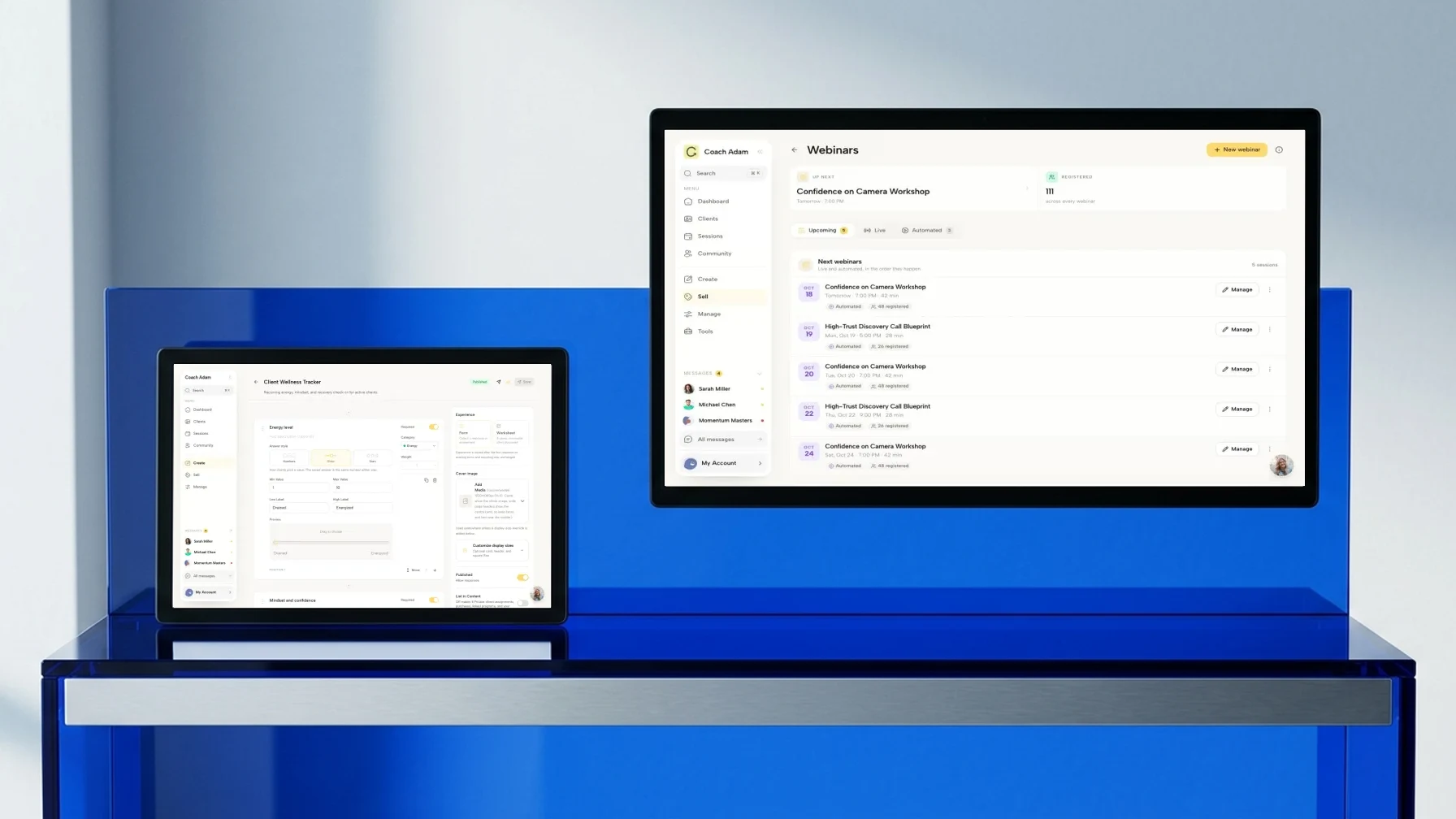
Executive Coaching Software: Grow Your Practice in 2026

Coachful
You know the moment. A leadership client is thriving, the sessions are strong, the sponsor seems pleased, and yet your back office looks like a scavenger hunt. Notes are in Google Docs. Scheduling lives in Calendly and Outlook. Payment records sit in Stripe. Intake forms came through email. Progress updates are trapped in your own memory.
That setup can work when you have a few clients and a forgiving calendar. It starts to break the minute you serve corporate sponsors, group programs, or executives who expect the same polish from their coach that they expect from every other strategic partner.
The deeper problem isn't admin. It's proof.
A sponsor rarely asks, "Did the coaching conversations feel meaningful?" They ask, "What changed, how do we know, and should we renew?" If your answer depends on stitched-together screenshots and vague anecdotes, you're doing more unpaid reporting work than coaching. Worse, you're making it harder for good clients to justify keeping you.
Beyond Spreadsheets and Scattered Notes
A lot of coaches still run their practice like this.
A new executive client books through Calendly. You send a welcome email manually. Their goals sit in a PDF intake form. Session notes go into a Google Doc named something like "Client Notes Final v3." The sponsor asks for a quarterly update, and you spend Friday afternoon searching your inbox for the original success criteria.

The coach's inner dialogue is usually some version of this:
- I know the work is helping. Clients are making better decisions, handling conflict better, and leading with more clarity.
- I can't keep proving it by hand. Every sponsor report turns into a custom research project.
- I need a cleaner client experience. Premium clients notice friction fast.
- There has to be one place for all of this. Not five apps and twelve tabs.
That's where executive coaching software stops being "another tool" and starts becoming the operating system of your practice. Instead of treating onboarding, scheduling, notes, messaging, milestones, billing, and reporting as separate jobs, it puts them into one workflow.
The real pain isn't admin alone
Admin chaos is visible. The hidden cost is credibility.
According to Reflect's analysis of executive coaching tools, 78% of executives report coaching improves performance, but only 35% of organizations can demonstrate a direct link to financial metrics due to fragmented data and lack of standardized impact frameworks. That gap is exactly where many coaches get stuck. They deliver good work, but they can't translate that work into sponsor-ready evidence without manual reporting.
Most coaches don't lose corporate renewals because the coaching failed. They lose them because the evidence stayed trapped in notes, emails, and memory.
A coach serving founder-CEOs might feel this when a board member asks for progress updates. A leadership coach running a cohort might feel it when HR asks which participants are engaged and which are drifting. A solo executive coach may feel it at 9 p.m. while reconciling invoices and preparing next week's sessions.
One system changes the conversation
When your practice runs through one platform, the conversation shifts from "let me pull that together" to "here's the pattern, here's the progress, and the next steps."
That doesn't mean software replaces judgment. It means software protects it. It keeps the facts, commitments, and milestones attached to the client journey, so you can spend less energy managing the container and more energy coaching inside it.
If you're comparing ways to organize that workflow, this guide to client management software for coaches is a useful starting point because it frames software around delivery, not just admin.
What Is Executive Coaching Software Really
Executive coaching software is often described too narrowly. People call it scheduling software, client management software, or a coaching portal. That's incomplete.
It's closer to the difference between a drawer full of random kitchen gadgets and a chef's station where every tool is within reach, every process has a place, and service doesn't fall apart during a rush.

With disconnected tools, you can technically get the job done. You can schedule in one app, invoice in another, store notes in a third, and report from a spreadsheet. But each handoff creates friction. Information gets duplicated. Context gets lost. Clients feel the seams.
With an integrated platform, the client lifecycle stays connected.
What sits inside the system
A serious executive coaching platform usually handles a chain of work that looks like this:
Onboarding and intake New clients complete forms, agreements, and initial goals without long email threads.
Session logistics Calendar sync, reminders, and rescheduling happen without constant manual coordination.
Session records Notes, action items, reflections, and confidential observations stay attached to the engagement.
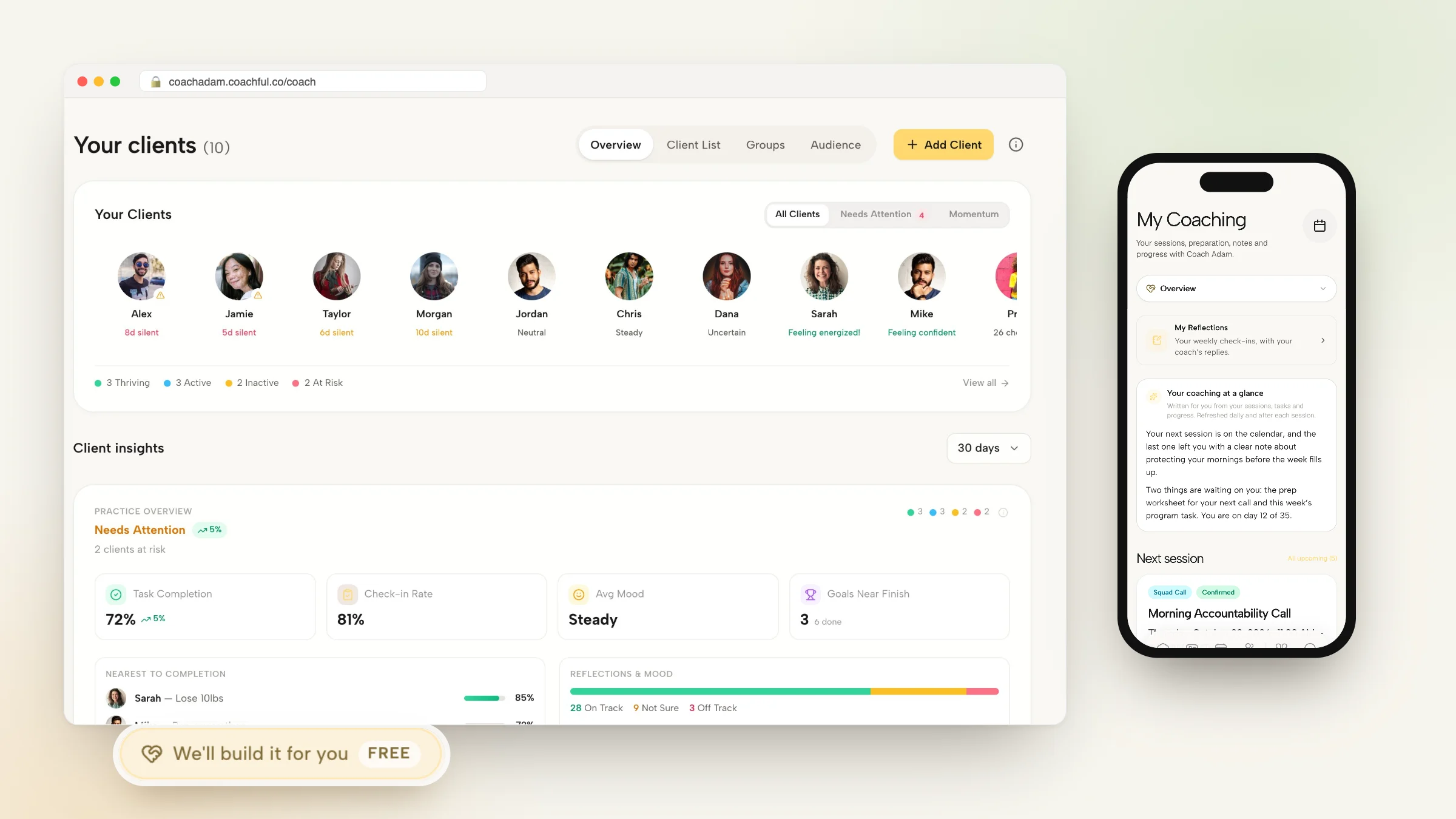
Progress tracking Goals, milestones, habits, assessments, and sponsor-visible outcomes can be monitored over time.
Program delivery One-to-one sessions, group cohorts, resources, assignments, and between-session touchpoints live in one environment.
Reporting Coaches can pull engagement and progress data into a format sponsors can utilize.
Why the market is moving this way
Corporate buyers are already signaling what they want. According to 9cv9's 2025 coaching software statistics roundup, over 61% of enterprise coaching spending in 2025 targets platforms with scalable HRIS integration, and 68% of managers now use bundled coaching solutions. If you're still stitching together Calendly, PayPal, Zoom, email, and a private folder structure, you're not just working harder. In some cases, you're making yourself harder to buy.
That's the coach's quiet fear, and it's a fair one: "Am I losing serious contracts because my delivery model looks too small?"
Buyers don't only assess your coaching skill. They assess whether your systems can support the risk, privacy, visibility, and ease of a real program.
Think GPS, not paper map
The best analogy isn't even software. It's navigation.
A folded paper map can still get you across a city. A real-time GPS does more. It reroutes when conditions change, keeps everyone aligned on destination, and shows progress without guesswork.
That's what executive coaching software does at its best. It doesn't just store information. It gives coach, client, and sponsor a shared operational picture of the work.
Core Features That Free You to Coach
Feature lists can get dull fast. "Scheduling." "Payments." "Notes." "Goals." Every platform says the same words.
The useful question is different. Which features remove friction from your week and improve the client's experience?

Client records that preserve context
Without a central client record, every session starts with low-level recall work. What did they commit to? What changed since last month? Which stakeholder issue was most urgent? What did the sponsor care about?
A good platform solves that by connecting:
- Client history: intake responses, contract details, past sessions, and milestones in one profile
- Session notes: private observations, action items, and patterns you want to revisit
- Shared materials: assessments, worksheets, recordings, or readings linked to the right engagement
For a coach, that means less rummaging. For a client, it feels like continuity. You show up prepared because the system preserved the thread.
Scheduling that doesn't drain authority
Back-and-forth scheduling sounds minor until you're doing it with senior leaders whose calendars change daily. Our comparison of scheduling software for executive coaches covers assistants who book and Outlook calendars.
When scheduling is inside the same platform as the engagement, sessions stay tied to the right client, reminders go out automatically, and calendar changes don't create side-channel confusion. Google and Outlook sync matters here because a missed or duplicated session isn't just inconvenient. It makes your practice look fragile.
A coach running ten private clients may shrug off that friction. A coach running a leadership cohort with sponsor visibility can't.
Payments and renewals without awkward chasing
A lot of independent coaches still avoid looking closely at payments because they don't want to feel "salesy." The result is usually the opposite. Late invoices, manual reminders, and vague renewal dates create exactly the kind of awkwardness they were trying to avoid.
Integrated billing helps because the business side becomes procedural instead of personal.
| Workflow area | Without an integrated platform | With an integrated platform |
|---|---|---|
| Invoice follow-up | Manual nudges by email | Automated reminders tied to the engagement |
| Renewal timing | Depends on memory or spreadsheets | Triggered by program milestones or dates |
| Client visibility | Payment details split from service delivery | Financial and delivery records stay connected |
Progress tracking that creates evidence
Here, executive coaching software earns its place.
A platform that tracks goals, habits, milestones, and engagement gives you material to work with during the program, not just at the end. You can spot drift earlier. You can notice when a client commits but doesn't execute. You can see whether an assignment sequence is helping or getting ignored.
According to AnhCo's review of coaching software platforms, executive coaching software that integrates mobile-first habit capture and data export enables coaches to push behavioral KPIs into BI tools, directly proving outcomes such as adherence increases of 10% and program completion increases of 15%. That matters because it turns "I think the client is engaging" into observed behavior over time.
Practical rule: If a feature doesn't help you spot action, engagement, or follow-through, it's decoration.
The deeper value is that data export lets a coach connect coaching activity to broader reporting environments when corporate sponsors need that level of visibility.
A quick walkthrough helps show how these pieces work together in practice:
Group programs and cohorts that scale without chaos
One-to-one work is only part of the market now. Many coaches deliver leadership circles, manager cohorts, or blended programs that combine private sessions with shared curriculum.
That model breaks quickly when the coach uses generic tools. You need assignment tracking, program sequencing, shared resources, participant communication, and some boundary between what a sponsor can see and what stays private.
The software doesn't make group coaching better by itself. It makes group coaching manageable enough to deliver with consistency. That's a major difference.
How to Choose the Right Software for Your Practice
Choosing a platform isn't just a feature comparison. It's a business model decision. The right system for a solo leadership coach serving founder-clients may not be the right system for a boutique firm running multi-coach enterprise programs.
The fastest way to evaluate options is to ask sharper questions.
Will this look as premium as the service I sell
If you charge premium fees and your client experience feels pieced together, clients notice. So do sponsors.
White-label branding matters more than many coaches think. Not because aesthetics are everything, but because consistency signals maturity. A portal that carries your brand, your program language, and your flow feels deliberate. A stack of third-party tools feels provisional.
According to Quenza's review of executive coaching apps and tools, enterprise-grade executive coaching platforms should include SOC 2 compliance for data security and white-label branding, and these specifications directly reduce administrative overhead by 40-60% in cohort-based programs. For coaches running cohorts or sponsor-backed initiatives, that reduction isn't trivial. It's the difference between operating a program and babysitting one.
Is client confidentiality built into the product
Executive coaching deals with sensitive information. Succession issues. Board dynamics. compensation stress. Team conflict. Performance concerns. Personal doubts that clients won't say out loud anywhere else.
So ask the uncomfortable questions early:
- Who can access what: Can you control permissions by client, sponsor, admin, or coach?
- How is data protected: Is security posture documented in a way serious buyers will respect?
- What happens when you scale: Do permissions remain clean when you add team members or multiple programs?
If you want a practical checklist for reviewing vendor posture, these application security best practices are a useful outside reference. They help you look past glossy demos and ask the questions a corporate procurement team or privacy-conscious client will eventually ask anyway.
If a platform treats confidentiality like a settings menu afterthought, it isn't ready for executive coaching.
Can this adapt to the way you work
Some platforms are rigid. They were built around one coaching style and force everyone into it. That's fine until your model changes.
A useful platform should adapt to differences like these:
| Practice model | What the software needs to support |
|---|---|
| Solo executive coach | Clean one-to-one workflows, easy notes, sponsor reporting, light admin |
| Corporate cohort leader | Group structure, templates, automations, participant tracking |
| Small coaching firm | Multiple coaches, permissions, standardization, shared reporting |
If your work includes assessments, milestone plans, between-session prompts, or sponsor updates, test those workflows in the trial. Don't accept a sales answer like "you could probably do that." Make them show you.
Will this save effort next month, not just impress you today
A polished demo can hide a clunky reality. Ask vendors to walk through plain, recurring tasks.
For example:
- Show me how a new executive client gets onboarded
- Show me where session notes live and who can see them
- Show me how a sponsor update is generated
- Show me how a cohort is duplicated from a template
- Show me how data can be exported if I ever leave
That last question matters. A platform should help you increase your impact, not dependency.
If you're evaluating tools specifically for senior-leader work, this page on software for executive coaches is worth reviewing because it reflects the workflows executive coaches usually need, rather than generic course-creator features dressed up as coaching.
Proving Your Worth With Executive Coaching Software
This is the part that changes your business.
Admin efficiency is nice. Fewer tools are nice. Cleaner scheduling is nice. None of that wins a budget review on its own.
What wins renewals is evidence that your work moved something that matters.

From conversation history to business case
A lot of coaches still report impact like this: "The client has grown in confidence, is communicating more clearly, and has received positive feedback."
That language isn't wrong. It's just incomplete for a sponsor audience.
Software helps when it turns coaching activity into visible patterns:
- Goal progress: what the client set out to change and where momentum is visible
- Engagement signals: attendance, habit follow-through, assignment completion, reflection frequency
- Program milestones: what happened across the quarter, not only inside isolated sessions
- Cohort visibility: who is engaged, who is stalled, and where intervention is needed
That gives you a basis for quarterly reviews that sound more like advisory work than storytelling.
For example, instead of saying, "The manager seems more self-aware," you can say, "The manager consistently completed reflection prompts, maintained action follow-through, and met the milestones tied to delegation and stakeholder communication. The pattern suggests the behavior change is sticking." That's a stronger sponsor conversation.
The numbers sponsors already understand
You don't need to oversell coaching. The baseline case is already strong.
According to Stratos Coaching's roundup of executive coaching statistics, enterprises investing in executive coaching report a median ROI of 700%, with 86% of organizations recouping their full investment or more. Used properly, that statistic doesn't replace your own reporting. It frames the category. It tells a CFO or HR leader that coaching is already treated as an investment with credible upside.
Then your own platform data answers the next question: "What happened in this program, for these leaders, in this company?"
A good coach combines the market-level case with engagement-level evidence.
"Coaching is already a defensible investment. Our program reporting shows why this specific investment should continue."
Why software changes your role
When you can show progress, patterns, and sponsor-ready evidence, your position shifts.
You stop sounding like a practitioner who delivered sessions. You start sounding like a strategic partner who can interpret leadership change.
That matters when budgets tighten. It matters when procurement asks for structure. It matters when an HR leader wants to expand a pilot. It matters when a sponsor asks whether coaching should extend to other directors or newly promoted VPs.
If you're building that reporting muscle, this article on executive coaching tools is useful because it helps connect tool choice to proof of impact, not just convenience.
What doesn't work
Three reporting habits consistently weaken a coach's case:
- Vague praise: sponsor updates built on general positivity rather than tracked outcomes
- Manual screenshots: evidence scattered across emails, docs, and disconnected apps
- End-only reporting: waiting until the close of the engagement to evaluate progress
The strongest coaches use software to create a visible chain from goal to action to outcome signal. That chain doesn't eliminate nuance. It gives nuance structure.
Making the Switch A Smooth Transition
The final objection is usually practical. "This sounds right, but I don't have time to move everything."
That's understandable. Coaches often delay the switch because they imagine a messy migration, confused clients, and weeks of setup. In practice, the smoothest transitions are simple and staged.
Start with one live workflow
Don't migrate your entire business at once. Move the part that causes the most friction.
For some coaches, that's onboarding. For others, it's session notes and client records. For coaches serving corporate work, it's often sponsor reporting.
Pick one active program or a small group of clients and run that workflow cleanly inside the new system before expanding.
Keep the rollout plain
Clients don't need a long software announcement. They need confidence and clarity.
A clean rollout usually includes:
- One short explanation: tell clients the new platform will centralize scheduling, materials, and progress tracking
- One login action: make first access easy and guided
- One familiar routine: keep your coaching style stable while the delivery container changes
- One support path: tell clients where to go if they get stuck
Most resistance disappears when the platform removes friction quickly. If clients can find their session details, action items, and resources faster than before, they adapt.
Build templates before you need them
The coaches who get the most value from software don't use it as storage. They use it as an advantage.
Create reusable assets early:
- A standard intake flow
- A session note structure
- A milestone or goal template
- A sponsor update format
- A renewal checkpoint process
Once those exist, delivery gets more consistent. You think less about mechanics and more about coaching choices.
The switch isn't a tech project. It's a decision to run your practice like the level of business your clients already believe they're hiring.
A well-run platform won't make you a better coach by itself. It will make it easier for your best coaching to be seen, trusted, repeated, and renewed. That's the upgrade.
If you're ready to replace scattered tools with one system built for coaching delivery, Coachful gives you a practical way to run onboarding, scheduling, payments, notes, progress tracking, and programs in one place. It's a strong fit for coaches who want less admin drag, a more professional client experience, and cleaner proof of impact when sponsors ask what changed.